Log in
EN
FR

Waves Audio Plug-ins

305 products found

Categories
Series
Filter
Sort by
Waves
Evaluation
  • Reviewed or not
  • Editor’s award
  • Reviewed by Audiofanzine
Availability
  • Available or not
  • Sold new or used
  • Sold new
  • Sold used
Must-have products
  • All products
  • Flagship products
  • Best rated products
  • Hot products
  • Popular products
Price
  • Freeware
  • Low-cost (< $200)
  • Mid-range ($200 - $800)
  • Premium (> $800)
€
Clear
Sort by
  • Popularity
  • User ratings
  • Price - low to high
  • Price - high to low
  • Used price, increasing
  • Used price, decreasing
  • Name (from A to Z)
  • Name (from Z to A)
  • Added on
Sort results
  • Popularity
  • User ratings
  • Price - low to high
  • Price - high to low
  • Used price, increasing
  • Used price, decreasing
  • Name (from A to Z)
  • Name (from Z to A)
  • Added on
Filter results 305 results found
Brands
Evaluation
Availability
Must-have products
Price
  • Freeware
  • Low-cost (< $200)
  • Mid-range ($200 - $800)
  • Premium (> $800)
Show results

The best Waves Audio Plug-ins reviews

The reviews Audiofanzine members found the most helpful.
  • « Great stereo compressor »

    The API 2500 is a stereo compressor that Waves has created. It does all kinds of awesome stuff depending on what you're looking for. For one, it's a stereo compressor. Most vintage compressors are mono, but this can either be used as dual mono or true stereo. That alone can help create some awesome mixes. There are tons of different options in this that might be a bit over the head of someone who has never used a compressor like this before. On top of just having the basic compressor controls, there are also tone controls. These tone controls allow you to adjust the knee, thrust and style of the overall compressor. This is a more versatile compressor, and I like using this on the overall mix. It works great on the master buss, and it can really start to pump up a mix. SUITABILITY/PERFORMANCE Waves plugins are some of the best out there, bar none. For one, they're cross platform. For a Mac user, that means the world. I'm always trying to support companies that support Mac, and Waves has been pretty good about that since the whole Intel switch. I've used these in Logic without any problems. Although they're 32 bit plugins, Logic will add a bridge to allow you to use them in a 64 bit environment as to not limit you to the amount of ram you can utilize. On top of that, these things are rock solid. I've never had a crash with Waves plugins at all. OVERALL OPINION This is one of my most used compressors when dealing with the more classic rock and hard rock music. I especially like using it on the master buss, but it can work great for pumping guitars and drums, too. I don't really use it on vocals, but I'm thinking I should probably give it a go. If you ever get the chance to check out this plugin, give it a run and see how it works out for you. Waves offers so many different plugins because they all have their own unique character. It's all about choosing what's right for that particular mix.

  • « 4 band EQ »

    This is the next EQ that Waves offers in conjunction with their other vintage EQs of this APi series. The Waves API 550B is more versatile than the A, and it has even more usages. There are four overlapping equalizer bands with seven switchable filter frequencies, five octaves per band, a special Q control that widens or narrows the overall mix and has a few other special tricks in there. I find that more people will be using this instead of the API 550A. For one, this is a much more versatile EQ. Because of that, you can fine tune the EQ a bit. However, both have their own unique flavors, and it depends on what you're going for. If you only need three bands, the API 550A might be just what you're looking for. SUITABILITY/PERFORMANCE Waves plugins are some of the best out there, bar none. For one, they're cross platform. For a Mac user, that means the world. I'm always trying to support companies that support Mac, and Waves has been pretty good about that since the whole Intel switch. I've used these in Logic without any problems. Although they're 32 bit plugins, Logic will add a bridge to allow you to use them in a 64 bit environment as to not limit you to the amount of ram you can utilize. On top of that, these things are rock solid. I've never had a crash with Waves plugins at all. OVERALL OPINION I tend to go back and forth between this and the API 550A. For one, this is a bit more versatile as it has more bands to adjust. On the other hand, I sometimes find myself thinking that the API 550A is a bit more musical. I'm not sure if that's purely a psychological thing or what, but in the end, they're both killer EQs that can be applied to nearly everything, although I find they're not quite as useful on drums as they are other things. Check it out!

  • moosers's review

    The Waves Ltd. PuigTec MEQ-5 is a mid range EQ plug-in that comes in a number of Waves bundles, namely the Jack Joseph Puig Analog Legends pack. The plug-in is designed to be a software version of the Pultec equalizer of the same name. It's also meant to be a compliment to the EQP-1A program equalizer, a software version of which also appears in this bundle. No matter which bundle you get the plug-in in, you're going to install it all at once which should be quite simple as I didn't have any problems installing it along with the rest of the complete bundle of Waves plug-ins. It's interface is really simple and is a direct copy of it's hardware counterpart, consisting of three bands each with their own frequency and gain parameters. Two of them are just for boosting and one is for cutting. You don't have complete control over the frequencies as they are preset fixed frequencies. A manual shouldn't be necessary at all. SUITABILITY/PERFORMANCE I've currently got the Waves Ltd. PuigTec MEQ-5 plug-in running in my Pro Tools 9 based home studio. I run it on a Mac Book Pro computer that has a 2.2 Ghz Intel Core 2 Duo processor and 4 GB of RAM, while I've got Pro Tools 9 running with a Digi 002 rack version audio interface. I haven't had any problems at all running the PuigTec MEQ-5 within this system, and would think that most people would be in the same boat, but as always it's hard to predict how it will run on lesser systems. OVERALL OPINION The Waves Ltd. PuigTec MEQ-5 is probably the most realistic software version of this Pultec model that I've used. It has a great overall sound, regardless of how you would compare it to the original. Bomb Factory and Nomad Factory also have versions of the MEQ-5, but this is definitely my favorite. It has a very accurate interface and shouldn't be hard to use even if you haven't used any original Pultecs. As far as in the box EQ'ing goes, this is a great tool even when not comparing it to other Pultecs. The JJP Analog Legends bundle is one definitely worth checking out, especially if you love software modeled after real analog gear as I do...

  • moosers's review

    The Waves Ltd. VEQ4 is a ‘vintage’ equalizer plug-in that is modeled after the classic Neve 1081 EQ’s make up. This plug-in can be had a few ways, but it’s mostly associated with the Vintage bundle from Waves that has three plug-ins in the same vein as this one, including the V-EQ3. Being modeled after the 1081, this has more in depth control than most other Neve EQ’s would, including the 1073 which the V-EQ3 is modeled after. There are five bands to work with here, including a dual high/low pass filter. The high/low pass filter has a series of frequencies to choose from on both ends, as well as a dual layered gain knob, while the other four bands have the same make up more or less. The difference with the high and low frequency bands is that you get a bandwidth button. There’s also an overall output knob as well as EQ, phase, and an ‘analog’ button. I haven’t had a gander at the manual for this plug-in… SUITABILITY/PERFORMANCE Currently I’ve got the Waves Ltd. VEQ4 plug-in running on my system at home but have also used it on the systems at the studio where I work. My home studio consists of a Mac Book Pro lap top with 4 GB of RAM and a 2.2 Ghz Intel Core 2 Duo processor, which also runs Pro Tools 9 for me. I can run a number of instances of this plug-in quite comfortably on this system… OVERALL OPINION The Waves Ltd. VEQ4 is definitely one of my favorite EQ plug-ins to use as it brings the best of both worlds here when it comes to plug-ins. It’s not going to match the warm, analog sound of a real Neve 1081, but it’s the closest you’re going to get when it comes to a plug-in. I love the configuration here but the sound is really what makes it worthwhile. It’s perfect for EQing of all kinds inside the box, as it’s brother plug-in the V-EQ3 which is also very effective and included in the same bundle. This is one of the best plug-in EQ’s out there and definitely one you need to know about if you’re working inside the box.

  • moosers's review

    The Waves Ltd. PuigTec EQP-1A is an equalizer plug-in that's designed by Jack Joseph Puig and Waves, and of course modeled after the legendary Pultec EQP-1A Program EQ. I don't believe that the plug-in is available outside of buying a full bundle, with the JJP Analog Legends bundle being it's origin. It's also available in a number of other larger bundles from Waves. You'll install it along with whatever bundle you get it in, which shouldn't be a hard process in the least. Using the plug-in should be even simpler, even if you aren't familiar with the Pultec make up. It's about as simple a make up as you'll find in an EQ, and is one that has been copied by countless plug-ins and outboard EQ's. It consists of two bands, each with parameters for boost and attenuation, a well as a certain number of fixed frequencies to choose from on each. It also has a bandwidth parameter for setting how wide or small you want the Q to be, as well as an overall gain parameter which isn't something found on the original Pultec... SUITABILITY/PERFORMANCE Right now I've got the Waves Ltd. PuigTec EQP-1A running on my system at home, although it's not the only place I've used it. My home studio is Pro Tools HD 9, which I run on a Mac Book Pro laptop consisting of a 2.2 Ghz Intel Core 2 Duo processor and 4 GB of RAM. I run Pro Tools with a Digi 002R audio interface and monitor with a set of ADAM A7's. I've also used this plug-in on our systems at the studio where I work, which are all Pro Tools HD based. I can't say that I've ever had a problem running this plug-in on either system, as both have been adequate enough to run it smoothly. OVERALL OPINION The Waves Ltd. PuigTec EQP-1A is one of my favorite versions of the Pultec EQP-1A Program EQ, as it's quite solid and very useful for inside the box mixing. Using a Pultec in any form is super simple and I feel like this simplicity almost always helps to yield good results as there isn't too much here to get confused with. It's overall sound is pretty impressive for a software EQ as it's got a nice and warm feel. It's more realistic sounding than some of the other ones out there, as I like this one better than both the Bomb Factory and Nomad Factory versions of the EQP-1A. If you like plug-ins that are modeled after real gear, the JJP Analog Legends bundle is an absolute must try as you'll get this stellar EQP-1A in there!

  • moosers's review

    The Waves Ltd. Jack Joseph Puig Drums is a plug-in that is part of the JJP bundle of plug-ins that are designed in tandem by the Jack Joseph Puig and Waves. It’s part of Waves’ signature line of plug-in bundles, with each of the plug-ins in the bundle being designed for a specific application. This one is of course designed for drums. The interface will provide users with a variety of parameters and controls for drums of all types. There are five buttons for different modes and applications – kick in, kick out, snare top, snare bottom, and toms. It then gives you sliders for attack, sustain, attitude, punch, sub, verb, main level, and master level. There are also knobs for sensitivity of the effect, gate, compression, lows, and highs. I found it easy enough to understand where a manual wasn’t necessary. SUITABILITY/PERFORMANCE The system that I’m currently running the Waves Ltd. Jack Joseph Puig Drums on is my home studio. It consists of Pro Tools 9 and a Digi 002R audio interface, along with a Mac Book Pro computer that has 4 GB of RAM and a 2.2 Ghz Intel Core 2 Duo processor. This is more than enough juice to run this plug-in comfortably in my own experience, as I haven’t experienced any performance issues with it, although I’ve rarely had a need to run more than one or two instances at a time. OVERALL OPINION Like the other similar plug-ins in the signature series of plug-in bundles from Waves, the Waves Ltd. Jack Joseph Puig Drums is versatile and incredibly flexible, also much like the other plug-ins in the JJP collection of plug-ins. It doesn’t cost too much for the full bundle of JJP plug-ins, with the Drums plug-in in particular being great for all things drums as it’s flexible enough to adapt to all sorts of different situations. It’s got a very clean sound but isn’t as warm sounding as the Kramer Drums plug-in in my opinion. I wouldn’t prefer it over any of the other signature series Drums plug-ins, but it’s still great to have around as it’s got it’s own sound and is great in it’s own way…

  • moosers's review

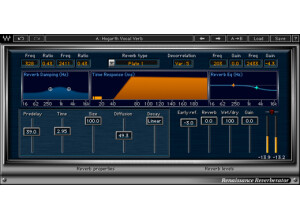
    The Waves Ltd. Renaissance Reverb is a basic reverb plug-in that comes as part of the Renaissance Maxx bundle of plug-ins, in addition to being available as an individual plug-in. I've only installed this plug-in along with the rest of the Waves plug-ins and not as an individual, although the process shouldn't be any difference beyond the length of time it will take. The interface of Renaissance Reverb has a good amount to work with, but I wouldn't say it's convoluted or complicated in any way. For starters, the plug-in has a variety of different types of reverb to choose from, as well as two filters for damping and one as a general EQ. It then has a graph for setting the time response of the delay in milliseconds, and sliders for setting your predelay, time, size, diffusion, decay, reverb, early reflections, wet/dry mix, and overall gain. I didn't find that it was hard to use at all, so I've never seen a manual for the plug-in. SUITABILITY/PERFORMANCE I've mostly been running the Waves Ltd. Renaissance Reverb plug-in on my system at home, but I move back and forth a lot between my home system and the studio's system where I work, so I've used it both in Pro Tools LE and HD. At home I've got Pro Tools LE 8 which I run on a Mac Book Pro that has a 2.2 Ghz Intel Core 2 Duo processor and 4 GB of RAM, while I run Pro Tools LE with a Digi 002R audio interface. I haven't encountered any issues on either system running this plug-in... OVERALL OPINION While I can't say that the Waves Ltd. Renaissance Reverb is my go to reverb plug-in of choice, it's still very solid and there's a lot that can be done with it. It definitely has a realistic sound to it, which is also versatile and flexible when you take into account all of the reverb types and parameters to go along with them. It's still not the most versatile reverb plug-in out there, but it's still a very good one. I don't think I'd recommend buying it as an individual plug-in since there are so many other options out there, but it's definitely one of the many reasons to get the Renaissance Maxx bundle of plug-ins...

  • moosers's review

    The Waves Ltd. CLA Vocals plug-in is one of a bunch in the Chris Lord-Alge (CLA) bundle of plug-ins. Each is geared toward a particular instrument or application, with this one obviously focusing on vocals. I've got all of the Waves plug-ins on my system at home, which I installed all at once and didn't encounter any problems. As far as the interface of the plug-in goes, it shares the same sort of configuration as the others in the CLA bundle, with sliders for bass and treble control, compression, reverb, delay, and pitch. It also has independent control over input and output level. Each of the main effect sliders gives you three different modes to choose from as well. It's easy enough to use where I don't believe you'll need the help of a manual. SUITABILITY/PERFORMANCE I'm currently running the Waves Ltd. CLA Vocals plug-in and the full CLA bundle on my system at home. My home studio is made up of Pro Tools LE 8 which I run with a Digi 002R audio interface, along with a Mac Book Pro lap top consisting of 4 GB of RAM and a 2.2 Ghz Intel Core 2 Duo processor. This system has been adequate for running this plug-in all the way, as I've yet to encounter any issues with it. I've only had a need to run one or two of them at once however. OVERALL OPINION Like all of the Chris Lord-Alge plug-ins, there's a whole lot that can been done with the Waves Ltd. CLA Vocals. It's the perfect one stop shop for getting vocal sound and effects. I'll use it a lot on scratch vocals where I'm hoping to get them to sound a bit better, mostly for perspective purposes to get an idea of what a mix might sound like with a real vocal. I do like to use individual processors and effects to get more control over my sound, but this definitely gives you a good amount of options considering how many different effects you're getting in one place here. The CLA bundle is an awesome set of plug-ins and the CLA Vocals plug-in in particular is no different...

  • moosers's review

    The Waves Ltd. Doppler is the only plug-in that I know of that actually simulates the Doppler effect! If you don't know what the Doppler effect is, it's the reason that a siren changes pitch as it passes you by. With this plug-in you can simulate this effect using two different modes - either a manual or auto mode. Installing the plug-in for me was easy as I did so along with the rest of the Waves Complete bundle which this is of course a part of. It's available in almost all of the Waves plug-in bundles, although I don't know if you can get it as an individual plug-in. The interface of Doppler gives you absolute control over every aspect of this effect, including gain, panning, pitch, reverb, and more. As I stated earlier, it's got an auto detection mode as well as a manual one. It's also got a helpful graph to show you the effect on screen. I'd have the manual handy if you think you might get lost with this one, but I found it pretty easy to figure out how to use without one. SUITABILITY/PERFORMANCE The system that I'm running the Waves Ltd. Doppler plug-in on is Pro Tools LE 8 based. I run Pro Tools LE with a Digi 002R audio interface, and monitor with a set of Adam A7's. The computer that I'm running everything on is a Mac Book Pro lap top, consisting of a 2.2 Ghz Intel Core 2 Duo processor and 4 GB of RAM. I've never had a need to run more than one of these at a time, so in turn I've never had any performance issues with it within this system. OVERALL OPINION If you are looking to simulate the Doppler effect, look no further than Waves' Doppler plug-in. This can be useful both in music for an effect, as well as for post production and other applications involving audio. The plug-in can achieve the effect in a variety of different ways, as it's possible to get all different types of sounds using this effect. I don't know how piratical the plug-in is for me in terms of daily use, but every once and a while I can see it coming in handy. Unless you're using this all the time, it's probably not worth spending money on outside of a bundle you're already getting, but it's definitely a nice one to have if you are getting a bundle with it in it anyway...

  • moosers's review

    The Waves Ltd. Z-Noise is an in depth noise reduction plug-in that is part of Waves' Audio Restoration bundle of plug-ins. It's pretty similar to the X-Noise plug-in that is also part of the same package, but I like this one a bit more as I find it to be a little cleaner. I believe that you can get this plug-in individually without the bundle, although I got it in the Waves Complete bundle so I don't know this for sure. Installing the plug-in is easy as you do so while installing the entire bundle at once. The interface of the software isn't too difficult to follow and at the same time gives you total control over filtering unwanted noise. It has parameters for threshold, reduction (and a meter to show it), attack, release, transients, and knee. It also has a graph with a more traditional EQ for filtering as well. You can get more in depth with it as it has some more features to offer as well, but what I've mentioned is pretty much the jist of it. If you're going to be using this plug-in on a daily basis, the manual is definitely something worth checking out, although I haven't seen it for myself. SUITABILITY/PERFORMANCE The system that I'm running the Waves Ltd. Z-Noise plug-in on is running Pro Tools LE 8. I've got a Mac Book Pro lap top that has a 2.2 Ghz Intel Core 2 Duo processor and 4 GB of RAM where I'm running Pro Tools LE 8 with a Digi 002R audio interface. I have only been using this plug-in moderately here and there when I need to get rid of noise, and for these purposes the system I've got does a fine job of running it as I can't say I've had any issues with it at all. OVERALL OPINION The Waves Ltd. Z-Noise is definitely one of the most comprehensive noise reduction plug-ins on the market. It's limitless in what it can achieve if you know how to use it, and even if you don't know it well it's still pretty simple to use and to get it to do the basic job. Of course it can get tricky the more you want to get specific with it, but the more you use it the easier it gets to use. Of all the Waves Restoration plug-ins, this would have to be my favorite as I find it to be the most flexible while sharing that pristine filtering that the other plug-ins in the bundle have as well. If you're looking for the plug-in to help you cut out unwanted noise in music, sound design, and beyond, look no further than Waves' Z-Noise.

  • moosers's review

    The Waves Ltd. CLA (Chris Lord-Alge) Drums plug-in is one that is only found in the Chris Lord-Alge bundle of custom plug-ins. Waves has a few different engineer co-designed plug-in bundles with Lord-Alge's being one of the most popular. I installed this plug-in along with the full bundle of Waves plug-ins, so installing this wasn't any different than installing the rest of the Waves plug-ins out there. Once you've got past this process, it's on to learning how to use the plug-in, which I haven't found to be very difficult. The interface consists of a series of sliders for bass and treble, compression, reverb, a gate, and for both input and output levels. It also has a knob for controlling different presets for different individual sorts of drums. It's easy enough to use that I don't believe a manual is necessary. SUITABILITY/PERFORMANCE The Waves Ltd. CLA Drums isn't the type of plug-in that's going to max our your processing space, but it really just depends on the type of system you're running it on. It should be safe to assume that if you've got this or you're looking into getting it that you've already got a pretty sturdy system. The one that I'm running it on is Pro Tools LE based and consists of a Mac Book Pro with 4 GB of RAM and a 2.2 Ghz Intel Core 2 Duo processor. I run Pro Tools LE with a Digi 002R audio interface and monitor with a set of Adam A7's. This has been more than adequate for me to run the native version of this plug-in, but it's definitely worth mentioning that I usually run it on an auxiliary channel for a drum bus. OVERALL OPINION The Waves Ltd. CLA Drums plug-in is the perfect place to start for getting a nice overall drum set sound using an auxiliary channel and busing your individual drum tracks to it. It's definitely also useful as an individual processor, but I've personally found it to be best suited for use on a full drum kit due to the nature of the parameters. Like all of the Chris Lord-Alge plug-in, it's got an incredibly crisp and smooth sound, with all of the processors in here being of a very high quality. In order to get the CLA Drums plug-in, you'll have to pick up the full CLA bundle, so if you're interested in this one I'd recommend checking out the rest of the plug-ins in the bundle as well.

  • moosers's review

    The Waves Ltd. Eddie Kramer Drum Channel is a plug-in that is found in the Eddie Kramer bundle of plug-ins. For those who don't know, Eddie Kramer is one of, if not the most legendary audio engineer of all time, having worked with Jimi Hendrix, Led Zepplin, and The Beatles. This bundle of plug-ins is designed by Kramer and Waves in tandem, although I don't know exactly what Eddie's involvement was beyond giving his name and using the plug-ins. I didn't have any issues installing this plug-in, as I did so along with the full Waves Complete bundle of plug-ins. The Eddie Kramer Collection of plug-ins all share a similar interface, and this one in particular I find easy enough to use. It's got a series of parameters for compression level, a gate, treble and bass EQ's, sensitivity, FX, and output. It also has a series of buttons for making or choosing presets for individual drums like bass, snare, etc. I haven't seen the manual for this plug-in, so I can't speak to it's make up. SUITABILITY/PERFORMANCE I'm currently running the Waves Ltd. Eddie Kramer Drum Channel and the full Eddie Kramer Collection of plug-ins in my home studio. I'm running everything in Pro Tools LE 8 with a Mac Book Pro lap top that has 4 GB of RAM and a 2.2 Ghz Intel Core 2 Duo processor. I run Pro Tools with a Digi 002R audio interface and I listen with a set of Adam A7 monitors. I can't say that I've had an issue running this plug-in at all, although I should say that I'll usually use this on a drum bus auxiliary channel. OVERALL OPINION The Waves Ltd. Eddie Kramer Drum Channel is a great all in one processor for all things drums. As I previously mentioned, I will mostly use this plug-in on a drum bus channel where I'd send most of the drum tracks to. This plug-in allows for a quick and easy way to get a nice overall sound with the built in compression and other processing. When I'm mixing and printing real drum tracks I'll use outboard gear when possible or if not, then I'll usually use individual processors, but if I'm just getting a quick mix happening and just want to throw something up, this is pretty much what I've been using. It definitely has a good enough sound to print with in my opinion, but I've yet to do so in my home studio. While the Eddie Kramer Drum Channel is great for drum busses, it also sounds great on individual drums of all kinds - especially bass drum I find. The bottom line is that this is a top tier drum processing channel and in my opinion the entire Waves Eddie Kramer Collection is something definitely worth trying.