Log in
EN
FR

Waves Software Spectral Processors

41 products found

Categories
Series
Filter
Sort by
Waves
Evaluation
  • Reviewed or not
  • Editor’s award
  • Reviewed by Audiofanzine
Availability
  • Available or not
  • Sold new or used
  • Sold new
  • Sold used
Must-have products
  • All products
  • Flagship products
  • Best rated products
  • Hot products
  • Popular products
Price
  • Freeware
  • Low-cost (< $70)
  • Mid-range ($70 - $150)
  • Premium (> $150)
€
Clear
Sort by
  • Popularity
  • User ratings
  • Price - low to high
  • Price - high to low
  • Used price, increasing
  • Used price, decreasing
  • Name (from A to Z)
  • Name (from Z to A)
  • Added on
Choose a category
Selected category: Software Spectral Processors
Sort results
  • Popularity
  • User ratings
  • Price - low to high
  • Price - high to low
  • Used price, increasing
  • Used price, decreasing
  • Name (from A to Z)
  • Name (from Z to A)
  • Added on
Filter results 41 results found
Brands
Evaluation
Availability
Must-have products
Price
  • Freeware
  • Low-cost (< $70)
  • Mid-range ($70 - $150)
  • Premium (> $150)
Show results

The best Waves Software Spectral Processors reviews

The reviews Audiofanzine members found the most helpful.
  • moosers's review

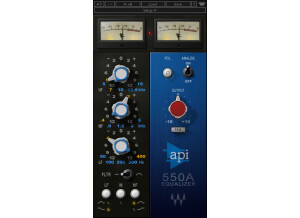
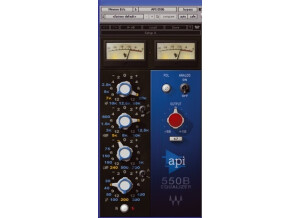
    The Waves Ltd. API 550B is a software equalizer that is part of the Waves API Collection of plug-ins. It can't be purchased individually as far as I know, so check out the full bundle if you're interested in this one. I recently got the full bundle of Waves plug-ins, so I installed this one along with the API Collection at once. The process should be quick and easy as long as you've got proper compatibility happening. The interface is quite easy to figure out as well as it's a four band semi-parametric EQ. If you're familiar with the general make up of equalizers, you'll definitely feel comfortable using this one. Each of the four bands has parameters for gain and frequency and there are switches for setting the bandwidth on the high and low bands to either a shelf or standard. The plug-in also has an 'analog' switch and an overall output parameter. I've never seen the manual for this plug-in and don't plan on ever needing too since it's pretty simple. SUITABILITY/PERFORMANCE The system that I'm running the Waves Ltd. API 550B consists of a Mac Book Pro and Pro Tools LE 8. The lap top has 4 GB of RAM and a 2.2 Ghz Intel Core 2 Duo processor, while I'm running Pro Tools LE with a Digi 002R and I'm listening with a set of Adam A7 monitors. This system has been more than adequate for running this plug-in, as I've never had any performance issues whatsoever. I don't tend to put it up on every track, but I've used enough instances of it at once that I wouldn't be concerned with doing so if needed. OVERALL OPINION The Waves Ltd. API 550B is probably the most useful equalizer of the EQ plug-ins in the Waves API Collection, as it's certainly the most flexible and shares the same pristine sound quality that the other Waves API EQs do. It's a really great sounding EQ in general and I'm a big fan of the make up of this as it reminds me of a console's EQ which feels most comfortable to me. I'll always try to use hardware equalizers when possible as to me there is nothing that can match running a sound through actually circuitry, but this is really as close as you can get inside the box. At home I don't have much outboard gear so I do rely a good bit on plug-ins. I'd definitely recommend the Waves API 550B as a fabulous software EQ!

  • « Legit EQ »

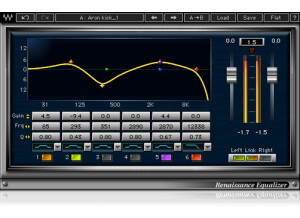
    It's a bit difficult to think of too much to say about this EQ other than it is a solid, well-made plug-in with no foreseeable downsides. I personally used this as my go-to EQ for a few years before getting a bundle of PSP plug-ins which have replaced a lot of the Waves stuff for me. I find this EQ to be very nice and clear, without producing any harshness when you boost the upper frequencies, which can happen in cheaper EQs. I use the PSP MasterQ for most of my general work now and couldn't tell you that it is any superior performance-wise, only that I like the look and feel of working with it a bit more. The Renaissance EQ isn't quite as point-and-click friendly and seemed somehow obtrusive in that way but I think that's more about my style than any weaknesses of the product itself. I like it on my Master bus for a bit of soft tweaking to the overall mix. If you know and understand basic EQing then you will have no problems opening this up and working with it right away. There are plenty of helpful presets and all parameters are pretty well labeled. The layout is fine although I prefer plug-ins that aren't so dark when I have the choice. Again, a style thing, but I don't like looking at dark, black plug-ins when I have to work with it all day. Stability was never an issue and I can't recall ever having any issues with my program crashing or otherwise having problems with most of the Renaissance series, which is sadly not something I can say about a couple of PSP plug-ins. I've never needed to look in the manual so I don't have any experience about whether it is helpful or not. Like I said, if you know your way around an EQ it shouldn't be a problem, but even if you don't this is fairly user friendly and you should be able to figure it out quickly. I also can't comment directly on the price, as I got it as part of a big bundle and not separately. For $150 though, which is the price I've seen for it now, I can't imagine it being my first choice of new gear when I get my paycheck. If you're just getting going or are more into production as a hobby, I'd spend your money on something else before coming to this product. It's definitely good but not really necessary unless you're producing professional stuff on a frequent basis. Cheers!

  • « Great Program EQ »

    I received the V-EQ3 as part of the V-Series Bundle, which actually came as part of the Gold Bundle. Installation was simple because I was able to install the entire Gold Bundle at once, and all the plug-ins were ready to go, including the V-EQ3. The plug-in can be purchased as a stand-alone processor. However, I would recommend getting the V-EQ4 to go along with the V-EQ3 because they complement each other really well. Waves authorization in version 9 plug-ins does not require an iLok. Now any USB stick can be used as a dongle. Or, if you computer connects to the internet, you don't even need a dongle at all. You can just use the Waves Authorization application. Waves included some decent presets with the V-EQ3. If you are not very familiar with equalization, you might want to at least check out their suggestions. I find that I actually don't need to use more than about 1 dB of boost/cut when I am using the V-EQ3. SUITABILITY/PERFORMANCE I typically use the V-EQ3 on program signals (mix bus, drum bus, sub mixes, etc). For individual tracks, I think the V-EQ3 is better because it has more flexibility and more controls when I need to make more dramatic changes to an individual track. The V-EQ3 is better for program signals because the filter curves are very smooth. The high shelf is amazing for adding in the top-end 'air' on a mix without sounding harsh. Having the 'low-cut' or 'high-pass' filter is also great at the output. I almost always use the V-EQ3 on my mix bus and set the filter to the '45' frequency. This really helps clean up the low end of my mix, and makes sure any 'sub' frequencies aren't dominating my mix during the compression and limiting stage. Supposedly, Waves modeled some of the 'analog' character (harmonics, color, saturation) in the V-Series plug-ins. I don't think it is very dramatic, especially compared to Waves NLS. The main analog thing I notice is that there is a noise floor based on 'noise' that Waves recorded from the hardware. This can be turned on and off. OVERALL OPINION The Waves V-EQ3 is an equalizer plug-in that models the Neve 1066 and 1073 modules. It has a high pass filter, a low shelf, a mid-range bell filter, and a high shelf. The original Neve hardware is known for having ultra smooth filter curves and for adding warmth to an input signal. The Waves modeled version resembles these characteristic, especially compared to other digital equalizers (Q10, Ren Eq, etc) that were meant to be super clean and capable of sharp filter resonances. I have never had the opportunity to use the real hardware, so I am can't make any comparisons between hardware and software. All I can say is that the V-EQ3 sounds different than a typical plug-in EQ, and in my opinion, it sounds better than a typical plug-in EQ.

  • « Perfect Introduction to Bus Processing »

    This plug-in is about as simple as it gets. Insert it on your tracks and its going to make a big difference right away. I mainly use if for the 'Drums Live' and "Drums Prog' settings. Right away, these settings make your drums loud, punchy, and help them cut through a mix. Speaking of mix, the 'Master' setting is a super simple processing chain to make your overall mixes really loud. The controls are simple to use. There are 'input' and 'output' dials to control the volume of the signal coming into the plug-in and the volume of the signal leaving the plug-in. There are 3 'eq' dials to adjust the frequency response of the plug-in. The 'eq' curves definitely change depending on the 'Type' selection (BGV, STRINGS, GUITARS, DRUMS, etc.) but they are selected to be appropriate for the specific application. Installation and authorization is a breeze, as with all Waves plug-ins. SUITABILITY/PERFORMANCE It is a little bit difficult to know exactly what kind of processing is going on inside the plug-in, given the limited amounts of controls. For instance, it is impossible to know what kind of compressor settings (ratio, attack, release, threshold, etc) are being used. Also, I get the impression that there is some kind of 'reverb' or 'ambiance' being added in some of the settings. There aren't even controls for this if you want to turn it up or down. It just adds a little 'space' to the drums or your mix so that everything sounds like it is coming from the same place. I guess it just reflects the way that Tony Maserati mixes. Apart from watching him work through his mixes, these plug-ins provide some good clues on how he likes to mix. I definitely changed the way that I mix just by using this plug-in. I started busing out my drums, and using a limiter to make sure they don't clip, even if I am not using the Maserati GRP plug-in. OVERALL OPINION The Waves Maserati GRP plug-in is meant to be used as a 'bus' processor. Of all the Signature Series Bundles (Maserati, CLA, JJP, Kramer), this plug-in is the only one specifically for 'group' processing. To me, this unique processor and the 'Acoustic' processor set the Maserati bundle apart from the rest. If your mixes don't use a lot of 'bus' processing, or you aren't entirely sure how to process your overall mix, then you should definitely consider this plug-in. If you have drums, you should definitely 'bus' them all to the same track. Then you can use this plug-in to do things like compress the sub-mix and also eq. The same thing goes for your final mix. Unless you are going to pay for someone else to 'Master' your mix, then you really need some kind of processing to make your tracks loud enough to compare with the other music that is out there. This plug-in is an 'all-in-one' solution for 'mastering'. It has simple, easy to use controls of 'eq' and 'compression'. The 'compression' setting is actually a combination of 'limiting' and 'compression'.

  • « Low-CPU Eq »

    The Waves Q10 Equalizer is a software plug-in that can be used inside a DAW. The software is easy to download and install from the Waves website. Authorization can be completed using an iLok or any USB memory stick or with the Waves Authorization application if you computer is connected to the internet. It is very easy to get started with this plug-in if you have any intuition about equalization. Different eq modes are available - shelving, band pass/stop, high/low pass. The 'gain' setting makes the amplitude of that filter louder or quieter. 'Freq' changes the frequency of the filter. The 'Q' setting controls the slope of the filter curves to broaden or narrow the frequency response. SUITABILITY/PERFORMANCE The Q10 is meant to be a digital equalizer. If you want a modeled version of an analog equalizer, Waves has plenty of other products to look at. If you really need to do some precise, 'surgical' equalization, Q10 is the way to go. I own the Waves SSL bundle and the Neve (V-Series) bundle, but they don't offer the same precision as the Q10. For me, the utility of the Q10 is for 'subtractive' equalization. I almost always load Q10 in my first plug-in slot to find any 'harsh' frequency regions in my recorded signal. Using a relatively narrow 'Q' setting, I pull these problem frequencies out. I think it is also a good idea to take out any low frequencies below 30 Hz from my signal using the Q10. Later on in the signal chain, I will use the SSL EQ to boost some mid-range frequencies with a broad 'Q' setting, and the Neve EQ to boost some top-end. OVERALL OPINION The Q10 equalizer has been around a long time. The best part of the plug-in is that it has a low CPU demand. If you aren't very experienced with eq'ing audio, the included presets are a good place to start. It is great to have some analog modeled eq's in your arsenal, but it is also essential to have a digital eq available whenever you are trying to avoid adding analog 'color' to a recording. Q10 is a great choice in this category. The H-Eq from Waves is another option because it gives you the option of both digital filters, and analog modeled filters.

  • « Another one knob solution to a multi-knob problem »

    There were no compatibility issues installing any of the other six One Knob plug-ins, One Knob Phatter being no different. The general setup of the plug-in, as with the others, is as simple as it gets. One knob sits in the middle of the display. When you raise the knob an aesthetically pleasing amber light indicates the effect's level, also displayed in a number between 0 and 10 in the lower right hand corner. Because of it's simplicity I have never felt the need to read the manual, but I can imagine as with the rest of the Waves plug-ins that it would be well-written and helpful. SUITABILITY/PERFORMANCE Running in Ableton Live 8 on my MacBook Pro with a 2.7Ghz Intel Core i7 processor and 4GBs of RAM, Waves' One Knob Phatter is as smooth as clockwork. Being a fairly light plug-in with regards to CPU usage, it is stable and reliable even in situations with many other effects and VSTs operating simultaneously. That said, I do not use the One Knob series too much. This is for the simple fact that they don't offer enough versatility. There is literally one, and only one way to affect the signal. Although easier for producers who may not want to go through the trouble of learning more complex interfaces for fattening a sound, is it worth the money? The product can either be purchased as a part of the Waves One Knob package deal, or with the Mercury bundle. If you are really dying the try it, get a much better deal by buy the Mercury bundle and getting the entire library of other top-of-the-line plug-ins that comes with it. OVERALL OPINION Overall I wasn't totally satisfied with the One Knob series by Waves, but there were some viable pros to help balance the cons. The pros: their simplicity, stability, and superior sound quality. Fattening the bass with this plug-in couldn't have been easier and sounded really great, not just boosting the lows, but enriching them. The cons: lack of versatility in expression, and limited realistic use in a professional production environment. Although there is a One Knob to solve everything, it isn't always the right plug-in to just throw in the mix and crank up, because at the end of the day you don't have the ability to tweak it exactly how you want it. The One Knob Phatter, although expressive in its own way, lacks enough flexibility for me to really recommend it as a worthwhile product to invest it, but if you get it as a part of the Mercury bundle I would encourage you to try it out just to know how it sounds. There are certainly great situation where the exact One Knob Phatter sound is what you need.

  • « A good filter but too simple »

    There were no compatibility issues installing any of the other six One Knob plug-ins, One Knob Filter being no different. The general setup of the plug-in, as with the others, is as simple as it gets. One knob sits in the middle of the display. When you raise the knob an aesthetically pleasing purple light indicates the effect's level, also displayed in a number between 0 and 10 in the lower right hand corner. Yet the One Knob Filter differs from the others in that it has an additional parameter besides the one knob: a button in the bottom left corner that toggles the filter's resonance between none, moderate, high, and extreme. Because of it's simplicity I have never felt the need to read the manual, but I can imagine as with the rest of the Waves plug-ins that it would be well-written and helpful. SUITABILITY/PERFORMANCE Running in Ableton Live 8 on my MacBook Pro with a 2.7Ghz Intel Core i7 processor and 4GBs of RAM, Waves' One Knob Filter is as smooth as clockwork. Being a fairly light plug-in with regards to CPU usage, it is stable and reliable even in situations with many other effects and VSTs operating simultaneously. That said, I do not use the One Knob series too much. This is for the simple fact that they don't offer enough versatility. There is literally one, and only one way to affect the signal. Although easier for producers who may not want to go through the trouble of learning more complex interfaces for filtering their signal, is it worth the money? The product can either be purchased as a part of the Waves One Knob package deal, or with the Mercury bundle. If you are really dying the try it, get a much better deal by buy the Mercury bundle and getting the entire library of other top-of-the-line plug-ins that comes with it. OVERALL OPINION Overall I wasn't totally satisfied with the One Knob series by Waves, but there were some viable pros to help balance the cons. The pros: their simplicity, stability, and superior sound quality. Filtering my track's signal with this plug-in couldn't have been easier and sounded really great, perfect for the gradual rises and big sweeps of the electronic music I produce. The cons: lack of versatility in expression, and limited realistic use in a professional production environment. Although there is a One Knob to solve everything, it isn't always the right plug-in to just throw in the mix and crank up, because at the end of the day you don't have the ability to tweak it exactly how you want it. The One Knob Filter, although expressive in its own way, lacks enough flexibility for me to really recommend it as a worthwhile product to invest it, but if you get it as a part of the Mercury bundle I would encourage you to try it out just to know how it sounds. There are certainly great situations where the exact One Knob Filter sound is what you need.

  • « Surprisingly effective, but still limited »

    There were no compatibility issues installing any of the other six One Knob plug-ins, One Knob Brighter being no different. The general setup of the plug-in, as with the others, is as simple as it gets. One knob sits in the middle of the display. When you raise the knob an aesthetically pleasing teal light indicates the effect's level, also displayed in a number between 0 and 10 in the lower right hand corner. Because of it's simplicity I have never felt the need to read the manual, but I can imagine as with the rest of the Waves plug-ins that it would be well-written and helpful. SUITABILITY/PERFORMANCE Running in Ableton Live 8 on my MacBook Pro with a 2.7Ghz Intel Core i7 processor and 4GBs of RAM, Waves' One Knob Brighter is as smooth as clockwork. Being a fairly light plug-in with regards to CPU usage, it is stable and reliable even in situations with many other effects and VSTs operating simultaneously. That said, I do not use the One Knob series too much. This is for the simple fact that they don't offer enough versatility. There is literally one, and only one way to affect the signal. Although easier for producers who may not want to go through the trouble of learning more complex interfaces for raising high-ends, is it worth the money? The product can either be purchased as a part of the Waves One Knob package deal, or with the Mercury bundle. If you are really dying the try it, get a much better deal by buy the Mercury bundle and getting the entire library of other top-of-the-line plug-ins that comes with it. OVERALL OPINION Overall I wasn't totally satisfied with the One Knob series by Waves, but there were some viable pros to help balance the cons. The pros: their simplicity, stability, and superior sound quality. Raising the brightness with this plug-in couldn't have been easier and sounded really great, not just boosting the highs, but enriching them. The cons: lack of versatility in expression, and limited realistic use in a professional production environment. Although there is a One Knob to solve everything, it isn't always the right plug-in to just throw in the mix and crank up, because at the end of the day you don't have the ability to tweak it exactly how you want it. The One Knob Brighter, although expressive in its own way, lacks enough flexibility for me to really recommend it as a worthwhile product to invest it, but if you get it as a part of the Mercury bundle I would encourage you to try it out just to know how it sounds. There are certainly great situation where the exact One Knob Brighter sound is what you need.

  • « Bass you can really feel »

    Getting Waves MaxxBass up and running was, as with all of the other Waves plug-ins I've used, a piece of cake. There were no compatibility issues and, although I didn't read the manual I can definitely say it's a fairly easy VST to get the hang of. The interface consists of a cut-off frequency fader, an input bass, original bass, and maxx bass fader, and parameters that affect the dynamics and harmonics of the signal. All in all a pretty straight-forward, easy to use plug-in. SUITABILITY/PERFORMANCE Again, as with all of the other Waves plug-ins I've had the pleasure of using, MaxxBass has been a completely stable, reliable addition to my VST library. I'm using a MacBook Pro with a 2.7 Ghz Intel Core i7 processor and 4GBs of RAM and so far everything has been working like a charm. Of course I don't really automate functions on MaxxBass, which may put more stress on my DAW's CPU usage, so I'm not entirely sure how it performs under more strenuous circumstances. I can say, however, that as a sound shaper for some really punchy, fat bass, this is one of my favorites. It really adds a level to your bass that you can feel, sort of like a 32 or 64 ft. organ pipe would. I have successfully employed its effects in Hip-Hop, DubStep, and House tracks and it has done the job well in each scenario. I've only had this plug-in for a couple months, but I feel like it will be a prominent player in my arsenal for a little while. OVERALL OPINION Overall Waves MaxxBass is one of the best ways to get a deep thump in your low ends. This is a huge asset seeing as though drowned out bass is a serious problem in mixes - just watch your levels and be conservative because after all, it packs a punch. Very effective and extremely reliable, in the right doses you can't go wrong with MaxxBass.

  • « Beefs up the bass »

    Bass can be one of the hardest things to mix. The low frequencies itself are harder to hear than midrange frequencies, and there are a lot of sound systems out there that have trouble capturing the full scale of the bass end of music. As a result, a lot of people tend to overmix bass. It then creates a mix that is way too flubby on a set of professional monitors. This is especially noticeable with headphones. This plugin helps try to beef up your bass without having you overmix it too much. However, I still noticed that you can overmix if you're not careful. The plugin is very simple and only has three slides -- intensity, gain and frequency. By utilizing these three sliders, you can tighten up the bass a bit so it's not as ridiculously fat. On the opposite end, you can also beef it up real good if you play your frequencies right. I never had a problem using this, and there shouldn't be a need to read the manual for it as it's very simple. SUITABILITY/PERFORMANCE Waves is really one of the best companies out there when it comes to implementing solid plugins with no real fuss. These plugins are always rock solid and super stable; this plugin is really no different. I've never experienced a single crash or hiccup while using this plugin. The plugin is also cross platform compatible, so Windows and OS X users alike can use these without any problems. There is one issue that I always gripe about, however. These plugins are 32 bit for OS X. Right now, I'm using a 64 bit DAW, and for me to utilize these plugins, it needs to launch a special bridge application. I'm not a huge fan of the way my DAW utilizes these, so I'm hoping they update these in the future. I've been using the Waves Mercury bundle for the past six or so months, and it's been a very enlightening experience to say the least. OVERALL OPINION The plugin is good, but I don't tend to use it all that often. Personally, I just throw a compressor on the bass buss, and if I need it to be more aggressive, I'll add a gain plugin. Most of the time, a simple VST amp for the bass can get me there. It's not a bad plugin, but I wonder if it's meant more for electronica than bass.

  • « Very nice on the master buss »

    Harmonic generators can be a true godsend to certain mixes. They can really add some cool depth and life to something that would otherwise sound a touch dull. Tony Maserati has been a long time master at putting out quality mixes, and this plugin helps represent his philosophy on mixing. This plugin is really meant to be added to the master buss, but you can use it on whatever you want. It's super simple to use, so there's no real need to read the manual. The plugin has knobs for sensitivity, size, amount, spread, output, fx and wet. There are also different switches you can utilize to change the overall sound. SUITABILITY/PERFORMANCE When it comes to things like stability and overall performance, Waves tends to be at the top of the totem pole. I've never experienced a single crash, freeze or hiccup while using any Waves plugin, let alone this one. They all seem to be super stable, which is a huge plus for something as critical as a recording environment. The plugin itself is cross platform compatible, so there is no issue when it comes to using this with either an Apple or Windows based computer. The biggest problem I experienced simply has to do with the recently technological evolution of OSes. My DAW and OS are now 64 bit. However, these plugins are still 32 bit. For Logic Pro to fully utilize this plugin, it needs to run a bridge application, unless I want to gimp down my DAW. It's a bit of a pain, but it works. I'm hoping they update these to 64 bit in the future. I've been using the Mercury bundle for the past half a year or so, and it's been working out great. OVERALL OPINION I've used this plugin fairly successfully in various mixes that I've done. It can really help make a mix stand out, but be sure not to use too much of it. Once you start overusing it, it tends to make everything sound overly processed. Definitely give it a try; it should work with most styles of music.

  • « Works great for that low end thump »

    Tony Maserati is one of the kings when it comes to things like R&B and pop music. He's helped produce and engineer stuff from Destiny's Child to Tupac, and he knows this genre inside and out. Considering how famous he is, it's no wonder he got his own signature plugins. This one is for the bass buss. To use this, simply enable it on your bass buss inside of your DAW, and you're good to go. The plugin itself is laid out in a very easy to utilize manner, so there should be no issues when it comes time to use this. The plugin has knobs for sensitivity, bass, treble, output, fx, tone and fx out. There are also buttons to select between different settings and whatnot. SUITABILITY/PERFORMANCE Waves is, by far, one of the best software companies out there when it comes to things like performance and stability. First of all, this plugin is cross platform compatible. That means that nearly anybody can use this without any issues. As a Mac user, that's a huge plus for me. The plugin itself is rock solid, and I've never experienced a single crash directly related to utilizing this plugin inside of my DAW. There is one one issue that I did experience, and it's why I rated it a 9 instead of a 10. This plugin is a 32 bit plugin inside of OS X. Today, we're mostly living in a 64 bit world. For Logic Pro to utilize this plugin, it needs to run a special bridge application so I can have my higher RAM limit inside the actual DAW. I realize that the plugin is kinda old, but I'm hoping Waves will update this for 64 bit operation in future updates. I've been using the Mercury bundle for the past half a year or so, and it's been a wonderful experience. OVERALL OPINION Bass doesn't usually need a ton of attention compared to, say, drums. However, it's very easy for bass to totally destroy a mix if you don't know what you're doing. I find that a heavy hi-pass and lo-pass filter to solidify where the bass will sit tends to work the best. This plugin has helped me in a few ways for rock productions, but I wouldn't really use this on a metal mix. Worth checking out for sure, though.