Log in
EN
FR

Software Spectral Processors

1338 products found

Categories
Filter
Sort by
Brand
Evaluation
  • Reviewed or not
  • Editor’s award
  • Reviewed by Audiofanzine
Availability
  • Available or not
  • Sold new or used
  • Sold new
  • Sold used
Must-have products
  • All products
  • Flagship products
  • Best rated products
  • Hot products
  • Popular products
Price
  • Freeware
  • Low-cost (< $90)
  • Mid-range ($90 - $300)
  • Premium (> $300)
€
Clear
Sort by
  • Popularity
  • User ratings
  • Price - low to high
  • Price - high to low
  • Used price, increasing
  • Used price, decreasing
  • Name (from A to Z)
  • Name (from Z to A)
  • Added on
Choose a category
Selected category: Software Spectral Processors
Sort results
  • Popularity
  • User ratings
  • Price - low to high
  • Price - high to low
  • Used price, increasing
  • Used price, decreasing
  • Name (from A to Z)
  • Name (from Z to A)
  • Added on
Filter results 1,338 results found
Brands
Evaluation
Availability
Must-have products
Price
  • Freeware
  • Low-cost (< $90)
  • Mid-range ($90 - $300)
  • Premium (> $300)
Show results

The best Software Spectral Processors reviews

The reviews Audiofanzine members found the most helpful.
  • moosers's review

    The Nomad Factory British Tone EQ BQ2S is an equalizer plug-in that comes as part of the Blue Tubes Equalizer Pack and is not available as an individual plug-in as far as I know. The plug-in has a fairly simple interface that most users will be able to figure out with any assistance whatsoever. It’s really a basic three band EQ, with varying degrees of control each of the bands. The bass band gives you four frequencies to choose from (60 Hz, 90Hz, 120 Hz, and 220 Hz), while it also has a gain knob for plus or minus 15 db and a control for setting the band width. The middle band has more frequencies to choose from, ranging from 300 Hz to 5 kHz, and the treble band is more like the bass band in that it only gives you four frequencies – 6 kHz, 8 kHz, 10 kHz, 12 kHz. There is also an overall output level knob and a simple limiting button as well. A manual shouldn’t be necessary in order to figure out how to use this plug-in. SUITABILITY/PERFORMANCE The studio that I work at has the Nomad Factory British Tone EQ BQ2S and the full Blue Tubes Equalizer Pack running on all of our systems. The main system that we have it on is Pro Tools HD (like the others), and runs on a Mac Pro desk top computer that has dual 2.66 Ghz Intel Xeon processors and 10 GB of RAM. This is more than adequate to run this plug-in, as it really doesn’t seem to take up much processing power at all. OVERALL OPINION The Nomad Factory British Tone EQ BQ2S is overall a great little EQ plug-in, perfect for boosting or cutting frequencies across the board. It doesn’t offers as much flexibility as you’d get with some more parametric, but it’s still adequate enough to get the job done more times than not. I use it a pretty good amount if I’m EQing inside the box, as I find it to be warmer sounding than the stock EQ plug-ins in Pro Tools. The Blue Tubes Equalizer Pack bundle as a whole is just $200 and contains six different EQ plug-ins of all kinds, so if you’re looking to expand your EQ plug-in palette, this is the perfect way to do it!

  • Audiofanzine FR's review

    (Originally written by Rouxxx/translated from Audiofanzine FR) No installation problems. SUITABILITY/PERFORMANCE Very low resource consumption with a Core 2 Duo E4600 and 2 GB Ram. OVERALL OPINION The 1973 is very interesting for its high-frequency band. It's worth to buy the plug-in just for this reason regardless of the other possibilities. It allows you to brighten the sound without making it aggressive. The low-frequency band can also be interesting. But I found some weak points: - The mid-frequency band is virtually unusable because of its too narrow Q factor which produces unpleasant resonances pretty fast. - It's impossible to accurately adjust the low cut since it only has fixed values. This product would be worth a 10 considering its magic high shelving filter, but I only give it a 7 because of the useless mid range and the inflexible low cut.

  • Audiofanzine FR's review

    (Originally written by kaos2323/translated from Audiofanzine FR) Nothing to say. It's just a plug-in... SUITABILITY/PERFORMANCE Same thing as above OVERALL OPINION Epure is the ultimate VST EQ plug-in, it's comparable to the best analog devices. I compared it with other renowned plug-ins and I quickly noticed the weaknesses of its competitors: SONNOX Oxford EQ sounds 'metallic' and 'narrow' regardless of the EQ mode you chose (parameter type). WAVES SSL seems less accurate, less precise... In a standalone listening test the Epure sounds very transparent, the processing is very musical and effective. Within a mix it becomes even clearer! In the beginning I didn't like the GUI but now it seems very practical and clear (even though it's nothing new compared to Sonnox: the color combination is different but it's the same philosophy: variable scale depending on the gain level of each band, EQ curve depiction, etc.). The real difference is the SOUND! It's really impressive... But it has a price! You have to make up your mind, either you have 10 cheap and useless EQs or only one amazing EQ that makes everything perfect... It's up to you!

  • « Interesting subharmonic synth »

    For those of you who have ever wanted a subharmonic generator for post production work, this could quite possibly be the exact plugin you're looking for. The plugin is basically a super adjustable low end adjuster to add depth and girth to your overall mix. The plugin has four knobs for resonance, lo, loair and output. It also has four sliders for L/R, C, Ls/Rs and LFE. Finally, there are two buttons for align and trim. The plugin itself is implemented in a very intuitive way, so anybody can use this without having to read the manual. Personally, I've never read it, so I can't comment on it. The plugin is also real easy to utilize. Simply enable it on whatever buss you're looking to shape the low end on. It tends to work best on the master buss, but don't let that stop you from utilizing it on other busses. SUITABILITY/PERFORMANCE Waves is the king when it comes to things like stability and performance. They're almost unbeatable in this category. I've never experienced a single crash or hiccup while using this plugin inside of my favorite DAW -- Logic Pro. The plugin is cross compatible, and that means that almost every user out there should be able to utilize this plugin on their favorite machine. It also doesn't take up too much RAM or processing power, which is a huge plus. There is one issue I have experienced, however. The plugin itself is a 32 bit plugin. I run a 64 bit DAW, and it can be a real pain because Logic Pro has to run a special bridge application to utilize this inside the 64 bit workspace. I'm hoping they'll update this plugin later down the road to work in 64 bit environments natively. I've been using the Mercury bundle for about half a year now, and I'm loving every minute of it. OVERALL OPINION If you're looking for a high quality low end shaper for your master buss, this is a good plugin to check out. It's very solid at what it does, and I found that it works great for certain mixes. However, I'm a heavy metal guitarist, and using this can sometimes make the overall mix muddy if you use too much of it. I think this would work much better for electronica music and the like. This could really help deliver that huge thump without having everything sound like a jumbled mess.

  • « Great Bundle of EQ Plug-Ins! »

    This is a bundle of EQ plugins that will be highly functional and cover a lot of your bases. They are all based on analog EQs and console EQs, so they work more or less the same way. The names of each EQ plug-in are PSP ClassicQ , PSP ClassicQex , PSP ConsoleQ , PSP McQ , PSP preQursor and PSP RetroQ. There were no compatability issues with these guys at all for me. The manual gave me all the info I needed on setting the plug-in up which took no time at all. These all have really basic interfaces so they were really easy to use once I got going. SUITABILITY/PERFORMANCE I have been able to run this plug-in on many tracks simultaneously with no problem. Therefore I'd say the plug-ins work great. They all have the same response in terms of taking CPU power. I've had a quick, painless performance from it. I've used them a few months now and I feel pretty comfortable with them all. They all have their unique properties which make them all worth it, and make the bundle that much more effective for engineers. OVERALL OPINION I think that these EQs are all really great for plug-ins. The fact that they have the hardware interface actually makes them easier to use than some of the newer digital ones. There's a plugin that emulates the classic early british EQs which works fantastically well overall. There are elements of Amek, SSL, Neve, and API EQs in all of these plugins. So I'd say overall it's well rounded and modeled after the best elements of great consoles, so while they are based on classics, they are unique in the sense that they combine different elements of each EQ. I've used some really good plug-in EQs and these are some of the best I've tried. They work just as well as any of the others I've used.

  • moosers's review

    The FabFilter Simplon is a basic two band filter plug-in that is essentially a simplified version of FabFilter's Volcano 2 filter plug-in. I'm not the owner of the version of this plug-in that I've used, rather a producer who I'm an assistant to has most of the FabFilter plug-ins at his home studio and I've used them all there. He uses their plug-ins on almost everything, so it was kind of mandatory that I learn them as well, and boy I'm glad I did as they are really some great plug-ins! The Simplon in particular is really easy to use, with each of the two bands giving you control over the frequency and peak, as well as three different modes for each. Each band also gives you to option to set the db range to either 12, 24, or 48, as well as using each as either a band pass, low pass, or high pass. There are also input, output, and mix levelers included here. Since this is a somewhat unique make up, if you're new to filters and EQ's it might be a good thing to have the manual around just in case. SUITABILITY/PERFORMANCE The only system that I've ran the FabFilter Simplon plug-in on has been a Pro Tools HD one. I don't know all of the specs on the specific system, but I think it's enough to say that it's HD and that it's enough to run almost any amount of plug-ins comfortably. I can't say how well this might run on an LE system or something similar... OVERALL OPINION The FabFilter Simplon presents what this company does best, and that's making high quality, versatile and flexible filter plug-ins for your DAW. The Simplon has a unique make up to a degree, but this only furthers what is possible with the plug-in. In fact, FabFilter advertises that there are 27 different combination types available here depending on the modes you're using, which is really something considering it's only two bands to begin with. The sound, like all FabFilter plug-ins, is outstanding through and through as this is as clean of a filter as you'll find in the plug-in world. If you don't have the money to drop on the full Volcano 2 of which this is a simplified version of, the Simplon is a fine substitute for any DAW.

  • moosers's review

    The Softube Passive-Active Pack is a bundle of three equalization plug-ins. The plug-ins included with this bundle are the Softube Passive Equalizer, Softube Active Equalizer, and the Softube Focusing Equalizer. Installing the bundle should be quick and easy granted that you have a compatible system and that your system can handle it. The make up of these plug-ins is generally pretty easy to follow, although each has it's own type of thing going on. The interface is designed to look like an old stereo system, which is kind of cool to look at. The plug-ins are available in either VST, RTAA, or AU formats. I haven't had a look at a manual for this bundle, nor do I anticipate ever needing one. SUITABILITY/PERFORMANCE I recently got the Softube Passive-Active Pack and I'm now running it in my home recording that consists of Pro Tools LE 8 and a Mac Book Pro lap top computer with a 2.2 Ghz Intel Core 2 Duo processor and 4 GB of RAM. I run Pro Tools LE with a Digi 002R audio interface and I monitor everything with a pair of Adam A7s. I've yet to encounter any performance issues with these plug-ins, as they work just fine within my configuration. OVERALL OPINION While these plug-ins definitely sound good and are useful to have around, the Softube Passive-Active Pack plug-ins aren't my go to equalizer plug-ins. I've been tending to use them when I'm looking for something a little bit different. You can change your sound pretty drastically with these plug-ins if you'd like, but usually I just make small EQ moves with them. I'd recommend checking out the demos for these plug-ins if you're looking to add some relatively inexpensive EQ's, but they wouldn't be my first recommendation if you are looking for your first or second EQ buy.

  • moosers's review

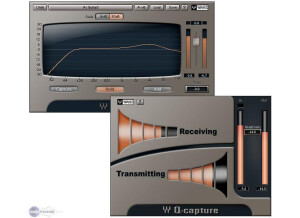
    I can't speak too much about the installation process with the Waves Ltd. Q-Clone as the one that I have used already had it installed and I wasn't involved in the process. I can say that since it has been installed I haven't encountered or heard of anyone else encountering any problems related to compatibility, installation, or otherwise. The interface of the software didn't take me all that long to figure out as everything is laid out nicely. The plug-in is really two in one - the one with the graph and parameters itself and another one that allows you to import hardware EQ settings. I have mostly thus far used the presets as they sound pretty great, but there are really endless possibilities with this plug-in and this new type of technology. The manual is helpful and is definitely a good idea to have around if you are unfamiliar with how to use this. SUITABILITY/PERFORMANCE So far I can't say that I've had any problems at all running the Waves Ltd. Q-Clone plug-in. I have been using it a professional studio that has a Pro Tools HD system and an Apple G5 computer. I can't say that I've thus far had any problems running the plug-in, although I haven't used more than a few of them at a time. I think that as long as you have an adequate system that you are able to run the plug-ins that you already have on well, this won't present any problems. I've only been using the software for a matter of months as it is a relatively new product. OVERALL OPINION Overall, Waves Ltd. Q-Clone is a very impressive plug-in. Just the idea of it itself is new and exciting and when you hear the results I promise that you will be even more exciting. While it can sometimes take some time to make sure that you have imported everything the right way and that it is effective, it is definitely worth it as the sounds are some of the best that I have heard from a plug-in. The price of the Waves Ltd. Q-Clone plug-in isn't unreasonable considering the versatility that this has to offer. Waves Ltd. Q-Clone is absolutely a plug-in that I recommend checking out if you want to try some new technology out or are looking for a great software EQ.

  • « Great Channel Eq »

    The Waves V-EQ4 is simple to use. If you aren't familiar with how to eq different instruments, just pull up one of the included presets. Waves does a great job of including presets that are usable with minor tweaks. This equalizer is also very easy to use because their aren't too many controls to worry about. There are only a limited number of frequencies to choose, and for the most part you don't have to worry about how wide/narrow/sharp/flat to make the eq curves. I love the high pass and low pass filters to clean up whatever signal I am sending through it. This is great if I want to take out low end on guitar tracks to make space for bass guitar and kick drum. Or conversely, take out the high end on a guitar track to make room for cymbals, etc. SUITABILITY/PERFORMANCE The Waves V-EQ4 is part of the V-series which models Neve hardware. The Waves V-EQ3 is a similar plug-in but has different features. In practice, I prefer to use the V-EQ4 on individual channels, while using the 3 band eq on sub/bus mixes. The 4 band eq definitely has great controls and allows for more 'surgical' equalization. This is better for individual tracks. The 3 band eq is ultra smooth and adds a nice touch to program material like on the final mix bus. All of these plug-ins in the V-series are supposed to add some 'analog' color to the signal besides just change the frequency response of the signal. To some extent, it is a little difficult to tell if Waves just modeled the analog noise, or if they included some other kinds of analog saturation with these plug-ins. Waves modeling has come a long way since these plug-ins were released. I really hope they go back and model these things again to update the V-series with more analog saturation (ala NLS, REDD). OVERALL OPINION The Waves V-EQ4 is modeled after the Neve 1081 console equalizer. I have never had the opportunity to use the actual hardware, but I can still appreciate the Waves model. This eq is very versatile with the options of high-pass and low-pass filters, high and low shelfs (these can also be changed to bell shaped filters), and mid-range boost and cut bell filters. The filter 'q' can be changed from narrow to broad for the mid-range controls. Overall, what makes this equalizer useful is how smooth it sounds. It it especially useful for boosting high frequencies without sounding harsh. Low frequencies also sound smooth and round when boosting. Unlike some digital equalizers, boosting frequencies by a lot will not produce typical filter 'ringing' that is common among other eq's when you boost above 10 dB.

  • « Pultec Style Eq without the Pultec Style Price »

    The IK Multimedia Vintage Program Equalizer is a software effects plug-in to be used in a DAW or with the IKM T-racks mastering suite. The software can be purchased off the IKM website, downloaded, and installed. Authorization is completed using the IKM Authorization software application. Recently, IKM released the T-racks Custom Shop application that can be used to purchase the plug-in. I had used the IKM Amplitube Custom Shop for a while and was familiar with how it worked. In this scenario, you have to buy 'gear credits' with cash then you use the credits to get gear. SUITABILITY/PERFORMANCE The controls on a Pultec-style EQ are little different than a standard EQ. IKM included the standard controls to be similar with the hardware version. It might seem counter-intuitive to boost and attenuate at the same frequency, but in reality these to dials are not inverses of each other. I recommend experimenting with both settings together, and watch some YouTube videos to see popular ways of using the EQ. There are also a few presets included with the plug-in if you want to try out some examples/suggestions. The amount of gain that can be added is plenty. I typically only boost or cut at levels of 3 or 4 out of 10 even for applications like kick drums that typically need a lot of eq. If there was one complaint about the IKM Vintage Program Equalizer, it would be that were is not more mid-range frequency control. I like to do a lot of subtractive eq in the mid-range to cut frequencies that resonate badly. The 'cut' on this eq is only limited to low frequencies and high frequencies. Waves has a similar emulation/model of the Pultec Eq. Waves has a separate mid-range plug-in that complements this Pultec Eq. OVERALL OPINION Pultec-style EQs are really popular in music production because they are unique and musical. The combination of 'boost' and 'attenuation' really thickens up a kick-drum, bass guitar, or overall mix. The high frequency equalization is very smooth and tasteful. The IK Multimedia model can do all these things. I haven't ever tried a hardware version of a Pultec EQ, nor have I tried any other software models (Waves, UAD, Digidesign, etc). They all might be a little bit different, but as long as the IKM version gets me close, I am happy with it.

  • « a wonderful unusual EQ... »

    Everything is clear and simple... SUITABILITY/PERFORMANCE Runs amazingly well OVERALL OPINION Universal Audio’s standard and mastering versions of the Massive Passive EQ plug-in are included. Both cap- ture the behavior of the original hardware; from the unusual filter curves, to the multiple band interdependencies, right down to the tube amplifier distor- tion, and all-important transformer/inductor hysteresis. “Passive” refers specifically to the tone shaping elements of the equalizer, which use only resistors, inductors, and capacitors to create all frequency changes. The Massive Passive utilizes older parallel concepts rather than non-interactive series designs as defined by George Massenburg’s original parametric EQ. The Frequency controls intentionally interact with one an- other, as do the Gain and Bandwidth controls. While this may result in the ap- pearance of some unorthodox knob positions, it is specifically these band in- terdependencies between all bell, shelf and cut filters that allow for the Massive Passive’s natural and organic sound. The Massive Passive has design and operation characteristics that make it unique in the EQ world. Some of these factors mean the “Massivo” may not respond in a manner that you would expect from typical EQs. Keeping these points in mind may help you obtain more satisfactory results. No active components are used in the EQ circuits, just like revered vintage EQs. This can make some adjustments respond in more subtle ways. The EQ bands are routed in parallel instead of serially, so gain values for the bands don’t “add up” like most EQs. For example, if two bands in the same channel are boosted 20 dB at 2.7kHz, you’ll get much less than 40 dB of boost at 2.7kHz. Most EQs offer a shelving mode for the edge bands only. Massive Passive of- fers the shelving option on all bands for expanded sonic possibilities, such as “staircase” EQ curves. One result of not using negative feedback loops in the design is that the gain control for a band cannot have a “bipolar” boost and cut control. Only band gain is available; how that band gain is applied, either as a boost or as a cut, is specified with a separate toggle switch. Due in large part to the above points, the Massive Passive controls are much more interactive with, and interdependent upon, each other. We encourage experimentation with an open mind, without expectations of what a visual in- terpretation of what control settings “should” do.

  • « Great if you're a rocket scientist »

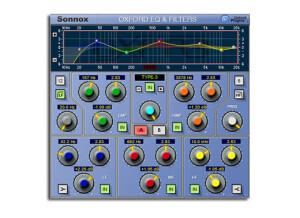
    Easy setup. No problems getting mine to work in Cubase 5. Sonnox stuff is at a pretty high level of function. They aren't selling toys. SUITABILITY/PERFORMANCE My friend recommended this plugin. I had been asking if he knew of a good dedicated and light EQ. I was previously using a Waves plug for EQ and didn't like it much. Sounded dead to me. The Oxford EQ first of all, is very light on CPU. I won't debate that. I almost can't tell it's on. And just from looking at I can tell it's not going to destroy my track's quality. So for that it gets points. I like transparency. However, this is a very intimidating EQ. First of all, there's nothing analog about this plugin. It doesn't "respond" or sound analog at all. It actually sounds really hi-fi. And the controls aren't like anything I've ever seen on an analog compressor. They're pretty involved, and from the get go I was a little lost to be honest. The manual didn't help much. I spent a few hours trying to get the hang of it and just couldn't. Maybe I'm used to certain EQ styles but this one wasn't for me. I'm going back to Waves or maybe URS. OVERALL OPINION I will say I can't knock the sound quality. When I got it dialed in, it sounded good. But the controls ended up giving me a headache. I haven't tried other Sonnox plugs but I want to soon. I'm curious what else they have even though this one wasn't really my style. If you want to try something different or want something fresh...maybe a challenge, then this is a cool vst. Obviously the quality is there. Sonnox just has a weird take on things. I still recommend.