Log in
EN
FR

Software Delays/Echos

461 products found

Filter
Sort by
Brand
Evaluation
  • Reviewed or not
  • Editor’s award
  • Reviewed by Audiofanzine
Availability
  • Available or not
  • Sold new or used
  • Sold new
  • Sold used
Must-have products
  • All products
  • Flagship products
  • Best rated products
  • Hot products
  • Popular products
Price
  • Freeware
  • Low-cost (< $50)
  • Mid-range ($50 - $85)
  • Premium (> $85)
€
Clear
Sort by
  • Popularity
  • User ratings
  • Price - low to high
  • Price - high to low
  • Used price, increasing
  • Used price, decreasing
  • Name (from A to Z)
  • Name (from Z to A)
  • Added on
Sort results
  • Popularity
  • User ratings
  • Price - low to high
  • Price - high to low
  • Used price, increasing
  • Used price, decreasing
  • Name (from A to Z)
  • Name (from Z to A)
  • Added on
Filter results 461 results found
Brands
Evaluation
Availability
Must-have products
Price
  • Freeware
  • Low-cost (< $50)
  • Mid-range ($50 - $85)
  • Premium (> $85)
Show results

The best Software Delays/Echos reviews

The reviews Audiofanzine members found the most helpful.
  • moosers's review

    Maxim Digital Audio’s DubDelay is a free VST plug-in in their series of free bees. You can download the plug-in for free directly from MDA’s website, along with a whole ton of other free plug-ins as well. While I don’t run this plug-in any longer ever since I made the switch to Pro Tools, when I did run it, it was in Cubase SX. As long as you’re able to run VST plug-ins, you should be able to run this without any compatibility issues, but of course this depends solely on your system itself. The process of installation occurred for me years ago, so while I don’t remember too much about it, I also don’t remember having any problems installing this plug-in or any of the other Maxim Digital Audio free VST plug-ins. The interface shares the same look as the other free MDA plug-ins, as it’s simply got a series of sliders. So while it isn’t the nicest plug-in to look at, it’s definitely easy enough to use. The parameters that are included with this plug-in include those for delay (ms), feedback, feedback tone (frequency), LFO depth, LFO rate, FX mix, and output. As more experienced users can tell just from the parameters, this isn’t your typical delay plug-in. A manual most likely wasn’t made for this plug-in, but I don’t know this for sure. SUITABILITY/PERFORMANCE While I was running Maxim Digital Audio’s DubDelay, I was doing so in Cubase SX 2.0 primarily, and later on in Cubase SX 3. The system I was running it on was a Hewlett Packard Pavilion dv8000 notebook computer with a 3.0 Ghz processor and 2 GB of RAM. I ran everything through a MOTU 896HD audio interface. This plug-in takes up almost no processing power at all, as it’s designed to be capable of running on all compatible systems. Every system is different, so if you’re interested there’s no harm in trying it out for yourself since it’s free anyway. OVERALL OPINION I’m always open to unique plug-ins even though they are often hit or miss. The Maxim Digital Audio DubDelay free VST plug-in definitely falls into this category as being unique, as I haven’t seen too many plug-ins out there with this sort of make up. While not the most realistic sounding plug-in out there, as it does have a digital twang to it, it’s definitely fun to mess around with nonetheless. It’s easy enough to use, and it’s possible to get a wide array of sounds between the LFO, delay, and feedback parameters. Being that this plug-in is free, I can’t really complain about it too much. I can’t say that I’d ever buy this plug-in, but since it is indeed free it’s worth giving a shot…

  • moosers's review

    MDA, also known as, Maxim Digital Audio, offers up this free Delay as a free VST plug-in download. This has been around for a pretty long time, as I first downloaded it about six or seven years ago. I no longer run it since I don't have Cubase SX anymore and I now run Pro Tools. I don't remember the installation process, but that probably means that it wasn't an issue. The interface of the MDA Delay is really as basic as it can get, which is the case with all of these MDA plug-ins. It simply has a series of sliders without any flair or style really, which I guess makes it really easy to understand, but it would be nice if it looked a bit better I guess. The parameters that this one has includes sliders for L delay, R delay, feedback, feedback tone, mix, and output. I don't believe that a manual exists for this plug-in. SUITABILITY/PERFORMANCE When I had the Maxim Digital Audio Delay plug-in, I was running it in Cubase SX 2.0 on a Hewlett Packard Pavilion dv8000 PC lap top with 2 GB of RAM and a 3.0 Ghz processor. Since the make up of this plug-in is so simple, it barely takes up any processing power at all, so I don't think that most users will have a problem in terms of performance. OVERALL OPINION I must admit that the Maxim Digital Audio Delay didn't see too much action when I had it running in Cubase. I tried it out a few times and really just wasn't very impressed with the sound quality. I guess it could get the job done, but even at the time I had a number of other delay plug-ins (some free also) that I liked using a lot and thought had a much cleaner and realistic sound than this one does. Since it is free, I'd still encourage those interested in delay plug-ins to check it out for themselves.

  • moosers's review

    Sound Toys Echoboy is a software echo factory specializing in delay and echo sounds. It is a very powerful piece of software that is capable of getting a large amount of differing tones. The interface is user friendly and easy to follow, although there is a lot going on because there are a lot of options that this has to offer. The plug-in has two different echo sections that have their own parameters as well as an overall mix parameter, feedback, high cut, saturation, input and output levels, a tap tempo section. I've never seen the manual so I can't say if it would be helpful or not. SUITABILITY/PERFORMANCE I am currently running the Sound Toys Echoboy plug-in on a Mac Book Pro that has a 2.2 Ghz Intel Core 2 Duo processor and 4 GB of RAM. I run the plug-in in Pro Tools LE 7.4 that runs with a Digi 002R audio interface or a Digidesign Micro Box, depending on where I am using this. I am able to run the plug-in quite well within this configuration, but I have never had more than two or three going at a time because I will always use auxiliary channels when I am using delay. I've only been using Sound Toys Echoboy for about half a year and in this time I've never had a problem running it within my set up. OVERALL OPINION The Sound Toys Echoboy is overall a great sounding delay plug-in. I love having so much control over my sound as it gives me virtually endless possibilities. This is one my favorite delay plug-ins out there, although I don't use it all the time as I have a bunch of different delays that I like to use as well. The price isn't all that expensive, but there are certainly cheaper plug-ins out there. This plug-in is definitely worth doing a trial as I think you'll definitely feel that you want to get one for yourself!

  • songboy's review

    There were no compatibility issues running this plugin in Ableton 8 or Logic 9. There are only four parameters, "Microphone" (input gain), "Delay", "Repeat", and "Depth" on this plugin (5 if you include the pointless "Battery Check") so there is no need to reference a manual. Yes, the configuration is extremely simple, just look at the picture up top. All of the functions are right in front of you so it can't get any more accessible. SUITABILITY/PERFORMANCE I use this in the earlier mentioned DAW's on a Macbook with 2.2ghz, 4gb Ram and 320 HDD. It works perfectly fine. No crashing, no preset loses, signal passes through unscathed. Well, if you bought this simply as a general reverb option, you will be disappointed. Its a "Electronic" Reverb simulator that is really a grungy delay unit and its definitely a particular kinda sound. With that in mind, it performs very well and does what it is intended, providing "cheap," "weak" reverby sounding delay . That sounds bad but its really not if that is what you need. I like to throw it on interesting pad sounds, guitar tracks and even vocals for that dirty/crappy delay (80's and early 90's) kinda vibe. In that context, I give this unit a 9 out of 10. It loses one point because I would have liked a few more options on it, but I guess the simplicity of the unit is a good thing sometimes. I have had this plugin for around a year but never really used it much until recently. I purchased a Roland D5 a few months ago and after recording a few tracks with it, I decided to throw the Ratshack on with it. They seem to be made for each other. OVERALL OPINION I can't really say I hate anything about this plugin. I do wish there were a couple of more options on it, but its supposed to be simple. I am not 100% sure, but I believe this is a reproduction of a "RadioShack" unit (crappy yet popular electronic store in the states). With that said, it is what it is. What I do like about it is the sound itself. Again, its not a wide ranging, multi use delay or reverb for that matter, its just a dirty little box with a unique sound. For that reason alone, its cool in my book. I paid around $35 for it. The real deal unit is probably not too much more if you find one. Overall, its worth buying the plugin though. I have lots of different delay options in my arsenal but, besides my Native Instruments Spektral delay, they are all clean, straight forward delay plugins. The Ratshack is really on its on pedestal. Yes, I would definitely make the same choice, its always good to have options and if you are in need of a delay that sounds "bad" in a good way, then this is for you. I would definitely buy it again.

  • « The "other" famous tape delay... »

    Simple purchase, unlock via downloadable authorisation file, record process to get you started. Assuming you own a UAD card. SUITABILITY/PERFORMANCE Rock solid under any platform I used it on. OVERALL OPINION In 1973, Roland created the Space Echo system that utilized multiple play heads to create warm, highly adjustable echo effects, which added wonder- ful tape character and chaos to performances and recordings. The Space Echo can be heard on numerous recordings, from 70’s space rock like Pink Floyd and David Bowie, to countless Reggae and Dub albums, to more recent bands like Portishead and Radiohead. Universal Audio has been entrusted by Roland to re-create the highly beloved RE-201 unit, considered the best of the Space Echo line. Our team spent over a year developing our RE-201 Space Echo, which truly captures the physical behavior of this complex device “warts and all”, down to the distortion, wow and flutter, pitch shifting, and warmth that tape based delays are famous for; but our plug-in goes even fur- ther, capturing the complex self-oscillation that makes the Space Echo more than an effect, but a unique instrument unto itself. UA’s RE-201 Space Echo faithfully retains all the controls and features of the original, such as the Mode Selector for various head combinations, Repeat Rate for fine timing control, and Intensity which sets repeat count and allows the unit to achieve self-oscillation. The all-important Echo/Normal “Dub” switch is retained for muting, as well as the simple tone controls. Last but cer- tainly not least, the atmospheric shimmer of the Space Echo’s spring reverb is faithfully captured, putting this fantastic plug-in on par with the original unit as a tool of infinite creativity. The RE-201 is a combination of a tape echo and a spring reverb effect. Echo, reverb, or both can be se- lected with the Mode Selector to determine which ef- fect(s) are active. The original Space Echo has three tape playback heads. By changing the combination and positions of the heads, a total of 12 different echo variations can be obtained (4 echo only, 7 echo/reverb, and 1 reverb only).

  • « Super versatile »

    This is supposedly Waves all purpose delay unit. Whether you wan analog, digital, or just plain weird sound from you delays this is the unit they have to go to. Traditionally Waves plugins are in the hifi realm of things and I think they realized that most users don't want their delays to sound hifi all the time. With this delay you can theoretically dial in whatever kind you want. Waves manuals are always pretty useful and this one is no exception, but unless you've never used a delay or an analog delay, you probably don't need it. There's no real surprises on this vst as far as I'm concerned. SUITABILITY/PERFORMANCE Waves plugins are generally stable and not ram hogs. There are a few exceptions but H delay runs smoothly all the time for me. I've been using it for a little over a year now and it seems like I just keep bringing it up more and more. Once you learn how to get the goods it becomes addictive. OVERALL OPINION I really like to use delays on my instruments. But historically a lot of the ones I've tried end up sounding too digital. That's understandable because it's hard to emulate warm analog delay sounds with a vst. I've been through my fair share of wannabes. In general I find most of them to lack transparency and warmth. They make then tracks sound worse than they were before. H delay sounds great though. Not only can I get a warm analog delay out of it, I can tweak the heck out of it too. The integration between digital and analog style delays is really unique. You can get super lofi repeats or pristine warm delays, or anywhere in between. The tap feature for me is a must have. I wouldn't do without it. I just love how tweakable it is since I'm very serious about my delays. I'm not really into any of the wacky sounds but they are there if you want. There's some good ambient stuff to be had if you are patient. Overall I would recommend this to anyone who wants a good delay. No matter what you need you can get it from this plugin. So I feel like I can give it top marks.

  • moosers's review

    The Eventide SST-282 Space Station is a delay plug-in that's a digital recreation of the Ursa Major hardware model of the same name. It's pretty much a piece by piece digital version of the original. The plug-in is available in nearly all formats and I believe it's available on a strictly individual basis and not in a bundle. Having used the original and also the Princeton Digital version, it's clear that this is an upgrade over the Princeton Digital plug-in, although it's based on the same algorithms. No plug-in can ever live up to it's original hardware counterpart, but Eventide's version of the SST-282 Space Station comes as close as you can get. We have this at the studio where I work, as we've got pretty much all of the Eventide plug-ins on hand, so I wasn't involved with the installation process here. Learning to use the plug-in wasn't too hard for me as I had some previous experience with the interface, but even if you don't have any prior experience with the Space Station in it's few forms, it's still a fairly easy to understand configuration. Included here are controls for eight delay taps (four stereo pairs), delay presets, reverb/echo feedback, mix, echo delay time, input level, low and high cut filters, and a button to choose between using it as primarily a reverb or an echo. There's a lot to work with but it's definitely a good thing as it doesn't mean it's convoluted in the least. SUITABILITY/PERFORMANCE We're running the Eventide SST-282 Space Station plug-in on a few different systems, all of which are Pro Tools HD based. That's really all you need to know as it's a very rare occasion that we'll have any problems running any plug-ins, and I've never had a problem with this one in particular on any level. I'd try out a demo if possible before buying, but as long as you're comfortable running your DAW you shouldn't have a problem here. OVERALL OPINION The Eventide SST-282 Space Station is a really awesome plug-in and can be a benefit for any DAW user to have. Regardless of any previous experience with hardware or software versions of the Space Station, I think all users will heavily enjoy using it as it's an interesting take on delay and is awesome for a variety of purposes. I love using it on vocals, but it's great for guitars as well. It's so versatile that it can be used pretty much in any situation where you'd want some delay. Whether it's for some slapback or some super multi-tap delay, the Eventide SST-282 Space Station is a great delay that all DAW owners should try out if possible.

  • moosers's review

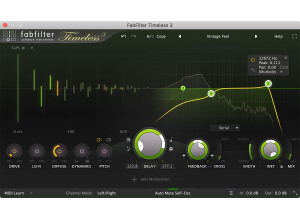
    The FabFilter Timeless 2 plug-in is a piece of unique and versatile delay software for DAW’s of all types. FabFilter has a little known but very nice collection of plug-ins for all applications, with this one being one of the only delay plug-ins they have. I’m assuming that there is an original Timeless plug-in since this is named Timeless 2, but I’ve only used this version of it. I don’t currently own this plug-in so I can’t speak much about the process of installing it. However, learning how to use it basically shouldn’t take too long, although there’s definitely a nice amount of control and a few features you won’t find in too many other delay plug-ins. The interface gives you independent control of it’s parameters in both the left and right channels, which is definitely unique and quite awesome! Both the left and right channels have knobs for controls for feedback and cross feedback, as well as delay time and delay panning. Each also has it’s own filters which can be used either in series, in parallel, or per channel, so you’ve really got all of the bases covered there. However you decided to use the filters, which are FabFilter’s specialty, you’ve got frequency, panning, peak, and mode control, as well as the ability to use them in either high, low, or band pass modes. They also have a number of tone modes to choose from, further adding to the possibilities here. Lastly, there is control over the dry and wet mix levels. This is pretty in depth, so those new to delay and plug-ins should definitely consider looking at the manual. SUITABILITY/PERFORMANCE I’ve been using the FabFilter Timeless 2 plug-in over at a producer’s studio that I’m an assistant for. He’s got all of the FabFilter plug-ins and really can’t get enough of them, and I don’t blame him. It’s a Pro Tools HD system that we’re running it on, so we rarely have problems at all when it comes to performance, but I wouldn’t be too surprised if a not very well equipped system had trouble running more than one at a time… OVERALL OPINION To go along with the FabFilter Timeless 2’s endless amount of control comes a super clean and realistic sound as well. It’s not the warmest sounding delay I’ve heard, but if I’m looking for warm, generally I won’t look in a plug-in anyway. What this is great for is getting all sorts of clean digital delay sounds, and when I say all sorts, I mean every sort! The amount that can be altered here is simply superb as you’re not going to find this amount of control within many plug-ins, but that’s what makes FabFilter so great! Do yourself a big favor and check out Timeless 2 and the other awesome FabFilter plugs.

  • moosers's review

    The BBE Stomp Ware Two Timer is a delay plug-in that is modeled after a pedal of the same name from BBE. The plug-in comes in the Stomp Ware bundle of plug-ins that are all modeled after different hardware pedals for guitar. It wasn't at all hard to install the full bundle all at once, as you install all eight of the plug-ins in the bundle in one swoop. As far as learning how to use the plug-in, it's really quite easy and I don't think that many users will require a manual for help. The plug-in can be used in either stereo or mono and has parameters for delay time 1, delay time 2, repeat, and mix. It also has a sync switch will sync up the two different delays here. SUITABILITY/PERFORMANCE I've currently got the BBE Stomp Ware Two Timer plug-in and the full Stomp Ware bundle running on my system at home. My home recording studio consists of Pro Tools LE 8 and a Mac Book Pro lap top. Pro Tools LE is running with a Digi 002R audio interface, while the computer has 4 GB of RAM and a 2.2 Ghz Intel Core 2 Duo processor. This plug-in really doesn't take up much processing power, and I'll usually run it on an aux channel anyway since it's a delay. Not too much to worry about here in terms of performance... OVERALL OPINION The BBE Stomp Ware Two Timer is one of my favorite plug-ins in the Stomp Ware bundle, although I must admit that that isn't saying very much. I'm not the biggest fan of all the plug-ins in this bundle, but this one is pretty cool as it's unique since it has two delays in one in it. The artwork on it is also pretty funny. It's definitely a cool delay to work with if you're looking to get some spacious sort of delay sounds, as turning up the two delay times will give you some endless delay for sure. It's not the warmest signal I've heard by a long shot, but in most situations it will get the job done for inside the box mixing. The bundle of Stomp Ware plug-ins is cheap enough, but I'm not sure it's worth it still as I find myself only using a few of these out of eight...

  • moosers's review

    Kjaerhus Audio's Classic Delay is a free plug-in that comes in VST plug-in format. I used to run this in Cubase SX on a PC a number of years ago, but I now run Pro Tools LE on Mac and no longer run this plug-in since it is only compatible with PCs if I'm not mistaken. The process of installing the plug-in should be standard, as I can't recall having a problems with it if I did. The interface of the plug-in is the same looking as the other Kjaerhus Audio plug-ins, making it easy to follow everything going on. It's got parameters to control panning, delay type (between tape, analog, or digital), delay time and sync, feedback level, quality, hi and lo cut, and mix and overall output levels. As you can probably tell there are a good amount of different parameters to work with here, and a good amount of differing tones are possible as a result of this. I don't think that there is a manual for this plug-in, but I don't know for sure. SUITABILITY/PERFORMANCE When I was running the Kjaerhus Audio Classic Delay plug-in, it was in Cubase SX on a Hewlett Packard Pavilion dv8000 lap top consisting of a 3.0 Ghz processor and 2 GB of RAM. This system was more than enough for me to run this plug-in smoothly and without hiccups, but since every system is different, I'd encourage you to try it out for yourself on your own system to see how well it will run. OVERALL OPINION Although the Kjaerhus Audio Classic Series plug-in are now pretty old, they are still more than adequate for a free plug-in. The Classic Delay plug-in isn't one of my favorites in this line of plug-ins, but it is still worth checking out as it has a lot to offer for a free plug-in. You can get all sorts of different types of delay sounds, ranging for a great sounding slap back delay, to endless trails of delays if that is your thing as well. The presets are pretty awesome, and on more than one occasion I found myself using the preset sounds. The Classic Delay isn't the most realistic sounding delay plug-in out there by a long shot, but being that it is free, if you have a VST compatible platform, you gotta go ahead and download this plug-in and the entire Kjaerhus Audio Classic Series plugs.

  • songboy's review

    I own a few GSi plugins and some have had some compatibility issues (mainly MrRay73) but the Tape Echo has had no problems whatsoever. I have had no need to reference the manual. If you are ever in doubt of what something does, just hover over it and in the upper right part of the interface, it will give you a little info that will help you out. I think the configuration is very simple. You do get a few more options than i am use to on a basic delay plugin, but they are all logical and easy to understand and use. Yes, all the parameters and knobs are right in front of you for easy and quick access. SUITABILITY/PERFORMANCE I use this in both Ableton 8 and Logic 9 on a Macbook. So far the plugin works great. It has never crashed or caused any crashes as well as any settings and presets I use are always there when I come back. This unit sounds great!!! It is an excellent alternative to using the built in delay's in both Logic and Ableton. I give it a 10 out of 10 due to its simplicity and overall fantastic sound. I have been using this plugin for about a year. OVERALL OPINION What I like most about this plugin is the surprisingly warm delay sounds you can get out of it. I have never been fortunate enough to use a real tape echo unit, but I imagine that when it comes to digital software, this thing has to be darn close. another great thing about this unit is you can select the quality of the "tape" you are using. This is a neat option as you might want to get a little more of a "worn" out delay sound opposed to a "cleaner" sound. Its always great to have options and GSi was able to give you one that is a nice addition overall. Nothing on this plugin would make me feel hate or dislike for it. Its fairly simple and can give you a passable "analog" delay feel for any sort of track you want to use it on. I think I paid around $50 for this plugin. Its definitely worth it. I used to mainly use Logic's "Echo" delay on most of my tracks when I needed a simple delay, but no I almost exclusively use this unit. It also beats the crap out of Ableton's built in simple delay in my opinion. I love this plugin quite a bit and its sound can be found on lots of my tracks. I would definitely make this choice and urge anyone who is in need of a very good, simple, passable tape echo sound to buy it. GSi has to be one of the best plugin makers in the world, all of the units I own of theirs always exceed my expectations.

  • moosers's review

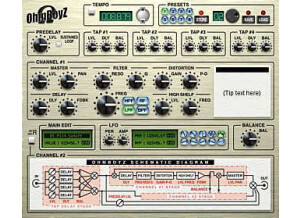
    The Ohm Force Ohmboyz delay plug-in was easy to install and I had it up and running within my Pro Tools system minutes after purchasing and downloading it from their website. I had no compatibility issues at all, and since I installed this plug-in it hasn't given me any problems whatsoever. The interface of this plug-in is easy to follow, even though there is a lot going on. It has sections for presets, delay, master output, filter, distortion and and LFO. It is a very diverse plug-in, but since everything is laid out smartly and conveniently, it is easy to follow. I don't have a manual for the Ohm Force Ohmboyz, but you don't really need it if you don't have one. SUITABILITY/PERFORMANCE I am currently running the Ohm Force Ohmboyz on a Mac Book Pro that has a 2.2 Ghz Intel Core 2 Duo processor and 4 GB of RAM. I run the plug-in in Pro Tools LE 7.4 that is powered by a Digi 002 R audio interface. I have never had a problem running this plug-in within this configuration, as it has always run smoothly for me. I am able to run a few of these at once, but I would recommend using this plug-in on auxiliary tracks to save CPU power because this is a pretty powerful piece of software. OVERALL OPINION I've been using the Ohm Force Ohmboyz for about six months and have become quite attached to this plug-in. I find myself using it all the time, not only for delay but for the other features it has as well. It is one of the most versatile delay plug-ins out there, with a wide array of capabilities available. The price of this plug-in is a lot cheaper than you would think and is absolutely worth the price. It has an incredible sound quality that is easy to use and understand. Ohm Force makes some great plug-ins, and the Ohm Force Ohmboyz is one of the best that they make.