Log in
EN
FR

Music Software

22724 products found

Categories
Filter
Sort by
Brand
Evaluation
  • Reviewed or not
  • Editor’s award
  • Reviewed by Audiofanzine
Availability
  • Available or not
  • Sold new or used
  • Sold new
  • Sold used
Must-have products
  • All products
  • Flagship products
  • Best rated products
  • Hot products
  • Popular products
Price
  • Freeware
  • Low-cost (< $100)
  • Mid-range ($100 - $300)
  • Premium (> $300)
€
Clear
Sort by
  • Popularity
  • User ratings
  • Price - low to high
  • Price - high to low
  • Used price, increasing
  • Used price, decreasing
  • Name (from A to Z)
  • Name (from Z to A)
  • Added on
Sort results
  • Popularity
  • User ratings
  • Price - low to high
  • Price - high to low
  • Used price, increasing
  • Used price, decreasing
  • Name (from A to Z)
  • Name (from Z to A)
  • Added on
Filter results 22,724 results found
Brands
Evaluation
Availability
Must-have products
Price
  • Freeware
  • Low-cost (< $100)
  • Mid-range ($100 - $300)
  • Premium (> $300)
Show results

The best Music Software reviews

The reviews Audiofanzine members found the most helpful.
  • « Bias FX, or how to REALLY replace your amps for 30 euros in the digital »

    Let's get straight to the point. Yes, I DO like the sound of valves more that I like their modeled counterparts. Yes, I consider a real rocking distortion means reaching the point when the tubes are about to melt and the drive circuit starts asking for mercy, when the reverb has the speakers shaking and the cab goes crazy with high gain. Yes - but, now there is BIAS FX, and everything has changed. EVERYTHING. Just plug your iPad, a device such as the iRig HD (77€ at Amazon), plug it to a sound system, or home cinema, or active studio monitors... Launch the amp and play! Eat sound right in your face, and plenty of it! You get simulations of famous amps (currently 12), plus 25 effects that can be chained at will (and this is great), and other amps can be imported from the BIAS app (another jewel I recommend, quite often discounted at €5). Ther's also a tuner, 5 effect racks and other huge features like stereo sound or the possibility to deactivate the amp sims when plugging the iPad into a real amp (but think of getting back to mono then). The best feature is the possibility to choose two amps and chain them, mixing each in the stereo space, and see that each change really does impact the sound. How gorgeous to be able to play an overdriven-to-the-limit JCM800 on the left, while getting on the right the straight and dry sound of a Mesa Triple Rectifier! Soundwise, it's impressive. I thought I'd be only half convinced as I knew JAM UP from the same editor (which I found nice but really restricted for disto sounds, which sounded a bit cold and messy - as just almost ant comparable simulations). But here, I was agreeably surprised. All sounds can be useable, after much tweaking directly in the studio, all the more that other apps such as Cubasis or Garage Band can also be used to ignite the mix, which is quite useful for nomad users or those with very little room available at home. In the end, the most incredible is the quality and realism of sounds, as well as the interface which is a real marvel. Originally interested in buying an Axe FX-type rack, I was totally conquered by this simplee and finally much more efficient and quick approach, almost ideal. As usual, it's easy to trick a lot of people with a blind testusing several guitar tracks with one of bass and another of drums (and synths/brass depending on the style). I tricked two guitar teachers who didn't believe me. Classic story, but always great to tell. All sounds (rock-oriented or clean) sound great, it's just crazy! I'll finish with this LOOOOONG review (thanks to those who will read it to the end). I'm still mind-blowned at its quality and ease of use. That's absolutely remarkable. The sound evolution is only noticeable if you own a recent interface such as Line 6 Port or iRig HD (the first iRig doesn't reveal a real sound evolution between the JAM UP app and BIAS FX). But, with one of the aforementioned modules, the result will be perceived, pushing JAM UP into retirement. It seems crucial to buy BIAS, the app which allows to create an amp from scratch very simply and which integrates perfectly in BIAS FX. It adds the possibility to get presets for famous artists through the cloud, and also (through its TONE MATCH function) to get captured sounds from real amps like with a Kemper (the real sound is captured out of the amp then digitized): a real kill. A "must-have" for all guitar player with little money to spend who wish to have fun and compose. Used with iOS 8.2 and an iPad Mini Retina 2. No lag, slow down or bug to report. I think the desktop version for Macs (and maybe PCs) should be a revolution, due to how it brings (at least in theory) the best of both worlds (the Axe FX's sound possibilities and Kemper's possibility to share modelizations of legendary amps with other users).

  • « Pro tools 12 : an outrage »

    Avid resolutely keep with their delirious policy with Pro Tools 12 as a permanent internet connection of the workstation is now mandatory, which is only a thinly disguised way to spy even more on users. As a reminder, this update is out while version 11 is still not really complete - a consequence of their virtual monopoly on this market which itself owes a lot to many users' lack of curiosity. I've been a sound engineer for four decades now and have experienced many technological evolutions (including the shift from analog to digital), and I can assure that, had we reacted just like these fanboy Pro Tools users, we still would be stuck with mono optical sound. Have a nice time making sound!

  • « An excellent shimmer with huge capacities »

    Introduction I’ve used this plugin in my original songs for several years, especially on guitars. There’s no question that this shimmer is excellent and very comprehensive. It’s a real effect section on its own – an octave-pitched reverb, resulting in pad sounds close to a synth. This plugin allows to set: - the mix (with up to 100% wet) - the pitch (how many half-tones the reverb is pitched to). Ranges from -12 half-tones for a very darkish sound to +12 (traditional shimmer). At 0, there os no pitch, resulting in a “simple” yet very wide and beautiful-sounding reverb. - the feedback, which is one of the most interesting features (I’ll get back to it) - diffusion (if I understood correctly, it’s a sort of pre-delay: the lower the setting, the more the sound rebounds; the higher it is, the most it is spread in space). You can even get a reverse reverb (at 0.618) - size (that of the reverb, of course) - Low cut and high cut : very useful to reduce this huge reverb, especially in the low end (allows to keep the mix clear) - add to this modulation (mod rate –speed- and mod depth). It’s mostly heard on the reverb tails. The color (bright or dark) can also be chosen. I prefer the bright flavour, especially for such an effect. The controls are very well explained when you hover over it with your mouse.Although complex, its use is very intuitive and the factory preset is a very good start (I almost never change it btw). What a sound ! So first, we already have a great reverb, excelling for everything ambient. I could play with it for hours, each note resounds and you’d let it take you away. Beside a great effect, it’s also a very good composition tool to leave the beaten paths. And when you push the feedback setting… This is when the shimmer shows its real color! The notes are pitched one octave higher, resulting in a sound close to synth pads. In the samples that I’ve included, I’ve strummed a very compressed electric guitar. Then, I put it through the shimmer while taking the dry sound away: here’s how to imitate a synth using a guitar! Its possibilities are very numerous. You can manage the shimmer’s stereo width (small, average or large) or keep it mono. The result is very different from one setting to another. A shimmer set large with a small diffusion gives the impression that each note rockets in, blossoms at the octave. Listen to the included "blossoming shimmer" sound sample. This impression is reinforced by the small stereo setting. Keeping in that direction, playing short notes with no feedback, you’ll get a slapback-type reverb. A shimmer to be tamed ! Inversely, the larger the stereo and the more it sounds like waves, the ocean… beware not to get drowned, though ^^! Listen to the "extreme shimmer" sample, where the dry progressively vanishes as the waves of a shimmering ocean progress… Or the "Shimmer la mer" sample, where I imitate the sound of a wave crashing on rocks. With this plugin, soundscaping is now within reach! Finally, when you change the size parameters in realtime, you can imitate a rocket taking off… The "crazy shimmer" sample renders just this. Beware your ears and definitely DO use compressors, or the sound can literally skyrocket!!! Four pitch types can be chosen from : normal, dual, reverse and dual reverse. You’ll need to experiment, but beware though as the shimmer can be very invasive. In my samples, I put a compressor beforehand (to straighten the source as much as possible) and another after it so as to limit the volume variations. Playing has to be as delicate as possible, with very little notes (with a guitar at least). The shimmer doesn’t react very well to an overdriven guitar, perhaps because a distortion and reverb sound too close to each other. Conclusion Valhalla makes very good plugins, this shimmer is excellent and includes a very high number of features that make it the number 1 in its category, according to me. It can be used “as is” very easily, but those who want to tweak its various functionalities will find ground for exploring and experimenting!

  • « THE ONE synth (and sampler) »

    - config : 15" i7 // osx 10.10 // studio one 2.6 - easy and perfect installation - the ilok software protection is not too much of a burden (what are other iLok-ed developers waiting for before adopting it too?) - my personal opinion: After using it for 2 weeks, I can already have fun recreating the sounds of a lot of my synths, which is quite impressive. The interface requires a certain time to get used to it (unless you’re already used to Machfive 3 I guess since both seem to have a lot in common), but once you got the basics it turns out to be very well conceived. After tweaking here and there, I now have the feeling that half my other synths are actually 1:20 scale Falcons. Soundwise: it really sounds good and allows to get into a very large number of styles, no reproach to be made here. Its wide array of effects, modulations and MIDI FX even add to its versatility… I’m even leaving other plugins aside and start to consider uninstalling some of them. Pros : - the concept (simply great, kudos !) - very high quality sound and effects (even if some of them seem to resemble each other too much and would deserve to be turned into a single effect with different selectable modes) - the possibilities opened by the modular conception - excellent sampling, both for its quality and integration - endlessly expandable with the additional soundbanks (some already released, others to come) - well-conceived interface and workflow (yet I can’t see the point of parts containing 1 program, why not 1 program/part which would include all layers?) - the GUI: very clean and eye-pleasing – which deserves being mentioned - great fun to use (an important point indeed…) - documents and video tutorials are well done (let’s just hope the series will develop so as to really cover all functions in the end) - stability (perhaps a little early to draw conclusions, but I encountered no problem so far except for the audio engine that stops after OSX activated the standby mode (version 1.0.0 in standalone). Cons: - the drum oscillator is less convincing to my taste - some effects alter the volume way too much - the price may be a bit high for some (BUT it’s to be relativized considering its capacities and the $100 voucher it comes with, it really is worth its price) - no demo version (even if it’s possible to have a detailed look at it through the docs and videos, it may not be enough for some) What I’d love in the future: - similar effects being grouped with a “mode” menu, so as to switch between variations. This would make the workflow cleaner and Falcon even more coherent (of course it’s always good to be able to boast having tons of thousands effects, and such a move would reduce that number) - an FM oscillator as complete as the FM8’s - resizable faders in “Mixer” mode - ...it being featured in a special editorial review on Audiofanzine? *Please note that my config includes a rather quick SSD, so I can’t judge the starting or loading times on an HDD, I’d be curious to know how it works on other configs. Overall, I’m a very satisfied user and I’m glad I have this virtual instrument. I hope I’ve been neutral and clear enough in this review – my first on Audiofanzine.

  • « One of the best DAWs! »

    No issues during the installation. I had never seen something as simple and light. A simple DMG for mac and you can run the software.. It can be downloaded in 2/3 minutes, far from behemoths that demand 1GB only for the basics. You can test it as long as you want and you don't have to pay for it unless you are convinced. It's akin to the Free Software philosophy and, in a world where everything is for profit, that's a very good thing. I nevertheless recommend you to pay the insignificant amount of money in order for Reaper to continue. It runs on any computer, even old ones, under MAC OS X, Windows and under Linux via WINE or CODEWEAVER. I think you can even install a hyper-light version on a USB key. Continuous updates without the need of having to pay anything again: It's extraordinary. SUITABILITY/PERFORMANCE IMAC 2008 2.8 Core2duo 4 Gb ram (max possible on this computer) Original 320 Gb HDD MOTU Hybrid Ultralite soundcard PRODIPE6 speakers NO operation problems whatsoever, I'd even say that it's THE ONLY MUSIC SOFTWARE that works perfectly on my Macs (I also have a more recent macbook pro). Rock-solid stability. In fact, I put a Harrison Mixbus at the end of the chain, because I wanted to color the sound, but Reaper is always on top. True, it's a bit complex but once you're used to it, it's awesome! OVERALL OPINION I'll be honest: I had my reserves about Reaper. Not because it didn't work, because it works really well, but rather because it turns upside down all preconceived ideas about DAWs. It's been years since I've been fooling around with Reaper without making my mind up. But several factor pushed me away from other DAWs and towards Reaper this week. - Logic X is taking so long that I simply can't wait anymore. Apple doesn't give any signs of whether it will keep on going or not and I'm fed up. We are clients, so it's only natural that we want to know whether a DAW will exist in three years or not, especially considering the intellectual investment required to master such a professional software. FYI, L9's user manual has 1460 pages... I'm tired of this. I give up. I'll see if LX comes out in 2013. Afterwards I'll quit. - I tested plenty of recent DAW demos, especially Protools10. The software is very clear, much more user-friendly than Logic, but it's sluggish on my macs, and I think that, apart from the HD version, which ought to be awesome, it doesn't offer any real added value to a beginner and/or home studio. The plug-ins included with PT10 are OK, but nothing more. I couldn't even play back the demo song included with PT10, I would need to change my computer. In my view that's not justified in my case...AVID doesn't sell the DIGI003 anymore, and I'm not interested in the MBOX. If someday I can invest on an HD, OK, but that's not gonna happen anytime soon. And I want to make music the next 10 years...PT10 hasn't convinced me and I have read in the forums that people have the same problems I do, regardless of whether it's on a PC or a MAC, like in my case. If different hardware and OS configurations have the same problems with the DAW, then the DAW is the problem. 800 dollars for a well-known DAW that it's hard to even get started, it's unforgivable. I tested Adobe Audition6, too, but I had the impression of using Soundforge. Not a comprehensive DAW. I tested Presonus, which is very hip right now. Very good design, very clear, but...It didn't pass the latest test I've put all DAWs through: Load the tracks of the Logic9 demo song. It's impossible to play back the song (NB: The latest version of Studio One does load it, so I updated my review: Studio one 2.5 is an excellent version of an excellent software, but what about MIDI and scores??? And that's even without considering that the virtual instruments included are from another era...$350 for SO is way too much). I tested Reason and I found it excellent. If I had to have another DAW — besides Live, which is remarkable — it would be this one, even if I could never use it as a general-purpose DAW. (But as a specific software) Since I work on a Mac I excluded all Windows programs. As an occasional beta tester of Harrison Mixbus, I know that this software is very good to give a mix some color in the end but I need something else because MH works only with audio, not MIDI (and it's not fully operational yet). And then I came to my REAPER4, which I had bought some months before. I heard what Reaper can do for a mix in an AF/AVID/PUREMIX contest in September 2012, where the author said he was a Reaper "specialist" and I was impressed by the result. Only with Reaper plug-ins. While I was struggling to use WAVE plug-ins. I also installed the free IMPERIAL skin on Reaper and I it was spot on for me. It's simply AWESOME: (See screen 1) I finally exported the tracks of the Logic9 song: I did it the old way: WAVES export from Logic and Import of the same WAVES into Reaper. The ULTIMATE test, it can't get any harder. 73 audio tracks, 73 WAVE files. If necessary, Reaper can display them on one single screen!!! (See screen2) The Presonus couldn't read them, neither did the Harrison Mixbus. Reaper did it without a sweat. It plays back perfectly. With such a test I have no doubt that in a real live situation, REAPER4 would not let me stranded. FYI, I let the 73-track demo loop, to see if I could make Reaper crash, even under catastrophic conditions, since I'm writing on AF at the same time on the same computer, but no, it just loops :) REAPER comes out victorious from severe and long-lasting tests. The least expensive, the closest to the Free Software philosophy and with a huge community (now I know why). You need some time to get used to Reaper, but as you go along you never find yourself in the common situation where you think the software is limiting you and that you need to buy another one or a more comprehensive version. On the contrary, with Reaper you only think that the software offers endless possibilities. So, instead of forking out $400/$600 dollars for the same software an umpteenth time, I bought a good digital audio interface. FYI, here are the DAWs I used (and paid for) and I'm not including all DAWs I tested: Cakewalk Pro audio9 Samplitude 6 Cubase SE Tracktion Sonar 3 Sonar8 Ardour Harrison Mixbus Logic 9 ------- I didn't test DP because there's no demo version but I've heard good things about it. If I had to make a final choice for Mac OS X, I would choose between Cubase7, DP8, Studio One 2.5, and Reaper4. Which sets Reaper among the best DAWs. With SO last due to its lack of certain features, and Reaper in first place due to its quality and PRICE! Images linked to this review. Reaper IMPERIAL Skin. Admire it. REAPER basic skin with the 73 tracks displayed on one single 24" display: Never seen before. REAPER4 is still looping while I'm posting this on AF, on the same computer. I wanted to push it to its limits, but it doesn't even flinch :-)

  • « A comprehensive -yet complex- virtual channel strip »

    Pro Tools 12.5 / MacBook Pro 2015 This channel strip has to be one of the most beautiful plugins Waves ever released! :8O: No, you’ll never insist enough on how important it is to work with beautiful plugs (I mean audio plugs, of course), if only to compensate for the hours spent in front of the screen, breaking your back, ruining your eyes – spoiling your health altogether. As usual, it’s "a faithfull reproduction of the famous EMI channel strip made by my aunt’s janitor’s cousin’s stepbro..." For all this commercial talk, go and see with Waves directly, even if i’ll admit that this one console is pretty famous, and perhaps the entire British Invasion was recorded on it so yeah, soundwise, it’s a real heavyweight. After trying it. It’s a preamp/EQ/comp combo. Available in mono or stereo versions, but I personally only tested the stereo one and even only in MS mode, so divide by two for an advice on the mono version and we should be there. (For those who wouldn’t know, the MS mode allows to split the center (Mid) from the Sides, and on a drum buss for instance it’s as lethal as it gets.) Now, back to the plugin. Preamp stage – hard to judge a preamp sim, as it may be one of the rare things that can’t be emulated – along with getting a Tokai karaoke mic sound like a U-47. However! The good point here is the volume settings are used to modify the compressor’s reaction, and clearly tweaking the input gains really do change a lot to the overall sound. A good point. Compressor/Limiter stage – this time it’s different. Touching a knob immediately results in an audible change. Hold, Recovery and Mix. No values, just tweak and listen, this is it. EQ stage – keep it between us, but the ergonomics is initially quite a bit messy. The Bass and Treble do what they say (respectively), but in between is a parametrical “Presence” setting that makes things less clear. Again, you get used to it and it’s approximately as subtle as a sledgehammer. Let’s make it clear, the TG12345’s EQ sounds more like a filtre than anything. A bit like the EQs you’d find on old Korg products (Polyphonic Ensemble, Delta... ) – yeah, i know, this has nothing in common but it reminds me of such effects. And this is MY review so I’ll say what I want. Finally, the usual output settings are here, with an additional drive that you’ll be careful not to push too far as it can very quickly sound ugly. SOUNDWISE, It’s a typical sound. A very typical sound. A very, really typical sound… But if you’re working on a neo vintage track ala Amy del Rey, here you are. On the overheads, on a drum buss with MS treatment or an electric guitar you want to make stand out of the mix, that’s the kind of effects that’ll make you spend more time than you’d thought, keeping you busy playing with the filter – so beware. Hiss and grain (yes, grain) are brought in, and overall it brings a real identity, provided you need it. Is it easy to use? Yes and no (that’s for a useful advice, huh?) Is it efficient? Yes. Pros: - MS mode - the EQ - filter, as there’s a moment when you have to choose, either you do rock or you knit, and this is no time for knitting. - the look is a killer, and that’s good news as you’ll have to spend a while on it before getting a really satisfying result Cons : A bit expensive for a basic config, especially if you keep adding Waves to Waves: you’ll end up thinking that you could have bought a Trident channel strip of several Joemeek EQs for the same price, and THAT’s a downer. But hey, that’s progress, they say, what could you do about it?

  • « Very complete for a freeware »

    Tyrell N6 is a substractive synthesis virtual instrument which is very complete for a freeware. It features 2 oscillators (sine/tri/saw/square for the first one, saw/square for the second) plus a sub (square), plus a noise generator (white or pink). To modulate the oscillators, there are a vibrato, a “pulse width” (which only affects the squares), a soft sync (which only works if the oscillators are detuned), a ring modulator with feedback. Oscillator 2 can be detuned. There’s a portamento, and that of oscillator 2 can be set offbeat for strange results. There’s a ringing filter that can be BP or LP/HP (you can get gradually from LP to HP using a MixSpread pot, providing unusual effect sounds in the in-between positions). Slope can be set to 12, 24 or 36 dB-per-octave. Great possibilities of filter modulation. Then there are 2 LFOs which parameters themselves can be modulated, 2 ADSR envelopes (which can also be modulated) and a matrix. The latter allows to apply a frequency modulation from oscillator 1 to either oscillator 2 or the filter, and to route two controllers to a same parameter (with one modulating the other). Finally, there is a single effect – a chorus, which is well enough. To finish with this overview, let’s mention that Tyrell can work in mono, legato, duo, poly and unison 2-to-8 (detonable) voices modes. As far as I know, there’s no manual for Tyrell N6. I regret it as I would have appreciated some precisions regarding some, say, “original” functionalities such as the Drift (an analog model emulation perhaps?) and Fallrise (on envelopes, that has the sound back up after decay). This freeware is very stable and never caused any problem on my old Mac Pro with Digital Performer. All in all, we get a synth that’s quite powerful for a freeware. The ring modulator, feedback and FM on the second oscillator allow to get rather original sounds. But what makes this Tyrell interesting also are its modulation and control allocation capacities (by the way, all parameters can be MIDI-controlled using the MIDI learn feature). Hence, you can get beyond the “factory” 500 presets. Tyrell N6 is one of the most complete freeware synths you can get on a Mac (but of course it also works on PC). Of course, if you already own Absynth, Massive, Predator, Gladiator or others, Tyrell may not bring you much. Still, even in such a case, there’s always use for a small, quick-to-program synth such as this of Elek7ro. Anyway, a penniless homestudist will always find such synths very useful as their quality makes them a really great deal. By the way, Tyrell’s maker U-HE also offers numerous great products such as the Zebra synth or the great Uhbik plug-in series. As for Tyrell, it’s available here: https://www.amazona.de/amazona-de-freeware-synthesizer-tyrell-n6-v3/

  • « A rather advanced delay! »

    Installation is easy through an executable file, the authorization is as usual through the iLok account, on either an iLok key or the computer. On a side note, a total three authorizations are provided. Adequation : Very stable on a Macpro 8 x 2,4 GHz with Mac osX 10.8.5/Logic X 10.0.5 and Logic pro 9.1.8, 8 GB RAM, SSL Madi AX. The same on a MacPro 2013 hexacore, OSX 10.10.3/Logic Pro 10.1.1. I used all of its aspects during beta-testing. Functions are all very detailed, UVI was very inspired to include step-by-step, detailed guides for using on aux channels for each DAW - a great idea. Overall : The interface is great, it reminds that of UVI's excellent SparkVerb. The whole is zeasy to read and the different sections are well-thought, very intuitive and the whole approach is really made easy and simplified as can be. The result is generally rather musical, but for rhythms it becomes spectacular. Made for sound design, house/tech-house, dub (and other genres). The effects are very versatile (echo, reverb, flanger/chorus, time/pitch shifting, tape effect, resonator...). It's a rather complex delay with specific functions in the same spirit as a step sequencer. Among these you can define the number of repeats (up to 32) not including feedback. For instance, if you set the "Time" setting to 1/4 and the number of repeats to 15, you get one repeat per musical time for a total 4 measured (no, I'm not wrong with my math, for starting the sample on time 1 launches the first repeat on time 2, hence the last on the 4th time of the 4th measure). These repeats can be identical to the original signal or be influenced and transformed through a series of settings: "Time" (an effect which accelerates/slows down the repeats), "Gain" (determines the audio volume of each repeat), "Pan" (places the repeats in the stereo space), "FX1/FX2" and "Feedback". Each section has a pre-set curve which is quite useful to start your own settings, as well as different tools allowing advanced setting of the curves (invert...). There's also a "Gate Input" allowing to start the delay at a precise given moment, the delayed signal is reinjected and mixed with the direct signal, this function can almost be seen as a sort of looper. It's great to have a voice or rhythm evolve. It can be triggered through a MIDI CC message, which can be quite useful for live situations. Apart from the usual, basic settings, the main windows also offers a modulation section, an interface allowing to access the most important settings, global hi-pas and lo-pass filters (12dB/octave) and a very efficient color section based on speakers impulse responses - another unique feature for this delay. I won't detail ALL the settings that are available, they're too numerous for that. The "Time" window offers interesting features such as the snap function (allowing to swap between straight notes, triplets and dotted notes). The "Gain" settings are useful for changing the level of each delay step. The two "FX" sections are well equipped, with two different filter types (biquad and comb) and different effect algorithms (Vowel, Redux and a Waveshaper), an LFO and an Offset setting. All in all, this is a great array of choices, allowing a lot of sonic possibilities. The "Feedback" part also add two hi-cut and low-cut filters, and it is even possible to define the moment when the delayed signal comes in. Overall, it is clearly a really well-thought concept, a great tool especially for sound designers. This plugin allows to experiment further with sound treatments than a traditional delay. UVI has managed to mix complexity with ease of use, a real success which illustrate how talented French developers are! Edit regarding version 1.0.3 : The plugin can now be used on either a mono (mono-to-mono and mono-to-stereo) or stereo track. It's also worth mentioning that it can be inserted on a virtual instrument track as a MIDI-controlled effect.

  • « Simply prodigious!!! »

    This piece of software software allows realtime conversion of a guitar’s audio signal to MIDI. Other versions also exist for use with electric bass and violin. (though while it was designed for these specific uses, nothing prevents you from using it with vocals or other instruments) Prodigious The software’s prowess comes from several aspects: - a very low latency : it’s as efficient as hardware systems (MIDI guitars, Roland GK sensors + hardware…). Beware though as the latency also depends on your audio interface, so set the buffer as low as possible. - a very good chord detection, even when played quickly (think funk), which shows a prodigious algorithm. - the same with single notes, even on quick phases (solos…) - excellent expressiveness and detection (palm mute, hammering, pull off, legato, tapping, bend – you name it!). Of course, you’ll have to play rather cleanly and avoid buzzing strings and so on. - allows routing the MIDI signal to your MIDI out interface to play on your favourite synths and samplers, or to your plugins (it’s not a closed system) - very simple, complete, well done and affordable (under $100) Settings While it’s far from being labyrinthine, it’s still very comprehensive: - the guitar’s tuning type can be set - the noise gate threshold can be defined (which can be practical depending on your guitar and pickups – single coils, humbuckers – it is equipped with) - you can also choose from polyphonic (chords) or monophonic (no chord) - the resulting MIDI signal’s velocity and curve (highs/lows and compression rating) can be set - the pitch ben can be activated or deactivated (normal/linear or half-step bends) - and, of course, the MIDI signal can be transposed (per octave or half-step) The audio part - it features a small synth part that can be set on or off (with a few sounds including piano, synth…) - an FX and amp simulator section, which is aimed at transforming the guitar’s direct sound - a mix part allowing to mix both with an FX buss (including chorus/delay/flanger) and a convolution reverb buss Of course, presets can be created and saved. Pros - An open system (the signal can be routed to a MIDI out or plugin). - Very low latency. - Chord detection. - Quick note detection. - Detection of different playing types (palm mute, funky rhythm, legato, tapping...) - Simple and efficient settings. - Standalone and VST. - Updates - Low price compared with a hardware interface. - The integrated synth, mixer, FX and amp sim. - Integrated tuner and Waveform & Chord Wheel visualization. Cons - none that I can think of... In the end… If you’re a guitarist who also likes synths while being a better guitar player than keyboardist, this piece of software was made for you! It shows how great a MIDI controller the guitar can be. The playing style, chord position, velocity, sustain and phrasing will of course differ from playing on a keyboard, hence your synths will react differently with surprising results! Use it with MIDI sounds emulating pads, leads, wood or brass instruments, keyboards, pianos and so on, but also guitars, ethnic string instruments… and basses! Play Hey Joe on a D50 and Hotel California on a Virus redefines the meaning of “pure ecstacy”! More seriously, I play blues/jazz ala Roben Ford / Larry Carlton and playing small riffs and solos with synth sounds is very cool. The half-step based pitch bend feature is great! So, give the demo a try!

  • « Just awesome!!! »

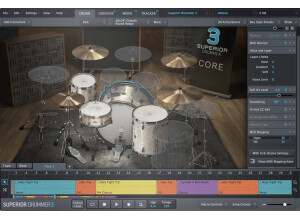
    Toontrack has hit a homerun and dusted off the old virtual drummer rules. Using it is a real pleasure, and the time gain when setting up an excellent drumset well played with all sorts of playing details is just incredible. Setting up a complex pied is a real child’s play thanks to the TAP2Find and drag’n’drop. And I play fusion jazz – ‘nuff said about how demanding I can be in terms of complexity. The first drums part for my first track made with it must have taken me two hours on an AABACABA pattern! In “Song” mode, the tracks allow for as many different versions as you want: copy, change the content for something else, tweak it as you like! And, it all takes less time than a global company needs to move its assets to a tax haven! However, in case you’d need to modify some patterns (which is my case for some particularly complex parts), SD3’s grid editor is less user-friendly than Cubase’s to my taste. But it may be a question of getting used to it… Another interesting and really great feature is the possibility to load the drumset and effects separately when loading a preset. This allows you to choose the best drumset for a said song, then to load the effect set according to what the song requires. In short, I was an Addictive Drums addict and I’m proude to have gotten over it! The cherry on the cake is the excellent MIDI packs, the last I downloaded is the “shuffle” one inspired by Jeff Porcaro, Steve Gadd and others. Awesome! A small regret : the presence of only four hihats :( , however the four of them sound so good… Addenda from April 2018 : The more i use it, the more i’m amazed by yhis virtual drumset! A tip regarding the Tap2Find feature: I used to enter the HH, SD and BD over the two bars, but since I play fusion jazz with complex rhythmic parts I had little results, so I was disappointed. But now, I’ve understood how to get the best out of it. First: forget your ego and let go of that “ideal” rhythm you got in the spur of a revelation. Second: take the general idea of the groove, e.g. the bass and bass drum are in sheer adequation, here goes the groove! So you just enter the BD and see what comes out of it. And, here comes the magic of SD3: provided you have enough and adequate MIDI files, you get a truckload of rhythm patterns that will make you realize how much progress you still have to make to reach the level of a rhythm genius. The last piece I’ve produced using it is a four-part piece, featuring jazz, metal, jazz-rock and flamenco. Complex bars in 4/4, 7/4, 2/4 and so on! In approximately 8 hours, the drums were done! The cherry on the cake, and maybe I’m going to shock mixing purists, I even used two drumsets on a same track: a jazzy SD3 one featuring a Yamaha set, and a friggin’ metal set right out from the Bob Rock Rock Foundry pack! The result just ROCKS HARD!!! Beware of memory issues though, and take care to avoid using two 3GB sets or you’ll see your 6GB of available memory disappear in a wink, hence limiting your use of plugins while mixing.

  • « A real magic wand !!! »

    This small freeware is extremely well designed and provides very nice sounds. It’s no less than magical as a mixing tool. I actually don’t use it to saturate sounds but to enhance and isolate instruments within a mix. I’m currently working on an electro/metal project and I’m a real beginner in metal mixing… So on a same project I can have 2 to 3 oversaturated guitar tracks (downtuned in Bb or dropped D) and an of course equally saturated bass track, all being recorded in my home studio. Of course guitar tracks are often double tracked… And I’m getting worked up with mixing this. Doing all my usual stuff that usually works well on pop / electro / rock (e.g. high- & low-pass filtering, EQing, frequency masking…), I always end up with a mashup sound with mixed saturations, this oversized low-end and the shrieking highs from this ****** Metal Zone that violently destroy both your ears and the mix’s brilliance… And now, a miracle has happened – I found the IVGI… To give it a try, I cancelled all treatments on my ultra-thrash Bb guitar tracks, put the plugin on… and finally got what I was going for. The plugin features 5 major controls – trim, drive, output, asym mix and response. Drive goes from barely audible to a nice distorted sound, all very progressive and no high-gain setting. The best part of it are the asym mix and response settings. The first allows to manage the plugin’s dynamics, turning it clockwise giving a natural compression while counter clockwise respects the signal’s synamics. Basically, you get very progressively from the dynamic behaviour of a TS9 to that of a TS808. Finally, the response control allows to choose the frequency band on which the saturation will be applied… and no need for an important drive level, it’s just about adding harmonics to the signal at the selected frequency. The result is a real killer for mixing. A heavy guitar compressed in the low end, the other guitar in dynamic mode in the high-mids, and all of a sudden my mix gets clearer and all instruments find their place naturally, no more mashup – magic, I say! Another great feat is the VU meter and level controls. It’s recommended to hit the plug at aound 0dB, so in and you adjust the trim then click in/out and see the average in and out level, then aim for 0dB and here you go. Genius! Finally, the plugin of course sounds very well for saturation too, I used it for such on a DI-recorded bass and the resulting sound is good and very precise. I have just remixed all guitars and bass tracks from the aforementioned electro/metal project using it, and we’ve reached another dimension in mix quality. It sounds very professional, punchy and clear (ala prodigy metal punk…) and finally now I can hear my electro parts in the middle of all these distorted guitars. I am now going to use it on other sources, can’t wait to try it on vocals… The plugin sounds very well and perfectly respects the original signal. I love everything in this plugin and no longer could do without it, whatever the project is. Value for money is just huge, it’s a freeware!!! I can’t even understand how such a great thing can be free when you see all the (paid) inefficient and expensive plugins you can find on the VST market.

  • « Two Repros without reproach! »

    Mastering a plugin requires time, and the time we can dedicate to music is rare enough (and the plug-ins that come with our DAWs numerous enough) to make the purchase of a plug-in a much thought out act – at least, that’s my approach of things, and perhaps it’s yours too. In the end, I purchase very little of them and download even less freeware. So, Repro is one in not so many, and there are good reason for that! First, it doesn’t include one but two synths : a mono synth taken from the mythical Pro One, and a polyphonic synth derived from the legendary Prophet 5. Promising, ain’t it? Then, using the Repro(s) doesn’t require spending long hours reading the user manual! The designs are indeed very close to those of the original models, and even for those who do not own a Pro One or Prophet 5 getting interesting patches will be done in no time provided you now at least the basics in subtractive synthesis. And if you don’t, well, the presets are already so inspiring that any of them can do… The preset bank is really well stocked and quality is there too, plus the preset manager is well done. The happy owners of one or the other hardware models will be able to fill their lack by buying the bundle for the (relatively) low price of 149€ (it was available for 99€when first launched). As for those (yes, some people do!) who own both original models and are not too much into a synth fetish, they can sell them to get other hardware legends (a nice Moog, a tiny Oberheim or Synthi), without losing the Sequential Circuits grain and while staying away from any possible breakdown from one of these aging synths, now in their forties-to-fifties. As for those with a synth fetish (I know, I’m one!), they’ll either cry for not being able to part with their wonders, or will rejoice for not owning one of them (the good news is, I fall into this category!) while being able to access this sound nirvana thanks to Uhe’s beautiful emulations. A third point: Repro comes with an arpeggiator/sequencer (for Repro 1 alone), and high-quality dedicated effects for the Repro 1 and Repro 5. These are from being mere gadgets and really take you far, far away from the synths’ original sounds. These effects sound beautiful and are well designes (especially the polyphonic distortion available on each of the channels with the Repro 5!). Number four: the sound! You’d think you’re there! Rather than empty speeches, you can get your own idea on the question watching the following videos which compare both virtual synths with their original, hardware counterparts. Repro 5 vs Prophet 5: https://www.youtube.com/watch?v=uFA_B6pP9AA Repro 1 vs Pro-one: https://www.youtube.com/watch?v=_0m4_5P4xFM As for technical specs, please look on Uhe’s website, you’ll find two very well done manuals! As an additional info, my computer (which is not a real beast though quite acceptable: a 2012 iMac with 3.4 GHz Intel Core i7 & 8GB of DDR3 ), I manage to run loops with 5 Repro 5 and 5 Repro 1 instances for a CPU consumption of 30 to 40%... Enjoy, as they say! PS : AudioFanzine features two different entries for a same product, as the Repro 1 ans Repro 5 are now available in a same bundle. Both synths have the same overall features and ergonomics (which to me is faultless in that it directly derives from the original models). Both synths could be enough on its own, but it’s a good thing that we get the both of them. So, this review would apply yo the Repro 1 as well! ;-)