Log in
EN
FR

Software Sequencers

1204 products found

Categories
Filter
Sort by
Brand
Evaluation
  • Reviewed or not
  • Editor’s award
  • Reviewed by Audiofanzine
Availability
  • Available or not
  • Sold new or used
  • Sold new
  • Sold used
Must-have products
  • All products
  • Flagship products
  • Best rated products
  • Hot products
  • Popular products
Price
  • Freeware
  • Low-cost (< $200)
  • Mid-range ($200 - $400)
  • Premium (> $400)
€
Clear
Sort by
  • Popularity
  • User ratings
  • Price - low to high
  • Price - high to low
  • Used price, increasing
  • Used price, decreasing
  • Name (from A to Z)
  • Name (from Z to A)
  • Added on
Sort results
  • Popularity
  • User ratings
  • Price - low to high
  • Price - high to low
  • Used price, increasing
  • Used price, decreasing
  • Name (from A to Z)
  • Name (from Z to A)
  • Added on
Filter results 1,204 results found
Brands
Evaluation
Availability
Must-have products
Price
  • Freeware
  • Low-cost (< $200)
  • Mid-range ($200 - $400)
  • Premium (> $400)
Show results

The best Software Sequencers reviews

The reviews Audiofanzine members found the most helpful.
  • « The colossus!!! »

    It's light, effective and can be installed in two or three clicks. Except for Linux users, everybody else is catered for from Windows 95 to Windows 8 32 or 64 bits, Mac OS 32, 64 bits or PPC. Do note that it works better under Windows than Mac OS. SUITABILITY/PERFORMANCE I've tried multiple options but this software is currently the lightest there is. We could disregard the hardware because this software is really optimized. Relatively stable and very powerful, Reaper can compare with the major players. I was surprised with the Mackie Control support, it is excellent. OVERALL OPINION I couldn't tell when I started to use Reaper, but I have version 4 since it came out. Its price/quality ratio is very interesting, but it depends on how much you earn and your plug-in collection. It's a version stripped of all unnecessary features. It goes straight to the point, while allowing some unprecedented things in this type of product. Reaper is an expert sequencer that isn't meant for everybody, but those who master it will have an unlimited world of possibilities at hand. I would criticize its not very intuitive usage, due to its endless possibilities. It's not easy to make it simple when you offer so many things. Its midi editor, while having evolved quite a bunch, is not the most user-friendly. It is actually off-putting for beginners. It lacks certain options that would allow beginners to really get on with a comprehensive product. But apart from that, it's really a performance beast. It's a unique product without equal. I use it rarely, preferring Logic, Cubase and Sonar. Probably out of habit. But even if I'm not a regular user, its qualities do not need to be proven and must be recognized. Reaper is a minor player in the sequencer world, like Linux in the OS world. It's a bit harder to get a grip of, maybe a bit less sexy in the beginning, but very powerful and customizable. When it comes to price/quality ratio, I have mixed feelings: it costs $60, which isn't much, but if we want to use it for professional applications its $225. For people who have a good plug-in collection, it's OK. But for those who don't, they have to buy everything, so it is a stiff price. To summarize: Reaper is the sequencer we end up using when we are disappointed by the rest and have already come a long way. Starting directly with Reaper is not as obvious nor advantageous.

  • « Excellent! »

    Problem-free installation. Everything is quickly and impeccably installed after downloading from the website. The setup couldn't be simpler. I haven't noticed any incompatibilities. Everything is recognized (except for the 32-bit plug-ins, which are obviously not recognized by the 64-bit version) The manual can be downloaded and is well conceived. SUITABILITY/PERFORMANCE Core I5 Sandy Bridge with 8gb and 2 hard drives, including a 256gb SSD for the sound libraries (Omnisphere, Trilian, Stylus RMX, Kontakt 4) and a PCI ESI Juli@ soundcard. The performance is formidable, no latency, no bugs, no crashes, it's awesome!!! OVERALL OPINION I started out making computer music in the '90s with the Voyetra midi orchestrator. I then migrated to Magix Samplitude in 2005 (the $80 version) and the last two years I've been using Reaper. During this time I tested Cubase, Cakewalk, etc... But I have never wanted to invest so much money in such big sequencers, because, in my opinion, they all have too many defects (starting with usability and stability...) One day I downloaded the Studio one demo and I immediately knew what I had to do: Finally a sequencer dedicated to musicians, super easy to use, optimized for songwriting, which doesn't neglect midi and offers a plethora of quality effects. The integration of Melodyne is a big plus. IT'S AMAZING!!! It's been several months since I have it, but it's been only recently that I've been using for songwriting. It's easy, it's the best sequencer that I have used in my whole life as a songwriter! It's incredibly fast to work with, it goes to the point, it's comfortable, stable and the logic and usability of the different functions is something I had never seen before. Testing it is buying it. With Studio One you need to focus only on songwriting and nothing else. I'm really fortunate to write songs with this sequencer. I have recovered the joy for songwriting with this formidable tool. I don't work at Presonus, I'm only saying what I think: For me, there is simply no competition!

  • « How to start computer music without getting discouraged »

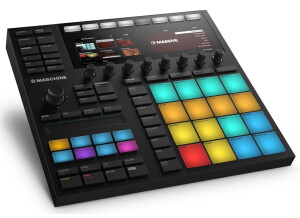
    Which setup are you using this device on? : I own a big gamer’s setup: Win 10 / 32 gb of ram / I7 / GTX1070 What about its stability? How much resource does it use? The Maschine software is very stable, i’ve never had a crash or CPU overuse with it In what context do you currently use this product? : I purchased it to produce Detroit/Berlin style Techno (I know, there’s quite a gap between those genres ^^) Then, training for FINGER DRUMMING, and why not ending up playing live – everything seems eventual with this MK3 as i twas precisely made for a hybrid use Is the manual sufficient? : The Maschine software and MK3 come with a very complete documentation as NI’s website provides a 1,000-page PDF I wish they would have provided us with a printed version as reading 1,000 pages on a screen is not the most pleasant thing to do, but let’s say Native saves trees! :-D Is it easy to use? What about its learning curve? : I’m a beginner, I once tried Ableton live 2/3 hours so here go my notions in computer music ^^ – you could say nothing at all. I started in that domain recently and I’m not disappointed, I feel like this is the best tool for a beginner as the MK3 allows for a simplified control over the Maschine software. Everything is very user-friendly, with the MK3’s screens and switches that light on depending on whether they can be used or not. The Maschine users community is also very large, so when needed tutorials are easy to find all over the web. I’ve been learning to use it for a week now, spending several hours on it daily and I learn day after day with no frustration, so this Maschine is perfect for beginners then perform. It’s a real hybrid in all regards: both for the kinds of users it addresses, and the way it can be used. What is the quality of the included instruments and sounds? Are they numerous enough to your taste? : So far, the included instruments (Monark , Massive , Gentlemen…) are way enough for me, provided you tweak the sounds with effects and so on. Possibilities are endless, leave alone the 9GB (!) of soundpacks which come with the Maschine. I’ll see later if I need other VSTs or soundpacks. What are the pros and cons of this product? Perhaps I’m under the beginner’s “WOW” syndom, but so far I like everything in it and can’t find any fault with it. Perhaps I’ll come back and edit in some time to precise my pros and cons. What aspects or features have guided your choice to this piece of software rather than another model? As I said above, the fact that it’s an ultra-hybrid product, both in terms of music-making process and the user profiles it addresses.

  • « Mixed feelings for the time being ... »

    The installation is easy, the hardest is managing the iLock account. Being used to Cubase, I was a bit lost at first. The hardest for me was setting up the D/A inputs and outputs of my racks, as well as the buses and sends. I haven't found any incompatibilities for now. I haven't studied the manual enough for now. SUITABILITY/PERFORMANCE Motherboard: Asus P8Z77-V Premium Processor: intel core i7 3770 RAM: G-SKILL Extreme3 PC12800 Trident X CAS7 Hard Drive: SSD 840 PRO Samsung Soundcard: Motu 828 MK2 FireWire Its performance is excellent, the 64-bit buffer allows a very reliable latency and the direct monitoring is indispensable to record audio with big VST sessions. Pro Tools 11 works correctly and is stable, for the time being.... OVERALL OPINION I've been using it for 1 and a half months. I have only tried Steinberg's Cubase before. What I like best: Its performance handling software like east west or vienna. What I like the least: That it doesn't have direct monitoring on the non-HD version and, especially, that it doesn't have an equivalent to MAP EXPRESSION and other details cubase has. But most of all, the incredible complexity to switch to pro Tools HD which means forking out over 5,000 bucks... I feel sorry for those who have a PCIe or thunderbolt card, who are forced to buy and AVID card even if they already have the best of the best. It must be hard...

  • « A Great DAW »

    I upgraded to Sonar X3 Producer from Sonar 8.5. There was a little difficulty downloading it, but only because the file size is so large. My download was happening over 15mbps internet and it took me two tries before I had it successfully downloaded. It seems there is a sort of online signature that happens with your download and if it times out on one of the parts, the other parts will not recognize it. You have the option of purchasing physical copies of the disk, so if you are worried about the download that may be a better option for you. I use it with Windows 8 running on a Dell Inspiron 660 with Intel Core i3 processor. After getting it installed, setup was easy. It instantly recognized that I had plugins and projects in Sonar 8.5 before it, and carried them all over to the new Sonar X3 formats for me. SUITABILITY/PERFORMANCE The software works flawlessly. I had a few problems with Sonar 8.5 which is why I was so hesitant to upgrade to the other versions that were released throughout the years. X3 looked like they had finally fixed every bug so I went for it, and I don't regret it one bit. The way it is arranged is unique. Everything can be kept in its own window, or as Cakewalk calls them "Views." You open a view and get a separate window for whichever item you are using. You can then click and drag the window to any space in the workstation and dock it to certain points of contact. This allows for lots of customization to match your own particular needs and interests. For example, if you don't ever use VST synth plugins, you can close that window and create a template where it will never pop up again. Do you do constant fine tuning to your EQ as you work? Make a start-up template that keeps your favorite EQ plugins close at hand in their own section. I have a special template for the final mix-down where I have a window open on a second computer monitor above my mixing console. This window holds the "Console" view which is the virtual mixer. This allows me to get away from all of the distractions and use my ears to mix, double checking on a screen that I am adjusting the correct parameters. Everything is labelled in a simple, easy to understand manner. Navigating the different windows couldn't be easier, and I haven't been confused about anything in it. There is plenty of color-coding and text help in every window so that you don't get lost in the hundreds of features provided. X3 Producer comes with a library of plugins that will cover just about every need you can think of. There are software instruments such as Dimension Pro, Rapture, and Addictive Drums 2, Audio effects such as EQ, Compressor, Limiter, and a variety of effects from Nomad Factory, and even CD Burning capabilities. There are several ways to edit midi data. You can use a sheet music notation window, piano roll, or a step sequencer. This is nice because sometimes one way will inspire me over the other on a particular day, and then on another I need to get precise and edit sheet music for an orchestra. Another nice addition is the support for VST3. Plugins have been released in the past few years that take advantage of this new format and it's great that I can use them in Sonar. A lite version of Melodyne called "Melodyne Essentials" is included and I have found this to be very useful for editing vocal passages and cleaning up missed notes. I was a little disappointed that they used it to replace Roland's V-Vocal processor. Melodyne is better at certain things such as pitch and rhythm correction, but V-Vocal was nice to use for more creative vocal processing. Luckily, if you had an older version of Sonar that included V-Vocal X3 will carry over the plugin to the new version. There is a view called "Matrix View" that has been around since the days of Sonar 8, but has been improved upon in this new version. Matrix View allows you to click and drag audio and midi files straight from their tracks in the project (or from elsewhere on your hard-drive) and loop them. This is the answer to software like Ableton Live and FL Studio that focus on in-depth loop creation. It works for me as an inspirational composition tool. I can make a drum groove and keep it looping while I add and subtract other parts of the song to see how I want it to line up. This view is also incredibly useful for live DJ and Electronic Dance work. You can play around with alternative parts of your set on the spot as you feel the energy level of the venue. OVERALL OPINION What I like most about it: Ease of use. I have never used a DAW that made more since to me and complimented my workflow so well. I record real instruments and work with midi data on a regular basis, and X3 Producer allows me to do anything I can imagine with both. What I like least about it: I think there must be a better way to manage a download that large than the way Cakewalk does. It took a very long time and had a bit of trouble. In the end it worked but I think they could make it more simple. I have tried Ableton Live, FL Studio, Cubase, Logic Pro, Garageband, Reaper, Studio One, and Protools. Nothing has worked as well for me as Sonar X3 has. Unless Cakewalk discontinues their software support and close their business, I will remain a Sonar user for life. If you like, Cakewalk offers a free demo version of Sonar X3 on their website so that you can try it out for yourself. Give it a go and make sure to play with customizing the windows to see if you find something you like.

  • « Best Dollar I've ever Spent »

    Propellerheads comes out with Reason 6 which is basically Reason 5 + Record wrapped into one package with a couple of added units. The crossover from Reason 5 to Reason 6 was easy, installation was a breeze. I did have a little issue using the dongle (was mainly user error) The application is really crowded,I hated this with record and don't feel as if i will ever get use to it in reason 6. So for me personally this is not an easy application to navigate compared to other versions of reason SUITABILITY/PERFORMANCE I've been using Reason 6 since beta and it's been a stable application, I've run into no compatibility issues nor performance issues. The app still is CPU friendly, this is the only reason(no pun intended) that I've been a die had fan for as long as I have. It's the core of my production studio and sound designer rig. The application reads external controllers easily and if you can't seem find you controller you can also add it in as a generic controller (like in previous versions) OVERALL OPINION Reason 6 sounds excellent (if you're excellent) see Reason has always been one of those software applications where it's quality is strictly determined by the user. The only thing I like about this new version is the new mixer that has been included (from record) what I had is they screwed up the simplicity of the software making it cluttered (like record is) that really upsets me. I like things to flow easily when I'm creating. What I love most is that I only had to spend $1.00 for my upgrade. I think if I had to come out of pocket $130.00 (considering I already have reason and record) propellerheads would have lost a very valuable customer.

  • « One of my personal favourites! »

    Ableton live, one of the fastest growing Programs for electronic music in our world.And i am not complaining. I have has no compatibility issues running this on my 32 bit AND 64 bit versions of my ACER laptops, though both are pretty well powerful running dual 2.5ghz processors with 4gb RAM. Though im sure it doesnt take a lot to run this program, the stronger the better, right? I still to this date have not once used the manual as i seem to be the more try and test everything for yourself type of person though i have found a ton of insightful videos on youtube for ableton live. Accessing all the effects/samplers/synths/whatever else you want is as easy as looking to your left hand side, dropping down an options tab and double clicking what you want. Simple, Right? Setup is just like any other DAW really, select your input output source and your off to explore the world of music! SUITABILITY/PERFORMANCE I find this program works brilliant on the performance side of things, Its fast barely/never crashes and if it does its normal due to a massive amount of powerful 3rd party plugins (izotope, korg synths). The provided sounds/istruments/synths i rarely use as ableton had headed itself more towards the electro/dubstep style of music and for use in a live situation, though i have added all my vsts in to this to use s solely a DAW just because i love the simplicity and feel/look of it. I have been using this program solely for my home studio for about 7 months and i plan on continuing this until i find something i like better or until i upgrade my studio. Also just to let you all know my main style of recording is hardcore/metal/(whatever-word-here)core style genres and ableton allows me to produce some nice sounding tracks. OVERALL OPINION I like how easy MIDI editing and sampling is in ableton, i genreally create songs using guitar pro 5 so i just import the MIDI files in choose a sound and im done. then if i wish to edit anything its all at a touch of a button! Also as i got this program for free as a promotion from my local store i have no problems! I have used many DAWs in my short time as a engineer and i dont know what it is about ableton that i like so much. its easier then small time programs such as adobe audition, logic but not as complex as say pro tools!

  • « The King of Trackers »

    Renoise is available for Windows, OS X, and Linux. Installation is a snap, with no dongles or online authentication license managers. After installation, configuration is straightforward--You setup your plugin folders, and ASIO/MIDI devices in the preferences menu and then you’re ready to go. It’s important to note that Renoise only allows you to have 2 folders designated for your plugins which can be a problem if you don’t have all of your plugins installed in only 2 folders. Learning Renoise couldn’t be easier. Not only does the website have a fully documented wiki that covers every function, there’s also a free official tutorial video series that walks you through the creation of a song. Furthermore, the community has a heritage of sharing their song project files, which you can play back inside Renoise and see everything that was done to produce the song. SUITABILITY/PERFORMANCE I’ve owned Renoise for over 2 years and it’s been my sequencer of choice for that duration. Before that, I used trackers like Buzz for a decade as well as more traditional DAWs such as Reaper on occasion. Like Buzz, Renoise is a tracker. In a tracker, you place notes vertically to create patterns and then arrange these patterns to create your song, somewhat similar to Ableton Live’s Session View. Trackers also rely heavily on computer keyboard shortcuts and while at first glance it seems daunting, trackers have an extremely intuitive workflow for sequencing MIDI and sample-oriented music once you're accustomed to the interface. It’s almost like using a hardware sequencer as you quickly input notes by using the arrow keys to go to the line you want and then use your computer or MIDI keyboard to place notes on that line. I find this to be far less tedious than dragging, copying, and tweaking tiny midi blocks on a piano roll. That said, the tracker interface is not ideal for every kind of song. Because Renoise doesn’t have audio tracks or a linear sequencer, it’s difficult to sequence long audio clips together like multiple live instrument parts. Furthermore, it doesn’t have multitrack recording in any capacity, so recording bands, ensembles, or live drums isn’t possible. Renoise does support ReWire, however, so it is possible to use Renoise for sequencing your soft synths or samples and then rewire Renoise with another DAW that is more suited towards handling recording. The sample editor in Renoise is fairly robust. You can place markers on drum breaks to slice them, set loop points, record samples through your audio interface, and set key zones to create layered sample based instruments. You can even draw your own waveforms, process them with effects, resample, and then use that as an instrument, essentially creating a completely unique synthesized sound from scratch. There’s built-in capability for modulating sample parameters and there’s a beat sync feature that will automatically transpose and fine tune your samples so that their length syncs to the current BPM, making it easy to achieve that classic pitched up jungle drum sound. Renoise is capable of loading 3rd party plugins (VST/AU) and has a built-in 32-bit to 64-bit plugin bridge for handling those older plugins. Also included is a standard suite of processing effects, the usual array of EQs, reverbs, compressors and delays. These are all very usable and the cabinet simulator in particular is a favorite of mine. It features 17 emulations of well known guitar amp cabinets and adds some really nice dirt to synths and drums. The program itself is very responsive. Nothing is bloated or sluggish and I haven’t encountered any CPU spikes or instability. The interface remains snappy, even inside large projects. CPU usage will be dictated by which and how many plugins you use, Renoise doesn't utilize more than 3% on my Intel i5 2500k @ 4.5ghz while idle. A large project featuring 25 tracks and assorted effects might climb up to around 20% while playing, but again, this will vary heavily depending on the plugins you use in your song. One of the greatest assets for Renoise is the community. They’re active and helpful, even creating powerful free tools with the official scripting language. These tools range from things like arpeggiators and step sequencers to the incredibly useful “Guru,” a tool for programming hardware synths and saving patches (even for synths that don’t have patch memory!) inside Renoise. Another thing to note is that the developers are very fair when it comes to releasing updates for Renoise. Between Renoise 2.0 and 3.0, the developers released many significant updates for free over the course of 4 years. These updates included things like an Ableton Live style Grid/Pattern Matrix, an official scripting language for user made tools, new effect plugins, and full 64-bit support. OVERALL OPINION While it may not come with all of the pack-in synths or gigabytes of sample content that many DAWs boast these days, Renoise is a powerful, stable, and fast sequencer with a great community and a spectacular price at around $90 USD. It's a specialized sequencer with a focus on midi sequencing and small samples, so it's not the kind of program you'd use for every song you might want to produce, but if you’re not satisfied with your current DAW workflow or if you want to try something completely different from the usual big name sequencers, you should definitely give it a try. Pros: + Fast, intuitive tracker-style sequencing + Clean interface + Bloat-free + No dongles or online license managers, you can install it on all of your computers hassle-free + Fantastic price + Great community that provides useful tools for free + Developers are active on the official forums and release multiple substantial free updates Cons: - Can only set 2 plugin folders - Isn't ideal for sequencing numerous long audio clips. - Doesn't have multitrack recording

  • « basic daw with lots of extras »

    Daw for Windows,Linux and Mac. They use jack as audio engine which works perfectly on Windows. The basic version with no plugins supports the following per track : Input assign, direct output assign, Insert assign ( all these for both software and hardware), 3 band eq, 8 bus sends, pan, fader and more. Everything will be explaind perfectly in the manual or will be explained in video tutorials. Very easy to handle with excellent audio quality due "analog algorithms" SUITABILITY/PERFORMANCE This daw works perfectly with existing outboard equipment. Daw to gear to daw latency is calculated ( measured) by the daw and automatically adjusted. OVERALL OPINION This is what i think the cheapest daw which preform the best with a big ;-) to the analog world. For me, this will be the number one daw. And if the people of Harisson Consoles keep up their efforts I will keep updating this program.

  • « Overall, a very good sequencer »

    The third episode gets closer to perfection. I used to have Studio One version 1 but soon got rid of it due to its audio engine which was not CPU-friendly enough to my taste, and this version 3 is a real change! For those used to another DAW, a little time and effort will be needed to get used to this one. Studio One has its own vision of things and when you come from Protools, Sonar, Cubase or Reaper for instance, it takes some time to take your marks (not so long either, but you won't be 100% efficient right away). The DAW's engine is very good, and clearly got better with time (at least it clearly did compared with version 1). The interface is well-thought and conceived, it resembles that of Cubase - although slightly not as good/practical. There are also ideas taken from other DAWS, such as the matrix for audio in/outs similar to that in Reaper for instance. Even if it's rather good, I still can see a few flaws here and there. Some things that unnerve me here and there, for instance you can't directly access the pan setting, only the volume, so you have to open the window dedicated to the channel, and the same goes for accessing VST/VSTis, not always readable/intuitive or user friendly (depending on the size of the said VST Window, if the VST(i)'s GUI is big you can't display the whole effect chain at once)...Or, the interface is not as easy to modulate as Sonar's, so you can't always work as you'd wish. So, there are still a few details to tweak here and there, but all in all it's really not bad. The included plug-ins and instruments are also very good, but once again the customer is a bit considered as a cash cow. For instance, the guitar/bass-dedicated Ampire plugin doesn't include anything for heavy sounds (there's one named "high gain", which gain is high in name only). You'll need to add a Metal pack or you'll be quite disappointed! OK it's only 20 to 30 bucks but it's a bit mean from them! Alson no drum VSTi... Only sample packs to be bought separately! For the price of the DAW, it almost would deserve only three stars for "blunt disrespect of one's customer"... But in the end, as I said, I don't pay much attention to that as I already have my own VSTs/VSTi's! A lot of other things couls also be said on that DAW, but all in all and compared with all others on the market this one is a really good sequencer which offers great tools and a very efficient interface (in spite of some points that could -and hopefully will- be ameliorated). All in all, I'm rather satisfied with this 3rd version and can only recommend it, especially to those without a DAW or who have already used Cubase. Still, if you already have your marks with one or several other DAWs, try this one before buying for it features some details that may spoil your workflow... Depending on your priorities and adaptability level! :-D

  • « Usability, usability »

    Very easy setup, very light program, light and very fast installation of upgrades (and not too often, unlike with other brands). SUITABILITY/PERFORMANCE Rarely overloaded; X79 PC I7-3820, 32Gb RAM, 480 Gb SSD and six 1T HDDs; CG GTX580 and GT610, 4 Full HD displays. Interface: It depends, but mainly a Steinberg UR28 due to the possibility to toggle between different monitors. It has never crashed. OVERALL OPINION It must be 5 years since I use it and follow the product. I used to use Protools and have Live 9 Suite, too (after having Live 8, etc.). This is my reference DAW, even if I have several programs to work with on the projects I get from other studios. I'm nevertheless thinking about buying PT11 and Cubase 7 for compatibility reasons. PT because I'm used to it and it's the software I work the fastest with. I'll still follow Presonus products, even if I'm not a big fan of the hardware. Studio one is super intuitive, practical, easy, and fast User manual? Does it have one? Oh, well... I've never read it. There's no need to. For me, the first criterion to choose gear is that there's no need to read the manual. With S1 it was love at first sight, from the first versions. A small drawback: The controllers and MIDI pianos. They could do better in this respect. It seems they've had a developer or a whole department on leave since 2007. Another small drawback that has always been a hurdle: The 64-bit versions accept only 64-bit plug-ins. Fortunately, almost everybody has made the jump, but I still have to bridge some 32-bit plug-ins, which I don't want to do without (the compulsory Sonar patches, for example)

  • ScahR's review

    It comes by default with my distribution (Tango Studio 1.2) and it works perfectly right away with Jackd. The interface is relatively simple and clear, the learning curve isn't as steep as with other software like Cubase. PERFORMANCE Hardware setup: Core i5 2500k 4 cores / 8GB RAM / 1 SSD + 1 Raptor / M-Audio Delta 66. Software:: Jackd, Envy24Control and Ardour, obviously, for multi-track recording In terms of performance, I have no complains with my setup, no lags, no latency (~ 5ms), it's responsive and I've never had a single crash (unlike with Cubase that I started out with and don't plan to go back to). OVERALL OPINION I've been using it for about six months. I tested Cubase before but was really disappointed (it's slow, crashes frequently...its price isn't justified!). In my opinion, Ardour is much better in terms of performance and stability. And it's awesome regarding functionality. I have produced two of my band's tracks with Ardour, as well as another one by another band, and I'm truly satisfied with it. It's hard to find anything better! It has nothing to envy Cubase or its equivalents for Mac. And, as of today, I haven't explored more than 50% of the possibilities that the software offers. Pros: The speed of the software, perfect compatibility with Jackd, which is great to route the audio inputs into Ardour tracks. The software's perfect stability, its compatibility with plenty LADSPA plug-ins, and the number of functions it has worthy of a truly pro software. To be honest, I don't see any cons for the time being.