Log in
EN
FR

Sound Trackers

17 products found

Filter
Sort by
Evaluation
  • Reviewed or not
  • Editor’s award
  • Reviewed by Audiofanzine
Availability
  • Available or not
  • Sold new or used
  • Sold new
  • Sold used
Must-have products
  • All products
  • Flagship products
  • Best rated products
  • Hot products
  • Popular products
Price
  • Freeware
€
Clear
Sort by
  • Popularity
  • User ratings
  • Price - low to high
  • Price - high to low
  • Used price, increasing
  • Used price, decreasing
  • Name (from A to Z)
  • Name (from Z to A)
  • Added on
Sort results
  • Popularity
  • User ratings
  • Price - low to high
  • Price - high to low
  • Used price, increasing
  • Used price, decreasing
  • Name (from A to Z)
  • Name (from Z to A)
  • Added on
Filter results 17 results found
Evaluation
Availability
Must-have products
Price
  • Freeware
Show results

The best Sound Trackers reviews

The reviews Audiofanzine members found the most helpful.
  • « Review of Renoise 3 »

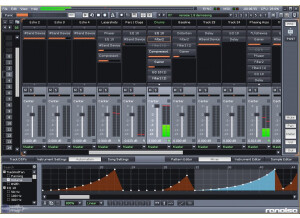
    Renoise is one of the best tracking sequencers currently available and has now just launched it’s latest version. This version incorporates a selection of new features which have been added to the tracker and does away with some of the older fixtures. In this review we will take a look at the tracker and will also outline why it may be a good choice in modern music production. Features The Renoise 3 sequencer is different from other sequences in that it creates patterns consisting of note and velocity data in a downwards fashion. This can be confusing at first if you're not used to the Renoise style in which to work. However, after a little bit of practice it will make your workflow incredibly quick. Renoise has a number of colored strips in the main window and each one represents a track in which you can create sounds. This may seem a bit confusing at first but I quickly worked out the layout. Each track can also be effected by a range of different effects that come with the Renoise program. These include reverbs, EQs and compressors, as well other more creative effects such as distortion and flangers. Sounds in Renoise 3 are used either from samples which are dragged into a sample window and then programmed into the tracker via keyboard input, or via plug-ins that use digital synthesis and can also be input into the tracker sequencer. Renoise is especially good with samples and can be used to edit and modify each sample that you bring into the program. This includes the ability to chop up samples and map them across the keyboard, as well as the ability to create volume fades on each sample. I found it easy to adjust the sounds of samples so that they fit well within the track. The new version of Renoise works in both 32 and 64 builds. Certain features within the interface of Renoise have also been changed and the original sample envelopes have been discarded and a new set of modulation groups have been introduced. These carry out the same tasks of modulating the basic values within a sample, such as resonance, cut-off, pitch and panning but also introduces more advanced modulation such as LFO and tracking of the velocity. Pros and cons The aspect that I enjoyed the most about Renoise was the fact that it was very easy to get basic patterns up and running within the sequencer. Once you have learned how to lay down a pattern by importing samples then this becomes easy to do. I also enjoyed the quality of the sound engine within the program, and was impressed by the crisp and bright sound that it had. The built-in effects also have a high level of quality and can make the music sound punchy and dynamic when the compressors and the various EQ devices are placed onto individual sounds. What I did not like about Renoise was the fact that some of the functions are hard to find and doing simple tasks, such as automation also proved to be tricky. I also found that documentation on how to use the program was limited and only a few guides were offered on the web. Luckily I had a friend who is well versed in the program and he was able to show me some of the things that I didn't understand. Comparison Other trackers are also available on a selection of different platforms that are also styled as tracker sequencers. One of the most popular is that of Nanoloop. This advanced tracker sequencer is available for a selection of different platforms, including mobile devices such as Android and iPhone. The Android version is the latest release of this software and allows you the ability to create complete tracks which you can then save onto an SD card. This tracker is not a replacement to Renoise but is instead a fun alternative. It features 8 different channels which can be sequenced using a sample or a synthesizer, as well the ability to have 8 different patterns between each channel. Summary Renoise 3 is a sequencer that may seem complicated at first, but it quickly becomes understandable. Users will quickly see the software as an intuitive sequencing tool. The sequencer is especially good for sequencing, editing and automating audio samples. With the ability to edit and process each individual sample that you bring into the Renoise application. This program is not as sculptural as other sequencers and is probably more suited for electronic dance music. However, I still found it to be easy and effective with a wide range of different styles. If you enjoy creating electronic music and want a stable tracking sequencer that is filled with effects of different ways in which to sequence and edit samples and digital synthesizers, then the latest version of Renoise is a good choice.

  • FP User's review

    This is the best tracker I have come across (and my favourite piece of music software). The sample files supported include: wav, MP3, aiff and ogg. There is full VST 2.0 support and several native effects included. These features are well incorporated into the tracking environment which makes for very quick usage and easy application. The downside or largest lack in this software I feel is the lack of a decent arranger. The current one is quite fiddly (although usable) and can get quite confusing if you need to cut + paste large sequences. However a new full screen arranger is planned for the next release (1.3) which I think will give the best of both worlds: The speed and ease of a tracker and the convenience of a cubase style overview for large edits to a whole song. There is no line in recording yet but this can be done through VST (explanation on renoise forum). This though is also planned for a future release. Other upcoming features include: Piano roll Improved look Mid import (v1.3) Improved resolution (v1.3) + others (see web site for details: www.renoise.com) With the improvements planned this will become even better to what for me is a great piece of software already. $45 The interface is the main selling point for this type of software with the easiest method for composing I have found in a music application. You basically enter the notes you want in individual tracks via the computer keyboard or a MIDI keyboard. These are then shown in each track as the letter of the note and the octave that note is in i.e. Track 1 Track 2 Track 3 -> (Up to: Track 64) 00 C-3 D#4 G-5 01 --- --- --- 02 G-4 --- B-2 03 --- G-3 --- 04 --- --- D-4 The screen unlike conventional mid editors scrolls downwards. This allows maximum tracks to be shown at one time and makes sense here for the way the notes are represented. The song is diveided into patterns of length defined by the user (default 64 lines) Not everyone likes this sort of interface but after a little practice it becomes second nature. There are some demo songs included which will speed up the learning process considerably. SUITABILITY/PERFORMANCE The sound quality is professional and as good as the samples or VSTs that you use. The native effects are good but anything you feel the need for improvement on then VSTs can be used for. I would recommend though for mastering that another program is used ( a program made for this purpose) There have been some small stability issues with renoise in the past but these have been and are getting ironed out at the moment. It is worth checking in the forum for details and for current users using it live. The support is excellent at renoise. I once had to contact the developers over a song I had that I couldn`t reload and was e-mailed back the same evening by the main developer. Bug reports in the forum are regularly responded to by the developers so any problems you have will be addressed. The best thing about the support is the ability to suggest and vote for (the latter if you are registered) new features which again the developers + users actively discuss on the forum. OVERALL OPINION Anyone who loves tracking will love this prog. I have been tracking for about 8 years on an Amiga and was put off modern computer music making by the complexity of doing things in an hour that would take me five minutes in a tracker. Renoise got me back making music with the modern sound quality that PCs and advancements like VST offers with the usability of programs like OctaMED on the amiga. There is a demo on the site you can download, only wav rendering and ASIO are disabled in the demo version. It is possible to save songs. Again @ www.renoise.com Happy tracking Originally posted on FutureProducers.com Posted by: Unknown (January 1-, 2003)

  • FP User's review

    Featues are decent.Vst/vsti compatibility,and supports ASIO. Sequencing is tracker style.So if you like working with patterns,and building songs from them,this is deffinantly worth a download. Modular enviornment is excellent,and easy to work with. If you have never worked in a modular enviornment your missing something(my opinion). No multi-outs for vsti yet,but maybe in a later update. It has a nice swing feature that many trackers lack. It also can make good use of your computer keyboard to play you melodies if you don't have a usb controller. Easy to use,and the learning curve is not too bad either. Overall I think it's a very intuitive enviornment to work in. SUITABILITY/PERFORMANCE Psycle sounds very good as far as sound all around. The built in synths seem very effective,and deep(see FM Labratory). Fairly robust for a beta release.Not crash proof,but not crash prone either. OVERALL OPINION I like Psycle alot.For free it's about your best bet for music production.Good for all electronic styles including hiphop. Originally posted on FutureProducers.com Posted by: Mattman04 ( 7-, 2005)