Log in
EN
FR

Electronic Music Sequencers

80 products found

Filter
Sort by
Evaluation
  • Reviewed or not
  • Editor’s award
  • Reviewed by Audiofanzine
Availability
  • Available or not
  • Sold new or used
  • Sold new
  • Sold used
Must-have products
  • All products
  • Flagship products
  • Best rated products
  • Hot products
  • Popular products
Price
  • Freeware
€
Clear
Sort by
  • Popularity
  • User ratings
  • Price - low to high
  • Price - high to low
  • Used price, increasing
  • Used price, decreasing
  • Name (from A to Z)
  • Name (from Z to A)
  • Added on
Sort results
  • Popularity
  • User ratings
  • Price - low to high
  • Price - high to low
  • Used price, increasing
  • Used price, decreasing
  • Name (from A to Z)
  • Name (from Z to A)
  • Added on
Filter results 80 results found
Evaluation
Availability
Must-have products
Price
  • Freeware
Show results

The best Electronic Music Sequencers reviews

The reviews Audiofanzine members found the most helpful.
  • « A Feature Packed DAW »

    FL Studio 11 XXL Signature Bundle is the most complete FL Studio package you can get. It contains all the FL Studio features with no restrictions and costs $299. If you already own the signature bundle from previous versions then you can get 11 for free. You can use it for sequencing, recording, mixing, mastering, programming drums, inputting MIDI data, etc. It's a loop-based DAW. It supports MIDI input and can be used with various hardware devices including keyboards, drum pads and other devices such as the Maschine. It also comes with a comprehensive user manual which explains almost every aspect of the GUI including some basics in electronic music. I actually learned how to use FL mostly from the user manual itself which speaks volumes on its clarity. If you're familiar with the FL Studio family then there are no major changes in this edition and you can get to work really fast as I did. But if your new to the DAW it may take some time to get used to because it is an unconventional DAW. SUITABILITY/PERFORMANCE The installation process is easy. During setup you're prompted to install the ASIO4LL driver which is a must if you want to use FL Studio to record. It doesn't allow you record using any other driver except ASIO which can be frustrating at times. You're also given the option to install it as a Rewire device for use in other DAWs. I run FL 11 on 2 physical Windows 7 machines and 1 virtual Windows XP machine with no major issues. The main problem I come across is instability of the software. It crashes at random times so it's important to save regularly otherwise you risk losing your work. I've used FL Studio for 10 years and it's still my main DAW to this day. When it comes to getting out ideas really fast nothing beats FL Studio once you've gotten used to the workflow. It may take some time to get used to for newbies or those who are used to traditional DAWs like Protools, Cubase or Studio One. The workflow is unique, but can be very effective once you find your way around it. I often get a complete beat done in 20 - 60 minutes on FL. I use it with a Native Instruments Komplete 6, Avid Mbox 3 Mini, Akai MPK Mini MIDI controller and occasionally with other gear. I haven't experienced any notable performance issues with that hardware. FL runs primarily on Windows although it's possible to run it on Mac using Darwine. OVERALL OPINION One great thing about FL Studio is that you can make music using just your computer keyboard and mouse, a MIDI controller is not necessary, though it does make things easier. Few DAWs can compete with the way FL implements this feature. The step sequencer is great for programming drums. It also has the most feature-rich piano roll that I've seen. It has a lot of handy features such as strumming, quantization, arpeggiation, exporting to score, legato, articulation, randomization, chopping and various other features which make editing MIDI data quicker. I've used REAPER, Ableton Live, Studio One, Cubase, Mu-Lab, Orion and Reason; none of them has a piano roll as feature-rich as FL Studio. Another great thing about FL is its MIDI handling capabilities. It supports various devices and it's very flexible. Setting up a MIDI controller is quick and easy. I use it with my AKAI MPK Mini and it works great. When it comes to recording instruments and vocals I've found FL Studio to be a bit frustrating. For one you can't use any other driver except ASIO for recording, which is very limiting if you have other drivers that you wish to use. Another issue is that you can't see the wave form until you're done recording so monitoring visually is impossible during recording. The playlist can be polarizing. The traditional FL Studio playlist which had pattern blocks has been phased out in this version. So anyone who heavily relies on that may find the new playlist frustrating. I for one took quite some time to get used to the new workflow. I've had to use workarounds to get a similar feel to older versions by locking all patterns to one playlist track. It's not the same as before but it gets the job done. I'd prefer to have the old blocks back though. One of its strongest selling points are the plugins it comes bundled with. From the generators my favourite are Harmour and Sytrus. Those 2 plugins alone can create almost any sound. From the effects side you get some great plugins like Maximus (a mastering plugin), Fruity Convolver (a convolution reverb), Hardcore (a guitar stomp-box) and the Fruity Parametric EQ 2 which I use in almost every track. With FL I'm really spoilt for choice and rarely have to use external plugins because the default ones are great. All in all FL Studio is a great DAW. Of all the DAWs that I've used it's the easiest to use only with a mouse and computer keyboard. It comes packed with basically every feature that you'll require to compose, record, mix and master a complete song or album. The pros and cons are: Pros: - Self-contained DAW which has almost everything needed to compose, record, mix and master a song. It comes packed with a tonne of effects, synthesizers and samples. - Feature-rich Piano Roll - Great live performance features. Probably second only to Ableton Live - Easy to use with only a mouse and keyboard - Flexible for use with MIDI data - Lifetime free updates. Once you buy it you get all future updates at no cost - Flexible pattern-based drum sequencer - Can be used as a Rewire host or client - Great forums and user support - Supports VST and DXi plugins Cons: - Recording module is not very flexible. - Unconventional GUI (steep learning curve if you're used to more conventional DAWs like Cubase, Protools, REAPER, etc) - Limited number of mixer tracks and playlist tracks. For most projects this is not a big deal but for huge projects this can be quite frustrating. - Constant crashes. The DAW is very unstable especially with some external plugins - Recording is only supported using the ASIO driver - No 64 bit version available I would buy this DAW without a second thought. It's an excellent DAW especially for composing beats. Its vocal recording functions are not as flexible as many other DAWs out there, but it gets the job done. If you're going to do heavy work with recording and processing of vocals then FL is not the right DAW to use. But for almost all other intents and purposes it works great. The value for money is great. You can get everything except the kitchen sink with this DAW. You don't have to buy extra VST effects or instruments because it comes bundled with basically everything; samplers, a soundfont player, synthesizers (FM, Wavetable, Subtractive, Additive, etc), effects (reverb, EQ, compressors, a maximizer, flangers, etc). Considering everything that's packaged it's a bargain. It's particularly good for hip hop and dance music.

  • « I love it »

    FL Studio 10 has made some major improvements from previous versions of it. When you purchase producer edition you will not be getting everything you can get with an XXL version. I do suggest getting the XXL version of producer edition because you will get more valuable plug-ins and the price difference is not that bad. I do use a few different sequencing programs, but FL Studio is always like home. I have been working with it for about 10 years and I am so familiar with all of its functions. They keep a lot of the stuff with it the same from version to version so you will not have to worry about relearning anything. SUITABILITY/PERFORMANCE FL Studio 10 producers’ edition comes with Sytrus, Maximus, Hardcore, and DirectWave. I do use Sytrus a lot so it was great to see that they have included it but I already had it from a previous version and nothing has changed about it. I would have been great if they would have given Sytrus a facelift, I feel like it has been exactly the same since FL Studio 7 or 8. OVERALL OPINION The great thing about Fl Studio is that you can run it on just about any system you have. I have used this program on about 7 different computers over the years and nothing has ever not worked. My favorite thing about FL Studio 10 is the MIDI piano roll and the mixer track. The piano roll has been the same forever and not too much has changed with it. But the mixer track has been given a facelift from what it used to look like. Basically all of functions are still the same it just looks a little different now and that is a good thing. Another great thing about FL Studio 10 is it has great capabilities to work with external software synths and just about anything can work in it and vice versa; FL Studio can be used via ReWire to work with other programs. FL Studio is just so versatile and it has been working for me for a long time, I will never leave it.

  • « A live DAW worth finding! »

    Cakewalk's Project5 was the first DAW I ever used, and it can be very versatile, and it can be very useful, even for recording live bands. It is mainly designed with electronic music creation in mind, with advanced loop saving and loop triggering abilities. You can trigger loops live using the matrix page, and you have many options for how to set how the loops are triggered, whether the start time should be quantized or instantly played, and wether or not the sample should be looped or one-shot. For regular midi input, there are options for quantizing the data, and even using an advanced arpeggiator. Project5 is very capable towards midi setups, as that is the medium for most electronic music. In later versions of Project5, they added the ability to record audio (as opposed to simply importing audio), which makes it capable of recording rock bands, which is what I did briefly. It is not optimized for this, and if you use a high-latency sound card, Project5 doesn't automatically adjust for the latency, and you have to manually move all of the audio back a few milliseconds, depending on the latency. SUITABILITY/PERFORMANCE Project5 works great for live show, and live triggering of midi patterns and audio, which is what it was mainly designed for. It can handle many synths pretty well, and it even comes with a bunch of basic synthesizers (including some forms of Cakewalk's famed Dimension sampler). With these, you can start creating music immediately. OVERALL OPINION Overall, Project5 was a great side DAW created by Cakewalk, that had it's niche customer base away from their flagship SONAR DAW software. It is no longer supported, so it may be hard to find nowadays, but if you are looking for a live alternative to something like Ableton's Live, Project5 can be a great choice. It can inspire the mind.

  • BeyondR's review

    Fruity Loops designed by Image Line is one of the most popular music software on the market now. It has plenty of nice plugins that can help to boost your music on a whole new level. It's easy to use and reading the manual should explain basically everything you want. SUITABILITY/PERFORMANCE The software works great and one of the greatest things about FL is not using many cpu resources(I had run FL on a 256 mb ram pc ) and I could create some beats. It's very stable regarding of what many musicians say and hate it, you could really create some nice beats in there, the design is mainly manufactured for hip-hop purpose, it's much easier to set a drum pattern on FL than in Logic Pro let's say, or Ableton. I've been using FL a long time ago,it's a good software to start in music understanding and how it supposed to sound and how to create the sounds. OVERALL OPINION What I like the most about FL as I said are the low resources needed to run this software, also it has one of the most complex piano editing right now, no software could compete with that at the moment, even logic or ableton. The price is pretty low, and you get a bunch of plugins with the program, however I would recommend to get some other samples, vengeance are pretty high quality. Another great thing about it is that it can run as a vst to other Daw which can be quite handy. The Arranging is easy to create, you can really make something original in just a few minutes. Well,having said that,I really recommend that you get into FL if you're a beginner or just someone that loves to create some music without wasting too much time, but as you progress you should consider some other daw's that are more complex, have some others features and provide something completely new on the market.

  • « The only Program you'll need for Music Production »

    Reason has always been one of my favorite applications to use when it comes to music production. It's the only application that has made me put my akai mpc in the closet. The manual is very detailed and easy to follow. It goes through each instrument and it's function and it comes in more than 1 language (this is important to me at least) like most software music production applications Reason automatically configures finding your sound card. You will have to point it to your midi device and or audio device if your device is an interface of some sort but other than that everything auto configured for you and ready to go. SUITABILITY/PERFORMANCE Reason is probably one of the most stable application on the market because everything you need to make music is right there in the box. There are no need for VST or AU plugins (which are mixing tools and or more sounds). If you need 3 drum machines then load up 3 if you need different synth sounds then create new synths sounds (or download more free or purchased). I've been using Reason for about 6-7 years. I've never had the program crash on me which is something I wish I could say about other music production applications but sadly I can't. If you need more complex mixing configurations you can create them yourself you can make sure your music sound as dynamic as you need it without the need or use of third party applications. OVERALL OPINION Reason's sound quality is determined by the user. Some people claim reason doesn't sound professional truth is the user doesn't sound professional. Reason only sounds as good as the user makes it, you get out what you put in. What I like most about Reason is the fact that everything I need for a composition is already supplied in the program and I can sound design with this application as well. I love stacking multiple EQs and Compressors together when crafting my sounds and my system doesn't bog down as it does (when i stack) using plugins. One thing I do not like about Reason is the fact that they haven't (and more than likely wont) incorporate Recycle as unit (which they should) it would make sampling and manipulating rex files soo much easier. I've used other software applications but Reason is an app that sits well for me. If I had to minimize my current setup today I would work with a laptop, Reason some headphones and a small midi controller. This would give me the most flexibility when it comes to music production

  • FP User's review

    This is a great tool for creative minds. It has mircoscope control. It mixing on this is harder to hear depending on the monitors you have. You can easily walk away with a track you think is hot, then try playing it in your radio and it sound totally wack. It also has MIDI features. Price paid $100 This is pretty easy to use after a while just like any other beat making machine. It mite take you a period to learn how to use it. Take your time with it and you'll use it your own way. Nobody uses this program the same way to create stuff. It is pretty hard to use at first but, its childs play after a while. SUITABILITY/PERFORMANCE This Comes with crapy techno sounds. You have to put better sounds in it for quality hip hop, r&b, soul tracks. It could do well with Pop tracks but you still need to get another wave creating/ chopping program to use this program to you advantage. They don't tell you that when they give it a rating huh. Its only as good as the producer. You can easiest make something new and fresh that other think is wack .Be careful OVERALL OPINION Me I love this program but I had it for a year before I was good at it. If you have the time and main frame you'll do ok. I plan to use this program to build my studio around. Holla front Originally posted on FutureProducers.com Posted by: Unknown ( 5-, 2003)

  • « good performance »

    The synapse Orion Platinum 3 is very easy to understand and use. You can use it just like you use your other software sequencers and it runs great with all your other plug ins and rewiring other software through it. Everything seems to work great without any issues or bugs. I think the sequencing isn’t as good as I would like it too be and the mixer channels arent anything that I would brag about . I think they should have spent more time in those to areas and I would be a much bigger fan of Orion Platinum 3. SUITABILITY/PERFORMANCE Works great, not crashed or bugs. It even loads up pretty quick and doesn’t take a while. Everything with this program is pretty quick loading different effects and channels. It all seems pretty quick and easy. It keeps your cpu pretty low as well, doesn’t really slow anything down which surprised me, the program loads quick and is light on your cpu. What more could you ask for on the performance side of any sequencing software or any type of software for that matter. It loads really fast, not jut the program but even the plug ins and options in the program. OVERALL OPINION Overall, if you are in need of a good program to do your sequencing in this could be a good one for you. But I just don’t think Orion Platinum 3 has put them self in a position to compete with other software’s. For a while I havent even heard of them until I downloaded a trial version of the software after browsing online and came across them. So you may want to download the trial version to see if its something you would like to purchase and continue to work along with. The price of the full version is around 150 bucks and that’s pretty standard when it comes to sequencing software.

  • « good, but they want you too keep buying plug ins »

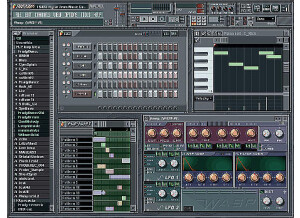
    Image Lines FL Studio 6 is an older version of FL studio and is no longer being sold, I am pretty sure they are up to version 10 now. At the time when I had FL Studio 6 I thought it was a great program and it was. But Image Line has made some great changes to FL Studio. Especially to the play list and menu’s. Most of the other things really havent changed at all. But they do keep adding new stuff to FL Studio as the new versions come out, some of the changes are for the better and some for the worse. When I was using FL 6 I remember having a lot of fun with it, I don’t remember really completing many songs just because I felt limited by the mixer tracks and channels and I didn’t feel like they gave enough plug ins to use in the mixer tracks. Not saying that they don’t have the mixer plug ins available because they do have a lot of good ones but you will have to pay extra for them. They can get pretty expensive as well, up to 3 hundred dollars per new plug in. I think that’s just a sales gimmick from fl studio because they know you need more so they make you pay for it instead of just including it in the xxl version of fl studio. SUITABILITY/PERFORMANCE Fl Studio 6 worked great with my dell laptop and never crashed or had any problems. It was very stable even when running multiple plug ins, the free asio drivers kept my cpu pretty low.. OVERALL OPINION Overall, fl studio will forever be around. If only they could just include some of the better plug ins with the program itself instead of trying to give you a trial version of it and up sell you on a new product every time. FL Studio 6 is affordable but all of the bells and whistles (plug ins) can get a little tedious trying to keep up with buying them. Fl Studio just wants you to buy buy buy, I still use FL studio to this day, but I wont be buying all of there plug ins.

  • « loved it »

    Propeller head reason was perfect for me when I was just starting out. I had no direction and didn’t know where to start when it came to software. When I first started using it I was in school and really couldn’t afford much but I saved up and purchased Reason 1.0 and I am so glad that I did. I still use it to this day (well not 1.0 I have upgraded) but reason 1.0 has taught me all of the basics in computer recorded, midi editing, using a mixer and effects and how to track out songs for further use in pro tools. All of my music career so far has branched out from Reason 1.0. SUITABILITY/PERFORMANCE The performance of it is great and you couldn’t ask for much more I havent had a problem with it when I was using it and still don’t today with the most up to date version of reason. You can get all of the basics down pretty quick and if you really take the time and read the manual and watch some tutorials online you will be able to go to the next level as a reason user because there are so many things that you can do with Propeller head Reason. If you think you can master everything right off the bat and with out a manual you are crazy. OVERALL OPINION Take your time when you get this software, Reason 1.0 can be a bit overwhelming to the newbie. Study other peoples process when making music. Learn the ins and the outs of the program and learn how to create a full song in it and you will be amazed on the potential that it has. Its worth every single penny. I am not sure if you can still purchase 1.0 though? They have upgraded since then. You might want to look into that.

  • « Fruity Loops FL Studio 8 Producer Edition »

    I still call this Fruity Loops but the company seems to have gone all professional image so now they've shortened it to FL Studios. Whatever name they want to give it, the software is still a terrific program. I've been using Fruity Loops for years but this is the version I'm currently working with. The range of abilities covered is incredible but my favorite features are the piano roll and the drum sequencer. This is by far the easiest drum sequencer I've ever tried so it's perfect for beginners but it's complex enough that it's great for professionals as well. Probably the best feature is that FL Studio 8 is compatible with VST fx and instrumental plug-ins. This vastly enhances your customization and the capabilities of the program. I really don't think I would find the program half as useful without the VST compatibility. The one thing that I don't care to use FL Studio 8 for is recording my vocal tracks. While producing clean sound, the depth is lacking. It's best for the instrumental portion of your tracks. This is one of the most full-functioned production software programs at this low price point. Just about every other program I've thought about trying costs so much more that I don't bother. Why spend more when this program works so well? This review was originally published on http://www.musicgearreview.com

  • « Propellerhead Reason 2.5 »

    After years of testing software, I discovered Reason 1.0. This program made it possible for me to make music with the few things I know. I bought Reason 2.5 in a store and it was about €400. You can combine as many samplers and drummachines as you like. You can put any sound in them and play with it. Every style off music can be made with it. Via Rewire you can caonnect it to your sequencer. It's not so easy to master your song.But this is not the point for Reason, making music is. Wavelab,T-Racks,... are beter for the job. It has a very nice layout and everything is very clear. To be able to use 2 screen is very usefull. You can splitt your sequencer and hardware (it looks like hardware, the NN-19, DrRex, NN-XT,...). Duallhead vgacard is the way to go with Reason. The best music production software I've ever seen. Easy to use. Nice layout. But it misses some things, like a spectrum meter,phase scope. Good value for the money This review was originally published on http://www.musicgearreview.com

  • « Fl Studio keeps you creative »

    FL Studio 8 is a powerful midi sequencing software. I have been using it for years and will continue to use it. I have used it on windows platforms, mainly xp and now vista. I purchased this from the website and got a few plug ins with it in a bundle. It works great with windows, I am not too sure about using it on mac because I have never tried to run it on one. But I have heard other people say that have used in on a mac before. SUITABILITY/PERFORMANCE I had no issues with it on windows it runs great and wont crash one you. It also comes with asio drivers so you can reduce glitches and latency when running a lot of different plug ins. Even when using rewire and running abelton live through it, I had no issues and Asio really helps a lot, and gives you the options to reduce glitches or reduce latency. So if your computer can handle it you can really have control over your whole performance. I am running it on a dual core which is pretty good in my opinion so I have no issues. OVERALL OPINION The sounds that come with it arent very good for me. I like to kind of create my own sounds based off of presets that come with plug ins. Most of the plug ins I used with FL Studio 8 are Massive and Sytrus just a name a few. Some of the presets are very cpu heavy so you will need to adjust your asio settings to make up for it hogging your cpu. Overall, you will love the FL Studio line, they continue to come out with newer versions .. So you can purchase the digital upgrade pack and get each version that comes out for free. They do seem to make some changes with each upgrade that I don’t like that. Because as soon as you get use to something they seem to switch it up and make it different . But I guess its for the better, but I suggest any one wanting to get into music production for any genre of music start out with fl studio. It will lay a good foundation down for you to understand midi production and sequencing.