Log in
EN
FR

Other Sequencers

193 products found

Filter
Sort by
Evaluation
  • Reviewed or not
  • Editor’s award
  • Reviewed by Audiofanzine
Availability
  • Available or not
  • Sold new or used
  • Sold new
  • Sold used
Must-have products
  • All products
  • Flagship products
  • Best rated products
  • Hot products
  • Popular products
Price
  • Freeware
€
Clear
Sort by
  • Popularity
  • User ratings
  • Price - low to high
  • Price - high to low
  • Used price, increasing
  • Used price, decreasing
  • Name (from A to Z)
  • Name (from Z to A)
  • Added on
Sort results
  • Popularity
  • User ratings
  • Price - low to high
  • Price - high to low
  • Used price, increasing
  • Used price, decreasing
  • Name (from A to Z)
  • Name (from Z to A)
  • Added on
Filter results 193 results found
Evaluation
Availability
Must-have products
Price
  • Freeware
Show results

The best Other Sequencers reviews

The reviews Audiofanzine members found the most helpful.
  • « Need to fix a vocal track but don't want the robotic sound of auto tune? Go Melodyne »

    Celemony's Melodyne is the best pitch correction tool out there! Help a singer stay in key with this incredibly useful tool. Right down to the syllable, you can edit the pitch of your singers notes with ease. Effortless installation and works with almost every current computer! Buy it online for instant use! No tinkering with your system, install Melodyne and get to work. ****Note**** -Listed below are features of all versions of Melodyne Specs: -Melodic and percussive algorithms -Polyphonic algorithms (DNA direct note access only available on editor & full version) -Pitch, vibrato, pitch drift, formants, volume, timing, attack speed, note separation and time handle tools -Note assignment, copy/paste/cut, macro features -Audio to MIDI -Scale detective, scale correction, multi tracking (full version), quantize audio and transfer melodies between tracks -Standalone version -Works as a plug-in (except on full version) -Rewire -32/64-bit -Works with Pro Tools, Logic Pro, Cubase & Nuendo, Live, Sonar, Studio One and Digital Preformer -30 day free trial SUITABILITY/PERFORMANCE Once installed the software works with your computer right away (on a Mac at least). The standalone version is a nice feature for those who don't have enough computer power to run it as a plug-in on their DAW. With a Macbook Pro i7 8gb of RAM & 7200rpm HD I am getting flawless performance. I know that it also runs like a dream on a duo core iMac. For over 3-4 years I've enjoyed the aid of Melodyne when dealing with troublesome vocal tracks. Once updated you will enjoy a very stable build. I have used it on Mac OS Mavericks and it works like a charm. A favourite feature of mine has to be audio to MIDI. Although I always haven't had the best results, you can take a vocal track and turn it into a MIDI line. You can then take that midi file and import it into a DAW like Pro Tools, click score editor and BAM, you've got your very own vocal line converted to sheet music. This is a really cool feature and allows you to do other things like assign those midi notes to a synth. Now you've got matching synth for your vocals, and you didn't even need to play it! I can't comment on using Melodyne as a plug-in. I've always been more comfortable with exporting and working on it in the standalone and then importing back into my DAW. I'm not sure if you run into lots of latency if using it live (or if it can even run live). It may be just used to render within a DAW. OVERALL OPINION I really liked that the pitch corrected vocals sounded natural. Auto-tune is known for its robotic sound and even used specifically for that in most tracks now days. Melodyne is a great tool to help a singer who has no choice but to use a take that was less than perfect. The DNA feature is a must have, too bad it's priced so high. I do not currently have this version but I have used it and it is great. Say you've got a great stereo drum mix, but the 2nd tom was at a weird tuning. Import it into Melodyne editor and you can adjust the pitch of the snare without effecting the rest of the track. Got a guitar with a out of tune g-string? No problem, adjust the troublesome notes individually. When it was first released it was cutting edge. And there aren't many programs that can compete with it even today. I had learned about it from a friend who wasn't at all into music, so the buzz it created reached into other fields. It really does live up to the hype. The warm natural sound of the pitch correction is not noticeable. Melodyne has been highly accredited, winning a technical Grammy, a TEC award and 2 SOS awards. If that isn't enough to convince you, why not try a free 30 day trial. Now be careful, once you try it you are going to want to buy it! Pros: -Pitch correction -Pitch drift correction -Time quantization -Polyphonic pitch correction (adjust individual notes on something like a guitar) -Audio to MIDI conversion -Automatic adjustments -Useful tool to get your melodies in key and create new melodies based off of old ones Cons: -Only full version has Polyphonic editing -Audio to MIDI doesn't always work the best

  • BeyondR's review

    Melodyne is one of the most powerful software that provide unique options regarding vocal editing. The general configuration and setup are fairely easy to follow and don't require much time. Everything is well-designed to get the best work flow possible. SUITABILITY/PERFORMANCE The software works extremely great also as an VST or as a standalone, the soft is extremely well-made and stable,I have never had any issues regarding melodyne, even if I've been using it for more than 2 years. The precise pitch information is just on a whole new level regarding audio information, and now basically you can compare midi data to audio data thanks to softwares similar to Melodyne. OVERALL OPINION The thing what I love most about melodyne is the great interface, the precise pitch control, the many options regarding editing rhythm, the length of the notes, the great tuning provided by it, and also the low cpu resources needed to run properly. I also enjoy the timing tool which is extremely useful, you can build some great harmonies with it, you can adjust the vibrato, the intensity of the vibrato and many other unique options. It isn't very expensive, it costs around 400$ the full version which has a lot of new improvements,t he precision and quality of the soft is on a whole new level. I've tried autotune and many other audio software,but melodyne does a much greater job, and you can really get into details of the audio using melodyne. Without a doubt I would make the same choice and i would buy over again Melodyne because it really gets the job done in a small amount of time, melodyne is used world wide in professional studios and also in home studios,it's strictly recommended to those that tend to get the best vocal recordings or just tuning some audio files, one of the great features that melodyne does it, it captures the sound of different instruments like a piano, and it tunes exactly on the right pitch.

  • « Haha! awesome for beginners - use it all the time. »

    Got it free with my 2nd hand M-Audio Axiom Air 32mini. Had to email Customer Support but they sent me codes for authorisatio no questions :) Peeped at the downloadable instructions a few times, but mostly just worked it out as I went. Get some good included sounds and able to download seperate instruments to insert in my DAW. Generally build up backing loops and add lead/vocals in Reaper. Bit of a pain importing and exporting but Ignite is handy for me, so I let it slide. Not sure if you can automate the connection to Reaper, will keep playing and find out.

  • « Improved the already amazing original »

    No compatibility issues on OSX 10.7 Lion. Runs well as a stand alone or as a plug-in under AU, VST or RTAS. What is it? In a nutshell Melodyne Editor is a plug-in/stand-alone editor to fine tune audio. The basic idea for Melodyne is to deal with audio like you can deal with midi. Moving notes around, changing pitch, changing velocity. See overall opinion for detail... SUITABILITY/PERFORMANCE So far no issues other than operator error, again see below for detail. OVERALL OPINION There are many options to tune audio in pitch and/or time. But the beauty of Melodyne is that it lets you change stuff inside a cluster of notes. For example got a bitten performance but instead of that major chord you played a minor chord? No problem you can fix a single note. It lets you do this with duration, pitch, velocity, vibrato, etc... Melodyne Editor 1 did this already, what is the new wrinkle in Melodyne 2 that now it lets you use different pitch centers than regular Western Equal temperament. So the pitches aren't the fixed 100 cent apart but rather what ever the scale calls for, be that Just Intonation music, Indian, Arabic, CHinses...you name it. Using it inside a recording app like Logic or Protools you would use it as a plug-in on an insert. Open it click the capture audio button, hit play. Then Melodyne does its job in one of 3 algorithms. Rgythmic, for drum loops etc, melodic for monophonic material, or polyphonic for well polyphonic material i.e. tracks that contain chords. As I understand in Focusrite Studi One it integrates so well that you get to skip this step. Then you can export the melodyne file as midi. Comes in real handy when you have a part you want doubled by synth. Track the guitar, voice, whatever and export the midi. Import into the sequencer and voila you got that track taken care off.

  • songboy's review

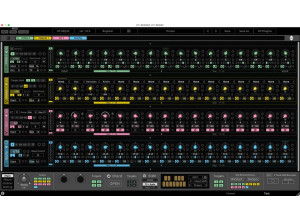
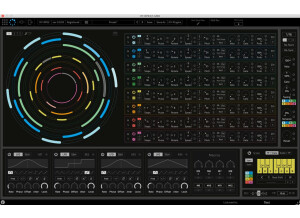
    Automaton has no compatibility issues with my macbook and Logic 9. The manual is fairly clear, it covers a lot for a pretty small one. Thankfully though, it does a good job explaining how to use this plugin. You will need it for sure so have it handy. The general configuration is very confusing at first sight. Its a very interesting grid design but without the help of the manual, I had no idea what to do. The first thing I did was check out a few presets, and that made me even more confused. Most importantly though, I was amazed after watching those presets. I'll tell more below. I don't believe this thing has many if any typical functions. Its a very unique device. In a nutshell, its a grid in which you mark spots where 1 of 4 effects is triggered. You use the sequence option to build a sequence that "dances" for lack of a better word across the grid to trigger the samples. Very cool stuff. SUITABILITY/PERFORMANCE Yes, the software works correctly. I through it on a few tracks here and there for some crazy glitch effects. Works great for drums and drum loops. So far the configuration has been perfectly stable. No crashes. I haven't made any presets yet, I just mess around till I get a good sound. This thing is pretty cool. I give it a 10 out of 10, but in all reality I have never used anything like this so its hard to rate. I have been using the Automaton for about two months. OVERALL OPINION What I like most about this plugin is its absolute uniqueness (too me at least). I have never seen anything like it. The sounds you can get out of this thing is amazing, especially if you like glitch music. Another amazing thing is the pattern sequencing. Setup a preset and watch...very cool. If I had to say something bad about it, it has a pretty good size learning curve. The manual seriously helps with that. Audio damage plugins are always on the cheaper side compared to a lot of others. I paid $50 for this guy and Its worth every penny. The sounds coming out of this sucker are awesome. You can get clean or you can get all the way to super duper dirty. Overall, good sound. This is the only thing I have ever seen like this so its the only model I've seen. I would definitely make the same choice again and buy this very interesting plugin.

  • phraseland's review

    I bought the software - installed it - it worked. Of course, as always, go on the website of the manufacturer and get the latest driver...and make sure your operating system is up-to-date. I hate that we have to do this - but on the other hand whining about it doesn't help either. That aside - the installation was no problem. In the beginning I had problems with the Melodyne Bridge Plug-In. I think I will have to update to the newest version anyway - now that DNA is around the corner. What was really annoying is that at times Cubase just didn't make the connection with Melodyne. Restarting didn't work and sometimes the only way to get it back was to make a new project. It seems that has been worked on as I really didn't have this problem anymore lately. SUITABILITY/PERFORMANCE I use a PC (older built) with Cubase and a MOTU 2408. Even though the MOTU does relieve the processor quite a bit I can see how I need to upgrade my PC soon...and don't tell me about Mac. Yeah, yeah, they're great. But for this I need a tool and not a fashion item... :-) just kidding! Anyway. As I mentioned the Plug-In didn't always work. That aside I sometimes had some grafic delays - but nothing too terrible. I am pretty sure that Melodyne DNA will only really work well with computers of the newest generation (QuadCore). The video on their site is cute and all but we will see how it handles in real life. OVERALL OPINION I have used Cre8 now for about two years and have really started to like its possibilities. It is not simply an intonation tool - it really is almost like an instrument. And it really only truly sounds great when you learn how to 'play' it. You can adjust so many details and it takes some skill to be able to choose which parameters to change and which to leave alone. Really with any intonation software it can be said: if it ain't broke don't fix it. I think the price is very fair as they truly care about their product and have put a lot of research in this software. It truly is still one of a kind - even though there are plenty of other products on the market right now. (see also the test on audiofanzine https://plugin-pitch-shifter-time-stretcher.en.audiofanzine.com/instruction/index%2Cidossier%2C10%2Cmao%2Ctime_stretching__pitch_shifting_comparison_part_i.html