Log in
EN
FR

Loop Sequencers

135 products found

Filter
Sort by
Evaluation
  • Reviewed or not
  • Editor’s award
  • Reviewed by Audiofanzine
Availability
  • Available or not
  • Sold new or used
  • Sold new
  • Sold used
Must-have products
  • All products
  • Flagship products
  • Best rated products
  • Hot products
  • Popular products
Price
  • Freeware
  • Low-cost (< $60)
  • Mid-range ($60 - $250)
  • Premium (> $250)
€
Clear
Sort by
  • Popularity
  • User ratings
  • Price - low to high
  • Price - high to low
  • Used price, increasing
  • Used price, decreasing
  • Name (from A to Z)
  • Name (from Z to A)
  • Added on
Sort results
  • Popularity
  • User ratings
  • Price - low to high
  • Price - high to low
  • Used price, increasing
  • Used price, decreasing
  • Name (from A to Z)
  • Name (from Z to A)
  • Added on
Filter results 135 results found
Evaluation
Availability
Must-have products
Price
  • Freeware
  • Low-cost (< $60)
  • Mid-range ($60 - $250)
  • Premium (> $250)
Show results

The best Loop Sequencers reviews

The reviews Audiofanzine members found the most helpful.
  • « Great velocity pads »

    J’ai adoré cette machine. On peut vraiment décoller de l’écran quand on compose. Même ceux qui ne jouent pas de clavier peuvent facilement composer puisque c’est très intuitif. Le seul gros hic que j’ai c’est dans Logic Pro, il ne peut pas directement servir de clavier maître tout en utilisant toutes les fonctionnalités de la machine. En revanche si je branche un clavier maître en plus il fait le boulot. Mais je ne peux du coup pas profiter de la qualité des pads puisque j’aime travailler directement dans Logic avec machine uniquement en plugin..

  • « Fast and inspiring production workflow »

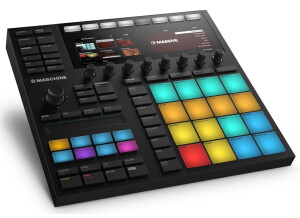
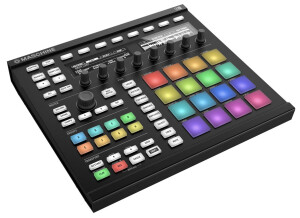
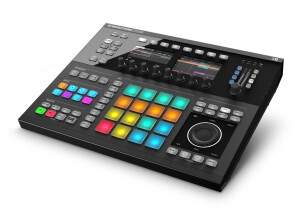
    Native Instruments has made sure that learning how to use Maschine is as easy as possible. The software and driver installation is the same as all other Native Instruments products, very standard fare. The manual has pictures and diagrams for each of Maschine’s functions and they’ve uploaded a wealth of videos walking you through using Maschine step-by-step. SUITABILITY/PERFORMANCE I haven't had any performance issues or instability. The software doesn't seem bloated but I can't say that it feels exceptionally light, either. That said, there's no lag and I've had no problems even with projects with many sounds and patterns. OVERALL OPINION Once you start the software, you’re greeted with the biggest selling point of Maschine--The Interface. Every function related to using Maschine is accessible on the hardware with no need to look at your computer monitor. Since it’s marketed as a marriage of software with a dedicated hardware controller, the quality of the hardware is paramount. The endless encoders are smooth and the velocity-sensitive pads have a fantastic feel and are responsive to all levels of pressure. The layout is well designed, with every control placed in an intuitive location and there are enough buttons and knobs to keep page and menu diving to a minimum. I find this tactile workflow to be very engaging and there’s just a kind of connection with pressing pads and tweaking knobs to produce and arrange your songs that you just don’t get with a traditional mouse-driven DAW interface. However, the groovebox-style design isn’t without shortcomings. Maschine simply can’t handle multi-track recording. It doesn’t even have the concept of “audio tracks.” It’s designed to use patterns of midi notes, software synthesizers, and short samples which isn’t ideal for many styles of music. The capability to cut, copy, paste, and other standard audio editing functions aren’t there. When I have a desire to write and record a guitar and vocal based song, it’s just not feasible to produce that in Maschine and I must use a different program. Though, I call that a shortcoming, I hesitate to call it a flaw. Native Instruments deliberately avoided those features and instead opted for a hardware-software combination with a very narrow focus on features that lent themselves to immediacy and inspiration, which I personally enjoy. The included library is solid. A decent quality assortment of various drum hits, synth stabs, live instruments, and sound effect samples. As of version 2.0 they’ve created and included a great drum synth that’s capable of recreating both classic drum synth sounds as well as some more realistic percussion. Native Instruments also gives Maschine owners a free copy of Massive which means that you can really have everything you need to start producing with a single purchase. The sampling capabilities are a bit of mixed bag. The knob based interface for trimming and chopping samples is extremely fast, but without some of the more advanced audio editing features and the baffling lack of timestretch, you may find Maschine’s sampling a bit lacking for your needs. Maschine is a fast and creative production environment. The groovebox design places an emphasis on tactile control and pattern based song arrangement which doesn’t work for every genre of music, but is extremely fun for the ones it does work for. Pros: +Fast, Fun User Interface +Good Sound Library including Massive +Well-built hardware Cons: -Does not have the functions or interface necessary for certain kinds of music -Sampler missing some key options

  • « Comes in white and black »

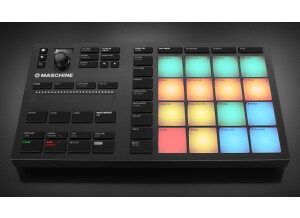
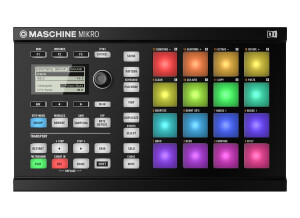
    The Native Instruments Maschine Mikro can be purchased in black or in white. I have the black one and have been using it since right after Thanksgiving. It has a hardware controller that opens up the possibilities for live performances. The response from the pads is very good; I was shocked with how good they felt too. The lighting that comes with this Mikro is perfect for performing. It is like having a full light show at your fingertips and everyone watching will be drawn to your Mikro. SUITABILITY/PERFORMANCE The Mikro Machine has 28 backlit high sensitive color coded pads, all of the pads are velocity and after touch sensitive. There is one knob that is considered to be the master knob that should just about work with all software DAW functions. OVERALL OPINION The Mikro Machine has a built in sequencer, and works great with NI massive software synth. This system comes with Massive which I was really interested in at the time, so it was a huge bonus that I got the Machine and Massive together. I was also a fan of the original Mashine, and the reason I like this much better is because it is smaller. The manual is easy to understand and setting it up was very easy for me because it was just like setting up my original Native Instruments Machine. The sound quality and performance quality of the Maschine is well worth the money that it cost. It provides great value for the price and knowing what I know now, I am glad that I purchased it just like I am happy that I purchased the original Maschine when it came out. I do think they white MKI looks better than the black one does though.

  • moosers's review

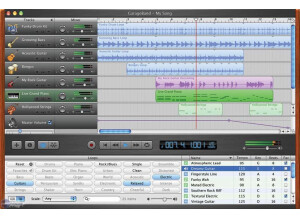
    Apple Garage Band was easy to install, as it came installed with my Mac Book Pro when I bought it. It is designed by Apple, for Apple computers, so I never had any compatibility problems at all and it has always run smoothly for me. The interface of the program is very easy to follow, and is really just a simplified version of Apple Logic. I mostly use this software to record ideas and demos straight from the microphone on my Mac into Garage Band. I don't have a manual for this, but if you have never used any program like this, it might be a good idea to have around. However, on the other hand, if you have any experience with audio or MIDI software, you should be able to figure this out without a manual. SUITABILITY/PERFORMANCE I am currently running Apple Garage Band on a Mac Book Pro that has a 2.2 Ghz Intel Core 2 Duo processor and 4 GB of RAM. I have never had a problem running as many audio or MIDI tracks as I'd like in Garage Band with this set up. I have run up to about twenty tracks of audio or mixed audio and MIDI at once without issues. However, how many tracks and effects you can run at once really depends on your machine more than the software itself. OVERALL OPINION I've been using Apple Garage Band for around year since I got my Apple computer that it came installed on. While I have Apple Logic and Pro Tools that I use for most of my projects, I use Garage Band for demos and ideas when I just want to record straight from my computer microphone. The price of Garage Band is free with an Apple computer, but is cheap within the iLife bundle if you need to buy it. Garage Band is powerful software even though it comes with all Mac computers. It is great for beginners looking to try out this type of software.

  • « HORRIBLE INTEGRATION WITH YOUR FAVORITE DAW »

    I am extremely unhappy with Maschine. It's impossible to get a good workflow when using it as a vst in a DAW because of a wrong software design. let me explain it quickly: To map the 16 sounds to the 16 audios outputs you need to make 32 mouse clicks EVERYTIME you will load a new sounds group you will have to do these 32 clicks with you mouse to ask sound1 to go on output1 etc.. THERE IS NO WORKAROUND to correct that. If you want to work with midi mapping it's EVEN WORST (about 15 difficult clicks needed in different non intuitive menus and sub menus) SO What? Should we use MASCHINE as a Standalone to mix a full track? Problem: MASCHINE Sequencer is 10 years behind any serious DAW on the market. They are just THINKING now about adding audio tracks to the sequencer! Where it's getting even more disapointing it's that the software maschine 2.0 is out since 3 years and half now and people are complaining about this issue since the very first day! So NI people know that issue and request since years but they act as they are actually refusing to correct this. Seriously is it hard to add a button to automatize settings like sounds 1-16 go to output 1-16? Is it harder than transforming Maschine into ABLETON? They just released maschine 2.6 and all the added features concerned adding some unasked feature to the standalone maschine sequencer and other features to promote their s****y Maschine JAM hardware. The guys are able to release something like 100 expansions pack (50$ each!) but not to add a setting automation...that everybody is asking for! It's just disrespect. So that's it: I spent 600$ for a sampler software and its dedicated hardware, and everytime i want to use it in my CUBASE or ABLETON, i have to make 32 clicks for each group, knowing that i'll maybe want to use 5 different groups, it's almost 150 clicks. A very inspiring workflow. If they don'correct this this year I will sell my maschine (and loose about 400$ music gear investment) to get an Ableton PUSH.

  • « my own official rewiew for af google translated »

    Live! is an audio sequencer innovative principle since it is played in real time, like an Akai MPC sampler. It is dedicated to audio and manipulation of clips (short-term audio loops) to which it is possible to impose many real-time processing, hence its name. Live! is an audio sequencer innovative principle since it is played in real time, like an Akai MPC sampler. It is dedicated to audio and manipulation of clips (short-term audio loops) to which it is possible to impose many real-time processing, hence its name. Ableton is a young company based in Berlin, founded by a former member of Native Instruments. We will present them Live! in its third version. Mixer relatively elaborate and 4 effect sends and scenes of the launch keys and crossfader destined software to DJing and Live interpretation. The principle is: is triggered loops in the session window while the app records the improvisation it is then possible to change in the Arrange window. The main advantage of Live is certainly pleasant interface and fully controllable with one or more Midi controllers. At any time, even during the game, you can assign a controller to an element of the interface or the various parameters such as tempo, disabling magnetism or scenes triggers. The instrument is based on a high-performance audio engine, able to adjust the playback speed of clips and the desired tempo to the desired quantification. You can record your own instruments. Live will incorporate immediately the loop in the song. In fact, reading does not stop while you play, and, uniquely as the Live Mixer is dedicated to real-time mixing, it has a cross fader as it can be found on a DJ mixer. It is also possible to use Live as a recorder multitrack, although his main interest is not there. This software is a hybrid between a sampler, a groove and a recorder dtd . Besides, Ableton defines his creation as a "Sequencing Instrument". machine Requirements Given the use of samples, Live requires a relatively powerful machine to run but also a good amount of RAM. A computer with 1GB of RAM is not a luxury if we are to take full advantage of the software's capabilities. We can play with the mouse, but there is a real pleasure to use a keyboard and a MIDI controller, the interface then becomes more pleasant to handle but also more complex. An audio interface with ASIO drivers is highly recommended if you want to check dtd with monitoring and real-time effects. We can always play samples without too much latency with the MME and DirectX drivers. Play Live Session SetPour deal with Live, you must first dial the set, that is to say, gather a consistent set of loops to start using the resources provided by the software. then organizes his set by assigning some clips to the computer keyboard or to its master keyboard if one has. The clips can be launched in different ways called "launch mode" in the app: Trigger: triggers and stops the sample. Gate: the loop is played as the play button is pressed. Toggle: switches and stops the sample each time you press the trigger button. This mode is useful in session because it can synchronize scenes. Repeat: every time you press the release button, playing the clip from zero. This mode is useful for creating effects from scratch or stuttering on voice samples. Compared to the old version Live 2 Live 3 has new features it's interesting detail: It is now possible, like a sampler, to assign a sample to a section of the master keyboard, allowing for example to play a melody. Live 3 recognizes the velocity (in game sensitivity) and Pitch Bend messages, making it almost a true sampler. Again, a new feature improves the game since you can apply to a legato sample, that is to say, instead of replaying the sample from start to every trigger, the sample will "pitched" in real time. The game is done in the session screen, the arrangements are going in the other, and a window is tilted to the other by the &lt;tab&gt; key. Basically, it has 8 tracks and 2 FX sends. You can add as many tracks as desired and up to four send effects. In addition, Live has a pattern system: the horizontal lines are scenes and we can run all the clips of a scene by clicking on the switch in the right column. To complete the description of the session block can rename tracks and scenes at will. Once one sample, the sample takes the name of the track. One can easily create a scene and its variations on the following lines. Below the display session is viewing clips of different properties and effect racks. Remember that it is possible to insert as many effects as you want on a track, on a shipment and even the master track, depending on the power of the machine used. Control Panel MidiLe Preferences control panel consists of four pages of settings. In the Miscellaneous tab, you declare plugins directories, the Sample Editor ainsiq that temporary directories. Also there Live rule of behavior by the recording resolution (16/24 bit) and if it is told is to create analysis files. The ".asd" are important files in which Live registered interpretation of data samples. They allow Live to launch and play faster. Finally, the clips refresh rate specifies the rate at which Live updates a file being played, that is to say its reactivity. The next panel to Live specifies the basic settings. This is where we can save his basic set (called "template"). The audio engine ( "Elastic Audio") Live proves efficient and can be set to mouse movement without stopping playback. Live manages Asio drivers, MME and DirectX, but it is better to operate Asio for latency reasons. This is where you activate or not directly listen to and adjust the latency of the audio interface. This is also where it indicates the sample rate and audio channels used for playback and preview. The last page is intended noon settings and to sync. two MIDI controllers can be assigned there and send their control updates to digital mixing consoles with motorized faders. It is also through this panel which is adjusted SMTP format and different Midi control parameters. The interface audio setup Live audio configuration options Live Options To the left is a retractable panel to 5 tabs providing access to plug-ins and samples explorer (three exploration windows from which you can rename or delete Samples, or call a set) and two locations for native and VST plug-ins. At the top of the screen is a representation of the entire arrangement; clicking on a portion brings reading on this point. The basic console consists of 8 tracks on fifteen scenes with two departures effects pre / post fader. Each track has two shipments (send) in addition to the inserts and we can apply mastering effects on the master slice. Besides the faders, there are buttons mute, solo, and monitoring arm, a pan control, slots to assign tracks to the crossfader (while the master has a volume for preview samples) crossfader itself, and a balance control. The effects rack, located in the lower part of the screen displays the properties of clips, plug-ins as well as the input / output levels for each effect. A variety of keyboard shortcuts allows: To call the physical input / output menus (and rewire ) To call the effect sends if it is not already assigned to a controller, Create tracks, other tracks and Sends scenes. keyboard keys can assign more to mix settings or launch slots. The master column is a bit special because there are scenes of the triggers that are used to launch all the clips of a line at a time. This is an interesting part of the game concept with Ableton Live. At any time you can tilt the rack of effects on configuring I / O switches with mono / stereo and manage the gains of inputs / outputs nominal. In the options panels, it is possible to enable or disable inputs / outputs not to save the load CPU . A help panel that describes the interface is accessed by a button at the bottom left of the display. The samples come alive Warp MakersLa specificity Ableton Live is that "time-Stretched" and he does it well. Adapting to the tempo and the height allows easy manipulation of clips and original rhythmic creations would be more difficult to achieve with Tracktor DJ Studio 2, Audition (Cool Edit Pro) or Acid. It has 4 algorithms relatively effective time stretch according to their settings and the situation: Beat will be applied to dominant rhythmic loops or samples with obvious slicing (slicing is cutting samples in several temporal regions). Interestingly desynchronize clips with the quantification of the song. For accurate sync, we solve the rhythmic loops and sync the set. Tone applies to its very height variations and allows you to adjust the brightness. This is done with the grain of the setting. This is the algorithm that changes the more sound and more difficult to apply correctly. Texture applies to further sounds like synth pads and atmospheric sounds. Schedule may be adjusted stream that is the velocity of the stretch and the grain that is intensity. Re-pitch applies to sounds whose length does not need to be stretched. panoramiqueVoilà envelope for time-stretching . Now about time-warping is surely the most difficult function to understand and master in Live. The time-warping is the time compression / expansion clips. This is what allows you to groove to the music and this feature is hallucinating on hip-hop lyrics on or scratches, slappées bass or guitar leads. The principle is as follows: defining points of stretch / compress, you can synchronize the bass lines on batteries rhythmic. Over two points are close together, the more time is compressed; the more points away, the more one extends the playback speed. This helps to clarify the phrasing and rhythmic sync between the loops. To finish with the basic settings of the clips, you can split or divide the tempo of a sample. All these things can be done directly over the interpretation of a set and have a real influence on the sound quality. If we do not take the time to make these adjustments while the sound may not be clear, dynamic or efficiency. Live 3: innovation The third version of Live introduced a new concept: the clip envelopes. Envelopes automation curves that are already in Live 2 applied to the tracks and the master track (tempo, volume, pan, effects parameters mastering) now apply to samples. While editing envelopes was tedious with Live 2 Live 3 introduces the Pen tool (control B): visually draws the track envelopes applied to the effects, volume, pan etc. All operations performed in Live can be automated by the automation curves. These envelopes clips, confusing at first, are the true innovation of Live 3. the height can be adjusted to sound over a range of 48 chromatic semitones or 4 octaves. This enables the creation of very surprising sounds and re-creation of original samples from samples from innocuous. pitchLe volume envelope is also automated, which allows crazy rhythmic creations. We can create a multitude of rhythmic variations on a sample of regular 2 measures. Panoramas are also automated for clips. You can do a travel sound in stereo space. Finally, effects sends can also be automated. The manipulation of sounds becomes fascinating with such tools because you can automate the management of effects send and synchronize eg the variation of threshold of a compressor on the pan or even synchronize the volume on the oscillation of the cut -off of a filter. Live allows the creation of relatively complex arrangements. Arrangement Recreate his improv and save sequences in the arrangement screen Simple Automation It is possible to use Live as a classic dtd recorder. This is done in the Arrange window. We first choose its inputs (Control I to make them appear) and then track its weapon. One can register by punch in / punch out and apply effects in real time via monitoring. The track is written in real time and the wave appears throughout the record if the track is expanded. Precision: Live written before the wave effect: if one applies the effects during recording, Live will record the settings for these effects to reapply during the reading of the sequence rather than save them in wav file. We can then apply various effects to the recording, but it is not the main purpose of the app. The interest of the Arrange window is the modification or mastering improvisations executed during the session. We can expand or compress the display at will, move, reset the attacks of clips on the groove, copy / paste portions of arrangement with the curves of automations (or not). In practice, it's a breeze. Just lock or unlock the envelopes. Ditto for clips that can lengthen, shorten, split, pick up ... The tools provided to arrange its compounds provide efficient work that is not found necessarily in other more known sequencers. The lock on the gate (Control G) magnetizes clips and is sticking to the cells of the grid for stalling the perfect tempo. The playback monitoring (Control F) keeps an eye on the Arrangement part playing and anticipate specific changes envelopes to do with the pen tool. In a few clicks, it can sound an improv that seemed dull for interpretation. The live game is not easy and requires some understanding of the whole software. Ableton Live is full of technicalities that only practice can discover. There is one more function to describe: the consolidation (Control J). If you made an interesting solo or a fairly unique sound that you want to reuse in another set, Live 3 is offered to consolidate, that is to say, to make a new sample from the changes you have made to the original sample. This function can also be used to convert a track in an audio clip to import it into another sequencer for more efficient mastering with the rewire. before consolidation Tracks before consolidation after consolidation Profit after consolidation misuse of Ableton Live I happen to use Live as a simple effects rack for guitar, bass, violin (!), Or for groove- box ... and even software (Traktor or Storm 2). Simply connect an instrument to trigger the monitoring and inserting different plug-ins on the track. Some examples : Rack guitar / bass: I use it to recreate the atmospheric effects, filter, and 1 time the saturated compressor (to recreate distortion). One can easily take to Pink Floyd ... In drum machine: assigning a loop 4 times on each track scene with an instrument on each time, for example in the order-kick snare hat-perceived-scratch. By playing of clip envelopes, the variations are endless and we just create a full pace. As a sampler: just prepare a short sample and map the keyboard. As qu'expandeur: By assigning rhythmic loops and basslines on the bottom of the keyboard, pads at the center and sound samples on the top of the keyboard, we can recreate "orchestras" whole by placing a sample on each octave . A sampler / sequencer open Live integrates rewire standard (virtual cable between software that allows them to share the use of an interface) since version 2. The most famous association is Live / Reason in rewire slave from, but one can imagine others like Master Live + Rebirth + Storm, Live + FruityLoops 4 ... note that we can not rewire the cascading software together; so it is impossible to have Cubase SX + Live + Reason, and plug-ins are unavailable in rewire slave mode. However, one can use a sequencer pro like Sonar or Cubase to use Live as a sampler and Rebirth 2 as a synth. Using Live rewire fashion slave (slave) is also interesting because it turns Live into a powerful VST sampler. Sonar 2 XL, we can rework the Live tracks to the unit as those of a conventional VST instrument. After arranging, the bounce to track function will perform a rendition Live tracks embedded audio in Sonar, useful before mastering. The effects The effects in Live 3 Live reverb 3 Live 3 comes with 17 high-quality native effects, but with a strong personality (it really recognizes their use in a song). This ranges from dynamic processing effects filters of all kinds, through the worst rampages that sound imaginable: A gate that makes good use as a chopper but that can also be used in the initial purpose of cutting out background noise, pops and other high-sounding. Two formidable compressors, one with dynamic filtering of a frequency (Comp 2) which allows for devilishly out the bass drums or punch to the synth parts. Resonator 5 is a set of resonators which act together on a cutoff frequency by adding a note and by varying its length. It allows a snare to sound unclear or make a crystalline electric guitar sound. These resonators operate in four modes: notch, bell, highpass and lowpass. Two equalizers, a 4-band parametric, the other three bands differential (ie the bass and treble cutoff frequency determines the treble) with a switch 24/48 dB. A Chorus / Flanger quite end with two rates reinjections synchronized or not and polarity reversal. A filter also fearful that allows many radical manipulation of sound. Erosion, Vinyl-distortion and Redux were devastating for dirty sounds and distort with the worst imaginable methods: downsampling, addition of crunches etc. Four types of echoes: a granular delay that changes the pitch echoes, a ping-pong delay synchronized to the tempo, delay / filter three bands that brings out the individual sounds within 2 classic bands. excellent reverberation with one of three different algorithms consuming more or less processor power. The frequency range to be processed can be specified with a type of input filter high pass / low pass. then selects the broadcast area, the intensity of reflections or the balance between the signal processing and the original signal. To use this reverb is really effective and complete. Utility is a classic phase inverter, with which we can grind the stereo in every sense. That's the effect of Live and part instrument / software sampler. Live obviously allows the use of plug-ins (rewire fashion master only). It goes without saying that it is strongly recommended to have a Midi controller and a master keyboard as the handling is nice and creative, while the game to the mouse is daunting and somewhat human. Conclusion & personal opinion Ableton Live 3 is a versatile and impressive software by its creative content. Some small interface defects remain as the inability to display all envelopes arrangement at once or if instability is rotated loaded sets. Live has qualities that are also its shortcomings as a truly identifiable and its native effects with a strong personality. One likes or dislikes! It is an innovative instrument than a sequencer, which can bring out the creativity of a musician doing without a complex interface and emphasizing the dynamics of the game. It is also a programming feat when we imagine the mass of calculations done by the software for time-stretching, time-warping and mIDI control in real time without causing any interruption in reading. A software tool with a strong personality

  • Azuma's review

    There weren't any kind of compatibility issues , the program works on any platform either Windows XP, Windows Seven or MAC OS. The book provided with the program was quite good, well detailed , all the information that was relevant to the product itself was well explained there. General configuration and setup is straight forward , pretty amateur and easy to follow along. SUITABILITY/PERFORMANCE The Software works correctly without any types of errors or mistakes , also the gear and configuration is very stable , Image Line did make a very useful and easy to understand Daw. I'm getting great performances , mainly in creating my drum sets , different grooves and patterns. I've been using this product a long ago , about 6 years ago , and recently I've started using it again , mainly because I like the piano roll editing and groove editing. OVERALL OPINION What I like most about it , is the melody generator , the groove generator , the strum functions and many other features that consist in midi editing. I do like as well how actually straight forward this program is , this is probably one of the simplest daw out there , everything is well made and thought so that the person that's using it wouldn't have a hard time getting to know the program. What I don't like about this daw however , are how weak the plugins are , the samples are as well not very high quality , and at least for me , the design isn't working. Probably the most useful tool about this DAW is that it can work as a vst so that your midi editing can be easily translated to other DAW. Opinion about value of price is nice , it doesn't cost much , however as I mentioned keep that in mind when thinking about purchasing this program.

  • « Ableton Live »

    I am commenting on Version 6, not the most current version. We used this program in college, I still have a copy. This is great music editing and sampling software. It is very simple and intuitive and can do a lot with a little. This program is great for live performance, as you can program almost any action you can do in the program to a switch on your midi keyboard, and record and automate these actions. The possibilities are truly endless! Another great feature is the arpeggiator. It will automatically create arpeggios with the push of one button, set to whatever note pitch and length you chose, and you can adjust it on the fly while recording or performing live. It does not have the best instrument samples for realistic instruments, it is more suited for electronic music and dj style performances. This will not replace a real instrument with a midi one. However many of the synthetic instruments are very versatile. Does not crash often. Its a great program for anyone who wants to incorperate computers into there live act. The possibilities are truly endless with this program. It is very powerful and worth the money in my opinon if you plan to make full use of it; a great investment. However if you are looking for studio mastering software, this can work as it but there are better options, as the programs name, Ablteon Live, this is best suited for live use. And I must say it does that very well! This review was originally published on http://www.musicgearreview.com

  • « Sonic Foundry Acid Pro 3 »

    Upgraded from Acid Pro 2 (which I got only a few months before for like $200) for another $99 direct from sonic foundry. I love this as you can take samples and loops them to build a sick rhythm track and warp and effect all your sounds. Then i record guitar bass and vox right along to it (great function) Could do this with pro 2, but also you can put a video track in and compose (or mix) a soundtrack right to it. The only think is there is no video running along with it as you do this so you have to save it first, see what needs tewaking then re-edit. I believe Vegas Video has this function Id like but Im looking to see if the Pro 4.0 may have this too. Another cool thing with 3.0 is you can download free samps to use every month (think ive only done that 2-3x since ive had this, about a year, but i did get some cool video fx free this way) My computer i used it with sucked (old processor, but it was the required 400mz) so when I have a huge project (large file with recorded sound taking up a lot of memory) going it farts and pops like you wouldnt imagine. The Acid Music cheap version ran much better on what I had. Getting a pentium 4, 1.8 so it should do what i need soon. If you consider getting this check what you got first. Its a disk, what is there to know? They did fixed some bugs it had and you can download upgrades free. Whether you make gay trance music or techno that sound like everyone elses stuff cause they use the same free or store bought loops, or make your own sick twisted stuff, Acid is cool! Any tone deaf fool without any knowledge of music whatsoever can make music with it. Everyone shold get on ACID!! LOL This review was originally published on http://www.musicgearreview.com

  • « Sonic Foundry Acid Pro 5.0 »

    I came accross Sonic Foundry"s new Acid Pro 5.0 Package when i visited a studio of a friend of mine. He was proud of his new software and showed me some of the incredible features Acid Pro has to offer. I immediatly took controll over the keyboard. I believe Acid Pro has a retail price of about $700, which is not bad for this piece of professional audio editing software. In combination with sonic foundry"s acid 5.0 it enables you to do anything pro tools could, and more. The software runs smooth, has a classy and comfortable interface, and a large number of effect stacks which can be arranged, and edited any way you want! Effect chains and individual effect settings can be saved as "packages", this way you can create your own styles by using effect combinations you"ve invented. Acid Pro has the possibility to intergrate movies. The perfect tool for adding sound to your flash inventions! Other interesting features are the beatmapper, and the ability to transpose any sample or recording to desired key. The only con i can think of is that acid pro needs quite a powerfull system to run on. Especially if you want to work with a large number of tracks. The record interface could also use some improvement. It is not as flexible as i would like it to be, eg : for recording multiple tracks at once other programs like Cooledit Pro, or Pro Tools are more effective. It is a high quality software package, with the possibility for upgrades and expansions. I would say it is a must have if you like flexibilty and diversity. I personally use Pro tools for real serious recording sessions but reload most of my recordings in Acid Pro. It really is my favourite Mix Down tool. If you arn"t on a low budget i"d advice you to buy it. This review was originally published on http://www.musicgearreview.com

  • « classic program »

    This is a great program that is very deep while also keeping to its roots and being easy to use. I work with hip hop and this is a great program for that because all of your loops and samples sync up to a master tempo, and with the loop preview, its easy to try out different ideas. The Midi sequencer is very easy to use and edit, applying different grooves and quantization, etc... Editing is also incredibly easy and fast. I picked it up very quickly because I am a recently graduated college student and editing in Acid Pro is very similar to editing a paper in microsoft word, which I have a lot of experience with. SUITABILITY/PERFORMANCE It was very easy to set up and get running, I only had 1 crash with it on my windows vista computer but that could be because I havent upgraded to the service pack 2 yet and my system has been very unstable for some odd reason. But besides that it has ran and work great. I didn’t even need a manual because if you have any understanding of midi software then you will be able to use this program without a single problem. OVERALL OPINION Overall, acid pro has, many strengths, and Where this program's strength really lies though is the main screen where all the action happens. Audio tracks are right next to midi tracks, the mixer is right below that, and windows explorer is just to the left of the mixer so you can import your files quickly. These windows can also easily be stretched and re sized depending on which part of production you are currently working on. With everything on one screen like this, its much easier to stay focused and not be overly confused by numerous intimidating sub menus and stuff. I like the way I write songs with this program and with vst support, I can mix and master inside Acid. Last but definitely not least, the included software is great; especially the garritan aria player - very realistic and inspiring orchestra and other instrument samples. I actually end up using the free sounds that came with the aria player I think more often than the numerous patches inside my other favorite program, reason 4. Acid Pro 7 is a very easy and inspiring program. Try the demo and you will see just how easy it is.

  • « for the beginner.. »

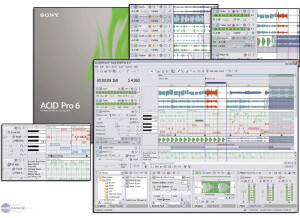
    Sony Acid Pro 6 is really easy to set up and get started. You may need to pull out he manual if you have never used computer recording and editing software before. But this program is a great starting point for your home setup. You can use virtually any plug in with this software without it crashing which is key in today’s recording world because no matter what your main sequencing and recording program is you still like to rewire other programs with your main one. Sony Acid Pro 6 gives you full control over the project you are working on. The manual is extremely easy to understand, its almost to easy. SUITABILITY/PERFORMANCE Sony Acid Pro 6 is probably one of the easiest softwares that I have ever used when it comes to computer recording and sequencing. Son Acid Pro 6 is for the beginner and the intermediate musician and/or producer who is looking for a great program with great quality. Mixing and Mastering your tracks are a breeze with Sony Acid Pro 6. OVERALL OPINION Overall Sony Acid Pro 6 is a great started program, it has a lot of effects that you can use. But not as many as some other computer software’s, Sony Acid Pro 6 almost seems to be like a watered down version of some of the other softwares I have used. The price of this software is great, and very affordable. But you will need to invest more money into some plug ins and vst’s. Because the ones that come with Sony Acid Pro 6 aren’t going to give you the “wow” factor you might be looking for. But this program will definitely get you started with your career as a musician. I am very happy with Sony Acid Pro 6 for the year that I have used it, it worked like a charm.