Log in
EN
FR

Other computer music software

1457 products found

Categories
Filter
Sort by
Brand
Evaluation
  • Reviewed or not
  • Editor’s award
  • Reviewed by Audiofanzine
Availability
  • Available or not
  • Sold new or used
  • Sold new
  • Sold used
Must-have products
  • All products
  • Flagship products
  • Best rated products
  • Hot products
  • Popular products
Price
  • Freeware
  • Low-cost (< $80)
  • Mid-range ($80 - $200)
  • Premium (> $200)
€
Clear
Sort by
  • Popularity
  • User ratings
  • Price - low to high
  • Price - high to low
  • Used price, increasing
  • Used price, decreasing
  • Name (from A to Z)
  • Name (from Z to A)
  • Added on
Sort results
  • Popularity
  • User ratings
  • Price - low to high
  • Price - high to low
  • Used price, increasing
  • Used price, decreasing
  • Name (from A to Z)
  • Name (from Z to A)
  • Added on
Filter results 1,457 results found
Brands
Evaluation
Availability
Must-have products
Price
  • Freeware
  • Low-cost (< $80)
  • Mid-range ($80 - $200)
  • Premium (> $200)
Show results

The best Other computer music software reviews

The reviews Audiofanzine members found the most helpful.
  • « Very good!!! »

    I first bought this plug-in to be able to use my VSTs in ProTools 11, which only supports AAX. It's very easy to get familiar with it, I haven't needed a manual, it's pretty didactic. It is really well though-out, the routing possibilities are unlimited: A chain of plug-ins (PRE) linked to one or more parallel chains and ends in a chain of plug-ins in series (POST). It would've been nice to be able to rename the macros! However, I must say that the guys at Blue Cat are really responsive: A soon as I got the plug-in I suggested it would be nice to be able to change the name of the macros, which isn't possible yet, but it will be in the next update! THANK YOU! It's worth noting that it consumes very little resources and that it makes no difference in terms of resource-consumption whether you use the plug-ins directly in the DAW or you use Patchwork. It's also very handy for people who like presets: You can make customizable Channel Strips with your favorite plug-ins, for instance! Or even a "home-made" multi-band compressor with several of your favorite compressors and the filters to go with them... In short, the possibilities are HUGE. I didn't give it the perfect mark because nothing is perfect, but it will certainly deserve it after several updates (which are pretty common from Blue Cat, it's nice to have a plug-in in constant evolution).

  • « Meterplugs Dynameter - an essential aid to mastering. »

    While mastering music is a huge skill which requires a skill set beyond “simple” mixing, many of us try to master our own music. And many succeed. Also, for many, a track which sounds as loud as the loudest track on radio is the Holy Grail. Others believe that dynamics, where the listener can hear the difference between loud passages and soft ones, should be the priority. My tests involved mastering tracks for my next album, and it operated without a hitch. The interface is almost self explanatory and easy to use, though a quick view of some video tutorials made by Ian Shepherd might aid the users' understanding of the way it works and what it doesn't do. We all know about the loudness wars, where everyone competed to get the waveform of their music to look like a perfect rectangle with no peaks or troughs. But that notion is rapidly losing traction, and in many ways, that is due to two things: loudness legislation, where radio and TV must meet certain perceived loudness levels, and normalisation operated by streaming and broadcast platforms. The change has led dynamics champion Ian Shepherd to offer up a way of meeting the new criteria AND ensuring that your final mix sounds just as loud as it's neighbour on most platforms. Meet Meterplugs Dynameter. It is NOT a replacement for the TT Meter which has been the mainstay of checking the dynamics of mixes are for many years. It is an alternative. Peak to Loudness Ratio (PLR) Dynameter measures two parameters: PLR (Peak to Loudness Ratio) and PSR (Peak Short-term loudness Ratio). PLR is an integrated measurement. It measures the difference between your chosen loudness level (in LUFS) and the peak loudness across the whole track. (Much in the way that a loudness meter measures integrated loudness across an entire programme). The PSR is a constantly updated short term measurement showing how loud your mix gets. The meter shows these in a simple clear format, with the largest window dedicated to a scrolling display showing how dynamic your mix is as it runs. Colour coding (green for VERY dynamic to horrendous brown-orange and red for squashed to death). These things, of themselves are very useful. But I have to say that there are many meters that offer almost exactly the same information (though not with the scrolling dynamic display). The meter also carries information about the levels which platforms ranging from Spotify and Itunes to Broadcast media normalise music to. And it is there that it comes into its own. The first message to anyone who turns out brick like masters crushed to within an inch of their life and peaking at exactly 0.0db is that, if the result is louder than the normalisation used by a platform, their mix WILL be turned down by the platform and may well sound QUIETER than rival products. That will not be enough to stop many producing such mixes, but for me, it's the thing I've needed. This meter shows me when my mixes are fairly dynamic and allows me to judge that they will play sound as loud as most other tracks on a given platform. THAT is gold-dust. Difficult Journey Ian Shepherd is VERY quick to add two qualifications about the meter. It is NOT, he says, a definitive guide to the dynamic nature of your mix. But it is a good guide. And the PLR levels assigned to each platform were established by playing tracks on the platforms through the system established by Meterplugs. In other words, they are not published figures from the platforms. With that said, I tried to meter on a number of mixes for my next album. I was first horrified (by what I had already done) and then delighted when I used the meter to amend my mastered tracks to fall within platform targets. It was a difficult journey. It required a leap of faith. I had thought my mixes were very dynamic and not too loud. No bricks here, lots of good peaks and troughs in the wav and no clipping. But what I found (and I realise this may have little to do with Dynameter per se) was that my remasters sounded alive. The dobro on one track sings now. Before it just played. The fiddle on another takes on the mournful tone I intended. That may all be to do with my perceptions, or even the psychological effect of saying to myself that I am making more dynamic mixes. I used the plug-in in the mastering phase of my work: that is when I render my entire mix to a single wav file from which I create my end product. For clarity, I use a mastering chain which goes Gain, EQ cuts, Stereo width (I seldom use that), Compression, EQ boosts, Gain and limiter. Reducing compression To get my masters to meet the dynamic requirements of various platforms, I tweaked those plug ins . Often it meant reducing the compression. Here's what I found in doing those remasters: I found it an easier way to work than trying to balance sonic integrity, some dynamics and hitting the loudest wall you can without doing your mix damage. I found myself remixing a couple of tracks because, when I created a dynamic master, I disliked how the mix sounded. That dobro (which I wanted to cut through the mix as a fill between vocals); I CUT the level on it in the mix and then mastered again. It sounds better. I'd had to raise it's level on my “loudness mixes” to get it to cut through. The same applied to the “mournful” fiddle I mentioned. I remixed and CUT it's level and when I remastered and it is the instrumental hero of the mix. I was surprised at how much easier it was to meet the meter targets by tweaking the plug ins, more intuitive. So all in all, I am delighted with it, and it shows what expertise Ian Shepherd brings to mastering and how well Ian Kerr (of Meterplugs) does to create the plug ins. Criticisms But I do have criticisms. One minor, the other more serious. I'd like the bar showing the correlation with platform PLR levels to be more prominent. Also, some sound/loudness meters (Orban for example) now allow you to run a complete file through them in a few seconds to get the LUFs level. A similar facility to get the PLR level would be good. It does eat up the time if you have to play your entire song through to check the PLR, find that it's not what you want/need and you have to go back and makes changes and then do the same again. So is this a game changer like Meterplugs' Perception? No. but it is a VERY valuable tool to have in the armoury.

  • « In a nutshell: I can't live without it! »

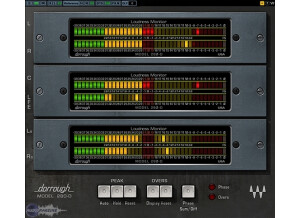
    I use the AAX version with ProTools 11 on a MBP i7 and ProTools 10 on a Mac Pro. Unlike other peak/VU-meters it doesn't take up too much resources and causes no stability issue. It is a worthy successor to my late "TT Dynamic range meter" (which development was stopped long ago and never made it to AAX) that I'd been using for several years. I use it on the master buss to better and check/analyse my mixes for both music and post-production. In addition to being a peak-meter and VU-meter, it clearly indicates the loudness level (roughly the difference between paek and RMS). In a time when some favor tough mixes with RMS levels that alter the sound (and worse, inconvenience the listener) with the false pretense to get "a really heavy sound" (which is as useless as ridiculous), the Loudness control allows to get back into a cleaner, less aggressive and damaged sound, with more dynamics ans nuances. In short, it brings back expressiveness and dimensions to your sound. It is very easy to use thanks to the very sober GUI: you see what you hear and can easily udge your mix (even if of course, your ear has to be your first tool: you don't mix from a VU-meter!). Some visual settings allow to make reading more precise, but it remains quite superficial, or aimed at working according to some very specific standards. Pros: I love everything that it does: controlling, plus the purchase includes a total 3 licences (and I got it for $39 instead of $99). Cons: plugin is not resizeable, which is not a real problem. And I would have loved a view summarizing the mix's general overview, like with more specific tools like the DolbyMediaMeter or Waves' WLS Plus - but hey, they're not in the same price range either! As a conclusion: :bravo:

  • moosers's review

    NCH Software's Switch is audio file conversion software, capable of converting just about any type of audio file to any other type of audio file. I've got this running on my work PC at home, where I use it for converting audio files in bulk for a music publishing company that I work for. I've also used it a bit on my own for converting my own files for various purposes. I really like this software because it couldn't be any easier to use. I have some other pieces of software running on my main Mac system, but beyond iTunes, this is all I've got on the PC end. I do believe that I have an older version of the software, but it more or less seems to have stayed in the same as far as I can tell. It's hard to describe everything that's in the interface, but I think it's enough to say that everything is laid out extremely simplified and isn't convoluted whatsoever. I don't think I can list all of the audio formats supported here, but it includes every audio file that I know of off the top of my head. I mostly use it for converting WAV to AIFF or WAV to mp3. It also gives you the full compliment of options in terms of converting within each of the file types. I don't know how much this software costs, but I'm pretty sure that it's going to be cheap. Again, I also don't know what the major differences are between the older version that I've got and the newest one that NCH Software has to offer, but I can imagine they've only improved on a nice interface. While there is free software out there for converting purposes like the x Audio Compression Toolkit and Max, this is a great program in itself and is absolutely worth checking out if the price is minimal...

  • moosers's review

    Apple WaveBurner is a utility program that comes with Apple Logic music software. I don't believe you can buy it on it's own. It's designed for sequencing tracks in order and preparing CDs for burning, and of course for actually burning them to disc. It's definitely a mastering tool and is great to have at home to get your recordings ready for mastering or for your own home mastering purposes. The program will install during the process of installing Logic - I'm not sure if there's an option for choosing to install or not install it, but everyone who has Logic may as well in my opinion. There's a good amount possible with WaveBurner, but I've only just used it for sequencing tracks and preparing the tracks to be burnt to a master disc. It's got a pretty user friendly interface as I didn't find that it was ever hard to use. I've never had a look at the manual... SUITABILITY/PERFORMANCE My system at home is running Apple WaveBurner as I've got Logic running on the system as well of course. I've got a Mac Book Pro lap top that has a 2.2 Ghz Intel Core 2 Duo processor and 4 GB of RAM. It's definitely been enough to run this program sufficiently and I don't think I'll be having any problems in the future. OVERALL OPINION Apple's WaveBurner software that comes as a utility for Logic is definitely a nice little program to have. Other than this I don't really have too many other programs like this on my system at home, so I'm happy to have it. It's easy to use and can do a whole lot for you in preparing your discs for mastering on all levels. While you can't really get this if you don't have Logic, if you do, this is definitely a program you need to get familiar with as it will definitely be useful for you in finalizing your discs for mastering purposes...

  • « Loudness for all! ;) »

    I use the AAX version with ProTools 12 on a Macbook pro w/Yosemite. I wanted a small plugin for LUFS monitoring of my STEREO mixes os mix elements (post-prod) on a light system, as I already have a bigger plugin on my pro station. The plugin uses the latest ITU/EBU standards and gives us the most important informations, which is not always the case with other "not too costy" equivalent plugins: there was always something missing, but here all that is necessary is included: Range, True peak, Momentary, Short Term, Integrated loudness - all that is needed, and for a more than reasonable price! I A/Bed it with its bigger brother Dolby MediaMeter and it doesn't pale to it, especially as it includes a realtime "normalization to -23LUFS" feature (don't know exactly how it works, I'll work on it). Overall, it's a useful and small app which is also low-priced so don't hesitate provided you need it and know what you're doing ;) . I recommend it to those looking for an introduction to the wonderland of loudness, and as a "low cost" (but no cheapish) alternative to Dolby's DMM (which price is a real scandal by the way!) or Waves' WMM for instance. PS: it's stereo only, but hey, for this price... ;)

  • Audiofanzine FR's review

    (Originally written by jean06300/translated from Audiofanzine FR) No problems. SUITABILITY/PERFORMANCE It can't be compared with a classic FTT analyzer... It's a different approach. OVERALL OPINION This plug-in was not conceived to correct room acoustics but to calibrate your monitoring system. Use it if you want to hear how your monitors (professional systems included) really sound!!! I used it for my Genelec and Dynaudio monitors... Install the ARC software in your computer to discover what a linear sound reproduction is, which by the way isn't very pleasant in the beginning but you'll get used to it. It won't take you long to realize that some monitor manufacturers don't say the truth about their products. You'll also notice that a subwoofer is indispensable with all near-field monitor speakers because they are not reliable below 50 Hz. Once you calibrated your system you'll notice that the subwoofer output level has decreased, which is normal because low-frequency room modes probably boost the low-end. I've been mixing using the ARC system for six months with a pair of ADAMs and a subwoofer. The subwoofer is placed in front of me (just above the computer monitor) at the same distance as the speakers (approx. 0.6'). If your mix is good, it will sound right with every speaker system. I test my mixes with L Audio and Adamson PA systems, a Marantz hi-fi system and Logitech multimedia speakers. Tip: When you do the test place the microphone capsule horizontally in the spot where you usually work and exactly at the same height as your ears. Don't forget to mute the ARC plug-in when you bounce your mix. That's it! The M.I.T professors who conceived this system know a lot about acoustics!

  • « Excellent, elegant, super-efficient »

    (Apple Silicon Mac M1 using Sequoia) Every so often one comes across a new application which quietly achieves what a host of other applications try to do in much more complicated ways. In this case, to record whatever audio your computer is playing. AudioRoute is so simple to use, so elegant, and with a support service which is constantly updating the app and responds quickly to any query. And .... for a really low, one-time price. This is incredible. Thanks to the generous developer, who has produced a little pearl, one which I will be using constantly. (I am an audio professional). An example use of AudioRoute .... quick export of anything you are working on in a DAW ....

  • moosers's review

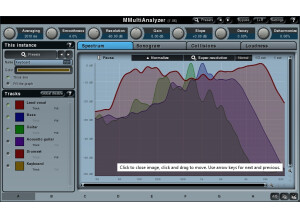
    Voxengo's SPAN plug-in is a free piece of software designed for spectrum analysis and metering purposes. It's available in a few different formats, including in VST for both PC and Mac operating systems and as an Audio Unit plug-in for Mac. You can download the plug straight from Voxengo's website at no cost to you, which of course is the best thing about this plug-in. It's not at all hard to use, but provides you with a nice collection of tools with a correlation meter, output meter, full frequency spectrum graph, and statistics like RMS, clippings, and max crest factor. It's really got a lot of features, especially for a free plug-in. It's easy to use but if you feel lost just do some research on what everything does as I don't think there's a manual. SUITABILITY/PERFORMANCE I'm currently running the VST version of Voxengo SPAN on my system at home. I've got a Mac and Pro Tools 9, but also am using the FXpansion VST to RTAS plug-in wrapper, otherwise this plug-in would not be compatible with Pro Tools. My computer is a Mac Book Pro lap top with a 2.2 Ghz Intel Core 2 Duo processor and 4 GB of RAM, while my audio interface for Pro Tools is a Digi 002R. I'll only run one instance of this plug-in, usually on the master fader, so it doesn't take up much of my processing power at all... OVERALL OPINION Voxengo SPAN is the most complete frequency analysis and metering plug-in that I've used as far as the free ones go. It's got a very clean looking interface that's extremely easy to follow and very helpful for mixing. There's no reason not to have it if you have a compatible system, although Pro Tools users without a VST to RTAS wrapper will be at a loss. Definitely do yourself a big favor and get SPAN today.

  • Audiofanzine FR's review

    (Originally written by damnedi/translated from Audiofanzine FR) The client installation is a bit confusing in the beginning and you'll have to look in forums for different explanations regarding the Client Ninjam configuration. Tip: don't use the basic Client Ninjam and download Reaper for Ninjamer. SUITABILITY/PERFORMANCE The Client Ninjam doesn't require a powerful system but you'll need to have a fast internet connection, ASIO drivers for Windows, and line and instrument inputs. Take your time with the ASIO settings under Windows to minimize latency!! OVERALL OPINION I've been using Ninjam for over two and a half years. It's very useful if you want to practice, develop your style and test new music styles. The only disadvantage the learning curve because of Ninjam's conception. But it allows you to play live any time and that's priceless ))

  • « Horrible company, horrible products, appalling customer experience »

    After using this software, and having bought an iLok to license the products I create, the licensing tools command line executable deleted an entire folder on my computer for having only directed the command to a folder, not a file :facepalm: I lost everything there, irreversibly, not even using hard drive salvaging software was I able to recover my deleted information. I reached out to the company and their response couldn't possibly be more disregarding and immediately absolved themselves of any responsibility for what happened. It's an atrocious company that, in my opinion, are absolutely destroying the market I work in, by buying up companies, providing god-awful software, abusing their customer base, while not even providing the bare minimum of support and covering their destruction path with iron-clad NDAs you have to sign to be their customer. If you don't absolutely need to use it, just don't, and steer clear of this train-wreck of a company.

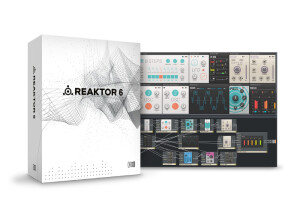
  • « Synth with DEEP editing »

    Reaktor is a software application and plug-in that can be used as a stand-alone software instrument, or as a plug-in inside a DAW. Reaktor can be used as both a sound generator or as an effects processor for external sounds. There are many different sound generator instruments inside Reaktor that were created by NI and included standard with the software. There is also an online community/library of instruments on the NI website where you can download user created libraries for Reaktor. Although Reaktor can be used to do typical effects processing (filtering, reverbs, distortions, delays, etc), my favorite part of Reaktor is the creative/unique effects that can be used. I definitely recommend checking out 'The Mouth' and 'The Finger'. Reaktor can be purchased as an individual software application, however I received it as part of the Native Instruments Komplete Bundle. It can be downloaded off the NI website and installed. Authorization is completed using the NI Service Center application. SUITABILITY/PERFORMANCE If you are a tweak-head or a synth geek, then you will appreciate Reaktor. I don't really have the patience to go too deep editing this instrument or building my own instruments, but the capability is there if that is what you want. I have used a lot of the stock instruments in my music creation and love what Reaktor brings to the table. However, if you want truly unique sounds, then Reaktor allows you total flexibility and creativity to design something that no one else has ever used. OVERALL OPINION Reaktor was designed to allow for deep editing by the user. It is a modular synthesizer that uses discrete building blocks to create and sculpt sound. There are included sound libraries that demonstrate just how flexible and diverse the instrument can be. There are a lot of Reaktor libraries that have been around since Reaktor 1, 2, 3. I don't find a whole lot of use for these libraries. The best Reaktor libraries are the more recent releases - Prism, Spark, Razor, Skanner, etc.