Log in
EN
FR

Audio calibration software

394 products found

Categories
Filter
Sort by
Brand
Evaluation
  • Reviewed or not
  • Editor’s award
  • Reviewed by Audiofanzine
Availability
  • Available or not
  • Sold new or used
  • Sold new
  • Sold used
Must-have products
  • All products
  • Flagship products
  • Best rated products
  • Hot products
  • Popular products
Price
  • Freeware
  • Low-cost (< $80)
  • Mid-range ($80 - $150)
  • Premium (> $150)
€
Clear
Sort by
  • Popularity
  • User ratings
  • Price - low to high
  • Price - high to low
  • Used price, increasing
  • Used price, decreasing
  • Name (from A to Z)
  • Name (from Z to A)
  • Added on
Choose a category
Selected category: Audio calibration software
Sort results
  • Popularity
  • User ratings
  • Price - low to high
  • Price - high to low
  • Used price, increasing
  • Used price, decreasing
  • Name (from A to Z)
  • Name (from Z to A)
  • Added on
Filter results 394 results found
Brands
Evaluation
Availability
Must-have products
Price
  • Freeware
  • Low-cost (< $80)
  • Mid-range ($80 - $150)
  • Premium (> $150)
Show results

The best Audio calibration software reviews

The reviews Audiofanzine members found the most helpful.
  • « Visual monitoring tools for audio »

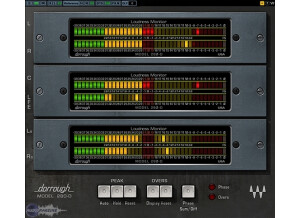
    The Waves Dorrough Meter Collection is a bundle of different frequency analyzing plugins. What makes these special is that they're modeled after extremely famous hardware made by the company Dorrough Electronics. For the past few decades, it was Dorrough that ruled the world in hardware monitoring devices, and considering everything is going digital today, it was only natural for someone to clone the hardware, and what better manufacturer out there than Waves? There are two different versions out there -- the stereo version and the surround version. This review will mainly deal with the stereo version. The package comes with the 280D, 380D and 40-AES/EBU plugins. In reality, they're all basically the same plugin, but they look different. Waves offers different styles for those of you who are used to visually seeing audio in vertical, horizontal or arc form. I never read the manual, but it's not needed with this device. There are a few buttons that'll allow you to hold the analyzer at the peak, reset it, change the phase and adjust the left/right channels to accurately monitor loudness. SUITABILITY/PERFORMANCE The plugins themselves are super simple to use. The moment you pop it into whatever bus you want, you'll easily get the hang of it. Thankfully, most Waves plugins are like this, which is a big plus for anybody considering buying other bundles offered by Waves. The plugins work for both PC and Mac, so the only people really left out would be the Linux guys. The gear has never crashed on me, and that's always been a good thing about Waves plugins. They're pretty much rock stable. OVERALL OPINION These are a good alternative to those who find their current DAW monitoring programs to be lacking. Most of today's professional DAWs don't really need these, but some of the cheaper ones could benefit with the use of these plugins. It's featured in the Mercury bundle, so if you decide to get basically everything that Waves offers, these will be included. If you just want these and want to save some money, get the Dorrough Meter Collection. It'll be much cheaper.

  • moosers's review

    The process of installing the SSL X-ISM was quick and easy as after I downloaded it from the SSL website. It is a free piece of software so anyone can go to the website now and install this within a few minutes - all you have to do is sign up on their site and you can get this and a few other free plug-ins. The purpose of the SSL X-ISM is to monitor inter-sample peaks which can add distortion to a mix. The interface is quite basic as it simply has a few meters and no real parameters. A manual isn't necessary at all for this plug-in as there isn't anything that you can do with it that it doesn't do own its own. SUITABILITY/PERFORMANCE While I only use the SSL X-ISM plug-in on the master fader of a session, I've never had an issues running this. It doesn't take up much processing power at all and I can't imagine that anyone would be using more than one of these in a single session anyway. While they don't offer an RTAS version of this, if you have the FXpansion VST to RTAS wrapper like I do you can run it in Pro Tools. I am currently running it on a Mac Book Pro that has a 2.2 Ghz Intel Core 2 Duo processor and 4 GB of RAM while I run Pro Tools LE 7.4 with a Digi 002R audio interface. Even if you have a lesser system, this won't present any problems in terms of performance. OVERALL OPINION I've had the SSL X-ISM for a few months and I'm definitely glad to have it in my arsenal. While I tend to use it sparingly if at all, it does do a great job of monitoring the inter-sample peaks and is a lot of help to limit distortion. I would definitely recommend downloading the SSL X-ISM plug-in as you never know when you might have a need for it and its free!

  • « An Accurate Tuner now with a Metronome and Winder/Unwinder »

    OVERVIEW: Anyone who likes tech gadgets will enjoy Roadie 3. Although any other tuner will do the job, the mechanics of Roadie 3 is pretty cool (like the Chase Bliss Preamp MKII), but there’s a lot more under the hood. Roadie 3 can tune anything from a uke to an 8-string guitar with 72-gauge strings, but it also is a string winder. You can wind and tune in one swift movement, or use the string winder (up to 120 rpm) or unwinder (a bit slower, but at peak it must be around 100 rpm) on their own. For luthiers doing a lot of restringing work, this definitely is a bonus. The Roadie 3 also triples as a metronome, allowing you to select various tempos that are incredibly slow (20 bpm) and upward of 300 bpm… and anything between. The Metronome function can be audible beeps, vibration or both. With the exception of Bass (which requires a stronger motor, found in the Bass Roadie), you can tune just about anything with a peg, and thanks to an improved peg connector – I’m talking about uke, mandolin, banjo, guitars ranging from 6-12 strings, guitalele, bandurria, charango, dobros, etc. The USB-C rechargeable battery also allows tuning for about 150 instruments in a single charge, and the Metronome will last about 5-hours of practice. Recharging is quick, and takes less than one-hour. You also can change the A4 reference pitch in 1Hz increments. Roadie 3 retails for $169 Canadian (about $135 USD), which is not an inexpensive tuner, but certainly on board with many quality stomp tuners (the Peterson StroboStomp is $139 USD). But, for the price you do get some nice extras, including the app for customization, an audible/vibrating metronome (not found in the previous Roadie 2 model), and a string winder/unwinder (upward of 120 rpm vs. 60 rpm with Roadie 2 model). Moreover, if you use the discount code GET10BJ_R3 when placing your order, there’s an additional 10% off (NOTE: I do not get any kickbacks from any sales of the Roadie 3). PROS: The Roadie 3’s construction is exceptional, and you can see videos on its site where the unit is dropped repeatedly on a hard surfce and it keeps working. It’s also covered in TPE (thermoplastic elastomers) that will not degrade from skin oils, making it comfortable to handle and grip. The full color LED screen can be seen from any angle, it is easy on the eyes and for navigation, and a definite improvement over Roadie 2’s black/white OLED screen. Next, it not only comes with 100+ alternate tunings (including drop and open tunings), but you can include your own custom tunings and tune for various capo settings. In comparison, Roadie 2 only had 40 alternate tunings available. The detection range also has improved from the previous version, now at 27.5 Hz to 668.84 Hz versus Roadie 2’s 43.65 Hz to 668.84 Hz. The new Roadie 3 also has a stronger motor, compared to v. 2, cranking out 2.5 Kg.cm compared to only 1.1Kg.cm. The new model also has higher noise immunity (and next-gen vibration technology) and accuracy of ± 1 cent, compared to v.2’s ± 2 cent. This latest version also has a built-in tool to fix intonation issues in guitars. Now, I already listed some improvements or new features between Roadie 3 and its predecessor, but here are a few more… for those interested in upgrading. The battery lasts longer with Roadie 3, and there is an auto-detect in the tuning, which detects which string is being tuned. The shape has changed for better handling (more ergonomic), with rounded edges (necessary for those heavy 72-gauge 8-string guitars). Roadie 3 also has a lot more space to save all your settings for several instruments, whereas Roadie 2 had limited space. Finally, menu navigation also improved with a sturdier 4-way button, as opposed to a scroll-wheel and button navigation system. CONS: Performance wise, it should be noted that the Roadie 3 is sensitive enough that it takes initial data from the first few tunings of any particular guitar to create a ‘template’ for the harmonics and individual characteristics of each string. This means if you create a tuning preset for a Gibson Les Paul, and then apply it to a Strat (although also six strings), you may not get an accurate reading, and particularly once you return to that Les Paul (it can change the data because it thinks the Les Paul has changed harmonically and sonically). It’s as though the technology learns what instrument it is tuning. In effect, don’t take the same preset and try to tune several different guitars, but select the guitar and the desired tuning in your created presets. This adds time it takes to set up each preset, and then to choose it prior to tuning, but you do get greater accuracy. Next, six top tuning pegs certainly are more convenient to tune than a 3x3 headstock, for example. Tuning a 3x3 or other such opposing configuration with 7-8 string guitars, or 12-string guitars, is not cumbersome, but you do have to grip the Roadie 3 and reach over top or underneath the headstock (or flip the instrument around for the other pegs, as I tend to do). Also, you do require a phone/android device to upload new firmware, features, updates, etc., although I’m hoping the company rectifies this situation, since not everyone has a phone and just about every quality product offering software does offer a computer-based version. A few other points to consider. First, it does not work with headless guitars, which is a joke, of course. It works perfectly fine with the Strobel travel guitars, which are headless, but still have tuners located on the body. Second, bass players will require the Bass Roadie, since that device has a stronger motor to work with the high tension of bass strings/tuners. The makers of Roadie 3 did not develop an all-in-one (to include bass with the guitar version), as it would add to both cost and size of the unit, which makes sense. Finally, there is a minor issue with Floyd Rose type locking tuners. When you tune a Floyd Rose, you need to loosen the nut, and also tell Roadie 3 to tune each string down a semi-tone (give or take) than the desired tuning, since tightening the nut increases pitch. You then fine-tune the guitar with the bridge tuners; HOWEVER, unless you have good pitch and can do that by ear, you would then need a secondary tuner of some sort to zero in on final tuning. This may make the Roadie 3 redundant (less useful) with Floyd Rose guitars, but you still can get most of the tuning done with the Roadie 3, plus you still have the string winder/unwinder and metronome functions. For more information or to order, visit: https://www.roadiemusic.com

  • « Sonalksis FreeG »

    FreeG is Sonalksis’ master fader plug-in. It features all the essentials of a channel fader, such as mute, pan and peak, and RMS readout, with the quality, precision, and accuracy found throughout the company’s products. The great news about the FreeG is that you can download and use it completely free. Yes, this one is on Sonalksis. Get yours on their website. <a href="http://www.glintonline.com">http://www.glintonline.com</a> As we all know, not all great things in life have to cost money, and FreeG, despite not being an extremely essential type of plug-in for one’s recording endeavors, is definitely a very handy tool for tracking, mixing, and mastering. Most of the DAWs on the market don’t offer the precision of metering on their channel faders. The FreeG does. There is even an option (Fine) that allows you to have the fader’s readout stretched out for even more precision on level. Peak and RMS readouts also help assure your accurate metering. Once installed, the FreeG also comes in a Mono version, which can be of great use in tracking The only detail missing here for me, unfortunately, is a Solo button. What a miss guys. I’m not a software engineer but I’m sure a Solo button could have become a complicated task to accomplish since it would have to make the plug-in control the DAW, and that’s not how things work. But beggars can’t be choosy, and either way it is free, works great and is useful. I guess we shouldn’t complain about this one. I’m always crazy about how Sonalksis’ knobs, faders and switches give this impression of solid precision, even though you sometimes are manipulating them with a crappy mouse. This plug-in, as with other Sonalksis products, functions with zero latency. Looking for more precision for metering and manipulation on your DAW’s faders and you don’t have to spend a penny for it? Sonalksis FreeG is the answer. A simple, useful and solid product. If you record, mix or master music using a computer, I’m sure you will see FreeG as a valuable tool for your studio. This review was originally published on http://www.musicgearreview.com

  • moosers's review

    Cohortor's gStrings is an application for Android based smart phones. I'm not sure if there is one for other phones, as I've only used it on Android. You download the app straight from the Android market and it will download and install within a few minutes. Once up and running, you'll find that the tuner is chromatic and designed for tuning all kinds of instruments. I tune mostly my acoustic guitars with gStrings, but also use it for mandolin and it will definitely work with any stringed instruments. The interface is easy to use and provides a myriad of options for tuning. There are three basics ways to tune with gStrings. The first is to sound a pitch to tune to, and you can scroll and choose any note you wish on the top of the screen. The next way is to use the "Tune Auto" mode which is what I usually use and allows you to play any of the strings on your instrument and it will track what note it is and show you how far off you are. You can also choose the note you'd like to tune to. All of these are valid and it's nice to have options. I don't think there's a manual for this but you can probably find some extra info about it on Cohortor's website. SUITABILITY/PERFORMANCE There isn't going to be any problems with performance with Cohortor gStrings as it can only run on Android based operating systems like a smart phone or tablet device. Whatever you have that has Android on it will be enough to run the app for sure. OVERALL OPINION While I honestly wasn't expecting a lot from Cohortor's gStrings since it's a free application for your Android based device, I was pleasantly surprised to find that it's extremely accurate and is up there with the best tuners that I've used. It gives you all the options you need to tune in any way you'd like, whether it's by ear or visually. I use this all the time for my acoustic instruments and since it's on my phone I'm never without a great tuner. If you want a great digital tuner (for FREE) and have an Android based device you should definitely get gStrings!

  • « Not a bad software tuner »

    When it comes to guitars, the number one thing that every guitar must do is be in tune. If a guitar is not in tune, it'll throw your entire mix off. Personally, I'm fairly adamant about perfect tuning and intonation. Well, as perfect as it can be; it's a guitar, after all. Various different software tuners have popped up throughout the years, and the Waves version is among them. It's been around longer than some of them, but it's still a very solid tuner. The tuner itself came with my GTR3 package, and I've used it a few times within the program. It's a chromatic tuner where you can set your reference pitch to nearly anything you need to set it to. It's fairly accurate, although there are some other tuners out there that are quite a bit more accurate. SUITABILITY/PERFORMANCE This is where Waves is the champion. They never drop the ball when it comes to stability. I've never experienced a single mishap or crash while using this software, and I don't expect to. I've been a long time user of Waves, and they never let me down. This is also cross platform compatible. I'm a Mac user, and living in a world that's dominated by Windows users can sometimes be a bit of a drag. Waves caters to both OSes without any issues. There is one issue, however. The GTR3 software is 32 bit software. It's not a huge deal, but OS X is moving towards being fully 64 bit, and I hope they update it before the next OS rolls around and drops 32 bit support all together. OVERALL OPINION The tuner itself is fine. It tunes your guitars, basses or whatever perfectly fine. However, there are better options out there if you're into the whole software tuning thing. Personally, I like to use pedals to tune my guitars. I find that the Turbo Tuner is one of the most accurate and easiest to use tuners out there. The accuracy is way better than this software. They also make a software version of that very pedal, and it works nicely as well. I just find myself being a bit more of a hardware guy. In short, the tuner is good, but there are better ones out there.

  • « Surround edition »

    The Waves Dorrough Meter Collection is a bundle of different frequency analyzing plugins. What makes these special is that they're modeled after extremely famous hardware made by the company Dorrough Electronics. For the past few decades, it was Dorrough that ruled the world in hardware monitoring devices, and considering everything is going digital today, it was only natural for someone to clone the hardware, and what better manufacturer out there than Waves? There are two different versions out there -- the stereo version and the surround version. This review will mainly deal with the surround version. This comes with the 280-D, 380-D, 40-AES/EBU and a Sum & Difference/Phase meter. The biggest difference between this and the stereo version is that these are more meant for movie soundtracks. Despite all of today's technology, people people still listen to music in stereo. We also write in stereo, so the 5.1 plugins don't exactly apply to most musicians out there. Those working for Pixar, however, will find these especially useful. SUITABILITY/PERFORMANCE The plugins themselves are super simple to use. The moment you pop it into whatever bus you want, you'll easily get the hang of it. Thankfully, most Waves plugins are like this, which is a big plus for anybody considering buying other bundles offered by Waves. The plugins work for both PC and Mac, so the only people really left out would be the Linux guys. The gear has never crashed on me, and that's always been a good thing about Waves plugins. They're pretty much rock stable. OVERALL OPINION These are harder to judge as they're not really meant for guitars. You can use them for music, but it's more meant for movie soundtracks and the such. They're set up for 5.0 and 5.1, after all. Because of that, I don't use them much at all. It'll only be the occasional usage when I'm dealing with something in Final Cut Pro or something. They're a bit hard to recommend for musicians, but if you're dealing with movies and motion pictures, check this out.

  • « Frequency analyzer »

    The Waves PAZ Psychoacoustic Analyzer is a plugin meant for monitoring the frequency of whatever track you put it on in your DAW. It's a nicely written plugin that's included in the Mercury, Horizon, Diamond, Platinum, Gold, Silver and Sound Design suites. It's also compatible with both Mac and PC, so nearly anybody can use it. The plugin itself doesn't really need a manual as it's one of the more simple plugins that Waves has to offer. Basically, there is a design on the screen that allows you to monitor the frequency of the track you have PAZ on. This can be either an individual guitar track or the entire mix. Once it's on, you can freeze the analyzer to see exactly how your mix sounds. The tool itself is used only for monitoring, and they're extremely helpful for fixing any overlapping frequencies that are being bundled up, adjusting the mix to suit a particular frequency or even to see what frequencies aren't being used that much. SUITABILITY/PERFORMANCE Waves plugins can sometimes look a bit dated, especially on an OS like OS X, but the performance of them has always been fairly stable. There's an issue with it working only in 32 bit in Logic, but Logic has a built-in converter that'll automatically launch it in 32 bit so you don't have to convert the entire program to run it. It's basically acting like a wrapper to run it in 32 bit instead of 64 bit. I've never experienced any crashes with Waves plugins, and they've saved me a couple times during various mix downs. To top it off, it doesn't require a ton of memory like certain other programs. Then again, this is something you usually don't just leave on your bus as it's not necessary to have it there for the final bounce. OVERALL OPINION I actually find myself using the Logic Spectrum Analyzer more than this simply because it's a little more convenient than scrolling through the entire Waves plugin list to find this. The fact that it's given in basically every Waves bundle proves that it's a necessary plugin, but it also proves that a lot of today's DAWs already have something just like this built in. That said, the plugin is very stable, it works as advertised and it is extremely easy to use.

  • moosers's review

    The Massey Plugins High Resolution Meter is a simple plug-in that comes within the free plug-in pack known as Massey Tools. A few other free utility plug-ins come in this pack as well, which isn't featured on Massey's main page anymore for whatever reason, but can still be found as a free download. I'd used these plug-ins before only recently did I get them on my system at home. You can find it on the old Massey website and all you have to do it download it and put the plug-ins in your plug-in folder. The whole process is quite simple and you should be able to have the plug-ins installed within a matter of minutes. You also literally don't need to know anything in order to use the High Resolution Meter, as it's simply a matter of viewing it in the proper way. It's a great meter because it shows a stereo feed for peak, peak hold, and RMS levels in a vibrant and easy to understanding metering system. There's no manual for this that I'm aware of, but one surely isn't needed anyway. SUITABILITY/PERFORMANCE I've currently got the Massey Plugins High Resolution Meter plug-in on my system at home which is a Pro Tools 9 based DAW. I've got a Mac Book Pro with a 2.2 Ghz Intel Core 2 Duo processor and 4 GB of RAM, which I use to run Pro Tools 9 along with a Digi 002R audio interface. Being that you'll most likely just be using the High Resolution Meter on a master fader, I'd be shocked to hear if anyone had performance issues with it. I certainly have never had a problem with it. OVERALL OPINION While I may not be finding myself using the Massey Plugins High Resolution Meter on a daily basis, I do use it enough to recommend having it around for yourself. There's down side to having this and rest of the Massey Tools bundle on hand as they're good tools for your DAW regardless of how much you might be using them. This meter is the most accurate free meter that I've seen to date, so definitely do hesitate and go find it for yourself...

  • moosers's review

    Blue Cat Audio's FreqAnalyst is a free frequency spectrum analyzer plug-in. It is available along with a number of other free plug-ins in Blue Cat Audio's freeware plug-in pack, which I'd highly recommend downloading. You can download the FreqAnalyst along with the other free plug-ins from Blue Cat directly from their website, a process that should be pain free and only take a minute. Learning how to use the plug-in is also really simple, although they do give you some parameters to work with that you might not normally see on a frequency analyzer. Basically, you've got a full graph to show you where the signal is at frequency wise, but then you've got a series of parameters that control an envelope, threshold parameters, and a transformation section. I don't really use these parameters too much as I mostly just use this plug-in for monitoring the frequency spectrum of a full mix or sometimes an individual track. A manual won't be necessary for most users, nor do I know any information about it. SUITABILITY/PERFORMANCE I'm currently running the Blue Cat Audio FreqAnalyst plug-in in Pro Tools LE 8 on my Mac Book Pro lap top computer. The computer has a 2.2 Ghz Intel Core 2 Duo processor and 4 GB of RAM to work with, and I'm running Pro Tools LE 8 with a Digi 002R audio interface. I've only thus far had a need to run a single instance of this plug-in at a time, and I've never had a problem doing so. You might start to see some performance issues if you were to use a few of these at once within a session, but I'm not sure why anyone would need to do that... OVERALL OPINION Blue Cat Audio's FreqAnalyst is a very useful plug-in, and when you consider that it's free, it makes it all that much better. It's very easy to use and generally shows you just what you need to see. I have a few other frequency analyzer plug-ins, including RND's Inspector plug-in which is also free. I'd recommend trying out both of them to see what works best for you. It's worth it to have both anyway since they are free, as I've got both on my system. Being that it's free, you might as well download the full Blue Cat Audio freeware plug-in pack, as it's got a number of useful effects and other plug-ins, including this FreqAnalyst which I'd definitely recommend checking out!

  • moosers's review

    The RNDigital (Roger Nichols) Inspector Free is a plug-in that is available for free straight from RND's website. The plug-in is basically a spectrum analyzer as well as a metering tool. It's available for both PC and Mac operating systems, and in VST, Audio Units, or RTAS plug-in formats. Downloading and installing the plug-in only takes a short minute, and I can't imagine too many people having a problem doing so. The interface of the plug-in certainly has a good amount to offer, especially for a free plug-in. The plug-in shows you not only the full range of frequencies in the form of a spectrum analyzer, but also will show you your overall output levels and a full breakdown of any and all clipping going on. You can actually set the amount of headroom that you'd like and have it alarm you whenever it clips. A manual shouldn't be necessary, but there is one available if you think you might need it. SUITABILITY/PERFORMANCE I'm currently running the RN Digital Inspector Free plug-in on a Mac Book Pro that has a 2.2 Ghz Intel Core 2 Duo processor and 4 GB of RAM. I run the RTAS version of the plug-in in Pro Tools LE 8 that I run with a Digi 002R audio interface. Being that you'll never have a need to run more than one of these at a time, 99% of users shouldn't have a problem running this. It's free so you might as well try it for yourself... OVERALL OPINION As far as the free plug-ins out there for Pro Tools go, the RN Digital Inspector Free is probably the most helpful overall. While there are definitely some nice sounding effects plug-ins out there for free, this plug-in is helpful on another level, especially in a home studio setting where you might not have the best monitoring available. It's an awesome all in one stop to check on your metering and your frequency spectrum. The fact that it's free just makes it all the more sweet...

  • moosers's review

    The IK Multimedia T-Racks Metering Suite is a set of different meters for mixing and mastering. It can be bought as an individual plug-in but is also found in the T-Racks 3 Mastering Suite, which is where I've used it primarily. I can't speak to the installation process for installing this on it's own, but if you have T-Racks 3, the process of installing that is easy enough and isn't out of the ordinary at all. The different meters that are available here include a peak meter, a perceived loudness meter, RMS, phase, correlation, and a full spectrum graph. All of these are self explanatory in terms of their interfaces, so there is no need for the assistance of a manual. SUITABILITY/PERFORMANCE I've never had a problem running the IK Multimedia T-Racks Metering Suite. I should say that I've never had a need to run it outside of a master channel when I run it in Pro Tools, but most of the time I use it in T-Racks 3. I'm currently running it on a Mac Book Pro that has a 2.2 Ghz Intel Core 2 Duo processor and 4 GB of RAM. It's hard to say how well it would run on a given system without trying it, but if you have a system where you're currently able to run your DAW without issues, you should be okay. OVERALL OPINION In general, I find the IK Multimedia T-Racks Metering Suite to be extremely helpful when it comes to doing home mastering jobs inside and outside of T-Racks 3. The meters that I use most often are the peak, perceived loudness, and the spectrum graph. All of the meters are very helpful, but these are the most useful in my opinion. I'd recommend getting the full T-Racks 3 mastering suite instead of getting this as an individual plug-in, as it's worth it for the extra dough and you'll be getting a whole slew of plug-ins with the full version of T-Rack 3. The T-Racks Metering Suite is probably the best of it's kind that I've used to date...