Log in
EN
FR

Other Music Software

388 products found

Filter
Sort by
Brand
Evaluation
  • Reviewed or not
  • Editor’s award
  • Reviewed by Audiofanzine
Availability
  • Available or not
  • Sold new or used
  • Sold new
  • Sold used
Must-have products
  • All products
  • Flagship products
  • Best rated products
  • Hot products
  • Popular products
Price
  • Freeware
  • Low-cost (< $80)
  • Mid-range ($80 - $200)
  • Premium (> $200)
€
Clear
Sort by
  • Popularity
  • User ratings
  • Price - low to high
  • Price - high to low
  • Used price, increasing
  • Used price, decreasing
  • Name (from A to Z)
  • Name (from Z to A)
  • Added on
Sort results
  • Popularity
  • User ratings
  • Price - low to high
  • Price - high to low
  • Used price, increasing
  • Used price, decreasing
  • Name (from A to Z)
  • Name (from Z to A)
  • Added on
Filter results 388 results found
Brands
Evaluation
Availability
Must-have products
Price
  • Freeware
  • Low-cost (< $80)
  • Mid-range ($80 - $200)
  • Premium (> $200)
Show results

The best Other Music Software reviews

The reviews Audiofanzine members found the most helpful.
  • « Excellent, elegant, super-efficient »

    (Apple Silicon Mac M1 using Sequoia) Every so often one comes across a new application which quietly achieves what a host of other applications try to do in much more complicated ways. In this case, to record whatever audio your computer is playing. AudioRoute is so simple to use, so elegant, and with a support service which is constantly updating the app and responds quickly to any query. And .... for a really low, one-time price. This is incredible. Thanks to the generous developer, who has produced a little pearl, one which I will be using constantly. (I am an audio professional). An example use of AudioRoute .... quick export of anything you are working on in a DAW ....

  • Audiofanzine FR's review

    (Originally written by damnedi/translated from Audiofanzine FR) The client installation is a bit confusing in the beginning and you'll have to look in forums for different explanations regarding the Client Ninjam configuration. Tip: don't use the basic Client Ninjam and download Reaper for Ninjamer. SUITABILITY/PERFORMANCE The Client Ninjam doesn't require a powerful system but you'll need to have a fast internet connection, ASIO drivers for Windows, and line and instrument inputs. Take your time with the ASIO settings under Windows to minimize latency!! OVERALL OPINION I've been using Ninjam for over two and a half years. It's very useful if you want to practice, develop your style and test new music styles. The only disadvantage the learning curve because of Ninjam's conception. But it allows you to play live any time and that's priceless ))

  • « Wireless control »

    The AirTurn BT-105 will allow you to take control over your tablet wirelessly and you can use it with Mac or PC style tablets running Android or iOS operating systems. You can use it to turn the page on what you are reading on your iPad, it comes in handy for sheet music that is digital because you will no longer have to flip pages or even touch your iPad to get to the next page or score. There is a huge list of apps that are compatible with the BT-105. iRealB, iGigBook, Avid Scorch, DeepDish GigBook, forScore, MuseScore Sheet Music Viewer, Musicnotes Sheet Music Viewer for iPad are some of the apps that are compatible but there are a lot more other than the ones that I have listed. These are just the ones that I use the most. SUITABILITY/PERFORMANCE The BT-105 is pretty portable and weighs less than a pound. It is only 4 by 7 inches wide and 7/8 of an inch thick. The manual that comes with the BT-105 is easy to comprehend and understand. It is basically just explaining how to get it to work with your system or apps that you choose to use with it. All of the functions of the BT-105 are easy to use and set up. OVERALL OPINION The BT-105 works great with both Mac and PC computers as well as tablets. I have used it on two different tablets and seen it used on just about any popular tablet that is out and it has never had any issues or stopped working so far. I have not been using the BT-105 for that long but in the time that I have spent with it I have not noticed any issues. Overall, I think this is a great addition to anyways home. Not just if you are a musician but if you would like to have a device that can take control over your tablet or computer wirelessly. It was a great invention and I have heard they are going to release a newer version of it soon with some more features so be on the look out.

  • moosers's review

    Sonalksis' Ultimate-D is one of four plug-ins found in Sonalksis' Mastering Suite. This is a dithering plug-in which you throw at the end of your master buses' chain for higher resolution in the digital world. The bundle in general is a great one to have if you're looking to do some mastering at home inside the box. The bundle has been out for a few years and is available for both Mac and PC systems and in VST, AU, and RTAS plug-in formats. You can also buy Ultimate-D as an individual plug-in, but it's really only worth it to get it in the context of the Mastering Suite bundle in my opinion. The interface of Ultimate-D is easy to understand if you understand the basics when it comes to dithering. If you don't know what dither is or feel lost with it, I'd do a bit of research to better understand the purpose of it as it will help you to use this plug-in and other dither plug-ins to their full potential. Ultimate-D is definitely more in depth than your average dithering plug-in as it gives you parameters to set the bit depth (quantize), content (electronic, acoustic, hybrid), and application (tracking or mastering). You can also compress the signal a bit, which is nice as usually you'll only have a quantize parameter in a dither plug-in... SUITABILITY/PERFORMANCE I've used Sonalksis Ultimate-D on a professional studio's system running Pro Tools HD. I don't know all of the specs of their computer, but since I'm only using it on the master buss, it doesn't take up much processing power. If you're using it in tracking mode on individual tracks (not sure why you would), it might take up more processing power, but most users won't have a problem when it comes to performance. OVERALL OPINION While don't have it at home, I use Sonalksis Ultimate-D at one of the studios that I work out of if I'm going to print mixes - whether they are roughs or final mixes. I don't know if it would be used in a serious mastering session, but for doing it myself it definitely does the job well. I've used other dithering plug-ins like those made by Waves, but this has the most control and does a great job. The entire Mastering Suite bundle is worth looking into, but I don't think it's worth it to buy this plug-in on it's own if you're not interested in the rest of the plug-ins in the Sonalksis Mastering Suite.

  • moosers's review

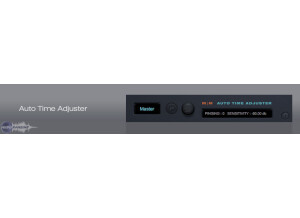
    The Mellowmuse Auto Time Adjuster (ATA) is a delay compensation plug-in for Pro Tools LE and M-Powered systems. Since it doesn't automatically compensate for your latency in these systems, it's necessary to use the ATA or do it manually. Up until recently I had been doing it manually when necessary, but I recently got this plug-in to do it automatically. There isn't anything to using it, as once you bring it up it does it's job. Installing it is easy and should only take a few short minutes. I haven't seen any manual for the ATA, but unless you're having problems with installing it you aren't going to need one. SUITABILITY/PERFORMANCE I recently installed the Mellowmuse Auto Time Adjuster on my Mac Book Pro for my recording rig at home. I run Pro Tools LE 8 that runs with a Digi 002R audio interface and my Mac Book Pro has a 2.2 Ghz Intel Core 2 Duo processor and 4 GB of RAM. This plug-in doesn't take up nearly any processing power at all, as you can run it easily on every track if necessary, but I'd recommend using it on an auxiliary channel to save space. It is designed for LE and M-Powered Pro Tools, so it should certainly run just fine on any given compatible system. OVERALL OPINION I'm definitely happy that I've added the Mellowmuse Auto Time Adjuster to my rig. While maybe not necessary for all users, it's cheap enough that those who do need it should snab it up. It's super easy to set up with an auxiliary channel and to use whenever you need it, which to me is was easier than calculating delay compensation when necessary or relying on the individual plug-ins compensation. If you're looking to get as accurate as possible with your compensations, the Mellowmuse Auto Time Adjuster is a must have for an LE or M-Powered Pro Tools user.

  • moosers's review

    Silverspike's TapeIt 1 plug-in is a free piece of software that allows you to export any audio into a WAV file quickly and simply. The plug-in is only available for PC users and is also only available as a VST plug-in. They have a newer version of this plug-in, known as TapeIt 2, but I haven't used it so I can't really compare the two. I would probably recommend going with the newer version anyway though, as I'm sure they improved on it. It's a really basic process to download and install the plug-in, as it should only take a matter or minutes. The interface of the plug-in looks like it's own software unto itself, but it's still really simple to use as it just has simple transport parameters, metering, a gain knob, and a place to choose where you want to save the file to. A manual isn't necessary in any capacity for TapeIt 1. SUITABILITY/PERFORMANCE I no longer have a compatible system for the Silverspike TapeIt 1 plug-in, but when I did run it it was in Cubase SX. I ran it on a Hewlett Packard Pavilion dv8000 lap top with a 3.0 Ghz processor and 2 GB of RAM. The plug-in takes up only a small amount of processing power, and being that you'll probably only be running one of them at a time anyway, performance shouldn't be an issue at all with this plug-in. OVERALL OPINION Silverspike's TapeIt 1 plug-in is definitely a cool idea for easy exporting, but I'm not sure that it's all that necessary. Something like this should be available in most DAW's, but I definitely do see where the convenience comes in as you can easily pull from any audio file and create a new one with it. It won't change the quality of the file in any way as well. So while I'm not sure I'd recommend this to everyone, I would at least encourage you to read up on it a bit more to see if it's something that you might find useful. I can't say that I'm missing it now that I don't run it, but I probably would still have it if I still had a compatible system...

  • « Fantastic new styles and worthy upgrades in this version »

    I have dabbled with guitar for several years, off and on, and the one thing that keeps bringing me back and has sustained my interest was and is Band-in-a-Box (BIAB). Never a band-mate (minus six months as a bass player in a basement band, age 14), if it were not for having my own band at my disposal, playing what I want to play, I would not keep up with the guitar or any instrument. Introduced to me by a neighbor when I was 25 (now age 55), BIAB was nothing more than a DOS program for Windows with MIDI-only capabilities. Today, BIAB is akin to comparing a Model-T Ford with a Ferrari – both work, both do the job of transportation, but the engineering and ride in one cannot be compared to the other (sorry Model-T fans). The massive number of functions in BIAB is nothing short of bewildering and, concurrently, inspiring. I certainly do not use all the capabilities, but this is a short run-down of how I use the program as both an improvising noodler and a composer. First, I may have an idea for a riff or concept and know the genre of music, bpm, etc., and I will choose a ‘style’ within BIAB (most often with real tracks/instruments, as opposed to MIDI-based instruments, although there are some cool MIDI styles). For example, if my composition idea is Hard Rock, then obviously I would choose that genre (or possibly moderate rock or metal), as opposed to jazz or country. From there I will narrow my choice to a handful that have the right feel (e.g., 4/4 or swing), etc. Other times, I may not know what I want to compose and merely pick an appropriate beat (e.g., 120 bpm), etc., and jam to nothing but a drum beat until a decent riff comes to light. A third option is most fun of all, whereby I’ll choose a music style and load its demo, which provides all the chords and a full band. This third option certainly gets you out of your comfort zone, as you can select a style of music you typically may not play or compose to (e.g., bossa nova, country ballad, classic funk or reggae), and the chords within that genre are supplied to you. The only thing left is the development of a melody or some chord comping. Once a structure of some sort is created or loaded, there are several other options that I typically use. I may want a similar or slightly different style (and there often are plenty from which to choose), which can be applied to the entire composition or only part of it (you can change various elements at any point, including bpm and music style). I may want a different instrument for one track, or a different style of the instrument, e.g., a different rock, jazz or country voicing, or perhaps even a sax or piano soloist to play over a few bars while my guitar soloing focuses more on chord changes or riffing. Now, although BIAB does offer the ability to record your own tracks, I often export those tracks in wav format (mp3 and other formats available) to my DAW, whereby I add finishing touches, do mixing, etc. Again, BIAB offers this, as does its RealBand sister program, which comes with BIAB, but I’m accustomed to working in a different DAW, and so that is what I do. Sometimes, I also use the Chord Wizard, which helps in finding the right chord, based merely on knowing the root, e.g., C#, etc. That really comes in handy when wanting to develop a composition that extends beyond the usual chord changes. And often I play around with the Mixer, adjusting my levels, adding plug-ins, etc. I also, sometimes, use the transpose function, which transposes all the chords to a different key (although you can select a different key and keep all the chords). This comes in handy if I want to merge similar styles and chord progression demos (since each style has a sample demo that could be in a different key). And so, what does BIAB offer that I typically don’t use (yet)? That could fill several pages, but consider these features. You can use BIAB as a learning tool, with access to written music, tablature and chord charts. There also are several learning tools and videos on various disciplines (e.g., jazz), as well as guitar fretboard and piano keyboard visual tools. One such tool is the Chord Soloist, which enables you to generate a comping solo in various styles, and then you can learn it via tab and/or fretboard finger placement. Other practice sections include ear and pitch training, and developing timing with an increasing tempo. You can add a harmony, melody and/or soloist to the music. You then can export any or all that information (along with the chord progression) to other musicians. The Audio Chord Wizard allows you to import a song from any CD and it will analyze it and provide the chord progression – a fantastic tool for learning new songs and then for playing along. And those are just some of the additional uses or features from a program that is the best backing-track developer, music composition tool and even production tool (the quality is high enough that you can do your mixing and burn to CD from this one program). So far, I’ve outlined why I love BIAB and why I use it regularly, but there are a number of features new to the 2021 version of both BIAB and RealBand that make this edition so good. First, what continues to draw me to BIAB upgrades are the new styles. I tend to compose primarily in the rock, hard rock and metal genres, but also regularly compose in the areas of prog rock, new age, and even blues, country and jazz. With over 3,000 styles from which to choose, the 2021 BIAB comes with 202 new tracks or styles (51 jazz, blues, funk and Latin; 80 rock, pop and world; and 71 country, Americana and Celtic), which is exciting for someone like myself who loves variety in composition. There are 16 editable Utility Tracks that allow you to add MIDI or audio for editing, recording, etc. There is an ‘auto-fix sour notes’ function, which I think is a long time coming, since sometimes a strange note pops up with certain jazz chords (most particularly) that you can remove. The Mixer has improved, as you now can show/hide select tracks, you can embed the mixer in different ways on the screen, and there is direct access to the Plug-ins, which I very much like. The mix/solo states now can be saved with each song, which saves time (and annoyance) in having to reset the elements every time you open a song, and you now can view audio (as well as copy regions of audio to a utility track) from any track. Other features include the ability to copy and paste (as text) chords, Hi-Q Tempo Stretching for playback and rendering, generating audio harmonies into individual tracks, and the inclusion of a RealChart for RealDrums (with accurate drum notation and MIDI triggering capabilities). The BIAB DAW Plug-in has been around for a short while, but this new version offers enhanced audio rendering, displaying of two chord types, changing of audio output channels, the ability to import MIDI markers, and more. As good as all this is, the audio quality has improved, with 24-bit audio playback, recording, mixing and rendering, but also 4X faster audio DSP processing (using SIMD) for smoother playback and faster rendering (very noticeable when working with a higher number of tracks and longer compositions). But there’s also RealBand 2021, which I seriously need to take a look at (I had issues in the past due to a low-quality interface). RealBand is an audio workstation that combines BIAB with some of the more popular features from PowerTracks (a pro audio DAW, also from PG Music), used for arranging, sequencing and digital recording. Its new features are several, including 64-bit support, as well as the same 4X faster audio processing as BIAB. There’s also improved Plug-in listing and access, drum notation, a StylePicker ‘feel filter’ (e.g., narrow your choices to even 8ths, swing 16ths, etc.), the ability to transpose at a click of a button, improved Time Signature options, and more. Wow, this version is definitely worth the upgrade or outright purchase and the quality of sound alone will make you a believer! The demo with this review plays some new 2021 styles, with some soloing over top by myself, and addresses how I use the program and some of the new features. However, for a broader look and explanation of the features, check out PG Music’s overview:

  • « Fewer audio interfaces offer more features or value »

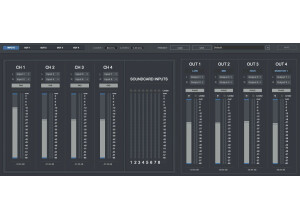
    These might appear to some as old almost an obsolete audio interface but you would be fooling yourself. With 16 inputs (8 XLR and 8 TRS) 8 outputs (including 7.1 or just split the instruments into separate output channels)) this unit is a beast comparing it to what you would get for your money new. Add a AD/DA converter and you are starting to get serious. Run VOicemeeter or any other virtual cabling software and you can further increase your outputs I have mine going through a 7.1 amp for fun and my studio monitors for mastering and the onboard outputs go to amps and cabs so yip a fair few speakers kicking about this place.. who hasn't? Accepted Focusrite have not updated the mix control to the later GUI version but give it time you realise it works perfectly well, if a little over complicated. You get 2 headphone out, 8 mic pre amps two of which have (Liquid) effects, you get two dedicated instrument inputs, it offers Phanton HPF and phase on all 8 inputs. And thats as standard without any hardware or software to boost things further and beyond. Using a DIPro 8000 and all 8 XLR inputs can take instruments as mics (balanced) add a line splitter and S-Patch and you can have great fun over budding or taking multiple recordings per take. All down to your imagination and desires. I use a snake stage box and the XLR mic inputs go straight into the line splitter (MS8000) and the instruments go into the DI Pro 8000 and through a Samson S-Patch into my Liquid 56 - unlimited flexibility. I also use the XLR for outputs through to stage monitors/amps and I use jacks on the stage box for the guitar. With the DI Pro you can route all your guitar takes, straight raw clean from DI Box, DI from amp, mics from cabs, you can take up to 8 different separate recordings from each take. Versatility beyond belief. Yes this means you might have a lot of cables, buy one 5 mtr loom and cut it down to size then buy yourself some extra XLR and Jack plugs solder them and you get all the cables you will need for a reasonable cost. Great thing about using the patch is most of the static routing cables are hid at the back, I am still currently in the process of making up my custom SHORTER patch loom leads before I stuff it all in a cabinet. Think before you buy, the idiot I am, bought far too many looms that were far too long and looked a complete mess, being sorted... anyone wants some looms? But best of all, Firewire which had appeared to be dying a slow and painful death. NOT any longer, with USB4 and Thunderbolt coming as standard to all PCs the future looks more cheerful. All next gen motherboards will have USB4 and so with some extra cables all the pain and hassle of Firewire will finally be over !!

  • « random »

    The Media Delivery Index (MDI) is a set of measures that can be used to monitor both the quality of a delivered video stream as well as to show system margin for IPTV systems by providing an accurate measurement of jitter and delay at network level (Internet Protocol, IP), which are the main causes for quality loss. Identifying and quantizing such problems in this kind of networks is key to maintaining high quality video delivery and providing indications that warn system operators with enough advance notice to allow corrective action. The Media Delivery Index is typically displayed as two numbers separated by a colon: the Delay Factor (DF) and the Media Loss Rate (MLR).

  • BeyondR's review

    There weren't any kind of compatibility issues in the program worked really great. The book provided by the program was pretty clear regarding the general configuration of the program and how the settings worked. General configuration and setup is pretty easy. The typical functions are accessible fro a nice window in the great design that has a lot of editing options to choose from and many presets provided by this high quality reverb that is AudioStage. SUITABILITY/PERFORMANCE The software performs incredibly well, the gear is stable and I've been using it for 1 year and I still use it in a lot of my songs. I'm getting high-quality results with the touch of this great pro reverb that I use either on my synths sounds, on my piano sounds or some percussion type of sounds. OVERALL OPINION What I like the most about it is the high quality reverb that is provided with so many options and tweaks, I also must mention how advanced this Reverb truly is, you can tweak almost any detail and get some unique sounds , unlike many reverbs that are very straight forward and simple. I like also the possibility to have some kind of Doppler effect in your mixes that can be used to make some kind of Depeche Mode kind of synths which are quite complex in terms of sound location. Precision and quality of sounds is extremely good and pro, I use this reverb a lot it's one of the best in terms of sculpting the reverb and the sounds, basically this reverb can be used either on vocal mixes or in many musical instruments. But having said that, this reverb requires some high cpu resources, so keep that in mind when you're using multiple instances of this multi effect rack. Knowing what I know , I would buy this product again.

  • moosers's review

    Sterling Sound's eMastering software is a reference player to help you compare and complete your masters. I'm not a mastering engineer but I work at a studio and our mastering engineer on site has this software which I've used with him for mastering some of my projects. It's a great tool to have and comes from an unlikely source, as Sterling Sound is a famous mastering studio and not known for putting out gear of any kind beyond this software. I don't know much about installing the software or anything like that since I don't own it myself. Using the software itself does seem to be pretty simple as everything is more or less self explanatory. It's easy enough to compare mixes and print masters from it as that's the main goal with this. I'm sure that there are other pieces of software out there like this, but judging from the fact that our mastering engineer uses this, it's safe to say that this is one of the best of it's kind if not unparalleled. You should be able to find all the information you would need about it on Sterling Sound's website. SUITABILITY/PERFORMANCE I don't know all the specifications of the computer that I've used Sterling Sound's eMastering program on, but all of our rooms here at the studio where I work have top of the line Apple computers. I don't think you would need even that powerful of a system to run eMastering, but of course any decent mastering system is going to be powerful anyway. I would think that most users would be just fine when it comes to the performance of this software, but you never know without trying it first... OVERALL OPINION Sterling Sound's eMastering is a must have piece of software for mastering engineers and those mastering at home a like. It's got a great interface and is incredibly handy for making your masters and checking them against each other and other mixes for A/Bing. It's also got a slew of other features to help make the process as easy as possible for you. I don't know how much this costs or any other backing information, but it's a must look at for those involved in mastering...

  • moosers's review

    Soundminer V4 Pro is a unique type of software that aims to have a standard when it comes to metadata and tagging for audio files. The main purpose of this software is for music libraries and for music supervisors to be able to have all the relevant information that they need embedded inside the audio files. Soundminer has more or less become the industry standard when it comes to this. Recently, the music publishing company that I work for got this and we've been using it to tag our entire music library. The program is available for both Macintosh and Windows operating systems and comes in a few different versions - obviously, this review is for the V4 Pro version. You will need to have an iLok to run the software, which can be downloaded from their site once you're registered and all. Learning to use the software once it's installed does require a bit of reading and practice, so definitely read the given manual upon installing it. It is a pretty easy to use interface once you get the hang of it, however... SUITABILITY/PERFORMANCE Right now I'm running Soundminer V4 Pro on my Mac Book Pro laptop at home. The computer consists of a 2.2 Ghz Intel Core 2 Duo processor and 4 GB of RAM, which has been more than enough for me to comfortably run this software. Depending on how many tracks you're tagging at once, it can take a little while to render it all, but most computers should be able to handle it just fine. As always, check the recommended system requirements... OVERALL OPINION Soundminer V4 Pro is definitely a good investment if you've got a large music library or if you're working in the world of music supervision. It makes for an easy format that everyone can use and get all in one place. It's a little bit expensive, but when you consider that it's going to be businesses and not consumers who are using the software, it's really not all that much. If you think you might benefit from having Soundminer, I'd highly recommend checking it out in a bit more detail and it can definitely save you a lot of time in the long run.