Log in
EN
FR

Software (non-musical)

287 products found

Categories
Filter
Sort by
Brand
Evaluation
  • Reviewed or not
  • Editor’s award
  • Reviewed by Audiofanzine
Availability
  • Available or not
  • Sold new or used
  • Sold new
  • Sold used
Must-have products
  • All products
  • Flagship products
  • Best rated products
  • Hot products
  • Popular products
Price
  • Freeware
  • Low-cost (< $55)
  • Mid-range ($55 - $75)
  • Premium (> $75)
€
Clear
Sort by
  • Popularity
  • User ratings
  • Price - low to high
  • Price - high to low
  • Used price, increasing
  • Used price, decreasing
  • Name (from A to Z)
  • Name (from Z to A)
  • Added on
Choose a category
Selected category: Software (non-musical)
Sort results
  • Popularity
  • User ratings
  • Price - low to high
  • Price - high to low
  • Used price, increasing
  • Used price, decreasing
  • Name (from A to Z)
  • Name (from Z to A)
  • Added on
Filter results 287 results found
Brands
Evaluation
Availability
Must-have products
Price
  • Freeware
  • Low-cost (< $55)
  • Mid-range ($55 - $75)
  • Premium (> $75)
Show results

The best Software (non-musical) reviews

The reviews Audiofanzine members found the most helpful.
  • moosers's review

    NCH Software's Switch is audio file conversion software, capable of converting just about any type of audio file to any other type of audio file. I've got this running on my work PC at home, where I use it for converting audio files in bulk for a music publishing company that I work for. I've also used it a bit on my own for converting my own files for various purposes. I really like this software because it couldn't be any easier to use. I have some other pieces of software running on my main Mac system, but beyond iTunes, this is all I've got on the PC end. I do believe that I have an older version of the software, but it more or less seems to have stayed in the same as far as I can tell. It's hard to describe everything that's in the interface, but I think it's enough to say that everything is laid out extremely simplified and isn't convoluted whatsoever. I don't think I can list all of the audio formats supported here, but it includes every audio file that I know of off the top of my head. I mostly use it for converting WAV to AIFF or WAV to mp3. It also gives you the full compliment of options in terms of converting within each of the file types. I don't know how much this software costs, but I'm pretty sure that it's going to be cheap. Again, I also don't know what the major differences are between the older version that I've got and the newest one that NCH Software has to offer, but I can imagine they've only improved on a nice interface. While there is free software out there for converting purposes like the x Audio Compression Toolkit and Max, this is a great program in itself and is absolutely worth checking out if the price is minimal...

  • moosers's review

    Apple WaveBurner is a utility program that comes with Apple Logic music software. I don't believe you can buy it on it's own. It's designed for sequencing tracks in order and preparing CDs for burning, and of course for actually burning them to disc. It's definitely a mastering tool and is great to have at home to get your recordings ready for mastering or for your own home mastering purposes. The program will install during the process of installing Logic - I'm not sure if there's an option for choosing to install or not install it, but everyone who has Logic may as well in my opinion. There's a good amount possible with WaveBurner, but I've only just used it for sequencing tracks and preparing the tracks to be burnt to a master disc. It's got a pretty user friendly interface as I didn't find that it was ever hard to use. I've never had a look at the manual... SUITABILITY/PERFORMANCE My system at home is running Apple WaveBurner as I've got Logic running on the system as well of course. I've got a Mac Book Pro lap top that has a 2.2 Ghz Intel Core 2 Duo processor and 4 GB of RAM. It's definitely been enough to run this program sufficiently and I don't think I'll be having any problems in the future. OVERALL OPINION Apple's WaveBurner software that comes as a utility for Logic is definitely a nice little program to have. Other than this I don't really have too many other programs like this on my system at home, so I'm happy to have it. It's easy to use and can do a whole lot for you in preparing your discs for mastering on all levels. While you can't really get this if you don't have Logic, if you do, this is definitely a program you need to get familiar with as it will definitely be useful for you in finalizing your discs for mastering purposes...

  • « Horrible company, horrible products, appalling customer experience »

    After using this software, and having bought an iLok to license the products I create, the licensing tools command line executable deleted an entire folder on my computer for having only directed the command to a folder, not a file :facepalm: I lost everything there, irreversibly, not even using hard drive salvaging software was I able to recover my deleted information. I reached out to the company and their response couldn't possibly be more disregarding and immediately absolved themselves of any responsibility for what happened. It's an atrocious company that, in my opinion, are absolutely destroying the market I work in, by buying up companies, providing god-awful software, abusing their customer base, while not even providing the bare minimum of support and covering their destruction path with iron-clad NDAs you have to sign to be their customer. If you don't absolutely need to use it, just don't, and steer clear of this train-wreck of a company.

  • « only 15 bucks online »

    Zortam MP3 Studio is a software that is used to convert mp3 to wav file formats. I purchased this software just recently so I can have it on my laptop. I got it for 15 bucks online which is a very fair price for a piece of software that I needed to have do to the file format differences with so many applications. I have always had issues with getting cd’s in to mp3 format. I don’t know why they make cd’s some weird format that most programs don’t read anymore. Back when I was using cool edit pro about 12 years ago, it could rip right off of a cd and import right in the play list and then you could export it out in any format that you wanted, I have a lot of issues doing this with most of my DAW’s today. Zortam MP3 Studio was very similar to audacity to me for some reason. Not the way that it looks, because they look completely different but the way that it operates and how simple the program is to get what you need out of it. Installing it was very quick, I download it only for my windows 7 pc. I don’t think it works on mac platforms though at least it didn’t say that it did on the website so I assume trying it would be a waste when there is no download link for a mac version. When using it, you will need to update your computers drivers if you haven't already done that. This is critical to get this software to work correctly in its configuration. Overall, there are a few mp3 coders that I would choose before this one. But I was on the road and didn’t have mine with me so I needed one fast. So I purchased this cheap one for 15 dollars and none the less it works great and I have no issues with it.

  • « My first Mac OS X »

    Apple's Mac OS X Lion is their newest intel-based operating system, and I currently use it on my MacBook Pro (which I am using to write up this review!). It is the eighth and current major release of Mac OS X, and it is used on both desktops and laptops. Officially, it is version 10.7 of the main operating system line, and some of the new features include AirDrop, FaceTime, Launchpad, Mission Control, and much more. The layout and features mimic the popular mobile operating systems from their successful line of iPhones and iPads, with the inclusion of things such as the app store. It may seem a little odd having an app store on a computer (where you can simply download applications from any source), but the app store provides a nice hub for finding great software, and installing that software seamlessly and quickly. SUITABILITY/PERFORMANCE I've always been a bit afraid of Apple computers, and their operating systems, OS X or otherwise, even though I've been using iPod's, iPhone's, iTunes, and other Apple software/hardware for years. But I knew it was somewhat necessary to make the jump to Mac's in order to do live synth sounds for my band, so I took the plunge and spend 1 grand on a refurbished Mac OS Lion system. And overall, the operating system works even better than I expected. The response and control of the operating system by the touchpad is seamless, and it really shows how combining hardware and software under the same name umbrella (of Apple) can be extremely powerful. I love the multi-touch, the gestures, and the integrated right-click, and how all of them work wonderfully in the software operating system. OVERALL OPINION Overall, Apple still makes some of the best computing hardware and software that is more compatible with professional audio, and certainly Mac OS X Lion follows that same trend. It is integrated so well with the hardware, which is crucial for low latency applications, such as audio.

  • « Windows 7, is it ideal for audio? »

    With the failure of Windows Vista, and the resistance for people to move away form Windows XP for professional audio purposes, Windows 7 needed to offer a lot of new features, and support a lot of the old drivers, in order to be a wise choice for professional audio. Windows 7 was released in the summer of 2009, and only within the last few years, has it finally surpassed Windows XP in total user usage. Windows Vista never surpassed the usage of Windows XP. One of the biggest advantages of Windows 7, is the ability to run 64-bit applications, which in turn, allows the musician to use 64-bit plugins, notably, VST plugins. However, this quickly creates confusion. Now, developed must release a 32-bit version and 64-bit version of their VST plugins, and for DAW developers, they must release 64-bit and 32-bit versions of their executable software. The program files directory is also split, making it a bit difficult to find the location of files. However, in many professional audio cases, the upgrade to 64-bit is very necessary, as it allows the allocation of over 4gb of RAM. For large sound libraries, orchestral sampling, advanced drum sampling, and so fourth, this is very useful. There are other advantages to switching to 64-bit as well, but RAM allocation is the biggest factor, by far. SUITABILITY/PERFORMANCE Windows 7, like any new operating system, starts out slow with official support and releases from developers. I would not recommend switching over to Windows 7 during the first few years of it's release, because so much audio software is simply not compatible with the new system, even though it should technically run on Windows 7. This is especially true with hardware drivers, where blue-screen crashes can be very common when trying to run older audio hardware on the newer Windows 7. Even when the developers created the correct compatible drivers, I know I still had some issues with some hardware, and I ultimately had to sell off some of my audio interfaces for newer ones. OVERALL OPINION Overall, Windows 7 nowadays is a must-have, since most PC computers have now adapted the software, and most developers have been familiar with it for quite a few years. With Windows 8 peeking around the corner, it may be awhile until we can safety switch to that for our professional audio uses.

  • yoTrakkz's review

    I have been using the Sony Vegas Lines for years now, and I started on Sony Vegas 4.0. Sony Vegas give you complete control over your video editing. If you are new to Sony Vegas you will need to read the manual, the program can get a little confusing with all of the windows. But if you have used a previous version of Sony Vegas than 4.0 wont be a problem at all for you. That’s one thing that I love about The Sony Vegas line, is that from each new version they keep the same basic theme and shortcut commands as previous versions so that the faithful users of Sony Vegas wont have to learn new tricks and can get started right away. SUITABILITY/PERFORMANCE I run Sony Vegas 4.0 on a Windows XP computer and it works great, I haven’t had 1 crash. Sony Vegas 4.0 came out years ago, I suggest you upgrade if you are using it now and go with 10.0. All of the newer versions of Sony Vegas Pro allow you to use almost any video format and you can convert it right in Sony Vegas plus it allows editing of High Definition videos, which is what everything is going to right now. They even have presets that will have your video perfect for Youtube Viewing. OVERALL OPINION Overall I am extremely happy with my purchase of Sony Vegas 4.0. It was the start of my video production career and will continue to power my videos. With all of the options and effects that you have on hand with Sony Vegas you will never run out of creative ideas to use when editing a video no matter what style the video is. Sony Vegas outshines its competitors and offeres top notch support to all of its users. Sony Vegas 4.0 will not let you down.

  • « Photoshop is king.. »

    Adobe Photoshop CS is the best most well rounded piece of software you can purchase. Very easy to use and install. Works great with Windows Vista and haven’t had a single crash. If you are new to Photoshop you will definitely need to pick up the manual to understand the basics. The manual is very in depth and will show you everything you need to know to create great work. SUITABILITY/PERFORMANCE The interface of CS is the same as all the other Photoshops, but CS has more things you can do and it will take your creativity to the net level. I have a Duo Processor computer with Windows Vista and Photoshop CS fits like a glove. Runs very smooth with no lagging even when you have multiple projects open at the same time. OVERALL OPINION I have been using Photoshop CS for about 3 months now and im very happy with my purchase of this program. I wouldn’t have chosen any other software to use for this purpose. The downside of Photoshop software is its extremely pricey. So that’s why there is CS, its not as prices as regular photoshop If you are doing some basic photo editing this isn’t the software you need, this is for serious designers and webpage creators. Not for your average turn a photo into black and white kind of thing. This gets very in depth with every aspect of photo manipulation. My favorite thing about this software is the options you have when editing or manipulating photo’s. the possibilities are unreal! If you can dream it , you can create it. It will take some patience , time and practice though. But once you get the hang of it, you will love it. This is a quality product at a decent respectable price. You must try it out!

  • « I mean, you already own the software. »

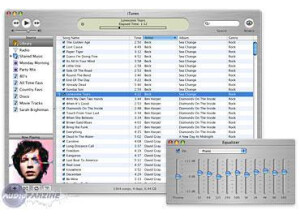
    All of the eggheads in the internet can argue about the technical this' and that's of their favorite media player, but being a bit of an egghead myself, and having used a lot of these esoteric programs like WinAmp and Foobar and all the others, I sometimes wonder what actually makes them better. I can't figure out why past me condescended to the use of iTunes; I guess some techno-geek told me that if something can't play esoteric audio and video files, that it's an inferior program. Like I ever used them anyway. Apple's iTunes is a masterpiece for one reason: its GUI (Graphical user interface for the computer illiterate). If you've ever used an iPod, which you have, iTunes has a menu a bit like the iPods, but of course, the quality and comprehensiveness of the menu is scaled to the quality of a computer. It organizes your music perfectly using the ID3 tags of the files, so you'll be able to find anything you like even if you just remember one piece of information about the music. And before I go any further, remember the store. Apple's model for downloaded music is genius, and before you write it off as just something that exists in the world, remember the "revolutionary" methods that were attempted by all the other companies in the world before Apple decided to start selling songs at 99 cents per? Yup. And to round it off, iTunes does include some "features" that were originally very esoteric. Like equalization, which you can store different presets of for different things. It also does play a few of the more obscure files, not that most people would need them, and even includes a tool to convert them to mp3 files in case you're a bit obsessive compulsive like me. Apple's iTunes is a fantastic offering from Apple, and quite frankly, you aren't reading this review, because you already have and love iTunes.

  • « Small update to Leopard »

    The OS itself is extremely stable. In fact, this OS is more stable than the previous 10.5 in regards to Wi-Fi. Where was 10.5 always had issue with dropping the Wi-Fi connection every time the wind blew, 10.6 seems to be rock solid. I've used this version since goldmaster, and I haven't had any issues in terms of stability or crashing issues. I never read manuals, so I can't comment on that. OS X has built-in help for anything you might need, and their forum is great at helping people as well. The general configuration seems to be setup just like any other OS X. In fact, this was mainly an "under the hood" upgrade to help revise the way storage is defined and allow for 64-bit applications. SUITABILITY/PERFORMANCE As I stated above, this OS is crazy stable. I haven't had any issues with it since I began running the goldmaster when it was released to developers. We're now on the 6th revision of the 6th OS X, so it's gone through a few changes, and I can't imagine anybody having any real issues. There were a few times where certain plug-ins weren't compatible with my Logic Pro 9, but that was a plug-in issue and not an actual OS X issue. All of these plug-ins have since been updated, so no issues there. The OS itself is crazy snappy, and I have no issues when it comes to running the Apple software. I've been using this OS since goldmaster, but I've been using Apple computers for over 19 years now. OVERALL OPINION This is easily the best OS that Apple has released. While some people complained that there wasn't a huge update between this and 10.5, I found that the 64-bit compatibility and stable Wi-Fi drivers were easily worth the $20 upgrade that they charged for this. There was a lot of "under the hood" reconfiguration that went on, so I can see why Apple charged the price they did for it. While it doesn't look that much different, I guarantee you that it'll be more stable than the 10.5 OS X of yesteryear.

  • moosers's review

    The X Audio Compression Toolkit is a free piece of software for converting audio files of all types to audio files of all types. I believe it's a Mac only software, as that's where I've currently got it installed. You can download it from a number of places on the web, all of which will be free. I really only used the software for it's most basic purposes, as usually I'm converting FLAC files to MP3s with it. It can do a whole lot more than this, and it's got an easy to use interface to get it done with. It's nice to have a one stop shop for converting audio files, no matter what type they might be or what type you want to convert it to. I don't know if there's a manual for this but I would think there wouldn't be. I'm currently running version 1.62 of the X Audio Compression Toolkit on my Mac at home. My computer is a Mac Book Pro that has a 2.2 Ghz Intel Core 2 Duo processor and 10 GB of RAM. It's a few years old so it isn't the newest available Mac Book Pro model. I have no problems at all converting the files I need to with on this system as it does so at a fairly quick pace... If you've got a Mac computer and are in need of audio file converting software, the X Audio Compression Toolkit is for you. It's super easy to use and the best part is that nearly all audio file formats are covered here, making it great for audiophiles who need something to convert to even the most random audio file types. It's free so there's no worrying about that. I don't use the X Audio Compression Toolkit, but do use it whenever I need to convert files, and namely FLAC files since they aren't compatible for conversion on your major media players and converters. I'd encourage you to give this a shot for yourself if you're still reading this as I think you be keeping it on your system once you do.

  • moosers's review

    Nullsoft's Winamp Classic 2.95 is a media player that was one of the first of it's kind. I don't have Winamp any more since I don't use a PC for listening to music. I did used to use it before I switched over to iTunes like most people a while back. I do know people who still use Winamp as their main audio player, and it's definitely a viable option although I haven't used it in a while. It's free for the full version and I believe that they're up to Winamp 5. There is a pro version that costs a small amount of money, although I'm not really sure what the perks of getting it are. I personally haven't used the newest versions of Winamp, as I've only used up to 2.95. It shouldn't make too much of a difference as having the new versions can only be better, although the interfaces and general design to appear to be pretty similar. The best part about Winamp is that you can play virtually any kind of audio file, making it perfect for audiophiles who have files of all types to listen to. ITunes supports a good amount of file types, but there are definitely some types that it doesn't that are indeed covered with Winamp. In addition to audio files, it also plays videos and hosts a wide variety of features both comparable to iTunes and some that aren't found there. If you're at all thinking checking out a new (or a first) general media player for your Windows based PC, this is definitely worth trying out as it's free anyway. Of course I wouldn't go searching for 2.95 as I'm sure the newest available is better than this one. There are definitely options out there for media and audio players beyond iTunes, so go ahead and try Winamp for yourself.