Log in
EN
FR

Tuners

269 products found

Filter
Sort by
Brand
Evaluation
  • Reviewed or not
  • Editor’s award
  • Reviewed by Audiofanzine
Availability
  • Available or not
  • Sold new or used
  • Sold new
  • Sold used
Must-have products
  • All products
  • Flagship products
  • Best rated products
  • Hot products
  • Popular products
Price
  • Freeware
  • Low-cost (< $75)
  • Mid-range ($75 - $150)
  • Premium (> $150)
€
Clear
Sort by
  • Popularity
  • User ratings
  • Price - low to high
  • Price - high to low
  • Used price, increasing
  • Used price, decreasing
  • Name (from A to Z)
  • Name (from Z to A)
  • Added on
Sort results
  • Popularity
  • User ratings
  • Price - low to high
  • Price - high to low
  • Used price, increasing
  • Used price, decreasing
  • Name (from A to Z)
  • Name (from Z to A)
  • Added on
Filter results 269 results found
Brands
Evaluation
Availability
Must-have products
Price
  • Freeware
  • Low-cost (< $75)
  • Mid-range ($75 - $150)
  • Premium (> $150)
Show results

The best Tuners reviews

The reviews Audiofanzine members found the most helpful.
  • moosers's review

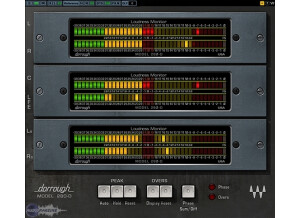
    The Waves Dorrough Meter Collection is a plug-in with three different loudness monitors. Included in the bundle are the Model 280-D, Model 380-D, and Model 40-AES/EBU plug-ins, each of which just gives you a different look on the same loudness meter. Each has stereo 'LED' levelers and a series of buttons for controlling exactly what you're monitoring. You can buy this plug-in individually or within a bundle, and also comes in a Surround Edition. It's not hard to use these plug-ins at all, as once you find the settings you like or need, it'll pretty much do the work for you. There are a good amount of mode buttons to work with, so a manual should help with identifying exactly what everything will do for you. SUITABILITY/PERFORMANCE The studio I work at has the Waves Dorrough Meter Collection running on all of our systems. The plug-ins do get used a good amount as they really are great meter monitoring tools. All our systems are Pro Tools HD based, but it should run well either way since you're mostly going to be running just a single instance of it on the master fader, or at least that's how I use it. Performance should definitely not be much of a problem with the Dorrough Meter Collection. OVERALL OPINION The Waves Dorrough Meter Collection is one of the best ways to monitor your loudness levels inside the box. They're designed for use beyond just mixing and mastering audio, but also for post production and just about any audio application you can think of. It's cool that they also have the Surround Edition, which would of course be best suited for mixing to film. I haven't used this version, but I'd imagine it's pretty comparable and just has more meters to check out. It's not one of Waves' more expensive plug-ins, which is good for anyone who wants it! It's available in both Native and TDM formats, so definitely look into this if you're after a well designed loudness meter!

  • moosers's review

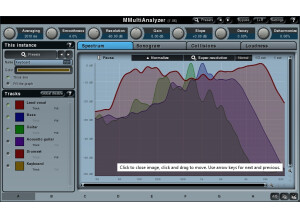
    The Waves Ltd. PAZ PsychoAcoustic Analyzer is a metering plug-in system designed for mixing and mastering purposes. You can monitor the frequency spectrum, stereo spread, and RMS and peak levels all within this one plug-in. I wasn't involved with installing the plug-in since I don't own it and have only used it in a professional studio where I was working. I didn't need to do much to understand the interface and everything going on with the meters and graphs, as it's pretty self explanatory and easy to understand. You can zoom in on the frequency spectrum graph to really see it up close and personal, which is really cool. The rest of the graphs and meters aren't complicated either in any way. A manual probably isn't necessary, but I haven't looked at it so I don't know anything about it's configuration. SUITABILITY/PERFORMANCE I don't own the Waves Ltd. PAZ PsychoAcoustic Analyzer, but I have run it in a professional studio running Pro Tools HD on a Mac desk top with a whole ton of power. We never have problems running plug-ins really, so running it on this system isn't exactly a good judge of how well this plug-in will run on a given system. However, most users won't have a need to run more than one of these at a time any way, so I'd say that as long as you're able to run plug-ins currently without it taxing your system, you'll be okay with PAZ. OVERALL OPINION As far as collections of metering for mixing and mastering purposes, the Waves Ltd. PAZ PsychoAcoustic Analyzer is about as complete as you'll find one. I use IK Multimedia's T-Racks 3 Metering Suite in place of this at home since I don't own this plug-in, but both are definitely comparable. PAZ will cost you a bit more, but it definitely has a more in depth frequency spectrum chart with more options for viewing in general. If you're doing a lot of mixing and/or mastering, something like PAZ is a must have and you might as well go with something from Waves who are up there with the best when it comes to plug-ins...

  • moosers's review

    Trillium Lane Labs TL Master Meter is a simple metering plug-in which allows you to view any possible over sampling that could cause distortion in your final mix. The plug-in comes in the TL Utilities bundle which also includes TL InTune, a tuner, and TL Metro, a metronome. I installed all of them at the same time, which was a simple thing to do from following the step by step instructions given. The interface of the software is detailed, as it shows you the exact point in time where you have peaking. It also tracks each and every one, so you can go back and see all the different points where it picked it up. There is metering for both your signal level output and your over sample level, side by side so you can compare them easily. A manual is definitely not necessary, as everything is simple and straight forward. SUITABILITY/PERFORMANCE Right now I'm running Trillium Lane Labs TL Master Meter on a Mac Book Pro that has a 2.2 Ghz Intel Core 2 Duo processor and 4 GB of RAM. I run Pro Tools LE 7.4 that runs with a Digi 002R audio interface. I've only used Mater Meter on the master channel of sessions, which is what it is intended for, so having one instance of the plug-in certainly does not take up much processing power at all. My inclination is that just about everyone who is currently running Pro Tools will be able to run Master Meter without an issue, but it just depends on your machine. OVERALL OPINION The Trillium Lane Labs TL Master Meter isn't a plug-in that I use everyday, as I use it to monitor peaks and to keep the distortion to a minimum. It definitely comes in handy even though it is not the most detailed or complete metering available. I don't need it all the time either, only when I have a mix that is pretty hot and could result in clipping or distortion. Having the TL Utilities bundle is nice to have around, but it isn't a necessity. I got the bundle within a larger bundle, but I don't know if I would have gone out and gotten Master Meter and the Utilities bundle had I not done so...

  • moosers's review

    You really don't need install the Bomb Factory Essential Correlation Meter as it comes installed with Pro Tools and can only be used in Pro Tools. It is designed to help you fix phasing problems as a visual meter. There aren't any parameters to play with in this plug-in as it is a simple meter. A manual definitely isn't necessary and I'm not even sure if they make one for this as there is nothing that you can do to it that it won't do on its own. SUITABILITY/PERFORMANCE While I don't use the Bomb Factory Essential Correlation Meter all that often, it is nice to have it in my plug-in collection for times that it will come in handy. I usually check phasing by ear, but sometimes if I'm not exactly sure what it is going on I will use this and it usually does the trick. I am currently running the plug-in on a Mac Book Pro laptop that has a 2.2 Ghz Intel Core 2 Duo processor and 4 GB of RAM. I run it in Pro Tools LE 7.4 that runs with a Digi 002R audio interface and I've never had any problems using this within this configuration. Pretty much no matter what type of system you have, as long as you can run Pro Tools on it you will be able to run this plug-in on it. It just doesn't take up much processing power at all. OVERALL OPINION I've had the Bomb Factory Essential Correlation Meter since I got Pro Tools LE a few years ago. If you have this plug-in you probably already have this installed, but if you don't you can download this and the other plug-ins in the Bomb Factory Essential suite for free on Didgidesign's website. While this isn't a plug-in that everyone will use, it is always good to have as many metering options as possible as you never know when you will need it. Overall, we really can't complain too much about the Bomb Factory Essential Correlation Meter as even if you don't end up using it, it's free!

  • moosers's review

    Installing the Bomb Factory Essential Noise Meter isn't hard at all as it installs when you install Pro Tools so you really don't have to do anything. Since it is designed by Digidesign and comes with Pro Tools I can't imagine anyone having any sort of compatibility problems as I don't think that you can even use this without Pro Tools. The configuration of the plug-in is just about as basic as it gets as it has minimal features. It simply has a VU meter and three buttons to choose the type of metering as well as a switch to choose between RMS and peak. No one should have any problems using this plug-in no matter what type of experience you have. I've never seen the manual for the Bomb Factory Essential Noise Meter so I can't say if it would be helpful or not, but this is definitely easy enough on its own that you probably don't need one. SUITABILITY/PERFORMANCE I've never had any problems at all running the Bomb Factory Essential Noise Meter, although I've never run more than one at once. I am currently running the plug-in on a Mac Book Pro that has a 2.2 Ghz Intel Core 2 Duo processor and 4 GB of RAM. I run the plug-in in Pro Tools LE 7.4 that runs with a Digi 002R audio interface and the plug runs pretty flawlessly within this set up. Even if you don't have a great configuration, this plug-in will take up minimal processing power and I can't imagine that anyone would have any problems running it. OVERALL OPINION I've had the Bomb Factory Essential Noise Meter since I started using Pro Tools a few years ago and while I don't use it very often, it is always nice to have a noise metering plug-in in my set up, especially one that is free. Since this is a free piece of software I can't complain at all about it too much as it does its job well. If you have Pro Tools, you have this plug-in and even if you don't use it too much, I would bet that you would agree that it is always nice to have another plug-in.

  • moosers's review

    Installing the Mu Technologies Mu Voice wasn't hard as it only took a few minutes and was as easy to install as most plug-ins out there are. I didn't have any compatibility issues or other problems and while the interface has a lot going on and there is a lot you can do with it, once you break it down everything makes sense. This has the ability to be a lot of different things including a tuner and a harmonizer amongst other things and is quite versatile in what it can do. A manual might be necessary for those who don't have much experience with these types of plug-ins, but I haven't seen it so I can't say how well put together it is. SUITABILITY/PERFORMANCE Since there is a lot going on with the Mu Technologies Mu Voice, it will take up a decent amount of processing power, but if you use this plug-in for what it is designed for, you shouldn't have much trouble. I'm currently running the Mu Technologies Mu Voice on a Mac Book Pro that has a 2.2 Ghz Intel Core 2 Duo processor and 4 GB of RAM and I run the plug-in in Pro Tools LE 7.4 that runs with a Digi 002R audio interface. Within this configuration the software has run quite well as I always seem to be able to use it for what I want to do, but it does take up a lot of processing power so I tend to keep my use with it to a limited amount. As long as you have a pretty good system to run this on, you shouldn't have a problem with it. OVERALL OPINION I've been using the Mu Technologies Mu Voice for about six months and I definitely like the things that this can do. It sounds great for harmonizing and is definitely an adequate tuner amongst other things. The price isn't all that cheap, but it is worth it if you are thinking that you would use a plug-in like this for a number of applications. This is a smartly designed plug-in that sounds great and is quite versatile.

  • moosers's review

    You don't really need to install the Bomb Factory Essential Meter Bridge because it comes installed with Pro Tools. I don't think that you can use this plug-in with any other type of software, so I assume that if you have Pro Tools you have it and if you don't have Pro Tools then you don't. The interface of the Bomb Factory Essential Meter Bridge isn't hard to follow at all as there really isn't too much to the plug-in. The plug-in simply has metering for the left and the right channels and a meter calibration parameter that can be set to five preset stages. There is also a switch to choose between either RMS or peak metering. Beyond this there isn't too much to the plug-in and for this reason you don't need a manual, nor I am even sure if they do make one for it. SUITABILITY/PERFORMANCE The Bomb Factory Essential Meter Bridge has always run perfectly when I need to use it. It really just gives you a simple level, but it is helpful to see it in a VU style setting. I've never ran more than one of these at a time and I don't see why you would need or want to, but I don't think that it would be a problem if you needed to run a few of them at once if you wanted to. I am currently running the plug-in on a Mac Book Pro that has a 2.2 Ghz Intel Core 2 Duo processor and 4 GB of RAM and I am run Pro Tools LE 7.4 off of a Digi 002R audio interface or a Digidesign Micro Box. I've never had any problems at all running this plug-in within my configuration. OVERALL OPINION I can't complain too much at all about the Bomb Factory Essential Meter Bridge. While it doesn't do a whole lot, it does do what it is suppose to do and is a free plug-in with Pro Tools. If you want to check your levels using some cool looking meters in Pro Tools, the Bomb Factory Essential Meter Bridge will do the trick.

Categories that may interest you