Log in
EN
FR

MIDI Keyboard Controllers

730 products found

Sort results
  • Popularity
  • User ratings
  • Price - low to high
  • Price - high to low
  • Used price, increasing
  • Used price, decreasing
  • Name (from A to Z)
  • Name (from Z to A)
  • Added on

The best MIDI Keyboard Controllers reviews

The reviews Audiofanzine members found the most helpful.
  • « A great MIDI keyboard - a not-so-great software »

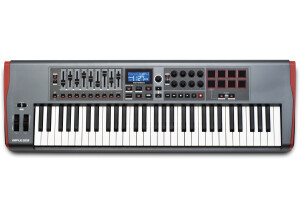
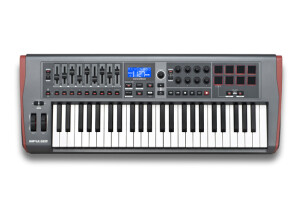
    After a whole weekend spent getting used to this Advance 49 keyboard, my first conclusions: an excellent keyboard, very pleasant to be played, with great egonomics. On the other hand, the VIP software that comes with it is what I'd technically call "a real pain in the arse". Installed on booth my computers, it keeps bugging and its ergonomics is rather dubious. The scan of available VSTs is easy (the included mappings aimed at automatically detecting the most common VSTs' presets work perfectly), but only two folders can be entered - so any VST installed elsewhere won't be detected. And when they are, you end up with an endless list (3500 sounds for some of them) to be scrolled through - a thing I already hated in the Arsenal software that came with the M-Audio Trigger Finger and which was made by the very same developer, AIR Music, an Avid affiliate company. I won't even mention the countless bugs, freezes and restarts of the VIP (while both my computers are well powerful enough: Win 7 with Core 5 & 7/8 & 12GB RAM, and they work perfectly with all other computer music and video softwares). The most frustrating is that when doing a Multi (a stack of VST: the main reason why I got this keyboard), you can't (so far, hopefully they'll fix this in an update) listen to a preset without erasing the previous ones that you chose. Clicking "Enter" on a VST to choose a sound erases everything, you must restart from scratch. All you can do is drag and drop presets in the Multi blocks, without previewing (well, prelistening) them. Or, you have to listen to each of them before, separately, but then how to know how they'll work well with the others in the Multi? In short: it's a great MIDI keyboard/controller (it deserves a full 5 stars), but the VIP software is to be improved - quick! On the other hand, the software bundle that comes (freely) with the keyboard is really worth having, with great plugins and synths (such as Hybrid 3, Velvet, Xpand and others). It also includes Transfuser 2, which offers interesting possibilities for remixes - and normally costs $150 on its own!

  • « A pocket-size Swiss-army knife »

    I was looking for the smallest keyboard to use together with a macbook and be able to record melodies quickly with Reason (as well as some ipad synths). I first bought a Nanokorg (V1), which was inexpensive but terrible regarding the keyboard itself. I already had a Xiosynth, which is very practical, but I wanted something in micro format. Regarding the most important element, namely, the keyboard itself: Well, it's amazing. Granted, the silicone keys demand some time to get used to them, and you don't play the same way you would on a piano, because they are more like pads. The keyboard is relatively subtle and comfortable, the (adjustable) velocity boasted about on the website is true and allows for enough amplitude when attacking the keys (although real piano players ought to know it's definitely not enough). It has a good finish, the chassis is made of plastic covered with some sort of rubber, but it's not indestructible like they say on the website. It's not like you are going to amuse yourself twisting the keyboard, but you can tell that it bends easily when twisting it with both hands Once in place, it's really stable on its pads and doesn't slip at all. The pitchbend control responds very poorly and is hard to use correctly, it would've been better to integrate a slider like on the QuNeo for this function. Once connected, the QuNexus is immediately recognized by Reason on my Macbook (same with a PC), as well as by all the synths I use on my ipad: Moog - Sunrise - Thor - Korg MS20 etc. There's no need to install any drivers, besides the editor, of course, which is much appreciated. The editor is rather comprehensive, easy to use and it perfectly meets my (modest) needs under Reason. You can use the various templates included of the most common DAWs, but you can also configure the entire keyboard manually, key by key, and it works really well on the vertical axis, too (as a sort of slider, for instance). The "sliding" keys require some dexterity, but they can come in handy. Do note that it's a limited product in this regard and cannot be intended to replace a master keyboard with X controls. The main reason to buy such a product is its extreme compactness, since you can carry it around anywhere with you. It doesn't do many things, but it does them well. I'll nevertheless keep the Xiosynth, which is more practical to play at home. You can also control analog devices via CV, but I haven't tested this feature yet. The QuNexus is, to me, a very handy tool that fulfills perfectly two goals: It's tiny but the keyboard remains usable and better than most mini-keyboards you can find out there for about $80/$120. I haven't tried them all, obviously, but they are rather spongy with a travel that isn't really useful in terms of velocity. In this regard, the QuNexus' different approach is very welcome. To warp it up, this product promises a lot and I will follow V2 carefully. The price ($150) is too high, though. A new light version just came out, you might want to consider it, depending on your needs.

  • « Innovative, fun and inspiring! »

    While unboxing, the first thing that strikes is the superb packaging, to make Apple pale in comparaison: from the moment you take it out of the box, everything appears as perfectly controlled. The controller's design is perfect. Then you install (easily on a Windows 8 PC with Cubase 6.5, everything's quick and stable) and start to lay your hands on the Roli. First thing, the keyboard's touch and feel are flawless, just like the virtual synth that comes with it which covers a very wide range of sounds. Playing on it just 5 minutes allows to feel like this controller is an instrument on its own, offering amazing possibilities! I believe the Roli to mark the beginning of a new era in the use of touch technologies in music, at leadt that's the first time in 10 years I've had the feeling to buy something really new (in both the form and substance) which allows me to go even farther in sound expressiveness... Thank you Roli!

  • « One of the best pro level controllers ever! »

    I wanted a hammer action midi controller that is built like a tank like the rest of my gear, and the MC-3000, hands down, is the most full featured pro level midi controller available up until now. The MC-3000 features two MIDI ins and EIGHT MIDI out ports, with two MIDI thru ports. It features a built in patch bay to route all of these channels in any way you like. While having this much control does get a bit confusing, it's all in there. Split your keyboard any way you like, trigger different synths with different velocity curves, it's all there. UTILIZATION General configuration- easy to figure out. Eight buttons with sliders on the left. Completely assignable, but the base function is an on/off switch for each MIDI out and volume or assignable cc functions for each slider per active channel. Manual- can be sketchy at times. With so much depth into midi functions, things can get confusing and complex setups can make you pull your hair out. All the info is in the manual, but again, with all the sub menus, it can be a real chore to learn how to assign a function. Channel/ patch selection- once you are in the patch edit mode you can assign all your midi channels and patch selections. There is a template of many older synth modules that recall their factory patch settings. I have also undertaken the laborious task of assigning my own patch info for each of my newer modules. General configuration- it's easy enough to get setup with a few basic setups, but to dive deep into this machine can be very complex. OVERALL OPINION Most like- the hammer action is as good as any Yamaha or kurzweil high end model digital pianos. I also appreciate the number of connections, making this controller a true midi master keyboard, and is very good for large setups that use multiple modules. Least like- lack of cc controllers. Yes, there are 8 sliders, but some knobs would have been nice, as well as a transport control. However, if should point out that any negative comments I have regarding this and other features are redeemed in the physispiano K4. This is the new incarnation of this keyboard, made by the same manufacturer, viscount. It offers much more cc controllers, a transport control, a much easier to use graphic color LCD display, and several USB ports (both sides) for USB MIDI control and as a host for iPads. Secondhand value of around $500-600 is a great deal considering the features and that this board once cost around $2400. If you need piano hammer action, you are not going to find better action in a strict midi controller than this keyboard. While void of some modern features like USB MIDI, it is a machine that will allow you to create extremely complex midi setups. With 8 midi outs and two midi ins, you can transmit up to 128 channels of midi. I purchased this board used and mine was part of a touring fleet for the pit crew on the Mama Mia tour. It was loaded with some really complex setups (I understand they used 5 of these in the pit), setups far more complex than my connection to my DAW, plus 3 modules and an iPad. Again, if you have the money to spend on a NEW controller that is a direct descendent of the MC-3000, look up the Physispiano K4. New price is around $2000. The EX model also has the sound board of their famous physispiano.

  • « Good weighted keyboard for home studio, the rest is okay »

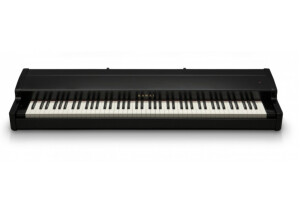
    It's supposed to be a MIDI control keyboard, but it's far from the master keyboards of the '80s. 76-key weighted keyboards are (very) rare and that's why I chose it. I also have a CME UF80 and a Roland FP-3, and I've tested quite a few in stores (Kawai MP5/6/8/MP10, Kurz PC3X, Roland RD600/700SX, Clavia Nord Stage). In terms of the "weight" of the keys, the VMK is between the UF80 and the FP-3. And it's probably the one I prefer (heavy enough, but not too much), excluding the Kawai MP10 (far better than the rest) and the RD700. They are very different products. The controller part is within current standards, which means it's mediocre, not particularly complete and it doesn't cover all usages...but it does its job and can come in handy. Every fader/pot/button can have its own MIDI channel (which is quite standard). I use it mainly to control the faders of my soundcard (Totalmix FX in Mackie Control mode), but I'm forced to use channel 16 for keyboards. It's also okay to control virtual synths and organs (but it lacks memories). The quality of the keyboard (GH) and its overall sturdiness make up for the rest (and justify its price). In fact, it's fine for studio/home studio, but certainly not for onstage (no split, no transposing on the fly, no zones, it's heavy, etc.). ---------- DETAILED REVIEW--------- Keyboard: + It's a Fatar TP40GH (Graded Hammer), so it has weighted piano-like keys with (switchable) aftertouch - Aftertouch hard to trigger (which is quite normal), unlike the PC3LE6 (TP8) - 1 keyboard zone only (without even a split mode), however it has 2 MIDI outs... - No dedicated transposition keys (you can transpose but have to switch to edit mode with two validation stages...) - The sample bank key switches aren't often poorly adapted to the 76 keys, which is often a real pain. Physical controls: + 9 faders (with programmable polarity) so you can simulate organ drawbars + 3 pedal ports (with switch or expression mode support) + The polarity of all controls can be inverted - No fader / button / pot banks - The LCD doesn't display the parameters (when you engage them) - Cheap and noisy buttons - Pitch/modulation joystick (Korg-type), I don't like it and it's awkwardly placed (I prefer modulation wheels that don't return to the central position, although the joystick is more fun for pitch), the best would be to have both. Functions / Design and usability: + Learn mode to assign functions (you move the control, it's detected, and you can then edit it) + 1 USB port and 2 MIDI Out ports (handy) ... - ... but these 3 ports are mirrored - The overall management is nothing to write home about, be it for: - The saving of parameters and presets (in two stages with validation every time) - Exporting to a PC (you have to press the PC button then choose the PC number and validate, it doesn't have simple +/- buttons) - Limited number of memories (30) - No sysex send nor memorizing (although it's very uncommon nowadays, too) The USB port can feed the keyboard and it's automatically recognized under Mac OSX.6+ and Windows 7 (I haven't tested it with other OS). A PSU (with universal US, UK and EU adapters) is supplied if you don't want to use it via USB.

  • « Wait before you buy it »

    The reason I chose it: - The 32 keys (it's more than 27) - The promise of a smooth integration with GarageBand and Logic under Mac (that's what the shop assistant told me) - The cursor movement keys and the transport bar. - It isn't too big. All in all, attractive features. UTILIZATION The velocity is preset by default. The keyboard itself is not unpleasant, but nothing exceptional, obviously. The (online) manual is pretty clear. I wonder why not all actions of all keys were specified (in case you use it in edit mode): Surely, to allow the user to make mistakes ... hahaha The overall setup is a nightmare because the famous "HyperControl" or "DirectLink" technologies, aren't supported by this keyboard with the DAWs I use (GarageBand 11, Logic 9) It's hard to get any clear and unambiguous information. OVERALL OPINION I've been using it for a week. I have spent several hours trying to find a solution. I tried with GarageRemote from 2008, HyperControl/DirectLink 1.0.6, manual configuration in Logic (although I couldn't understand a thing). I asked in the M-Audio community forums... and got no reply. To cut it short, I lost a lot of time and I can't return it anymore (the 7-day return period is up). :( It doesn't hold its promise of an easy configuration. So, right now, its value for money is pretty bad. I wouldn't buy it again, nor would I trust the shop assistant who sold it to me.

  • « For pianists »

    88-key piano with MIDI control. The piano is weighted (unlike the A50) with polyphonic aftertouch. It has 4 split zones, 64 patches, 4 split points with channel, wheel, velocity, aftertouch, and program change assignation. UTILIZATION Technically speaking, the piano is very easy to use, but it is very poorly explained in the manual. The keyboard is very nice, it provides, partially, the sensations of an acoustic piano. It obviously isn't a Steinway or a Bösendorfer in terms of comfort, but it is a real delight to play. OVERALL OPINION I think it's a very good master keyboard aimed especially at pianists. Organ and synth players would be certainly thrown off by the keyboard. Despite its piano keyboard it nevertheless allows me to control some of my synthesis expanders, but also some of my virtual synths at home. I've used it for 7 years and I am still very pleased with it. While I certainly prefer to play a real piano, I really enjoy playing it. I use it often onstage, since it's lighter and more practical to move than an acoustic piano. Plus, it provides me some autonomy on tour, because some venues don't really observe the riders (although it's pretty rare to be totally honest). I prefer to play my A 80 rather than a cheap and out-of-tune piano. Sarah.

  • « Very good features but again toy quality, second version »

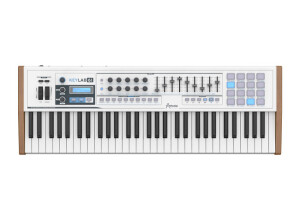
    I was hoping this second version of Keylab would be road-safe, and Arturia could and should have learned from the many many complaints they got on the internet and their aftersales probably. But it ain't so, it's the same toy quality as MkI. Read my review here: https://en.audiofanzine.com/49-key-midi-keyboard/arturia/keylab-49/user_reviews/r.133848.html It's the second time I buy a keylab and I will return it. Check my YT video https://youtu.be/jPnfD3y9IhQ As said, very disappointing because I was hoping to finally get a decent controller with decent keybed. Because it has all the features one could wish that I don't find on the competition: Pro: - lightweight - compact design, for 61keys, PW/MW are placed on top - height is also ok, so it doesn't take to much space. - enough controllers and pads - aftertouch (!) Con: - Key quality is very bad - rotary and sliders are low quality I doubt this will last longer then 5 gigs ;-) Maybe good on your desk to play some tunes, but nothing road-worthy. And sure not at 450€. On the contrary, Arturia software is very nice. but I almost feel I bought the software with a free China keyboard extra ;-)

  • « I love these keyboards, but please upgrade your quality »

    This keyboard is by far the best in the controllers that I've used. I've been using it for years on stage now. + Has aftertouch (yess!!!) but should be harder, it activates to fast now. + enough controller knobs and sliders + good info screen + handy octave/transpose button (but should be lit!) + 4 pads with 2 banks (could use 8) but are not so good responsiveness + low weight but bad plastics - decent keybed, feel and weight, but low quality china keys that break after a while, so I bought 3 of these keyboards because they have a low price, but I always need to glue the keys internally. - knobs should have better response instead of gel buttons - rotary and sliders are plastic components If this was a better quality I would never look at others again. But unfortunate it isn't ! Please Samson make a mk2 and learn from your mistakes.

  • « This keyboard is OK, but how tedious it is to set it up! »

    With what configuration, software and other gear do you use this MIDI controller? In what context and for what musical genre(s)? What are your thoughts on its stability and durability? I bought this keyboard to include in a 50/50 Software/Hardware setup. Since then, I’ve gone 99% hardware. No problem as to its stability or that of the editing software (in spite of its horrible usability, but I’ll get back to it in a moment). Are its controls and features ergonomically designed? Is MIDI mapping straightforward? Controls are adequately placed on the keyboard and it also features many switches and encoders – a real asset in my opinion. HOWEVER, you’ll have to set everything up yourself, manually – there’s no factory button to change the MIDI channel or split the keyboard (all functions that are basic on most other keyboards). The problem is – the included software supposed to edit the keyboard is very badly done. The changeable parameters are quite complete (you can even edit a split on the keyboard). The keyboard features 24 "Presets/Layouts", each made up of a different MIDI setup. If you want one preset per MIDI channel, you’ll have to configure preset 1 to only affect MIDI channel 1, preset 2 for only MIDI channel 2 and so on. Considering that the default parameter sets every preset as identical and only sending to channel 1! (it’s a bit hard to explain thoroughly, but clearly whoever coded that made it quick-and-dirty ) So, you end up with a clear lack of ergonomy, and if you have a hardware setup forget it – you’d have to use a computer to change parameters through a dedicated software with a century-old ergonomy, it clearly wasn’t designed for your kind of setup. This is a pity, really, as once it’s adequately set up the keyboard works wonder! What do you think about the feel and function of its keys and pads? Do they permit you to play with precision? The keyboard features semi-weighted keys, which I consider the best compromise between playing comfort and feeling. A keyboardist friend of mine has recorded using it, and he was happy with how the keyboard was feeling. The pads also feature a nice feelinf. Their backlight is absolutely useless – except for going red when the pad is hard-pressed of green when it’s pressed slowly. What are the pros and cons of this MIDI controller? The keyboard and controls are well done. However, the way to set it up is clearly exhausting due to the useless included software. It also only features a single MIDI out, which by the way works perfectly once set up adequately, even when the keyboard is used in standalone mode. I recommend programming presets 1 to 16 to send data to MIDI channels 1 to 16 respectively. In the end, i’ll recommend this keyboard if you’s on a software-only setup and you’re a masochist in love with badly-designed software editing interfaces.

  • « A nice MIDI keyboard! »

    • With what configuration, software and other gear do you use this MIDI controller? In what context and for what musical genre(s)? What are your thoughts on its stability and durability? Most of the time, I use it with my Macbook pro and cubase artist 8.5 in my home studio. The keyboard is stable, I’ve had no problem with it. . • Are its controls and features ergonomically designed? Is MIDI mapping straightforward? The design is very ergonomical, and most important the knobs are NOT endless ! As far as the mapping is concerned, it’s very easy to do. • What do you think about the feel and function of its keys and pads? Do they permit you to play with precision? Are they lacking in any way? Why or why not? Well, I must admit i’m surprised as i fin dit sturdy and well-built, even if it’s only plastic and a real lightweight! The keys’ quality is average-to-good, and their size allow to play it correctly and precisely – and also allow me to put fluorescent tape on it to mark my settings. Reading the manual carefully makes it easy to set the keyboard as you like, I can easily keep the settings for my Arturia (and others) virtual synths. • What are the pros and cons of this MIDI controller? The price is quite reasonable, and the keyboard’s general quality is correct.

  • « I made a Keytarn from it !!!! »

    I had an old an broken korg keytar that i kept and now it serve for parts replacement and then i saw that auction on ebay for the mk449c evolution keyboard and i knew that it will have to be mine. So i bought the mk449c and i adapted it an aluminium neck and using the parts from the old keytar and realizing some internal connections in about a month i had a ready to use Diy Keytar I like the fact that is both : Usb for computer connection and has the Midi Out connection, besides it has many midi controllers, the sliders, knobs and buttons, and i can easy program how i like the sound to be, and also with other programs of course, at distance, without touch the computer keyboard i can send instructions to computer for when i want to start the song, change sounds and tracks, change effects on live presentation, etc. And better yet i can drive both my Vst instruments and my other love : The Yamaha Qy100 of course it is the magic of Midi. UTILIZATION Once you got thru the manual and experiment with your configurations it is not difficult to understand. Maybe for the beguinner will be a curve of learning like in any other device but its no difficult at all OVERALL OPINION For the price is a good choice and althought it has not sounds, no styles, no effects, it does have midi and does it well. I only wish it had be more robust, it is light weight and its Ok for that but keys and usb connection are a bit weak i think, maybe i will have to repair it in a few years. It have to be treated with care Other than that i give it a 10 because it makes my dream come true !!!