Log in
EN
FR

61-Key MIDI Keyboards

129 products found

Filter
Sort by
Evaluation
  • Reviewed or not
  • Editor’s award
  • Reviewed by Audiofanzine
Availability
  • Available or not
  • Sold new or used
  • Sold new
  • Sold used
Must-have products
  • All products
  • Flagship products
  • Best rated products
  • Hot products
  • Popular products
Price
  • Freeware
  • Low-cost (< $200)
  • Mid-range ($200 - $450)
  • Premium (> $450)
€
Clear
Sort by
  • Popularity
  • User ratings
  • Price - low to high
  • Price - high to low
  • Used price, increasing
  • Used price, decreasing
  • Name (from A to Z)
  • Name (from Z to A)
  • Added on
Sort results
  • Popularity
  • User ratings
  • Price - low to high
  • Price - high to low
  • Used price, increasing
  • Used price, decreasing
  • Name (from A to Z)
  • Name (from Z to A)
  • Added on
Filter results 129 results found
Evaluation
Availability
Must-have products
Price
  • Freeware
  • Low-cost (< $200)
  • Mid-range ($200 - $450)
  • Premium (> $450)
Show results

The best 61-Key MIDI Keyboards reviews

The reviews Audiofanzine members found the most helpful.
  • « AutoMapping »

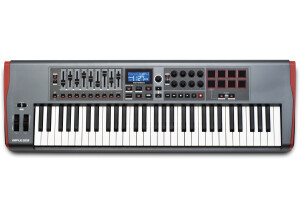
    The Novation Impulse 61 is a 61 key USB MIDI controller that has drum pads, faders and transport controls. Everything is fully capable of being synced with any DAW and it comes with Automap software. This controller can be used with a Mac or a PC running virtually any system. I would use this with Logic and with Cubase many times. Not that this is my favorite MIDI controller, but I would put it in my top 3 for this price range because of all of the options that it has on it. It reminds me of some of the M-Audio MIDI controllers. UTILIZATION The keys are semi weighted and touch responsive. You will not feel like you are at an expensive piano while on this keyboard but the feel of it is a lot better than what other controllers will give you. If you have some knowledge of working with AutoMap software programs than you will be right at home with that much needed feature. Using this controller with 3rd party plug ins and VST’s can get kind of tricky unless you have general knowledge of Mapping everything. You will receive a manual that will walk you through most of it, but it is something that seeing it visually will make it a lot easier so like some video tutorials online will work better for most new users. OVERALL OPINION Setting this controller up is very quick and easy, just make sure the drivers are loaded and that is about it. You will be able to use it in your DAW as a generic controller or if there is a preset for it you can use that but there probably won’t be with this controller being so new. This is a great controller to have, but I wouldn’t get it if I was not into working with the auto mapping and other features. Do not purchase it just for using the keys to control your VST sounds. You can get a cheaper controller for that. Buy this to have it fully run your VST’s and all of the functions!

  • Audiofanzine FR's review

    (Originally written by shanneton/translated from Audiofanzine FR) I bought this master keyboard a long time ago because of its value for money (especially because it offered many keys for a few bucks...). Comprehensive connections: two Midi out, one jack for sustain pedal The keyboard has two wheels (modulation/pitch bend). This splittable keyboard allows you to make two keyboard zones. UTILIZATION No display but some LEDs show the parameter currently being edited (Midi channel, program change, etc.). It's very basic but effective and you get used to it very fast. The keyboard has a "plastic feel" but it's very sturdy. I've never had a problem with mine. The keys are a bit noisy but the playing feel is not bad. OVERALL OPINION Pros: - Price - Keyboard Cons: - The editing buttons are not very comfortable - "Plastic feel" As a summary, you can find better products but they are more expensive... This keyboard is a good tool.

  • « Novation SL-61 is an excellent controller keyboard mostly for studio and DAW »

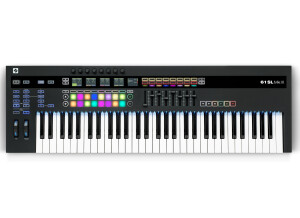
    Not having our regular studio and piano, between two locations, the Novation perfectly completes our DAW (Logic Pro) to compose, create, record new electronic music tracks. The Novation SL-61 is mostly used as a Keyboard controller for the DAW. As composers, pianists/ Keyboardists, synth players, and producers of electronic music, we used the Novation 61 SL MkIII for creating music, sound research, recording myself, producing the tracks on a DAW Logic-Pro, for practising and rehearsing. The Novation is helpful in releasing our electronic music. The current work-flow (Novation SL-61, Logic Pro, Softwares) is simple and fine, corresponding well to electronic music creation, in the temporary studio situation. We have an efficient, rigorously well-though, ergonomic, creative-friendly workflow, constituted with the best softwares and hardwares. Overall, the Novation SL-61 is an excellent instruments for semi-pro or musicians with advanced experience in DAW and controller. The SL-61 is very complete with a rich repertoire of musical, mixing and pre-recording functions, which of course requires some learning time to master all the richness of functions. The integration with Logic Pro is excellent, easy, intuitive and quick, and the SL-61 offers a quick way to browse through sounds database to work on them. Compared with other controller keyboards offering such large palette of functionalities, and a good keyboard, the instrument is quite affordable, mush affordable that some other keyboards not more performing, offering a good value for money. The Novation SL-61 keyboard is excellent for Daw, mixing, production. The 61 notes is really an asset, as well as the lightness and portability, which makes easy to move and settle quickly the DAW in a new place. Nevertheless, for us, the keyboard is not good enough for a live performance, which is upon our experience the case of most of all controllers and keyboards to this type. The keyboard response is good, not subtle enough for a real expression; the keys returner movement is too strong and fast The SL-61 keyboard lacks a proper response to a pianistic of a simple synth play style. Again, this critics is addressed to 90% of current controller and keyboard on the market. The Novation SL-61 ranks in the upper range, and is much better than the major part of these controller and keyboards. For live session, the required quality exists only with upper range synths (Oberheim, Waldorf, only a few Moogs) and on older synths, which had good weighed keyboards, even with aftertouch (Yamaha DX-7), before the Fatar kbd era which degraded the overall quality of synths keyboards, but reduced prices and costs. To that extent, in its category, we really consider the Novation SL-61 as an excellent keyboard controller, - maybe one of the best keyboard in its category-, adapted to music creation, mix and production, with potential for evolution due to the richness of its functions. We see it definitely as a good buy, as we got it at a reduced price. Thee Novation SL-61 Mk III is already an excellent and performing instrument. What could be improved on future version ? 1. Ergonomy : We would wish a more easily understandable access to the multiple functions. After 6 months, we only master the main functions. To improve our mastering, we will need to come back to the manual in a new learning phase. 2. Screen : A real and larger, integrated single colour screen rather than the 5 mini screens. The improvement should consider limiting the cost. If used with a DAW, screen is not essential as most of the eye control is on the DAW 3. Keyboard. Excellent as a keyboard controller. Good keyboard, but still lacks a better natural pianistic / synth keyboard "touché". To our opinion it prevents the SL-61 from being taken for live session. This default is shared by most of current keyboards. We would really wish a lighter and more variable return moment of the keys. The keyboard sensitivity curve is not easy to set to have a smooth sound transition, equal on all notes. We find discrepancy on the sounds even for keys with a same finger touché. (we followed the manual, maybe we didn't set it fully properly).

  • « not worth it »

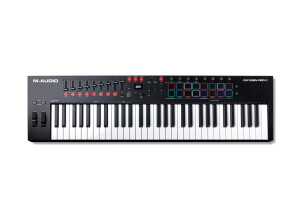
    The M Audio Axiom Pro 61 usb is a decent midi controller but not as good as some of the others on the market. It does not send a Midi Note Off (CC64=000) to sustained notes when switching Midi channels via the "Zones" feature...a very risky proposition for performance use. A "panic" key combination was put in place to cover this obvious error instead of creating a toggle function that filtered the message for those desiring that effect. UTILIZATION No omni mode either. M-Audio, now Avid, requires you pay for support on this product and after a 4 call process ultimately provided no solution. Hyper control worked very well but in the end requires that you choose between your DAW and other software like Reason- otherwise its detects and controls both at the same time generally causing undesired effects. Midi maps cannot be edited with hyper control "engaged". Thus for some controls to work with your DAW, and others with rewired software,(faders vs knobs) you cannot use the hyper control bus thus defeating the benefit of the software layer and the extra $160 vs. the 2nd gen Axiom. Returning product and also shipping back the not included power supply I had to purchase directly from Avid for non-bus powered use. OVERALL OPINION But on the positive side, its a portable controller. Great key feel with not a lot of springy bounce back, smooth and consistent knobs with also a great feel, and mapping to Logic was automatic and smooth and the control work great. USB communication with my Mac Power book means no latency and controlling the various soft synths that I have with the knobs and buttons and sliders on the controller has been transparent and effortless. Great size and weight for lugging around also. If your on the fence with this purchase I say go with a midi controller from Akai.

  • Deleted member's review

    The M Audio Oxygen 61 is a very affordable and capable 61 key MIDI controller. It has 9 faders, 8 knobs, transport controls, pitch bend and modulation wheels, and a bunch of programmable presets for different DAWS. The M Audio Oxygen 61 also feels very solid, and I would not feel afraid to hit a misbehaving friend on the head with one of these (would not feel afraid for my keyboard, that is). The Oxygen 61 is very sparse on the connections in the back; there is no dedicated MIDI out, so forget using the Oxygen 61 to do any work with outboard MIDI gear. It only has a USB connector, and a power switch. It is some kind of wonder that M Audio decided to give the Oxygen a sustain pedal input at all. While the Oxygen 61 has plenty of controls, its selection of connections is quite painfully sparse. UTILIZATION Everything with the Oxygen seems to work perfectly, and it is an enjoyable MIDI controller to use for the most part. The simple fact that one feels faders and knobs in his or her hand instead of dragging a mouse across a table is already reason enough to buy the Oxygen. The problem in it lies in the keys. Unfortunately, M Audio has decided that all controllers in the lines below the Axiom line of controllers must resign themselves to a fate of having springy keys. That, I could get used to, if it weren't for the fact that this generation of the Oxygen controllers happens to register a keystroke in the wrong place. Most pianos and controllers make sound when the key is about half depressed, but the key has to be pressed almost all the way down with these keyboards. It's very upsetting to be going through an intimate string section (because we all strike keys gingerly when playing strings on a keyboard) and having them just not sound. OVERALL OPINION The Oxygen is, don't get me wrong, a joy to have, but it certainly is not one of those products that you can own and evangelize to everyone else. It's not perfect by a long shot, and anyone who really wants a comprehensive MIDI controller ought to look a bit deeper into the sea of MIDI controllers to find one good enough. For me, however, the Oxygen simply acts as a control surface and occasional replacement for my piano.

  • « Great MIDI Piano. »

    What made me buy this 61 key MIDI piano was it's great sound quality and it's great MIDI function and also it's convenient DirectLink tools that connect directly to Pro Tools' transport bar and faders. This MIDI keyboard also works as a control surface because you can control the internal mixer Pro Tools' has. The keyboard can also play any sound you program in Pro Tools' XPand2! or any other instrument. The Oxygen 61 has a MIDI connection as well as an input for a sustain pedal and the USB cable. UTILIZATION The keyboard was very easy to setup and get going because once you have Pro Tools installed with its default configuration, all you have to do to make the Oxygen 61 work is connect it. The manual was very clear but it wasn't really needed because of how easy the setup was. The channel path is very simple as all you do is choose the instrument you want on a stereo instrument track and play the notes. The general configuration, as I said is very simple and it won't cause any problems. OVERALL OPINION The best thing about the Oxygen 61 is it's Pro Tools' compatibility and DirectLink because this allows you to easily control the volume and effects of your sounds and lets you choose any sound/instrument you want to play with the piano's keys. I believe the value is a bit too high, which is why I found it used at a lower price because 250 dollars new is too high for just a 61 key keyboard. The sound quality and precision is optimum and has velocity-sensible keys for your high speed musical pieces. This was my first MIDI keyboard and I believe I made a great choice because it has exactly what I wanted.

  • ShyneBeats's review

    It has the essential features like volume control, pan knob, etc. It's pretty cool for a cheap MIDI Controller. UTILIZATION Yes to all questions! - Behringer did a good job on this points! thumbs up! OVERALL OPINION It's pretty simple &amp; very easy to use. No complicated installation required. The price is okay, it could be cheaper, for the fact that its so simple, but it's "okay". <img class="smiley" src="/images/audiofanzine/interface/smileys/icon_mrgreen.gif" alt="mrgreen" /> The quality is pretty much like any other MIDI Controller. It's actually my first MIDI Controller. I don't think i would make the same choice. - I would rather get a m-audio one.

  • « A very nice midi keyboard in a fair - expensive (?) price that can be proved very very useful. »

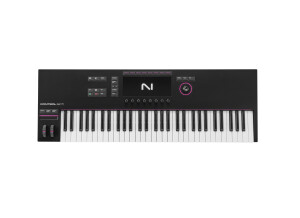
    My hardware is a PC with: Windows 7 (64bit), 64MBRam, 2Xssd disks, 3Xhard disks, Akai EIE Pro sound card, NI Komplete Kontrol s-61, 2XE-mu precision monitors, Steinberg Cubase 8Pro (64bit), Wave lab 8. Basically I bought this gear in order to use it with the NI komplete10 ultimate. I used a very nice promo that NI stressed for a couple weeks in order to attract the customers who had the ultimate 9. I am working especially for my school and I like to produce some music for myself. At the beginning you have to follow the NI instructions in order to install and enable a Mackie Control through the Devices of Cubase 8. The collaboration with the NI Komplete 10 is excellent. The same applies and for the other VST instruments that I have (Dune2, UVI, Arturia, Tone 2 etc.). The assembling quality is fine and everything works as expected. Above the keys are the controls. There are not at all pads. This lack does not bother me due to the fact that I am using them very rarely but if you intend to use a lot of pads then you must take this under consideration. When I need some pads I plug the AKAI 25 MPK and I do my job. The idea of replacing both the pitch wheel and the modulation wheel with a touchpad is great. Especially when you are using some VST synths like Arturia’s CS80 V. On the left side of the instrument and above the keys are the transport panel which has not the signs of play, stop, record forward, rewind AND loop, but only written. On the other side are located the knobs of the “Browser” who is responsible for browsing you through the vst instruments of NI Komplete 10. It works fine in Cubase 8. On the middle of the upper side you can find the 8 knobs with an individual small panel bellow them. You can change parameters in the NI instruments but they did nothing in my Cubase environment. The lights and the “light show”, that many people claimed, are very helpful, especially in environments like Scarbee Funk Guitarist were they can prove very helpful. I did not used it, until now, for a life performance so I cannot expand on this issue. As a pianist, I have to tell that I miss the piano touch of my previous midi keyboard (Axiom Air). The S61 has a pure feeling of a synth clavier without the touch of a piano. The opposite of Axiom Air. It is far from getting the sense of piano due to the fact that the keys are not semi-waited. To tell the truth Native never said that it is a piano. If you want a controller with a piano feel then you should probably see the Arturia Keylab88, or, if you do not want to spend much money, the Axiom Air is perfect and very fair for the money you spend. Finally I have the sense that I am very happy with my products but I spend more than enough money. Pros: Excellent collaboration with NI Ultimate 10, many capabilities, ease of use, collaboration with Cubase 8 without problems, very quick support with deep knowledge of any issue (I had to ask them twice for problems of my setting and errors that I caused), light guide (or Xmas tree if you prefer). Cons: Expensive, lack of piano touch.

  • « Almost everything at your fingertips. »

    Nektar Panorama P6 Quick Specs 16 encoders 9 45mm faders 1 100mm motorized ALPS fader 10 LED buttons 12 pads Foot switch jack Expression pedal jack Keyboard after touch Pitch bend and modulation wheel 3.5 color TFT Display Big button Transport bar Getting Started This 61Key (semi weighted) Midi controller has a very professional gloss and feel that encompasses the devices “production” ambiance. Now, just because this controller was specifically designed with Propellerhead's Reason users in mind, doesn't mean it's not functional with other DAWs . Although it is compatible with a host of other DAWs, I'll only be able to speak of it's use with Reason. After installing the P6, Reason readily recognized the device. A quick caveat to that, prior to installing, ensure that your version of Reason has been updated as the latest firmware versions are only compatible with it. The P6 comes with 8 assignable knobs and 12 assignable pads for quick automation or sequence triggering. I was not overly enthused by their choice of pads for this device. I learned that I'm a person who likes a bit of motion to my pads. I like to feel the amount of pressure i'm putting on the pad through it's movement. With the P6, it made it difficult for me to judge my velocity on it's pads. They are quite hard and overly sensitive in my opinion. Although there is an extensive sensitivity settings menu (soft, medium, or hard :D), I was not able to find a happy medium where my particular style of finger drumming was comfortable. Finger drumming aside, the pads are great for triggering sequences or selecting devices on the fly. The P6 also comes with a moving fader that works very well for tracking. I also use a Presonus Fader Port and by comparison, the P6's moving fader calibrates itself just as accurately. With two settings, Read and Write, making volume automation changes to tracks quickly and with confidence is a snap. Bringing us to the main attraction, the Control Center. The 3.5in color TFT display makes it easy to see exactly which parameter and midi options are being selected. The quick navigation between the instrument, mixer, and internal screens make for on the spot CC assignments, sound design, and mixing. With full control of every Rack Extension, there is really no need to look up from the control screen of the P6 accept to add a new instrument or effect in your DAW. Having your transport bar right at your tips makes workflow also that much faster. Overall The look and feel of the P6 is very professional. It's capabilities go well beyond my scope for a midi controller, but the options for a broad workflow palette are available nonetheless. Pro's Sturdy and very well built. Can handle being on the road with no problem in my opinion Makes mixing and automating virtually seamless. 20 Assignable presets. Makes gig setup a breeze. Con's My biggest con for this device is it's installation process. At times the device (for one reason or another) wouldn't be detected by the DAW and the only way to get it to work was to uninstall and then reinstall all of the drivers and firmware. A process that really needs to be revisited by the manufacture because it is inefficient. Although Nektar does provide adequate tutorials on how to install the device, still, the complexity of the install is a bit overwhelming. However, your frustration level is relative to the type of person you are. If elongated process' are not your forte, you'll be definitely putting yourself up to a challenge of patience.

  • « Impact 61 Review by C-Los »

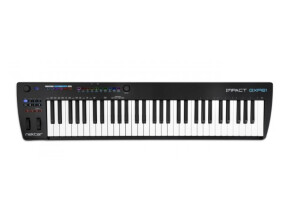
    A great MIDI keyboard controller with all of your desired features is hard to come by today. Either they keys are too flimsy, or there aren’t any drums pads on it, or it has everything and it costs - everything! For my budget and my needs, Nektar’s Impact 61-key controller is a great compromise. I was working with a used M-Audio Axiom 49 controller before I bought my Impact 49. Being very big on playing chords and very dynamic pieces in my productions, 49 keys were not enough space for me to produce my music freely without having to hit the button in order to reach the notes I needed. UTILIZATION I use my Impact controller for everything. I produce my music a Maschine MK1 hardware and Logic Pro X software. I can controller any software instrument I have in my arsenal, and almost any parameter within the instruments or plug-ins. One thing that I can do with this board that I could not do before, is control individual tracks in my mixer within Logic, without worrying about accidentally moving a fader I did not intend to move. This is possible because the faders will remember their position (and within banks). This means that if I set Track 1’s fader to -6db and I move the same fader to control Track 9 and then grab Track 1 again, the fader will not move until I physically move within my DAW until I cross that position with the controller. This is very useful because I prefer to move faders vs. clicking and dragging a mouse to do everything. I can mix entire songs if I want to. The ability to enable cycle mode, record, play and stop are very useful as well. I’m able to control my DAW right from my MIDI keyboard. GETTING STARTED Right out of the box, the Impact 49-key controller has 9 faders, 8 knobs, and 8 pads. The controller is also able to transpose your keyboard with the touch of a button. Most keyboard controllers are only able to shift your keyboard by octaves. If you’re a beginner piano player, this could be useful in tight situations like not knowing a song in a different key than the one you practiced. The pads feel very soft and comfortable. What’s very cool about the pads is that they are programmable as well. On my Axiom 49, the pads control a fixed midi note. With my Impact 49, I can assign any one of my eight pads to any key on my keyboard according to my liking. Nektar also comes with Studio One Artist to get you up and running. But what makes this board special is that you can set it up specifically to function with your favorite DAW (except Pro Tools), allowing you to control parameters within your virtual instruments. You can also bring up your mixer and jump to different tracks at the touch of a button. As much as this board satisfies my needs, there are two things I would have liked to see different. I am big on the keys themselves on a keyboard so I prefer them to be weighted. The keys are “synth” like so they do feel sort of like a toy keyboard. My other gripe would be about the knobs. In contrast to my Axiom, the knobs on my Impact 61 are not 360 degree rotatable. I would think it’s possible, but I am not sure if I will be able to pan my tracks as well as I would with my previous keyboard controller. But they are definitely useful in controlling all of my other parameters on various plug-ins, so all is not lost. PROS Full integrable with your DAW Fader memory Transpose feature Mixer access Assignable pads Affordable for bedroom producers CONS Synth-like keys Knobs are not 360 degrees rotatable

  • « Excellent product »

    The transport panel, and the illuminated key pads, since they help you to know, at a glance, what choices have you made. Usb and Midi connections, pedal (sust) and power line. UTILIZATION Very very easy to install. and start to using it. The only issue I had was with the software i downloaded for the Cubase. They had a Cubase 7 edition and I had the 7.5. During the installation of this program, the software searches a directory of cubase 7 to "drop" the necessary dll files. Since i had no cubase 7 directory, the installation created one. As a result at the end of installation the cubase 7.5 and the keyboard was not working together. So I moved the dll files from cubase 7 directory to the cubase 7,5 and ..... "Problem solved". OVERALL OPINION Value/money: totally worth it. I tried a couple but this one was the best at this range of money. The dedicated buttons for cubase are very helpfull. Although the keys are semi-weighted i was expecting something closer to a piano touch. Of course I am completely wrong not only because initially i am a pianist so i will always searching for my piano but also because M audio saids "SEMI-Weighted"!!! Happy for my purchase? Yes, totally!

  • « Takes some time to get everything synced up as far as mapping goes »

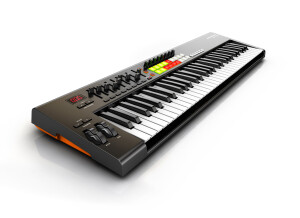
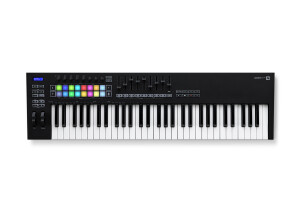
    The Novation 61 SL Mk II is a USB MIDI controller that has 61 semi weighted keys and a handful of knobs and buttons. It comes with a DAW the Automap software. You can use this controller with almost any DAW and Automap it to work with just about any 3rd party plug in or VST. This controller is very easy to use if you take the time to learn how to work with the auto mapping. Or you could just “MIDI learn” some of the options in whatever program you are using with it and save the settings so that every time you open up a new session the task will be saved to the MK II to work those same functions. UTILIZATION Setting up this keyboard is not hard at all; it only takes a few minutes after you load up the drivers. You will then be able to use it right way as a MIDI controller to work the keys in your software and VST plug ins. The pitch and mod wheel on this keyboard is very good and smooth. It moves around like it belongs on a higher end workstation synth keyboard. They keys feel almost the same way, they feel like they belong on a more expensive keyboard (even though this controller cost over 600 dollars). OVERALL OPINION This controller is on the high end of prices when it comes to controllers. I normally would not say it is worth spending that much money on a controller when you could spend a little more money and probably get a board that has some very good sounds built into it and you can use it as a controller as well. But this board truly is built to last a long time and it is made with the best materials. This controller will take some time to get your mapping down right and even your “MIDI learn” options depending on what software you are using. I do recommend getting it if you are looking for something with a lot of knobs because it has 16 of them and even 32 buttons. If you are not concerned with having those functions controlling your software then pass on the MK II.