Log in
EN
FR

32/37-Key MIDI Keyboards

75 products found

Filter
Sort by
Evaluation
  • Reviewed or not
  • Editor’s award
  • Reviewed by Audiofanzine
Availability
  • Available or not
  • Sold new or used
  • Sold new
  • Sold used
Must-have products
  • All products
  • Flagship products
  • Best rated products
  • Hot products
  • Popular products
Price
  • Freeware
  • Low-cost (< $100)
  • Mid-range ($100 - $250)
  • Premium (> $250)
€
Clear
Sort by
  • Popularity
  • User ratings
  • Price - low to high
  • Price - high to low
  • Used price, increasing
  • Used price, decreasing
  • Name (from A to Z)
  • Name (from Z to A)
  • Added on
Sort results
  • Popularity
  • User ratings
  • Price - low to high
  • Price - high to low
  • Used price, increasing
  • Used price, decreasing
  • Name (from A to Z)
  • Name (from Z to A)
  • Added on
Filter results 75 results found
Evaluation
Availability
Must-have products
Price
  • Freeware
  • Low-cost (< $100)
  • Mid-range ($100 - $250)
  • Premium (> $250)
Show results

The best 32/37-Key MIDI Keyboards reviews

The reviews Audiofanzine members found the most helpful.
  • Axool's review

    I like the fact that it's portable and the hyper control integration pledge, but... UTILIZATION Cheap keyboard, but it's OK, considering the format OVERALL OPINION To this day, axiom hasn't released the hyper control drivers for ableton, cubase nor logic. Which makes the DAW integration promises completely false. The situation has been the same for 3 months and M Audio seems not to care about the unhappy users that express themselves in the forums. But that's not all: The key to switch octaves (on ableton 9, anyway) makes you go semitone per semitone, which makes it perfectly useless. It's way of handling MIDI is also a bit strange. Even if you don't change a single parameter it seems to keep sending MIDI, which makes it useless with ableton live, since the latter thinks that you are trying to change a recorded automation, so it deactivates automation reading. I had my doubts concerning M Audio and I bought this product because the mpk mini wasn't in stock anymore. It goes without saying that I will never trust this brand again.

  • « Pretty, compact, useful. »

    Midi controllers, midi controllers everywhere! o/ I chose this particular one because of it's small size, which fits perfectly on my desk just front of my qwerty keyboard. It also features all of the standard controls you'd expect in bigger controllers: 8 knobs, 8 faders, 16 velocity sensitive pads, an XY joystick and three octaves, which should accommodate for most of the day to day midi exercises of the project studio and pro studios that need a desktop solution. It's also very, very sexy with it's metal framing (maybe a bit too korgish for some people) and pretty well made, and 9 LCD 6-letters-long 3-color displays that show the value of either the knob or fader in question and a label of the parameter you're adjusting, the extra one being for a central knob that serves as a setup knob. Sadly though, these cannot be customized (you pick the labels from inside the controller), but on some DAWs like (il)Logic it does reflect the parameters you see on screen. You can run this little cutie on 6 AA batteries, and included AC adaptor or just do it like everyone else and power it directly through the USB port (the square to classic kind). Yeah. UTILIZATION If you've ever used korg's stuff you know exactly what you're getting into: Changing parameters takes a couple of dj-esque moves such as holding a button then pressing another then turning a knob then hitting save to get the job done. It's not a bad system, it's 'color coded' and once you get the hang of it you'll be doing just fine and perhaps look a little cool in the process, unless you take out the manual and prefer to look like a nerd. If you do choose the latter, it's also a very straightforward manual and it shouldn't take you more than 5 minutes to do some troubleshooting. Scene changing is a breeze and you can hold up to 12 in the internal memory, which should appeal to those looking to control several devices during a live show. You can edit these on the included librarian software, but I feel it's much faster to do so on the keyboard itself since the program takes too much mouse work to feel effective. I use it mostly to doodle ideas in Live, and it took some basic .txt programming and tutorials to get it to automatically control the faders, knobs and pads that the software was displaying, and that it does very well after I got that figured out. These controls feel good, more so the knobs than the faders, which feel toyish sometimes. I must, however, say that the pads do suck. They are trash compared to Akai's or M-audio's. When on velocity-sensitive mode, they respond awkwardly and it's never like you intended to, and when used on a fixed velocity, sometimes you get double notes or no notes at all. If pad-drumming is your thing, you'll do better with an Axiom or an Akai MPK. The keys are fine and deliver for said doodling and the three octave range works for me, but they might feel awkward to true piano players. But hey, you did read the 'micro' on the name when you bought it right? OVERALL OPINION It has served me well and it's there where I need to twist or push something in the midi realm, but hardcore key programmers or piano players might want to go for something more pro. I've thought about upgrading to a more sophisticated controller, but somehow it doesn't wanna leave it's place on my desk. I feel it's a good piece for the price, and mine has hold up very well for the last 4 years. That being said, it's a not-that-serious controller, and you an easily go more pro, and you should, if you're a hardcore midi user.

  • « The best mobile keyboard for leads »

    It was launched in July 2013. I needed a small, 3-octave keyboard to accompany my M-Audio Axiom 49 (with the goal of playing pads and accompaniments on the 4-octave M-Audio but most of the leads on a small, sensitive, 3-octave keyboard with mini-keys). There are quite a few options for 37 mini-keys keyboards on the market... but as soon as you start comparing them, the options start shrinking more and more and this Korg is always on top. In the end, this is the only one left standing. Absolutely everything about this keyboard is done to please you. Among the advantages that made me fall for it: - It's velocity-sensitive in a very fine and adjustable way - The keyboard is extremely soft but with a clean Note On triggering, with no odd action. - Octave transposition (it has a range of 7 octaves!) - The two indispensable wheels - There's no need for any particular drivers (you plug into an available USB port, Windows 7 installs straight away its internal driver and you are good to go!) - It doesn't need power supply (unless you use it with an iPad) - It has one USB output and TWO(!) USB inputs! Which broadens the possibilities when you have a micro-computer lacking USB ports for other MIDI devices (it works as a sort of hub for two additional MIDI devices). - It comes with the Korg Kontrol Editor software, which allows you to program it entirely (you can program MIDI messages, assign Control Changes to any key, for example, split the keyboard and assign them to different MIDI channels, modify at will the velocity, create patches, etc.) - A bundle of free software that are no toys, but true VSTIs distributed by big and well-known names (a free license for Korg M1 LE, a free license for Toontrack EzDrummer Lite, a free licesnse for AAS Strum Acoustic Session, a free license for AAS Lounge Lizard Session, a free license for AAS Ultra Analog Session. More than enough to keep you busy for quite some time and it's all of good quality! Plus, 50% off the full Korg Legacy Collection (which is the best of the best when it comes to vintage synths and you can get for only $130!)) UTILIZATION The keyboard is VERY nice. It's truly the best mini-keys keyboard I know. It responds perfectly to velocity, the keys don't have any play, release is instantaneous, you can play really fast (that was my goal when looking for a 37-keys) with perfect control. Even the two wheels are sturdy, perfectly adjusted, without any play and not flimsy at all. There's no aftertouch, but is it really necessary on a keyboard conceived to play fast a fluently? For pads, long sustains and aftertouch I use my M-Audio Axiom 49. Mini-keys with aftertouch is nonsense. Lots of people confuse aftertouch and velocity (which is important on a keyboard with mini-keys to play leads). And the shell of this keyboard is not made of soft plastic like on other models by well-known brands! This small Korg is almost an all-purpose keyboard, despite its 37 keys. I can take it with me when I go into town and also on weekends to the countryside in any bag and I can even take it on holidays without the fear of it getting damaged! Even the two wheels are as solid as on a normal-sized keyboard. One year later it is still in perfect condition despite using it every day for several hours. It is extremely easy to set up: Just plug it in and that's it! (If you want o do more specific things with MIDI messages you can install the Korg Kontrol Editor software and it all works seamlessly). MIDI channel selection is done automatically by all software programs so you don't have to worry any more than you would for any other keyboard. The manual is perfectly clear (in 5 languages). OVERALL OPINION I've been using it every day for several hours since July 2013. What about the value for money, you ask? Unbeatable! I bought it last summer for $150... And now, in March 2014, it sells for only $120 (and in some stores even $110). Would I buy it again based on my experience? Yes, for sure! If I ever need another 3-octave mini-key keyboard in the next months I'll buy this one without wasting any time comparing it to any other products!

  • « This thing is awesome!!!! »

    The Roland A-300 Pro is a MIDI Keyboard featuring 32 keys, 45 assignable transports, knobs and sliders, 8 pads and a pitchbend/modulation stick. This thing is an awesome deal for the price, before I used a M-Audio Axiom 25 keyboard, a comparable model. This one is WAY better, and at a similar price. This one has way more features, and I use it as my exclusive small keyboard. I have a few full size keyboards I use for actual playing, but I use this for smaller applications, and I love it. I'm possibly buying the full size version of this series. UTILIZATION The setup is easy as can be, plug it in and map to Ableton Live. All the controls work and are of good sensitivity. The drum pads aren't too good, but I have an APC 40 and a Novation Launchpad, so I have those covered, since I mostly use this for basslines and auditioning sounds. I love the features packed into this and I love being able to control lots of parameters at once. Also, nothing is complicated to use at all, so it's great for beginners. OVERALL OPINION My favorite thing about this controller is that it has lots of knobs and sliders and transports, over 45! Also, it has a 4-octave keyboard, while most in the price range only have three. This makes it great for working out basslines. I like the sensitivity and feel of the knobs, and LOVE the pitch bend and modulation stick instead of wheels. The only thing that aren't great are the drum pads, they aren't very good. I don't use them much though, so that's ok. I would really recommend this to anyone who needs a smaller keyboard, or a beginner who doesn't need too many keys. It's well built too, so if you can pick one up!

  • « Midi is a must.. »

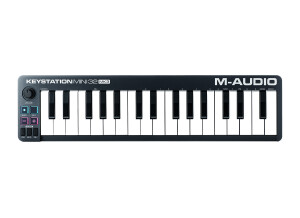
    M Audio KeyStation Mini, is a great midi keyboard. M Audio always brings some of the best midi keyboards on the Market. After using the Axiom 61, I didn’t think that the mini would have much for me. But I gave it a chance and its great, this midi keyboard is very small and portable. I packed it right in my laptop bag with my laptop and had my production studio go anywhere that I went. On the Keystation Mini, there aren’t knobs and sliders that you can use to sync with your software to automate certain things. That is really the only thing that is missing from the mini that is on most other models that M Audio Creates. UTILIZATION Even though this is a small midi controller its still very sturdy and holds up great. Its all plastic but still holds its own weight. I didn’t even have to load the drivers. I just plugged it in via usb and it automaticly was recognized by my windows computer and was ready to use in Cubase and Fl Studio. But if you need to load the disk up to get your drivers in you can and will have no problem doing so. Even if you need to update your drivers M Audio makes it extremely easy to do so on their website you can go on there and update the drivers for free anytime you wish for any of the products that they create. OVERALL OPINION Overall this is worth it, the price is affordable and all producers need a midi keyboard that can be hooked up with usb or with midi cables. You can take this with you anywhere and have your studio on hand no matter where you are so when inspiration hits you are prepared to start creating on the spot.

  • FP User's review

    8 knobs, 8 sliders and a couple of other buttons for play/stop/record and other functions. The pitch and modulation are intergrated in a single joystick, making it easier to control with a single finger. 32 keys, 2 and a half octaves, which is perfect for a compact keyboard. The only concern may be its size: it is compact, but quite big at the same time. MIDI and USB out, perfect for both usage. Price paid: $180 USD UTILIZATION Very easy to use, almost plug and play. All the drivers are included, along with a Sonar music creation program. OVERALL OPINION The M30 is very strong, resistant to shocks. You'll notice its good assembly when it gets right out of the box. Even the weakest parts like the sliders and knobs are very hard to break. It's simply magic, works perfectly, I fell in love! Originally posted on FutureProducers.com Posted by: MC Carlos ( 5-, 2006)