Log in
EN
FR

49-Key MIDI Keyboards

175 products found

Filter
Sort by
Evaluation
  • Reviewed or not
  • Editor’s award
  • Reviewed by Audiofanzine
Availability
  • Available or not
  • Sold new or used
  • Sold new
  • Sold used
Must-have products
  • All products
  • Flagship products
  • Best rated products
  • Hot products
  • Popular products
Price
  • Freeware
  • Low-cost (< $100)
  • Mid-range ($100 - $350)
  • Premium (> $350)
€
Clear
Sort by
  • Popularity
  • User ratings
  • Price - low to high
  • Price - high to low
  • Used price, increasing
  • Used price, decreasing
  • Name (from A to Z)
  • Name (from Z to A)
  • Added on
Sort results
  • Popularity
  • User ratings
  • Price - low to high
  • Price - high to low
  • Used price, increasing
  • Used price, decreasing
  • Name (from A to Z)
  • Name (from Z to A)
  • Added on
Filter results 175 results found
Evaluation
Availability
Must-have products
Price
  • Freeware
  • Low-cost (< $100)
  • Mid-range ($100 - $350)
  • Premium (> $350)
Show results

The best 49-Key MIDI Keyboards reviews

The reviews Audiofanzine members found the most helpful.
  • chromaticism's review

    The ultimate MIDI controller probably has it all in one package: a keyboard with piano-sized keys an decent action, simple USB connection, a wealth of assignable knobs and sliders, and flexbility for use with many DAWs. Price is always a concern for the budget-conscious musician looking for such an instrument, hence it always make sense to get something that would cram all of those much-wanted features in an excellent, budget-friendly package. Here we are examining the Samson Graphite 49 and see if it is that holy grail of budget MIDI controllers. The Samson Graphite 49 is a MIDI controller with 49-key keyboard with piano-sized keys and semi-weighted action. It can be connected to any Mac, PC, or MIDI-compatible mobile devices via USB and is entirely bus powered. It can also be used to control rack-mountable synthesizer modules and similar hardware through traditional MIDI connections (MIDI out and in ports) with power being supplied through a 9V power supply (sold separately). Other than the keyboard itself, the Samson Graphite 49 has pitch bend and modulation wheels, octave up/down and transposition buttons, four trigger pads, 9 sliders, 16 buttons, and 8 rotary knobs, all of which are assignable to any parameter that the user wishes to control. Standard transport control buttons are also available for control over various DAW functions such as record, stop, play, etc. Inspection of the back reveals an on/off power switch, USB port, sustain pedal input, AC adapter input, and MIDI in and out ports. UTILIZATION Connecting the Samson Graphite 49 to a PC or Mac is very straightforward and does not require installation of drivers. It can automatically be recognized by most major DAW software such as ProTools, Logic Pro, Cubase, and Cakewalk Sonar. As a control surface, it uses the Mackie control surface protocol and it will usually be recognized as such. To improve compatility with other DAWs, the programming of the Graphite 49 can be changed from the default program to other more-specific DAWs such Cakewalk Sonar, Logic Pro, Ableton Live, and Cubase. Loading one of these programs will enable to Graphite 49 to assign its controllers to most common and useful parameters for a particular DAW title. Although the Samson Graphite 49 is simple enough to start using without the aid of the manual, the manual provides clear instructions with regard to adjusting parameters, using programs, etc. The semi-weighted action of the keyboard is a very nice feature, comparable to that of the action found in other semi-weighted keyboards like the Yamaha SY77. It was pleasing to know that playing the keyboard doesn't feel rubbery at all, and it just has the right amount of resistance that facilitates playing fast synth leads, organ glissando, and pianistic passages on occasion. The keyboard is velocity sensive and has aftertouch control, making the Samson Graphite 49 a very expressive keyboard controller. The octave up/down and transposition buttons are conveniently located above the pitch bend and modulation wheels, allowing the player to switch registers seamlessly. The trigger pads are velocity sensitive as well, the sensitivity of which is also configurable. Because there are only four trigger pads available instead of the de facto standard of eight, the Samson Graphite 49 makes up for it through a pad bank switch. Although you can play a couple of drum and percussion rhythms with the trigger pads, you will most likely play drum fills involving toms using the keyboard because you can only use four trigger pads at a time. One neat feature is that the nine sliders could be set into drawbar mode i.e. parameter values are increased as you pull the sliders downward, which is very useful for emulating a Hammond organ. In terms of controlling DAW functions, the Samson Graphite is a very good control surface where the sliders work well as volume faders, the rotary knobs for pan control, and the two rows off buttons below can be assigned as mute and solo buttons per track. OVERALL OPINION A number of my favorite characteristics of the Samson Graphite 49 is the semi-weighted keyboard with aftertouch, transport controls, and a vast array of assignable controllers that allow me to do things such as analog-style control over synthesizers and physical control over recording/mixing/mastering in a DAW. I also really liked how easy it is to use in a performance setting. I usually use it with Mainstage 3, and the controllers are very easy to assign and are very responsive. Another positive thing about it is it is cheaper than most MIDI controllers of the same caliber/functionality. Lastly, I really appreciate that it is light enough to carry around with very minimal risk of injury. I do think that the Samson Graphite 49 could be better if it had more trigger pads (at least four more), and it is also part of my wish that Samson would soon release a version with an 88-key hammer-action keyboard. Overall, I do think that the Samson Graphite 49 gives you a lot of bang for the buck with its wealth of features: PROS: - Semi-weighted keyboard with aftertouch - Plenty of assignable controls for both live and studio use - Presets for various DAWs - Lightweight, portable design CONS: - Only has four trigger pads

  • Audiofanzine FR's review

    (Originally written by barbilux/translated from Audiofanzine FR) I was looking for a compact keyboard to play my hardware and software synths (I already have an 88-key model). This keyboard provides after touch (very good) but I miss a breath controller connector. Sustain and CC7 (volume) use the same input connector so you'll have to choose one. UTILIZATION Good playing feel, which doesn't mean a lot, the dynamic response is more important and I like the way it is adjusted because the playing is very responsive! Many functions and it's rather difficult to remember all of them. The small three-digit display is not enough and you'll have to search in the user's manual pretty often. The function buttons are convenient. I don't use the software. OVERALL OPINION I've been owning it for two years but I don't use it that often because I placed it on my DAW's desk and I don't like to play when the keyboard is too high. I can't say if it's sturdy but I think it was conceived for home use rather than stages. The plastic keys don't seem to be very sturdy... It's ok to trigger instruments in my DAW but a five-octave keyboard would be better to play with both hands. I like the USB connector and the blue LEDs. You get a very comprehensive Midi interface at an affordable price. I had no problems with it in spite of all the things I read about its reliability.

  • moosers's review

    The Yamaha KX49 is a MIDI controller designed for use with your DAW. It has 49 keys, although they do make versions of this keyboard that have more keys and the same make up if you're looking for more keys to work with. The KX49 has a MIDI input and output as well as a USB port. You can power the KX49 with the USB port, so you don't need an external power supply if you're using this with your computer, but it does have a power jack if you need it. The controller also has a 1/4" connection for your sustain pedal and both pitch and modulation wheels. UTILIZATION The make up of the Yamaha KX49 gives users a lot of control over what they can do with. It has all sorts of assignable parameters in the form of both knobs and buttons, as well as an LED screen to navigate with. In addition to your standard MIDI controller features, it also has a section for controlling your DAW, which includes transport buttons and some specific controller for Cubase, which I believe comes with it although I haven't used it with the keyboard. The KX49 definitely offers up more versatility than most MIDI controllers out there, as there is a lot going on with it that I haven't even needed or had time to check out. I haven't seen the manual for the Yamaha KX49, but I'd recommend having it around if you're looking to learn all the ins and outs of the controller. OVERALL OPINION These days you certainly have a lot of different choices when it comes to MIDI controllers. The Yamaha KX49 isn't your typical controller, as although it might not have a cutting edge look like a lot of today's MIDI controllers do, it has an extended amount of features that definitely aren't commonplace. Since Yamaha is a such a large conglomerate, they can afford to offer up high quality products like this at prices that will blow most companies out of the water. This is definitely the case with the KX49, as I really think you're getting a great deal with it and a lot of bang for your buck. If you're looking for a MIDI controller that isn't limited in it's features, definitely consider the Yamaha KX49.

  • « Does its job fairly well! »

    I make soundtracks for videogames and after more than enough time writing all the lines for my midi instruments in Logic’s piano roll I decided to buy a controler to make the whole production process faster and more musical. The chosen one was this M-Audio KeyRig 49. It has four octaves of velocity sensitive keys (but no aftertouch!), a modulation wheel, a pitch bend wheel, a volume fader, octave up/down buttons, an ‘edit’ button (more on that later), sustain pedal input, on/off switch, finally the usb port to connect it to your computer (no ac needed), and absolutely nothing else. Construction is pretty good, but feels like it would get damaged if you drop it from a not so short height. No worries if you're always leaving it in the studio, just keep the box in case you need to move it somewhere else. Overall I really like the clean no-knobs look of it and its silver color. UTILIZATION On a Mac you simply plug it, Logic recognizes the new midi in and you can start playing right away. If you're a piano player you probably won't like the weight and overall feel of the keys, they're plastic-y and very light. I (not a piano player at all) also prefer heavier keys, but these ones will do the job just fine. The only time I've ever read the manual was when I wanted to learn how to send the midi data to a channel different than one, and this is how you do it: press the 'edit' button once, the red light above it starts blinking, then you press one of the keyboards white keys for the desired channel (from D1 up), so: D1 for channel 1, E1 ch2, F1 ch3 and etc. I find it a clever way to reach a function like the midi channel select with only one button and the controller keys, very usefull if you like to have many instruments in the same instance of Kontakt, for example. The Keyrig probably has another couple nice things hidden in the manual, but seriously, I've never really bothered reading it past the channel select thing, never felt the need to. For a long time I didn't feel like I was being less productive for not having knobs or faders or pads on the controller. Even if I record an automation with that I always end up polishing it later in the mix, inside Logic. If you also do it, you probably won't miss the knobs too. OVERALL OPINION I've tested many other controllers and keyboards from friends before buying the KeyRig 49, and think I've made a really good choice. For me and for my job, a midi controller is a tool that helps you have ideas faster: it's way more musical and productive to play around with a few keys to find a melody for a theme than to write it all on the piano roll or score editor and hit play on the DAW to hear how it sounds like every time you change a couple notes. The KeyRig does that without the extra clutter (and price) of a lot of knobs and pads. One thing that would be cool though is the aftertouch, its a nice and visually clean way to control a parameter in many virtual instruments that I miss here. Being a 49 keys controller I wouldn't call it exactly portable, but its also not huge and, compared to my LPK25, the two extra octaves are indeed quite useful to hear how a bass line sounds against a melody, to quickly make and visualize really open chord structures or the full note range of an instrument (or at least most of it). The LPK25 obviously wins on portability - and I have one because out of the studio two octaves are still better than none -, but I think that the KeyRig has a good bit of both things: its big enough to give you possibilites, but small enough to be carried around with not much hassle. So if you really don't need all the bells and whistles of a full-featured midi controller, get a keyrig, you won't regret it.

  • JoeW1's review

    Some of the features that motivated my choice were the 49 semi weighted keys with a very powerful touch and sensitivity response , the Hyper Control technology that is a time saver. There are two type of controls , both midi and pedal based. UTILIZATION The general configuration and setup is quite simple , thanks to the technology that comes with this product , you get an instant connection with your working DAW trough the Hyper Control feature. The manual is greatly designed , very easy to follow and visually well placed. The patch selection is quite amateur friendly , you get a blue screen where you can choose your presets and even forget about working with your mouse. OVERALL OPINION What I like most about it , are the 49 semi weighted keys , the hyper control technology , the knobs , the 64 midi controls , that useful blue screen where you can control everything that's happening in your DAW. What I also like about this product , is how close M-audio got to emulate a real acoustic piano to a midi controller , the keys feel very good , the touch and velocity response is on a completely new level. My opinion about the value for the price is great , this product costs around 500 $ on amazon , but having these features on your demand , it will make a huge difference in your songs. Precision and quality of the sound is perfect , the response from the midi controller is very precise , you can create crazy syncopations and your controller will respond properly to it. I've tried several models , from different companies , getting this level of control with only 500 $ is great , AKAI also has some decent midi controllers , but m-audio axiom pro 49 is the leader here. Knowing what I know , I would buy this controller again.

  • « FUN »

    The Akai Professional SynthStation49 has a built in place to put your iPad right on the face of the controller. This was very appealing to me and the main reason why I purchased it not too long ago. I have an iPad version 1 and it works great with it. I love being able to just put my iPad on there and play no matter where I am. It does come with software that you can download for you iPad to use as like your “DAW” even though it really isn’t a DAW. UTILIZATION Setting it up is very simple, it only takes a few minutes. The issue is, when it comes to using this MIDI controller with other APPS on my iPad. That is where it begins to not act right and start to lag and get glitch sometimes. Even in a basic piano app, I have notice a pretty big lag between the time that I push the key and hear the sound. OVERALL OPINION This is compatible with all versions of the iPad, 1, 2 and 3 (not sure about the mini since it has not be tested yet). The best part about what you will love with this controller is how much fun it is just to put your iPad on there and start playing. If you do not own an iPad then I would not get this controller because you really won’t have a use for it. Fun is all this is to me, I could not see myself making any “real” music from my iPad so it just turned into a fun thing to have around especially if I go over a family member’s house and just want to play some music. There is a ¼ audio output on this unit and a volume knob so you can control how loud it will be in your headphones or going to your speakers or other gear. Another great thing about the SynthStation49 is that it will charge your iPad while it is on the controllers dock. That is an added bonus that I did not expect it to do.

  • « Had some issues with drivers »

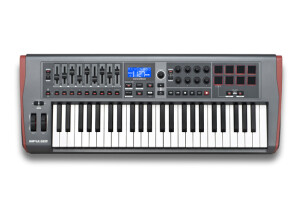
    The Impulse 49 is a 49 key MIDI controller that has semi weighted keys, but for some reason the keys do not feel like they have any weight to them at all. They feel cheap and plastic like, which I thought was odd because the knobs and sliders all feel well made. There are over 25 knobs and faders and each one of them feels well made and seems like they will last a long time. There are also 8 drum or trigger pads on this MIDI controller, they are not MPC pads but they will do. UTILIZATION I have been through so many different MIDI controllers because I can never find one that I really like enough to stick with full time. I only used this controller for about 3 months because of the way that the keys felt. They felt very similar to the keys on the Behringer U Control MIDI controller, though they say they are weighted they still don’t feel like it. OVERALL OPINION You can use this MIDI controller with whichever DAW you use, it will work on any system and with any software. I mostly used it with Cubase, Logic, FL Studio and some Ableton Live. It never gave me any compatibility issues with any of those programs. When you purchase the Impulse 49, it will come with a copy of Ableton Live lit and depending on where you purchase this from you might get the Loopmasters sample library and even some more good software. You will need to have a 32 bit Windows system to run this, unless you are on Windows 7 and in that case it can run on 32 or 64 bit. I had issues with Windows Vista 64 bit with this controller, it just would not work right so I had to keep it on my XP computer. It would not work right on there either so I had to download the service pack 3 from the Windows page and then it worked. I just was not happy with all of the headache that came with this board.

  • « expensive but it has alot of functions »

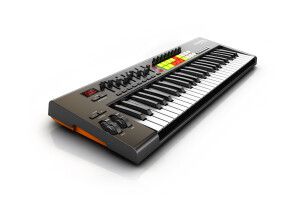
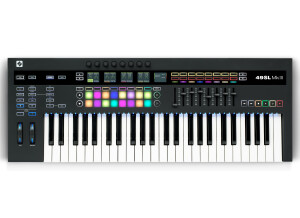
    I used this MIDI controller back in 09, it is a 49 key MIDI controller with semi weighted keys. There are over 50 total fully programmable buttons and knobs that you can use to control your functions in your DAW. You can use this with any computer that has a USB 2.0 port or you can just use it via MIDI connections. With the Novation 49 SL MK II you have the options to use it via USB to power it or you can power it from a wall plug (the wall plug did not come with mine). UTILIZATION Setting up this MIDI controller and the software that comes with it is very simple. It will all depend on which computer and OS you have to make sure you get the right driver installed but after that you can use it right away. Now loading up the software that comes with it might take a little more time because it does come with a bundle of software that you can record and edit with. OVERALL OPINION The 49 SL MK II comes with MIDI ins and outs (through, in and 2 outs) and it has a dedicated transport control. First look at this controller you would not think that it is portable, but it really is. It is light and easy to take around with you and if you use it via USB then you won’t need any other cables. The thing that I did not like about this controller is the price. I feel it should have been a little more affordable, I would respect this price if it came with better software or some really good VST instruments to use. But the software that it comes with is average at best and the price is over 500 dollars. There are other controllers that are just as good and cost much less.

  • BeyondR's review

    Characteristics that motivated my choice was it's great price and 49-key velocity-sensitive semi-weighted-action keyboard with assignable aftertouch, DirectLink mode automatically maps faders, buttons, and encoder knobs to common DAW and virtual instrument parameters,9 assignable faders, Intuitive custom LCD display, centered on keyboard for optimum visibility and many other cool features like 8 assignable trigger pads, Assignable pitch bend and modulation wheels, etc. It has a midi connection and also 2 assignable pedal inputs. UTILIZATION The general configuration of the program it's very simple , it has a printed quick start guide, also a PDF Guide. The manual it's well structured, it builds a great understanding of the controller, and it's build-in features, like 8 assignable trigger pads, 8 assignable rotary encoder knobs, 9 assignable faders, and other features. The channel selection is quite simple, however you should really get into the details from manual so that you can use it more freely and getting faster and better results. General setup is quite fast, the great benefit of M-audio Axiom 49 2nd generation is the DirectLink feature. OVERALL OPINION What I like most about are the 49 piano-style, semi-weighted keys, that provide a great feel, I like the knobs, the drum pads,assignable pitch bend and modulation wheels,the LCD display centered on keyboard for optimum visibility that makes the creative flow to happen much more faster. It's compatible with Windows XP, Windows Vista, Windows 7, and Mac OS X. I really like that it's usb powered but you can use also an external source. Quality and precision of the sounds is beyond good, I really feel like I'm playing a real piano, how the keys feel, the sound that they provide, it works for me and the price it's great also. There are several type of midi controllers, however if you're willing to give more less 300$ you should try this controller, it's really handy and Pro.

  • « Great entry level midi controller. »

    Being honest, I bought this midi keyboard as a cheap replacement and a temporary (at the time) measure. There is a decent pitch wheel and a modulation wheel on it which serve basic needs brilliantly and effectively. The interface of the keyboard is very easy to use and would be great for anybody just starting up in music production. It connects VIA USB into a computer and is plug in play with no drivers needed to use. It comes with a free Ableton LITE disk whch is very handy for the starter. There are no pedals or any real extras that come with the keyboard, it is a pure midi keyboard as they come. UTILIZATION The set up is as simple as it could possibly be. Literally plug in and play after setting it up in your DAW of choice. When I bought it I first installed Ableton Lite as I wanted a change from FL studio for a while. As stated earlier, this is great for the starter as they don't need to do much research to get straight into production. There are no patches with the keyboard as it is simply just a midi controller. There are octave buttons if you require to go over the 49 keys that are there which are easily reachable from lower octaves. OVERALL OPINION I like how it is cheap and readily available for the entry user. I would reccomend this keyboard to anybody who is looking to start out in music and wants a quick introduction to production. I have had many other keyboards in the past "superior" to this one but I am not even bothering to re upgrade as the Q49 does exactly what it is meant to do. Knowing what I would know now, I would have originally got this "cheap" keyboard instead of splashing out on more expensive models that only went on to break!

  • FP User's review

    The Korg Kontrol49 comes with lots of features. I haven't figured them all out yet. But the ones I have used are neat. The Korg comes with eight sliders and eight encoders plus one master encoder, which allow you run scenes which you can store on your computer in a program called Kontrol49 editor librarian. It's a very efficient way of getting to the sounds you need. The only down side that I can think of is demo software (NOT Korgs Legacy Software) the other software. Like Reason, lounge lizard, there's another one but I can't think of it's name right now. They don't let you use the software long enough to make an intelligent dicision about them. With the Korg software you can take a year or more to decide. Because of the way they made the demo software. It's the full version without the abillity to record or save. Also while you'er playing a hiss sound play over what you play every few minutes. So what! I played with Korgs software long enough I've already decided to buy it. It was the fact that I could work with the software in the demo version that convinced me to buy the full version. The other software companys should wake up and smell the coffee your in business to make money hello! Korg is! Are you?! Price paid 399.00 UTILIZATION Very easy to use. My cmputer freezed up a couple of times but that was because I had too much other stuff on it, like a flight simulator, ect. That suff is off now. My computer works just fine. I don't plan on taking my Korg on the road bcause I' not a musician. I'm a magician. I bought the Korg so I could make some instrumental music royalty free for my show. So for me the Korg is built just fine. OVERALL OPINION My Korg midi controler when hooked up to my Toshiba Laptop has an incredible sound. It's full and can sound mellow at the same time. When used with the Korg Legacy software it's amazing the different sounds you can make by taking just one sound and tweeking it with the Kontrol49 sliders or the encoder knobs. Even moving one slider a little bit changes the sound. You have hundreds of sounds to choose from. I saw the Eagles Band playing on T.V. there in the back ground was someones keyboard and it said &quot;KORG&quot; at that time I was thinking of buying a keyboard or keyboard controler. When I saw that Korg I was hooked. The rest is history. At the present time I'm waiting for delivery of the full version of Korg's Legacy software with the MS-20 synth along with it! That's also a Korg!! I'll let you know about that after I've played with it for a while. Originally posted on FutureProducers.com Posted by: konjecer ( 8-, 2005)

  • FP User's review

    Nothing i havent noticed really $50.00 USD UTILIZATION None at all just plug the damn thing in It looks pretty durable just treat it right and it'll love you back OVERALL OPINION My favorite part about the controller is that it is so easy to hook up, plus its so lightweight and has enough knobs to do what you need to do and none that you dont need It is your basic midi controller nothing more nothing less all of what you need and none of what you dont Originally posted on FutureProducers.com Posted by: Ganjabreadman45 ( 4-, 2006)