Log in
EN
FR

Korg MIDI Keyboard Controllers

32 products found

Choose a series
Sort results
  • Popularity
  • User ratings
  • Price - low to high
  • Price - high to low
  • Used price, increasing
  • Used price, decreasing
  • Name (from A to Z)
  • Name (from Z to A)
  • Added on

The best Korg MIDI Keyboard Controllers reviews

The reviews Audiofanzine members found the most helpful.
  • FP User's review

    Nothing is missing, for most purposes. That's the thing about this unit, it has has almost everything you could possibly need, short of 88 weighted keys or built-in sounds. The librarian software is going to be your best friend when going from MIDI map to MIDI map, but fortunately the unit can store up to 12 or 16 "scenes" at a time, so if you have 12 different soft synth instruments each needing a different controller map, you will only need to load all twelve scenes in from the librarian software and you're done. Shut down your computer, it'll remember. It's awesome. It even lets you label your sliders and knobs. So for example if you use the sliders and knobs as a mixdown console controller, you can label each slider with the channel name. Or you can use the sliders and knobs as effects parameters, and each parameter can be labelled. The labels are displayed in red and green LED/LCD displays. So not only is it impressively handy, it's impressively fun to look at. The drum pads light up, too, in green (standby toggle off) or in yellow (standby toggle on or note send). Price paid: $399 USD UTILIZATION This unit is incredibly usable. My only complaint, if it is a complaint, is that there are so many customization / configuration features available between it and the librarian that sometimes I get bogged down trying to figure out what I want to do. But I consider that a feature, not a flaw. I slide the unit under my desk shelf where I can still reach the keys if I need to, or I can pull it right back out. It's a perfect fit. The keys are perfect. They're full-size. There are forty-nine of them (hence the model name/number), making this bigger than the typical smaller MIDI controller, but smaller than the standard 61-key, 76-key, or 88-key MIDI workstation unit. I consider that the perfect compromise, because it's big enough to get a lot more jobs done, but small enough to be portable to take anywhere with a laptop. o Latency - How long does it takes between playing a note to getting the signal outputted on the other end of the MIDI cable? To that end, I will say I have experienced no problems with latency. Of course, you will need a decent computer with a fast processor and ideally a sound card with ASIO support. o Demo software - The KONTROL49 comes with demonstration versions of KORG soft synths. They sound great, considering that they're legacy synths, but since they are demos I don't use them; nothing like trying to sample some interesting sound and then being blown away by a loud white noise sound. Worse still to not be able to save. o Key clicks, squeaks, etc. - The keyboard and buttons on KORG's hardware are pretty much like any Korg keyboard. No problems here, feels great, although without being weighted it's great for certain uses (i.e. inputting a melody for electronic music). OVERALL OPINION The KONTROL49 is made with Korg's standard quality of workmanship. It's not a piece of junk or a toy. It's road-ready, just like its distant nth uncle, the Triton. The unit comes in a box packaging with styrofoam and a plastic handle, so you can reuse the box as a carrying case if you like. It's also pretty lightweight, making the unit very portable. She's a sexy beauty. I couldn't stop slobbering in lust over the thing when I stood over it at Guitar Center while looking for a MIDI controller as a first investment in a decent home MIDI studio. She's everything I hoped she would be. What a babe. Originally posted on FutureProducers.com Posted by: Xiaoth (January 1-, 2005)

  • « "Your best travel midi companion" »

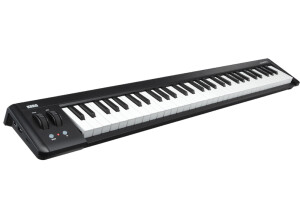
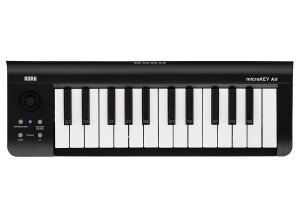
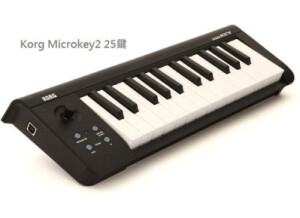
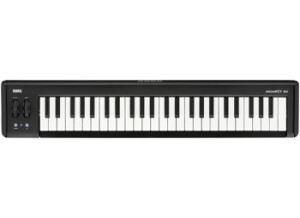
    The Korg MicroKey is a USB - bus powered midi keyboard that comes in 3 different key - options. 1) Original 37 key model. 2) 25 key model. 3) 5 octave 61 key model. The keys are extremely velocity and touch sensitive, which is one of the main attractions of this keyboard that pushed me to get this one. The 61 key model is essential for live keyboard performance, having a pitch and modulation wheel knob along with the octave UP/DOWN buttons (+3/-3). The 37 key model also has the previously mentioned wheel knobs with octave shifts up-to +4/-4. The 25 key model is a smaller version of the 37 key version, but has a joystick that acts as the modulation/pitch-bend along with the sustain and arpeggiator function, having an octave shift of +4/-4. The MicroKey is designed to replicate a natural touch performance similar to the microKORG XL and the microARRANGER. The 2 extra usb ports (Type A) available in the 37 key version was one another reason why I purchased this midi keyboard. You can connect any of your other Korg midi devices (for e.g, the NanoKey or NanoPad) to the MicroKey and expand your production setup a step further. Plug your MicroKey into your Mac (From OS X 10.5 and onwards) or PC and start playing. No driver needs to be installed or any additional software needs to run to use this. Plug and Play! This weighs around 1 kg only and is a very light weighted device (Have to feel it and experience yourself). Another feature that caught me was that you can now connect the MicroKey to an iPad (At-least iOS 5.0) with any core MIDI supported application and start playing and recording. This is very helpful for mobile musicians who are always on the go. Using the Korg Kontrol Editor software (provided with the purchase and also available for download), customise the MicroKEY for your personal taste. Choose from eight velocity curves and/or fixed velocity, specify the control change number of the modulation wheel or joystick and specify their maximum and minimum values. UTILIZATION Using the MicroKey takes only around 1 minute of your time and is that simple. Plug and Play. Start playing and recording according to your requirements and enjoy the velocity sensitive performance. The configuration is absolutely easy. Since this is a digital midi keyboard that can only recognise numbers and only be used to transform digital information via your system to trigger your sounds, there are no inbuilt patches or specially made sounds produced from within the MicroKey. The Manual is very clear and well taken care of. Ranging from general precautions from how to use the keyboard, explaining and defining every single part of the midi keyboard, Korg makes sure, the user inherits a complete idea of safeguarding this device. I have not faced any situation leading to troubleshooting this device or for a factory reset stage. Anyways, Korg explains and instructs us what to do in these situations as well. OVERALL OPINION The quality of the hardware construction of MicroKey is, of-course, having the Korg signature style. Sleek and smoothly black in colour. Performing on the MicroKey gives you a disciplined playback. As some of you might already now the pricing tags made by Korg is usually very high (even for the smallest products), the MicroKey is also not behind in this. With $125, I would say, this is fairly priced (For me). Though there are cheaper midi keyboards that I have used earlier, the MicroKey is well made, tough and durable. For travelling and mobile applications, this is very efficient and user friendly. Pros 1) Extremely touch sensitive. Natural velocity reproduction. 2) No driver needs to be installed for use. 3) Very user friendly. Smoothly accommodates into your travel/work bag. 4) The pitch-bend and modulation wheel is very detailed giving you even the slowest movement bend. 5) Light weighted. 6) Additional Korg bonus software coupons available for download upon purchase (Discount coupons vary with the model purchased) 7) Optional travel case available for purchase. 8) Two additional USB hubs. 9) USB cable provided along with the keyboard. Cons 1) A bit over - priced. 2) 3 models could confuse the purchasers (Should I buy the big, small or smaller one?) 3) Comes only in 1 colour. After conducting fair amount of research only, I had resorted to the MicroKey. I love working with this and will stick to it for another couple of years, hopefully.

  • moosers's review

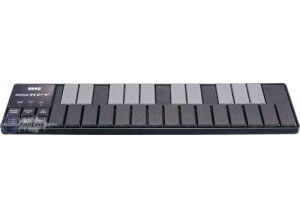
    The Korg NanoKey is a small USB based MIDI controller. It's perfect for bringing on the go and for getting quick ideas. The keyboard has 25 keys, all of which are mini and it's not a realistic feel for a keyboard instrument, feeling more like a computer keyboard than an instrument keyboard. This is definitely best suited for use with a laptop when it might not be possible or necessary to have a bigger MIDI controller. There isn't much that you need to know about getting the NanoKey up and running as it's a simple plug and play controller, although you probably have to install a drive on a PC. It doesn't really have any connections beyond the USB port, but in situations where you're going to be using this, that's really all you will need. UTILIZATION It's not at all hard to operate the Korg NanoKey controller. In addition to the 25 keys, it has octave up and down buttons, pitch up and down buttons for shifting, a modulation button and a CC mode which allows you to use the keys to control MIDI assignable controls for your parameters on your virtual instruments and the like. The keyboard itself certainly is not as smooth playing instrument, but again it's not meant to be used as a traditional instrument like that. It's really just meant to be an extension of your computer keyboard and to have a piano like keyboard that gives you quick access to notes for laying down simple MIDI parts or getting ideas down. I wouldn't expect this to replace your regular keyboard MIDI controller... OVERALL OPINION The Korg NanoKey is a unique product and is definitely one worth checking out if you think you might benefit from a mini, portable MIDI controller. It of course doesn't have the most options in the world or anything close to a realistic piano feel, but it does the job for getting a simple idea down or laying down other MIDI parts. It's cheap enough where it's probably worth picking up if you think you could use it as I can definitely see if being helpful on the go with your laptop. This isn't for everyone, but for those who might need it, it can be very helpful to have.