Log in
EN
FR

Other computer music gear

1606 products found

Categories
Filter
Sort by
Brand
Evaluation
  • Reviewed or not
  • Editor’s award
  • Reviewed by Audiofanzine
Availability
  • Available or not
  • Sold new or used
  • Sold new
  • Sold used
Must-have products
  • All products
  • Flagship products
  • Best rated products
  • Hot products
  • Popular products
Price
  • Freeware
  • Low-cost (< $450)
  • Mid-range ($450 - $2,000)
  • Premium (> $2,000)
€
Clear
Sort by
  • Popularity
  • User ratings
  • Price - low to high
  • Price - high to low
  • Used price, increasing
  • Used price, decreasing
  • Name (from A to Z)
  • Name (from Z to A)
  • Added on
Choose a category
Selected category: Other computer music gear
Sort results
  • Popularity
  • User ratings
  • Price - low to high
  • Price - high to low
  • Used price, increasing
  • Used price, decreasing
  • Name (from A to Z)
  • Name (from Z to A)
  • Added on
Filter results 1,606 results found
Brands
Evaluation
Availability
Must-have products
Price
  • Freeware
  • Low-cost (< $450)
  • Mid-range ($450 - $2,000)
  • Premium (> $2,000)
Show results

The best Other computer music gear reviews

The reviews Audiofanzine members found the most helpful.
  • « A NEW ERA has started! »

    The MPC60 & SP1200 will be remembered as legends, and in between MIKO timbaland will be remembered as the beginning of a revolution :oops2: USE Easy once set up properly Used with REAPER software Many included presets 0 latency touchscreen works on windows XP - yes, as of now XP is no longer updated, Microsoft has turned the page. When it came out it was very powerful but now it mostly looks like a retired champion. the miko is noisy (fan), just like a low-end home PC when used for hours. SOUND QUALITY BACK IN 2008 this was a real war machine and well enough to produce a nice single. Soundwise, I had paired it with apogees clock and converters and the sound was simply beautiful. Thanks Apogee. OVERALL This synth had a high potential, almost a precursor in music but now with the computer music market and perpetual evolutions in music you only get outdated too soon :oops2: MY PERSONAL EXPERIENCE : I had a lot of problems with mine: motherboard out of order and a factory resetwhich cost me $2000. I still use it because it contains all EMU soundbanks, otherwise it looks way better than it's useful

  • « The hardware VST box you "love to HATE", but just can't do without! »

    This little box here is definitely the most "controversial" piece of gear over the past 11 years. The V-Machine had a great run for several years almost a decade ago, but Harmon bought-out SM Pro Audio and ceased its manufacture "and all support", ...at the same time leaving their website up (I guess to "tease" everyone). The V-Machine is a VST host hardware box, although it is not that powerful by today's standards and somewhat (sometimes extremely) difficult to load VSTs into (from a computer), ...that is until you understand everything about this unit (if you're a "geek" like me). On the positive side, it can be plug-n-played right out of the box, and that's OK ....works great! ...and is loaded with a lot of very useful sounds. The pre-installed VSTs you get varies depending on the "version" you have and the "geographic area" the unit was marketed for). ...but most want to load other/better sounds/VSTs into it (hey, isn't that what it was made for?). ...and that's where things get complicated. It is "definitely" NOT user-friendly in this aspect. Many (if not most) have had a very rough time with this thing and eventually ditched it. Most of the hardships stem from lack of resources/power of the unit itself, and lack of ease of importation of plug-in files to the unit due to license security, Windows (Linux Wine Layer) registry issues w/some VSTs, and (most of all) complete lack-of-support due to the company shutting-down (thus, lack of Wizard files and other updated files). Some have complained about the internal CPU "fan"-noise, which really doesn't bother me. I use the box for live performance so I really don't see or have a problem with this, and "if" I was recording via its output jacks ...you wouldn't hear the fan anyway. One of the other weird quirks with the box is USB sticks. The unit sometimes does not work well with certain brands of USB thumb-drives, so it's been reported to use SanDisk Cruzers. On a positive note, the unit can be slightly upgraded, which in turn fixes issues with some VSTs (crackling, polyphony, drop-outs, etc.) and overall enhances its usefulness. The internal memory can be safely upgraded from 512Mb to 1Gb, and the internal storage (CF disk) can be safely upgraded from 1Gb to 8Gb. I have performed these upgrades on my units as shown in the upgrade video by Matszh on YouTube. https://www.youtube.com/watch?v=QsWEKR6tEFM. There is also a 3rd-party website completely dedicated to support of the V-Machine that has all the manuals, tutorials, VXF client program files, wizard database files, etc. at https://bahmi.com/vmachine/. The most comprehensive document on the V-Machine (in French, last update 2018) can be found on Audiofanzine as a .PDF. at https://medias.audiofanzine.com/files/sm-pro-audio-v-machine-aide-memoire-ld-476333.pdf. So in general, this unit is old, outdated, and has issues. However, the bottom-line is, even in 2019 ....THERE IS NOTHING OUT THERE THAT DOES WHAT THIS BOX DOES FOR THE PRICE ($150 to $300). You would think that SOME company would have come along and picked-up where SM Pro Audio left off, since there still seems to be quite a demand for a unit like this. The only alternative and next-step-up would be the GSi (Genuine Soundware) Gemini for $900 or a Muse Receptor (now the Peavey Muse-box) for over $1K. BUT, ....once (or if) you get past custom-loading and setting-up this box properly, ...IT ROCKS! I am completely blown away at what comes out of this little 7"x5"x2" box that I can hook up at a gig in one-to-two minutes. Yes, it is limited to using older VST/VSTi's that are NOT "resource-intensive". However, the good news is that some of the best older VST sounds out there (and are some of the ones I currently use on my laptop) such as VB3, Lounge Lizard, OPX, and Messiah come on an included disk called the "Classic Keys Collection", which is "what gives this little box its worth and usefulness". I am an organ-freak, and my personal opinion is that this box running the GSi VB3 organ/leslie emulator out-performs other hardware organs like Ferrofish B4000+ and the Korg CX-3 (both of which I have owned and tested). I now own three of these units. For live use, it quickly plugs and plays, is very stable, and VST parameters can also be controlled via "external knob/slider controllers" in real time during performance. I am currently using one of my V-Machines completely dedicated for control by my sax and EWI, mostly to run the GSi MilesTone trumpet VST triggered by a transducer on my sax thru a pitch-to-MIDI converter. Beware of buying one of these through Amazon.com, no matter who the seller is. The Product Title/Header always "falsely" states that the unit comes with the "Classic Keys" Disk, but when you scroll down to the product Description area, it always has a disclaimer that says it "does not" include it. If you want one, try to get one with a Classic Keys Disk and seek purchasing it thru Reverb.com or other seller.

  • moosers's review

    The Sonuus G2M is a guitar to monophonic MIDI converter designed for the everyday consumer. Before this (that I've seen at least), the cheapest device that could convert guitar signals to MIDI was the Roland one, which requires a pick up to be installed on your guitar. While this is indeed only monophonic, as opposed to the Roland which is polyphonic, the price of the G2M is unbeatable at only $100 US. The G2M is a digital device - so small and light it will surprise you with what it can do. It runs on a nine volt battery and has 1/4" connections for guitar input, thru (to amp or elsewhere), and a MIDI output to send to your MIDI device - I've been using a Yamaha Motif and the virtual instruments on my computer for this. It's not rackable - it's more or less a hand held device that should sit on your amp. UTILIZATION It's super easy to set up and start using the Sonuus G2M as it's as easy as plugging in your guitar to your MIDI device and that's basically it. The thing that you'll need to get used to is playing your guitar with it in terms of the MIDI tracking. Overall it plays quite nice for what it does, but it does take some getting used to as in order to properly trigger the MIDI notes you need to play very cleanly. Of course more experienced ax-men will have an easier time with this. It does come with an extensive manual but won't be completely necessary for everyone. GETTING STARTED The Sonuus G2M doesn't make any sound of it's own of course, as the sound will only be as good as your MIDI device. That being said, it's a great tool for all sorts of reasons, but the capacity that I use it in is for blending my guitar parts with MIDI sounds. Especially for a guitar solo it can sound really cool to have a synth perfectly doubling your part. There are a lot of ways to use the G2M, this is just one way... OVERALL OPINION Overall, the Sonuus G2M is an awesome little device for an even better price. At just $100 US, it's worth it for any guitarist to have around for use. It really opens up a lot of doors when it comes to getting cool and interesting sounds with your guitar, not to mention you can record MIDI with your guitar to change sounds later or to turn it into notation. This is definitely more than worth the price!!

  • niconel's review

    IPad Air 32 Gb, A7 processor, OS7,wifi. 10h battery life Lightning connection. The retina display is what seduced me straight away. It is extremely light. SUITABILITY/PERFORMANCE It's a very pleasant tablet because it has no bugs and it's pretty fast (compared to the iPad 2 for example) I've had no issues with the wifi. It takes about 20 seconds, tops, to load big applications like Garageband. Its lightness and retina display are a significant asset because you can use it often vertically to read, for example. OVERALL OPINION I use it mainly with Garageband to record myself and then transfer it to my iMac to master it. I have an itrack dock from Focusrite to plug in my instruments. It's awesome to be able to record my ideas and send them straight away to my musician friends without the need to transform anything. I wish I had an iMac exclusively for music but that's beyond my possibilities right now. The ipad + itrack dock solution cost me $700, but an iMac + interface is $1300. I use it both at home and on the road. In terms of apps, I find it's a bit rigid because you need to really do it the way it wants. You can't drag a folder, for example, you have to open it with such or such app; transfers between a mac and the iPad are pretty complicated (you have to use iTune or iCloud). Anyway... I'm used to it. GETTING STARTED I've used an ipad 2 for 1 year and now this one, which I've been using exclusively for music for two months. I didn't try other brands because the other brands don't offer the performances nor the accessories that I need for music creation. Besides, we have an iMac at home. I must say that I turned to Apple after always having worked with Windows. If you want to get similar performances, Apple and the rest cost the same. But a Mac gives you less problems. I chose this product for its quality, I don't want a toy for my home studio. I only find its operation is a bit rigid.

  • « Budget but good »

    Polyphony? I work on Octamed 6 running 8 parts at the same time. Some interesting filters and some interesting sampler quealities in Octamed 6. Of course, it can have a midi implementation. Octamed 6 is much better and intuitive than Logic and Cubase VST. Choose FMSynth (as its name says is an Amiga FM superb-synth program). Its pianos are similar to dx7 ones. No velocity, but very good effects on it. Octamed has some good filters and a bit more. But Oktalyser is real-superb. This program occupies less than 200 kb and it has a really good real sampler that can make as many fractions as you want of your samples, add reverb, add delays, define the delay level,how many times will the delay repeat the initial sound. If you are into Amiga programming, you can make even more interesting things. I and a friend have programmed a new version of Oktalyser that we have called Otalyser FM. It's similar to Oktalyser, but it has an improved FM-FX section. The effects on the sample are based in eight algorythms that we can mix in the way we like or make a route through them in some order that we can program. This mean that one algorythm define the kind of effect first launched (within 122 different FX), the second defines the first variable in the effect (ie, the tempo in the delay effect), the third defines the second variable of the FX... And we can save a sample with that FX-algorythm settings and then apply more FX once saved. We can in practise add the 122 FX at the same time to only one sample. And it only occupies 216 kb! Try it with a PC. I'm using the classic workbench 1.3 rom. 256 kb gives you a easiest OS for a computer than hundreds of mb of MS Windows. It launches much faster and is by very far much simple to use. I use it with many programs and teh specifications of my great thing are this: Motorola MC68000 ECS set 1 Mb expanded ram no hard drive no midi sequencing just 1 floppy disk unity for saving your work it has plugged in an autoconfigurable sampler Boring? Hej! Let me finish my explanation! The sounds are simply great! depending on the program you manage, you can get korgs, moog or analog rolands in a second. I'll say mor in the expressiveness part.

  • « Must have for Midi Guitarists »

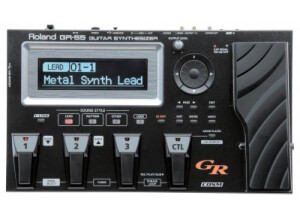
    The GI-20 converts the 13 pin signal from a properly equipped guitar into midi data to be sent to a sound module, computer, or similar midi device. The inputs/outputs are as follows: -13 pin input -Midi In and Out -Foot SW input -EXP Pedal Input -Guitar output (for normal guitar signal) -USB Midi -DC In UTILIZATION Everything can be accessed and edited from the front panel with the provided knobs and buttons. I was originally disappointed that there was no software editor from Roland, but after finding a 3rd party editor I realized that I was still using the front panel more because it was so simple. The drivers are working on my Windows 8 PC no problem. I have also used the GI-20 with a Mac G5, Windows XP, Windows Vista, and Windows 7. I haven't had to use the manual because there is a chart showing you all of the options printed on top of the unit. GETTING STARTED You won't have to put much effort into understanding how the GI-20 works. There is a "Play Mode" for using your settings, and a knob that can turn to different options for programming. You can adjust Guitar Sensitivity, Play Feel, Control Assign, Program Change, Bend Range, Transposition, String Mute, and Midi Channel all from the front of the unit. OVERALL OPINION This is an amazing little unit, and I am sad that Roland has not continued developing these rack-mount GK/midi converters. I assume it is because there is not a huge market for them. You can program every little aspect of what the strings of your guitar and the knobs and buttons on your 13 pin pickup will do. The options give you complete control over your setup. There are 50 user slots to store your settings in, and that includes program changes that you can assign to midi programs in your external hardware. This is nice because if you want a certain setup for a violin sound, such as a slow attack and fast release, you can assign that to always show up with that patch. Then you can change programs to have your settings match a piano sound better. (NOTE the GI-20 produces no sounds). Sadly the limit of user programs is 50, and there are many more sounds I would like to program in this unit. There is a useful on-board tuner that is one of the most accurate I've used, most likely due to the individual signals it receives from the strings. The unit also works with GK equipped Bass guitars, though I have not tested this. There is very low latency when using this, which is rare for midi guitar converters. I previously owned the GR 20 and GR 55 midi guitar boards, and these don't even come close to the GI 20. If you are a midi guitarist, get one of these used NOW because they will be hard to find the longer you wait. I am considering picking up 3 or 4 more just to keep around in case mine fails, because Roland will likely never make something like this again.

  • « Still powerful »

    When the Apple G5 Power Mac Desktop first came out I was really impressed with how fast and reliable it was. But when if first came out it was just so expensive you would have to put it on credit in order to have it. Most Macs are very expensive when they first came out, that’s why I wait at least a year or two until the hype around them dies down before I see if it’s a computer that I would want to buy. I have owned about 15 different versions of Mac computers over the last 13 years or so. Not a single one of them did I purchase when it first came out. My G5 Power Mac had a 64 Bit processor with 8 GB of memory. It was all powered by a 3.5 Ghz processor. When this first came out in 2005-2006 it was cutting edge technology and everyone was trying to get there hands on one. Now you can purchase one of these for literally 80 percent off of the original price that It cost when it first came out. I highly suggest still looking into purchasing one of these G5 Power Mac’s for a few reasons. Number 1 reason being that you can purchase it “clean”. meaning that it wont have an operating system on it if you purchase it from most resellers online. So you will just have to get an OS before you can use it. But with the power and RAM alone, its worth every penny. Just purchase the most recent OS from Apple and you will have a high powered machine that is ready to be the brain of your whole set up. I am actually thinking of purchasing another one of these and putting the newest version of software on it now. You can purchase this for around 250 dollars just for the hardware. That is a steal, for a super fast computer that can run your whole pro tools set up.. I highly recommend still finding one of these and getting your hands on it. It is still a very powerful computer.

  • « brings back memories »

    The Thomson T09 is a computer that I remember having back in like the late 80’s and I though it was the best thing since sliced bread! At the time it was a “off brand” computer but it was still pretty popular do to the fact that It was more affordable than most other computers. It was pretty cutting edge because the internet was no where near what it is in todays world and hardly no music was made with computers everything was done with actually hardware gear. Most of the younger generation couldn’t appreciate a machine like this and wouldn’t know what to do with it. This is a very vintage machine and in no way possible could it compare to any machine on the market today. Thinking back about it now it was extremely slow, and you could really only use 1 program on it at a time. There was no having mulitple things going at the same time because it just wasn’t possible. I remember playing some really fun (at the time) games on it and actually learning how to type on it as well. It was really exciting back then to use the Thomson T09. There where also other models made by Thomson back then, but since I think that Thomson has been bought out by another company and no longer makes computers at all now. If you can get your hands on one of these it will be worth some good money one day in the future. I still have one in my moms attic and a box with a bunch of floppy disk . You gotta love vintage stuff! If you can find one of these or an old mac from the early 1990’s buy it . You will really see how far we have progressed and the direction that we are heading is only going to get better. I love electronics.

  • « More than enough extra space »

    This is the second Glyph external hard drive I've purchased, and they're awesome - never a problem, they just function as they should. I use both hard drives for Pro Tools, and I've used them with M-Powered on Windows format and now with HD on Mac format. Never a glitch recording straight to these hard drives or pulling samples for memory hogs like BFD2 from them. It's rather unrealistic to expect any drive to be TOTALLY silent... although I must say my Glyph drive is, in my opinion, astonishingly quiet. A few simple precautions keep any fan noise out of my recordings, which are made in the same room as the computer and two external fan-cooled drives. The drives both reside on shelves under my desk, with just a little acoustic foam on the surfaces close to them, as well as some other sound-absorbent office supplies like stacks of paper nearby (taking care not to block the vents on the drives, of course). I've been very satisfied with the Glyph drive, which set up perfectly the first time and has always behaved as one would hope. My iTunes collection also resides on it, and despite the immense number of files, access has been much, much faster with the Glyph drive than with my consumer-level LaCie Quadra 2. I was also very excited that the variety of connection options on the Glyph helped me cope with the dearth of Firewire ports on my Mac; right now I'm running my MOTU traveler into the Glyph's FW400 port, then the Glyph's FW800 port to the Mac... works incredibly well. I'm currently planning to buy two more Glyph drives for video and archiving. Anyhoo, I don't claim to be an expert on peripherals by any means, but I must say I've been completely satisfied with my Glyph drive and feel it was an excellent purchase, and one I would heartily recommend to anyone.

  • « The phone that put Apple on the map »

    While the original iPhone was the phone that brought Apple into the market, it was the release of the 3G that really bumped their sales to the point where they became legit competitors with RIM and the such. This phone features 8 GB or 16 GB of storage, 128 MB of ram, a 412 MHz processor (underclocked for battery life), the famous touch screen, a 2 MP camera and more. The most notable feature with the 3G is that it can now use full 3G as opposed to “2.5G” that the previous one used. The back was redesigned with a polycarbonate backing to help prevent some heat issues. However, this did cause some slippage issues that some people experienced. The buttons were changed to metal to help provide a more tactical feel and longer lasting life. The phone itself was tapered more to help give it a sleeker look, as well as feel better in your hands. The overall size is pretty close to the original with the 3G being ever so slightly smaller. The touch screen on this thing is to die for. It responds like no other touch screen on the market, and you can easily see why so many people are rushing to make “iPhone killers.” Until they can match the touch screen’s response and Apple’s App Store, they really won’t have much of a chance at beating this phone. The App Store is the biggest advantage Apple has over everyone else in that it features thousands upon thousands of useful and approved applications that people can download for their iOS devices to help improve their functionality. This is the true key to Apple’s success with the latest touch screen phone. The 3G is now fairly dated, so if you’re in the market for a phone, I recommend trying to get the latest iPhone if you can. While there are other phones out there with touch screens, very few stack up to Apple’s.

  • « Server grade hardware »

    The Mac Pro is Apple’s professional workhorse. This computer is featured in many top facilities of the recording industry, and it has been the flagship of Apple for quite awhile. There are many different versions of the Mac Pro since they dropped the Powermacs, but the one I’ll be talking about has two 2.4 GHz Quad-Core Intel Xeon Westmere processors, 6 GB of RAM, 1 TB hard drive, a Radeon HD 5770 with 1 GB of RAM and a Superdrive. The Mac Pro is not necessarily the prettiest to look at, and it’s actually getting a bit dated considering Apple mostly focuses on looks for most of their lower level machines. However, the Mac Pro is a purely professional machine, and looks are second to hardware. The hardware in this thing is all server/industrial grade stuff. You have the Xeon Westmere processors, which are renowned for their stability under heavy load and FB-DIMM RAM with extra thick heat sinks to help prevent any heat soak that may occur when pushing this thing to its limits. Most people complain about the price of this machine, and given that it’s about $3500, their complaints are a bit justified. However, you can’t forget that this is top of the line industrial hardware. It’s true that Apple charges more than most people, but once you start factoring in the hardware, it’s not as big of a difference as most people thing. The computer comes standard with OS X 10.6 Snow Leopard. This is an upgraded version of the 10.5 Leopard, and it has upgraded 64-bit compatibility to allow usage of both quad-core processors. I’ve found 10.6 to be more stable than 10.5, and it’s way better when it comes to things like Wi-Fi. The best thing about the OS is that you don’t have to worry about getting a pesky virus like so many other OSes out there.

  • « Pretty pointless But cool »

    The apple iPad 2 is a very nice piece of apple technology. I personally do not see the point in the iPad other than playing the ipod touch games on a bigger screen. It is kind of like a macbook pro cross with an ipod touch, I am impressed with the product do not get me wrong but it is a little bit of a waste of money if you have both and macbook and an ipod touch or iphone also. The sound quality is very good but not through the not so good apple headphones. I think it is a little too expensive for what it is, but with all apple stuff they can charge that amount just because people feel as though they need it. I have not tried any of the rip off models of this product such as the tablet thing I see around sometimes, I think apple's ipad would be a lot better than those anyway as they pioneered the touch screen technology and things alike. I would not buy another if my warranty expired and this broke probably because with apple they bring out a worse version that everyone buys and then bring out a better version a few months after. All together I think this is very nice and a lot of fun, I would not recommend this to anyone that has a macbook or an ipod touch/phone. Another personal point that I like about the ipad 2 is that the internet speed increased so you are not waiting a few minutes for a page to come up as was the case with the old ipad. One last thing is, if you are a fan of angry birds, you should definitely get it on an ipad, it is a great game to play on a bigger screen and can keep you occupied in the studio for a good few hours!