Log in
EN
FR

DSP Boards

142 products found

Filter
Sort by
Evaluation
  • Reviewed or not
  • Editor’s award
  • Reviewed by Audiofanzine
Availability
  • Available or not
  • Sold new or used
  • Sold new
  • Sold used
Must-have products
  • All products
  • Flagship products
  • Best rated products
  • Hot products
  • Popular products
Price
  • Freeware
€
Clear
Sort by
  • Popularity
  • User ratings
  • Price - low to high
  • Price - high to low
  • Used price, increasing
  • Used price, decreasing
  • Name (from A to Z)
  • Name (from Z to A)
  • Added on
Sort results
  • Popularity
  • User ratings
  • Price - low to high
  • Price - high to low
  • Used price, increasing
  • Used price, decreasing
  • Name (from A to Z)
  • Name (from Z to A)
  • Added on
Filter results 142 results found
Evaluation
Availability
Must-have products
Price
  • Freeware
Show results

The best DSP Boards reviews

The reviews Audiofanzine members found the most helpful.
  • moosers's review

    Digidesign's HD1 Accel Core Card is a necessary part to have to run Pro Tools HD. You can have up to three HD Accel Core Cards, but at least the first one like this is necessary. Basically the way Pro Tools HD works is that it puts all of the processing on theses HD Accel Core Cards so it doesn't tax your computer and your computer can focus on running other things. As Pro Tools users know, HD systems run incredibly smooth, and these necessary HD cards are the reason. UTILIZATION Once you've installed the Digidesign HD1 Accel Core Card, there isn't anything that you need to do. It will do it's well and without errors, like it is designed to do. It can support sampling rates up to 192 kHz and will run even faster if you have an HD 2 or HD 3 card to go along with this. However, the HD1 card is all that is necessary to run Pro Tools HD in terms of core cards. While the Pro Tools HD systems that I've used have had at least two HD cards, I can't say that I've ever had an issue running as many tracks and effects as I'd like in a Pro Tools HD system. GETTING STARTED Since I don't own a Pro Tools HD system at home, and therefore do not own a Digidesign HD1 Accel Core Card, I never had to install it in a computer on my own. All of the studios that I've worked out of have one of these, but it was already installed and set to go, so there wasn't anything that needed to be done to get it going. It doesn't seem like it would be too hard to install one of these, but again I can't speak from experience. OVERALL OPINION The Digidesign HD1 Accel Core Card is really something that is more of a necessity than a choice for Pro Tools HD users. If you want a Pro Tools HD system, you need this! If you're just running Pro Tools LE, this isn't necessary. I can't really say anything about the bad about this, except for the price, which is really a lot. However, if you're putting together a Pro Tools HD system you should already understand that it's going to cost you a good amount of change. Overall, the Digidesign HD1 Accel Core Card is a powerful piece of gear that runs Pro Tools HD in professional studios everywhere.

  • « DUO and the QUAD are both great! »

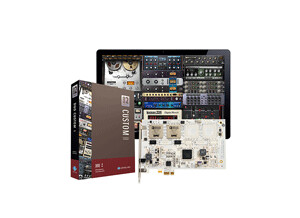
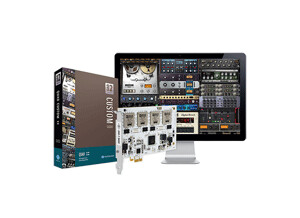
    The Universal Audio UAD-2 DUO is a firewire DSP engine with 2 SHARC chips. I have the Quad Custom that cost more than just the standard DUOCore. You can purchase the Quad Core, Quad Custom, or Quad Ultimate which is a lot more than all of the other models. When it comes to picking the right model I just had to figure out which unit would best suit my setup. UTILIZATION It comes with some very good plug ins right out of the box, but also more can be purchase at the UAD online store for affordable prices. I actually got a coupon when I received my QuadCore that allowed me to get some more plug ins at a very good price. GETTING STARTED After I purchased the Quad Custom I was able to get free software upgrades for up to 1 year while it was still on warranty through Universal Audio. I have used these plug ins with Cubase and Logic, they work in those DAW’s just the same way they work in Pro Tools. They load up fast and don’t take too much of the CPU from my projects. OVERALL OPINION I recommend getting the “Quad” if you can afford it over the “Duo” because it will give you the best bang for your dollar and more features and a better overall sound right out of the box. But any of the Universal Audio UAD systems are good and you can always upgrade. Using the Quad has gave me way better mixes on our music than I thought I was ever going to be able to get from my home studio. It makes everything sound bigger and fills out the stereo field giving a wider feel to the vocals and instruments. Our sound is now very clean, and the fact that I can do all of this from home is perfect. Because I remember a time when you had to go to a big studio to be able to do these things and pay a lot of money by the hour to use this same type of gear.

  • « This is all you need... »

    We have this in our main studio, the quality of this program is amazing. Everyone knows that Pro Tools is an industry standard, and it is! There are a lot of other programs that claim they are similar to Pro Tools, and people saying that Pro Tools isn’t as important as it use to be. But I am a firm believer that Pro Tools still is the best and will always be the best. We run Pro Tools on Mac . Works perfectly with no problems. We use it for mixing and mastering of complete songs that have been recorded, and it gives us a radio and album ready sound. The ability to get so in depth with audio on Pro Tools is why we made our decision to use this. UTILIZATION We get very little latency when using Pro Tools, we don’t record more than 2 track simultaneously unless we are recording live drums. The drivers that come with this program are very stable and have yet to fail use and probably never will. There are several updates they Pro Tools will release, but installing them is super easy and there is no complication. GETTING STARTED When we first got started it was a little overwhelming because we have never dealt with Pro Tools before, so reading the manual is a must. It will take time to fully understand the program, you will learn new stuff all the time. OVERALL OPINION The thing I love the most is the drivers for Pro Tools HD are amazing. I expected to get a lot more latency and problems with running them on an older Mac computer. But everything worked perfectly. The sound quality is amazing and if you are serious about your career this is a must have. The downside of the program is that it is very pricey. But if you can afford this you will never need anything else!

  • « Won't leave home without it... »

    After having used 2 UAD1 and a UAD2 duo in my desktop for a long time as my go to plug-ins, I added a UAD 2 solo/laptop for when I'm on the road, or simply just want to work on the proverbial couch. Using it on Mac Book pro 2.8 intel processor with 4 gb of RAM. I use it for tracking guitars and of course for channel strips, busses, sends and the master on mixes. UTILIZATION The drivers have always been top notch, the plug-ins are constantly expanded. Most of the time I use them with either Logic 9 or Pro Tools 9. Track count/instances of plug-ins varies dramatically depending on which plug-ins you run. Some are serious resource hogs such as the Manley Massive Passive as a mastering compressor on the master buss. That said it's worth to just bounce out with the other plugs and then render the final file with it anyways. GETTING STARTED Install is a breeze...run software installer, plug in the hardware, authorize, done. At times when you're running OSX you might have an issue when the system has been to cluttered and needs a general clean-up where you'll have to repair permissions. What's great on the UAD stuff you can get around this by just rescanning Audio Unit plug-ins via Garage Band. A great time saver in a pinch. As a side note I had problems with this card installing under Windows 7 in dual boot on my MAC Book pro, however on my Dell laptop no problem. OVERALL OPINION The best part is the sound quality of the plug-ins, and the portability of the set-up. Some plugs like the Neve stuff although sounding like the you ran the signal through the hardware box do not emulate the break-up characteristic. The again the work around for that is running the Studer plug-in if saturation is your thing. The stand-outs for me are the delays...Echoplex, Space Echo, Time Cube, the EMT Plates, of course the compressor like the dBx 160, LA2A and LA3A, 1176, for eq the Manley massive Passive, the 4 different Neve, the SSL stuff, the Harrison, and of course the Triton. Another lovely plug is the Studer for tape saturation. The Emperical labs Fatsoo is great to add girth, the IBP phase alignment plug is great when messing up with multi-miced tracks and you need to get stuff better in phase..

  • moosers's review

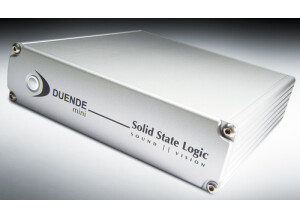
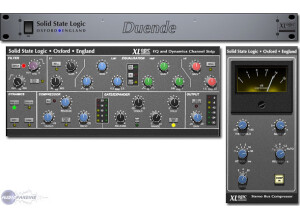
    The SSL Duende is a DSP board based set of plug-ins that are modeled after some of the analog SSL consoles. This version contains both a channel strip that has compression, a gate, EQs, and filters while the other plug-in is a compressor. The machine I use this plug-in set with is an Apple Mac G5 and I run the plug-in with a Pro Tools HD system. UTILIZATION Installing the SSL Duende takes a little bit longer than most plug-ins because it has the DSP board that also needs to be installed in addition to the software. However, if you follow the instructions properly it isn't all that hard and once the DSP board is installed you never have to touch it again. I had no compatibility issues at all with my configuration and it has always run flawlessly for me. The interface of the plug-in is also pretty easy to understand even though there are a lot of different parameters and sections to them. The manual for SSL Duende is pretty necessary to have around so you can install the DSP board properly, so unless you have previous experience with it I would recommend having it around. GETTING STARTED I usually have no problems at all running a bunch of different SSL Duende plug-ins at once, as I've never had an instance where I was running out of processing power because of them. This all has to do with the DSP board that does all the work so your computer does not have to. It also makes the sound quality of the plug-ins extremely high as these truly sound great. OVERALL OPINION I've been using SSL Duende for about a year and I've found it to be a great set of plug-ins. All of the EQs and compressors sound awesome and are great for an endless variety of applications. While the price of SSL Duende isn't cheap at all, it is designed for professionals and those who want that great SSL sound without having to spend an incredible amount of money. Overall, great for both home and professional studio owners who want an awesome set of plug-ins that won't tax your computer.

  • moosers's review

    The Universal Audio UAD-1 Project Pak is a DSP board based plug-in suite for your digital audio workspace. I am currently running this plug-in bundle on an Apple Mac G5 computer and within a Pro Tools HD system. I love having this plug-in bundle because it gives me a high number of quality plug-ins that don't cost much at all. They run smoothly and quickly, as the DSP board allows them to run without using too much CPU power. UTILIZATION I had no problems at all installing and getting set up with the Universal Audio UAD-1 Project Pak. I had no compatibility issues at all, but it did take a few minutes to install the DSP board. However, once this is installed it doesn't need to be touched again and will be ready whenever you need it. The interface of the plug-ins in general is easy to follow, as they are all laid out smartly, with everything easy to find. The manual for the Universal Audio UAD-1 Project Pak is thorough and complete, and is definitely good to have around while you are installing and using this powerful plug-in bundle. GETTING STARTED Out of all the plug-ins in the Universal Audio UAD-1 Project Pak, I would say that I use the CS-1 Channel Strip and the Pultec EQP-1A the most, but just about all of the plug-ins in the Project Pak and good sounding and useful. The thing that astounds me the most is the wide variety of plug-ins that are available within this suite, ranging from just about every type of signal processing you can think of. OVERALL OPINION I've been using the Universal Audio UAD-1 Project Pak plug-in suite for about two years and have found it to be one of the best deals on the market in terms of plug-in bundles. The DSP board makes for not only a top notch sound quality, but the plug-ins also run extremely fast. The price is probably the best part as it is extremely cheap, which makes it perfect for home studio owners. All in all, the Universal Audio UAD-1 Project Pak is an awesome plug-in pack that is great for all types of studio owners and engineers.

  • phraseland's review

    Firewire DSP Interface with a bunch of Effects loaded. It has everything from a very nice sounding vintage compressor to the M3 Mastering plugin. It is also expandable and professional plugins (like Sony Oxford) can be purchased afterwards. I use an old PC and have a MOTU2408 with PCI card installed. Since this device and the MOTU PCI card take up a lot of the processing already I have been able to work quite nicely even with an inferior computer (check also my posts about the 2408 and Melodyne). I use mainly Steinberg Cubase SX and Wavelab. This unit really works well and is basically plug-and-play. The only problem occurs at times with the firewire port on laptops - but on my Dell laptop I have had as many or few problems as on my PC. Sometimes the unit just doesn't get recognized and rebooting it takes care of the problem. UTILIZATION As I said the installation worked pretty well. At first my PC didn't recognize the unit though and I had to restart twice to get it working. After that it was smooth sailing (most of the time...). TC gives you a lot of nice plugins right away and supplies trial versions of their other products. Those you can use for 10 or 20 hours without restriction - after that you have to buy them. It is a bit annoying that they also show up on the VST folder and you have to remember which ones you own and which ones you don't. So it could easily happen that you use the MX5 instead the MX3 and suddenly it stops working. Some kind of visual filter would have been nice here - but it seems they really want to push their products. GETTING STARTED The unit is very stable. Every once in a while it can't be recognized but it really doesn't happen often. The latest update was quite nice because it gave a grafic overhaul to most of the plugins...but it seems they also changed the architecture! So after installing the update all my previous projects in Cubase weren't finding the plugins anymore!!! That was really annoying and even though I do like this device it really made me mad. This shouldn't happen with such a prestigious company. OVERALL OPINION I have been using the TC Firewire for about a year now and I think if I spent the money again I would buy a product from Universal Audio. It seems that they have more of a unique sound. The TC Reverb, the Dynamic EQ and the compression are very nice - the same goes for the Master Compressor. I also like the Voice Strip (especially the Vintage preset). There is a lot of potential in this machine but I always have a feeling that they held back the coolest plugins. Yes they gave me Character but I would have prefered the way Universal Audio goes about it. They give you a few basic plugins along with coupons for software you can buy at their online store. That way you get the four or five plugins you really want and need and not twenty plugins that fill up space and will never really see the light of day. TC Effekts sound very clean and sometimes a bit cold. But they are very precise and can be used in a lot of ways. I think this product is pretty good but I think for me I would choose a different route next time.

  • Audiofanzine FR's review

    (Originally written by fabrice.fargues/translated from Audiofanzine FR) Four 100-MHz DSP, it provides "enough" plug-ins and high-class reverbs... Used with a Powermac G5 2x2 GHz, 8Gb RAM... Cubase 4 UTILIZATION It can't be easier to setup with Mac OS 10.4.9, just plug the card (thank you Apple for the easy access), insert the CD-ROM, follow the instructions and there you go... I haven't had any compatibility problems... Kudos! GETTING STARTED Easy to use... The one thing to criticize would be the user's manual. It's too short and you'll need time to get to know every parameter. It seems you have to "learn by doing", especially when it comes to TC electronics specific parameters... OVERALL OPINION I've owned it for less than one month. I wanted a UAD-1 card because of the reputation of some of its plug-ins. But I found this card at an extremely low price... The reverb effects are sumptuous, the 247C has a wonderful color (and thus won't fit every style), the Voicestrip reproduces vocal warmth very well... In short: if you try it you'll want it. Your mixes will get a deep sound and lose that cold "chemical" color produced by Cubase plug-ins (although some of them are great for certain things). You'll rediscover the sound character of some reference-class hardware processors... I'm thinking about adding a second card, an mkII (with 4 x 150MHz DSPs) so that I can use the fabulous VSS3 reverb... Watch out: addictive product......