Log in
EN
FR

Music with touch devices

1496 products found

Categories
Filter
Sort by
Brand
Evaluation
  • Reviewed or not
  • Editor’s award
  • Reviewed by Audiofanzine
Availability
  • Available or not
  • Sold new or used
  • Sold new
  • Sold used
Must-have products
  • All products
  • Flagship products
  • Best rated products
  • Hot products
  • Popular products
Price
  • Freeware
  • Low-cost (< $70)
  • Mid-range ($70 - $150)
  • Premium (> $150)
€
Clear
Sort by
  • Popularity
  • User ratings
  • Price - low to high
  • Price - high to low
  • Used price, increasing
  • Used price, decreasing
  • Name (from A to Z)
  • Name (from Z to A)
  • Added on
Sort results
  • Popularity
  • User ratings
  • Price - low to high
  • Price - high to low
  • Used price, increasing
  • Used price, decreasing
  • Name (from A to Z)
  • Name (from Z to A)
  • Added on
Filter results 1,496 results found
Brands
Evaluation
Availability
Must-have products
Price
  • Freeware
  • Low-cost (< $70)
  • Mid-range ($70 - $150)
  • Premium (> $150)
Show results

The best Music with touch devices reviews

The reviews Audiofanzine members found the most helpful.
  • « Clear audio with flexible features »

    I’m not a professional podcaster, but I’ve been dabbling lately; and to date, I’ve been using my computer’s built-in microphone to capture my audio. The sound is decent, although there’s a metallic flavor (room ambience) coming through the audio. I wanted something that was ‘dry’ and clear, while removing any room reflection, reverb, etc. I requested the new QWM-10, a 2.4GHz wireless microphone system by Sonicake, better known for their guitar pedals. I put together a quick demo (link below) that covers some of the features, as well as a wind and audio test. The quality and clarity of the mic should be obvious when you consider the background music was played through my Kali Audio IN-8 monitor speakers, and I simply held the Sonicake transmitter between the two speakers and recorded a second-generation audio. https://www.youtube.com/watch?v=QIUtFT1pQt0 Everything comes in a sturdy travel case, which houses everything you need, including the transmitter, receiver, wind muff, USB charging cable and TRS to TRS cables for both camera and phone. You may require additional adapters or conversion cables, depending what you’re plugging into. For example, when recording direct to my computer (e.g., podcasts), I plug into a mini TRS female that splits into two ¼ mono males (L + R stereo). Conversely, I plug direct into my camcorder. Operation is simple, and once charged (takes 3 hours), both units turn on and pair up by holding their power buttons for 5-seconds. The charge is good for at least 10-hours. You can check battery status by pressing the power button (4 blinks = fully/high charged, 1 blink = 25% remaining). The Transmitter has a mute button and the Receiver has a volume button, so that you can adjust the speaker’s level from low, to moderate, to high. Both units have a quality clip, for fastening where you need them. And if you want the transmitter less noticeable, clip it inside your shirt, as it works perfectly fine inside or out. There really isn’t any ‘bad news’ with this product, as it works well and is easy to operate. I saw one review where the 50m (164ft) range did not work as well as it did in other reviews, although it’s non-operation (cutting out or glitching) had more to do with having the speaker’s back to the camera/receiver. Once turned around, in direct line of sight, communication was fine. Otherwise, there are a few glitches in the manual, such as the transmitter’s audio button is for mute only, whereas volume changes are made with the receiver’s audio button (the manual indicates the transmitter). Not too big a deal, as the manual was translated from Chinese and sometimes instructions become a little skewed. There are several pluses with the QWM-10, bearing in mind that I have not tried any other mic system before, aside from using my Shure SM57 to record vocals for music compositions. First, it is clear and dry. This system does a good job at reducing room reverb, reflections, etc., and minor noises. Second, and related to the first, point, the wind muff works very well. I didn’t stand outside in a wind storm, but I could not hear any wind blowing into the mic while placing it in front of a fan on low to high speeds. Third, it is versatile and can be used in a number of ways and with different electronics, e.g., phone, camera, computer, etc. Fourth, the price is excellent, at $69.99 USD. Yes, this unit was provided to me, but I did invest the time in writing this review and creating the demo. Regardless, considering the cost and clarity of signal, the QWM-10 would have been an obvious choice, which is why I requested this product for review. I saw a few less expensive lavalier mic systems out there, but were manufactured by far more generic (unknown to me) brands and I’m familiar with the quality and reputation of Sonicake. Overall, no complaints and two-thumbs up!

  • « Perfect solution for guitarists »

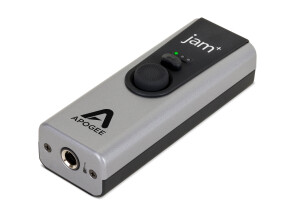
    The Apogee Jam is designed to allow you to record your guitar or bass into an iPad, iPhone or other Mac OS. It's about the size of a very small cell phone (even smaller) and does one thing and does it very well. I'm using it with an iPad and iPhone to record electric guitar. Zero latency! Those 2 words are the wishes of most recording professionals when using computers or idevices to record, and the Jam provides that or very close to that! Another HUGE plus is the inclusion of a gain control knob on the side of the Jam. Signal too hot? Easy, adjust the gain. The Jam will tell you how your signal is by the light...green is good, orange is getting hotter and red is too hot. Using the Jam is as simple as: 1) Plug the included cable into the Jam 2) Plug the other end of the included cable into the dock of the iPad/iPhone (or included USB cable into your Mac) 3) Watch the blue light come on 4) Once the light turns green, you are good to go. No drivers or software necessary to download or install...it's that easy! After trying the iRig and Peavey Ampkit Link to record with my iPad and receiving less than stellar results, the Apogee Jam was a breath of fresh air. The sound is excellent, ease of use is perfect and overall, the unit delivers what it is supposed to: allowing you to get YOUR guitar tone into a recording using your iPad, iphone or Mac OS.No feedback, just pure guitar tone. The sound you achieve is clear and the results will make you want to record more.

  • « Pure analog tone without the maintenance! »

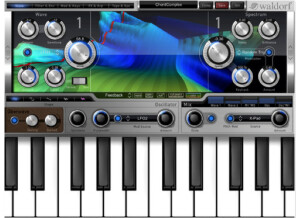
    "I hear you're buying a synthesizer and an arpeggiator and are throwing your computer out the window because you want to make something real!" So goes the line in James Murphy's disco rant on LCD Soundsystem's first album. Ironically in an age where so much technology is literally at our fingertips, in the form of iPads and smartphones alike, there is an ever-mounting interest in what it means to be analogue. For the general music consumer, the rebirth of vinyl records is an obvious example. For the recording musician, the renewed enthusiasm for 80s era synths since the turn of the century has mounted to a frenzy of musicians scouring garage sales, pawn shops and online auctions all trying to find that one forgotten, unique, but synthetic, yet analog tone. As a result, a few classics of the era have become studio mainstays and are preserved much in the same way fabled compressors and rack-mounted gear are preserved. But much like rack-mounted gear, the size, weight and maintenance of such equipment is a major constraint for the project studio owner or the mobile music professional. With this is in mind, developers have done much in the way of creating virtual instruments as plugins, much in the same way they developed plugins for emulating rack-mounted signal processors. In both instances, the hands-on tactility of the original components is what is ultimately lost. However, virtual instruments for the iPad is a whole new ball game, offering an interesting mix of both the plugin and the hardware. As someone who has tested Korg's iMS-20 app and Moog's Animoog app, I have become quite fond of their new iPolysix, the virtual reincarnation of their fabled Polysix synthesizer from the early 80s. This is primarily because of its simplicity. It is a lot less like owning an "all-in-one" synth emulation app and more like owning a singular analog instrument. In essence, the extent of this app's features are no more than those physically available on the original instrument itself. Given it's hearty $40 price tag in terms of the app market, this may be a turn-off for the feature-obsessed consumer, but for the purist looking for a singular, competent analog piece, this is its greatest point of attraction. Because the development of this app was dedicated to the faithful recreation of one singular, sought after piece of equipment, its authenticity can rival that of its original, analogue counterpart. That means in the hands of an artist, all of it's original constraints and idiosyncrasies work together with the creative process to make sounds using the app the same way one would with the analog piece. This also means that if the sound the artist was after couldn't be accomplished with the instrument on its own, that it could be integrated with other studio equipment to achieve the desired effect. This is where I most love this app. I fire it up and my iPad transforms into an analog synth. I can then use it's interface just as I would the original unit and integrate directly into my studio as another instrument. In the example composition I have provided, I recorded two tracks into pro tools, routing from the headphone output of the iPad through a Palmer DAACAPO impedence converter and through a chain of guitar effects pedals. The results is a composite tone that has resulted not from the iPolysix on it's own, but as an integrated, physical piece of hardware in my studio. https://en.audiofanzine.com/virtual-instrument-iphone-ipod-touch-ipad/korg/ipolysix/medias/audio/a.play,m.473855.html The beauty of the iPolysix being a virtual synth outside of the box is that you get all of the ease of presets, zero-maintenance and minuscule physical footprint with all of the creative possibilities of integrating it physically with the other elements of your studio. If you're already an iPad owner and you consider the use of this app more like an outboard piece of gear, then the $40 price tag for a classic analogue synth is pretty incredible. Pros +out of the box integration +authentic recreation of the original hardware +authentic, analog tone +ease of use, maintenance and portability +midi in/out wirelessly via Wifi, for direct integration into Pro Tools or Ableton Cons -most purists will still want to use a high-end midi controller in place of the touch-screen keys, which defeats the small footprint -more of an iPad con, but the headphone output has low stereo output -perhaps the lack of features and varying synth tones will be a turn-off for those in search of a more flexible app

  • « Interesting »

    I have been using the PG Band in a Box for my Droid device (Kindle Fire). When I first downloaded it from the app store I had a lot of concerns and didn’t want to just download something that would be “fun” and pointless. But after giving it a shot, it was fun but not pointless. I do have the Band in a Box for Windows, which I think is required if you want to use or have the Andriod version. The Droid app has a lot of potential that hasn’t been reached yet and I think once they have some more time they will add all of the features that we need. One thing that I don’t like about Band in a Box is that all of the audio files are stored in M4a files instead of .wav or mp3 files. I am sure the M4a files take up a lot less space and that is why they chose to go with that format. But I use so many different arrangers and programs, some of the programs that I use don’t support M4a properly so it causes so many issues with other programs. The Band in a Box app is on 99 cents in the app store and its worth it if you are familiar with Band in a Box for windows the desktop version. The droid and the Desktop version go hand and hand. I have been using Band in a Box for about 7 months now and I have pretty much explored the whole app. I just use it to mess around whenever I am not around my studio. Since you will be needing to purchase PG Music Band in a Box for windows , keep in mind that that program is around 100 dollars. Which really isn’t much but, It could come as a shock if you think all you need is the 99 cent app. They both go hand and hand.

  • « Cool portable solution »

    This is basically the same thing as the iPhone and iPod Touch versions. IK Multimedia has tapped into Apple's highest selling devices in order to create a cool touch screen guitar modeler. That said, it's not the best thing in the world. There are no compatibility issues since it's all made for the Apple stuff and can be bought via the iTunes store. I never read the manual, so I can't comment on that. It's extremely easy to setup and go. In fact, I like it better than the normal PC version, but there are a few issues at times when it comes to the touch screen. The biggest thing is that you need some sort of special cable to connect it to the iPad or whatever i device you may have. If you don't have that cable, you can't use this software. The program would sometimes crash randomly. You can tell because it would suddenly go back to the home screen, and when you tap on the icon again, you would be brought back to the beginning. This lead to many presets that were deleted when in the middle of creating them. I can't tell you about performance because I wasn't monitoring anything with the iPad when I was doing it. The speakers in the iPad suck, so you're not going to get the best sound with this thing. On top of that, the modelers themselves don't sound all that wonderful. It's definitely more of a novelty thing than a practical purpose modeler such as the Axe-Fx. While it may be cool for awhile to have this modeler in your iPad, it' s really not that great sounding. It can work for a portable jam station, but aside from that, it's pretty un-inspirational. The speakers built into the iPad suck, so you're not going to get a good built-in sound, and the special cable you gotta drag with you is a pain. I'd rather just load up a better modeler on my PC than deal with this.

  • « Edjing will not honour my purchase due to company's own failure to keep records »

    Two years ago, I paid for Edjing's 'Pro' features. I was under the impression that the 'one-time' nature of this one-time purchase would be honoured. I have since changed my Google Play account. However, my email remains the same. Yet, Edjing claims to not keep purchase records and has informed me that I must once again pay to reactive my 'Pro' version. I have been made to go through my personal invoices, hoping to find evidence of an in-app purchase I made years ago. As a small business owner, I find Edjing's protocol of not keeping records to be irresponsible. The onus should not be on the consumer to have this information on hand. All companies should have records of their clients' names, emails, etc. I have been deeply disappointed by my frustrating interactions with their customer service. Now, my final option is to publicly publish my experiences in hopes of gaining Edjing's attention and restoring my purchase. This is not a stage any company wants their customers to reach.

  • « Best Free Sports Streaming Sites No Sign Up to Watch Live Football Online Free »

    Streaming movies, sports,and TV series online are very popular in the present time, because it gave us lot of freedom in our uncertain busy work schedule and different time zone in different country. Along with movie and TV series, watch sports online is another huge entertaining part in our life. Every one crazy about it because sports is not only a game its represent our nation proud that’s why lot of emotion and craziness are related with it. So simply you need free sports streaming sites to watch your favorite game online without facing any problem. Lot of sports streaming sitesavailable in internet but some of them fake or ask you’re for paying or sign up. My point is there, to give you top best sport streaming site to watch live sports online at free without registration. Those sites give you complete freedom to watch football, baseball, rugby online at completely free but some time to need to free sign up. So friends quickly choose top free sports stream site for watch live your favorite game online and also enjoy movies with movie streaming sites no sign up.

  • « A Must have app! »

    If you have a Maschine or Maschine Mikro I highly recommend getting the iMachine for iPad, Ipod or Iphones. I have been using it for months now and it has never given me any issues and has worked great every time. I am now able to work with the “maschine” anywhere that I am because I use it on my iPhone 4 and iPad and then export the project to work on it more when I get back to my studio. I do not choose to use it much on my iPhone because the screen is so small but on my iPad 2 it looks amazing and it is just like having my real Maschine with me at all times. The interface is easy to work with and pretty much has the same features of the actual Maschine or Mikro. This app is worth having and it only cost about 5 dollars from the app store. This is only available at the current moment on Apple phones and products. There is no Droid support at the current time but I would expect they would integrate that in the near future with the rise of Droid phones and products. iMaschine comes with included kits but you can also purchase more kits from the app store like the Platinum Bounce, True School, Transistor Punch, Vintage Heat and Dark Pressure. My favorite one that I have purchase so far has been the Platinum Bounce because of the fat drums and beats that have that “club” feel and sound to them. But always end up EQ’ing them any ways once I get back to my studio. You will need to have an iPad 1 or 2, iPhone 4 or Ipod touch running iOS 4.3 or higher for it to run properly, I am not sure about the newer iPads yet but I would think they have made it available to them now too as well.

  • « Nice »

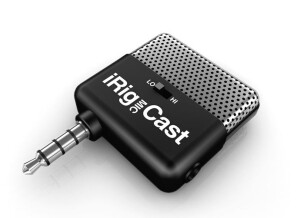
    I was actually awarded this iRig Mic Cast after winning a remix competition locally. It is a portable electrets condenser microphone for iphones, ipads, and ipods. It connects right to the standard mini jack input on the devices and works with iRig recorder App (comes with this app). Setting this microphone up is not hard at all, all you have to do is just plug it in and run the app. The app is free and this microphone only cost 40 bucks so there really isn’t anything to lose but the best part about it is that you will have a condenser microphone and the ability to record with you everywhere! We all take our phones with use ever where we go and it is just as easy to take this little microphone along for the ride to incase we get a song idea on the go. I love to use it to hum melodies into while I am driving so I do not forget them later. It has allowed me to get rid of my regular digital recorder that I was using for years. When you get the iRig Mic Cast, it comes with a desktop stand for your phone or iPod/iPad. So that you can record hands free without even having to hold the phone. This will make the recording quality a lot better too without the mic moving around. Getting out your recordings (out of the app) is kind of easy for me because I choose to just email them to myself. I think there is now a save to phone option right from the app but the app is not very good because it is very simple. There are not a lot of options to work with. However, there are some really good paid apps that are similar to the iRig Recorder app that will allow you to take it a lot further.

  • « Fun.. but that is about it »

    The Mikey is a stereo microphone that will work with your iPhone or iPad. It does give you decent quality for it to be less than 100 bucks. But I do not think it is worthy of giving you good enough quality to master with by any means. This microphone is very small and can fit into your pocket making it one of the most portable microphones that I have ever seen. The bad part about it is, that you will have to have it right up to your mouth in order for it to cleanly record everything you are saying. But when you do that it will also give you so much distortion and popping because you are so close without a pop filter. I do not recommend this microphone at all for recording with, but with it being so cheap you will have a lot of fun with it. This microphone is made by Blue Microphones but it sounds nothing like any of the other microphones that they make. I think they dropped the ball with this one by trying to make it so small. This microphone comes with a carrying pouch and you can slide it in your pocket and take it with you anywhere. It will work with almost any recording app that you have on your iPhone or you iPad. I have noticed many issues with getting it to work with some iPod touches though. I do not regret purchasing this microphone but I just don’t have a use for it, it is fun to have for apps but you really cannot do anything major with it at all so it is more like a toy. Knowing what I know now if I could go back I would not have purchased this. I mine as well of just kept using the regular iPhone microphone to record with for certain apps because the quality is not that much different to me.

  • « very pleased with this »

    Sound is really nice and smooth on the alesis iO dock, a little less ultra high end than I get out of the ProFire, but nothing to complain about, sounds pretty analog to me...I don't see myself getting fatigued listening to the dock. I tried the Korg iElectribe, the Korg iMS-20, O-Generator, Nlog Pro, SunVox, ReBirth, NanoStudio, and BeatMaker apps, all sounded great. I also hooked up my bass (Fender Jazz) to the PRS Jam Amp, AmpKit, DAW MultiTrack, GarageBand, and Meteor apps and noticed a HUGE improvement over the Peavey Ampkit Link, and the PRS cord, and a couple home made cords I've put together. Using the dock's direct switch to toggle back and forth between the app's sound and the direct sound was very interesting. You could see how each app changes the sound...some taking out the treble side, some the bass, but with the dock, all sounded much better, flatter. What I found really irritating however, was the fact that the dock's input 1 and 2 jacks are Right and Left respectively and only. Normally this is a good idea, but I like to set up grooves in my apps and jam to them, and it bugs me to no end that the input 2 jack (which has the guitar/mic switch) isn't centered when the direct switch is used. One thing I am extremely curious to check out is if the USB connection is both ways. The Alesis website says you can use it for getting stuff in and out, but it's a B connector (usually associated with output), But for the price its worth the try! Or look around online you may find a used one for cheap on places like eBay or Craig list. Just take note that if you purchase it brand new it comes in a really big box for some reason.

  • « Interesting but not that great sounding »

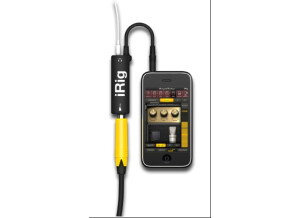
    Given the popularity of the Apple touch products, it was only a matter of time when somebody decided to create some sort of software amps simulator for it. IK Multimedia has developed the AmpliTube iRig in an attempt to create some sort of rival to the "pocket" amp sims out there. While their intentions were good, their execution was a tad poor. First of all, this requires a special cable to work with the guitar. You can't just plug in any adapter and expect it to work. Once you plug everything in, it works decently. There are some real inherent problems, number one being that the built-in speaker on the touch devices suck. One solution to that would be to use some sort of external monitors, but that'll defeat the entire purpose of having a "pocket" amp simulator. The good thing about this product is that there are very few crashes. I did experience one, but I just reloaded the program, and I was back to where I left off, really. It's easy to install, easy to set up and easy to maneuver around. It doesn't seem to suck the battery life any more than other applications out there for these devices, so there shouldn't be any huge issues there. One thing I'm curious about is if somebody calls you. I never had anybody call me when I was using it with my iPhone, but I wonder if the application would close, still work or what. Despite me giving the other parameters some high marks, the product really isn't that great. For one, you need the special cable to use it. Also, the built-in speakers on the Apple devices are pretty poor. You could add some sort of external monitors, but it defeats the entire purpose of this device, in my opinion. It might be work checking out, but I think there are better options out there for this kind of thing.