



The MPK Mini IV modernizes Akai's popular series of mini MIDI controllers. With its enhanced keyboard, real pitch and mod wheels, enriched arpeggiator and complete software bundle, it’s a compact, versatile and inspiring controller.

For over 15 years, the MPK Mini has been a key player in the world of small MIDI keyboard controllers. Popular with beginners, a companion for nomadic producers and an auxiliary tool for seasoned composers, it has established itself as one of the world’s most widely distributed controllers. But it also had a few drawbacks: a much-discussed joystick, a keyboard that was often criticized, a lack of MIDI Out that was beginning to stand out, and an aging design in the face of serious competitors. With this fourth iteration, Akai offers a renewal without compromising the compact, direct spirit that made the model a success.
Presentation of the MPK Mini IV: compact design, finish and vintage look
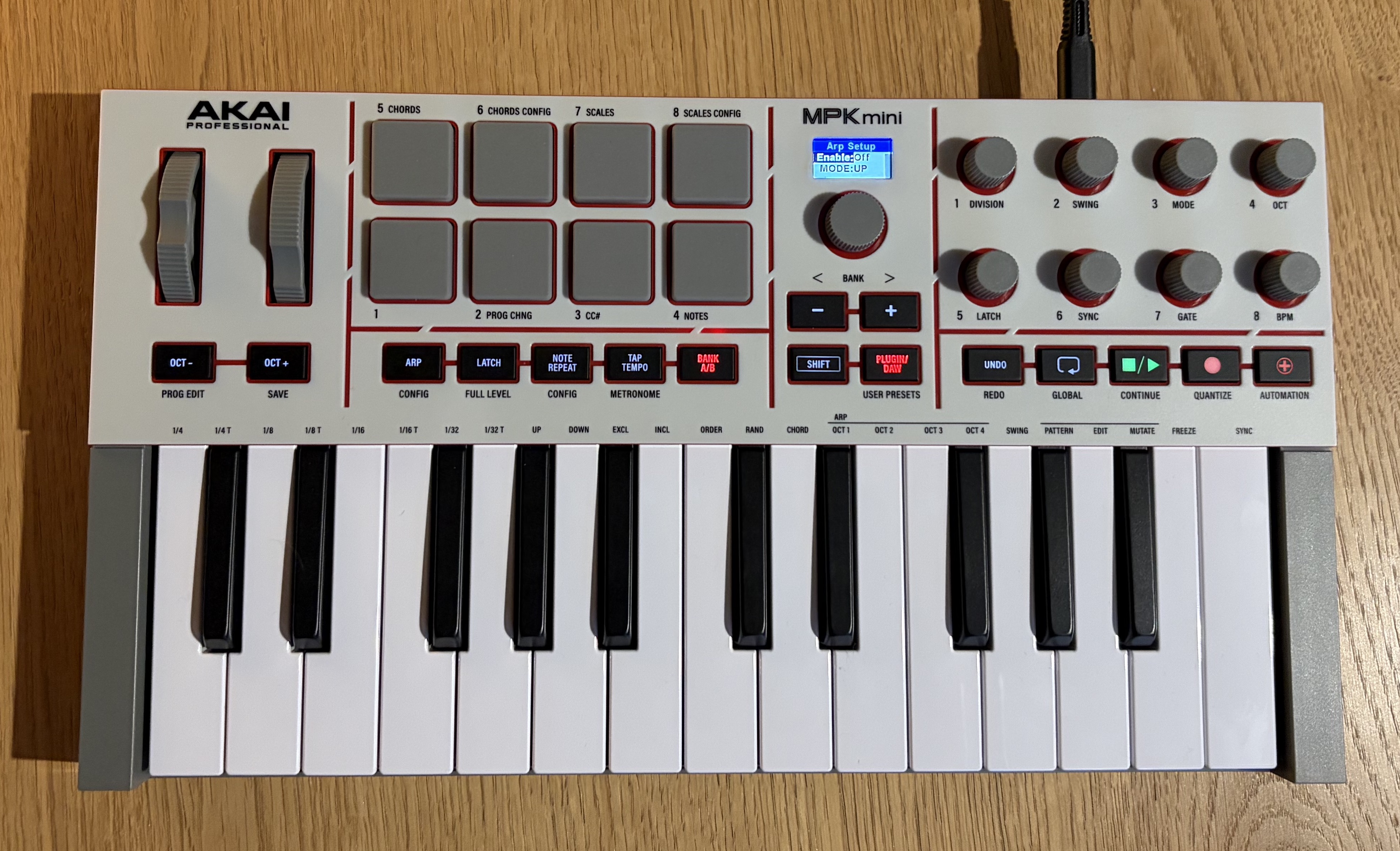
The plastic look may disappoint some users, but it’s worth keeping in perspective given the MPK Mini IV’s price and range. While its long-term durability remains to be verified, it doesn’t appear fragile. The MPK Mini IV measures 347.5 × 192 × 45.7 mm (13.7 × 7.6 × 1.8 inches) and weighs 1.05 kg (2.3 lbs.). It is slightly larger and heavier than the MK3 version, but still extremely compact. It fits easily into a backpack, slips onto a cluttered desk and is well-suited for a portable setup. Portability is part of its nature, and, even if the size has slightly increased, the nomadic spirit remains intact.
At the control level, a few changes jump out at you. While the eight pads and eight endless encoders remain, the old pitch joystick, which has long divided users, is replaced by a more conventional pitch bend wheel and modulation wheel. They’re not especially big, but their grip is much more pleasant than that of the joystick, and above all, considerably more precise. This change alone makes the MPK Mini IV more natural to use, especially for those accustomed to the pitch and mod wheels of traditional keyboards.
The transport controls (Play, Stop, Record, Loop) are the other visible and appreciable novelty. They’re not revolutionary, but in everyday use, they’re a real plus, especially in a compact setup where you want to stay focused on creating without making multiple trips back and forth to the computer. Akai also offers a set of scripts for most of the leading DAWs (Ableton Live, Cubase, Logic Pro, GarageBand and FL Studio) to enable rapid integration and consistent mapping between the MPK Mini IV controls and the DAW functions. As a result, essential functions can be controlled without touching the keyboard or mouse. However, it’s worth noting the absence of a dedicated script for Studio One, a recurring oversight that’s unfortunately also found among competitors.
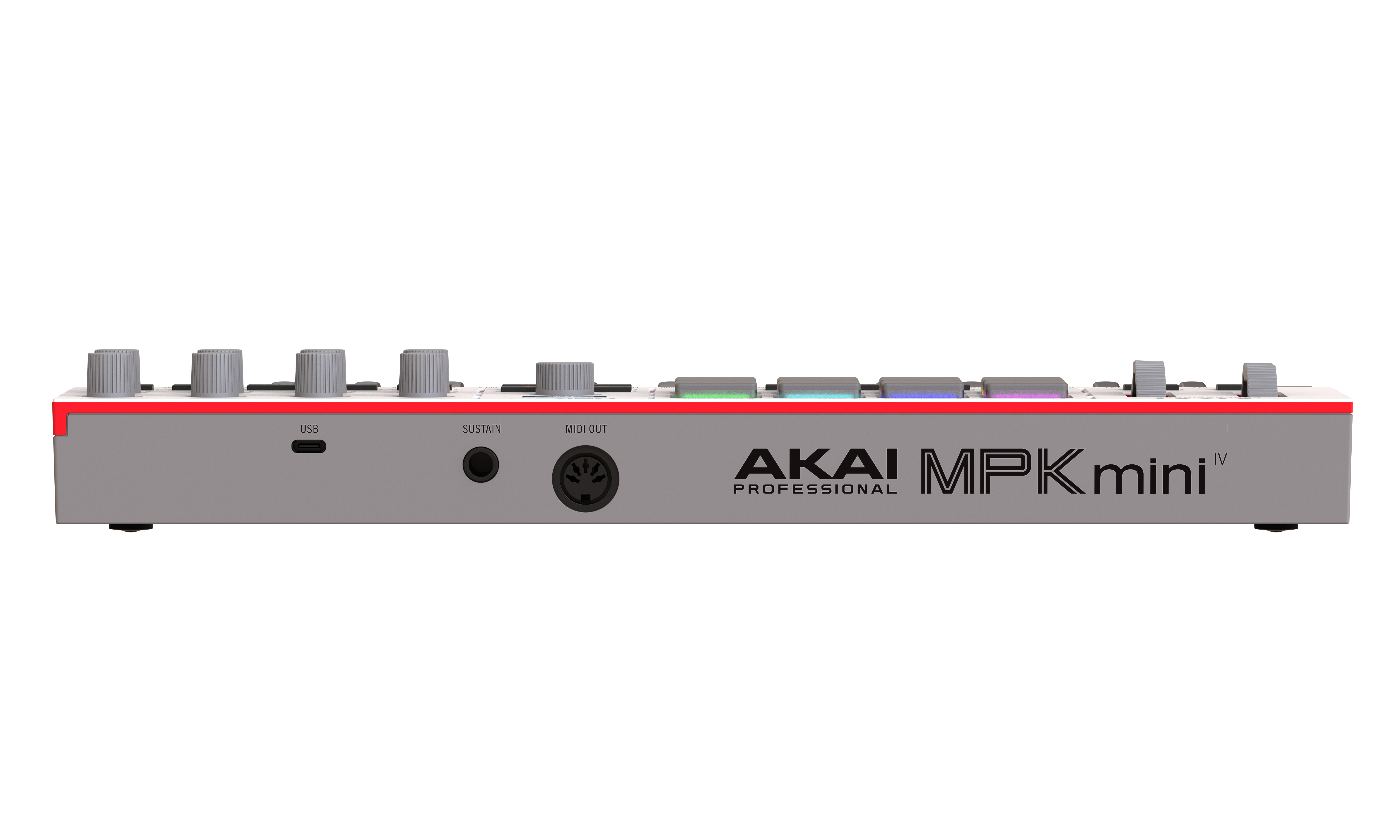
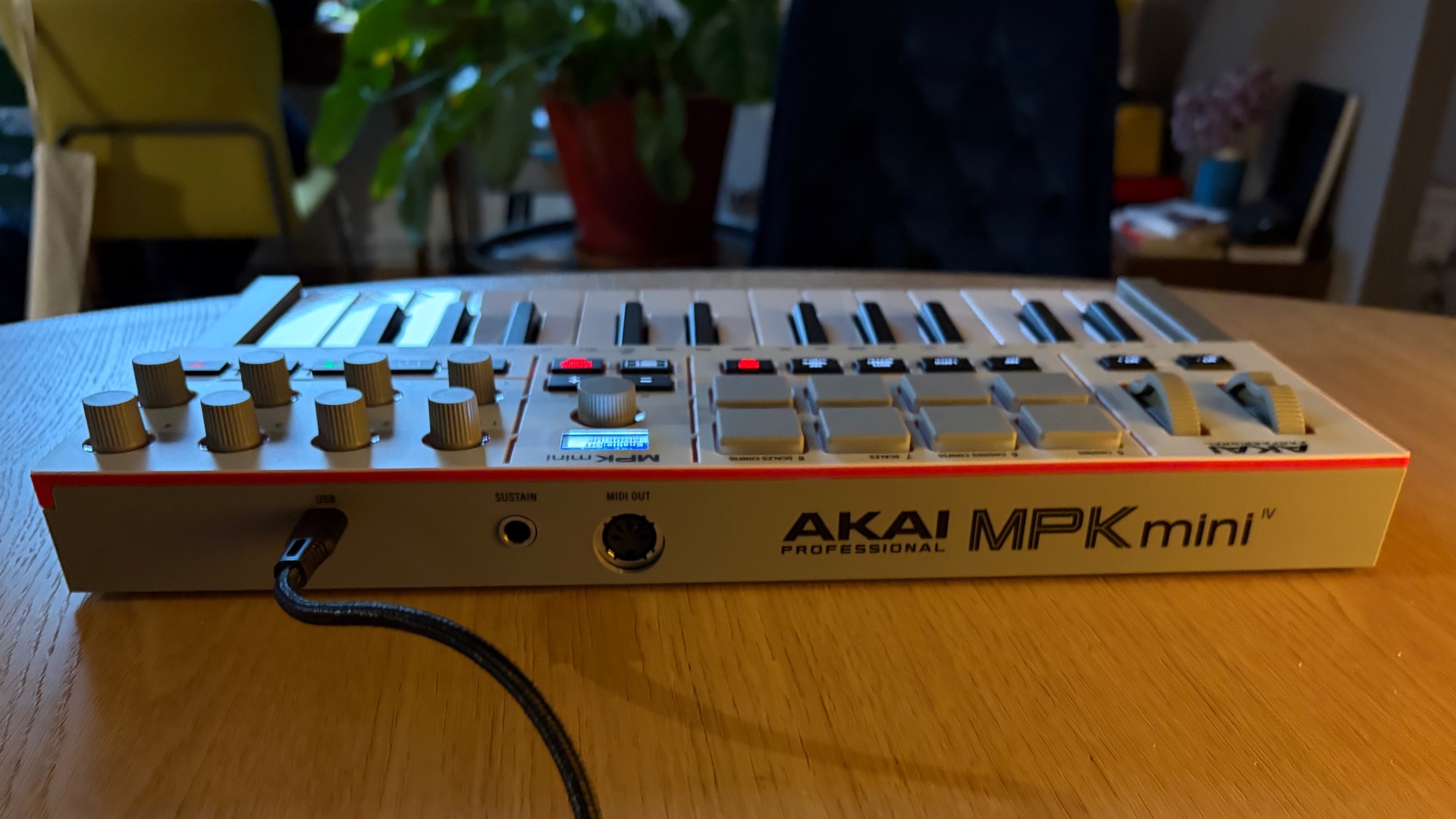
Where earlier models were confined strictly to computer use (although some modern synths offer a MIDI socket via USB), this newcomer can directly drive hardware synthesizers, drum machines or external modules. For a controller of this size, this is a decisive and particularly welcome addition and brings the MPK Mini IV on par with its competitors, notably the Arturia Minilab 3.
The USB-C connection, meanwhile, follows the logical evolution of the market and guarantees optimum compatibility with today’s computers. With an adapter, it’s also possible to power the MPK Mini IV from the mains, without requiring a computer. On the other hand, we’re once again irritated by the absence of an on/off button. It’s not an isolated case in this market segment, and we believe manufacturers would benefit from reintroducing this basic function.
The MPK Mini IV comes with a USB-C cable and a small printed quick-start guide. For the remaining documentation, you’ll need to download a PDF from the Akai website.
Keyboard, pads and controls of the MPK Mini IV: grip and ergonomics
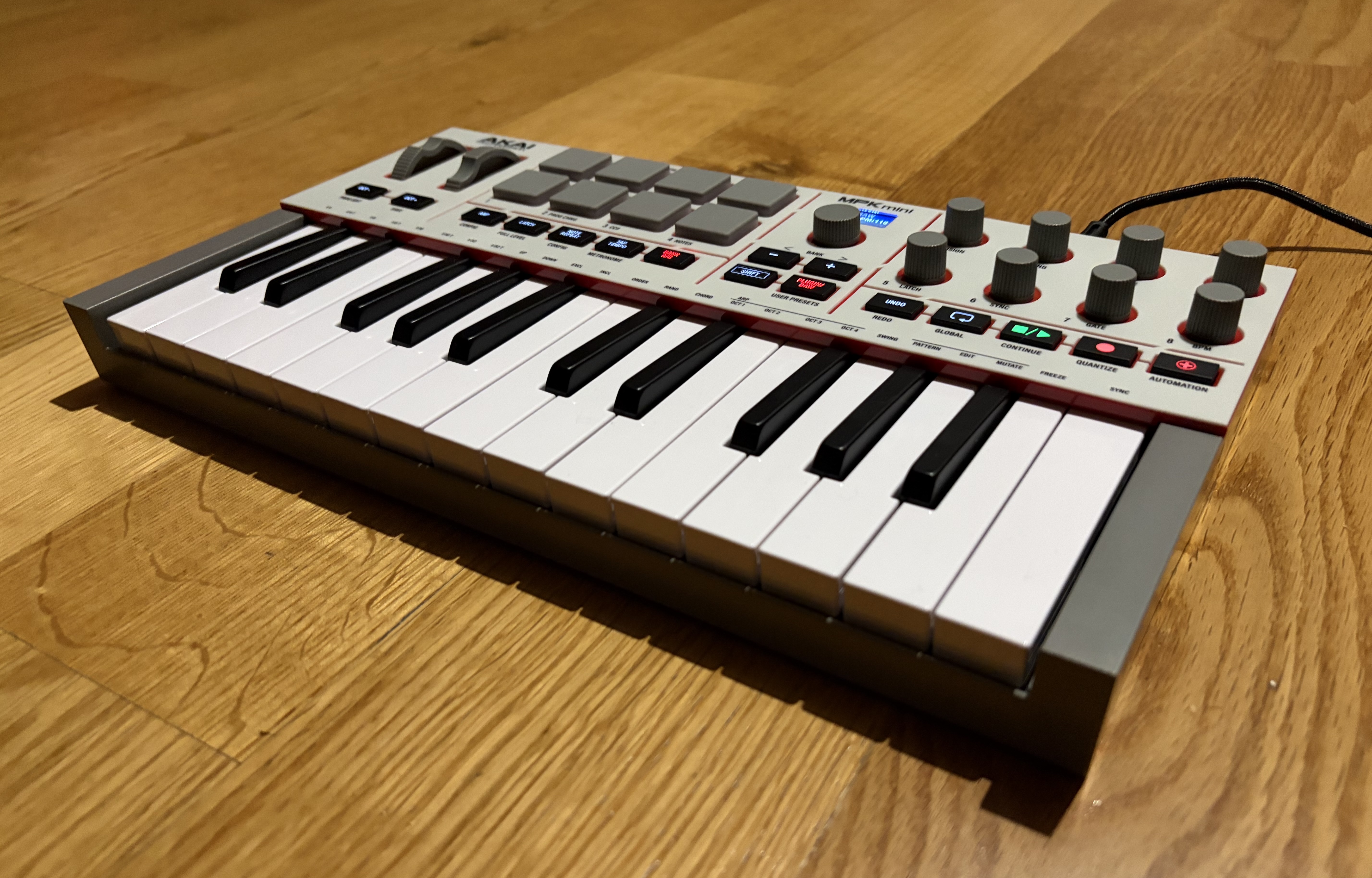
The keyboard itself has been significantly improved. The keys are more pleasant, the action more responsive, the bounce better measured, and the overall feel much more pleasing than the MK3. Of course, we’re not talking about a top-of-the-range keyboard here; mini-touches are still mini-touches, and some competing keyboards, such as those from Arturia, remain superior in terms of comfort and subtlety. For our taste, anyway.
Nevertheless, progress is undeniable. Where previous versions felt somewhat light, the MPK Mini IV offers a far more convincing response. Of course, when it comes to keyboard play, sensations are highly subjective from one user to the next, but overall, the keyboard takes an important step forward in the quality of play it offers.
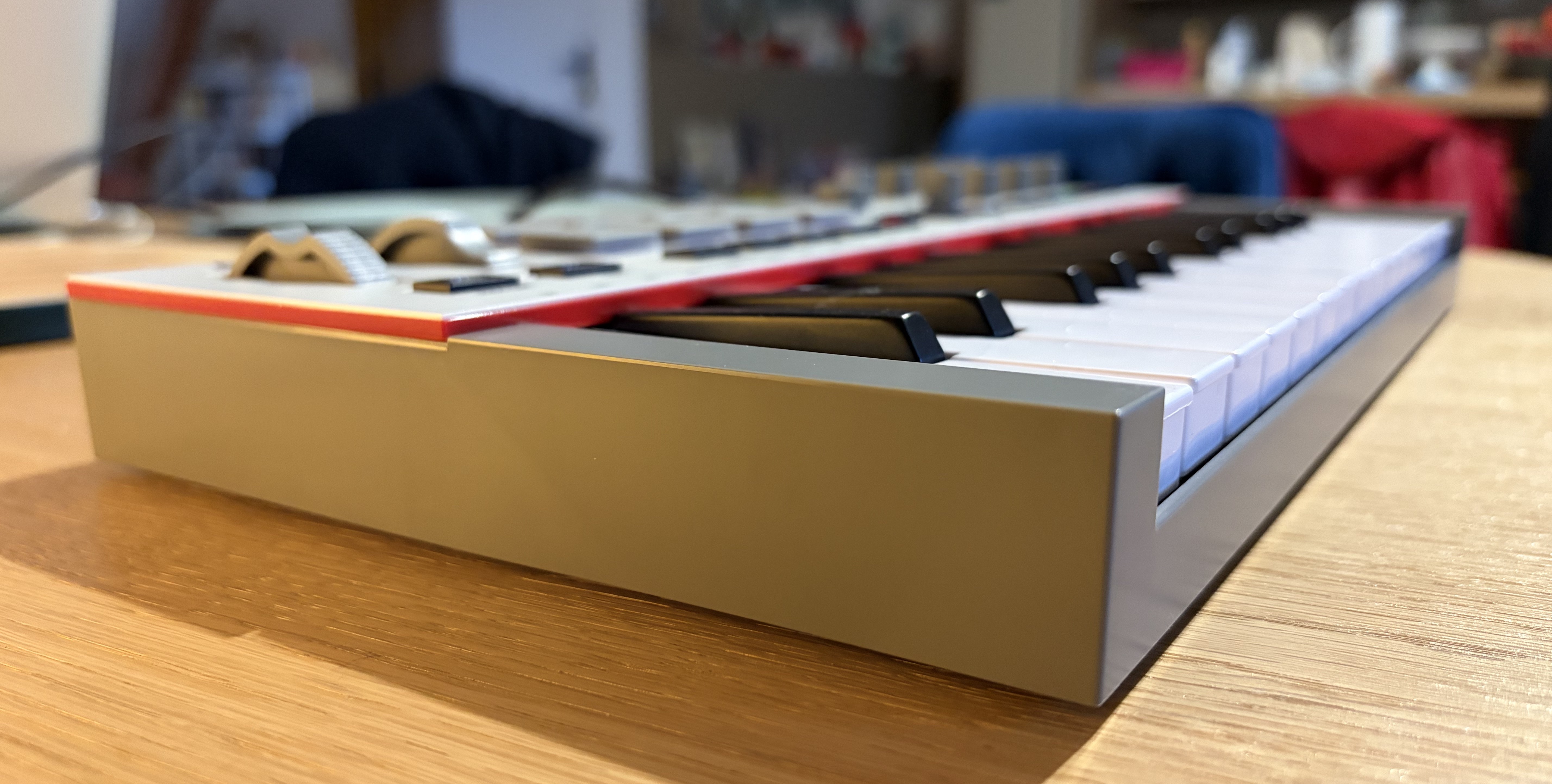
The eight rotary encoders are fine, even if there is a very slight play on some axes, but nothing dramatic. The absence of faders, on the other hand, may frustrate some live or live-automation-oriented users. Faders are often used to manipulate several parameters simultaneously with a single hand, which is less obvious with knobs. But, given the MPK Mini IV’s already dense surface area, it’s hard to imagine where Akai could have integrated them without sacrificing other essential elements or compromising the controller’s compactness.
Arpeggiator, Scale and Chord modes: the creative tools of the MPK Mini IV
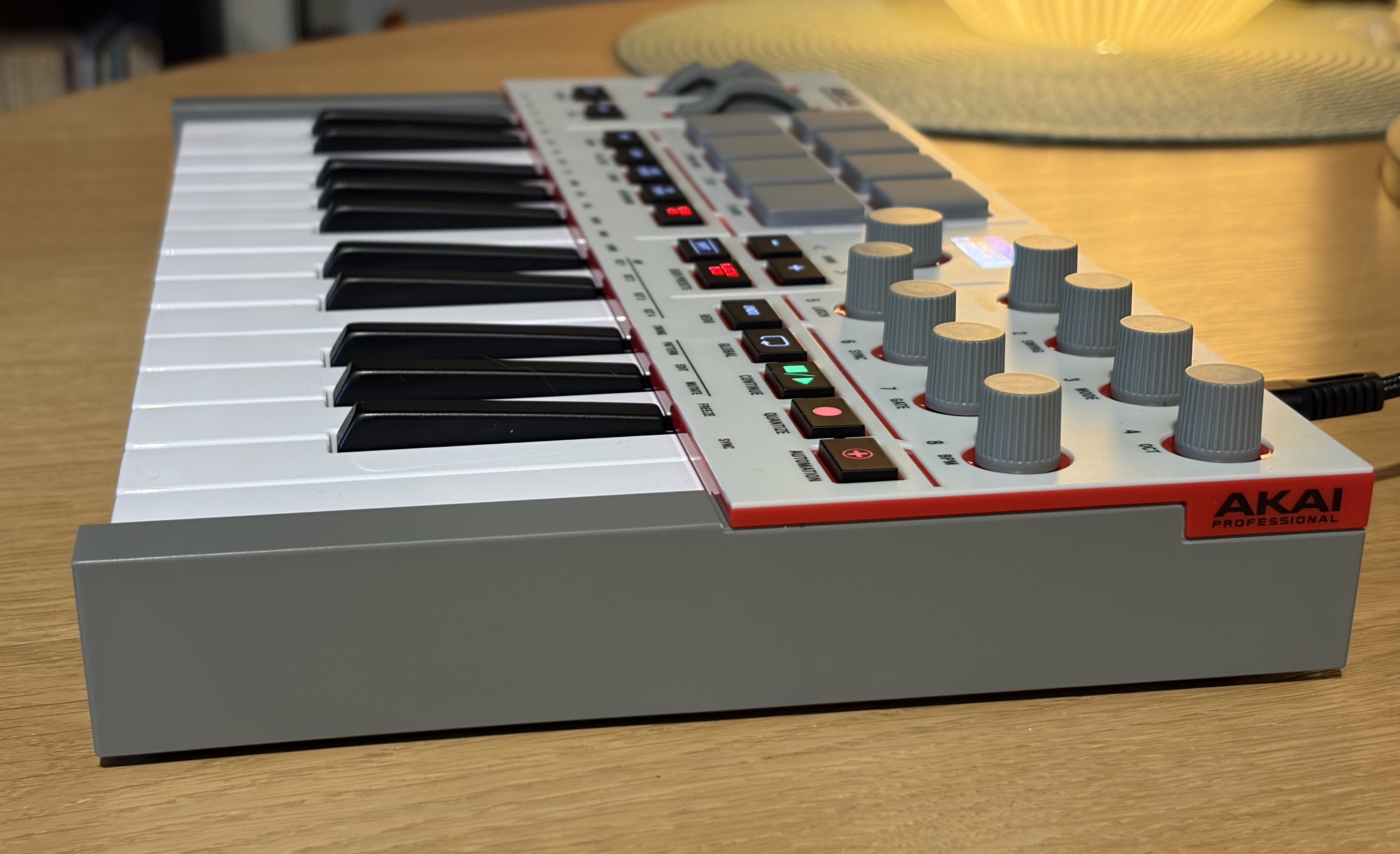
Indeed, Pattern mode lets you create customized arpeggio patterns; Freeze lets you freeze a pattern while improvising or playing over it; and Mutate mode automatically injects rhythmic or melodic variations, such as octave jumps or rhythm changes, making arpeggios more lively and less static. All this is in addition to classic arpeggiator functions.
Because the arpeggiated notes are transmitted via MIDI, it’s easy to retrieve the generated pattern for editing and for use in a variety of applications. In use, all this proves pleasant, versatile and highly creative. The eight encoders allow you to control the arpeggiator’s parameters, and even though the Shift key is often called upon, which is true for many of the MPK Mini IV’s functions, the ergonomics are well thought out, and the controls are assimilated in no time.
In addition to this well-designed arpeggiator, the Scale and Chord modes provide useful tools for composing and playing. Scale mode locks the keyboard to a chosen scale and is useful for those who haven’t yet mastered their scales or aren’t keyboard pros. Chord mode, meanwhile, transforms a single note played into a complete chord, simplifying the creation of harmonic progressions.
Virtual instruments and a DAW: the MPK Mini IV software offering
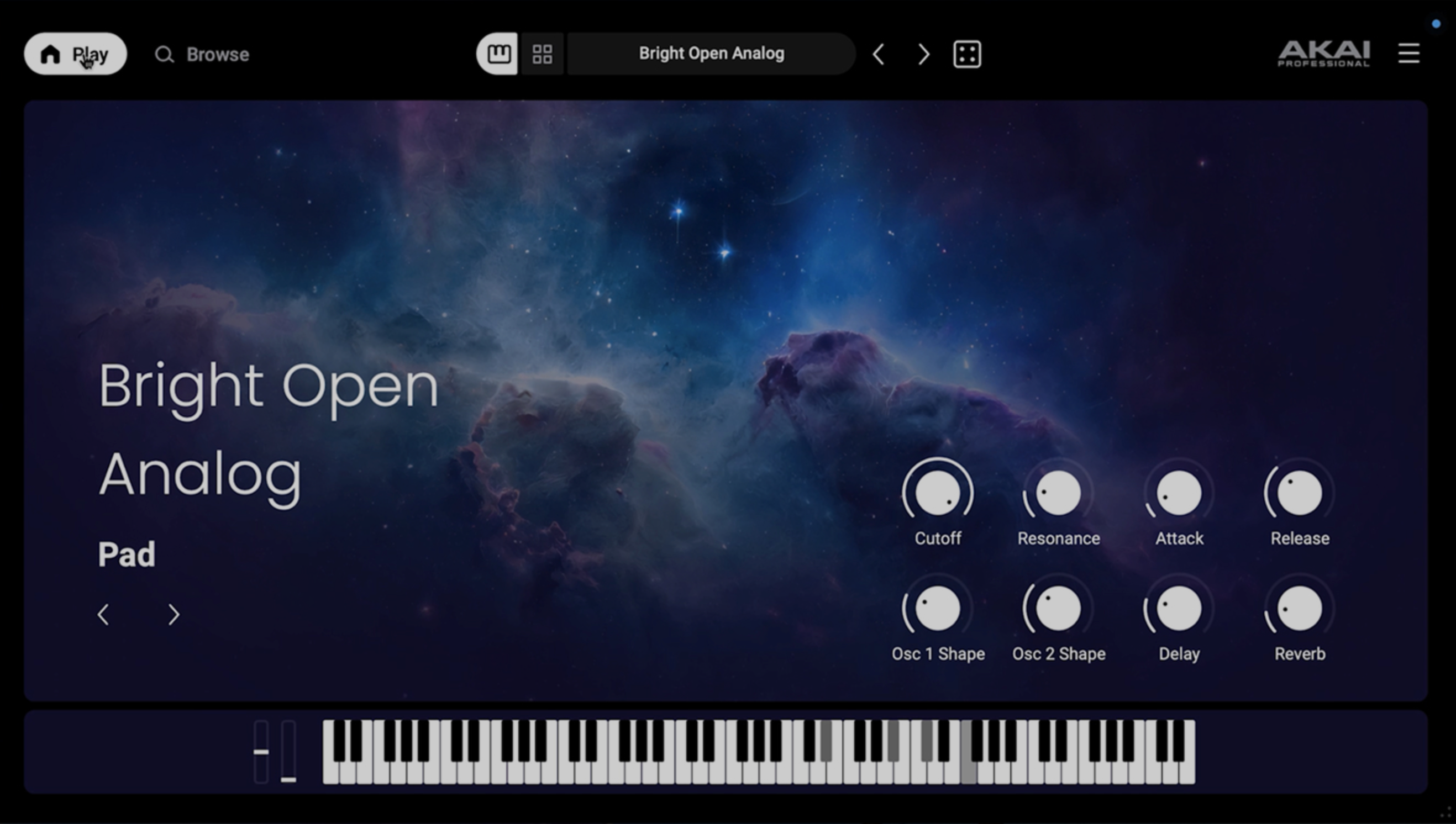
The heart of the offering is now the Studio Instrument Collection, a unique virtual instrument featuring over 1000 sounds from AIR, Akai Pro and Moog. This collection constitutes a unified sound palette covering pianos, synths, strings, basses and percussion, with all editing parameters pre-mapped to the MPK Mini IV’s eight knobs. This type of solution is becoming commonplace in the industry and seems to be appealing to many users, as it provides rapid access to a wide range of sounds with minimal editing, following the example of Arturia’s AnalogLab.
This formula has several advantages: it’s simpler to set up, easier for beginners and better integrated than the old system of separate instruments. While we lose some sound design and synthesis capabilities, we gain efficiency and accessibility. For someone just starting out in production, having a large, coherent library in a single instrument is a real asset.
Akai also includes a trial period for Melodics, a software package offering interactive exercises for progressing in rhythm, drumming and keyboarding. Temporary access to Splice completes the offer, enabling good-quality samples to be downloaded, which can be used as a basis for more ambitious projects.
Akai adds the ability to use certain AIR plugins standalone, without going through a DAW. The standalone versions of the Electric, Huge and Essential Keyboards plugins are installed via the inMusic Software Center and enable immediate playback with the MPK Mini IV. It’s still possible to install MPC Beats and enjoy this virtual MPC, perfectly compatible with the MPK Mini IV. As for the MPK Mini IV configuration software, it requires no comment other than it does what it is asked to do and is efficient.
The whole software proposition is clearly geared towards new users, but it remains solid enough to interest more experienced musicians wanting a mobile setup. Akai seems to have understood that the multiplication of separate plugins in previous offerings sometimes created more confusion than value, and this new pack looks much more homogeneous.