




Less than a year after Pigments 6, Arturia is back with a new version of its multifaceted software synth. With fewer new features than introduced in previous updates, will Pigments 7 bring new colors to your productions?

When Pigments arrived a few years ago, it was first and foremost a software synthesizer focused on wavetable synthesis, with an advanced wavetable engine and a formidably efficient visual modulation system. From the outset, Arturia had laid the foundations for a modern, flexible and remarkably clear-cut instrument. But it was with each successive version, thanks to the addition of new engines, extra filters, elaborate effects and an ever more inspiring sequencer, that it became a veritable Swiss Army Knife of synthesis. Pigments has become one of the few synths capable of combining power, versatility and user-friendliness, without ever falling into gratuitous complexity.
With version 7, Arturia continues this evolution, but in a more timid way than in the past. We’re not talking about a revolution here, or even essential new possibilities, but rather a series of additions and improvements that reinforce the instrument’s already enormous potential. Admittedly, while the list of new features may seem a little light, Pigments 6 had reached such a level of power and maturity that it becomes difficult to imagine what decisive additions Arturia could really make.
So, for once, let’s start by mentioning the few things that are lacking. A new FM-based generator, perhaps? Pigments already boasts powerful frequency modulation capabilities, but the addition of an engine dedicated to this synthesis with more control would make sense. Also regrettable is the persistent absence of preset saving by section, a function that would be invaluable given the depth of the instrument and would greatly facilitate the rapid creation of new sounds. Finally, unlike Serum 2 or Dune 3, Pigments still doesn’t offer the option of creating your own wavetables directly in the interface. That’s all there is to it, and it still leaves a little room for improvement for future versions. On the whole, however, it would be unkind of us to criticize this software, which is already so complete, pleasant to use and, what’s more, offers its updates free of charge.
Let’s turn now to the new features themselves.
A new, modernized-and-performance-oriented play view
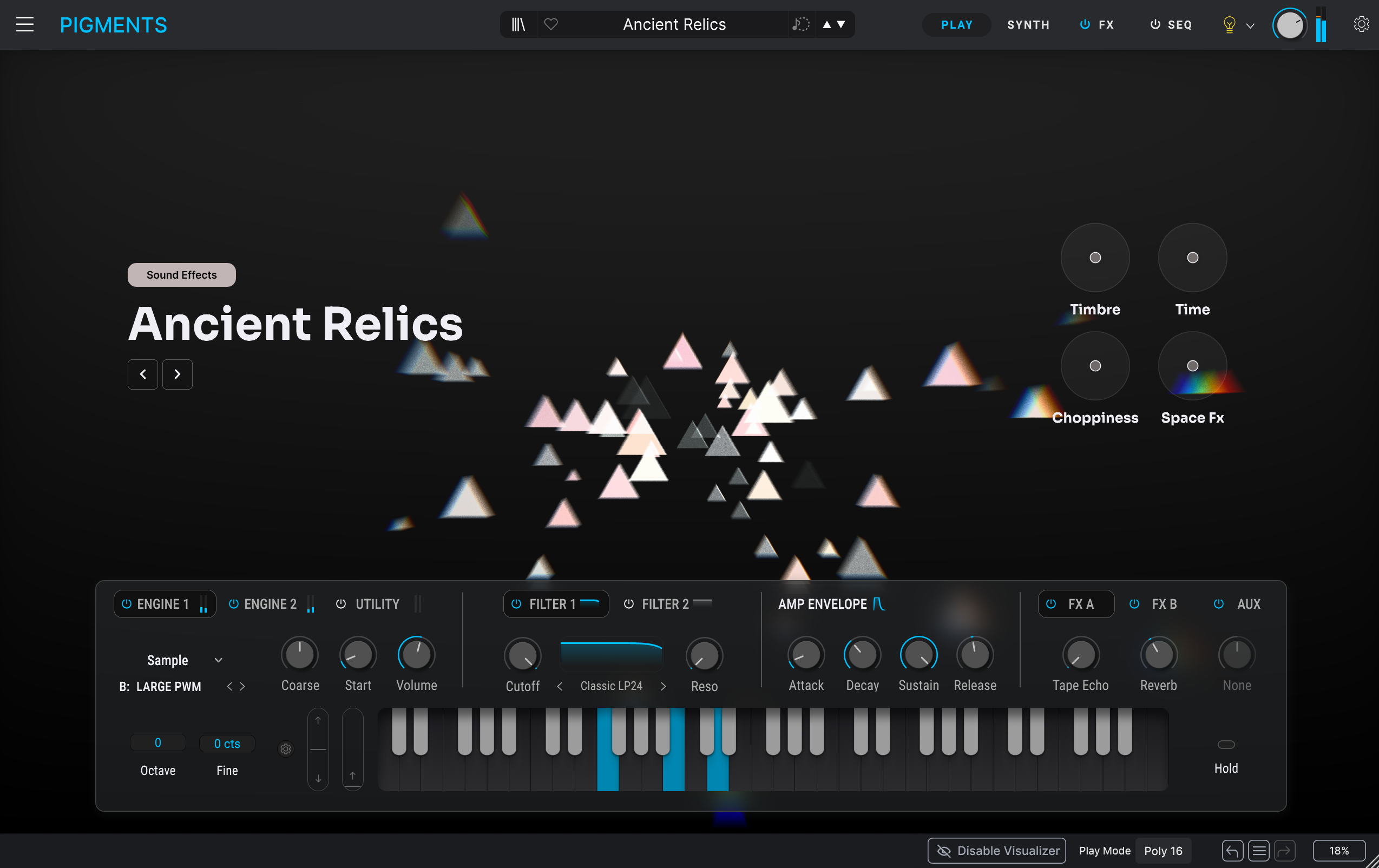
However, it’s not without its nuances. While this new Play view is undeniably more modern and perfectly suited to real-time gaming, it also shows certain limitations when it comes to quick sound editing. Nearly all the previous controls remain, but direct access is less immediate and more tab-based.
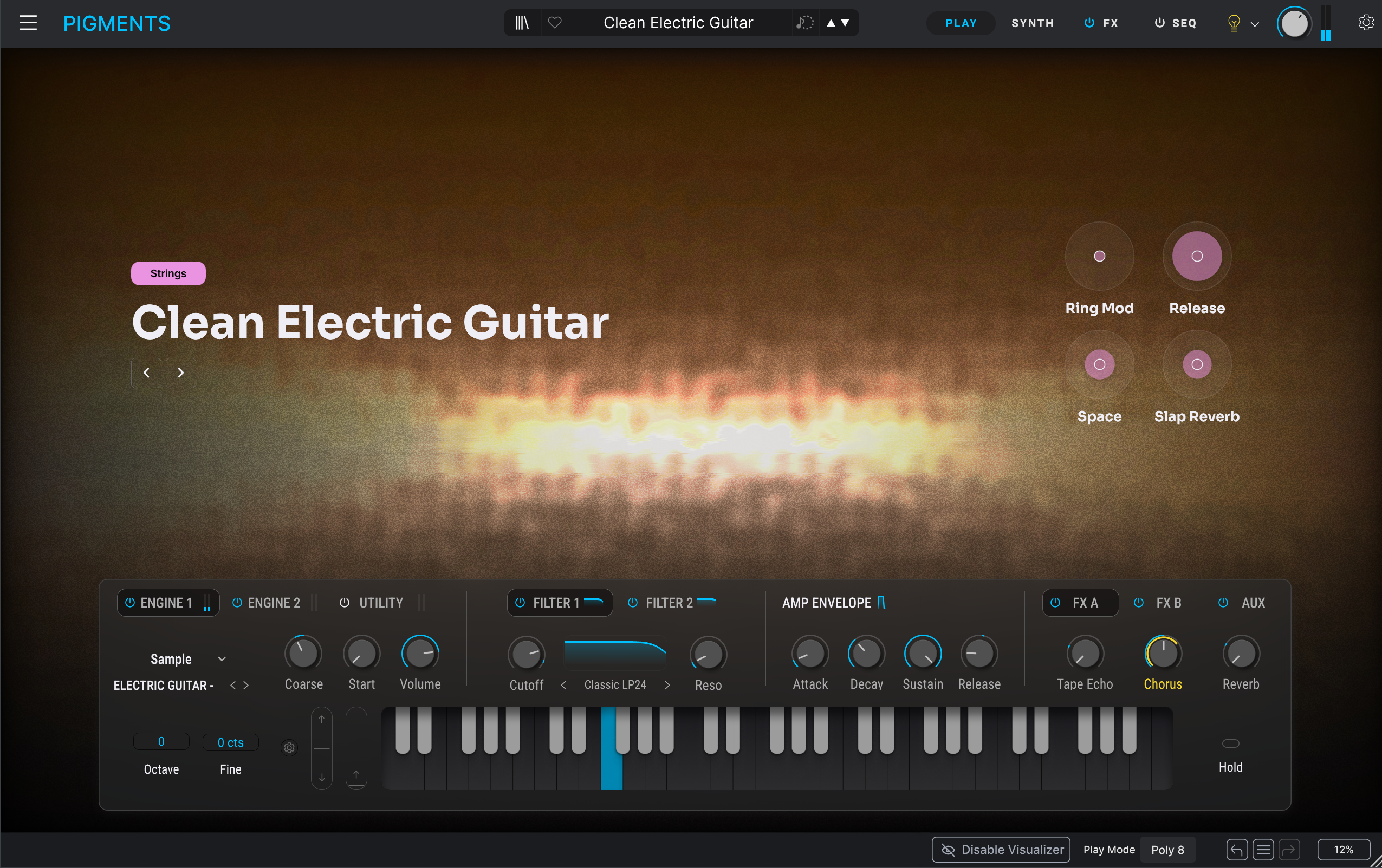
This repositioning transforms the Play view into a real space dedicated to playing. For sound designers wishing to explore synthesis engines in depth, it obviously doesn’t replace access to detailed pages, but it does offer a more immersive experience for improvising or adjusting essential parameters in real time, notably via macros.
Filters and an effect that add significant character
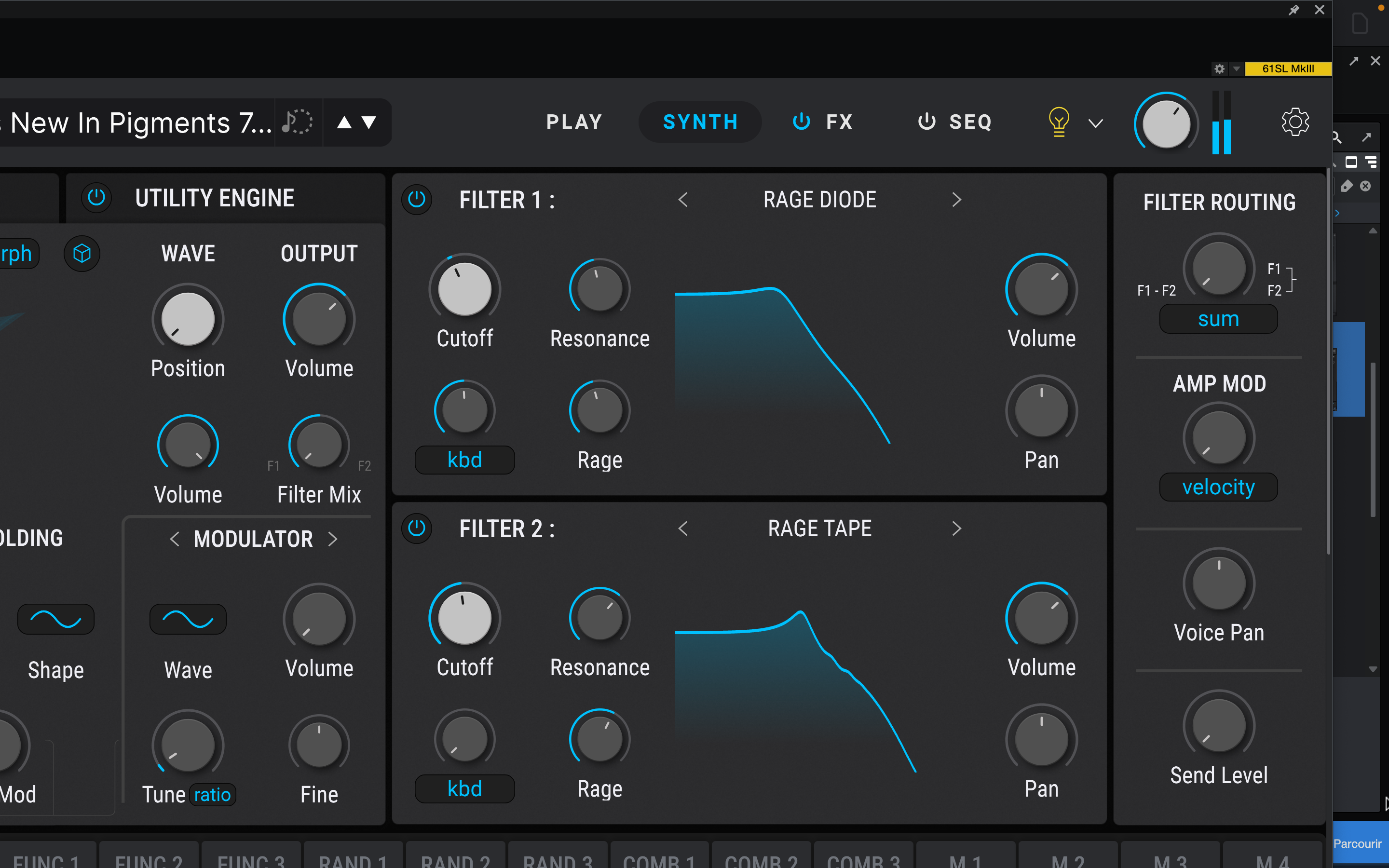
The Rage filter gives a saturation capability that wasn’t really there before. It combines elements of resonance and multiple distortion, with several types available (Diode, Distortion, Soft Clip, Tape and Transistor), enabling soft or aggressive colorations. On bass or leads, this filter brings a distinctive energy that will particularly appeal to modern electronic music.
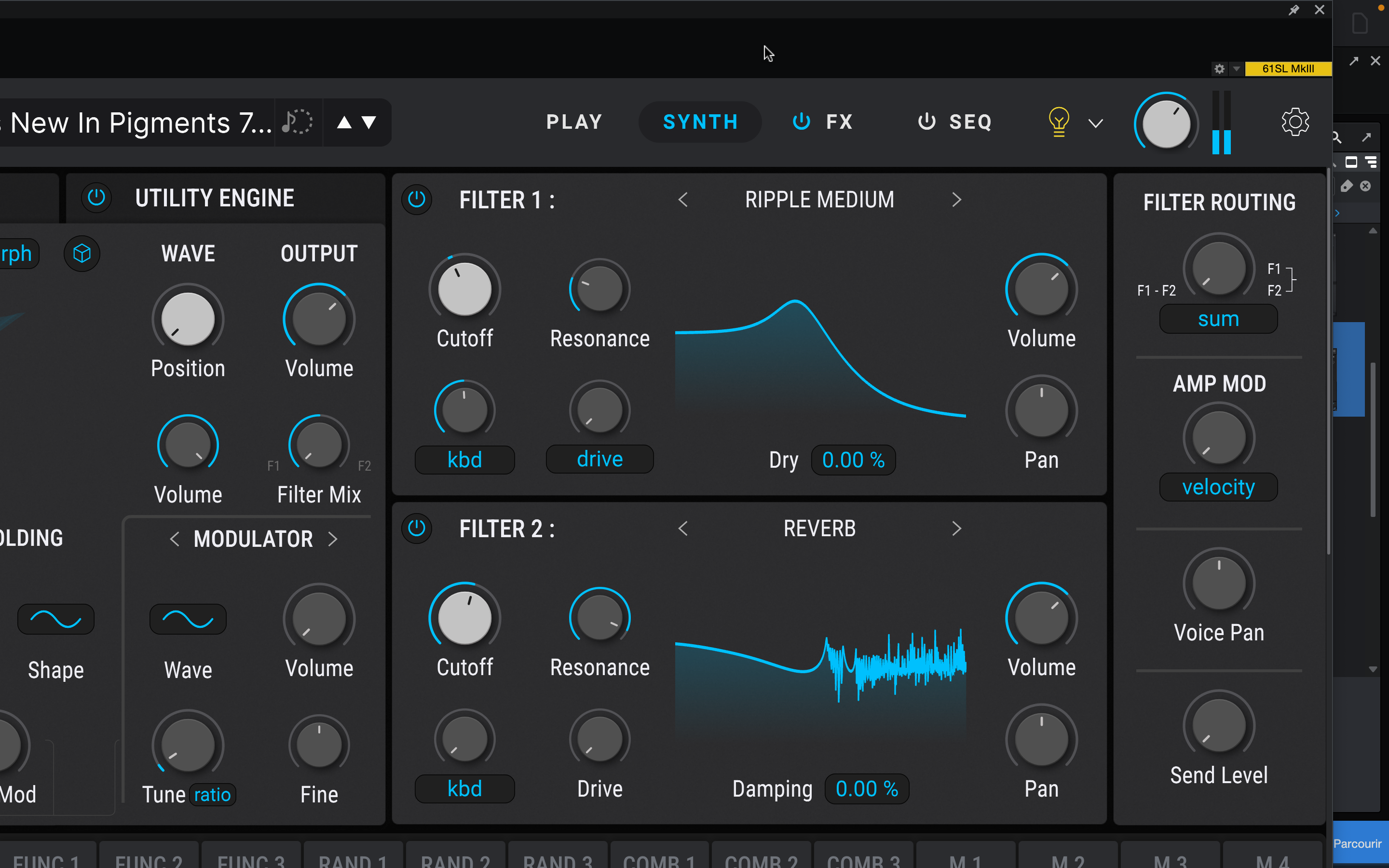
The new Ripple filter, with its three types (Subtle, Medium, and Hard), enables you to explore phase- and frequency-shifting phenomena, offering oscillating timbres that are not simply cutoff variations. This highly original filter can vibrate or pulsate in very interesting ways and is positioned more like a textural sound design tool than a classic filter designed to “carve into the material.”
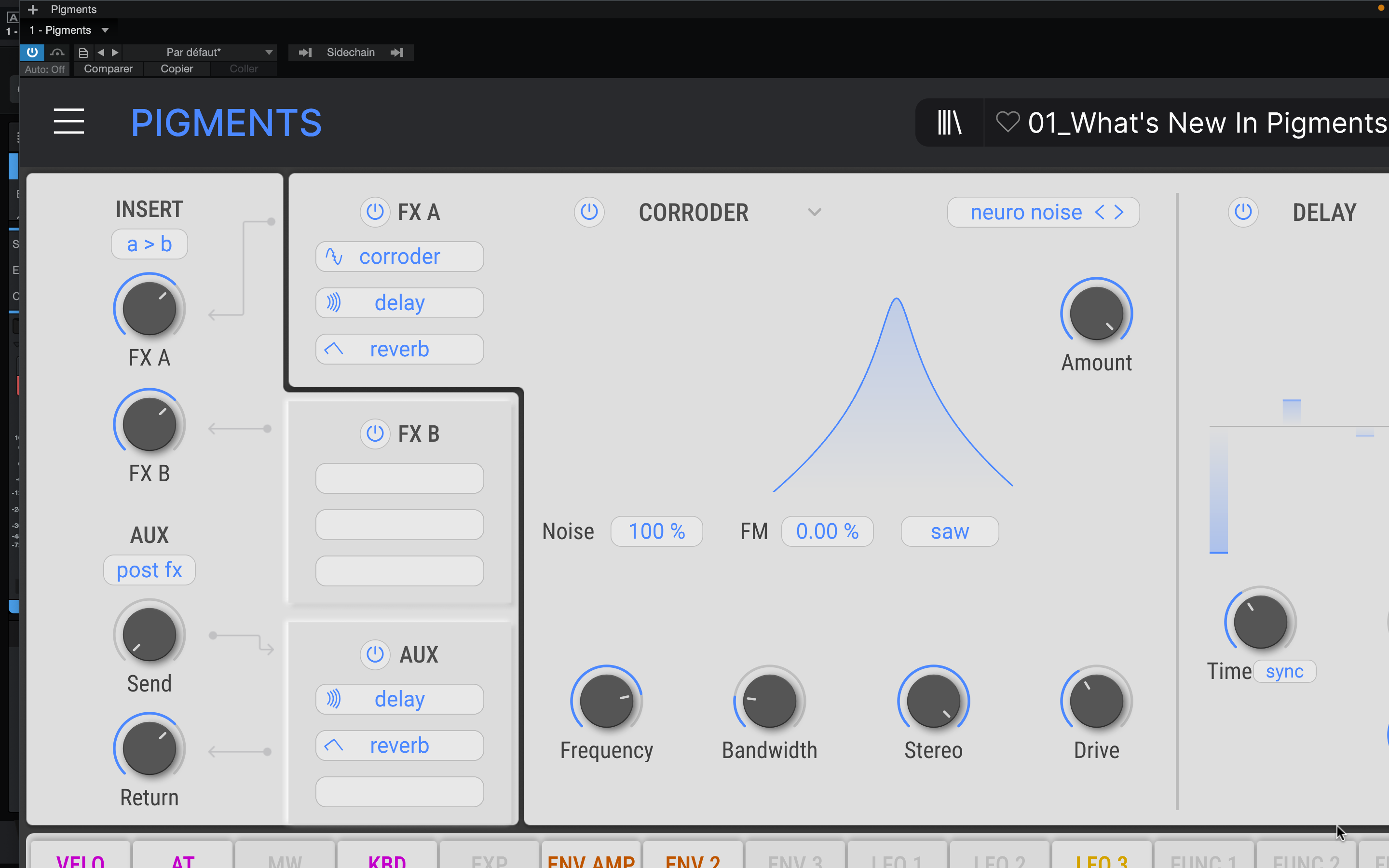
Finally, Pigments 7 adds the Corroder to its arsenal of effects. Reading the list of new features, one might quickly think that the addition of a new effect designed to dirty the sound or add distortion is nothing fundamental. And yet, in use, Corroder quickly proves convincing. It is presented as a tool exploring controlled degradation treatments, ranging from the most subtle to the most destructive, depending on the settings. And this is indeed the case. The addition of noise to the process is a real plus, bringing lovely textures and an extra dimension to the processing.
Above all, a modulation source can be chosen from the standard waveforms (sine, square, saw), but also — and this is where the effect gets really interesting — from generators, filters, the FX input or the Audio Input. As we’ve already seen with Pigments 6, this possibility opens the door to many fantasies, but applied here to an effect dedicated to sound degradation, it takes on a whole new dimension.
Your voice, or even the sound of your washing machine, can be used as a modulator for Corroder. You’ve got to admit, that’s pretty cool. Alongside these additions, the “Classics” filters now benefit from FM modulation, opening up even more complex interactions between oscillators and filters. This greatly enriches Pigments’ ability to go for metallic or unpredictable textures.
Sharper envelopes, better CPU management, new presets and wavetables
Arturia has also optimized overall performance and CPU consumption. And the gain is real. Pigments 7 is less greedy than its predecessors in complex contexts, which proves particularly comfortable in busy sessions or on less powerful machines.
The content delivered with Pigments 7 has also been enhanced. This version features 150 new presets, accompanied by 50 wavetables, 30 samples, and 20 noise sources, as well as integrated tutorials that guide users through concrete sound design scenarios.