Log in
EN
FR

Digidesign Music Software

Series

106 products found

Categories
Series
Filter
Sort by
Digidesign
Evaluation
  • Reviewed or not
  • Editor’s award
  • Reviewed by Audiofanzine
Availability
  • Available or not
  • Sold new or used
  • Sold new
  • Sold used
Must-have products
  • All products
  • Flagship products
  • Best rated products
  • Hot products
  • Popular products
Price
  • Freeware
€
Clear
Sort by
  • Popularity
  • User ratings
  • Price - low to high
  • Price - high to low
  • Used price, increasing
  • Used price, decreasing
  • Name (from A to Z)
  • Name (from Z to A)
  • Added on
Choose a series
Sort results
  • Popularity
  • User ratings
  • Price - low to high
  • Price - high to low
  • Used price, increasing
  • Used price, decreasing
  • Name (from A to Z)
  • Name (from Z to A)
  • Added on
Filter results 106 results found
Brands
Evaluation
Availability
Must-have products
Price
  • Freeware
Show results

The best Digidesign Music Software reviews

The reviews Audiofanzine members found the most helpful.
  • « Pro Tools is for pros.. »

    The Digidesign Pro Tools M Powered 8 version of Pro Tools is perfect for your home studio set up. It will have you making great recordings and a very clean mix in no time. It will take some practice and some patience especially if you are use to the flow of the Pro Tools interface. But you can use the manual for that, I don’t suggest this program to beginners though. But if you aren’t a beginner this is great! I ran this on my PC with an M Box and it worked perfectly. This program is a very large program though, and it will eat up space on your pc. So make sure you have a lot of storage and RAM on your PC before loading this up or your will receive a lot of lag even if you are using the ASIO drivers. SUITABILITY/PERFORMANCE But using the Pro Tools M Powered 8 version is not as complex as the regular version of Pro Tools. But it still packs a punch. You can still use all of the main plug ins that you can on the regular version of Pro Tools. The Pro Tools software is a high quality recording software that is an industry standard and is used in all major studios worldwide. You can save your session and open it on a different version of pro tools in a different studio. OVERALL OPINION Overall Pro Tools M Powered 8 is great because it allows someone with a smaller budget to have something that the industry uses in the privacy of their own home or personal set up, and still transfer the files over to any pro tools version here is on the market. The price of this product isn’t bad at all, you will need to know how to use pro tools if you are going to be serious in this industry. Pro Tools M Powered 8 makes it possible no matter what your budget is.

  • moosers's review

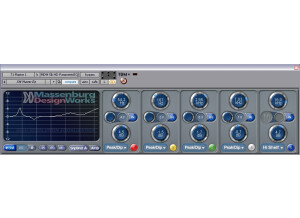
    The GML MDW (Massenburg Design Works) Hi-Res Parametric EQ 3.0 has become my go to equalizer in the last six months ago, and I wish it didn't take me that long to get it! It's seriously one of, if not the best EQ plug-in that I've used. This plug-in basically emulates in digital form the ever popular GML 8200, which has become almost a standard for super specific equalization. The plug-in comes as both a three and five band EQ, which essentially come as a pack together. There is no difference between the two other than the number of bands. I didn't have any problems at all installing this plug-in as it wasn't a memorable process, which is always a good thing. Learning to use the plug-in also isn't too hard of a process, granted you know a bit about parametric equalization. Even if you're just learning, this is a great interface to start on. Each band, whether you're using the five or three band version, has parameters for frequency, Q (bandwidth), and gain (db). You can set the shape of the band to a variety of settings, including as a standard peak/dip band, hi or low pass, and hi or low shelf. However, the best feature of the MDW EQ is the ability to quickly sweep with each band. The button on the bottom right with the number on it on each band will instantly shoot up a bell isolating a small section of frequencies so you can hear what's within each part of the frequency band. This is extremely helpful for finding resonances and unwanted tones. I haven't ever seen the manual for this plug-in. SUITABILITY/PERFORMANCE I'm currently running the GML MDW Hi-Res Parametric EQ 3.0 plug-in on my system at home, where I've got Pro Tools 9 running with a Digi 002R audio interface, modded by Black Lion Audio. My computer is a Mac Book Pro that has a 2.2 Ghz Intel Core 2 Duo processor and 4 GB of RAM. I've had no problems running this plug-in on the system at all, and let me say that I've been using it on nearly every channel for mixing... OVERALL OPINION The GML MDW Hi-Res Parametric EQ 3.0 plug-in is one that every DAW user should have. Trust me when I say that once you use it, you aren't going to want to use another EQ, as that's what has happened with it. It's simply so easy to use and it's super quick to pull unwanted frequencies. It has a super clean sound and won't color your tracks at all. The price is more than reasonable considering the quality here. Get this today and you'll never look at another EQ plug-in!

  • « Xpand 2 review »

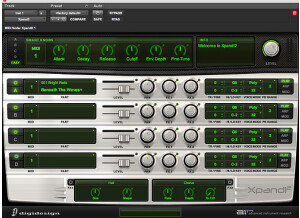
    I didn't experience compatibility issues with this product, and i didn't use the user manual because the plugin is really easy to use. The main functions are easy accessible like choosing a preset, change its cutoff filter, add reverb, etc. SUITABILITY/PERFORMANCE This plugin works correctly and it is real stable and it doesn't use much cpu power of the computer. I dont use it much i got it with my 003 rack & protools, but it has some pretty good presets but they sound better when layered or edited. OVERALL OPINION I like some of the sounds in xpand 2, i use them once in a while, but skipping through the sounds is real annoying as it doesn't have a "next" button. you have to go in the list over and over again to pick the next sound. I got the plugin when i purchased protools, its an okay product, but some sounds sound a bit cheap.

  • « Good distortion »

    AIR plugins are part of the set of plugins that come together with Pro Tools. AIR stands for Advanced Instrument Research, and these are highly versatile plugins that really help expand the overall usage of Pro Tools. First of all, there are no compatibility issues with these plugins as they're made exclusively for Pro Tools. That means no unexpected crashing or weird bugs. I never read the manual on this, so I can't really comment on that. These plugins are easy enough to use that you shouldn't really need it. I find that AIR Distortion works best for those wanting to add some slight grit to vocals or those working with electronica music. For guitars, this isn't something you want to use; guitars are usually already distorted. It's a powerful distortion that can get out of hand if you're not careful, so be sure to use it lightly. SUITABILITY/PERFORMANCE I never experienced any performance issues with these plugins, and the reason is that they're made exclusively for Pro Tools. Because of that, everything is rock solid. I use a Mac Pro Dual Quad Core machine, and while Logic is my main DAW, Pro Tools is what I've been experimenting with lately, and I can see why it's considered the best DAW out there. I never had any issues when it came to RAM or slowdowns, but it could also be because my machine is fairly hefty. I've only been using Pro Tools for a few months, so my opinions may change in the future. OVERALL OPINION I don't use this one quite as much because it's not really meant for guitars. I've used it on vocals with success, but since I'm not a huge electronica guy, I don't use it for much aside from that. I've used it on bass before, but I generally prefer using some sort of VST for bass recording instead of loading the buss up with built-in plugins.

  • « Very versatile »

    AIR plugins are part of the set of plugins that come together with Pro Tools. AIR stands for Advanced Instrument Research, and these are highly versatile plugins that really help expand the overall usage of Pro Tools. First of all, there are no compatibility issues with these plugins as they're made exclusively for Pro Tools. That means no unexpected crashing or weird bugs. I never read the manual on this, so I can't really comment on that. These plugins are easy enough to use that you shouldn't really need it. This is the AIR Chorus on steroids. There are all kinds of crazy options in here to get whatever chorus modulation you're looking for. In fact, it's like combining multiple AIR Choruses together and having them in one convenient plugin. It might be a bit more daunting than the regular AIR Chorus, but the added benefits are definitely worth it if you're looking to create your own unique chorus. SUITABILITY/PERFORMANCE I use a Mac Pro Dual Quad Core machine, and while Logic is my main DAW, Pro Tools is what I've been experimenting with lately, and I can see why it's considered the best DAW out there. I never had any issues when it came to RAM or slowdowns, but it could also be because my machine is fairly hefty. I never experienced any performance issues with these plugins, and the reason is that they're made exclusively for Pro Tools. Because of that, everything is rock solid. I've only been using Pro Tools for a few months, so my opinions may change in the future. OVERALL OPINION The AIR Multichorus is the plugin that I probably use the most when I want to create a chorus effect inside of Pro Tools. It's more versatile than the regular AIR Chorus, and it sounds amazing. Just be careful not to overuse this as it can get ridiculously 80s sounding if you're not careful.

  • « Basically a Haas effect »

    AIR plugins are part of the set of plugins that come together with Pro Tools. AIR stands for Advanced Instrument Research, and these are highly versatile plugins that really help expand the overall usage of Pro Tools. First of all, there are no compatibility issues with these plugins as they're made exclusively for Pro Tools. That means no unexpected crashing or weird bugs. I never read the manual on this, so I can't really comment on that. These plugins are easy enough to use that you shouldn't really need it. AIR Ensemble is basically utilizing the Haas effect to help thicken up a mix. For those that don't know what the Haas effect is, it's basically taking the same track, delaying it a touch and panning them. This creates a stereo effect without having that nasty phase cancellation that normally occurs when you simply copy/paste a track to the left and right channels. SUITABILITY/PERFORMANCE I've only been using Pro Tools for a few months, so my opinions may change in the future. I never experienced any performance issues with these plugins, and the reason is that they're made exclusively for Pro Tools. Because of that, everything is rock solid. I use a Mac Pro Dual Quad Core machine, and while Logic is my main DAW, Pro Tools is what I've been experimenting with lately, and I can see why it's considered the best DAW out there. I never had any issues when it came to RAM or slowdowns, but it could also be because my machine is fairly hefty. OVERALL OPINION If I'm going to the do the Haas effect, I normally do it manually. This plugin helps save time, but it's not exactly as useful as certain other plugins that Pro Tools has to offer. It's solid and fun to mess with, and it's great for beginners. I just find it easier to do stuff manually since I've been doing it for years and years. I just wish DigiDesign would sell these for other DAWs out there so other people could experience them outside of the Pro Tools world.

  • « Great chorus »

    AIR plugins are part of the set of plugins that come together with Pro Tools. AIR stands for Advanced Instrument Research, and these are highly versatile plugins that really help expand the overall usage of Pro Tools. First of all, there are no compatibility issues with these plugins as they're made exclusively for Pro Tools. That means no unexpected crashing or weird bugs. I never read the manual on this, so I can't really comment on that. These plugins are easy enough to use that you shouldn't really need it. AIR Chorus is a good, solid chorus that you can include on any buss to help add that thickness and depth to your mix. It can do everything from a subtle modulation to an insane 80s chorus delay that sounds like you're under water. SUITABILITY/PERFORMANCE I never experienced any performance issues with these plugins, and the reason is that they're made exclusively for Pro Tools. Because of that, everything is rock solid. I use a Mac Pro Dual Quad Core machine, and while Logic is my main DAW, Pro Tools is what I've been experimenting with lately, and I can see why it's considered the best DAW out there. I never had any issues when it came to RAM or slowdowns, but it could also be because my machine is fairly hefty. I've only been using Pro Tools for a few months, so my opinions may change in the future. OVERALL OPINION One thing I dislike about these AIR plugins is that they're only found in Pro Tools. While other DAWs have their own exclusive plugins, I'd like to see these available for purchase at an affordable price. That would help out both DigiDesign and everyone who uses a DAW besides Pro Tools. The plugin itself is nice, and I've used it quite a bit with great success, so no issues there.

  • « Beginner's studio in a box »

    Digidesign is fairly well known throughout the community as being a great company to buy starter packages for beginning a studio from. This time, they offer everything the 002 pack had and then some. The 003 is a nice control surface that has 8 motorized faders, 8 rotary encoders for pan/send/meter and other controls, a dedicated mute/solo/select/record switch per channel, nifty LCD display per channel, jog wheel, firewire, 18 I/Os, decent mic pres, phantom power, S/PDIF and more. This also comes complete with Pro Tools LE to help get you started with everything you need. SUITABILITY/PERFORMANCE Pro Tools LE has always been one of the more stable DAWs out there. It is fast, easy to use, intuitive and handles things pretty well. There are some issues that can occur when it comes to converting VSTs to RTAS, but that is more of an issue with the wrapper than the actual Pro Tools application itself. It also depends on how the VST was made and a bunch of other things. The 003 console is a pretty decent device, but I think it feels kinda cheap at times. I might be a bit too used to the higher end consoles, but considering the price, I guess it's not too terrible. I've only had a limited experience with this, so keep that in mind. OVERALL OPINION I'm not a huge fan of cheaper bundles with the lower end mixing consoles such as this. However, if you're in the need for something like this, it might not be too bad. Personally, I'd rather get a better pre and just use the DAW's own built-in environment for all of my mixing and console related applications. That said, the device itself is great, and Pro Tools is an awesome DAW that won't let you down if you do decide to drop the cash on this.

  • « One of the best DAWs »

    Pro Tools has always been the leader in terms of DAW performance, and it's for good reason. Besides having some of the most stable hardware and some of the most famous plugins, it's also cross platform. That means that anybody can simply install this on their computer and give it a go. On top of that, Pro Tools HD 9 has a new feature that no other Pro Tools has had before it -- it is now compatible with any preamp out there. Yes, they finally took out the hardware restrictions in order to help market this to a wider audience. You no longer have to be tied to their proprietary hardware like you used to. SUITABILITY/PERFORMANCE Pro Tools has always been pretty stable for me, for the most part. The biggest compatibility issues that can occur generally happen when you're dealing with aftermarket plugins and they need to be wrapped with different applications. That can sometimes cause some instability depending on what you're trying to achieve. However, Pro Tools generally has pretty good built-in plugins that you can use. Most of the major plugin manufacturers out there support RTAS anyway. There's no issues with it being a memory hog as long as you're not doing anything stupid. There is so much to do in here that it really does require reading the manual quite a few times to totally grasp it, but I find it more fun to simply play around in the environment and experiment. OVERALL OPINION Personally, I'm a Logic fan, but I'm a Mac user as well. Given that Pro Tools is a cross platform application with rock solid stability and some of the most intuitive environments out there, it's no wonder this is the number one DAW of choice. Thanks to Pro Tools 9 being hardware independent, now anybody can experience what the hype is about this application. I'm actually pondering making the permanent switch from Logic, but I haven't exactly made the leap yet.

  • moosers's review

    Digidesign's DigiRack Pitch Shift is one of the Audio Suite plug-ins that is included with Pro Tools and has been for a number of versions now. These DigiRack plugs are designed for the DAW user that might not have any plug-ins to begin with. You don't need to do anything to install DigiRack Pitch Shift as it installs with Pro Tools since it's essentially built into the program. It has a pretty simple interface that gives you sliders for controlling gain, coarse (pitch shift in semitones), fine (pitch shift in cents), ratio, crossfade, min pitch, accuracy, note, detune, and level. You can also sound a reference pitch and time correct. It's got a really plain looking interface, as is the case with all of the Audio Suite DigiRack plug-ins. I don't think there's a manual for this, but there may be a write up on it inside the Pro Tools manual. SUITABILITY/PERFORMANCE I don't know how far back the Digidesign DigiRack Pitch Shift plug-in goes in terms of it's earliest Pro Tools appearance, but I've had it for as long as I've had Pro Tools, which started with version 7. The plug-in runs just fine on my current system, which is Pro Tools 9 with a Digi 002R and a Mac Book Pro. The computer has a 2.2 Ghz Intel Core 2 Duo processor and 4 GB of RAM to work with, which has been just fine for running this and processing with it. You can't run it as an insert, but for processing on the go I don't think anyone will have trouble with it. OVERALL OPINION Digidesign's DigiRack Pitch Shift plug-in is definitely a nice stock one to use when you need to do simple pitch shifting processing. I have a bunch of other plug-ins that I'll use for this now, but when I didn't have any Waves plug-ins I would use this as a quick and easy way to pitch shift - usually for vocals. It's not meant for tuning or anything like that, but does a fine job for simple pitch shifting. The best part about this is that everyone who has Pro Tools has it, so instead of looking for a new plug-in for it, I'd check out what you've got here first...

  • « Free Pro Tools plug-in that rocks! »

    This is a plug-in that will run on any version of Pro Tools. It comes installed with the software itself so there is no reason to purchase it outside of Pro Tools, unless of course you are using a different DAW. As it came pre-installed with the Pro Tools version of LE that I bought, I haven't had any compatibility issues other than the ones that might have arisen when I installed Pro Tools, but since I resolved those quickly I was good to go. There was no need for a manual as this plug-in was pretty easy to use. SUITABILITY/PERFORMANCE This is a plug-in that has a lot of cool features. It's great for giving whatever track you are using the illusion of having really nasty distortion, or perhaps a bunch of noise or saturation. It's really good for experimental mixing and vocals, stuff that sounds nasty and distorted for aesthetic effect. It's got a way of dropping sample rate too, which is cool if you want to slow the whole thing down. I haven't ever had it bog down on me, it's really just an efficient plug-in. OVERALL OPINION I really like throwing this effect onto things that I think are recorded too clean for the mix. Basically it'll dirty up anything it goes on. It's definitely something that needs to be used sparingly, as you won't hear anything at all if you use it on every track. But it is kind of a cool way to make a vocal sound more interesting or blend into a different kind of mix. If you need it to sound like a telephone, a radio, a television set, or somehow just make it sound dirtier, this is usually a good bet. And since it's free with Pro Tools it's obviously worth the price. Highly recommended.

  • moosers's review

    Digidesign's Smack LE is a great compression plug-in that has become a mainstay of Pro Tools systems all over. It's super easy to use and has a great sound that is much like a Distressor. Installing the plug-in is quick and easy - you'll need an iLok to run it. Figuring out how to use the plug-in is even easier, as there isn't very much at all to using it if you're familiar with the basics of compression. It's parameters include the traditional compression parameters like those for input and output levels, ratio, attack, and release, as well as a side chain EQ with three fixed settings, a high pass filter, and built in overdrive. The plug-in also has three modes to choose from - opto, warm, and normal. The interface also shows you your input and output levels which is always nice. I haven't had a peek at the manual for Smack, nor do I ever expect needing to. SUITABILITY/PERFORMANCE I'm currently running the Digidesign Smack LE plug-in on my system at home, as well as on the systems at the professional studio where I work, as I pull up a lot of mixes from home on these systems. At home I've got Pro Tools 9 which I'm running a Digi 002R audio interface and on a Mac Book Pro lap top computer that has 4 GB of RAM and a 2.2 Ghz Intel Core 2 Duo processor. I've had the plug-in for over a year and have yet to experience any lagging due to running it, and I have been known to run a good amount of these at once within a session... OVERALL OPINION Digidesign's Smack LE is always one of the first compression plug-ins that I'll try for mixing. I love how easy it is to use as I find I can get a great sound of it very quickly. The sound is pretty aggressive and much like a Empirical Labs Distressor in my opinion. Even though this plug-in has been around for a few years it's still one of my favorites by modern standards. I love the extra side chain EQ it has as I find myself using it almost all of the time for vocals. I also like using Smack on a drum busses and virtually anything that might need some aggressive compression. I do try to use outboard compression when I mix most of the time, but Smack LE is a great in the box tool when that's not possible. Absolutely worth checking out for any owner of Pro Tools!