Log in
EN
FR

Focusrite Music Software

24 products found

Categories
Series
Filter
Sort by
Focusrite
Evaluation
  • Reviewed or not
  • Editor’s award
  • Reviewed by Audiofanzine
Availability
  • Available or not
  • Sold new or used
  • Sold new
  • Sold used
Must-have products
  • All products
  • Flagship products
  • Best rated products
  • Hot products
  • Popular products
Price
  • Freeware
€
Clear
Sort by
  • Popularity
  • User ratings
  • Price - low to high
  • Price - high to low
  • Used price, increasing
  • Used price, decreasing
  • Name (from A to Z)
  • Name (from Z to A)
  • Added on
Choose a category
Selected category: Music Software
Sort results
  • Popularity
  • User ratings
  • Price - low to high
  • Price - high to low
  • Used price, increasing
  • Used price, decreasing
  • Name (from A to Z)
  • Name (from Z to A)
  • Added on
Filter results 24 results found
Brands
Evaluation
Availability
Must-have products
Price
  • Freeware
Show results

The best Focusrite Music Software reviews

The reviews Audiofanzine members found the most helpful.
  • moosers's review

    I didn't have any problems getting the Focusrite Fore Suite TDM installed and up and running. The process of installation only took a matter of minutes and I was able to use the plug-in pretty quickly. I didn't have any compatibility issues or other problems and the interface isn't too hard to decipher. This is really a few plug-ins in once since it is a channel strip as it has a compressor, and EQ, an expander, a gate, and a de-esser. Its great to have so many different types of effects within the same plug-in as it allows easy access to all sorts of features. While it would take too long to go over all of the setting controls in this plug-in, there is a pretty good amount going on because of the fact that it is really a few plug-ins in one. All of the typical functions are pretty easily located and everything is laid out conveniently. I didn't need a manual to learn the Focusrite Fore Suite TDM so I can't say if it would be helpful or not. SUITABILITY/PERFORMANCE So far I haven't had too much trouble running the Focusrite Fore Suite TDM. I have run the software on an Apple G5 desktop that runs with a Pro Tools HD system and I haven't had any problems running a few of these at a time. However, if you are running a Pro Tools LE system, I would bet that you would find that this plug-in would take up a good amount of processing power because it does have a lot going on at once. This being said, if you find yourself having trouble running a few at a time, I would try to use each plug-in individually if you are only using part of the plug-in as this will save processing power. OVERALL OPINION I've only been using the Focusrite Fore Suite TDM for a few months but I've definitely been impressed in this time. While I'm not a huge fan of Focusrite hardware, they have done quite a good job with this plug-in. All of the plug-ins are quite clean sounding, but I probably like using the compressor and the de-esser the best as I find these to be the most useful. At $400 USD, this isn't a bad deal considering that you are getting a bunch of different effects within the channel strip, but still isn't all that great of a deal. If you are looking for a channel strip that has all sorts of dynamic processing and EQ, the Focusrite Fore Suite TDM is an option that should be explored.

  • moosers's review

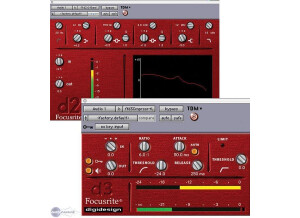
    The Focusrite D3 compressor was quick to install without any problems or compatibility issues. It was as simple as installing any other plug-in, and I haven't had a single problem with it since it was installed. The interface of the plug-in is pretty easy to follow, as there are knobs for ratio, threshold, attack, release, input level, output level, and a limiting threshold knob. It also has a button for auto attack and has two meters - one for gain reduction and one for overall output level. I don't have a manual for this, so I don't know how helpful it is. However, if you have ever used a basic compressor before, you should have no issues using the Focusrite D3. SUITABILITY/PERFORMANCE I am currently running the Focusrite D3 compressor on a Mac Book Pro that has a 2.2 Ghz Intel Core 2 Duo processor and 4 GB of RAM. I run the plug-in in Pro Tools LE 7.4 that runs off of a Digi 002R audio interface. I have also run the Focusrite D3 compressor on a Pro Tools HD system, and I have never had any issues running multiples of this plug-in at once on either of the set ups. I have run up to five of these at once without any problems, but beyond this I can't say how it will run because I haven't tried. This really has more to do with your machine and configuration than the actual plug-in software itself. OVERALL OPINION I've had the Focusrite D3 compressor plug-in for about three years and I am very glad to have it in my arsenal of dynamic processors, as it comes in handy very often. It gives me a compressor that is very easy to use and has a clean sound useful for all types of instruments and applications. While there are some plug-in compressors out there that I prefer to this, like the URS 1970 Classic Compressor or Digidesign's Smack, this gives me a new look and tends to work great sometimes when those other compressors don't fit the bill. The price of the Focusrite D3 compressor plug-in is very reasonable, especially if you buy it in tandem with the Focusrite D2 EQ, as this plug-in pack is a great deal. Overall, highly recommended to both professionals and amateurs alike.

  • moosers's review

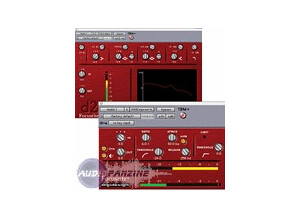
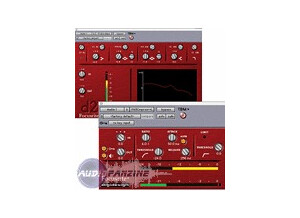
    The Focusrite D2 was quick and as easy to install as any that I have installed in the past. I had no compatibility issues at all, and have really had no problems running this plug-in since it was installed. The interface of the Focusrite D2 is pretty easy to follow. It is a parametric EQ, and has six bands to control. The high and the low bands are low and high pass filters, with parameters to set the frequency. The middle two have parameters for frequency, Q, and gain, and the other two have parameters for frequency and gain. It then has knobs for setting the input and output levels. It also has a graph to show where you are cutting and boosting, and meters to show your overall output level. I don't have a manual for the Focusrite D2, so I don't know how helpful it is when trying to learning this plug-in. SUITABILITY/PERFORMANCE I am currently running the Focusrite D2 on a Mac Book Pro that has a 2.2 Ghz Intel Core 2 Duo processor and 4 GB of RAM. I am running the plug-in Pro Tools LE 7.4 that I run with a Digi 002R audio interface. With this configuration I've never had any issues running this plug-in. I have also used the Focusrite D2 on a Pro Tools HD system without any issues; it has always run smoothly and stably without any problems. OVERALL OPINION I've been using the Focusrite D2 EQ plug-in for about two years. It is easy to use and is quite effective for EQ use of all kind. The sound quality is crisp, and it always does its job effectively. The price is pretty reasonable as far as plug-ins go, and makes it suitable for both home and professional studios. Overall, I love having the Focusrite D2 in my arsenal and I use it all the type!