Log in
EN
FR

SeriesFocusrite Saffire

14 products found

Filter
Sort by
Evaluation
  • Reviewed or not
  • Editor’s award
  • Reviewed by Audiofanzine
Availability
  • Available or not
  • Sold new or used
  • Sold new
  • Sold used
Must-have products
  • All products
  • Flagship products
  • Best rated products
  • Hot products
  • Popular products
Price
  • Freeware
€
Clear
Sort by
  • Popularity
  • User ratings
  • Price - low to high
  • Price - high to low
  • Used price, increasing
  • Used price, decreasing
  • Name (from A to Z)
  • Name (from Z to A)
  • Added on
Sort results
  • Popularity
  • User ratings
  • Price - low to high
  • Price - high to low
  • Used price, increasing
  • Used price, decreasing
  • Name (from A to Z)
  • Name (from Z to A)
  • Added on
Filter results 14 results found
Evaluation
Availability
Must-have products
Price
  • Freeware
Show results

The best Focusrite Saffire reviews

The reviews Audiofanzine members found the most helpful.
  • « High quality preamps »

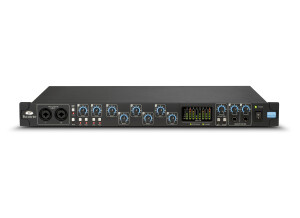
    The Focusrite Pro 40 is a 20 in and 20 out FireWire interface that has 8 separate preamps. There are two different headphone buses and it is compatible with Mac or PC computers. I was using this interface from August up until now and it has never gave me any problems running it on a MacBook or a Windows 7 computer. The Focusrite Pro 40 also does have room to be expanded if your 20 in and 20 out interfaces isn’t enough for you. UTILIZATION It comes with a few of Focusrite’s VST plug-ins. The price of the Focusrite Pro 40 is a decent price for the value of what you get with this interface. The fact that you get 20 in and 20 out for this price is amazing. Most home musicians will not need that many ins and outs and most definitely will not be recording that many simultaneously. All of the drivers are very stable and have never caused an issue. The latency is very close to zero, especially with it being that this is a FireWire interface and not USB makes the latency even closer to zero. GETTING STARTED The Focusrite Pro 40 does allow for automatic switching between inputs. There are 10 digital inputs and 10 digital outputs. It does have phantom power for your condenser microphones and a resolution of 24-bit/96kHz. For the Pro 40 to be a 20 in and 20 out interface, it sure is pretty small. OVERALL OPINION It was very easy to install and set up, if you need help setting it up then the manual will have everything you need to get started and it will walk you through the process. The quality of sound you get with the Focusrite Pro 40 will surprise you , I could not believe that I was able to get this quality with an interface that cost less than 500 dollars. The preamps are some of the best that I have heard.

  • « Review of the Focusrite Saffire PRO 14 »

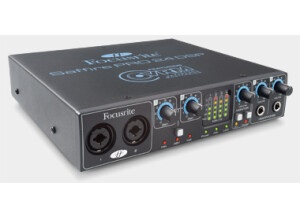
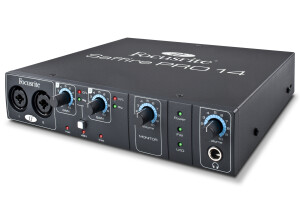
    The Focusrite Saffire PRO 14 is an audio interface which has been designed to work with a modern home studio so that the engineer can record sounds into a computer effectively and of a high quality. One of the reasons why this audio interface has gotten so much attention is because of the preamps that it has built inside of it. These are award-winning preamps which give a high level of sonic performance. The Focusrite Saffire PRO 14 audio interface also features analogue and digital combination of I/O inputs and this can communicate with the mix control software that comes with the sound card which can be installed within the computer with which you can choose to use. This software promises good performance and stability. I wanted to see if the award winning pre amps would be helpful when listen to mixes. Utilization The audio device connects with the computer via a high speed FireWire connection via the latest interface technology. This means that the device can easily be connected to computers that have this connection and will begin communicating with software quickly and effectively. The Focusrite Saffire PRO 14 audio interface has also been designed to be incredibly stable and will not let you down during those important recording sessions. If you have a Mac that uses a thunderbolt port you can use this on the latest version of the Focusrite Saffire PRO 14 interface. You simply need a FireWire 800 adapter and a thunderbolt to FireWire adapter and you can make the connection. Luckily I had this connector for my Mac and was able to easily connect the devices together. Key features The interface contains 2 analogue inputs, 4 outputs that are also analogue, 2 mic preamps that are of a high quality, as well as MIDI and S/PDIF which offers a selection of abilities when carrying out multi track recording tasks. In addition to this the audio interface has two instrument inputs which allow you the ability to plug-in instruments so that they can be recorded and played back on digital devices. There are also inputs which have loopback capabilities and allow you to root audio that is digital between different software applications. The sound quality is of a high level and has little to noise when recording intruments. The qulaity is also perfect for mixing donw and gives the user a great sense of clarity within the mix. I instantly noticed problems witihin some of my mixes when I started using the device. Comparison The Focusrite Saffire PRO 14 interface is fairly similar to the Focusrite Scarlett 18i20. However, this device features eight preamps that have won awards because of their high-quality 24 bit/96 kHz sound ability. This device runs USB instead of Firewire and is compatible with a number of different operating systems, including Mac, Windows as well as the iOS platforms and mobile devices such as the iPad. The key features of the Focusrite Scarlett 18i20 is that it comes with very low noise mic preamps which create the minimal amount of distortion and offer a dynamic range which is extremely wide. However, because of the exclusive USB interface, this may only suit those who are happy to use this means of communication between devices. Pros and Cons This is a solid sound card that will work well in the studio, just as much as it will work well when taken to gigs, and used whilst recording on the road. The mic preamps really do offer a sense of clarity to the sound and one is able to hear the low end and the higher end of the track clearly and effectively. This is incredibly useful for when an individual is mixing down the track and needs to hear these frequencies, as they are the most important frequencies within the track and sometimes the most complex. Many sound cards find these frequencies difficult to process. However, the Saffire does the job incredibly well. The only real problem with this unit is that it can be slightly confusing to set up at first. However, there are some helpful tutorials on YouTube which can get you on your way. I was able to set up the sound card relatively quickly with out the need for instructions. Once you have set up the device you will begin to notice the clarity of sound straight away. Summary If you're happy with a simple audio interface that comes with two high-quality preamps that are designed with the famous focusrite name on them, then you can do well to go with this device. This device uses the high-quality preamps that focusrite have developed and allow the individual to create sound which has no noise and low distortion qualities. The ability to connect via FireWire insures that the individual will be able to communicate with digital devices and software quickly and effectively so the recording sessions can be completed smoothly and without any problems.Focusrite Saffire PRO 14

  • « Best USB Interface I've Ever Used »

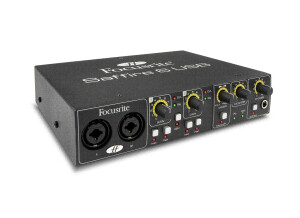
    Saffire 6 USB is an audio interface that comes with the following Preamps Phantom Power Midi I/O Mic/Line Inputs High Quality 24bit recording Comes with the following extras USB connection able Ableton Live lite Focusrite FX Suite Novation Bass Station Synth Software Drivers I use this USB interface with my laptop. I use it for music production as well as sound designing. It's light weight and really easy to setup so it's a must in my mobile production setup UTILIZATION I typically use this interface with Propellerheads Reason. I don't notice any latency with this unit and the drivers are very stable in my experience. I haven't tested the unit with any daws such as logic or pro tools but I can assure you if it works in Reason (which is not a recording daw by nature) you'd have no problem using it with a daw as long as you select you're recording channels you'll be fine. GETTING STARTED I use the saffire 6 on windows 7 with no compatibility issues (thank god) the unit is very easy to use and easy to setup. You don't need to use the instructions. All you have to do is plug the unit up to your computer and install the drivers then go into your computers and audio programs preferences and point to the device. I do suggest downloading the drivers directly from the site and not using the drivers that are pre packaged in the box. 90% of the time the drivers are more up to date when pulled from the website. OVERALL OPINION All in all this is a very good interface to invest in. What I love most able it is its price and quality. It's preamps are as quality as focusrites higher end audio interface units. I've worked with many other audio interfaces out there from maudio to Mbox and for the money I feel the focusite Saffire 6 USB is the best way to go it's as fast as most firewire interfaces that are on the market today. If I had to go back in time and make this decision again (choosing an audio interface) I'd still go with the Saffire 6. It's a must have seriously

  • Audiofanzine FR's review

    (Originally written by Ambassadeur/translated from Audiofanzine FR) - I was looking for an audio interface with 8 quality preamps, 192MHz/24bit resolution and a Firewire connection for laptop or desktop. My main concern was the audio quality. - Chamber music or jazz recording - Laptop (Medion Akoya S5610 MD96715) or desktop (Athlon 3GHz CPU) - Used with 4 Oktava MK-102 mics and 2 Rode NT2 mics UTILIZATION - No installation problems - But I did had setting problems regarding drop outs and noise due to latency. I rapidly solved the problem with the Asio control panel, which is different from the input/output panel. - The user's manual could be clearer and mention the Asio control panel which is very important. GETTING STARTED - The drivers are stable but there hasn't been an update in one year. The inputs/outputs panel has no VU-meter - Works seamlessly with Sonar 7 and Wavelab 5 - Up to 2 ms latency - Simultaneous recording of 6 tracks is not a problem if you choose the proper latency. OVERALL OPINION - I've been using it for 1 year - I especially like the sound quality: warm, accurate, no noise, no saturation but slightly colored - I also have a M-audio 1010 card - excellent value for money. I would buy it again considering my priorities and goals.

  • « Fewer audio interfaces offer more features or value »

    These might appear to some as old almost an obsolete audio interface but you would be fooling yourself. With 16 inputs (8 XLR and 8 TRS) 8 outputs (including 7.1 or just split the instruments into separate output channels)) this unit is a beast comparing it to what you would get for your money new. Add a AD/DA converter and you are starting to get serious. Run VOicemeeter or any other virtual cabling software and you can further increase your outputs I have mine going through a 7.1 amp for fun and my studio monitors for mastering and the onboard outputs go to amps and cabs so yip a fair few speakers kicking about this place.. who hasn't? Accepted Focusrite have not updated the mix control to the later GUI version but give it time you realise it works perfectly well, if a little over complicated. You get 2 headphone out, 8 mic pre amps two of which have (Liquid) effects, you get two dedicated instrument inputs, it offers Phanton HPF and phase on all 8 inputs. And thats as standard without any hardware or software to boost things further and beyond. Using a DIPro 8000 and all 8 XLR inputs can take instruments as mics (balanced) add a line splitter and S-Patch and you can have great fun over budding or taking multiple recordings per take. All down to your imagination and desires. I use a snake stage box and the XLR mic inputs go straight into the line splitter (MS8000) and the instruments go into the DI Pro 8000 and through a Samson S-Patch into my Liquid 56 - unlimited flexibility. I also use the XLR for outputs through to stage monitors/amps and I use jacks on the stage box for the guitar. With the DI Pro you can route all your guitar takes, straight raw clean from DI Box, DI from amp, mics from cabs, you can take up to 8 different separate recordings from each take. Versatility beyond belief. Yes this means you might have a lot of cables, buy one 5 mtr loom and cut it down to size then buy yourself some extra XLR and Jack plugs solder them and you get all the cables you will need for a reasonable cost. Great thing about using the patch is most of the static routing cables are hid at the back, I am still currently in the process of making up my custom SHORTER patch loom leads before I stuff it all in a cabinet. Think before you buy, the idiot I am, bought far too many looms that were far too long and looked a complete mess, being sorted... anyone wants some looms? But best of all, Firewire which had appeared to be dying a slow and painful death. NOT any longer, with USB4 and Thunderbolt coming as standard to all PCs the future looks more cheerful. All next gen motherboards will have USB4 and so with some extra cables all the pain and hassle of Firewire will finally be over !!

  • « Small but packs a punch! »

    The Focusrite Saffire Pro 24 DSP is a 16 in and 8 out interface that can work with a Mac or a PC computer via Firewire connection. There are 2 microphone preamps and built in effects. This interface has front panel metering LED and two headphone busses on the front for two different monitor mixes. There are 6 TRS analogue outputs and 1 6pin Firewire socket for connection. It is very small and portable but it seems to be very delicate. I do not think that it would hold up long if dropped or if it fell of my desktop and hit a hard surface. The knobs just don’t seem like they could withstand the impact without breaking off. UTILIZATION The price of this interface is very good, there are other interfaces in this same price range but most of them do not have effects built in and do not have a Firewire connection unless you want to go with a USB connection. This interface comes with compression, and EQ plug ins, it will work with just about any DAW (and I mean ANY one!). GETTING STARTED My favorite part of this interface is that it can work with multiple applications at one time. A lot of interfaces in this price range struggle with this feature/function. I am able to listen to audio from another source on my computer or pull samples by recording form other programs on my computer and bring them right in to my DAW with this interface. OVERALL OPINION I can even record directly from online sites that play music and bring it directly into my DAW without having to shut anything down or close it and reopen. This is a huge feature for me being that I am a composer that does a lot of sampling and using other FX from different sound sources in my music. I can say that I really appreciate this function from Focusrite.

  • « This has some Classic Pre-Amps »

    The Focusrite Liquid Saffire 56 is an interface that connects to your computer via FireWire. It is very stable and will not crash or cause you system any problems at all. The drivers have not been updated for my desktop computer yet but so far I have not had any issues to want to update. The pre-amps are very good; you can choose which style of pre-amp it is you want to use. There are a total of ten different pre-amps to choose from and all of have a different “feel” and warmth to them since they are based off of classic pre-amps. UTILIZATION There are 28 inputs and 28 outputs on this interface which is plenty for your set up. Depending on how many instruments and microphones you have set up you could need more or less. But for me I have a drum set and about 7 other instruments that are all ready to be recorded so I needed an interface to be able to handle that. GETTING STARTED One thing I can say about this interface is that it can cause some issues with you computer if you don’t have a fast processor. My processor is an i7 core and it runs smoothly but I can only imagine using it on a slower computer. It would cause a world of problems especially when using certain pre-amps. OVERALL OPINION When you purchase this you will also get some great plug-ins from Focusrite too like the reverb and gate plug-ins. You can use these plug-ins in any program you want because they are VST’s. The only reason I really chose to go with this interface is for how many inputs it has. The pre-amps feature played no part in my decision though it was a nice bonus to be able to switch pre-amps on the fly and get some different sounds instantly. This price of this interface does cost more than I wanted to spend but after working with it I see why it cost so much.

  • « Best Interface in its class, and maybe a few other classes! »

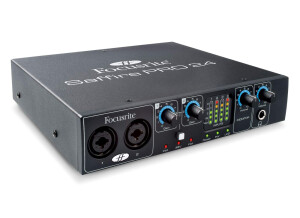
    Focusrite is renowned for their recording preamps. In recognizing that there was a need and a desire for this award-winning technology in a more affordable and pared down package, Focusrite created the Saffire Pro series. The Saffire Pro 24 boasts two of Focusrite's Saffire preamp inputs, available as a multi-input for XLR, Speakon, and 1/4 inch plug. Each preamp is accompanied by dedicated gain control. Phanton Power is also available. There are also two line inputs, SPDIF In and out, Midi In and Midi Out, an Optical Input capable of operating 8 inputs in the ADAT for drum recording, and 6 Line outputs for multiple monitoring solutions. A firewire output transfers data to your computer, while having the capability to power the Saffire Pro 24 without the need of the included 12vdc power adapter. In addition, there is switchable 48v phantom power and input monitoring LED meters on the front to monitor signal levels. Two Monitor volume controls adjust how loud you hear the Saffire's output. One for the normal monitor outputs, and one for the headphone output, which is conveniently located right below the control. UTILIZATION Focusrite offers regular updates for the Saffire series as well as the Saffire Mixcontrol software that helps interface it with your computer. The MixControl program is rather easy and intuitive to use, and once you have it set up according to your inputs, it can be minimized or even closed and you may use your DAW of choice. I run my Saffire Pro 24 through the latest version of Reaper, and utilize Amplitube 3, Amplitube Metal, and Amplitube Fender in addition to recording my actual guitar cabinet. Up to over a dozen tracks can be recorded simultaneously with the Saffire 24. With its firewire connection, the Saffire is limited only by your computer's capabilities. The Saffire Pro 24 itself is tremendously stable. I've owned mine since November of 2010 and have never encountered an issue with it. Any issues when using the Saffire lie with my computer or DAW. GETTING STARTED There have been some compatability issues reported with the Saffire, although most are easily solved with an upgrade in MixControl software or other applicable drivers. Installation itself is as simple as installing any other peripheral device. Simply install the software first, then connect the Saffire and power it up. The process from here is fairly intuitive. It sits easily on your desktop, being roughly the size of one-half rackspace. Instructions included with the Saffire are easy to understand and fairly basic. OVERALL OPINION The Focusrite Saffire Pro 24 renders amazing quality recordings, especially at its price point. I would venture to say it holds its own against units many times its price. My guitar tracks are incredibly accurate and detailed, never flat or compromised. A/D conversion is indistinguishable from a Digirack 002 I compared it against. The unit itself is well-made, utlizing Neutrik jacks for the Focusrite preamps. I'm very fond of Neutrik and regard them as one of the best jack and plug manufacturers on the market, preferring to use only Neutrik plugs for my instrument cables whenever possible. The external enclosure is metal, and fit and finish are excellent. The knobs are of reasonable friction and don't feel cheap or loose. The Focusrite Saffire Pro 24 has served me so well at this point, that I haven't given a thought to upgrading, and I may not upgrade for quite a long time. I'm planning on using this interface to track guitars and vocals for my upcoming album. That's a testament to the quality and value of this interface.

  • « good »

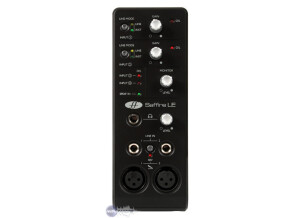
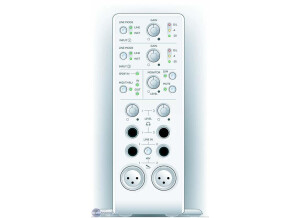
    The Focusrite Saffire had a great sounding quality, it actually surprised me, the only thing that I didn’t care for was the way that it was built. It was built standing upright like the old Mbox was and I hate it being up like that. I would rather have it going flat and sideways. Just because I usually have stuff that can end up knocking it over. The Focusrite Saffire is no longer being made, so buying one will have to be used. But if you can get your hands on a used one you will love it. I still to this day choose the used one over the newer one that came out around a year ago. I cant remember what they called the new one, but I like this one better. UTILIZATION Using it took no effort at all, everything is labeled in plain site right on the front of the interface and its all self explanatory. You can plug your mics and instruments right into the front of the interface. But since it’s a standing up right interface, you plug your mics in, if you have a lot of mic movement or your cords get moved a lot your will start to see this device slide around a lot, its very light. Its not top heavy, its just light. GETTING STARTED The price of the Saffire is very good now, I recommend purchasing it if you need a good cheap interface. The software that came with mine when I purchased it, I cant remember what it was, but I didn’t use it I actually probably threw it away. OVERALL OPINION Overall, it’s a great interface. If you cant find it online to buy used then you will probably need to go ahead and get the upgraded version which will cost a lot more than this one will used.