Log in
EN
FR

Focusrite

196 products found

Categories
Series
Filter
Sort by
Evaluation
  • Reviewed or not
  • Editor’s award
  • Reviewed by Audiofanzine
Availability
  • Available or not
  • Sold new or used
  • Sold new
  • Sold used
Must-have products
  • All products
  • Flagship products
  • Best rated products
  • Hot products
  • Popular products
Price
  • Freeware
€
Clear
Sort by
  • Popularity
  • User ratings
  • Price - low to high
  • Price - high to low
  • Used price, increasing
  • Used price, decreasing
  • Name (from A to Z)
  • Name (from Z to A)
  • Added on
Sort results
  • Popularity
  • User ratings
  • Price - low to high
  • Price - high to low
  • Used price, increasing
  • Used price, decreasing
  • Name (from A to Z)
  • Name (from Z to A)
  • Added on
Filter results 196 results found
Evaluation
Availability
Must-have products
Price
  • Freeware
Show results

The best Focusrite reviews

The reviews Audiofanzine members found the most helpful.
  • « Perfect »

    - Which technical specifications motivated your choice? I bought it a week ago to replace an M-Audio mobilepre soundcard, which was awful (latency, crackles and big incompatibility problems). I had the need of several mic inputs, 4 are enough, especially since you can add more thanks to the ADAT output of the soundcard - Do you use it with other instruments or systems and what's your setup? Connected via USB. I plug a bunch of instruments, as well as mics and midi. - What do you use it for? I use it on my own for now, so track per track. However, I bought it because I wanted to be able to record a band. - What's your setup (motherboard, CPU, RAM, hard drive,...)? I use it with an Asus R500V notebook with 4GB ram, 750GB HDD and intel core i5 2.56HZ processor. I use Cubase 5 as DAW. UTILIZATION - Are the drivers stable? Very stable, no complaints. - How many tracks can you record/playback simultaneously? For the time being I only record track per track, so no comments. - What's the latency of your system? Around 7ms. GETTING STARTED - Did you have any problems during the installation? You register the product on Focusrite's website, download the driver, connect the soundcard and that's it. I didn't need to read the manual (which can be downloaded from the website). So the installation is relatively simple. - Did you have any incompatibility problems? I had one problem: If you turn off the soundcard while the DAW is still open, you'll get a blue screen of death. But once you know that, you just have to pay attention. - Is the user's manual clear and comprehensive? I haven't opened it, but if you need it, you can download it from Focusrite's website (very handy if you lose all the documentation, like I did). OVERALL OPINION - How long have you been using it? I've been using it for a week now. - Did you try any other models before buying it? I had an M-Audio mobilepre which was terrible — it's like night and day! - Which feature do you like the most / the least? The most: The number of inputs, the quality of the preamp, the design (it is very nice), and the ease of use. The least: The blue screen of death if you unplug it from the PC while the DAW is open. Other than that, nothing. - How would you rate its value for money? Very good, for the price I find the sound very good. The number of inputs is enough, it fulfills its role fine. Good value for money. - Based on your experience, would you buy this product again? Even if my experience with this soundcard is limited, I would buy it again without hesitation!

  • « Spot-on features and flexibility. »

    There comes a time in every audio engineer's life when you just need lots of I/O at a time; recording drums with a variety of mics, a couple of musician's at the same time, or perhaps you're tired of plugging and unplugging your external gear every time you want to change setups. I'm a hardcore pro tools user, and I felt that avid's options back then didn't fit my needs. The 003 rack just had four preamps, and the other high-end options were just way too out of my league. Fortunately, Avid realized they had to let pro tools go out and play with the other children in the park and so, since pro tools 9, we can all look at the plethora of options out there and choose whatever suits us. Good times. This firewire interface caught my eye because it was one of the first to offer eight preamps, either XLR or line. Two of those can be used for direct instrument inputs, wisely located in the front. Each one has individual phantom power and HPF, though just two of them have pad option and only three phase reversal, which is no big deal if you plan your input list ahead. The real beauty of this interface though, is that it has two ADAT I/O, meaning you can add two additional ADAT-capable interfaces (like the underrated, inexpensive Behringer ADA8000) and get 24 analog I/O at the same time at 44.1Khz, which is more than enough to tackle 90% of mixing and recording situations. This without counting that it also has two dedicated outputs for your monitors and the traditional digital SPDIF I/O, which adds 4 I/O and thus, the 56 in the interface's name. "Liquid" comes from Focusrite's own preamp simulation technology, which is available on XLR inputs 1 and 2. These range from the Avalon 737SP, Helios, Neve 1271, Focusrite's own RED 7, UA's 610 and a couple more. The simulation, or 'color' of the preamps can be varied with an "Harmonics" knob, located in the software controller of the interface. Frankly, with the amount of processing we put on today's music, I feel preamp voodoo comes after to musician's performance, instrument quality, a faithful mic and it's placement. That being said, I've been surprised more than once with the timbre changes these simulations give; you can really feel a difference and most of the time for good. I'm particularly fond of the Neve 1071 simulation and I reserve these inputs for lead instruments or vocals. Most of the deeper features of the interface are controlled through Saffire's MixControl software. It's main purpose is for signal routing, say, connecting 'Analog 1' to 'Line Out 8'. This is of little relevance if you're mixing in your DAW since most of the routing should be done there, but some cool things can be done here, like routing two independent monitor mixes from your DAW to the headphone outputs, sparing the need for headphone amps fed through analog outputs in some situations. Oh yeah, it also features a loopback virtual input so that you can record whatever comes out of the interface, just watch out for feedback! UTILIZATION I use this interface everyday, from simply watching a movie at the studio to mixing a ton of tracks while recording another 8. Not once have I waged war against it to get a youtube video to sound through the monitors (hello, avid interfaces) or routing 16 tracks to their destinations. Drivers are very, very stable but mixing can get frisky when there's a ton of tracks with tons of plugins (I'm on a dual quad core intel Mac pro with 2Gb RAM) but I fear most of it is the computer's fault. I'm mixing on pro tools most of the time so latency isn't an issue. But when I do need low latency monitoring I can always monitor directly from the interface (this is when the MixControl software comes really handy, even for multiple inputs) or use some of the other usual workarounds. On Ableton live it runs as smoothly and other apps like skype don't have any troubles recognizing the interface. Syncing it to other interfaces via ADAT has also been easy. I've paired it up with a 003 for 16 channel recording with no issues other than 003's need for attention and MixControl's cumbersome GUI, which is the saffire 56's weak point, but an easy one to overcome. One of the saffire's intended purposes, apparently, is to be used standalone as a live mixer of sorts. All the band can plug into it, get mic/line gain and phantom power and come out of every output you want without the need of a computer connected to it. It's sort of silly if you ask me, since most of live mixing IS riding the faders constantly to make up for all the variables in a live situation. You can however plug it to a cheap laptop just for the sake of loading MixControl software and you got yourself an 8 channel live mixer without EQ, if you must. GETTING STARTED I had no issues getting the interface to work. It is a fireware interface though, so it's wise to remember that you have to install whatever software comes with it first and that you shouldn't plug/unplug it when it's on. It uses a firewire 400 cable, so I expect that it can be somewhat incompatible with newer computers that don't have it, but a quick check to focusrite's site shows that they're giving away thunderbolt-to-firewire adaptors, so perhaps it's not that big an issue. After installing everything and making the proper connections everything went smooth. As I said, all the software recognized every input immediately. Then I popped the rack-ear covers (they're there in case you want to use it outside the safety of a rack, like cavemen) and screwed it in place. Unfortunately, I do have to practice my best yoga poses when I have to change connections on the back until I get a patchbay. OVERALL OPINION I love it, I almost hate it because it has so many features that I just spent 4 hours reviewing it. It's not built like a tank, but it has got me through many audio battles in the studio and out of it in almost 3 years, and it doesn't have a single dent or loose knob. It's not the greatest sounding thing in the gear industry, and I'm sure many pre's out there sound better in hand to hand combat, but then again you shouldn't blindly trust gear that sounds "amazing" just because you plugged something in. This interface is great, amazing if you will because it can adapt to a lot of situations and does it so while sounding nicely, and it even has you covered if you want a more colored sound with the liquid preamps. This is one of those pieces of gear that on hard days, give you the feeling of being of your side and not against you.

  • « made like big ssl boards »

    The Focusrite Control 2802 is an analog DAW control surface, it has 9 well made faders and enough knobs to give you full control over each individual channel. This DAW controller is very expensive but worth every penny. It is built to last a long time and has metal castings. It looks sleek and stylish and every knob is color coded which makes it easy to remember which knobs edit certain parameters. UTILIZATION With this control surface being an analog mixer and a DAW control you are getting the best of both worlds. This control surface is pretty big, making it not very portable so you will need to make sure you have the workspace available to house it and make sure that you don’t plan on moving it around a lot because of the cost of it and its size. SOUNDS It has 10 channel meters that all are LED and 100mm motorized faders. This board is very similar to an SSL board because of its quality and motorized faders. One of the first things you will noticed just when using this console is that the sound you will get is just so much cleaner than when you are not using it. Your drums mainly will sound even better especially when you get into using the compressors. OVERALL OPINION This console is made very well; the knobs are very heavy duty like the ones that are on big Pro Tools boards. It does come with a manual and you will need to take a look at it in order to understand how to fully understand the functions of the Control 2802. Even if you have used an SSL it will be good to look at the manual so you will understand everything fully. The compressor is unreal, it will give you a nice and clean sound and it will work amazing wonders on your drum patterns/tracks. I highly suggest using this board if it is in your budget.

  • moosers's review

    The Focusrite ISA 828 is an eight channel solid state based set of preamplifiers. Each of the channels has the same make up, consisting each of both XLR and 1/4" inputs and D-dub ADC inputs and analogue outputs. In the front, it also has 1/4" inputs for easy access for your instruments to channels one through four. The unit is indeed rack mountable and will take up two spaces in a traditional rack casing. UTILIZATION Being that each of the channels has the same configuration, once you understand one of the channels on the Focusrite ISA 828, you pretty much know the whole unit. Each channel has both line and trim knobs, as is the case with a lot of the gear made by Focusrite. It also has a mic/line/instrument selection button, and for choosing your setting for your Z inputs, which is between lo, mid, high, and ISA 110. They also have buttons for +48 volt phantom power, phase, insert, a high pass filter, and for choosing the range on your line knob leveler. Unless you are new to the configuration of mic preamps, I don't think that you'll need a manual with this one. SOUND QUALITY The sound quality of the preamps on the Focusrite ISA 828 are really nothing to write home about, but by no means do they sound bad. They'll certainly get the job done more times than not, and especially in a home studio environment. You do have a good amount of control over what you can do with each of the channels, which definitely adds to reasons to check out the 828. They preamps don't really favor any one application over another, as they are pretty well rounded and will sound the same for most applications. They definitely aren't the warmest sounding preamps, but when you're getting eight of them in one unit, that's not something that you really expect. OVERALL OPINION The Focusrite ISA 828 isn't my favorite set of mic preamps, but if you're looking for eight channels at a reasonable price per preamp, the ISA 828 should definitely be looked at. However, unless you really need all eight channels I'd recommend getting less preamps of something that sounds better, but it really just depends on what you'd like to do with it. I'm not a huge fan of Focusrite preamps in general, but these are pretty decent considering you're getting eight of them...

  • « Stable and good, but the finish leaves a lot to be desired »

    I bought this soundcard to have the maximum of inputs and outputs for my home-studio. In this respect, I have nothing to say. The soundcard is very good, you will be limited by the PC, not by the card itself!!! I use it with a UAD twinfinity 710 preamp and dbx 166xs compressor. Simply wow (for a home studio)! Computer: intel core i3 3.10 Ghz, 4GB, running windows 7 64bits. UTILIZATION The drivers are very stable, not a single crash nor recording ruined. I don't know if they are updated frequently, there's no need to update :-) I use it with Cubase 6.5. No issues recording 16 tracks at the same time. I haven't exceeded 16 playback tracks. GETTING STARTED Problem-free installation. Setup relatively easy (except for the software routing). I took a quick look at the manual. Sorry! :-D OVERALL OPINION I've been using it for 4 months now. I had had four soundcards before. And this one is the best (I only know home-studio quality soundcards). What I like best: Its rack format, that it's internally powered, its performance, its two headphone outputs, its combo jacks on the front, its stability. What I like least: Its finish (slippery volume controls, small and very, very fragile pad, inst and phantom power buttons!!!). I've had two broken and I don't even know why!

  • « An acceptable minimum service »

    I use it with Ableton, Soundforge, and as a listening device. Stability is great, the interface can work unnoticed, and yet I set it at minimal latency with an old Core2Duo E6700 PC. Nothing special with the drivers, they were easy to install and this is it: never heard of them since then. I never got to use the inputs, but I can say the outputs are transparent, neutral in sound and quite punchy (using KRK8400 and Altec Lansing). I especially like its big front panel potentiometer which controls the sound level for both the headphone and the rear outputs, its pleasant-to-touch brushed aluminium chassis, its small size which allowed me to put it over my desktop PC tower - which itself is actually under my desk. For the price, I can't find it any real cons, it does its job way better than many other interfaces in the same price range. I think it's the best you can get under the €100 mark, and I didn't want to pay more for the sound quality of a Yamaha UR22 which includes connectors I have no use for.

  • « Simple but effective »

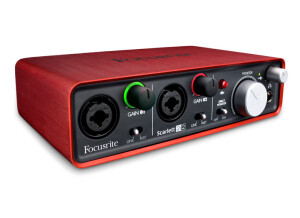
    I went for it due to its value for money Excellent preamps, level indicators and phantom power I make pop music Vocals, folk guitars and percussion, captured with an Apex 435 mic The electric guitars I plug directly into the 2i2 With a good plug-in (Simulanalog Guitarsuite) there's no need for an amp! UTILIZATION I use Reaper on a PC, the Apex 435 mic, a Tannoy Reveal 501a set and Addictive Drums GETTING STARTED No issues whatsoever under windows 7 OVERALL OPINION I recorded a 12-track album with it You can listen to 4 of the tracks here: https://docvinegar.bandcamp.com/

  • « Used with Cubase and Pro Tools »

    We have the Focusrite Saffire Pro 40 in one of our studios on campus. We are using it with a set of KRK monitors on a Windows PC. The computer that it is installed on is running Vista, and it runs great with Vista. It has not given me any errors while using it and the drivers appear to be very stable on Vista (64) bit. This interface can and should be racked, it will only take up one rack space but it has all of the inputs you need to run a session. UTILIZATION When you use this interface you will also get some very good plug-ins from Focusrite that include some very good compression and reverb plug-ins that you can use as a VST in whichever DAW you have installed or want to use it with. GETTING STARTED The preamps in this interface are great, I did not expect them to be that warm and clean. They are also very quiet and you will not even notice this interface is being used. It is very easy to set up in just about any program you want to use it with. But particularly in that studio we only use Cubase and Pro Tools. So for those two DAWS it works great. OVERALL OPINION As far as the make of this rackable interface, it is built to last. The knobs (there are only about 11 of them) are built well and are very easy to move. The mic inputs or instrument inputs are on the front of this unit which can be a plus depending on how your set up is. But sometimes with these inputs on the front of the unit requires the cords to be in the way sometimes. This would only be an issue at home though because in the studio this sits in a separate rack away from the actual workspace. I do recommend getting this for your home set up because it is not only great quality but it is affordable.

  • moosers's review

    The Focusrite Mix Master is a stereo mastering piece of outboard gear that contains a dynamic processor (stereo spectral compressor), an equalizer, a stereo expander and an output section. It is an analog unit and has XLR connections as well as 1/4 inch. It is a rack mountable unit and will take up two rack space units. UTILIZATION The configuration of the Focusrite Mix Master is pretty varied, but everything is pretty easy to follow and only takes a little bit of use to understand what everything does. I love how many different signal processing sections this has, which is what makes it great for mastering. It is easy to get some good sounds from this, and the capabilities are very wide and range all over the place. I don't have a manual for this, but if you have one I'm sure it would be helpful, as there are a lot of ins and outs to this unit. SOUND QUALITY The sound quality of the Focusrite Mix Master is very good, although none of the sections really blew me away in terms of tone. All of the sections are useful and there are more parameters for each section on this than I would be able to list. While I have only used this for mastering, I'm sure you could use it during mixing or tracking as it is versatile and has a wide array of capabilities. Overall, the Focusrite Mix Master has a good sound quality that is definitely useful in a number of situations. OVERALL OPINION I've been using the Focusrite Mix Master for about four years and have found it to be a great option when it comes to mastering with a single piece of outboard gear. You have all the tools you would need in one place, which is extremely convenient and helpful. The price of this unit, like most Focusrite products, is very reasonable, which makes it a viable option for both professionals and home studio owners alike. Overall, a great unit that both sounds good and is extremely easy and convenient to use.

  • « Average »

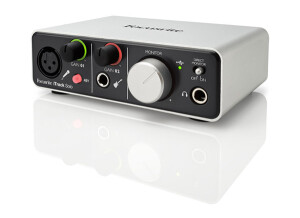
    The Focusrite Saffire 6 USB is an audio interface that connects to your computer via USB. This interface is Pro Tools ready right out of the box, the set up process with Pro Tools is very simple and easy to do. It always works great with Ableton Live and Cubase. This interface is powered by your USB connection and has very good microphone preamps (2 of them) on this 2 in and 4 out interface. UTILIZATION Setting up this interface will all depend on which DAW you want to use it with. It does have MIDI in and MIDI out so you can use it with almost any DAW and it will connect to all of your gear. If you use this in some DAW programs you could run into some small set up issues in programs like FL Studio. I am not sure why but in my personal experience I have hit a few bumps when trying to use it with FL Studio 9. GETTING STARTED You can not rack this interface, but it is small and compact so it does not take up much desktop space. It is lightweight and can be very portable if you need an interface that is ready to go with you and your laptop. OVERALL OPINION This unit is so much like some of the other interfaces in this price range like the MBox or iTrack Solo interfaces. There really is nothing different between any of them except for the Saffire 6 has a little better preamp to it that will give you a better sound when recording especially if you are using a low end microphone. But overall there really is nothing about this interface that sticks out, it is priced averagely and has the same specs as so many other models. It will be personal preference if you want to purchase this. I will say that it is built well though and seems to be able to hold up over time.

  • « Not bad for a compact, portable FW drive »

    The feature I was looking for was decent preamps, FW 400, and portability. The Focusrite Saffire 14 has all three. I use this as the main audio interface in my "portable" rig. I have been developing a Drum Suit of sorts and needed a small interface to handle a few inputs and also the rigors of ultra portable performance. Essentially I am street performing and playing small gigs with this rig and I was sick of stripping my main rig all the time only to have to put it back a few days later. In my small rig, the only audio going in are my Vocal Mic (Shure beta 58) into a TC Helicon VoiceLive then into the Pro 14 via spdif, and a stereo mix of my various synths (moog, Korg, roland,yamaha). The Pro 14 has just the right amount of inputs for this and still leaves me two more for the addition of a guitar and bass if the gig allows for it. Having 4 1/4" outputs is perfect for this setup as well because I get the L/R Pa mix and a mono to my guitar amp and mono to my bass amp. I use the Pro 14 in conjunction with a Macbook Pro i7 and Ableton Live 8. UTILIZATION I have the most recent update from Focusrite and everything is working great. The beauty of this unit is the ultra low latency (1.4ms I believe) dsp Mixer built in that allows for near zero latency monitoring. Coupled with the included SaffireControl software, my audio inputs are routed directly to the outputs and Ableton is set to monitor off and simply just takes snapshots of the incoming audio that I can then control in Ableton as "Clips." Being under 2ms, the latency is imperceptible to the human ear. I don't really track much with this unit yet as I also have a RME Fireface 800 for studio stuff. In the live performance stuff I use up to 6 tracks but these are not being simply recorded, but used as sampling pathways so the CPU is not consistently being taxed. In this setup I have very low usage of CPU, no dropouts or glitches and no crashes. GETTING STARTED The manual is very helpful in explaining most everything. The only confusing stuff can be understanding the Software. I have used similar stuff including RME's Totalmix, so I was off and running after a few minutes. The setup of the interface is extremely easy, plug in Firewire cable, load DAW, set up in preferences, and then start recording/listening. The software is a little bit trickier. Basic setups are pretty easy, but the using the routing matrix, or Loop back channels can be confusing at first, but it will become second nature. In fact, I am so use to it from the RME that I decided I could not have an interface that doesn't have a loop back feature. The two main functions that need to be accessible on an interface is the main volume and headphone volume. Unfortunately the RME only really has Headphone output control, but the PRO 14 has both!! This is excellent as I treat the PRO 14 as my main mixer and having the main volume fader makes is a lot easier to control the final volume when I need to. OVERALL OPINION What I like most about this unit is both the pretty solid preamps and the SaffireControl software. The preamps are much better than the Presonus Firebox I first started off with. They are very quiet and not "stale" like I thought the Fireboxes were over time. They aren't as good as my FireFace's nor my Allen and Heath MixWiz but they are definitely good enough for live performance. I got one refurbished off of ebay for $175 which is a fantastic price for this unit. I give the sound quality a 9 out of 10. It's not a high end piece of gear, but in this price range, I don't think you find better. The software allows for internal routing which I think should be standard with the amount of software users these days. Nothing I can say I dislike about this unit. It does it's job well. I used the Presonus Firebox for awhile and thought it was OK, but the Preamps didn't offer enough boost and the sound wasn't that great either. I am happy that I got this unit instead. It's cheap, solid and sounds great.

  • « A good piece of gear with many features »

    This is a microphone pre-amp channel, which includes the pre-amp as well as compression, de-essing, and EQ. It's got a lot more features than your average mic preamp. The pre-amp itself has a phantom power switch as well as a phase reverse which is important. This is then followed by an EQ, which has several parameters to control. Then comes the compression and de-essing, followed by a master output. If you wanted to have your track as perfect as possible coming into a session this is a great tool to have. UTILIZATION This is definitely a little trickier to use than your average mic pre, unless you want to bypass the EQ and the compression as well as the De-eser. Otherwise you'll have to deal with an input gain knob as well as a six-knob Parametric EQ, a four-knob Shelving EQ, a five knob compressor, a two-knob de-esser, and a master output. There's a ton of options here and they all require time and attention. This is good news for people who aren't getting the sound they want immediately. However I will say that in general, getting EQs and compression down perfect is going to be tough to do right from the get-go. SOUND QUALITY This is a pretty transparent pre-amp in general. Like the other Focusrite pre-amps that I've tried, it's not incredible, but it's certainly very good. The extra features do a lot to help bring out the best of it too. I really like the way that the two EQs work, they help breath life into this piece of gear pretty well. I don't think the compression sounds the best I've used but the fact that it's right there on the pre-amp goes a long way. I rarely ever do de-essing on anything but vocals, and I don't usually do it right away. So basically I would say that it's a great sounding piece of gear that I can't always use, but when I do use it it's great. OVERALL OPINION I like the array of controls on this thing a lot. The sound of the pre itself is nothing to die for but the EQs and effects are all better than using plug-ins most likely. For that reason it comes close to justifying it's price, but not really. It's still really expensive. Even though it's a great piece of gear it doesn't get five starts mainly because of the price. There's better sounding things out there that don't need their own eq and compression to sound good.