Log in
EN
FR

PreSonus Music Software

49 products found

Categories
Series
Filter
Sort by
PreSonus
Evaluation
  • Reviewed or not
  • Editor’s award
  • Reviewed by Audiofanzine
Availability
  • Available or not
  • Sold new or used
  • Sold new
  • Sold used
Must-have products
  • All products
  • Flagship products
  • Best rated products
  • Hot products
  • Popular products
Price
  • Freeware
€
Clear
Sort by
  • Popularity
  • User ratings
  • Price - low to high
  • Price - high to low
  • Used price, increasing
  • Used price, decreasing
  • Name (from A to Z)
  • Name (from Z to A)
  • Added on
Choose a series
Sort results
  • Popularity
  • User ratings
  • Price - low to high
  • Price - high to low
  • Used price, increasing
  • Used price, decreasing
  • Name (from A to Z)
  • Name (from Z to A)
  • Added on
Filter results 49 results found
Brands
Evaluation
Availability
Must-have products
Price
  • Freeware
Show results

The best PreSonus Music Software reviews

The reviews Audiofanzine members found the most helpful.
  • parker13's review

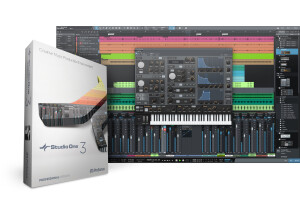
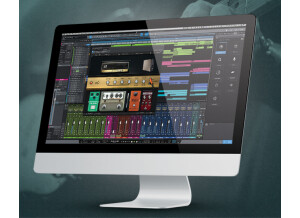
    Problem-free installation. Rather intuitive setup. It's very similar to competing products (logic, Protools.....etc) There are lots of tutorials for studio one V2. No incompatibilities (as far as I can tell). You need to switch to mountain lion to avoid unexpected crashes. But now everything runs smoothly. SUITABILITY/PERFORMANCE I use it on two computers. 1 imac I5 12GB ram / OS Mountain lion. and on a Mac book retina i7 with 8 gb Ram. The software is pretty stable. Good Midi management with an M audio 8X8 + RME fireface800 + 3 BCF 2000 + different hardware synths via usb....Everything works fine. OVERALL OPINION I've used it since it came out, since Presonus released the update. I tested logic, Protools.... But Presonus seduced me. To get into a market where Pro Tools is the standard is not easy. So I made my choice to not follow the standard. And I don't regret it. Good value for money, regular and free updates. I recommend it highly!

  • « My favorite DAW »

    Studio One is very much like other DAWs so if your switching from another one it will be a pretty seemless transition. If getting started with Studio One without any prior DAW experience it still will be pretty easy. To me the features in Studio One are very easily accesible. The layout is so clean and organized. Studio One runs fine on my Gateway running Windows XP. (2GB RAM, 2.0GHz processor) SUITABILITY/PERFORMANCE It isn't very CPU intensive and I'm saying that while using a bad computer for music. I've been using it for over a year and I'm still sticking with it. It rarely crashes. I use Studio One for recording vocals only, so I can't speak on making beats. I know FL makes it much easier to connect midi controllers and integrate hardware. With my setup when using Studio One, which is all hardware, I don't have problems with it. OVERALL OPINION Studio One is truly great when recording and mixing a song. I've never had such an easy time mixing in any other program. Recording is a breeze as well. The stock plugins with Studio One are up there with plugins you have to pay for. I know I love the delay, EQ, and reverb. I've never used the compressor but I'm sure it's pretty good. If you want a smooth time recording a song, editing audio, and mixing it FL is definatly the program for you. To top it off it comes with a "Mastering Section" that I've used for mastering an album. It's very easy to make the levels of the tracks even, and to trim the beginning and ends of all the song. It integrates in with the "Song Mode" so if you make an adjustment to a mix it updates automatically in the mastering section. Overall Studio One is great in my opinion. It is about the same price as other DAWs but you get more bang for your buck with the plugins it comes with it. I'd recommend it.

  • songboy's review

    There were no compatibility issues in either Ableton 8 and Logic 9. I have not referenced the manual as I was very familiar with this type of EQ. It is very similar to Logic 9's EQ. Yes, the general setup and configuration is very simple. Visual EQ's are the pinnacle of easy when it comes to EQing. Yes, the typical functions are very simple as they are all right in front of you and you just point, click and move. SUITABILITY/PERFORMANCE Yes, the software works well in the aforementioned programs on my macbook. EyeQ has never crashed or lost a preset that I have made. Also, every time I use it, when I come back, its right where I left it. It works great and is very easy to use so I give it a 10 out of 10. I have been using this plugin for about a year now. OVERALL OPINION What I love about this plugin is the astounding similarity to Apple's Logic EQ plugin. Obviously I never use the eyeQ in Logic 9, no need to, but when I go to Ableton 8, I can get the same ease of use that I get in Logic when it comes to dialing in my tracks. I guess the one thing I don't like is where they placed the "Q" parameter. It seems they could have given this a separate knob or put it somewhere else that would be easy to access. I honestly do not remember how much I paid for this, it might have been free with my Firepod or my Firebox. The sound passing in and out of this plugin without any artifacts or degradation. Using the presets or just dialing it on your own will improve (if you know what you are doing) the clarity of your tracks greatly. The only other EQ I have used like this one is Logic 9's. They are almost identical in function. Yes, I would definitely get this plugin again if I needed to. Its very nice to have a visual EQ in Ableton 8 as well.