Log in
EN
FR

Universal Audio Music Software

207 products found

Categories
Series
Filter
Sort by
Universal Audio
Evaluation
  • Reviewed or not
  • Editor’s award
  • Reviewed by Audiofanzine
Availability
  • Available or not
  • Sold new or used
  • Sold new
  • Sold used
Must-have products
  • All products
  • Flagship products
  • Best rated products
  • Hot products
  • Popular products
Price
  • Freeware
  • Low-cost (< $55)
  • Mid-range ($55 - $100)
  • Premium (> $100)
€
Clear
Sort by
  • Popularity
  • User ratings
  • Price - low to high
  • Price - high to low
  • Used price, increasing
  • Used price, decreasing
  • Name (from A to Z)
  • Name (from Z to A)
  • Added on
Choose a series
Sort results
  • Popularity
  • User ratings
  • Price - low to high
  • Price - high to low
  • Used price, increasing
  • Used price, decreasing
  • Name (from A to Z)
  • Name (from Z to A)
  • Added on
Filter results 207 results found
Brands
Evaluation
Availability
Must-have products
Price
  • Freeware
  • Low-cost (< $55)
  • Mid-range ($55 - $100)
  • Premium (> $100)
Show results

The best Universal Audio Music Software reviews

The reviews Audiofanzine members found the most helpful.
  • « Another lovely U-Audio EQ... »

    Everything is as it should be. SUITABILITY/PERFORMANCE Solid beyond mention. OVERALL OPINION The Pultec EQP-1A Program Equalizer and Pultec MEQ-5 plug-ins are faithful electronic reproductions of the classic hardware equalizers. Our DSP wizards have ensured that every revered sonic nuance of these vintage processors are faithfully maintained. In designing the Pultec equalizer plug-ins, we performed detailed analyses of the signal path and equalization characteristics of selected well-maintained, in-spec Pultec equalizers used regularly in professional studios. A “golden unit” was selected, and the resulting model reproduces the measured equal- ization and signal path characteristics to within a fraction of a dB mean error for all knob settings. All of the unique features of the original Pultec EQ’s are included in the plug- ins, including the separate boost and attenuation controls, the smooth, sweet top end, and the ability to dial in seemingly dangerous amounts of boost with- out getting into trouble. All front panel controls are included, and all of the knob tapers are accurately modeled. The Pultec has long been a choice of re- cording and mastering engineers for its ability to bring out individual fre- quency ranges without significantly altering other frequencies. In addition, the Pultec is one of those magical pieces of gear that makes audio program sound better just by passing through it. The sophisticated modeling technol- ogy used in the Pultec plug-ins captures both of these key attributes. The EQP-1A can control three frequency ranges simultaneously, using three groups of interacting parameters. The first group controls the low frequencies and has three controls: boost, at- tenuation, and frequency select. The second group controls the high frequen- cies and has three controls: boost, bandwidth, and frequency select. The third group also controls the highs and has two controls: attenuation amount and frequency select.

  • « A Great EQ »

    Download authorisation for your UAD card and you're good to go. SUITABILITY/PERFORMANCE Can't say enough good things about the UAD plugs stability on OSX or PC. OVERALL OPINION The Harrison 32C is the EQ channel module from the prestigious Harrison 4032 console. Countless hit records have been made with Harrison consoles, with artists from Abba to Sade. Most notably, the 4032 is famous as the mixer from which many Michael Jackson records including Thriller—the best-selling album of all time—were made. An original 4032 still resides in Florida with Thriller engineer and Bill Putnam protégé Bruce Swedien, where he continues his love affair with the desk he calls “marvelous sounding.” Universal Audio’s plug-in version of the all-important 32C EQ module is measured from Mr. Swedien’s personal console. This colorful 4-band EQ with high and low cut fil- ters will impart the same “warm and rich sound” from his Harrison, and will impart the same “impact, sonic clarity and creativity” as he experienced mak- ing some of the best-loved records of our time. The Harrison 32C contains four overlapping parametric peaking bands. Each band has fully sweepable Frequency and Gain controls. Instead of traditional Q controls, the 32C has special circuitry that, according to the original hard- ware documentation, “automatically adjusts the effective bandwidth under all conditions.” This dynamic property, and the interplay between the overlap- ping bands, contribute to the device’s musicality and unique sonic signature. The low EQ band can be switched from peak to shelf mode, and high/low pass filters are available. Additional “digital only” features not included on the original hardware include gain, phase invert, and a global power switch. An SE version is also provided for higher instance counts. The UAD Harrison 32C SE is derived from the UAD Harrison 32C. Its algo- rithm has been revised in order to provide sonic characteristics very similar to the Harrison 32C but with significantly less DSP usage. It is provided to allow Harrison-like sound when DSP resources are limited. Nobody with “golden ears” will say it sounds exactly like the full version, but it still sounds great and is very usable in most situations. The Harrison 32C SE interface can be differentiated from the Harrison 32C by knob color and the module name. The Harrison 32C SE blue knobs instead of the Harrison 32C’s ivory knobs, and the module name on the upper right of the interface panel includes “SE.”

  • « Phase Off? This will fix it! »

    As always with any U-Aduio plug-in it's merely download the authorization file, click on it and start working. Genius! SUITABILITY/PERFORMANCE Unless you decide to get the actual Little Labs hardware this is an absolute must have for any studio. Recording guitars with multi miss has never been easier to finally get the pause right. OVERALL OPINION The Little Labs IBP Phase Alignment Tool easily eliminates the undesirable hol- low comb-filtered sound when combining out-of-phase and partially out-of-phase audio signals. Designed as a phase problem-solving device, the award-winning Little Labs IBP (“In-Between Phase”) has established itself with audio engineers as not only a “fix it” tool, but as a device for manipulating audio phase as a creative, tonal color tool as well. Whether combining direct and microphone signals, acoustic guitar and vocal mics, drum kit mics, or multiple split-guitar amps, the recorded audio signal phase can be quickly and easily controlled with the Little Labs IBP Phase Alignment Tool. Phase Adjust is the main parameter in the Little Labs IBP. It is a continuously variable control that shifts the phase of the input signal. The range of Phase Adjust is either 90° or 180°, dependent on the Phase Adjust 90°/180° switch. The Little Labs IBP hardware is an all-analog device that uses analog allpass filters to produce phase shifting. Allpass filters displace signals in time as a function of frequency (they are frequency dependent). The modeled UAD ver- sion accurately models the hardware along with all its idiosyncrasies. Therefore phase shifting using the Phase Adjust knob is not “perfect” like mathematically-manipulated signals in the digital domain. When Phase Ad- just is set to 180° on one of two identical tracks side-by-side, the signals will not cancel as you may expect. Unlike the “analog” Phase Adjust parameter, which is frequency dependent, Delay Adjust is purely “digital” and shifts all frequencies equally. Delay Ad- just accomplishes the same function as manually moving an audio region for- wards in the timeline so it plays back a little later in relation to other regions.

  • « What a sweet EQ »

    It's the usual Universal Audio procedure. Buy it on-line, download the authorization, record. SUITABILITY/PERFORMANCE I've run this on UAD1, UAD2 Duo, and UAD 2 solo laptop powered cards...on PC and Mac, and it works like a champ in any recording program I used it in. Whether it's Cubase/Nuendo, Samplitude/Sequoia, Pro Tools, Samplitude/Sequoia or Reaper. OVERALL OPINION Helios consoles were used to record and mix some of the finest rock, pop and reggae classics ever produced. The Beatles, Led Zeppelin, The Rolling Stones, The Who, Roxy Music, Queen, Jimi Hendrix and Bob Marley are just a few that recorded with these amazing wrap-around consoles. Moreover, many great musicians of the era purchased Helios consoles for their personal use. Of all the Helios consoles produced between 1969 and 1979, the original “Type 69” is considered the most musical. Universal Audio modeled the EQ section of the very first Type 69. This console was originally found at Island’s Basing Street Studio in London; it now resides with Jason Carmer in Berkeley, California, where it continues to record multi-platinum albums. The simple yet powerful Helios Type 69 Passive EQ adds a unique sonic tex- ture to the music that passes through it. It can be pushed to its most extreme boost settings while retaining openness and clarity. The Type 69 Passive EQ replicates all the controls of the original hardware. The Treble band is a fixed 10 kHz shelf EQ, while the Bass band functions as a stepped 50 Hz shelf filter (-3,-6,-9,-12,-15 dB) or frequency selectable Peak EQ (60, 100, 200, 300 Hz). The Mid band operates as a frequency selectable Peak or Trough (Notch) EQ with eight frequencies (.7, 1, 1.4, 2, 2.8, 3.5, 4.5, 6 kHz). Other features include Level Adjust, EQ Cut (bypassing the EQ circuit while retain- ing the native sound of the unit), and Phase Reverse. The Helios Type 69 design works in such a way that (depending on the set- tings) entire EQ circuits are switched in and out. In the hardware that often meant audible popping Which is not the case here. This is a very nice sounding EQ plug!

  • « Great, great EQ plug-in »

    Designed by the Rupert Neve company in 1970, perhaps no other studio tool is as ubiquitous or desirable as the Neve 1073 channel module. Without exaggeration, Neve consoles have been used on a majority of popular recordings of the late 20th century, and the 1073 easily tops the short-list of audio design masterpieces. The 1073 is famous for adding an unmistakable sheen and clarity of pres- ence to elements in the mix that is deemed unattainable with any other unit. Modeling the 3-band EQ and high-pass filter in painstaking detail and thor- oughness, Universal Audio's Neve 1073 EQ will deliver the same sonic ex- perience expected from its analog cousin with exacting detail. Bundled to- gether come two versions: The 1073 EQ with absolute sonic accuracy, and the 1073SE EQ for high instance counts. The install was the usual download, install, authorize, get to work procedure. No hitch as expected. SUITABILITY/PERFORMANCE Runs amazing on my PC desk top on 2 UAD-1 and a UAD2 duo card, and on my Mac Book Pro with a UAD 2 solo PCMCIA card. OVERALL OPINION This is one of my favorite, if not my favorite EQ plug-in. Especially on guitars. Now the only difference between this and the hardware is that the software version of course doesn't emulate what happens when you crank a real 1073 and you get all the sonic gooeyness on your signal. But, with a little warming up of the signal before it will have you believe that you're listening to your guitar through an old Neve board. Beautiful! The only downside to it is that the controls are laid out as on the hardware version it models...obviously. And that is kinda reverse from where we all expect the bass and treble controls to be situated. If you need more instances of it there is a less processor hungry version included the Neve1073 SE. But I rather use the full version and freeze tracks if I need to.

  • « Loads of warmth... »

    Same install as with all U-audio plugs. Download the updater and license, run it, installed...restart...good to go. And of course it does the usual U-Audio 2 week demo timer if you wanna try it. SUITABILITY/PERFORMANCE I'm running it with Protools 9 HD as well as Protools 10 and Logic 9. No issues whatsoever. Also have used it with Nuendo 5.5, Cubase 6. OVERALL OPINION The UAD Ampex ATR-102 provides all of the original unit’s desirable analog sweetness. Like magnetic tape, users can dial in a clean sound, or just the right amount of harmonic saturation. The primary purpose of the UAD Ampex ATR-102 is to obtain tape mixdown sonics within the DAW environment. To obtain the classic tape mixdown sound, instantiate the plug-in as the last insert on the output bus, after other processing is applied (or possibly as the second-to-last insert, before a brick-wall processor such as the Precision Limiter). Of course, creative “non-standard” results can be obtained by placing the Ampex ATR-102 in any channel insert or on busses in a send/return configuration. The UAD Ampex ATR-102 models seven popular magnetic tape formulas. Each type has its own subtle sonic variation, distortion onset, and tape com- pression characteristics. The tape types that can be selected depend on the active tape speed and head type; all tape types are not available for all tape speeds and head types. Lower fidelity types are included to facilitate more signal coloration options. The original hardware machine was manufactured with an interchangeable head block system which enabled the system to be quickly converted to use ei- ther 1/4” or 1/2” tape stock by simply swapping out the heads and recali- brating the electronics. As track width increases, subtle improvements to sta- bility, fidelity, and noise become apparent. A popular custom aftermarket tape head is available which enables the use of 1” tape stock, enabling even higher fidelity with its greater track widths. All three tape head widths are ac- curately modeled and selectable in the UAD Ampex ATR-102. All four tape speeds in the original hardware are modeled in the UAD Ampex ATR-102. Speeds of 3.75, 7.5, 15, and 30 inches per second (IPS) are avail- able. Each speed provides distinct frequency shift, head bump, and distortion characteristics. Higher speeds have higher fidelity; 3.75 IPS has a distinc- tively “lo fi” character. Tape machines can be setup with different calibration levels, which entails set- ting unity gain from input through output based on the magnetic flux (amount of magnetic field) of a given tape formulation. Different calibration levels pro- vide different tape response characteristics for a given level into the recorder. Four selectable calibration levels are available in the UAD Ampex ATR-102. Tape recorders have inherent signal noises that are a by-product of the elec- tro-mechanical nature of the machine. While “undesirable” tape system noise is historically considered a negative and was an attribute that pushed the technical envelope for better machine design and tape formulas (and ulti- mately, “noiseless” digital recorders), noise is still an ever-present character- istic of the sound of using tape and tape machines. The UAD Ampex ATR-102 models the hum, hiss, wow, flutter, and crosstalk characteristics of the original hardware. These noise components can be in- dividually disabled, adjusted, and/or exaggerated for creative purposes (even though the servo-controlled, direct-drive capstan tape transport of the original hardware provides excellent wow and flutter specifications). The original hardware was manufactured with isolation transformers, which can color the signal. A common modification to the hardware tape machine eliminates the transformers from the signal path to produce a (subjectively) “cleaner” sound. UAD Ampex ATR-102 simulates the behavior of the trans- formers in the hardware circuit, and can be optionally disabled in the plug-in, providing both sonic options. A popular application of multi-head tape recorders is to employ them for slap- back tape echo effects. If the machine is running in record mode but the re- corded signal is monitored from the repro head (as opposed to the sync head), the physical space between these two heads results in a short delay be- tween the signal sent to the recorder and the monitored signal. When these signals are combined with mixer routings, the classic slapback echo is mani- fest. The UAD Ampex ATR-102 implements the ability to reproduce this classic effect with a simple set of controls, and expands the capabilities by extending the available delay times beyond what is possible in the physical realm. The ability of a magnetic tape recorder, which has inherently non-linear re- sponse characteristics, to accurately reproduce an audio signal with a mini- mum of noise and distortion requires precise adjustments to the system elec- tronics. The calibration settings are based on the current tape speed, formulation, emphasis EQ, and tape width. The hardware must be meticu- lously re-adjusted each time a different tape, speed, emphasis EQ, or head width is used (and for system wear and drift, even if these variables are not changed). UAD Ampex ATR-102 has an automatic calibration feature that tunes all calibration electronics with a single button. Even though automatic calibration is available, the individual controls that ad- just calibration are exposed for sonic manipulation. Playback EQ, record (tape) EQ, and record bias can easily be altered for manual calibration and/or creative purposes. UAD Ampex ATR-102 includes the full suite of tools required to manually cal- ibrate the recorder. Manual calibration tools are provided so expert users can calibrate the system to their preferred methods for obtaining desired results. The manual calibration tools consist of a tone generator (with multiple test tones and levels), a distortion meter with digital readouts, and a full suite of Magnetic Reference Laboratory (MRL) alignment tapes, which are used to cal- ibrate playback electronics. While the UAD Ampex ATR-102 is a true stereo processor designed primarily for use in stereo-in/stereo-out configurations, it will also operate in mono-in/stereo-out and mono-in/mono-out modes. When used in a mono-in/stereo-out configuration, the mono input signal is sent to both channels of the processor, which can then be adjusted indepen- dently. When used in a mono-in/mono-out configuration, adjusting any left or right control will change both the left and right controls (the left/right controls are always linked in mono mode). Set up the plug-in by first adjusting Tape Speed, Tape Type (tape formulation), and Emphasis EQ, or simply select a factory preset. Note that as you lower the tape speed, the tape “sound” becomes more audible. Once this basic setup is made, adjust the L/R Record (gain) levels, for more or less tape/cir- cuit coloration/saturation.

  • « stable software no crashes »

    The Neve 33 609 from Universal Audio was easy to install and I had no compatibility issues with my system. The plug-in comes with Pro Tools LE and is installed while you are installing Pro Tools, so there couldn't be anything easier about that. The configuration of the pedal is a basic compressor and is easy to follow. I don't have a manual for this and I'm not even sure if one exists... SUITABILITY/PERFORMANCE I run Neve 33 609 with a Mac Book Pro that has a 2.2 Ghz Intel Core 2 Duo processor and 4 GB of RAM. I use it with Pro Tools LE 7.4 and a Digi002R. I have never run it with anything else as I'm pretty sure you can't run it with any other software because it is a Digidesign plug-in that comes free with Pro Tools. I am able to run a bunch of these at once without any problems and I have never had a problem with it whatsoever - this plug-in with my configuration is completely stable. OVERALL OPINION I've been using this since I got Pro Tools, which was about three or fours years ago. The sound of this compressor is good and usable, but since I have other options like Smack and a URS compressor, I don't use it all that often. The sound quality is good but is definitely not spectacular. The meters and graphs are a big upside on this as they are quite helpful. The interface is easy to follow and even those with no previous use with a compressor should be able how to us this. I like it on drums and guitars and I probably wouldn't use it for anything else, as the tone isn't vibrant enough for my taste. It is easy to follow though and since the price is free with Pro Tools, you can't really complain about it at all and it is nice to have as an option.

  • moosers's review

    The Universal Audio Dreamverb is a reverb plug-in to be used with any version of the UAD packs offered by Universal Audio. I didn't have issues with any part of the installation process or otherwise - the plug-in has done exactly what I wanted it to do from day one. I find that the interface of Dreamverb is pretty user friendly while at the same time there are a ton of parameters to work with to get all sorts of different sounds. The plug-in has sections for resonance, reflections, positioning, reverberation, shape, materials, and a section for your master levels. Each of these sections has its own parameters to work with, but it would be a bit redundant to list them all here. All you should know is that there are a lot of parameters to work with here to get all sorts of different reverb tones. I've never seen the manual for Dreamverb so I can't say anything about its make up. SUITABILITY/PERFORMANCE If you don't have a UAD card of anytime, you won't be able to run Universal Audio's Dreamverb plug-in. If you do have one, of course you know that it will take care of all the power in terms of running the plug-in. They say that the card will support up to six instances of the plug-in within a single session, but I would imagine that you could do more if you so wanted. However, I've only run a few of them at a time since I use reverb plug-ins on an aux channel to save processing power anyway. OVERALL OPINION While I don't know a UAD card for my home studio system, I have run sessions on a system that does and that runs Universal Audio Dreamverb as well as a number of other UAD based plug-ins. I have to say that in general, I think the UAD cards are great as they really help to save processing power and is perfect for those running anything less than a Pro Tools HD system. In terms of sound, Dreamverb seems to have endless amounts of varying tones. All of the effects are high quality and just about as realistic sounding as you can get from a plug-in. If you have any interest in this plug-in or the UAD card and pack, I'd definitely encourage you to explore this curiosity as I believe you'll be quite pleased with what you see.

  • moosers's review

    I can't say too much about the installation process with the Universal Audio EMT 250 as it was already installed on the system that I used it on. However, I don't know about any installation or compatibility problems if there were any. The interface of the software isn't complicated as you've got only simple parameters to work with. There are a few sliders to set the time of the reverb, as well as the output level and the mix. There are also some other effects like chorus, echo, and phasing. Even those without much experience with reverb plug-ins should be able to get the hang of using the plug-in rather quickly as there isn't anything out of the ordinary here. I don't think a manual is necessary for this reason, but haven't seen one so I can't say anything about its make up. SUITABILITY/PERFORMANCE The system that I have run the Universal Audio EMT 250 plug-in on is a Pro Tools HD based system which runs with an Apple G5 computer. Pro Tools runs with a Digidesign 192 I/O and a series of Apogee converters. I can't say that I've ever had a problem running the plug-in within this configuration as I've been able to run a few of them within a single session if I so choose. However, please keep in mind that I use auxiliary channels to run reverb plug-ins to save processing power, so I've only had a need to run two or three of them at a time and can't speak to how well it would run past this point or on a non HD system. I've only been using the plug-in for a number of months, but it isn't too hard to get accustomed to the plug-in so within this short while I've been able to do a lot with it... OVERALL OPINION Being that the Universal Audio EMT 250 is modeled after a particular unit, it has the same interface of the EMT 250 and a similar type of sound. While I haven't used the original 250 all that often, it does have a similar sound, although not as great as the original. However, for those who don't have access to the original, the plug-in version will definitely get the job done. Even if you are just looking for a good reverb plug-in and aren't familiar with the EMT 250, I'd still recommend checking out this plug as it has a lot to bring to the table in terms of high sound quality and unique reverb tones...

  • moosers's review

    Universal Audio's Cambridge EQ is a software equalizer that can run in a variety of platforms. The EQ has five bands as well as high and low cut features. The process of installing the plug-in wasn't hard as I simply followed the basic steps that you normally would when installing a plug-in or another piece of software. I had the plug-in up and running in Pro Tools rather quickly and since have not had any issues with compatibility or otherwise with the software. The interface of the plug-in will seem familiar to experienced users, as I don't see anything too out of the ordinary here. Each of the five bands has parameters for frequency, Q (bandwidth), and gain. There are also knobs for high and low cut and for overall output level. Anything that you do is also reflected on a graph, which makes everything very easy to visualize and understand. I've never seen the manual for this plug-in, but it is easy enough to install and use that I don't think one is necessary. SUITABILITY/PERFORMANCE I'm currently running the Universal Audio Cambridge EQ plug-in on a Mac Book Pro that has a 2.2 Ghz Intel Core 2 Duo processor and 4 GB of RAM and I run Pro Tools LE 7.4 with a Digi 002R audio interface. Within this set up, I can't say that I've ever had a problem running this plug-in. I'm able to run as many of them as I'd like within a session, and can't say that I've ever had an overload due to this plug-in. I've been running the plug-in for about a year... OVERALL OPINION So far in my time using the Universal Audio Cambridge EQ plug-in, I've only got good things to say about it. Not only is it easy to use and runs well, but the sound quality is clear and overall it does its job well. I usually don't need more than five bands, so for me this plug-in has more than enough to suit my needs, and if I need more I just stack the EQs. Universal Audio is one of the best in the business when it comes to plug-ins, and at a good price too as Cambridge EQ won't even come close to breaking the bank. If you've got a studio of any size and are looking for a reasonably priced EQ plug-in, this one should definitely be in the mix...

  • moosers's review

    Universal Audio CS-1 is actually a variety of plug-ins all in one channel strip including an equalizer/compressor, delay, and reflector. I didn't have any issues installing the plug-in as it only took a few minutes and I didn't have any compatibility problems or any other problems otherwise. You do have the process of installing the hardware that this comes with (either the UAD-1 or UAD-2), which can take a little bit of time. However, the interface of the software is user friendly and straight forward as you can take pretty much everything you see for face value. The EQ has five bands, each with parameters for gain, frequency, and bandwidth. The compressor has parameters for attack, release, ratio, threshold, and output. While it would take too long to list the other sections parameters as they are a bit more in depth, the point is that the parameters will be familiar to experienced users. I haven't seen the manual for this plug-in, but it is easy enough to use that I don't think one is necessary. SUITABILITY/PERFORMANCE The system I have run this plug-in on is a Pro Tools HD based system that runs with an Apple G5 computer and a Digidesign 192 I/O interface. While I can't say that I'm able to run endless amounts of channel strips within a single session, you do get the option of using each section of the channel strip as its own plug-in, which takes up a lot less processing power and is the way that I usually go with this plug-in. Since this runs in tandem with the card, all of the processing power is taken off of the computer, which puts a lot less stress on all of your sessions. Anyone running this plug-in is running it with the card, so no one should be having too many problems in terms of performance with this plug-in. OVERALL OPINION I've been using Universal Audio CS-1 for about a year and I can't say I have any complaints about this plug-in. In general I'm a big fan of the UAD cards and the plug-ins that can be run with them as they save processing and sound great. This is a versatile channel strip with a lot to offer both home and professional studio owners. The total price of this plug-in along with a UAD card is pretty reasonable, and definitely worth it for those looking to build upon their plug-in collection with Universal Audio plug-ins and want to save processing power. This does come free with a number of the cards if not all of them, and the entire package is overall a great investment for any studio.

  • moosers's review

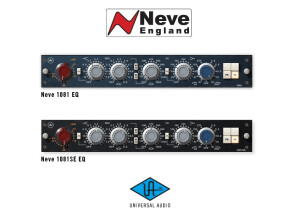
    I wasn't involved with the installation process with the Universal Audio Neve 1081 EQ plug-in as it was already installed on the machine that I have used it on. I haven't had any problems with it in the time that I have used it as it has worked flawlessly. The interface of the software and straight forward, and even if you aren't familiar with the original hardware 1081 I think you'll be able figure out everything going on here. However, it would definitely help if you have used a Neve channel strip before as there is a basic Neve formula that this follows. I don't believe that the manual is necessary unless you are having installation or compatibility problems as everything is pretty self explanatory as far as the interface goes. SUITABILITY/PERFORMANCE I can't recall any times that I've had any performance issues with the Universal Audio Neve 1081 EQ plug-in. I have used the plug-in in a Pro Tools HD system with an Apple G5 and the plug-in has been nearly flawless in terms of how well it runs as I find myself being able to bring up as many of these as I would like in a single session. Of course this has a lot to do with the HD system that I am running it on and if you are running in an LE system, how well it runs depends on the computer you are running it on. In the year or so that I have been using the 1081 plug-in I haven't had a single issue with it and as long as you have a system that you can currently run some plug-ins on, I think you'll be able to run this without problems. OVERALL OPINION In terms of sound quality, the Universal Audio Neve 1081 EQ plug-in sounds great. It is one of the better EQ plug-ins that I have used in terms of tone, even if it more limited in terms of how many bands it has. I'll take this trade off because I find that I can still get the tones that I want out of it even if there aren't an endless amount of EQ bands. While no plug-in will ever match the hardware version in my opinion, this does as good of a job of emulating the 1081 as a plug-in can get. The price isn't unreasonable for a great plug-in like this one, and for this reason I would definitely recommend all studio owners looking for a great EQ plug-in to check it out.