Log in
EN
FR

IK Multimedia Music Software

286 products found

Categories
Series
Filter
Sort by
IK Multimedia
Evaluation
  • Reviewed or not
  • Editor’s award
  • Reviewed by Audiofanzine
Availability
  • Available or not
  • Sold new or used
  • Sold new
  • Sold used
Must-have products
  • All products
  • Flagship products
  • Best rated products
  • Hot products
  • Popular products
Price
  • Freeware
  • Low-cost (< $45)
  • Mid-range ($45 - $75)
  • Premium (> $75)
€
Clear
Sort by
  • Popularity
  • User ratings
  • Price - low to high
  • Price - high to low
  • Used price, increasing
  • Used price, decreasing
  • Name (from A to Z)
  • Name (from Z to A)
  • Added on
Sort results
  • Popularity
  • User ratings
  • Price - low to high
  • Price - high to low
  • Used price, increasing
  • Used price, decreasing
  • Name (from A to Z)
  • Name (from Z to A)
  • Added on
Filter results 286 results found
Brands
Evaluation
Availability
Must-have products
Price
  • Freeware
  • Low-cost (< $45)
  • Mid-range ($45 - $75)
  • Premium (> $75)
Show results

The best IK Multimedia Music Software reviews

The reviews Audiofanzine members found the most helpful.
  • FP User's review

    The features, besides the new Combi presets, are pretty much the same as on Sampletank 2. Not like those were bad, but a few adjustments could have been made. Price paid: $320 USD The great thing about IK's stuff is that it is so damn simple if you want it to be and really advanced if you want it be too. The best of both worlds I guess, but you can be up and running after just installing it...no manuals needed. Which is always very nice... SUITABILITY/PERFORMANCE WOW....I really can't put into words the sounds this thing has. I was initially expecting just another Sampletank with a different soundbank...yeah, I was wrong. First, this thing comes with a slew of Combis like the ones found in Triton boards, that sound amazing from the get-go. All types of layered patches that just work with anything. Second, there's like 6 main categories of sounds and each one expands into multiple levels of banks and alternate categories until you're looking at so many freakin' categories that your head begins to hurt. Lastly, once you actually find a few to start playing with, you get lost in this alternate universe of disbelief because of how good these things sound...and there's something for everyone: leads, basses, percs, and strings for R&B and HipHop...there's motion pads, deep strings and far-out synth leads for Dance and Electro. The quality is definitely there. The quality is there...the sounds speak for themselves. If your computers sucks...dont bother. My computers is built for making music and so I didn't cut any corners when I made it. I can have 3 or 4 running fully loaded out of all 8 stereo outputs at one time before my box starts to stutter. I'll never need that much, but I know I'm good if I do. Be careful too if you have a ton of plugins on your box, especially if they're all cracked...plugins this well made depend on a clean system with all system files in place. If your box has been tweaked, if you have files everywhere, if you use a cracked host program or your registry looks like a spiderweb of crap...don't be upset if this or any plugin crashes. Its your fault...you've been warned. OVERALL OPINION I've used this on a number of tracks..both personal and for clients. I'd recommend it to anyone searching for an all-in-one synth workstation solution...I think a demo is available...check it out if you need more reassurance. I personally love it like my left nut, but thats just me.. Originally posted on FutureProducers.com Posted by: vito ( 7-, 2005)

  • « T-Racks Mastering Software »

    From T-racks.com. This is a great mastering program... I purchased the standalone PC version. You can also get the version that integrates with Cubase or Sonar. It looks and sounds like an analogue mastering device. In my previous band we paid to have mastering done... it cost us $700. But when I mastered my solo CD I was getting better a better variety on the total mix with T-racks... and it only cost me $299 for the software. It has alot of default Suites , these are default mastering selections that are easy to add that professional touch. But you can also make individual selections... such as compression, limiter, EQ etc. www.icaboyd.com The software is pretty locked down, you can only install it 3 times before you will need to get another key code from T-racks. And its pretty confusing getting the code from the website. In todays world PC's crash all the time. And its a hassle to have this restraint in my opinion. They should just sell a software dongle that goes on the back of your machine. Excellent program structure. Looks and feels like an expensive analogue mastering device. Its a great buy. It took my Cakewalk mixes to another level of production. This review was originally published on http://www.musicgearreview.com

  • « very useful »

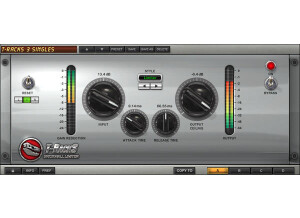
    The T-Racks III was easy to install and I had no compatibility issues with my system. The plug-in comes with Pro Tools LE and is installed while you are installing Pro Tools, so there couldn't be anything easier about that. The configuration of the pedal is a basic compressor and is easy to follow. I don't have a manual for this and I'm not even sure if one exists. SUITABILITY/PERFORMANCE I run T-Racks III with a Mac Book Pro that has a 2.2 Ghz Intel Core 2 Duo processor and 4 GB of RAM. I use it with Pro Tools LE 7.4 and a Digi002R. I have never run it with anything else as I'm pretty sure you can't run it with any other software because it is a Digidesign plug-in that comes free with Pro Tools. I am able to run a bunch of these at once without any problems and I have never had a problem with it whatsoever - this plug-in with my configuration is completely stable. OVERALL OPINION I've been using this since I got Pro Tools, which was about three or fours years ago. The sound of this compressor is good and usable, but since I have other options like Smack and a URS compressor, I don't use it all that often. The sound quality is good but is definitely not spectacular. The meters and graphs are a big upside on this as they are quite helpful. The interface is easy to follow and even those with no previous use with a compressor should be able how to us this. I like it on drums and guitars and I probably wouldn't use it for anything else, as the tone isn't vibrant enough for my taste. It is easy to follow though and since the price is free with Pro Tools, you can't really complain about it at all and it is nice to have as an option.

  • « Not very Hendrix sounding »

    Everybody and their mother these days seems to want to profit off of Jimi Hendrix, so it comes to no surprise when IK Multimedia tries to do the same thing. This time, they're just rehashing their standard Amplitube stuff for the Hendrix fans out there, and I honestly think they failed. To use this, you get a mic pre or some sort of interface, hook that up to your computer and then hook up your guitar to the interface. Then load up the stand alone application or the VST in your favorite DAW and you're good to go. I didn't experience any compatibility issues, so no problems there. I never read the manual, so I can't comment on that. Setting it all up is pretty easy, so no issues there. SUITABILITY/PERFORMANCE The amp sims on this are decent, but they're nothing spectacular. The Marshall sound reminds me of those Line 6 modelers that try to emulate the Marshall sound. They basically sound nothing alike aside from some random upper mids. The feel isn't there, the way they respond in real life isn't there, and the massive air a cranked Plexi pushes out of a full stack definitely isn't there. Considering how they're marketing this towards Hendrix fans, I'd say those three things should have been the biggest things to focus on. I didn't experience any crashing with this, but I wouldn't be surprised if other people had crashing problems. It took up a decent amount of memory, but it was nothing a new computer couldn't handle. OVERALL OPINION If you're a fan of Jimi Hendrix, do yourself a favor and just get a real Marshall. There's no amp sim out there that can truly replicate that cranked Plexi sound. The closest you can get is the Axe-Fx, and those things cost big money. They also take some time to truly dial in. This software is just half-assed and not really worth trying out.

  • « Far from a real metal amp sim »

    I play in a few death metal bands, and I consider myself a pretty solid metal guitarist. I know what to look for when it comes to metal tones, and I'm always looking for some sort of modeler that can produce those famous 5150, Recto, Savage 120, etc. tones. This modelers attempts to do those, but it fails miserably. The program works by getting an interface, plugging your guitar into that interface and plugging the interface into the computer. You then just load up the stand alone application or enable the VST in your favorite DAW. I never experienced any compatibility issues, so no problems there. The manual is probably clear, but I never read it. Everything is real simple to access and get to know, but there are a few odd things. Just mess around and you'll be able to get it in no time. SUITABILITY/PERFORMANCE The biggest issue with this is the tone. There are some seriously problems with what these guys think a good metal tone is. It's super scooped and totally buzzy. I have no clue how they thought that's the metal tone everybody wants. On top of that, it's very stiff and doesn't give like a normal tube amp does. This causes issues when trying to do lead lines especially. If you're constantly fighting the sim, you're not going to be able to play to your fullest potential. I didn't experience any stability issues with this like I did some of the other programs, so they at least fixed that problem. It takes up a little bit of memory, but most of today's computers should be able to handle it no problem. OVERALL OPINION The program is thin, buzzy and pretty sterile. It might work in some sort of grindcore or experimental hardcore punk/crust band, but there's no way I could get it to work for the type of metal that I play. It just sounded too fake and felt even worse. There are better free options out there for those that want to try them.

  • « Not a huge fan »

    Amplitube is one of the plethora of modelers out there for the computer. Basically, you get some sort of mic pre or interface, plug it into your computer and then plug your guitar into the interface. This will allow you to play amp models and effects through your computer. The application itself can either be stand alone, or you can enable it in your favorite DAW. Either one will work perfectly fine, but I have a feeling anybody who is doing recording will enable it via their DAW. I didn't experience any compatibility issues with it, so there are no issues there. I never read the manual, so I can't comment on that. It's pretty easy to set up, and everything is laid out in a mostly easy to understand manner. SUITABILITY/PERFORMANCE I experienced some stability issues with this program. It would crash randomly, and I would have memory errors for whatever reason. My computer is no slouch, so it had to have been the actual application causing the issues. I never experienced the program hogging up too much memory, but it still took a decent chunk. If you're running a computer that's a bit dated, this software might not be the best. The worst part was the way it sounded. It sounded very much like a harsh and sterile modeler. I wasn't able to dial out that specific treble that modelers have, and the feel was atrocious. The effects weren't that great, either. OVERALL OPINION If you're looking for some sort of amp modeler out there, I recommend the many free solutions. Not only do they cost nothing, but they also sound better. Just get some sort of impulse loader for your DAW and you should be good to go. I can't really recommend this software, but I've heard some decent tones out of it from other people, so I can't totally dismiss it.

  • « My favourite orchestral VST. »

    This VST installed quickly and has worked nicely on my High end PC (I've not tried it on my low end computer). I ran it on my 2.5GHZ Core2Quad & 4GB ram and it runs pretty brilliantly, more so than Sampletank or any other VST i've tried on the same engine. There can be some delay and latency between the keys and the synth, though I suspect that might be to do with my low end keyboard. The lbirary is accessable and nice to use, and is operated via folders on display on the GUI of the VST. The only problem I'd mention about library accessability is the overuse of folders. Some instruments are hidden about 5 folders deep into the library. It gets annoying to constantly click through. It is nicely organised into instrument types and then the actual instruments. It works nicely in both of the DAW's that I use, Ableton and FL Studio. SUITABILITY/PERFORMANCE This software works well in FL Studio with no hiccups, however I have to run Ableton Live in administrator mode to get it to work, otherwise Ableton will display it as an unsupported vst. The sound bank that comes with this VST is absolutely staggeringly amazing. This is no doubt the highest quality and best orchestral pack of samples that I've ever used. The CPU load is pretty low too so there is no problems with stacking up sounds. The memory usage is also low for a VST of the nature that it is. It is around 7 GB and comes with pretty much every orchestral instrument under the sun. OVERALL OPINION I love some of the sounds on offer from this VST, the strings especially are brilliant. Some of the non string sounds can be flat and boring though, but the epicness of the string sounds makes up for it easily in my opinion. I love to play piano chords then just load this VST in and load string sounds. They really are stunning. I would reccomend layering some of the sounds though, especially the orchestral ones if you want a true orchestral sound. I cannot seem to find a search function on the VST too, this makes finding patches previously used an absolute nightmare. I would still get this VST though knowing what I know now.

  • moosers's review

    The IK Multimedia T-Racks Metering Suite is a set of different meters for mixing and mastering. It can be bought as an individual plug-in but is also found in the T-Racks 3 Mastering Suite, which is where I've used it primarily. I can't speak to the installation process for installing this on it's own, but if you have T-Racks 3, the process of installing that is easy enough and isn't out of the ordinary at all. The different meters that are available here include a peak meter, a perceived loudness meter, RMS, phase, correlation, and a full spectrum graph. All of these are self explanatory in terms of their interfaces, so there is no need for the assistance of a manual. SUITABILITY/PERFORMANCE I've never had a problem running the IK Multimedia T-Racks Metering Suite. I should say that I've never had a need to run it outside of a master channel when I run it in Pro Tools, but most of the time I use it in T-Racks 3. I'm currently running it on a Mac Book Pro that has a 2.2 Ghz Intel Core 2 Duo processor and 4 GB of RAM. It's hard to say how well it would run on a given system without trying it, but if you have a system where you're currently able to run your DAW without issues, you should be okay. OVERALL OPINION In general, I find the IK Multimedia T-Racks Metering Suite to be extremely helpful when it comes to doing home mastering jobs inside and outside of T-Racks 3. The meters that I use most often are the peak, perceived loudness, and the spectrum graph. All of the meters are very helpful, but these are the most useful in my opinion. I'd recommend getting the full T-Racks 3 mastering suite instead of getting this as an individual plug-in, as it's worth it for the extra dough and you'll be getting a whole slew of plug-ins with the full version of T-Rack 3. The T-Racks Metering Suite is probably the best of it's kind that I've used to date...

  • moosers's review

    The IK Multimedia Classic T-Racks Multiband Limiter is a plug-in found in the T-Racks 3 Mastering Suite software and plug-in bundle. It's a 'Classic' plug-in because it has the look and make up of the interface of the processors found in the older versions of T-Racks. I've mostly run the plug-in within T-Racks 3 rather than as a plug-in in another DAW, but it can be used as either an RTAS, VST, or AU plug-in in your DAW in addition to in T-Racks 3. It can also be purchased as an individual plug-in outside of T-Racks 3, but I'd recommend getting the full software for a number of reasons that I'll speak more about later. I haven't installed the plug-in on it's own, as installing T-Racks 3 as a whole will install all of the individual plug-ins. You might have to put it in the right folder for your DAW, but I guess that depends on the system and DAW you're running this on. The interface has a good amount going on, at least when compared to many of the other T-Racks 3 plug-ins. Being that it's a multiband limiter, you've got control over three individual bands of limiting. Each of the three bands has parameters for gain and threshold, and there are two crossover frequency knobs as well. The plug-in also has parameters for overload, release time, input drive, and output. No manual is necessary, nor have I seen one for this plug-in. SUITABILITY/PERFORMANCE I'm running T-Racks 3 and the Classic T-Racks Multiband Limiter on a Mac Book Pro that has a 2.2 Ghz Intel Core 2 Duo processor and 4 GB of RAM. Like I stated earlier, I've mostly been running this plug-in within the confines of T-Racks 3, but have also run it a little bit in Pro Tools LE 8 that I run with a Digi 002R audio interface. This plug-in will definitely take up a good amount of processing power if you're running it in another DAW, and T-Racks 3 will also take up a good amount of power even if you run it as a standalone. This is really my only knock on the plug-in, but if you have a powerful system you should be able to get by okay. OVERALL OPINION There's definitely a lot that can be done with the IK Multimedia Classic T-Racks Multiband Limiter. I love using multiband compressors and limiters as it really gives you complete control over your end sound. It's of course best to use when you want to limit only a small section of frequencies, or just the high, mid, or low of a sound. The plug-in's sound quality is definitely more than okay as it actually sounds pretty damn good. I don't always use multiband limiters, but if I do need to use one, this is the plug-in that I'll end up using most of the time. If you're interested in this plug-in I'd highly encourage you to buy the full software as it's really worth it considering the price they're charging for these plug-ins individually. T-Racks 3 and this plug-in are definitely worthwhile to have around in my opinion.

  • moosers's review

    The IK Multimedia T-Racks Classic Equalizer is a plug-in that comes in the newest version of T-Racks 3. It is modeled after the equalizer that is found in T-Racks 2. The plug-in is also available as a single plug-in if you want to buy it outside of T-Racks 3. The process of installing T-Racks 3 as a whole was easy enough, but I can't say anything about installing this as an individual plug-in. The interface of the plug-in consists of six bands, including a high and low pass on both ends. The four middle bands have parameters for gain and frequency, with the most middle two also have knobs for gain. There is a graph that is easily manipulated on it's own if you don't want to use the knobs. Lastly, there is a knob for overall output level and a bypass switch. I haven't seen a manual for this plug-in individually, and I'm not sure if there is specifically something on this plug-in in the T-Racks 3 manual. SUITABILITY/PERFORMANCE Right now I'm running T-Racks 3 and the IK Multimedia T-Racks Classic Equalizer plug-in on a Mac Book Pro that has a 2.2 Ghz Intel Core 2 Duo processor and 4 GB of RAM. I run the plug-in both in T-Racks 3 as standalone software and in Pro Tools LE 8 as an RTAS plug-in. For Pro Tools LE 8, I have a Digi 002R audio interface. All of the plug-ins in T-Racks 3 take up a decent amount of processing power, as is the case with this one. It doesn't seem to take up as much processing power as some of the other T-Racks 3 plug-ins do, but you would still like it to be possible to run it without taxing your system as much as it does. OVERALL OPINION While the IK Multimedia T-Racks Classic Equalizer is a useful plug-in, it isn't one that I would ever recommend buying outside of T-Racks 3. It's definitely nice to have it when you get T-Racks 3, but as far as getting it as a single individual plug-in, I don't think it's worth the price. I'd recommend going with the Linear Phase EQ plug-in that is also included in T-Racks 3 if you're going to buy one of the T-Racks 3 plug-ins individually. The Classic Equalizer definitely has a clean sound quality and is great for equalizing of all kinds, but I'm not able to run one on every channel because of how much processing power it takes up. For this reason I often end up using other equalizers. If you're interested in this plug-in, I'd encourage you to go with buying T-Racks 3 as a whole.

  • moosers's review

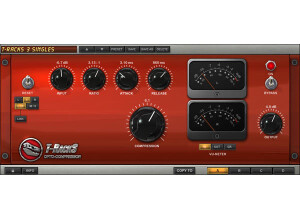
    IK Multimedia's Classic T-Racks Compressor is a plug-in that comes with the T-Racks 3 mastering suite. It is modeled after the older T-Racks processors that were found in T-Racks 2 and earlier. You can buy this plug-in either individually or within T-Racks 3, but I'd highly recommend getting it within the full software suite. Installing T-Racks 3 as a whole was easy enough, as the whole process only took a short while, so installing just this plug-in should be even quicker in theory, but I haven't ever had to do it since I got it with T-Racks 3. The interface of the plug-in has parameters for input drive, (compression) ratio, a high pass filter, attack and release time, stereo enhancement, and output level. As you'll be able to tell within a few minutes of using this, it's a versatile plug-in that is capable of getting a wide array of different compression sounds. I've never had a need to check out the manual for this plug-in, but I don't think that there is one for it individually outside of the T-Racks 3 manual, although I'm not sure on this. SUITABILITY/PERFORMANCE I'm currently running the the IK Multimedia Classic T-Racks Compressor and T-Racks 3 on a Mac Book Pro that has a 2.2 Ghz Intel Core 2 Duo processor and 4 GB of RAM. I've run the plug-in primarily in T-Racks 3 for mastering, but I've also used it as an RTAS plug-in in Pro Tools 7 & 8 for mixing purposes. The plug-in definitely takes up more processing power than your average plug-in, but it should be okay to run a bunch of them at a time as long as you have a strong system. OVERALL OPINION The IK Multimedia Classic T-Racks Compressor isn't my favorite plug-in in the T-Racks 3 mastering suite software and plug-in bundle, but it's still a great plug-in to have around. I think that they really just set the bar high with the other plug-ins, so the 'Classic' ones don't seem as good, but they're still very strong plug-ins. I'd highly encourage those interested in this plug-in and T-Racks 3 to buy the full software instead of buying this plug-in individually, as the price per plug-in makes it really worth it to buy the whole software. Plus you get to use T-Racks as standalone software which is really useful. Either way this is a very good plug-in to have, but if you are going to buy one of them individually, I'd recommend first going with one of the other compressor or limiter plug-ins in T-Racks 3 before getting this one.

  • moosers's review

    The IK Multimedia T-Racks Linear Phase EQ is an equalizer plug-in that can be found in the T-Racks Mastering Suite software, and can also be bought as an individual plug-in in either RTAS, VST, or AU plug-in formats. I've used it both in T-Racks 3 and in Pro Tools LE 8 as a plug-in, but the bulk of my work with the Linear Phase EQ has come within the T-Racks 3 software. In fact, just about every time I use T-Racks 3, I end up using the Linear Phase EQ. I don't know what the process is like when it comes to installing this plug-in individually, as I only had to install T-Racks 3 as a whole, which was easy enough to do. The make up of the plug-in is a six band equalizer, with a graph to help you plot everything. You can control the filters either with the parameters it has as knobs, or right on the graph, which is definitely nice. The parameters that each band has includes those for gain, frequency, and bandwidth, which is of course standard for most EQs. It also has an overall output leveler. I don't think a manual is necessary, but I haven't seen one if there is one, so I can't say anything about it's configuration. SUITABILITY/PERFORMANCE Right now I'm running the IK Multimedia T-Racks Linear Phase EQ and T-Racks 3 on a Mac Book Pro that has as 2.2 Ghz Intel Core 2 Duo processor and 4 GB of RAM. When I run the plug-in individually, I run it in Pro Tools 8 that runs with a Digi 002R audio interface. However, most of the time I run it in T-Racks 3 when I'm mastering something. The software as a whole definitely takes up a good amount of your processing power, and the same goes for each of these plug-ins. Unfortunately I'm not able to go crazy with running these in Pro Tools, but I am able to run a few instances at a time without buffering. OVERALL OPINION The IK Multimedia T-Racks Linear Phase EQ is definitely one of my favorite plug-ins that comes with T-Racks 3. It's got a very clean sound for a software equalizer, and offers up more than enough control over your sound. I can't say that I'd recommend buying this plug-in individually, as it's really worth it just to buy all of T-Racks 3. However, I guess it is nice to have the option if you only wanted one of these plug-ins. It's definitely worth the extra money though, as you get a whole bunch of plug-ins within T-Racks 3. Either way you decide to do it, The IK Multimedia T-Racks Linear Phase EQ is a great plug-in for both mastering and mixing.