Log in
EN
FR

IK Multimedia Audio Plug-ins

165 products found

Categories
Series
Filter
Sort by
IK Multimedia
Evaluation
  • Reviewed or not
  • Editor’s award
  • Reviewed by Audiofanzine
Availability
  • Available or not
  • Sold new or used
  • Sold new
  • Sold used
Must-have products
  • All products
  • Flagship products
  • Best rated products
  • Hot products
  • Popular products
Price
  • Freeware
€
Clear
Sort by
  • Popularity
  • User ratings
  • Price - low to high
  • Price - high to low
  • Used price, increasing
  • Used price, decreasing
  • Name (from A to Z)
  • Name (from Z to A)
  • Added on
Sort results
  • Popularity
  • User ratings
  • Price - low to high
  • Price - high to low
  • Used price, increasing
  • Used price, decreasing
  • Name (from A to Z)
  • Name (from Z to A)
  • Added on
Filter results 165 results found
Brands
Evaluation
Availability
Must-have products
Price
  • Freeware
Show results

The best IK Multimedia Audio Plug-ins reviews

The reviews Audiofanzine members found the most helpful.
  • « Not very Hendrix sounding »

    Everybody and their mother these days seems to want to profit off of Jimi Hendrix, so it comes to no surprise when IK Multimedia tries to do the same thing. This time, they're just rehashing their standard Amplitube stuff for the Hendrix fans out there, and I honestly think they failed. To use this, you get a mic pre or some sort of interface, hook that up to your computer and then hook up your guitar to the interface. Then load up the stand alone application or the VST in your favorite DAW and you're good to go. I didn't experience any compatibility issues, so no problems there. I never read the manual, so I can't comment on that. Setting it all up is pretty easy, so no issues there. SUITABILITY/PERFORMANCE The amp sims on this are decent, but they're nothing spectacular. The Marshall sound reminds me of those Line 6 modelers that try to emulate the Marshall sound. They basically sound nothing alike aside from some random upper mids. The feel isn't there, the way they respond in real life isn't there, and the massive air a cranked Plexi pushes out of a full stack definitely isn't there. Considering how they're marketing this towards Hendrix fans, I'd say those three things should have been the biggest things to focus on. I didn't experience any crashing with this, but I wouldn't be surprised if other people had crashing problems. It took up a decent amount of memory, but it was nothing a new computer couldn't handle. OVERALL OPINION If you're a fan of Jimi Hendrix, do yourself a favor and just get a real Marshall. There's no amp sim out there that can truly replicate that cranked Plexi sound. The closest you can get is the Axe-Fx, and those things cost big money. They also take some time to truly dial in. This software is just half-assed and not really worth trying out.

  • moosers's review

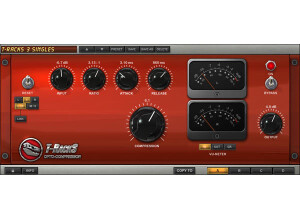
    IK Multimedia's T-Racks Opto Compressor is a plug-in found in the T-Racks 3 mastering software, and is also available as an individual plug-in for Pro Tools and other formats. I've used the plug-in within T-Racks 3, as I own the whole software and didn't purchase the plug-in as as single. You can however, use each of the individual plug-ins in Pro Tools as a standard plug. I didn't install this on it's own, but I didn't have any issues when it came to installing T-Racks 3. The interface of the Opto Compressor is pretty simple, and those with experience with compressors will recognize all of the parameters available here. There are knobs for controlling your input and output levels, ratio, attack, release, and compression. Each stereo channel has it's own meter, which are programmable to monitor either input, output, or gain reduction. You can use the plug-in either as a stereo pair or use each channel individually. A manual isn't necessary for this plug-in in my opinion. SUITABILITY/PERFORMANCE Right now I'm running the IK Multimedia T-Racks Opto Compressor plug-in and T-Racks 3 on a Mac Book Pro that has a 2.2 Ghz Intel Core 2 Duo processor and 4 GB of RAM to work with. I've run the plug-in both in Pro Tools LE 8 and in T-Racks 3 as a standalone piece of software. While I sometimes have an occasional problem with T-Racks 3 as a whole, this plug-in itself has never presented any issues for me related to performance. It does take up a good amount of processing power for sure though, but knowing this I didn't run it as hard as I might have another smaller plug-in. How fast a plug-in will run solely depends on your personal system, but unless you have a really fast system you probably won't be able to run one of these on every track. OVERALL OPINION If you are interested in the IK Multimedia T-Racks Opto Compressor plug-in, I'd highly recommend just picking up T-Racks 3 as a whole. It's worth the extra money, which isn't really that much at all, especially when you consider all the other plug-ins that you're getting with T-Racks 3. The Opto Compressor is overall a great sounding plug-in that can be very helpful in both a mixing and mastering setting, but I just don't see a reason not to get it within the confines of T-Racks 3...

  • moosers's review

    IK Multimedia's T-Racks Vintage Equalizer EQP-1A is a plug-in that comes with the T-Racks 3 Deluxe Mastering software. It can also be purchased as an individual plug-in in any relevant format, but it's really worthwhile to buy T-Racks 3 in my opinion. As far as installation go, it depends on if you're installing all of T-Racks 3, or just this individual plug-in. I've only used this within T-Racks 3, but either way it shouldn't be unlike installing any other plug-in or software. In terms of the interface, it's got the exact same make up as the Pultec that this is modeled after. It is a two band equalizer that is very simple to figure out, even if you don't have experience with the Pultec or one of it's many replications. SUITABILITY/PERFORMANCE I'm running the the T-Racks Vintage Equalizer EQP-1A plug-in and the entire T-Racks 3 suite on a Mac Book Pro that has a 2.2 Ghz Intel Core 2 Duo processor and 4 GB of RAM. I've run it both in Pro Tools LE 8 as an individual plug-in, and in T-Racks 3 stand alone. I haven't had a problem running it in either format, although T-Racks 3 does take up a whole lot of processing power. It also does take up a good amount of space if you use it as an individual plug-in, but not so much in my system that I wasn't able to run it well. OVERALL OPINION I love using IK Multimedia's T-Racks Vintage Equalizer EQP-1A both in the T-Racks 3 mastering suite and as a plug-in in Pro Tools. While it certainly doesn't sound like a real Pultec, at least the make up is familiar and it does have an overall great sound quality for a plug-in. I would really encourage those interested in this plug-in to go with the entire T-Racks 3 mastering software instead of buying this an individual plug-in. It's worth the extra money to get all of the software with the full suite of plug-ins without a doubt...

  • moosers's review

    Getting set up and going with IK Multimedia Amplitube 2 only took a matter of minutes, as the whole process was pretty straight forward. I just followed the step by step instructions for installation, like with all plug-ins and software, and was able to use the plug-in shortly after. The interface of the software is a lot more in depth than the original Amplitube, which is definitely something that is welcome as I feel this one has a lot more to offer. The interface is also more professional looking and has many more effects and features. Everything is easily located, as I never felt lost at all inside of the interface. Unless you're having technical issues related to installation or otherwise, I don't think that you need a manual for this plug-in. SUITABILITY/PERFORMANCE I'm currently running IK Multimedia Amplitube 2 on a Mac Book Pro that has a 2.2 Ghz Intel Core 2 Duo processor and 4 GB of RAM. I run the plug-in in Pro Tools LE 7.4 that runs with a Digi 002R audio interface, and can't say that I've had a lick of trouble with the software within this configuration. However, I do tend to keep the plug-in within its limits, as it does take up a decent amount of processing power when compared to other plug-ins. The reason for this is because of the size and because of everything going on, as it could really stand as software on its own. I am however, able to run a few of these at a time within a single session, and would imagine that anyone with a decent system already running plug-ins of this caliber should be able to do the same... OVERALL OPINION Compared to the original version of this software, IK Multimedia Amplitube 2 is light years ahead across the board. Not only is the interface more appealing and more versatile, but the sound quality is also vastly improved. The best part about this is that the price hasn't really gone up and it is still an accessible plug-in for smaller studio owners on a budget. While I generally like to get all of my guitar sounds at the source, this comes in handy for all sorts of things - guitar related and not. I've used it on everything from vocals to keyboards, as the effects translate well to any instrument. You shouldn't expect Amplitube 2 to give you everything guitar sound in the world in one place as it just doesn't have the sound quality to match, but it is a pretty good start...

  • moosers's review

    Installing IK Multimedia T-Racks EQ was quick and easy. I had no compatibility errors and it has been running smoothly since I installed it. The interface is extremely easy to follow and there is really nothing complicated about this plug-in. I don't have a manual so I can't speak to how useful it is or not. SUITABILITY/PERFORMANCE I run the T-racks EQ on my Mac Book Pro with a 2.2 Ghz Intel Core 2 Duo processor and 4 GB of RAM. I use it in Pro Tools LE 7.4 with a Digi 002R audio interface. It has always run flawlessly on this set up and I am able to run a few of these at once. It is a simple plug-in which doesn't take up too much of your processing power and is a great sounding EQ as well. OVERALL OPINION I've had this plug-in for two years and it has become a great tool in my arsenal as far as equalization goes. The ease of the interface makes it easy to do what I want it to do. The sound quality is good and it is definitley a good option when looking to use an EQ plug-in. I have used it on everything from vocals to drums. It also sounds good on electric guitars. In terms of drums, I like it on all types - kick drum, snare drum and tom toms, as it is easy to manipulate and get the sound I am looking for. While I use it mostly for these applications, this is a good overall EQ and can be used on just about anything you'd like. It is comparable to the Digidesign EQ III plug-in that comes free with Pro Tools, but it a little better sounding to my ears. While it isn't free, it is sold at a cheap price and is worth it to me to have another option like this in my DAW - this is definitely worth a look.

  • moosers's review

    The IK Multimedia Amplitube LE installed on my system without any problems and it was an overall easy process. I had no compatibility issues and the interface of the plug-in is easy to follow. I never looked at the manual as I had no problems installing it and the plug-in was easy to figure out. SUITABILITY/PERFORMANCE I run Amplitube LE with a Mac Book Pro that has a 2.2 Ghz Intel Core 2 Duo processor and 4 GB of RAM. I use the plug-in in Pro Tools LE 7.4 with a Digi 002 rack version as an audio interface. I am able to run a few of these at a time, and have had up to four running at once without any problems. This being said, it does take up a bit of processing power and running a lot of these at once will probably slow down your system. OVERALL OPINION I've had Amplitube LE for about two years, as I got it when I got my first Pro Tools system. I have found this plug-in to be very helpful when I am looking to beef up a guitar sound, or I only have a DI signal of a guitar and want to add some overdrive, or delay. The plug-in has a few different sections - Level, Tuner, Wah, Delay, Reverb, Overdrive and Amp & Cabinet. I have never used the tuner and don't really use the wah, so I can't say if these are helpful, but I love using the delay and the amp & cabinet sections. There is a lot of room tweaking your tone, with the amp & cabinet section being the most in depth. While I would never take digital distortion over a real amp, when looking to beef up a signal, the overdrive sounds pretty good on this. None of the sounds blow me away, but almost all of them are usable. I don't use this on everything, but when I do use it I always end up getting good results. Since this is such a cheap plug-in, I would definitley recommend having this in your set up, as you never know when you might need some reliable amp modeling software.

  • moosers's review

    I had no problems getting the T-Racks Mastering Software 2.0 up and running on my machine. It was as easy as any plug-in I have installed before. The configuration of the plug-in takes a bit of getting used to, only because the plug-in is packed with a few different signal processors and each one has its own unique parameters. That being said, everything is laid out in a nice order and the interface is very user friendly. The VU meters and the EQ graph are both easy to follow and very helpful. I've never looked at the manual before as I didn't have any problems with installation and was able to figure out the plug-in as a whole pretty easily. SUITABILITY/PERFORMANCE I am running the plug-in on a Mac Book Pro with a 2.2 Ghz processor and 4 GB of RAM. I have been using it in Pro Tools 7.4 with a Digi 002 rack as an audio interface and monitoring with Yamaha NS-10s. I am getting good performance from it while only using it on the master fader. Beyond that I'm not sure how well it will run, but keep in mind it is obviously a mastering plug-in and is not really intended for use beyond the master fader. OVERALL OPINION I've had the T-Racks Mastering Software for about a year. It is a really convenient and quick way to master mixes. The plug-in is reasonably priced and has an equalizer, a tube compressor, and a multi-band limiter. It also has sections for output leveling, presets, fading in and out and setting it to either mono or stereo. I like this mastering suite better than Izotope Ozone as I think the signal processing is more realistic and authentic, and while it is a bit more expensive than the Ozone, I think it is worth the price. Overall I like this plug-in as a cheap, all in the box option for quick and easy mastering that can add a lot to your mixes.

  • Audiofanzine FR's review

    (Originally written by henridelavillle/translated from Audiofanzine FR) - No installation problems. - The program seems to be incompatible with my notebook (Centrino 1.7 GHz, 1 GB RAM) but it works very well with my desktop (AMD 6000 *2 3 HHz). - It cannot be compared with TRACKS1 since it's a real professional tool with 8 high-quality plug-ins. - The deluxe version includes an excellent EQ. SUITABILITY/PERFORMANCE - Very, very good OVERALL OPINION - I've been using it for one week. It's a great feeling to have everything you need and know the software will be an enhancement to your mix instead of a real pain... - It's possible to boost the 30 kHz frequency band without destroying the mix. Adequate settings allow you to even make a good mastering work. - There's a huge difference with Tracks 1: the processing quality is much better and it is good enough for mastering if you avoid extreme settings. - I'm looking for a good analog compressor/limiter but this software is excellent to start working fast.