Log in
EN
FR

SeriesIK Multimedia AmpliTube (Serie)

47 products found

Filter
Sort by
Evaluation
  • Reviewed or not
  • Editor’s award
  • Reviewed by Audiofanzine
Availability
  • Available or not
  • Sold new or used
  • Sold new
  • Sold used
Must-have products
  • All products
  • Flagship products
  • Best rated products
  • Hot products
  • Popular products
Price
  • Freeware
€
Clear
Sort by
  • Popularity
  • User ratings
  • Price - low to high
  • Price - high to low
  • Used price, increasing
  • Used price, decreasing
  • Name (from A to Z)
  • Name (from Z to A)
  • Added on
Sort results
  • Popularity
  • User ratings
  • Price - low to high
  • Price - high to low
  • Used price, increasing
  • Used price, decreasing
  • Name (from A to Z)
  • Name (from Z to A)
  • Added on
Filter results 47 results found
Evaluation
Availability
Must-have products
Price
  • Freeware
Show results

The best IK Multimedia AmpliTube (Serie) reviews

The reviews Audiofanzine members found the most helpful.
  • « Software Amp Simulation »

    Amplitube 3 is a software plug-in that can be used inside a DAW or as a stand-alone application. The signal path for a guitar and bass has been modeled digitally including: amplifiers, cabinets, microphones, stomp boxes, and rack effects. The software can be installed by downloading it off the IK Multimedia website. Authorization is completed using an IKM software application if your computer connects to the internet. IK Multimedia has also released a 'Custom Shop' application to run alongside of AT3. This allows you to 'purchase' different gear models on an individual basis. The Custom Shop application is free to download. SUITABILITY/PERFORMANCE The software is laid out to be intuitive for anyone that has played guitar and used effects. First, the signal goes through a section of stomp-box effects pedals. Then, the signal goes through an amplifier followed by a cabinet/microphone. Finally, there is a section of rack effects. This is a typical ordering of processing that guitarists use in the real world. However, one of the benefits of using software is experimenting with crazy ideas. AT3 has some parallel signal path options, but it is really limited if you want to change the ordering of processing. Most other amp sims offer more flexibility if you are the kind of person that likes to experiment. To me, the weakest part of the software is the 'post-effects'. I almost never use the effects inside AT3, and also use some other compressor/eg/reverb in my DAW. Guitar Rig 5 has much better options because you can use models of great compressors (1176, LA-2A) and an SSL Eq model. AT3 just comes with a stock compressor, and basic eqs. OVERALL OPINION There are many different options for amp simulation software these days (Guitar Rig 5, Line 6 Pod HD/Pod Farm 2, Eleven, OverLoud THD, etc). Every company models the gear in different ways, so they each sound a little different. For instance, an AC30 in Amplitube sounds different than the same amp in GR5 and on a Pod HD. I have a preference of different amps depending on the software, and that's up for you to decide for yourself. The best part of Amplitube is that IKM have started to license amplifiers from different brands. There are a whole bunch of different Orange amps that can be purchased. Most other amp sims just have a single Orange amp model. The Fender add-on pack also includes some great Fender amp models that you won't find else where like the Super-sonic. Finally, bass amps are typically an 'after-thought' in amp sim software. The Ampeg add-on pack is in a league of its own compared to other bass amp sims. I don't even waste my time with other bass amp models.

  • « Gotta be one of the best amp simulators »

    Getting started is a breeze. Pop the disc in, install it, and authorize it, run it. It's just an effect after all. It's a very simple plugin too. You have a lot of options but they are all very easy to understand. The hardest parameters are probably the ones reguarding the individual effects, like compression, if you don't have experience with it. 4 screens: effects, amp, mic, racks. All very intuitive if you're a guitarist. Still easy if your not. SUITABILITY/PERFORMANCE It is one of my more CPU intensive effects. Not that it's that bad but it will take up more than an EQ or reverb. I run a Gateway 2.0GHz dual core, 2GB RAM computer. I've been using it for over a year. It is a stable plugin. Never had problems with it crashing. Works fine on Windows XP. OVERALL OPINION It is really as good as you make it. By that I mean you need a good guitar sound running through it to really get a good tone. It's got everything you need to make a good guitar but you just got to work with the effects, pedals, mics, amps, etc to get what your looking for. To help out they have a ton of presets which are usually what I use and then make simple tweaks to them. I don't think it's as good as a live guitar if your running a guitar vst through it but it's a close second. RealStrat + Amplitube Fender beats out G1 Electric Strum any day. I'd definatly make the choice to buy it again. I would take a look at all of the Amplitube plugins and find the one that is right for you. I've only tried Fender but I'm sure they are all quality products.

  • « An interesting evolution from the previous version, but with a real latency problem »

    To begin with, my review only intends to be an average user's review - I'm not a geek or anything, my computer is quite correct but ages slowly. My config: POD HD300 with all contents deactivated (amps, fx, cabs) used as a soundcard, to an iMac i5 from late 2011 with 8GB of RAM. The first overall constatation is very positive, espacially compared with Amplitube 3 which never managed to convince me to let my POD HD down (into Garage Band), which sounds were quite better (cleaner, more realistic, more dynamics, in a word more of a real mic'ed amp than a digital bee-like tone). With version 4, it's way easier to get a "real sound", which can entirely be set up as you like (amp, fx, cab, speaker, mics and so on), plus with a real interaction between all elements. Grain-wise, I finally feel a real pleasure playing on computer-based models (with lows that hold up, musical hi-mids and dynamics at both your right hands and volume knob). My POD only (temporarily?) owes me keeping it to its role as a soundcard. Yet, I have a real latency problem. This already was a problem with Amplitube 3, but reversely. Here's the problem: > in standalone mode, Amplitube 3 worked very well, but using it as an AU plugin in Garage Band was just horrible > with Amplitube 4, it's just the other way around: standalone mode offers a horrible latency (with the buffer set at 512), but everything goes well in GarageBand after faking I intended to record, unless I try to create a new, quite complex preset, then latency goes nuts again. No problem, you record again, start a new countout, stop and it works! I want to make it clear that this latency problem occurs while CPU and RAM uses are still very, very low. Finally, after detailing these problems which may owe as much to my equipment and rather modest qualities as a user as to the software itself, it's a coherent product for training and home recording.

  • « Build a custom amp »

    Amplitube LE comes with 14 different pre amps and 14 different EQ types. There are 6 really good microphone models that I loved in this plug in too! Amplitube LE has been out for a while now but I have only been using it or about a year now. I use it all of the time and it has never caused any issues or crash on me in either of my systems (PC or Mac). My Macbook has 512 MB of RAM and running OSX 10.6 and it runs fine but I do not think that you have to be running 10.6 to use it. On my Windows machine I am running XP with 256 MB of RAM and there are no issues there either. You can run Amplitube LE as a VST or RTAS for Pro Tools applications. SUITABILITY/PERFORMANCE Installing Amplitube LE was simple, it took no effort at all and the manual that comes with it explains anything that the user could ever need to know. I love how many effects that I am able to get in this plug in, I mainly use it in Pro Tools just to put the final touches and effects on guitar tracks before doing the masters. There are a total of 21 stomp effects and I love every one of them, also I really like the 11 rack effects to. OVERALL OPINION The sounds that I am able to create with Amplitube LE are top notch, I have used just about any guitar plug ins imaginable and most of them are good but Amplitube outshines all of the them and it is very affordable as well. Some of the models that it is based off of are Marshall, mesa Boogie, Supro, Vox and Fender (plus more). Using this plug in, I can build my own custom amp any way that I want it. There are thousands upon thousands of different combinations that you can use and I have not even scratched the surface with them yet as I am just starting to fully dig deep into Amplitube LE. There are upgrades for it out now since it is an older version but for now I have no reason to upgrade it on my computer.

  • « Innovative Idea, Not as big a hassle as some people complain »

    Amplitube Custom Shop is a software application to be used in conjuction with IK Multimedia Amplitube 3. It provides an interface for the user to 'try' and 'buy' gear to be used in AT3. Custom Shop is easy to install. After opening the program, it is necessary to log in with your IKM account. Then it is pretty easy to get around. I've found some of the navigation is a little inefficient. For instance, if you want to select a couple of different cabinet models to try out, you have to navigate from the home screen to the cabinet section, then select one of the cabinets you want to try. A new screen will come up and say you can 'demo' this cabinet. Next, if you want to select another cabinet, you have to return all the way to the home screen rather than being able to simply return to the last screen where you left off. Minor complaint, but nonetheless a little frustrating. SUITABILITY/PERFORMANCE I was pleasantly surprised that the software worked as well as it did when it first was released. I haven't really come across any 'bugs' since I have been using it. I got to give IKM for having a reliable system on there end of things because this program has to connect to their servers for use, and I have never experienced any down time. I have no complaints about this at all. OVERALL OPINION Custom Shop is an innovative idea. Virtual or 'modeled' gear has been around for a long time, it was only a matter of time before someone took the analogy a step further by creating a virtual or 'modeled' shop to purchase the gear from. There are many people that complain that they don't want to use Custom Shop, they would just rather only have AT3. I suppose if your computer cannot connect to the internet then Custom Shop could be a hassle. I typically turn off the internet connection when I am using my computer for music, but just turn the internet on when I need to authorize some gear. The 'gear credits' aspect of Custom Shop is another big complaint. Many people complain that they should be able to use their money to buy gear, rather than use their money to buy credit which is used to buy gear. Regardless, my opinion is that you should never gear credits at full price. It is a better idea to wait until IKM is having a 'group buy' for credits. In this case you can typically get 4x the credits for the amount of money you spend.

  • « Vintage and Rare Amp Simulation »

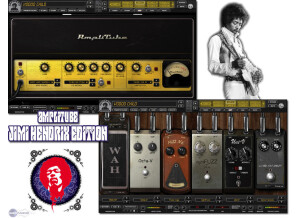
    Amplitube Jimi Hendrix is an expansion pack for IK Multimedia Amplitube. With the introduction of Amplitube Custom Shop, individual amp models in this package can be purchased separately rather than as a bundle. IKM Amplitube is a software plug-in that can be used inside a DAW, and can also be used as a stand-alone plug-in. The Jimi Hendrix expansion pack is full of vintage and rare amp models of the same gear tha Jimi Hendrix used while recording his famous guitar sounds. SUITABILITY/PERFORMANCE I have listened to a lot of Jimi Hendrix in my life, a learned to play the guitar in part by learning a lot of his songs. However, I am not necessarily a Jimi Hendrix gear-head. I wish there were a few more amp models included in this package. However, I guess its possible that Hendrix didn't use that many different amps while he recorded. Nonetheless, when I think about this expansion pack, I mostly think of it more as a vintage gear package, so if there were a few more vintage amps available then great. I probably should fault IKM for trying to be true to the Jimi Hendrix gear selection. OVERALL OPINION The amp models in Amplitube Jimi Hendrix are some that you will not find anywhere else. The Fender amps are super cool for adding a touch of drive/saturation for blues-rock rhythm guitar work. The Marshall JTM100 is amazing for vintage lead sounds. My favorite part of the bundle is the collection fuzz pedals. The pedals included are perfect for a raw, old-school vibe. Most other amp sim software (Guitar Rig 5, Pod Farm, etc) only include models of Fuzz Face and Big Muff Pi pedals. If you want that real-deal fuzz sound, this collection as some amazing models. My biggest complaint with all Amplitube products is the post-effects. They really need to include some better old school effects models (Pye Compressor and Helios Eq, Plate Reverb, etc.)

  • « Unique Selection of High-Gain Amps »

    Amplitube Metal is an expansion pack for IK Multimedia Amplitube. With the introduction of Amplitube Custom Shop, individual amp models in this package can be purchased separately rather than as a bundle. IKM Amplitube is a software plug-in that can be used inside a DAW, and can also be used as a stand-alone plug-in. AT Metal brings a collection of 'high-gain' amps to Amplitube. If you are not satisfied with the amount of drive/distortion of the amps in AT, the Metal expansion pack is a no-brainer. SUITABILITY/PERFORMANCE I really like the amp sounds in AT Metal. However, I don't like many of the cabinet options, even though there are a lot to choose from. I almost always use the same 2-3 cabinets, which is a little bit disappointing. I should mention though that I am not a metal guitarist. I typically play rock music so I like my amp to have a decent amount of gain, but I definitely don't take it to the extreme. Someone that plays more true 'metal' may like the cabinets better. OVERALL OPINION Amplitube Metal has a few unique high-gain amps compared to other software sims. The Randall Warhead and Peavey 5150 are really cool, and have a different voicing and saturation than the typical Marshall/Mesa-Boogie. The choice of the JMP100 is not the typical JCM800/900 and Plexi found in most amp sims, which is a nice addition. The Mesa-Boogie Rectifier amps sound good, but are also found in a lot of other software (Guitar Rig 5, Pod Farm 2, Pod HD, etc). I would have liked to see even more amps like Bogner (although he seems to be pretty cozy with Line 6) and more Peavey amps other than the 5150. Since the release of Amplitube Metal, IKM has released amp sims of Soldano amps and Engl amps. If you want high-gain sound, these amps are a great way to supplement the AT Metal pack.

  • « Great Amp »

    There weren't any kind of compatibility issues with IK Multimedia - AmpliTube. The manual provided by the soft is quite clear and enough to understand the basic functions. The general configuration and setup is quite simple and fast, in just a couple of minutes you would have your own guitar AMP that you can use to get some great sounding guitars or even use on other instruments to get some weird effects. The typical functions are quite accessible and clear and are easy to follow the way the soft works, every preset is well placed to be easily found and use. SUITABILITY/PERFORMANCE The software works good and the gear is stable , however sometimes I had my Daw crashing because of this AMP, so keep that in mind to save your project along the way. I'm getting good performances regarding emulating a real guitar sound , you know those Coldplay'ish sounds. I've been using this Amp for a while, I would say a couple of years , and it's a great program. OVERALL OPINION What I like most about it is that it doesn't require a high cpu performance, I also do enjoy the design that is quite amateur but that's the catch, that way the work flow goes much much faster and more pleasant. I like also how much presets it provides and how you can contemplate something really unique and manage to achieve that effect or sound. The price of this product is not very high so it's available to anyone, it doesn't cost much , around 200 $. Precision and quality of sounds as I mentioned are great, this product is one of the top regarding amp emulation. Knowing what I know, I would buy 2 programs , this product and as well Native Instruments Guitar Rig that is quite fun to play with.

  • « Slight upgrade but nothing special »

    Amplitube 2 brings even more effects and sounds that the original one did not have. It's more versatile than before, and you can program in more tones. To get it up, you get some sort of mic pre or interface, plug that into your computer, then plug your guitar into your computer. You can load it up as a stand alone application or in your favorite DAW for recording purposes. I never experienced any compatibility issues, so no problems there. I never read the manual, so I can't comment on that. Everything is pretty easy to use, so getting started up shouldn't be too much of an issue. There are some quirks in the program, but you should be able to figure out everything within a few minutes of clicking around. SUITABILITY/PERFORMANCE I had some stability issues with this software, just like I had with the original. It would crash and cause some bizarre things to happen when I'd put it in the background. That's a big thing for me because I like to just sam with something in the background while I'm messing around with the web or something. Going back and forth seemed to cause some sort of glitch. It took a decent chunk of memory, but it was never anything too major. The biggest issue with this is that it doesn't sound all that great. The treble was harsh, and it felt just like a regular modeler feels. That's a big no-no for me as feel is the most important thing when it comes to playing. I couldn't get into using this program at all. OVERALL OPINION The effects and amp sims are decent, but decent is about as good as it's going to get. They're far from stellar, and there are better modeling solutions out there. If you're willing to try out some of the free programs, I recommend giving them a try. Just get some sort of impulse loader, and you should be good to go.