Log in
EN
FR

SeriesIK Multimedia T-Racks

86 products found

Filter
Sort by
Evaluation
  • Reviewed or not
  • Editor’s award
  • Reviewed by Audiofanzine
Availability
  • Available or not
  • Sold new or used
  • Sold new
  • Sold used
Must-have products
  • All products
  • Flagship products
  • Best rated products
  • Hot products
  • Popular products
Price
  • Freeware
€
Clear
Sort by
  • Popularity
  • User ratings
  • Price - low to high
  • Price - high to low
  • Used price, increasing
  • Used price, decreasing
  • Name (from A to Z)
  • Name (from Z to A)
  • Added on
Sort results
  • Popularity
  • User ratings
  • Price - low to high
  • Price - high to low
  • Used price, increasing
  • Used price, decreasing
  • Name (from A to Z)
  • Name (from Z to A)
  • Added on
Filter results 86 results found
Evaluation
Availability
Must-have products
Price
  • Freeware
Show results

The best IK Multimedia T-Racks reviews

The reviews Audiofanzine members found the most helpful.
  • « A Solid Brickwall Limiter »

    The IK Multimedia T racks 'Brickwall Limiter' is available for both Windows and MAC and was totally compatible with my OSX 10.6.8 system with 4GB of RAM using Logic Pro 9. The setup process is sort of straight forward, but it is highly useful if you are installing it on a computer with internet access, otherwise you will be given a code to save to your desktop and transfer onto a computer with internet access so that IK Multimedia's installer can verify you have a legitimate serial number, then you have to transfer more data give to you back to the computer you want to use the plugin on and this will authorise the plugin for that computer. It is understandable given that they want to protect against mass piracy of their product. Once authorised, you just select the plugin from the menu in your DAW and you are good to go, the GUI of the plugin on it's own is simple, clear and easily accessible - unless you are using it within the T racks full skin in which case it might take 10 or 15 minutes to figure the setup out properly. When it comes to T racks plugins and the discussion about the GUI arises, you will always hear people complain about 'that damn dinosaur logo!', in this case i would suggest to suck it up and get used to it because it is here to stay so you might as well learn to love it along with the sound quality of their plugins like this one. SUITABILITY/PERFORMANCE The Brickwall Limiter supports sampling rates up to 192 kHz, ideal for Mastering situations when high sampling rates are benefitial and is fully functioning with 64-bit applications and operating systems. Personally i use it in 32 bit mode in Logic Pro 9 and have never had an unstable moment with the plugin. I have been using it on and off for over a year now, taking time to put it through it's paces as well as trying other limiters at the same time to compare and contrast. T racks plugins give you the option of turning oversampling mode on or off for most of their plugins these days, and the Brickwall Limiter plugin is no different. However with oversampling turned on the Brickwall Limiter becomes a CPU hog, it can be hard to tell the difference but listen closely and it is there, a smoother high end with a touch of roll off normally but whether your computer's processor will be happy about it is a different matter. If you are going to use it then i would suggest to save the oversampling for mastering only, but in a busy mix with lots of plugins and VST's going on then keeping it off is the way forward to save valuable processing power. OVERALL OPINION Very good quality for the price, but not the clear, outright winner in this department as the FabFilter Pro-L, Sonnox Limiter, PSP Xenon, Waves L2 and Ozone 5 Limiter (in my experience) all jostle for the top limiter prize, but the T Racks Brickwall limiter can certainly hold it's own and is especially effective in 'Clean' mode for the stereo output bus due to it's transparency and safety. Other modes such as 'advanced' and 'saturation' seem to make a full mix a bit cloudier and roll high end from the top especially when pushed, which is not always ideal for the final output of your mix but can work in some scenarios, it really is dependant on the music like a lot of things and i would suggest trying these on individual tracks and experimenting with exaggerated input levels to give something dull and lifeless a bit of OTT energy to spark things up. The GUI is impressive in it's fresh, clear and simple look, with large buttons and controls clearly labelled across a futuristic oven like background. It instills confidence in you before you've even heard what it can do which is a plus for the graphic design team at IK Multimedia, but for some people that dinosaur is just too distracting and 'child like' to be considered a serious grown up product, my response to that is to just get over that hurdle and accept the fact that it will never change and realise you are missing out on the quality and options the T Racks plugins provide. If you are on the hunt for clean and loud limiting with flexible but not overbearing alternate options, then you definitely should check out the T Racks Brickwall Limiter.

  • « worth it »

    Getting Started with T Racks Mastering Software 2.0 was not difficult at all. I have been using it for 2 years now off and on. I really haven’t used it in a while due to other software that I now own that I feel are better than T Racks. But there is no doubt that T Racks is a great mastering software and you will tell a huge difference in your mastering just by using some of the built in presets. With some general understanding of mixing and mastering you will be able to put out a great complete song in no time. SUITABILITY/PERFORMANCE You will probably need a manual to use this if you are a beginner, I am no sure if there actually is a hard copy of a manual though because I have never seen one nor have I needed one. There really aren't too many special things that you can do with this T Racks plug in for mastering. That is one of the misconceptions that I had when I purchased this I was expecting it to be able to do a lot more. One thing that it does great is it runs great on my windows vista computer and hasn’t gave me any issues yet. I absolutely love how fluid it runs. OVERALL OPINION If you are trying to get a good master, you can just open this up and almost instantly get one with out any problems. I do suggest getting more in depth with it though so you can really use it to its full potential. Because if you are going to spend this amount of money on it, you don’t want to just rely on the preset to get you your master. Every song needs a different master on it, so no same preset will work with every song. So understand how to use it and you will love T Racks Mastering 2.0 software.

  • « Excellent Mixing Application »

    I installed this application with no issues, the manual was very easy to understand in fact the manual isn't needed if you understand the basics of EQ,Compression and other essential mixing tools etc. I run this on a windows 7 setup with no issues. Sorry I can't speak on the other operating systems. SUITABILITY/PERFORMANCE Every feature works flawlessly, presets are easy to access and use not to mention you can create your own presets which I strongly suggest doing because stock presets get old and they don't work well on your style of music it kind of keeps you in a box which is something you do not want to be in. You want to be able to mix projects save the presets and then use the presets on more/other projects that you'll do in the future. For example lets say you're creating a beat for Lil Wayne you mix it and later on down the road Wayne or an artist wants a similar beat (Dynamic wise) it will be very easy to replicate that mix because you are already have the settings OVERALL OPINION What I enjoyed most about T-Racks was it worked perfectly for what I needed (polishing my mixes). I've tried other mixing suites mostly the ones that come with DAWS such as Logic, Pro tools, Sonar, Cubase etc. I've even tried WAVES and to be honest T-Racks was just easier to get my head around and do exactly what I needed to get done. T-Racks is well worth the money spent if I had to start over and pick a mixing/mastering bundle software I'd go with T-Racks it's just easy straight for and very easy to use. Not that this has anything to do with it's quality but it allows you to change it's skin thus giving it a different look. Another great thing about T-Racks is everything is non destructive many if you push the EQ or the compressor you can always remove it without ruining the audio.

  • moosers's review

    The IK Multimedia T-Racks Metering Suite is a set of different meters for mixing and mastering. It can be bought as an individual plug-in but is also found in the T-Racks 3 Mastering Suite, which is where I've used it primarily. I can't speak to the installation process for installing this on it's own, but if you have T-Racks 3, the process of installing that is easy enough and isn't out of the ordinary at all. The different meters that are available here include a peak meter, a perceived loudness meter, RMS, phase, correlation, and a full spectrum graph. All of these are self explanatory in terms of their interfaces, so there is no need for the assistance of a manual. SUITABILITY/PERFORMANCE I've never had a problem running the IK Multimedia T-Racks Metering Suite. I should say that I've never had a need to run it outside of a master channel when I run it in Pro Tools, but most of the time I use it in T-Racks 3. I'm currently running it on a Mac Book Pro that has a 2.2 Ghz Intel Core 2 Duo processor and 4 GB of RAM. It's hard to say how well it would run on a given system without trying it, but if you have a system where you're currently able to run your DAW without issues, you should be okay. OVERALL OPINION In general, I find the IK Multimedia T-Racks Metering Suite to be extremely helpful when it comes to doing home mastering jobs inside and outside of T-Racks 3. The meters that I use most often are the peak, perceived loudness, and the spectrum graph. All of the meters are very helpful, but these are the most useful in my opinion. I'd recommend getting the full T-Racks 3 mastering suite instead of getting this as an individual plug-in, as it's worth it for the extra dough and you'll be getting a whole slew of plug-ins with the full version of T-Rack 3. The T-Racks Metering Suite is probably the best of it's kind that I've used to date...

  • moosers's review

    The IK Multimedia Classic T-Racks Multiband Limiter is a plug-in found in the T-Racks 3 Mastering Suite software and plug-in bundle. It's a 'Classic' plug-in because it has the look and make up of the interface of the processors found in the older versions of T-Racks. I've mostly run the plug-in within T-Racks 3 rather than as a plug-in in another DAW, but it can be used as either an RTAS, VST, or AU plug-in in your DAW in addition to in T-Racks 3. It can also be purchased as an individual plug-in outside of T-Racks 3, but I'd recommend getting the full software for a number of reasons that I'll speak more about later. I haven't installed the plug-in on it's own, as installing T-Racks 3 as a whole will install all of the individual plug-ins. You might have to put it in the right folder for your DAW, but I guess that depends on the system and DAW you're running this on. The interface has a good amount going on, at least when compared to many of the other T-Racks 3 plug-ins. Being that it's a multiband limiter, you've got control over three individual bands of limiting. Each of the three bands has parameters for gain and threshold, and there are two crossover frequency knobs as well. The plug-in also has parameters for overload, release time, input drive, and output. No manual is necessary, nor have I seen one for this plug-in. SUITABILITY/PERFORMANCE I'm running T-Racks 3 and the Classic T-Racks Multiband Limiter on a Mac Book Pro that has a 2.2 Ghz Intel Core 2 Duo processor and 4 GB of RAM. Like I stated earlier, I've mostly been running this plug-in within the confines of T-Racks 3, but have also run it a little bit in Pro Tools LE 8 that I run with a Digi 002R audio interface. This plug-in will definitely take up a good amount of processing power if you're running it in another DAW, and T-Racks 3 will also take up a good amount of power even if you run it as a standalone. This is really my only knock on the plug-in, but if you have a powerful system you should be able to get by okay. OVERALL OPINION There's definitely a lot that can be done with the IK Multimedia Classic T-Racks Multiband Limiter. I love using multiband compressors and limiters as it really gives you complete control over your end sound. It's of course best to use when you want to limit only a small section of frequencies, or just the high, mid, or low of a sound. The plug-in's sound quality is definitely more than okay as it actually sounds pretty damn good. I don't always use multiband limiters, but if I do need to use one, this is the plug-in that I'll end up using most of the time. If you're interested in this plug-in I'd highly encourage you to buy the full software as it's really worth it considering the price they're charging for these plug-ins individually. T-Racks 3 and this plug-in are definitely worthwhile to have around in my opinion.

  • moosers's review

    The IK Multimedia T-Racks Classic Equalizer is a plug-in that comes in the newest version of T-Racks 3. It is modeled after the equalizer that is found in T-Racks 2. The plug-in is also available as a single plug-in if you want to buy it outside of T-Racks 3. The process of installing T-Racks 3 as a whole was easy enough, but I can't say anything about installing this as an individual plug-in. The interface of the plug-in consists of six bands, including a high and low pass on both ends. The four middle bands have parameters for gain and frequency, with the most middle two also have knobs for gain. There is a graph that is easily manipulated on it's own if you don't want to use the knobs. Lastly, there is a knob for overall output level and a bypass switch. I haven't seen a manual for this plug-in individually, and I'm not sure if there is specifically something on this plug-in in the T-Racks 3 manual. SUITABILITY/PERFORMANCE Right now I'm running T-Racks 3 and the IK Multimedia T-Racks Classic Equalizer plug-in on a Mac Book Pro that has a 2.2 Ghz Intel Core 2 Duo processor and 4 GB of RAM. I run the plug-in both in T-Racks 3 as standalone software and in Pro Tools LE 8 as an RTAS plug-in. For Pro Tools LE 8, I have a Digi 002R audio interface. All of the plug-ins in T-Racks 3 take up a decent amount of processing power, as is the case with this one. It doesn't seem to take up as much processing power as some of the other T-Racks 3 plug-ins do, but you would still like it to be possible to run it without taxing your system as much as it does. OVERALL OPINION While the IK Multimedia T-Racks Classic Equalizer is a useful plug-in, it isn't one that I would ever recommend buying outside of T-Racks 3. It's definitely nice to have it when you get T-Racks 3, but as far as getting it as a single individual plug-in, I don't think it's worth the price. I'd recommend going with the Linear Phase EQ plug-in that is also included in T-Racks 3 if you're going to buy one of the T-Racks 3 plug-ins individually. The Classic Equalizer definitely has a clean sound quality and is great for equalizing of all kinds, but I'm not able to run one on every channel because of how much processing power it takes up. For this reason I often end up using other equalizers. If you're interested in this plug-in, I'd encourage you to go with buying T-Racks 3 as a whole.

  • moosers's review

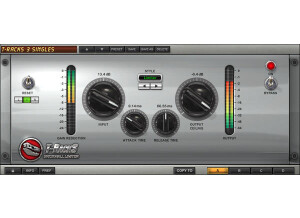
    IK Multimedia's Classic T-Racks Compressor is a plug-in that comes with the T-Racks 3 mastering suite. It is modeled after the older T-Racks processors that were found in T-Racks 2 and earlier. You can buy this plug-in either individually or within T-Racks 3, but I'd highly recommend getting it within the full software suite. Installing T-Racks 3 as a whole was easy enough, as the whole process only took a short while, so installing just this plug-in should be even quicker in theory, but I haven't ever had to do it since I got it with T-Racks 3. The interface of the plug-in has parameters for input drive, (compression) ratio, a high pass filter, attack and release time, stereo enhancement, and output level. As you'll be able to tell within a few minutes of using this, it's a versatile plug-in that is capable of getting a wide array of different compression sounds. I've never had a need to check out the manual for this plug-in, but I don't think that there is one for it individually outside of the T-Racks 3 manual, although I'm not sure on this. SUITABILITY/PERFORMANCE I'm currently running the the IK Multimedia Classic T-Racks Compressor and T-Racks 3 on a Mac Book Pro that has a 2.2 Ghz Intel Core 2 Duo processor and 4 GB of RAM. I've run the plug-in primarily in T-Racks 3 for mastering, but I've also used it as an RTAS plug-in in Pro Tools 7 & 8 for mixing purposes. The plug-in definitely takes up more processing power than your average plug-in, but it should be okay to run a bunch of them at a time as long as you have a strong system. OVERALL OPINION The IK Multimedia Classic T-Racks Compressor isn't my favorite plug-in in the T-Racks 3 mastering suite software and plug-in bundle, but it's still a great plug-in to have around. I think that they really just set the bar high with the other plug-ins, so the 'Classic' ones don't seem as good, but they're still very strong plug-ins. I'd highly encourage those interested in this plug-in and T-Racks 3 to buy the full software instead of buying this plug-in individually, as the price per plug-in makes it really worth it to buy the whole software. Plus you get to use T-Racks as standalone software which is really useful. Either way this is a very good plug-in to have, but if you are going to buy one of them individually, I'd recommend first going with one of the other compressor or limiter plug-ins in T-Racks 3 before getting this one.

  • moosers's review

    The IK Multimedia T-Racks Linear Phase EQ is an equalizer plug-in that can be found in the T-Racks Mastering Suite software, and can also be bought as an individual plug-in in either RTAS, VST, or AU plug-in formats. I've used it both in T-Racks 3 and in Pro Tools LE 8 as a plug-in, but the bulk of my work with the Linear Phase EQ has come within the T-Racks 3 software. In fact, just about every time I use T-Racks 3, I end up using the Linear Phase EQ. I don't know what the process is like when it comes to installing this plug-in individually, as I only had to install T-Racks 3 as a whole, which was easy enough to do. The make up of the plug-in is a six band equalizer, with a graph to help you plot everything. You can control the filters either with the parameters it has as knobs, or right on the graph, which is definitely nice. The parameters that each band has includes those for gain, frequency, and bandwidth, which is of course standard for most EQs. It also has an overall output leveler. I don't think a manual is necessary, but I haven't seen one if there is one, so I can't say anything about it's configuration. SUITABILITY/PERFORMANCE Right now I'm running the IK Multimedia T-Racks Linear Phase EQ and T-Racks 3 on a Mac Book Pro that has as 2.2 Ghz Intel Core 2 Duo processor and 4 GB of RAM. When I run the plug-in individually, I run it in Pro Tools 8 that runs with a Digi 002R audio interface. However, most of the time I run it in T-Racks 3 when I'm mastering something. The software as a whole definitely takes up a good amount of your processing power, and the same goes for each of these plug-ins. Unfortunately I'm not able to go crazy with running these in Pro Tools, but I am able to run a few instances at a time without buffering. OVERALL OPINION The IK Multimedia T-Racks Linear Phase EQ is definitely one of my favorite plug-ins that comes with T-Racks 3. It's got a very clean sound for a software equalizer, and offers up more than enough control over your sound. I can't say that I'd recommend buying this plug-in individually, as it's really worth it just to buy all of T-Racks 3. However, I guess it is nice to have the option if you only wanted one of these plug-ins. It's definitely worth the extra money though, as you get a whole bunch of plug-ins within T-Racks 3. Either way you decide to do it, The IK Multimedia T-Racks Linear Phase EQ is a great plug-in for both mastering and mixing.

  • moosers's review

    IK Multimedia's T-Racks Vintage Compressor Model 670 is a plug-in found in T-Racks 3 Mastering Suite software, but is also available as an individual plug-in in either RTAS, VST, or Audio Units formats. I've used it both in T-Racks 3 and in Pro Tools as an individual plug-in. I don't know what the installation process is like if you buy it as an individual plug-in, but obviously if you're installing T-Racks 3 it installs the entire software altogether, which is an easy enough process to complete. Learning the plug-in is pretty simple, regardless of if you've used the original Fairchild 670 that this is modeled after. Each of the two channels has parameters for input gain, threshold, and time constant, as well as programmable meters. It is definitely the most authentic looking plug-in version of a Fairchild 670 that I've seen, or at least it's better looking and more true than the Bomb Factory Fairchild 670 since it has the stereo pair and all of it's selection parameters. I haven't seen a manual for this plug-in individually, but I believe it talks about each plug-in in the T-Racks 3 manual if I'm not mistaken. SUITABILITY/PERFORMANCE Right now I'm running the T-Racks 3 Mastering Suite with the IK Multimedia T-Racks Vintage Compressor Model 670 plug-in on a Mac Book Pro that has a 2.2 Ghz Intel Core 2 Duo processor and 4 GB of RAM. I run Pro Tools LE 8 with a Digi 002R audio interface that has been modded by Black Lion Audio. I've also run this software on a few different Pro Tools HD systems. Either system you run it on it doesn't matter, as I believe no matter what the plug-ins are used in, they are always used in RTAS format, even in HD (although I'm not 100% on this). This plug-in definitely takes up a good amount of processing power, so you won't be able to go too crazy on it, or at least I wasn't able to. OVERALL OPINION I'm overall a really big fan of the IK Multimedia T-Racks Vintage Compressor Model 670 plug-in and of T-Racks 3 in general. I think that while this doesn't really sound anything like an original Fairchild (as no plug-in ever will), it is still a very useful compressor that actually has a pretty full and realistic sound. Whether you're using it for mixing or mastering, this plug-in can do the job. I'd really encourage those interested in this plug-in just to go ahead and buy the full T-Racks 3 Mastering software, as the price they're asking for this individually doesn't add up when you consider what you can get the full software for with all of the other plug-ins as well. Either way, this plug-in is a great addition to any recording rig.

  • moosers's review

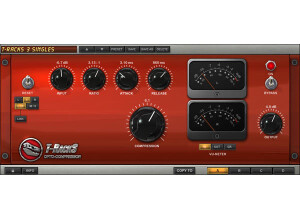
    IK Multimedia's T-Racks Opto Compressor is a plug-in found in the T-Racks 3 mastering software, and is also available as an individual plug-in for Pro Tools and other formats. I've used the plug-in within T-Racks 3, as I own the whole software and didn't purchase the plug-in as as single. You can however, use each of the individual plug-ins in Pro Tools as a standard plug. I didn't install this on it's own, but I didn't have any issues when it came to installing T-Racks 3. The interface of the Opto Compressor is pretty simple, and those with experience with compressors will recognize all of the parameters available here. There are knobs for controlling your input and output levels, ratio, attack, release, and compression. Each stereo channel has it's own meter, which are programmable to monitor either input, output, or gain reduction. You can use the plug-in either as a stereo pair or use each channel individually. A manual isn't necessary for this plug-in in my opinion. SUITABILITY/PERFORMANCE Right now I'm running the IK Multimedia T-Racks Opto Compressor plug-in and T-Racks 3 on a Mac Book Pro that has a 2.2 Ghz Intel Core 2 Duo processor and 4 GB of RAM to work with. I've run the plug-in both in Pro Tools LE 8 and in T-Racks 3 as a standalone piece of software. While I sometimes have an occasional problem with T-Racks 3 as a whole, this plug-in itself has never presented any issues for me related to performance. It does take up a good amount of processing power for sure though, but knowing this I didn't run it as hard as I might have another smaller plug-in. How fast a plug-in will run solely depends on your personal system, but unless you have a really fast system you probably won't be able to run one of these on every track. OVERALL OPINION If you are interested in the IK Multimedia T-Racks Opto Compressor plug-in, I'd highly recommend just picking up T-Racks 3 as a whole. It's worth the extra money, which isn't really that much at all, especially when you consider all the other plug-ins that you're getting with T-Racks 3. The Opto Compressor is overall a great sounding plug-in that can be very helpful in both a mixing and mastering setting, but I just don't see a reason not to get it within the confines of T-Racks 3...

  • moosers's review

    IK Multimedia's T-Racks Vintage Equalizer EQP-1A is a plug-in that comes with the T-Racks 3 Deluxe Mastering software. It can also be purchased as an individual plug-in in any relevant format, but it's really worthwhile to buy T-Racks 3 in my opinion. As far as installation go, it depends on if you're installing all of T-Racks 3, or just this individual plug-in. I've only used this within T-Racks 3, but either way it shouldn't be unlike installing any other plug-in or software. In terms of the interface, it's got the exact same make up as the Pultec that this is modeled after. It is a two band equalizer that is very simple to figure out, even if you don't have experience with the Pultec or one of it's many replications. SUITABILITY/PERFORMANCE I'm running the the T-Racks Vintage Equalizer EQP-1A plug-in and the entire T-Racks 3 suite on a Mac Book Pro that has a 2.2 Ghz Intel Core 2 Duo processor and 4 GB of RAM. I've run it both in Pro Tools LE 8 as an individual plug-in, and in T-Racks 3 stand alone. I haven't had a problem running it in either format, although T-Racks 3 does take up a whole lot of processing power. It also does take up a good amount of space if you use it as an individual plug-in, but not so much in my system that I wasn't able to run it well. OVERALL OPINION I love using IK Multimedia's T-Racks Vintage Equalizer EQP-1A both in the T-Racks 3 mastering suite and as a plug-in in Pro Tools. While it certainly doesn't sound like a real Pultec, at least the make up is familiar and it does have an overall great sound quality for a plug-in. I would really encourage those interested in this plug-in to go with the entire T-Racks 3 mastering software instead of buying this an individual plug-in. It's worth the extra money to get all of the software with the full suite of plug-ins without a doubt...