Log in
EN
FR

Digidesign Audio Plug-ins

64 products found

Categories
Filter
Sort by
Digidesign
Evaluation
  • Reviewed or not
  • Editor’s award
  • Reviewed by Audiofanzine
Availability
  • Available or not
  • Sold new or used
  • Sold new
  • Sold used
Must-have products
  • All products
  • Flagship products
  • Best rated products
  • Hot products
  • Popular products
Price
  • Freeware
€
Clear
Sort by
  • Popularity
  • User ratings
  • Price - low to high
  • Price - high to low
  • Used price, increasing
  • Used price, decreasing
  • Name (from A to Z)
  • Name (from Z to A)
  • Added on
Sort results
  • Popularity
  • User ratings
  • Price - low to high
  • Price - high to low
  • Used price, increasing
  • Used price, decreasing
  • Name (from A to Z)
  • Name (from Z to A)
  • Added on
Filter results 64 results found
Brands
Evaluation
Availability
Must-have products
Price
  • Freeware
Show results

The best Digidesign Audio Plug-ins reviews

The reviews Audiofanzine members found the most helpful.
  • moosers's review

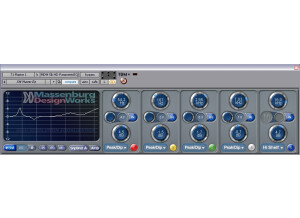
    The Digidesign MDW (Massenburg Design Works) Hi-Res Parametric EQ 3.0 is a super precise equalizer plug-in for Pro Tools. The plug-in is designed to give users as much control over their sound as possible, and cites the GML (George Massenburg Labs) 8200 EQ as the inspiration. The plug-in can be used as either a three or five band EQ and has a crazy frequency range from 10 Hz to 41 kHz. Installing and getting the plug-in running should not be difficult, as it was just as easy as installing any plug-in for myself. The plug-in is only available for Pro Tools in either TDM (HD) or RTAS (LE) format. The interface is definitely user friendly, as each band has gain, frequency, and bandwidth type parameters to go along with the super helpful graph that will show you everything being done. A manual shouldn't be necessary unless you're unfamiliar with the make up of parametric EQ's, in which case you should probably do some external research outside of this particular plug-in. SUITABILITY/PERFORMANCE I'm running the Digidesign MDW Hi-Res Parametric EQ 3.0 in Pro Tools LE 8 that I run with a Digi 002R audio interface. The computer that I'm running it all on is a Mac Book Pro consisting of a 2.2 Ghz Intel Core 2 Duo processor and 4 GB of RAM. The MDW EQ 3.0 isn't the type of plug-in that I will use on every channel, as it's highly specific and I tend to only use it when I'm looking to get real precise. Don't get me wrong, it's certainly useful across the board, but in terms of performance I haven't yet had a need to try to max it out on my home system. OVERALL OPINION If you could only have one parametric equalizer plug-in in your Pro Tools rig, I would think you'd have to seriously consider the Digidesign MDW Hi-Res Parametric EQ 3.0. It's more versatile and has a wider range of any EQ out there while still being really easy to use. It has a very clean sound, but won't live up to the GML 8200 that this was modeled after. However, as far as software EQ's go, this is one of the best that I've used. Highly, highly recommended for anyone interested in a very clean and precise parametric EQ.

  • moosers's review

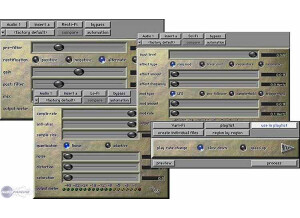
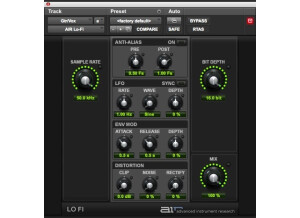
    Digidesign's Lo-Fi plug-in is one that is available in any version of Pro Tools. It is a plug-in that is available within Pro Tool's audio suite and isn't in any particular format. You don't need to do anything to install it, as it isn't external outside of Pro Tools. It's easy enough to use, even for beginners. The interface has a series of sliders for changing the sample rate, anti-alias, sample size (bit rate), quantization mode, noise, distortion, and saturation. Pretty much all of the lo-fi plug-ins that I've seen have been different in terms of the parameters that it has to offer, as is the case with this one. In Pro Tools you'll have to select the audio that you'd like to use before previewing or processing with this plug-in. I don't believe that a manual was made, nor is it necessary, but you might be able to find something about it within the Pro Tool's manual itself, although I don't know this for sure. SUITABILITY/PERFORMANCE I'm currently running the Digidesign Lo-Fi plug-in within Pro Tools LE 8 on a Mac Book Pro lap top that has a 2.2 Ghz Intel Core 2 Duo processor and 4 GB of RAM. I run Pro Tools LE 8 with a Digi 002R audio interface or a Digidesign Micro Box if I'm on the go. I've never had a problem whatsoever running this plug-in, but this isn't the type of plug-in that you'd be able to run on every track even if you wanted to. You need to process individual files with this plug-in, so you can really only do one at a time. This isn't really a big deal either way, as I doubt too many users would be upset about this. I wouldn't sweat anything this plug-in when it comes to performance, but if you have Pro Tools you might as well try for yourself. OVERALL OPINION I'm definitely a fan of this Lo-Fi plug-in for Pro Tools for a few different reasons. The first reason is of course that it comes free with Pro Tools, so if you have Pro Tools you've got this plug-in already. The next thing that I like about it is that it's got some unique parameters that allow you to get a number of cool sounds with it that are outside of what you'll normally get with a lo-fi plug-in. I especially like being able to change the sample and bit rate, as you can really turn a perfectly good sounding signal into something awful sounding! There's no need to look outside this plug-in if you've got Pro Tools, at least not without trying this one out first.

  • moosers's review

    Digidesign's DigiRack Flanger is a plug-in for Pro Tools LE and HD systems that comes free and in stock with the industry standard DAW. You don't have to take any action to install the plug-in once you've installed Pro Tools, as it installs all of the DigiRack and AIR plug-ins upon initial installation. As far as the interface of the plug-in goes, it looks just like most of the other DigiRack plug-ins, as I guess the thinking with the free plug-ins is to make them as easy to use as possible. The setting controls that it has to work with include those for gain, mix, a high pass filter, LFO rate, LFO width, and feedback. The plug-in can be used either in mono or stereo mode. I don't think that they've made a manual for this plug-in, although I wouldn't be surprised to find something about it in the Pro Tools manual itself. SUITABILITY/PERFORMANCE I'm currently running the Digidesign DigiRack Flanger plug-in and Pro Tools LE 8 on a Mac Book Pro that has a 2.2 Ghz Intel Core 2 Duo processor along with 4 GB of RAM. I run Pro Tools LE 8 with a Digi 002R audio interface or a Digidesign Micro Box if I'm on the move. This definitely isn't the sort of plug-in that takes up much processing power, and also isn't the type of plug-in that most users will be running too many instances of at a time. These two things paired together makes me believe that almost all users will be able to run this plug-in hassle free, but if you have Pro Tools you should just try it for yourself. OVERALL OPINION The Digidesign DigiRack Flanger plug-in isn't the most in depth or versatile flanger plug-in available, but for a stock plug-in with Pro Tools, it gets the job done. I've only used it to do some simple flanging here and there, and many times I didn't even end up printing with it. It definitely comes off as digital sounding at times, but how much can you really expect from a free plug-in anyway. You can't run the DigiRack Flanger without Pro Tools, but if you do have Pro Tools I'd encourage you to check out this flanger plug-in before looking elsewhere...

  • moosers's review

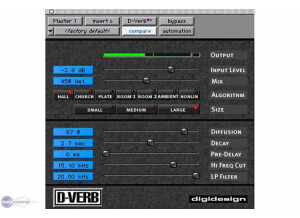
    Digidesign's D-Verb is a reverb plug-in that comes free with all Pro Tools software. I've run it both in Pro Tools LE 7 and 8. I believe that the plug-in can be found in some of the earlier versions of Pro Tools, but I don't know this for sure since the earliest version that I've run is 7. The plug-in has remained unchanged as far as I can tell between these two versions however. You don't need to take any action to install the plug-in once Pro Tools is all set, as it installs all of the DigiRack plug-ins during the initial process of installing Pro Tools. The interface is really straight ahead, as I'm sure they were trying to cater to new users with their free plug-ins, or at least wanted to make them as user friendly as possible. The parameters that it has to work with include sliders for mix level, input level, diffusion, decay, pre-delay, high cut, and a low pass filter. It also has a variety of algorithms to choose between different types of reverbs, as well as three different room size options. Some of the algorithms include hall, church, plate, and room reverbs. I don't think that there is a manual for this plug-in, unless they say something about it in the Pro Tools manual. SUITABILITY/PERFORMANCE I'm currently running the Digidesign D-Verb plug-in and Pro Tools LE 8 on a Mac Book Pro that has a 2.2 Ghz Intel Core 2 Duo processor and 4 GB of RAM. I run Pro Tools 8 with a Digi 002R audio interface or a Digidesign Micro Box if I'm on the go. I've also run the plug-in a small amount on a Pro Tools HD system. However, no matter what system I'm running this plug-in on, it doesn't seem to take up much processing power at all. I should mention that when I use it, I do so on an auxiliary track and I bus individual audio tracks to it to save processing power anyway, which is what I do with all reverb and delay plug-ins to a degree. Either way, you should be able to run D-Verb smoothly if you're able to run Pro Tools well. OVERALL OPINION Digidesign's D-Verb is their original reverb plug-in, and from what I can tell, is one that hasn't seen too many changes in make up over the years. It's always been easy to use, and while the sound quality isn't up there with TL Space or anything like that, it does have a very respectable sound that is capable of getting a wide palette of different reverb sounds. While I'd personally recommend adding TL Space Convolution Reverb to your Pro Tools suite, D-Verb is more than adequate for those just getting started.

  • moosers's review

    Digidesign's DigiRack Chorus is a stock plug-in found in most, if not all versions of Pro Tools. I've had it running in both Pro Tools 7 and 8, and I'm not sure if this one goes back to earlier versions, but I would guess that it does. You don't need to take any actions to install the plug-in, as it will do so when you install Pro Tools initially. As far as the configuration of the plug-in goes, it's got parameters for gain, mix, a low pass filter, delay, LFO rate and width, and feedback, so there is definitely a good amount of control over your sound here. A manual isn't necessary, and I'm not even sure if there is one. SUITABILITY/PERFORMANCE Right now I'm running this plug-in on a Mac Book Pro that has a 2.2 Ghz Intel Core 2 Duo processor with 4 GB of RAM. I'm running it in Pro Tools LE 8 that runs with a Digi 002R, but like I said I've also used it in Pro Tools 7 before I upgraded. The Digidesign DigiRack Chorus plug-in definitely isn't one that will take up much of your processing power. It is designed to run well in all systems that are capable of running Pro Tools LE... OVERALL OPINION I can't say that the Digidesign DigiRack Chorus plug-in is my go to chorus plug-in, but it is definitely nice to have as an extra to the Pro Tools software. For those users who don't have any other chorus plug-ins, this is even more helpful, although Pro Tools 8 users will have the AIR Chorus plug-in as well. While this isn't the most realistic sounding chorus plug-in that I've got in my arsenal, it will definitely get the job done more times than not. If you aren't at the point where you need to buy a chorus plug-in, Pro Tools users should definitely just stick with the DigiRack Chorus plug-in. However, if you're looking for something to use often, I'd recommend getting something with more thickness and overall a higher sound quality.

  • moosers's review

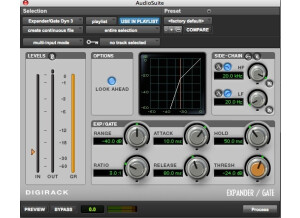
    Digidesign's DigiRack Expander/Gate is a plug-in that comes stock with Pro Tools software. You don't need to install anything once the Pro Tools installation process has been completed as it takes care of installing all of the DigiRack and other free plug-ins during this process. As far as the interface goes, it has the same look as the other DigiRack plug-ins. It consists of parameters for range, attack, ratio, release, hold, and threshold, which all can be used either as an expander or a gate depending on how you set them. It also has a sidechain with both high and low pass filters, and graph to show your work. Lastly the Digidesign DigiRack Expander/Gate has sliders for input and output levels. A manual isn't made for this plug-in as far as I know, unless they talk about it in the Pro Tools manual. SUITABILITY/PERFORMANCE I am currently running the Digidesign DigiRack Expander/Gate plug-in in Pro Tools LE 8 on a Mac Book Pro that has a 2.2 Ghz processor and 4 GB of RAM. I also used to run it in Pro Tools LE 7 when I had it before I upgraded. I run Pro Tools LE with a Digi 002R audio interface. I'm not sure how far back this plug-in goes in older versions of Pro Tools, but I believe it goes pretty far back - at least far back enough that almost all current Pro Tools users should have it in some capacity or another. I can't say I've ever had an issue in terms of performance with this plug-in and I don't believe that most users will have one either. If you have Pro Tools and this plug-in, I'd recommend just pulling up as many as your system will handle to get a good idea of how many you'll be able to run at a time. OVERALL OPINION It's definitely nice to have a plug-in like the Digidesign DigiRack Expander/Gate come with Pro Tools, but I don't find myself using it all that often since I've got other plug-ins that I've bought that I'd rather use. It definitely doesn't sound bad at all - in fact it's quite usable. I'd say that it is most useful for new Pro Tools users who may not have other plug-ins to work with. Even if you do have other plug-ins like I do, I find that you can never have enough plug-ins, so having a free one like this around is never a bad thing. I'd encourage all Pro Tools user to take advantage of this plug-in, or at least give it a shot.

  • moosers's review

    Digidesign's DigiRack Time Compression/Expansion is a stock plug-in that comes free with Pro Tools LE and HD. I've run it both in Pro Tools 7 and 8, and I'm not sure if it comes with earlier versions, but it most likely does. You don't need to do anything to install the plug-in beyond installing Pro Tools, as during this process it takes care of installing all the DigiRack, AIR, and other stock plug-ins. The interface of the plug-in isn't too complicated, as it has a rather bland and uninteresting interface to make it as easy as possible to manipulate for new users. Basically you set what you are at right now and where you want to be in terms of the tempo, time signature, and all that. It's fairly self explanatory as I found that I was able to figure out how to use it very quickly. I'm not sure that they make an individual manual for this - if anything it would be in the Pro Tools manual itself. SUITABILITY/PERFORMANCE Right now I'm running Digidesign's DigiRack Time Compression/Expansion plug-in in Pro Tools 8 on a Mac Book Pro that has a 2.2 Ghz Intel Core 2 Duo processor and 4 GB of RAM. I run Pro Tools LE 8 with a Digi 002R audio interface or a Digidesign Micro Box if I'm on the move. This isn't the type of plug-in that anyone will need to run too many of them, as most people including myself will only need one up at a time. Granted that this is the case, and even if it isn't, I don't think that users will have any issues running the plug-in. OVERALL OPINION While the Digidesign DigiRack Time Compression/Expansion can get the job done in terms of time stretching, being that Pro Tools has Elastic Audio starting with Pro Tools 7.4 I believe, there really isn't a good reason to use this. If you are seriously looking to do some time stretching, Elastic Audio will sound much much smoother than this plug-in and will also be easier once you know how to do. So while the While the Digidesign DigiRack Time Compression/Expansion will do the job okay, I'd recommend just using Elastic Audio since you've got it in Pro Tools anyway...

  • moosers's review

    Digidesign's DigiRack De-Esser is a plug-in built into the Pro Tools software. I've used it with both Pro Tools 7 and 8. Installing the plug-in doesn't require any action beyond installing the Pro Tools software since it does take care of installing all of the DigiRack plug-ins at that time. The interface of the plug-in is really quite simple, as it just has parameters for frequency and range and options for high filtering only and bypass. It has a graph as well as input, output, and gain reduction metering. A manual isn't something that you'll need to reference with this plug-in I don't think. SUITABILITY/PERFORMANCE I'm currently running the Digidesign DigiRack De-Esser plug-in in Pro Tools 8 on a Mac Book Pro that has a 2.2 Ghz Intel Core 2 Duo processor and 4 GB of RAM. I run Pro Tools LE with a Digi 002R audio interface for the most part, and also with a Digidesign Micro Box if I'm on the move. I don't ever need to run too many of these at once - at most I'll run it on one or two on vocal tracks. I've never had a problem doing so and don't think I'd have a problem if I ran more of them as it doesn't seem to take up too much processing power. OVERALL OPINION I don't really have any major complaints when it comes to the Digidesign DigiRack De-Esser. It's incredibly easy to use and actually sounds quite good for a free plug-in. It doesn't sound as good as some of the other de-esser plug-ins out there like the Massey De-Esser, but it does the job if you don't have anything else on hand. If you've got Pro Tools in any capacity I'd recommend that you to check out the DigiRack De-Esser whenever you get a chance as it's a pretty good de-esser for something that is stock with Pro Tools.

  • moosers's review

    Digidesign's DigiRack Ping-Pong Delay is a plug-in that comes with all versions of Pro Tools, as far as I know. I've ran it at least in both Pro Tools 7 & 8. You don't need to take any action to install it on it's own, as Pro Tools takes care of installing all of it's free plug-ins during the initial installation process. The interface of the plug-in is bland and simple, but at least this makes it easy to read and understand. It's got sliders for controlling your gain, mix, delay, feedback, cross-feedback, and a low pass filter. You can either type in your own values or move the sliders back and forth to set your desired place. I don't think that they make manuals for the individual DigiRack plug-ins, but if you're having problems you might be able to find something in the Pro Tools manual. SUITABILITY/PERFORMANCE I'm currently running Pro Tools LE 8 on a Mac Book Pro that has a 2.2 Ghz Intel Core 2 Duo processor and 4 GB of RAM. I run Pro Tools LE 8 with a Digidesign 002R audio interface or a Micro Box if I'm on the go. I always run Digidesign DigiRack Ping-Pong Delay and other delay plug-ins on auxiliary tracks to save processing power, but either way this plug-in doesn't take up much processing power anyway. I generally use other delay plug-ins before this one, so I haven't exactly maxed it out to it's full potential, but since all Pro Tools users have this already, all you need to do is simply try it out for yourself to see how well it runs within your system. OVERALL OPINION For a free plug-in, the Digidesign DigiRack Ping-Pong Delay actually has a pretty clean sound quality. It isn't the warmest or fullest sounding delay plug-in out there by a long shot, but for a freebee it is certainly more than adequate. You can definitley get some really cool ping-pong tones without having to mess around too much with it, so in this sense it's nice to have some quick and easy ping-pong delay. I'd definitely encourage all Pro Tools users out there to give this plug-in a whirl...

  • moosers's review

    The Digidesign DigiRack Signal Generator is a free piece of software that comes stock in all versions of Pro Tools. I've used it both with Pro Tools 7 and 8, but believe it can be found in earlier versions as well. You don't have to install it, as it will be taken care of during the process of installing Pro Tools. In terms of the interface, it's straight forward as it simply has parameters for setting the frequency, the level, and the type of wave that you'd like to hear. You can also choose between either peak or RMS. It's a compact interface, but it's really all that you need for a signal generator. A manual isn't necessary under any circumstances - if you are confused I'd just do a Google search on signal generators. SUITABILITY/PERFORMANCE I'm running Digidesign's DigiRack Signal Generator right now in Pro Tools LE 8. I've also used it in Pro Tools 7.4 LE and HD. At home with Pro Tools 8 I run it on a Mac Book Pro that has a 2.2 Ghz Intel Core 2 Duo processor and 4 GB of RAM. I run Pro Tools LE 8 with a Digi 002R audio interface or a Digidesign Micro Box if I'm on the move. In both Pro Tools LE and HD, I've been able to run a signal generator on 24 tracks without a problem to test the system. I can't imagine that too many users will have a problem running this as long as you can currently run Pro Tools with some plug-ins without a problem. If you have Pro Tools, you can test it out on your system for yourself. OVERALL OPINION It's definitely nice to have the Digidesign DigiRack Signal Generator come free with Pro Tools, as I've used it on a number of different occasions to test both my home system and a Pro Tools HD system in a professional studio. It would be fine if it just had a single tone, but it has some versatility which is definitely nice. If you need a quick signal for any reason and have Pro Tools, there's no reason to go beyond the DigiRack Signal Generator.

  • moosers's review

    The Digidesign DigiRack Multi-Tap Delay is a plug-in that comes free with all versions of Pro Tools I believe. The process of installation is virtually nonexistent here as you don't need to take any further action beyond installing Pro Tools. It takes care of installing all of it's free plug-ins when you install Pro Tool initially. You're never going to have compatibility issues with the DigiRack Multi-Tap Delay since it is designed by and made only for Pro Tools. The interface of the plug-in is very simple all around. Essentially it is broken up into four different sections, or 'taps.' Each has sliders to control the level of gain, feedback, pan, and delay in terms of milliseconds. There are then two mix sliders on the bottom to control two of the delays each. You can use the plug-in either on individual tracks or as one time processing in the audio suite. A manual isn't needed for this plug-in. SUITABILITY/PERFORMANCE Right now I'm running the Digidesign DigiRack Multi-Tap Delay plug-in in Pro Tools LE 8. I don't know how far back this plug-in goes, but I believe that most versions of Pro Tools have this. The system that I'm running this on includes a Mac Book Pro lap top that has a 2.2 Ghz Intel Core 2 Duo processor and 4 GB of RAM. I run Pro Tools with a Digi 002R audio interface. I always run this plug-in and other delay and reverb plug-ins on auxiliary channels and bus the individual tracks to it in order to save processing power. While this isn't really necessary with this plug-in since it doesn't take up much processing power, it's still a good habit to get into. OVERALL OPINION The Digidesign DigiRack Multi-Tap Delay isn't my favorite of the free delays available in Pro Tools. I can't say too many bad things about it since I didn't pay for it outside of buying Pro Tools, however, the sound of this one just comes off as inauthentic to me. While there is a good amount that can be done with it in terms of varying delay effects, most of the sounds aren't suitable for what I want to do with it. It's really not a big deal for me as I have other delay plug-ins in addition to the other free delay plug-ins in Pro Tools 8 like the AIR plug-ins. Either way, if you've got Pro Tools I'd encourage you to check this one out for yourself anyway.

  • moosers's review

    Digidesign's DigiRack Gate (II) is a free plug-in that comes with all version of Pro Tools. You don't have to do anything to install the plug-in once you've installed Pro Tools, as it will already be good to go and can be used as either a plug-in or in the audio suite for one time processing. The interface of the plug-in is pretty plain looking, as it has been virtually unchanged throughout the different versions of Pro Tools. This isn't a bad thing at all, as it allows new users to get accustomed to using it quickly and without having to deal with a convoluted interface. In general I prefer plug-ins like this where there isn't too much thinking involved as I'd like them to make it as easy as possible for me to use the plug-in at all times. In terms of the parameters that can be found in the DigiRack Gate plug-in, it's got sliders for threshold, attack, hold, decay, and range. If this is your first time using a gate, it will definitely take you a little while to get used to using a gate in general, but learning it on the DigiRack Gate is definitely the easiest way to do so. I don't believe that they make manuals for the DigiRack plug-ins unless the instructions are somewhere in the Pro Tools manual. SUITABILITY/PERFORMANCE I'm currently running the latest version of the Digidesign DigiRack Gate plug-in in Pro Tools 8. Which version of this plug-in you've got only depends on which version of Pro Tools you've got. I'm not sure if it is possible to upgrade the plug-in without upgrading Pro Tools. I run this plug-in and Pro Tools LE 8 on a Mac Book Pro that has a 2.2 Ghz Intel Core 2 Duo processor and 4 GB of RAM. I run Pro Tools with a Digi 002R audio interface or a Digidesign Micro Box if I'm working on the go. I haven't ever had too many instances of this plug-in up and running at the same time, so I can't say that I've really tested the plug-ins performance, but in my usage of the plug-in it hasn't been taxing on my system at all. OVERALL OPINION I can't complain too much about the Digidesign DigiRack Gate as it is a very useful plug-in that comes free with Pro Tools. It isn't the most in depth gate that I've seen, but this is truly all that you need to get the job done most of the time anyway. If you are running any version of Pro Tools and need a gate, I'd highly encourage you to check out the DigiRack Gate before looking elsewhere to spend money...