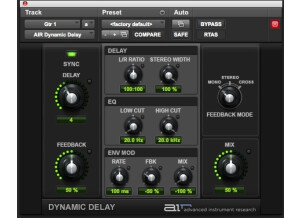
The Digidesign AIR Dynamic Delay plug-in is one that Pro Tools 8 users will get free when they purchase or upgrade. Like all of the free AIR plug-ins that come with any version of Pro Tools, which stands for Advanced Instrument Research, you don't need to do anything to install this plug-in once you've already got Pro Tools installed as it will do so during this initial process. The interface of the AIR Dynamic Delay plug-in is an easy one to follow, as it is straight forward in every aspect. You've got parameters for delay, feedback level, feedback mode and mix, as well as sections for delay, EQ, and envelope modulation. The delay section has parameters for L/R ratio as well as stereo width, while the EQ has those for high and low cut and the envelope mod section has some for rate, feedback, and mix. The interface is plain and looks just like all of the other AIR plug-ins. I don't believe that they make a manual for the this plug-in, so good thing that it is easy enough to figure out without the assistance of one. SUITABILITY/PERFORMANCE I'm currently running the Digidesign AIR Dynamic Delay plug-in on a Mac Book Pro that has a 2.2 Ghz Intel Core 2 Duo processor and 4 GB of RAM. I run Pro Tools 8, which is necessary for running this plug-in, with a Digi 002R audio interface. None of the AIR plug-ins have given me any trouble within this configuration, as is the case with the AIR Dynamic Delay. I always run delay and reverb plug-ins on auxiliary channels and bus the tracks to it in order to save processing power, but either way I think that I'd be okay running this plug-in within my configuration. Anyone who can currently run plug-ins within Pro Tools without an issue will not start having them with this one. OVERALL OPINION The Digidesign AIR Dynamic Delay is definitely one of the better plug-ins within the AIR suite. Like all of this, it's easy to manipulate your sound, and I find that this one is actually quite versatile. It has a clean sound quality that is definitely not anything close to analog sound, but does sound crisp and clean. While I usually like using a warmer, analog delay, for a free plug-in this sounds really good so I can't complain. It's definitely nice to have all of these new plug-ins for free and I do find myself using the AIR Dynamic Delay in full sessions from time to time. If you've already got Pro Tools 8, there's no excuse for not having tried the AIR Dynamic Delay, but if you haven't definitely go out and do it as I think you'll be happy that you did!
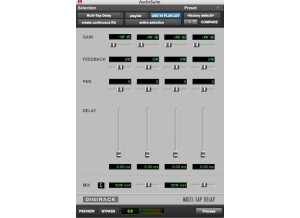
Digidesign's DigiRack Mod Delay II is a free plug-in that comes with Pro Tools software. I've had it for a while, although I'm sure what the earliest version of Pro Tools is that comes with it. It installs automatically when you install Pro Tools, so you don't need to do anything further once you've got Pro Tools installed. The interface of the software looks like the other DigiRack plug-ins, as it simply has sliders to control each of the parameters. The parameters that it does have includes those for gain, mix, a low pass filter, delay, depth, rate, feedback, tempo, meter, and groove. Having the tempo and meter options is really cool, as it allows you to synch up the delay right with your other tracks. There really isn't anything complicated about the software, so a manual certainly isn't necessary. SUITABILITY/PERFORMANCE I'm currently running the Digidesign DigiRack Mod Delay II plug-in on a Mac Book Pro that has a 2.2 Ghz Intel Core 2 Duo processor and 4 GB of RAM. I run Pro Tools LE 8 with a Digi 002R audio interface or a Digidesign Micro Box if I'm working on my lap top away from home or a professional studio. I always run reverbs and delays on auxiliary channels to save processing power anyway, but this almost isn't necessary with this plug-in as it doesn't take up much processing power at all. In fact, this is the case with pretty much all of the DigiRack plugs-in, so I wouldn't worry too much about performance with this one. OVERALL OPINION Even though I've had it for years, Digidesign's DigiRack Mod Delay II isn't a plug-in that I find myself using very often. I get my delays and modulation effects with either outboard gear, pedals, or other plug-ins. However, I won't say that this is useless plug-in by any stretch, as I definitely think that users who have less options out there will find a lot of usage with the Mod Delay II. It isn't the best sounding plug-in in terms of sheer quality, but it will definitely get the job done and does offer up a good amount of varying tones. If you have Pro Tools in any form, you should already have this plug-in installed, so definitely give it a try!
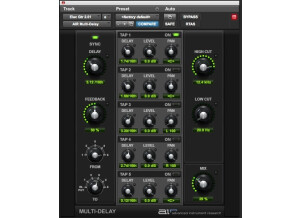
The Digidesign AIR (Advanced Instrument Research) Multi-Delay is a new plug-in that comes free when you buy or upgrade to Pro Tools 8. It isn't available in any other forms, so only Pro Tools 8 users can use it. If you have an earlier version of Pro Tools, I'd recommend doing the upgrade as it is worth it for plug-ins alone, let alone the great new interface and features. You don't need to do anything to installed the Multi-Delay plug-in once you've gone ahead and installed Pro Tools 8, as it installs the plug-ins during this process. The interface of the software is pretty in depth, as you've got five different 'tap' sections for different delays. For the main parameters it has knobs for delay, feedback, high and low cut, and mix level. For routing the five different delays, you've got knob for 'from' and 'to,' so you can set it exactly the way you want it to run. Each of the five sections has the same parameters for delay, level, and pan, as well as an on button. I don't think that they make a manual for this, and one isn't really necessary either way. SUITABILITY/PERFORMANCE I'm currently running the Digidesign AIR Multi-Delay in Pro Tools 8 on a Mac Book Pro that has a 2.2 Ghz Intel Core 2 Duo processor and 4 GB of RAM. I run Pro Tools with a Digi 002R audio interface or a Digidesign Micro Box depending on where I'm working from. These AIR (Advanced Instrument Research) plug-ins that now come free with Pro Tools 8, are designed to take up a small amount of processing power. The Multi-Delay does have more going on with it than most of the other AIR plug-ins, but keep in mind it is also one that you generally won't be using as many instances of. As long as you have a system where you can currently run an earlier version of Pro Tools with some plug-ins without a problem, this definitely won't be an issue. OVERALL OPINION So far in the short time that I've been using the AIR Multi-Delay plug-in. since I just recently upgraded to Pro Tools 8, the AIR Multi-Delay has become one of my favorite free new additions to the Pro Tools suite. It actually has a very clean sound quality and offers up a lot of versatility. There is definitely a good amount that you can do with the plug-in, as the five different delay sections make the possibilities plentiful. No one should really be complaining about this plug-in since it does come free, so I won't at all. If you've got Pro Tools 8 I'd highly recommend at least trying out the AIR Multi-Delay plug-in, as it is free and there for the using. However, if you've got other delays that you paid for, chances are that this one won't be upending your regulars anytime soon...