Log in
EN
FR

Digidesign Software Spectral Processors

7 products found

Categories
Filter
Sort by
Digidesign
Evaluation
  • Reviewed or not
  • Editor’s award
  • Reviewed by Audiofanzine
Availability
  • Available or not
  • Sold new or used
  • Sold new
  • Sold used
Must-have products
  • All products
  • Flagship products
  • Best rated products
  • Hot products
  • Popular products
Price
  • Freeware
€
Clear
Sort by
  • Popularity
  • User ratings
  • Price - low to high
  • Price - high to low
  • Used price, increasing
  • Used price, decreasing
  • Name (from A to Z)
  • Name (from Z to A)
  • Added on
Choose a category
Selected category: Software Spectral Processors
Sort results
  • Popularity
  • User ratings
  • Price - low to high
  • Price - high to low
  • Used price, increasing
  • Used price, decreasing
  • Name (from A to Z)
  • Name (from Z to A)
  • Added on
Filter results 7 results found
Brands
Evaluation
Availability
Must-have products
Price
  • Freeware
Show results

The best Digidesign Software Spectral Processors reviews

The reviews Audiofanzine members found the most helpful.
  • moosers's review

    Digidesign's AIR (Advanced Instrument Research) Enhancer is a plug-in that comes free with Pro Tools 8, the newest and best version of the industry standard recording software. You can't use it on any other platform or even any other version of Pro Tools. You don't need to take any action to install the plug-in beyond installing Pro Tools 8, as during this initial process it takes care of installing all of the free plug-ins as well. The interface of the plug-in is simple, simply containing parameters for high gain, low gain, depth, low and high tune, output, and a button for phase. So while it isn't your one or two knob typical exciter make up, it is still easy to use and offers up a lot of control. I don't believe that they make a manual for this software, but even if they do make one I don't believe that you need it. SUITABILITY/PERFORMANCE I upgraded to Pro Tools 8 in the last few months, and I'm glad that I did because it comes with a whole slew of AIR plug-ins including the AIR Enhancer plug-in. I run the software and this plug-in on a Mac Book Pro that has a 2.2 Ghz Intel Core 2 Duo processor and 4 GB while I run Pro Tools LE 8 with a Digi 002R audio interface. This plug-in really doesn't take up much processing power, and generally isn't the type of plug-in that you're going to be using on too many tracks at a time, so I don't believe that most users will have an issue running this plug-in on their systems. OVERALL OPINION I don't believe that any exciter or enhancer plug-ins were available free with any previous version of Pro Tools, so it's definitely a nice thing to have the Digidesign AIR Enhancer added to suite. It isn't the cleanest or even most effective exciter that I've used to date, but it will certainly get the job done in most situations where you might be looking for a bit of extra life. If you don't have Pro Tools 8 you can't run this plug-in, but for those who do have Pro Tools 8 I'd highly encourage you to check out this plug-in if you are in need of an exciter/enhancer plug-in before looking elsewhere.

  • moosers's review

    Digidesign's AIR Vintage Filter is a complimentary plug-in for Pro Tools 8 users, the newest version of the industry standard recording software. AIR plug-ins are the name of the free plug-ins for Pro Tools 8 under the Digidesign name, which stands for Advanced Instrument Research, although Avid, the parent company of Digidesign has decided they will no longer be putting Pro Tools out under the name Digidesign, and everything will know be on the Avid name. The plug-in isn't available anywhere other than in Pro Tools 8, which can be purchased on it's own or you can upgrade for an earlier version if you have it. You don't need to do anything beyond installing Pro Tools 8 to get the AIR Vintage Filter up and running, as it automatically will do it during the Pro Tools installation process. The interface of the software is pretty straight forward, as is the case with pretty much all of the AIR plug-ins, as they have a similar look and an easy make up to follow. It's got setting controls for cutoff, resonance, fat, mode, and output, as well as a section for an envelope and an LFO. The envelope section has parameters for attack, release, and depth, while the LFO has those for rate and depth. As you can probably gather, this isn't your typical filter in general. I don't believe that they make a manual for this plug-in or any of the AIR plugs. SUITABILITY/PERFORMANCE Having just made the upgrade to Pro Tools 8 from Pro Tools 7.4, I'm running the AIR Vintage Filter plug-in on a Mac Book Pro that has a 2.2 Ghz Intel Core 2 Duo processor and 4 GB of RAM. I run Pro Tools with a Digi 002R interface or a Digidesign Micro Box if I'm on the go and not at home. While I haven't yet tried to tax this plug-in out within my configuration, for what I've needed it for I haven't had any problems at all related to performance. I've only had two instances of it up at a time, though. It really just depends on what type of system you're running it on, but I don't believe that most users will have problems. OVERALL OPINION Overall, the Digidesign AIR Vintage Filter plug-in is pretty versatile and powerful for a free plug-in. I can't really say too many bad things about it since it was free, but I'm not convinced that it is the sort of plug-in that I would buy if I didn't get it free, as it just isn't something that I would use enough to justify spending money on it. Having said this, I love having it in my arsenal as you never know when you might want to do some quick and easy creative filtering. While I don't think that I would say this has a 'vintage' sound at all, it does have parameters and the control over your sound that you would find on an older filter. If you've got Pro Tools 8, I'd highly recommend exploring both the AIR Vintage Filter and the other AIR plug-ins available in Pro Tools 8.

  • moosers's review

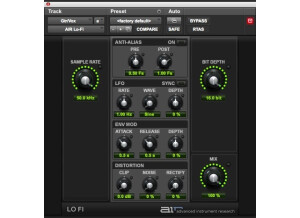
    Digidesign's AIR Lo-Fi is a plug-in that comes free with the purchase or upgrade to Pro Tools 8. I recently made the jump on my home system to Pro Tools 8, and I'm glad a did as you get a whole bunch of new plug-in with Pro Tools 8. You don't need to install AIR Lo-Fi at all once you've installed Pro Tools 8, as it is taken care of in the initial process of installing Pro Tools 8 without having to do anything extra. The interface of the software is actually a bit complex for a lo-fi plug-in! Most lo-fi plug-ins only have a few parameters, so it is cool to see one with a whole onslaught of parameters to work with. This one has sections for anti-alias, which has parameters for pre and post, for LFO, envelope modulation, and distortion. The LFO has knobs for rate, wave, and depth, the envelope mod has those for attack, release, and depth, and the distortion section has parameters for clip, noise, and rectify. Lastly, it has main parameters for sample rate, bit depth, and mix. Being able to change the sample rate and bit depth on the fly like this are perhaps the coolest features that AIR Lo-Fi has to offer. I don't believe that they even make a manual for this plug-in, but you wouldn't need one either way. SUITABILITY/PERFORMANCE I'm currently running the Digidesign AIR Lo-Fi plug-in and Pro Tools 8 on a Mac Book Pro that has a 2.2 Ghz Intel Core 2 Duo processor and 4 GB of RAM. I run Pro Tools 8 with a Digi 002R audio interface. I just upgraded to Pro Tools 8 from 7.4 on my home system, but had been using at a professional studio since it came out. However, I didn't use the Lo-Fi plug-in at all until getting it at home. Thus far, I can't say I've had any problems running the plug-in within my home configuration. I should say that I've only had a need so far to run one instance of the plug-in at a time, and I really don't see that changing. I would imagine that most users won't be using too many of these at once, so the majority of users will be fine regardless of their system specifications. OVERALL OPINION While not always needed, the Digidesign AIR Lo-Fi can definitely do some cool things to your sound. It goes behind just being your average "lo-fi" plug-in, as it gives you access to control that you don't normally get with plug-ins of this nature. Pair this up with the fact that it is a free bee with Pro Tools 8, and you've got yourself a great deal here. Even if it isn't the type of plug-in that I'll be using very often, I'm very happy to have it around for when I might need it, especially considering that I probably wouldn't ever have the chance to spend money on a plug-in like this...

  • moosers's review

    Digidesign's AIR Kill EQ is an equalizer that comes as a free plug-in with Pro Tools 8. It makes for an easy way to cut different bands of frequencies. While you can use it as a traditional EQ a bit too, it's not really made for that. You don't have to do any extra installation after you've installed Pro Tools 8, or upgraded from an earlier version, as it installs all of the free plug-ins during this process. In terms of the interface, it is very user friendly as easy to follow. As is the case with most free plug-ins, it has a simple interface so that just about everyone on all levels can use it without a problem. The plug-in has buttons to activate or bypass each of the three bands, as well as a knob for controlling your overall output level. The high and low bands have parameters for both gain and frequency, while the mid band simply has a knob for gain. There is also a sweep knob to control your bandwidth on all of the bands. A manual isn't necessary, and I'm not sure that they even have one anyway. SUITABILITY/PERFORMANCE Thus far I haven't had any problems with performance when it comes to the Digidesign AIR Kill EQ. I just upgraded to Pro Tools 8 from 7.4 LE, and I'm running it on a Mac Book Pro that has a 2.2 Ghz Intel Core 2 Duo processor and 4 GB of RAM. I run Pro Tools 8 LE with both a Digi 002R or a Mbox Micro, depending on if I'm on the go or not. Digidesign's AIR (Advanced Instrument Research) Kill EQ is designed to take up a very little amount of processing power, which this does, so as long as you can currently run the plug-ins you have already on your system, you shouldn't have any issues at with this one. OVERALL OPINION While not a versatile equalizer of sorts, the Digidesign AIR Kill EQ is fine for doing simple jobs when you need to quickly cut out a certain band of frequencies. It definitely isn't my first choice to use, as I have a good amount of other plug-ins that I will always use before this one, but considering that it came free with Pro Tools 8, I can't do any complaining. I just prefer to use a traditional equalizer for any equalization jobs as it is just what I'm comfortable with. This isn't to say that I don't' use the Kill EQ sometimes, but mostly I stick with other equalizers even if to do a job like what the Kill EQ is for. If you're just getting started with Pro Tools, having a simple parametric equalizer on hand like this one is a great thing to have, especially at no extra cost...

  • moosers's review

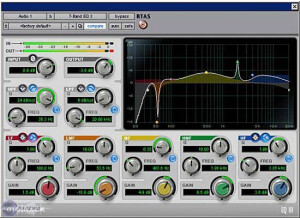
    Digidesign EQ III installs with Pro Tools when you install the program, as it is a free plug-in that comes with Pro Tools. Since it is made by Digidesign and made to run in Pro Tools, I never had a problem with any compatibility issues. I'm not sure that they make a manual for this plug-in, but it is very easy to follow is a basic 7 band parametric EQ with a detailed graph. The graph has points for each band that can be moved around, which is great for experimenting when you are trying to find where a certain sound is within a sound. SUITABILITY/PERFORMANCE I run the EQ III with Pro Tools LE 7.4. I run it on a Mac Book Pro with a 2.2 Ghz Intel Core 2 Duo processor and 4 GB of RAM. I've never had a problem running this plug-in with this machine. I have also used it with Pro Tools HD on an HD system and never had a problem using it on there either. I can run a high number of these at once - I've had up to 10 or 12 at one time and it still works fine. OVERALL OPINION I've been using the EQ III since I got Pro Tools a few years ago. Don't be fooled into thinking that since it is a free plug-in that it isn't good or usable as this is a great EQ that is easy to use and has the capability to EQ however you'd like. While it isn't the best sounding EQ I have ever used, it works very well for a number of applications. It doesn't color the sound too much and is extremely easy to use. The price is best part of this plug-in as it comes free with Pro Tools. While I would prefer to always use a URS EQ or an Oxford EQ, as these sound way better, those don't come free with Pro Tools!