Log in
EN
FR

Soundtoys Music Software

33 products found

Categories
Filter
Sort by
Soundtoys
Evaluation
  • Reviewed or not
  • Editor’s award
  • Reviewed by Audiofanzine
Availability
  • Available or not
  • Sold new or used
  • Sold new
  • Sold used
Must-have products
  • All products
  • Flagship products
  • Best rated products
  • Hot products
  • Popular products
Price
  • Freeware
  • Low-cost (< $100)
  • Mid-range ($100 - $150)
  • Premium (> $150)
€
Clear
Sort by
  • Popularity
  • User ratings
  • Price - low to high
  • Price - high to low
  • Used price, increasing
  • Used price, decreasing
  • Name (from A to Z)
  • Name (from Z to A)
  • Added on
Choose a category
Selected category: Music Software
Sort results
  • Popularity
  • User ratings
  • Price - low to high
  • Price - high to low
  • Used price, increasing
  • Used price, decreasing
  • Name (from A to Z)
  • Name (from Z to A)
  • Added on
Filter results 33 results found
Brands
Evaluation
Availability
Must-have products
Price
  • Freeware
  • Low-cost (< $100)
  • Mid-range ($100 - $150)
  • Premium (> $150)
Show results

The best Soundtoys Music Software reviews

The reviews Audiofanzine members found the most helpful.
  • « Full-featured and inspiring »

    I bought V4 with a discount, and since I didn't have an iLok key I waited until October to get V5. I use it on a windows 7 64 system, with an i7 PC, using the software iLok. All effects are very complete with (too?) many parameters, and the many included presets are welcome to help shape the whole. Effects can be used individually or added within the rack, hence turning the rack into an effect chaining source. The effects themselves are not so CPU-hungry, but the rack soon starts to be felt especially with several effects loaded. There are not so many rack presets, and all these reasons axplain why I don't use it. My favorite effects are Decapitator, a saturation plugin I prefer to SDRR; Echoboy, which is an all-purpose delay; Crystallizer, a sort of delay with an emphasis on high frequencies; and the Devil Loc, a kind of cruncher which sounds very good on drums - but not only. Although I consider them less essential, the other effects are all well done. For the price I spent for it, I'm more than happy of it. At full price, it's not so much of a bargain but its reputation is justified. Very good effects, always good to keep at hand!

  • moosers's review

    I didn't have any problems installing the Soundtoys Phase Mistress plug-in as I didn't have any compatibility problems or any other issues. I had the plug-in up and running within a few minutes and since haven't had any problems with it at all. The interface is also quite easy to follow as it has a variety of parameters including knobs for mix, frequency, resonance, modulation, rate, shape, and input and output. There is definitely a lot you can do with it as there is also another modulation screen that you get pretty specific with. I don't believe that a manual is needed because of this straight forward interface, but can't say how well put together the manual is as I have never seen one. SUITABILITY/PERFORMANCE I am currently running the Soundtoys Phase Mistress plug-in on a Mac Book Pro that has a 2.2 Ghz Intel Core 2 Duo processor and 4 GB of RAM. I run the plug-in in Pro Tools LE 7.4 that runs with a Digi 002R audio interface or Digidesign Mbox Micro depending on where I am. Within this configuration I am able to run this plug-in without any issues at all as this is a plug-in that doesn't generally take up too much processing power. I have only had a need to run two or three of this within a single session, so can't really speak to how well it would run outside of this limit, but wouldn't think that you would have a problem as long as you have an adequate system. OVERALL OPINION I've been using the Soundtoys Phase Mistress plug-in for about six months and it is definitely one of the most in depth phaser plug-ins that I have used. The possibilities are almost endless as it gives you a ton of parameters to work with and I find that I am able to get a wide array of different tones. While I don't use this plug-in everyday, I like having it in my collection because often I do find that I would like a phaser effect, and I never know when this will come in handy. If you are looking for a great sounding phaser plug-in that is easy to use and versatile, definitely check out Soundtoys Phase Mistress.

  • moosers's review

    Sound Toys Echoboy is a software echo factory specializing in delay and echo sounds. It is a very powerful piece of software that is capable of getting a large amount of differing tones. The interface is user friendly and easy to follow, although there is a lot going on because there are a lot of options that this has to offer. The plug-in has two different echo sections that have their own parameters as well as an overall mix parameter, feedback, high cut, saturation, input and output levels, a tap tempo section. I've never seen the manual so I can't say if it would be helpful or not. SUITABILITY/PERFORMANCE I am currently running the Sound Toys Echoboy plug-in on a Mac Book Pro that has a 2.2 Ghz Intel Core 2 Duo processor and 4 GB of RAM. I run the plug-in in Pro Tools LE 7.4 that runs with a Digi 002R audio interface or a Digidesign Micro Box, depending on where I am using this. I am able to run the plug-in quite well within this configuration, but I have never had more than two or three going at a time because I will always use auxiliary channels when I am using delay. I've only been using Sound Toys Echoboy for about half a year and in this time I've never had a problem running it within my set up. OVERALL OPINION The Sound Toys Echoboy is overall a great sounding delay plug-in. I love having so much control over my sound as it gives me virtually endless possibilities. This is one my favorite delay plug-ins out there, although I don't use it all the time as I have a bunch of different delays that I like to use as well. The price isn't all that expensive, but there are certainly cheaper plug-ins out there. This plug-in is definitely worth doing a trial as I think you'll definitely feel that you want to get one for yourself!

  • « Heads will roll »

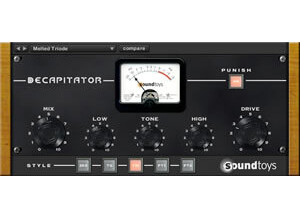
    There has never been such a suitably named plugin as the Soundtoys Decapitator, it really will take your head off with some of the sounds it can give to your tracks. Beginning with the installation, which is quite straight forward as most Soundtoys plugins are, no compatibility issues with Logic Pro 9 at all and when loaded up it is a very clear and engaging interface. The manual is always there for plugins of this nature but for this Soundtoys product i would recommend you just dive straight in and start playing around with the features. The Decapitator has an intuitive GUI and clearly labelled controls apart from the letters along the bottom but we'll get to that part later. SUITABILITY/PERFORMANCE I have been using the Decapitator for almost a year now and can confirm it works perfectly with Logic Pro 9 on a Mac computer with 4GB of RAM on OSX 10.6.8. It is very stable in my experience, no random crashes or anything like that. The performance is very good and is fairly light on CPU usage, although in any given project i can't recall using any more than 3 or 4 instances of the plugin but with no noticeable CPU spikes none the less. Some users may want to put 1 on every channel to get a subtle saturation effect for mixing into which i would recommend if you're CPU can handle it (bear in mind you would likely be using more plugins on top of the decapitators) otherwise try 1 on every sub mix or bus to get a taste of what it can do. Now, onto the letters at the bottom. Each letter stands for a different saturation type that is based on real analogue consoles and hardware, so you can dial in settings for the other controls then switch between the letters and the effect will change slightly. Much like other plugins who are 'influenced' by real analogue hardware and consoles, they sometimes don't directly disclose what brand they have modelled because it hasn't been officially licensed, although in the Decapitator manual it does describe in some detail the gear that influenced the saturation types. With the Decapitator, here are what the letters represent according to the manual; A - Ampex 350 tape drive preamp (think Johnny Cash, Elvis, Sun/Stax/Chess records) E - EMI TG console (think The Beatles, Pink Floyd) N - Neve 1057 input channel (very thick low frequency content) T - Triode (from the Thermionic Culture Vulture hardware unit) P - Pentode (also from the Thermionic Culture Vulture hardware unit) The difference between T and P is that T produces even harmonics and P produces odd harmonics. So with all these different models, it really can be a one-stop-shop for saturation and distortion. As well as all of this, the plugin also features filters for cutting the low end and high end to remove some muddiness and high end fizz that can happen when really going for it with the drive setting. The thump switch is useful for kick drums or the low end of guitars because it adds a few extra decibels to the cut off frequency of the 'low cut' control. The Steep switch transforms a 6db per octave high end filter into a much steeper filter which can be used at a cut off around 4-5khz to simulate a guitar cabinet if desired. The Punish switch (as you can imagine) adds a ridiculous amount of distortion onto what you've already got, plus another 20db's of gain according the manual! If you're having a long day at the office then this switch will definitely perk you up a bit. Make sure to press the auto output switch in conjunction with the punish switch the first few times. OVERALL OPINION The thing i like most about the Decapitator is it does extreme but in a way that can be actually be used without sounding awful like some distortion plugins. The tone and low end/high end filter controls are very handy as well. Try it on a simple drum loop to hear the effect it has on each part of the kit, changing the letters at the bottom to get an idea of the character of the different hardware models. It is an incredibly useful plugin that can be used in every mix. You can use it sparingly if you wish, but The Decapitator is a lot like Will Smith, he did good just as a rapper but when he got into acting more and pushed the boat out that's when his true talent shone and things really took off... So sit back, max and relax and turn the drive up on this bad boy to really hear what it can do! Overall, The Soundtoys Decapitator knows how powerful it is. Yes it can do subtle, but with a 'Drive' knob the size of Jupiter and a button that says 'Punish' - you know deep down that this plugin is truly in it's element when it's seriously distorting your audio. A fantastic saturation/distortion plugin with a not-so-fantastic price but still a must have when it comes to producing and mixing so start saving those pennies.

  • moosers's review

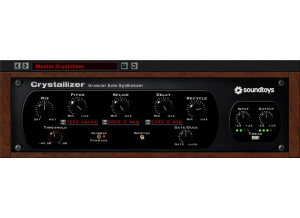
    The Soundtoys Crystallizer is an echo plug-in that is compatible with a variety of interfaces. Installing the plug-in in my configuration wasn't a problem at all as it the process only took a short while. I didn't have any compatibility issues or other related problems and was able to have the plug-in running within a few minutes. The interface of the software also didn't take long too get accustomed to as it is a user friendly plug-in for the plug-in. The interface features parameters for mix, pitch, splice, delay, recycle, threshold, gate, input, and output, so as you can see there are a lot of control settings to work with. I've never had a need to look at the manual, but I think it is easy enough to use anyway that you don't really need one. SUITABILITY/PERFORMANCE I am currently running Soundtoys Crystallizer on a Mac Book Pro that has a 2.2 Ghz Intel Core 2 Duo processor and 4 GB of RAM. I run the plug-in solely in Pro Tools LE 7.4 that runs with a Digi 002R audio interface. Within this configuration I've been able to run a few of these plug-ins within a single session without issues. As I do with all reverbs and delays, I use these on aux channels and bus my tracks to them to save processing power, which I believe is essential while running LE or a similar type of set up. As long as you have a system that you are currently able to run plug-ins on at a pretty good rate, I don't think this plug-in will present any problems for you. OVERALL OPINION Soundtoys Crystallizer isn't your typical echo plug-in. The sounds that you can get range from traditional to unique, but it is the unique and strange sounds that I can get from this plug-in that make it so appealing to me. The plug-in won't cost to much and is definitely worth the investment if you looking for an interesting echo/delay plug-in. Soundtoys makes some pretty awesome sounding plug-ins, and I would definitely lump Cystallizer in this group. All in all, the plug-in is definitely worthy of a try for both home studio and professional studio owners alike.

  • « Great FXs for a great Price! »

    Plugins FX Bundle by Soundtoys. It includes 8 different fx plugins that are: Crystallizer: Reverse Echo Effects, MIDI-synced reverse delay for unique backwards effects. Reverse Echo effect inspired by Crystal Echos preset on H3000. Decapitator: Analog Saturation Modeler, based on 5 sources EchoBoy: Delay/Echo Plug-In, Warm, high-end tape echo, modeled after Ampex ATR-102. Perfect for lead vocals. Select from 30 different echos styles, including Echoplex, Memory Man and DM-2 pedals, Space Echo, and more. The only echo with true "groove". Adjust shuffle, swing and accent. FilterFreak: Rythmic Resonant Analog Filter PanMan: Rhythmic Auto-Panner, Two fully programmable rhythm modes for total tempo locked control. Full dynamics control over speed, offset and width let the music control the feel. Classic trigger divider panning as seen in the vintage PanScan. PhaseMistress: Analog Phaser, Reproduce all the original phase sounds from classic to modern. Flexible but easy to use interface with precise control and automation. Rich analog sounding stereo phasing without the noise of hardware. Speed: Tempo and Pitch Control Tremolator: Tremolo and Auto-Gate, Accurate emulations of vintage tremolo pedals, amps and instruments all in one plug. Unmatched auto-gate rhythmic control for a powerful remix tool. Lock to MIDI for tempo and beat-synced tremolo. I’ve used this in Logic Pro 8 and 9, in 32 and 64 bit mode without a problem. I have a Mac Pro 2.66 Quad Core with 8 GB of ram and a White Macbook with Intel Core 2 Duo Cpu with 4 GB of Ram. The installation is really easy and the the manual is well written. SUITABILITY/PERFORMANCE Never had a problem. OVERALL OPINION My favourite ones are Decapitator and Echoboy. Echoboy is my favourite echo/delay plugin and Decapitator is fantastic to dirty tracks that are too polished. But I have to admit that every plugin in this bundle have a lot of character, and you can hear from the factory presets that the possibilities are endless. From subtle effect to complete destroying of the original track, with Sound toys you can have it all, and for a really good price. Can’t wait to hear their new plugin “Juice” that models the character of five legendary mic pres. I’m sure it will be a blast.

  • moosers's review

    The SoundToys Pure Pitch is a TDM only plug-in for voice modification. It's a pitch shifter, but you're able to affect the sound more than just that. You can only get the plug-in if you have a Pro Tools HD system, although I'm not sure if it's also only in the Soundtoys TDM bundle or if you can buy it individually as well. Learning to use the plug-in isn't hard, but as is the case with any in depth plug-in, it's going to take some use to learn all in the ins and outs of it. For starters, you can set the pitch to any interval you can think of. You then have control over the mix, dry delay, shift delay, and feedback. Furthermore, there are sections for expression, modulation, and tweaks, each of which provide you with a variety of tone controlling parameters. There are also two main modes to choose from - either conventional or format-preserving. The difference is that conventional mode will be smoother in general, but when doing larger shifting, it's a good idea to use the format-preserving in order to better maintain the original quality of the voice. As always, it really just depends on what you're going for. The manual should have everything you'd need to know about Pure Pitch if you have any questions. SUITABILITY/PERFORMANCE You can only use the SoundToys Pure Pitch plug-in on TDM (HD) systems. For this reason I've only used it on the systems we have at the studio where I work, which are all Pro Tools HD systems. The main system we have runs this on a MacPro desktop computer that has 10 GB of RAM and dual 2.66 Ghz Intel Xeon processors. I've never experienced any issues with this plug-in and no one running it should be either... OVERALL OPINION I'm an overall big fan of the SoundToys Pure Pitch plug-in for a number of reasons. My first and main reason beyond the effectiveness of the sound, is the interface, as it has a very user friendly make up and couldn't be much easier to use. At the same time, there's a ton of features and parameters to play with, so the possibilities are wide. There are a lot of plug-ins out there like this, but as far as strict pitch shifting plug-ins go (not tuning), this is probably my favorite due to the collection of parameters and smooth sound. Obviously, only those with TDM systems will have access to this, but even if you do have access to a system that has it like me, it's worth using there and printing tracks. Pure Pitch is a great professional pitch shifting plug-in to have in any HD system!

  • moosers's review

    SoundToys' Pitch Doctor is a vocal tuning plug-in for Pro Tools. It's only available as TDM plug-in for Pro Tools HD systems, and not in VST, RTAS, or any other format outside of this. I'm not sure the reason for this exactly, but it's also included in Soundtoys' TDM bundle as well as being available as an individual plug-in. I don't own it so I wasn't involved at all with the installation process. I've only used it a handful of times but have found it to have an easy to use interface that isn't as in depth as some of the other tuning software out there. It gives you control over the pitches you'd like in the key, scale, tuning to the cents, manual correction, mode, and a quantizing section. It's definitely user friendly and takes one of the simplest approaches to tuning since it's specifically designed for vocals. It should be easy enough to use where you don't need a manual. SUITABILITY/PERFORMANCE The studio I work at has the SoundToys Pitch Doctor plug-in running on our Pro Tools HD systems. We have most of the SoundToys plug-ins including the TDM bundle that this comes in. Our main system runs on a Mac Pro desktop with dual 2.66 Ghz Intel Xeon processors and 10 GB of RAM. I usually use this plug-in for printing single notes here and there rather than keeping it up on the audio track, so I've never come close to having an issue using it. Since it's a TDM plug-in, I highly doubt anyone will have a problem running it. OVERALL OPINION The SoundToys Pitch Doctor is an effective vocal tuning plug-in, although it lacks the depth and versatility of AutoTune or Melodyne. Overall, I don't prefer this plug-in to those I just mentioned, but there are some pluses to using it. For one, the interface is super simple and perfect for tuning stray single notes, which is the capacity that I usually use it in. You can get the 'Auto-Tune' effective with it, but it's not worth it just to use it for this since AutoTune does it better and is more versatile in what it can do. The price of this isn't the cheapest since it's a TDM plug-in and I don't know if it's worth getting it if you already have Melodyne or Auto Tune. If you're someone who only uses this every now and again, it's certainly worth checking out, but if it were me I'd go with Melodyne or AutoTune due to their flexibility.

  • moosers's review

    The SoundToys Speed plug-in is one for high quality pitch and time adjustments. It's an easy to use plug-in using three main modes of processing. I don't own the plug-in myself, so I wasn't involved with the installation of this plug-in, but I've used it a number of times at the studio where I work for doing quick pitch and time adjustments. The three different modes are as follows - a simple mode, with just parameters for setting the amount of time or pitch increase or decrease you'd like, a graphical mode, and a more in depth calculator mode. None of the modes are really too complicated, but I'll usually use the calculator mode because it gives you the most control over the end result. A manual isn't really something that I'd think would be necessary. SUITABILITY/PERFORMANCE The studio that I work at has the SoundToys Speed plug-in running on a few different systems as we've got a few studios on site. The main room that I've been using this plug-in on is the A room which has a Mac Pro computer with a 2.66 Ghz Intel Xeon processor and 10 GB of RAM. It's a Pro Tools HD system and it's more than capable of doing any kind of processing with this plug-in. Pretty much all systems should be able to handle using this in the audio suite... OVERALL OPINION The SoundToys Speed is a highly effective plug-in for changing the pitch or time of any given signal. It's definitely aimed at those looking to use this to sync up different samples together, but it's use of course spans beyond this. As long as you don't do any crazy jumps in pitch or time, it's usually quite effective and smooth. There are certainly other ways to go about getting this job done, but the SoundToys Speed plug-in is one that gives you all the options you need. The only downfall is the price as I do think it could be a bit cheaper for sure...

  • moosers's review

    The SoundToys PanMan is an auto-panning plug-in that is more in depth than most other panning effects and features. It's available for all systems, so as long as you have the properly compatible files, you shouldn't have any problems with installation. I didn't install this plug-in in particular, but I've installed a few other SoundToys plugs and the process has virtually been the same so I wouldn't expect it to be any different here. The interface of the PanMan plug-in isn't complicated, but it's also not the simplest plug-in that I've used or seen before. Since this isn't your typical effects plug-in, it will take a minute to get used to all of the parameters and to figure out what's going on, or at least it did for me. The controls that the plug-in has include knobs for groove (shuffle on the far left, swing on the far right), offset, width, smoothing, and for input and output levels. It also has a section for setting your tempo, rhythm pattern, and rhythm shape. As you can probably tell, at first it's somewhere in between in terms of being user friendly, but once you get the hang of it it's pretty easy to use and I wouldn't think that you'd need a manual. SUITABILITY/PERFORMANCE That system that I have run the SoundToys PanMan plug-in on has been all Pro Tools HD based. We have a number of different Soundtoys plug-ins at the studio, a few of which I also have at home. This one I don't own myself, but have used it a good amount in the studio. We never have performance problems with plug-ins or otherwise since all of our systems are HD, so it's hard to say how this would tax your system in an LE type of setting. OVERALL OPINION The SoundToys PanMan is overall a really awesome plug-in and is one unlike any that I've really seen out there before. Most people will use panning automation in their DAW to get the job done, but this has features beyond what your audio software will be able to do. This is because it's really more of an effective plug-in than it is a traditional panner, as you can get some great spatial effects with this, as well as more traditional panning spacing. I love that you can set the tempo and all that, as it makes it easy for your sound to match up with what is being played. The overall sound is superb, as I wouldn't expect anything less from SoundToys as all of their plug-ins are of a high quality. If you're interested in an in depth panning effect station, the SoundToys PanMan is the way to go.

  • moosers's review

    The process of installing the Soundtoys Sound Blender was just as easy as installing any other plug-in. It was straight ahead and I didn't encounter anything out of the ordinary during installation. The interface of the software isn't simple, but also is laid out in a way that is user friendly and as long as you put a little bit of time into it you should get the hang of using it pretty easily. This is a multi-effects plug-in and is capable of getting all sorts of sounds ranging from delay to modulation effects. While it would take too long to name all of the parameters and sections going on in this plug-in, the typical functions are easy to find and I don't think a manual is necessary because everything is self explanatory. Unless you are unfamiliar with the parameters seen in the picture above, you should be able to figure it out on your own. SUITABILITY/PERFORMANCE The only downside of the Soundtoys Sound Blender is that it does take up a decent amount of processing power. While I'm able to run one of them in a single sessions quite easily, running two or three will sometimes slow down my system. For me this isn't much of a problem as I generally only need to use one or two or these anyway. I am currently running the plug-in on a Mac Book Pro that has a 2.2 Ghz Intel Core 2 Duo processor and 4 GB of RAM. I've been running this plug-in on this system for a couple of months and haven't experienced too many issues in terms of performance, just remember to not go to crazy using too many of these within a single session. OVERALL OPINION Overall, the Soundtoys Sound Blender is great sounding plug-in. I love how many different sounds are possible within a single plug-in and often I find myself not needing to look elsewhere for a sound because it can be found within this box. The price of the plug-in is definitely reasonable considering that you are really getting a variety of plug-in within one. If you are home studio owner looking for a plug-in that will give you a lot of sounds and is great bang for your buck, definitely check out the Soundtoys Sound Bender.

  • moosers's review

    The Soundtoys Filter Freak is an EQ and resonant filter in the form of an easy to use plug-in. The software was simple to install and it only took a matter of minutes until I had it up and running well. I've never had any issues with the plug-in relating to compatibility or otherwise as it has run smoothly since day one. The interface of the plug-in isn't hard to follow, although there is a decent amount of parameters and features going on that it will take a small amount of getting used to everything going on. The plug-in has two separate filtering sections that each has parameters for frequency, gain, resonance, poles, and shape. There is also another section that has a graph as well as more parameters for mix, modulation, input, and output. There is then one last section that has parameters for triggering and smoothing over if you want to do so. While there is a decent amount going on, it is all pretty self explanatory and I don't think that manual is needed because of this. SUITABILITY/PERFORMANCE Thus far, I've never had an issues running the Soundtoys Filter Freak plug-in. It has always run stably and smoothly within my configuration which is a Pro Tools LE system that I run on a Mac Book Pro that has a 2.2 Ghz Intel Core 2 Duo processor and 4 GB of RAM. I run Pro Tools LE 7.4 that runs with a Digi 002R audio interface. As long as you are able to run plug-ins that don't take up too much processing power on your computer, I don't foresee you having trouble running a few of these in a single session if you wanted to. OVERALL OPINION After using the Soundtoys Filter Freak plug-in for about half of a year, I've definitely become a fan of using this plug-in as it is a great too to get creative with using filtering beyond normal EQ. I've been impressed with how many different types of sounds are possible with the plug-in and have also been impressed with the overall clarity of the sound quality. The price of the Soundtoys Filter Freak plug-in is priced right as it won't cost you all that much. This is great way to start getting creative with filtering and EQ as there is a whole world out there of new tones inside this plug-in.