Log in
EN
FR

Digidesign Virtual Instruments

Series

17 products found

Categories
Series
Filter
Sort by
Digidesign
Evaluation
  • Reviewed or not
  • Editor’s award
  • Reviewed by Audiofanzine
Availability
  • Available or not
  • Sold new or used
  • Sold new
  • Sold used
Must-have products
  • All products
  • Flagship products
  • Best rated products
  • Hot products
  • Popular products
Price
  • Freeware
€
Clear
Sort by
  • Popularity
  • User ratings
  • Price - low to high
  • Price - high to low
  • Used price, increasing
  • Used price, decreasing
  • Name (from A to Z)
  • Name (from Z to A)
  • Added on
Choose a category
Selected category: Virtual Instruments
Choose a series
Sort results
  • Popularity
  • User ratings
  • Price - low to high
  • Price - high to low
  • Used price, increasing
  • Used price, decreasing
  • Name (from A to Z)
  • Name (from Z to A)
  • Added on
Filter results 17 results found
Brands
Evaluation
Availability
Must-have products
Price
  • Freeware
Show results

The best Digidesign Virtual Instruments reviews

The reviews Audiofanzine members found the most helpful.
  • moosers's review

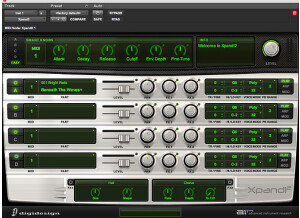
    The Digidesign (now Avid) Xpand! 2 software is a virtual instrument that comes as part of Pro Tools software. This version first appeared in Pro Tools 8, but is also available in Pro Tools 9. There is an original version of Xpand! that was available previous to Pro Tools 8, but this newer version includes everything possible with the original. This version is a lot more complete and there's a ton you can do with it. It installs automatically when you install the Pro Tools software, so there's not much to worry about on this front. The interface is pretty user friendly as it's easy enough to navigate through it and to pick your patches and edit your sounds. There is virtually an endless amount of presets for instruments of all kinds, including strings, pads, synths, organs, guitars, percussion, and just about every type of sound imaginable. I haven't looked at the manual nor am I sure if there is one beyond any information that might be found in the Pro Tools manual. SUITABILITY/PERFORMANCE I've currently got Digidesign Xpand! 2 and Avid Pro Tools 9 running on my home studio's system. My computer is a Mac Book Pro that has a 2.2 Ghz Intel Core 2 Duo processor and 4 GB of RAM, while I run Pro Tools 9 with a Digi 002R audio interface. I only tend to run one or two of these at a time since I don't run many MIDI instruments at once and when I do I'll usually print it if I can. Having said this, since the software is essentially built into Pro Tools, those who are able to run Pro Tools smoothly shouldn't have a problem running this. OVERALL OPINION Digidesign's Xpand! 2 makes newer versions of Pro Tools (8 and 9) that much more powerful by providing you with an in depth software synthesizer that emulates both electric and acoustic instruments of all types. It's easy to use as gives you a lot of options not only in terms of presets but in how you can affects all of your sounds. The quality of the sounds is definitely pretty high, especially considering it comes free in Pro Tools. It's a lot more in depth than the previous version of Xpand! and makes upgrading to a newer version of Pro Tools all that more worthwhile when you also consider the other virtual instruments and plug-ins you'll get in it as well. If you've got Pro Tools 8 or 9 you should definitely be exploring and expanding with Xpand! 2.

  • moosers's review

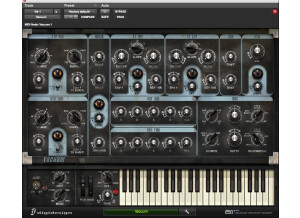
    Digidesign’s AIR Vacuum plug-in is a virtual instrument that is new to Pro Tools 8 and comes free with it. It’s a synthesizer with a lot of control and a built in keyboard. It’s part of Digidesign’s (who is now solely under the parent name Avid), AIR line of plug-ins and virtual instruments, which stands for Advanced Instrument Research. You don’t need to take any action in order to install this software, as during the initial process of installing Pro Tools 8 it takes care of it and the other plug-ins that come with Pro Tools. There is definitely a lot going on with Vacuum, as I still feel that I’m learning new things about it each time that I use it. The vast array of parameters would take too long to list here, but it does have sections for two VTO’s (oscillators), two envelopes, a high and low pass filter, a mixer, and a modulation sections. I’m really just scratching the surface here, as the virtual synth really offers up a lot of control. If you’re new to virtual synthesizers and are unfamiliar with the parameters generally involved with synths, I’d recommend doing some research as I don’t know if there is manual for this outside of Pro Tools. SUITABILITY/PERFORMANCE I’m currently running the Digidesign AIR Vacuum virtual synthesizer on a Mac Book Pro that has a 2.2 Ghz Intel Core 2 Duo processor and 4 GB of RAM. You can only run this in Pro Tools 8, as I don’t believe that it can be purchased on it’s own, and I know that it can’t be used within any other DAW setting. I’ve only ever had a need to run one instance of this virtual synth at a time, so I can’t say I’ve tried to test it’s performance level. However, I would bet that most users out there will be using it in the same way that I am, as there is really no need to run multiple instances of this at once. If you’ve got Pro Tools 8 already, chances are that you’ve got a good enough system where the performance or Pro Tools 8 and this plug-in won’t be an issue. OVERALL OPINION Digidesign’s AIR Vacuum virtuall synthesizer is definitely one of my favorite new additions to Pro Tools 8. Previously Pro Tools didn’t have any synthesizers, let alone a nice sounding one like this. It’s capable of getting all sorts of synthesizer tones in the vein of the analog synth world. The control available here is awesome, as are many of the preset sounds. While I can’t say that this plug-in alone would be a good reason to get Pro Tools 8, if you have an earlier version of Pro Tools, this and the other free AIR plug-ins and instruments are definitely worth the upgrade price…

  • moosers's review

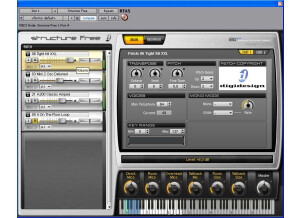
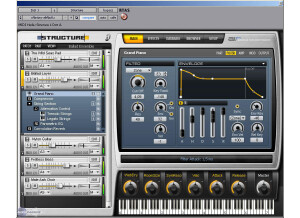
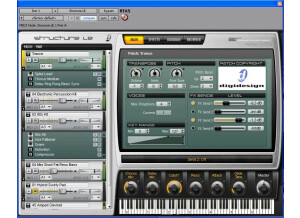
    Digidesign's Structure Free is the free version of this software that I got free with Pro Tools 8. I don't know if it can be had for another version of Pro Tools or whatever, but I do know for sure that you get it for free when you purchase and get an upgrade to Pro Tools 8. Structure is basically a sampler that allows you to manipulate your sound in a variety of different ways. I didn't need to do anything to install and get the software running, as it took care of it all when I installed Pro Tools 8. I'm still learning all the ins and outs of the software, but the typical functions and parameters are pretty easy to follow and understand after a few uses. It is definitely a powerful piece of software, even in it's free form. There is a whole lot that you can do with it and it will certainly take some time to learn it all. However, if it's something that you think you'll be using a lot, I'd recommend getting the full version. I haven't seen a manual for this software, but next time I open it up I'm going to seek one out so I can get more familiar with it. SUITABILITY/PERFORMANCE I'm running Pro Tools LE 8 and Digidesign's Structure Free on a Mac Book Pro that has a 2.2 Ghz Intel Core 2 Duo processor and 4 GB of RAM. I run Pro Tools with a Digi 002R audio interface, and within this configuration I can't say I've had a problem running this software. I generally don't have any issues within my home rig, as it is pretty sturdy and is able to handle a good amount. Having said this, I've only needed to run one of these within a session at a time, so if you're wondering about how well it would run if you wanted to run a bunch of them at once, I can't speak to that. OVERALL OPINION While I don't use this software enough to upgrade to the full version, I'm definitely happy to have the free version of Structure in my home rig, as there is still a lot that you can do with it even in this limited version. The full version doesn't cost too much, but until I feel I start to use this enough to warrant buying it, I'll stick with the free one. Like I said earlier, I don't really know if you can get this outside of Pro Tools 8, but I will say that if you have Pro Tools 8 you should definitely have checked out this by now. It's overall a very powerful piece of software and it's great that you get a free version of it with Pro Tools 8...

  • moosers's review

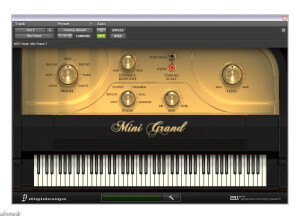
    The Digidesign AIR (Advanced Instrument Research) Mini Grand is a virtual acoustic piano that comes with the latest version of Pro Tools, which is Pro Tools 8. Pro Tools 8 comes with all sorts of new plug-in and virtual instruments like the Mini Grand, many of them under the AIR title like this one is. I didn't have to install the Mini Grand separately, as it installs automatically when you upgrade or install Pro Tools 8. The interface of the software is generally easy to follow, containing parameters for model, which has seven to choose from, dynamic response, room, which has six settings, and for mix level and overall level. The interface shows a full keyboard and has the look of a grand piano. It isn't hard at all to control these parameters, so I don't think a manual is necessary and don't believe that you'd really be able to find one for it anyway, although I could be mistaken about this. The sound of the Mini Grand isn't half bad at all for a free virtual instrument coming with a larger piece of software. It definitely isn't the most realistic virtual piano that I've heard, as it doesn't rival Native Instrument's Akoustic Piano, or even the pianos in Logic, but it doesn't sound bad by any means. I'm the type of person who will always try to get down real instruments for recordings, but when I don't have access to a real piano and I'm working in Pro Tools, the Digidesign AIR Mini Grand will get the job done without a doubt for getting ideas down. I can't complain at all about it really as I didn't pay a dime for it, and you shouldn't either! So if you've got Pro Tools 8 I'd encourage you to at least play with it a bit to see if it works for you.

  • moosers's review

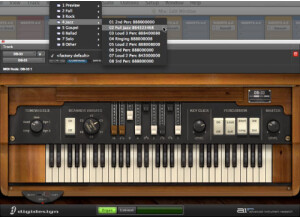
    Digidesign's AIR (Advanced Instrument Research) DB-33 is a virtual organ that comes with Pro Tools 8. The virtual instrument is basically a digital replication of a Hammond organ. It installed when I installed Pro Tools 8, so there wasn't anything else that I had to do to get it installed. The interface of the software is quite user friendly and easy to navigate around. It isn't complicated, and has the look of a real organ. It has all of the parameters you'd expect with a real organ, containing draw bars and vibrato and chorus effects. A manual isn't necessary, but I haven't seen one so I can't say anything about it's make up. SUITABILITY/PERFORMANCE I have run the Digidesign AIR DB-33 on an Apple Quad Core desk top, running Pro Tools HD 8. I haven't had any issues at all with this software, both when using it with a MIDI controller and when using it as an effect. It doesn't seem to be the type of plug-in that takes up too much processing power, so I think that even if you have Pro Tools 8 LE, that you'll be okay with running it, granted that you have an adequate computer to run Pro Tools cleanly. OVERALL OPINION While I like the sound of the organ itself when using it with a MIDI controller a good deal, I end up using the Digidesign AIR DB-33 mostly for Leslie and other effects, applying them on other instrument tracks. I find that you can get some pretty awesome sounding vibrato and chorus tones on vocals, guitars, and keyboards with the DB-33. I can't really say that I'd recommend this one way or another, as it is a free piece of software that comes with Pro Tools 8, so you either have it or you don't. But if you do have it, I'd definitely encourage you to get familiar with it if you haven't already.

  • moosers's review

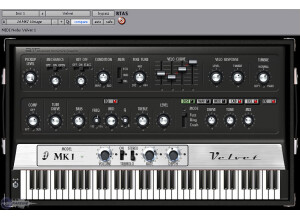
    Digidesign Velvet is a virtual electric piano designed to get sounds like a Fender Rhodes. The installation process of Digidesign Velvet wasn't too hard at all as it only took a few minutes and was a pain free experience. I didn't have any compatibility problems and other issues and since installing the software I have been able to use it without any problems. The interface of the software is easy to figure out even though there are a lot of features and parameters to get used to. I love having so many different parameters because it makes it possible to get just about any type of electric piano sound that I am looking for. I haven't looked much at the manual, so I can't say if it would be helpful or not. SUITABILITY/PERFORMANCE I am currently running Digidesign Velvet on a Mac Book Pro that has a 2.2 Ghz Intel Core Duo processor and 4 GB of RAM. I run the software in Apple Logic most of the time and will sometimes rout it to Pro Tools LE 7.4 if I so desire. I am able to run the software smoothly and stably within this configuration and have never had any problems in this category at all. As long as you have an adequate system to run your sequencer on, I can't imagine that you would have much trouble running Digidesign Velvet, but it really depends on what you are running... OVERALL OPINION I've been using Digidesign Velvet for a few months and it has become one of my new favorite electronic piano virtual instruments. It has a very sweet sound and sounds very similar to the real thing. I like the fact that you get so many different parameters to work with as it really extends the palette of sounds that this software has to offer. The price is very reasonable, so if you are looking for a great sounding and versatile virtual instrument when it comes to the electronic piano, Digidesign Velvet is a must have.

  • moosers's review

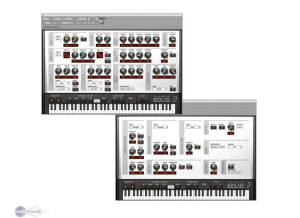
    I can't speak too much about the installation process with the Digidesign Solid TDM virtual synth, because the one that I have used was already installed on the system. However, since I have been using it I haven't encountered any problems relating to installation or compatibility and haven't heard about any issues whatsoever really. The interface of the software isn't hard to follow, but it does offer a lot of different parameters and sections, so it will take a bit to get used to everything going on. I don't think that a manual is necessary for this software unless you are a beginner with virtual synths. SUITABILITY/PERFORMANCE I have been running the Digidesign Solid TDM on a Pro Tools HD system that runs with a Digidesign 192 I/O and an Apple G5 computer. This is the only set up that I have experience with the software, but I can say that on this system it has run quite well and without issues. I can't say how well an RTAS version of this software would work with, but as long as you have the proper system to run your sequencer on, I think that you'll be in good shape and Digidesign software usually runs pretty well. OVERALL OPINION Overall, the Digidesign Solid TDM is a very nice sounding virtual synth. It provides a ton of options that make it possible to get all sorts of synth sounds. The presets are pretty cool and of course you can make and save your own as well. I can't say that I have any real complaints about the Digidesign Solid TDM as it is an easy to use synth that sounds great. It isn't all that expensive and is definitely a synth that should at least be tried out if you are looking to add virtual synth to your set up.