Log in
EN
FR

Audio restauration software

164 products found

Filter
Sort by
Evaluation
  • Reviewed or not
  • Editor’s award
  • Reviewed by Audiofanzine
Availability
  • Available or not
  • Sold new or used
  • Sold new
  • Sold used
Must-have products
  • All products
  • Flagship products
  • Best rated products
  • Hot products
  • Popular products
Price
  • Freeware
  • Low-cost (< $150)
  • Mid-range ($150 - $350)
  • Premium (> $350)
€
Clear
Sort by
  • Popularity
  • User ratings
  • Price - low to high
  • Price - high to low
  • Used price, increasing
  • Used price, decreasing
  • Name (from A to Z)
  • Name (from Z to A)
  • Added on
Sort results
  • Popularity
  • User ratings
  • Price - low to high
  • Price - high to low
  • Used price, increasing
  • Used price, decreasing
  • Name (from A to Z)
  • Name (from Z to A)
  • Added on

The best Audio restauration software reviews

The reviews Audiofanzine members found the most helpful.
  • « great plug in »

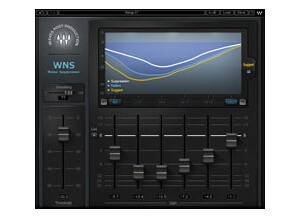
    As far as mixing my songs I go with using the Waves WNS Noise Suppressor a lot. I have used a lot of other plug ins that are similar to this one and they say that can eliminate unwanted noise and claim than can do all types of stuff that they really cant. They are really talking about the Noise Suppressor from Waves when they say those things. I havent came across a software plug in yet that can handle the task like Waves can. Some times when you record stuff and it might not even be music that you are recording, but you may have some unwanted noise in the recording or mix and using this plug in it cant take care of all of that without any problems. Especially if you are using a lower grade mic that can pick up lots of stuff while recording and maybe some fuzz. Use this plug in and draw those unwanted noises right out of the recording in no problem. SUITABILITY/PERFORMANCE The best thing about this plug in is that it is just so easy to use. There really isn’t any need for using a manual and doing a bunch of reading. Everything is easy to understand from the start and you can start using it right away and I love when gear is that easy to use and you don’t have to use a manual to understand how to use it. OVERALL OPINION If you are looking to get rid of unwanted noise, Waves WNS Noise Suppressor will take care of it without a problem and it will take care of it without losing the original recordings quality. There is a big difference between eq ing in your software to get rid of unwanted noise and using this plug in to get rid of it. It is second to none.

  • moosers's review

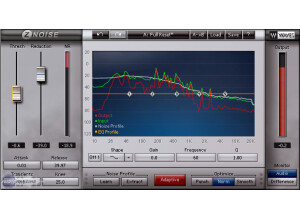
    The Waves Ltd. Z-Noise is an in depth noise reduction plug-in that is part of Waves' Audio Restoration bundle of plug-ins. It's pretty similar to the X-Noise plug-in that is also part of the same package, but I like this one a bit more as I find it to be a little cleaner. I believe that you can get this plug-in individually without the bundle, although I got it in the Waves Complete bundle so I don't know this for sure. Installing the plug-in is easy as you do so while installing the entire bundle at once. The interface of the software isn't too difficult to follow and at the same time gives you total control over filtering unwanted noise. It has parameters for threshold, reduction (and a meter to show it), attack, release, transients, and knee. It also has a graph with a more traditional EQ for filtering as well. You can get more in depth with it as it has some more features to offer as well, but what I've mentioned is pretty much the jist of it. If you're going to be using this plug-in on a daily basis, the manual is definitely something worth checking out, although I haven't seen it for myself. SUITABILITY/PERFORMANCE The system that I'm running the Waves Ltd. Z-Noise plug-in on is running Pro Tools LE 8. I've got a Mac Book Pro lap top that has a 2.2 Ghz Intel Core 2 Duo processor and 4 GB of RAM where I'm running Pro Tools LE 8 with a Digi 002R audio interface. I have only been using this plug-in moderately here and there when I need to get rid of noise, and for these purposes the system I've got does a fine job of running it as I can't say I've had any issues with it at all. OVERALL OPINION The Waves Ltd. Z-Noise is definitely one of the most comprehensive noise reduction plug-ins on the market. It's limitless in what it can achieve if you know how to use it, and even if you don't know it well it's still pretty simple to use and to get it to do the basic job. Of course it can get tricky the more you want to get specific with it, but the more you use it the easier it gets to use. Of all the Waves Restoration plug-ins, this would have to be my favorite as I find it to be the most flexible while sharing that pristine filtering that the other plug-ins in the bundle have as well. If you're looking for the plug-in to help you cut out unwanted noise in music, sound design, and beyond, look no further than Waves' Z-Noise.

  • moosers's review

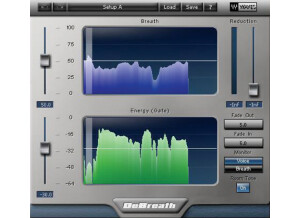
    The Waves Ltd. DeBreath plug-in is a unique piece of software that allows you to control the amount of breath heard in a voice recording. It's pretty simple to use and was easy enough to install with the entire bundle of Waves plug-ins. I haven't used the plug-in very often since I've gotten the bundle, but I have messed around with it enough to get a good idea of what it does. The interface is really pretty simple, as you can view either just the breath in your voice, or the full sound. It has to graphs - one for either voice/just breath, and one for energy (gate) threshold. It then has sliders for controlling the amounts of each, a reduction slider, fade in and fade out, and an option for adding some room tone to help your work sound more natural. SUITABILITY/PERFORMANCE I'm running the Waves Ltd. DeBreath plug-in at home in Pro Tools LE 8 with a Mac Book Pro lap top. The computer has a 2.2 Ghz Intel Core 2 Duo processor and 4 GB of RAM, while I run Pro Tools LE with a Digi 002R audio interface. Thus far I haven't had any issues at all running the plug-in within this configuration. I haven't had a need to run more than one of them at a time however, so I wouldn't expect this to tax my system very much at all. Having said this, in general it doesn't seem like it will take up too much processing power. OVERALL OPINION The Waves Ltd. DeBreath is overall a really cool plug-in as there aren't any that I've seen out there that are quite like it. In theory it's a great idea, and the execution is pretty good here as well, as there is definitely a lot that can be done with the plug-in. You definitely need to know how to tweak the plug-in well, as sometimes it sounds more realistic than others, but in general I'd say the plug-in pretty much does as advertised. I'm not sure that I see myself using this plug-in all that much in the future, as I'm usually not one to tweak vocals this much. However, I definitely see why this would be a useful tool and I'm sure that in the future there will be times that it comes in handy. I wouldn't have bought it if it didn't come with the complete Waves bundle, but I'm definitely happy to have it.

  • « works wonders on vinyl »

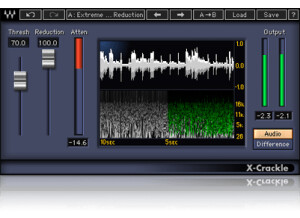
    The Waves X Crackle came with a bundle that I have purchased and I really didn’t know what I was going to use it for it just seemed unusable to me at first. But there are a few things that I have used it for. The first thing was I have a ION turntable that can transfer Records right into the computer via USB chords. Now we all know what vinyl sounds like, and transferring it into your computer and making it an MP3 doesn’t make the crackle and static sounds go away, if anything the mp3 version enhances the crackles and hissing type sounds. So I decided to give this plug in a shot. Not knowing anything about it just briefly reading through the manual that came with it, I decided to use it on a vinyl that I just transferred to the computer. Almost immediately it took out most of the crackling old vinyl sound. Now I do love the old vinyl sound but when im listening to the old record in my ipod or mp3 player I don’t want to hear the crackles I just want to hear the music. The Waves X Crackle took care of all of those issues so fast it wasn’t even funny. SUITABILITY/PERFORMANCE Installing this would have been really fast if I would have did it alone but I install a few other Waves plug ins at the same time so it took a little while. But like I said I had this for about 5 months and never used it because I didn’t feel the need to use it but now I use it a lot more often and sometimes it will go to use with some vocals that weren’t recorded clean at someones home studio when they send them to me to master. I can use this and it will take the HISS right out of the recording! OVERALL OPINION You cant go wrong with the Waves X Crackle, I don’t know why I didn’t get it when it first came out.

  • « Another vinyl noise reduction tool »

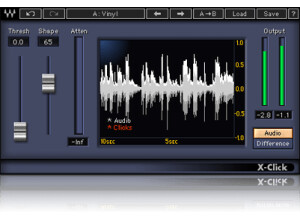
    Transferring vinyl and other shellac style recordings to the digital world can be a real pain due to age and noise that occurs during the transfer. Those static noises and pops that occur can totally ruin what would otherwise be a great sounding recording. Thankfully, Waves has the X-Click plugin to help combat those issues. The plugin has adjustments for threshold, shape and different monitoring modes. It's a very simple plugin, and it's meant to only do one thing -- remove those static clicks from vinyl and shellac recordings. To use this plugin, just enable it on whatever buss you need to inside of your DAW and start adjusting. It's so simple to use that no manual is required. SUITABILITY/PERFORMANCE Waves rules when it comes to things like performance and stability. I've never had a crash while using this plugin, and that goes for all of the Waves plugins I've used. They all seem super rock stable, and in something as mission critical as a recording environment, that's a huge plus. The plugin works on both Windows and OS X, so nearly anybody can use it without a hassle. The plugin itself doesn't take up much RAM or processing power which is another plus. There is one issue I have with it, but it's a somewhat minor complaint. The plugin itself is a 32 bit plugin inside of OS X. For my DAW, Logic Pro, to fully utilize this, it needs to run a special bridge application. Performance is still the same, but it's just a pain with the way Logic implements that bridge application because the plugin doesn't remain visible in the background. I've been using the Mercury bundle for the past six or so months, and it's been a wonderful experience. OVERALL OPINION Just like in the last vinyl plugin I tested, I had to borrow a vinyl recording from my friend to test this out. I also had to borrow some of his outboard gear to transfer it and see how this works when it came to removing different clicks and whatnot. To be fair, the plugin works great. However, I have zero use for this. I simply tried it out to see how well it works as it came with my Mercury bundle. It's solid, and if you deal with vinyl, you'll love it. I just have no real use for this, hence why I rated it the way I did.

  • « Solid noise reduction software »

    Have you ever recorded a guitar next to a computer? For anybody who has, I'm sure you'll have noticed the annoying hum that can occur. This is due to the magnets of the pickups picking up various frequencies that electronic gear tends to give off and amplifying them. It can be a real pain to deal with as you'll need to face the guitar away from any electronic gear when recording. That can be real impractical if you're doing everything yourself as you'll be looking away from the monitor and keyboard. Thankfully, Waves has a nice plugin that can help remove some of that hum and hiss that occurs when recording near electronic devices. It's packed full of features and has adjustments such as threshold, reduction, dynamics, attack, release, high shelf, gain, noise profile learning, and tons more. To use this, simply enable it on whatever buss you need the noise removed from. I've never read the manual, but this is easy enough to use without ever having read the manual. SUITABILITY/PERFORMANCE Waves plugins have always been some of the most stable plugins I've experienced. They're cross platform compatible, so they'll work with both PCs and Macs. As a Mac user, that's a huge advantage for someone like me. They run in 32 bit mode, but Logic uses a wrapper-like application that runs so you don't interfere with your 64 bit interface. I've tried this on various different buses, and it seems to work on anything with ease. It even works nicely on MIDI, which I found a bit surprising. There are no performance issues at all, and that's a huge plus when working in a DAW filled with all kinds of synths and tracks running tons of plugins. These plugins came with my Mercury package, and I've had that for a few months now. OVERALL OPINION This has saved me quite a few times before. I mostly record guitar when I'm doing recording, and I'm pretty close to the monitor. As a result, I usually get some hum that occurs. I can either deal with it or turn around while recording. Either method works, but neither are ideal. This plugin helped remove some of that annoying hum that occurs while recording guitar near a monitor. If you deal with recording guitars, I highly recommend you check this out.

  • « Hum attenuator »

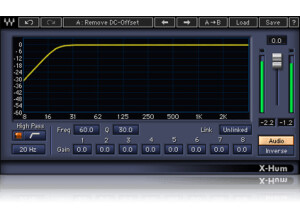
    Hum can be a real pain to battle, especially with some of this older outboard gear. While ground loops can be found with proper ground lifts and whatnot, DC hum and such can be a huge pain as it usually means you'll have to rewire your entire house or potentially even move completely. X-Hum helps people that are battling hum in their recordings and just can't seem to get rid of it. It's a simple to use plugin that has some nice features packed into it. There are adjustments for the high pass filter, filter type, frequency, notch filters, q control, link controls, gain, output gain, different monitoring modes and more. To use this, simply enable it on your master buss and start tweaking. It's really that simple. I've never read the manual, but it's not really needed for a plugin as basic as this. SUITABILITY/PERFORMANCE Waves is the king when it comes to things like stability and performance. They're almost unbeatable in this category. I've never experienced a single crash or hiccup while using this plugin inside of my favorite DAW -- Logic Pro. The plugin is cross compatible, and that means that almost every user out there should be able to utilize this plugin on their favorite machine. It also doesn't take up too much RAM or processing power, which is a huge plus. There is one issue I have experienced, however. The plugin itself is a 32 bit plugin. I run a 64 bit DAW, and it can be a real pain because Logic Pro has to run a special bridge application to utilize this inside the 64 bit workspace. I'm hoping they'll update this plugin later down the road to work in 64 bit environments natively. I've been using the Mercury bundle for about half a year now, and I'm loving every minute of it. OVERALL OPINION I've had some outboard gear in the past that would hum quite a bit, even after I fixed the ground loop that was occurring. However, due to some wiring issues in the house (or the power transformer outside), I kept getting some hum that was a huge pain to deal with. Thankfully, this plugin took care of most of that hum and helped keep the wave forms I was dealing with fairly clean. It wasn't 100% perfect, but it saved one of my mixes that would have otherwise been totally trash.

  • « Versatile noise reduction VST »

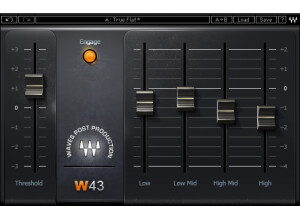
    Noise is a huge pain. I'm a metal guitarist, and it's the number one issue I always deal with in a mix. Nothing is perfect when it comes to taking out all string noise and amp hiss, but there are certain noise reduction units that are better than others. The Waves W43 is one of the better ones out there. There are five total sliders -- threshold, low, low mid, high mid and high. By adjusting these five different sliders, you can dial out most of the noise you want to get rid of in your mix. It's a super simple to use VST that anybody can utilize without ever having to read the manual. Personally, I never read it so I couldn't tell you how effective the actual manual is at explaining things. There's really not much to explain, however. SUITABILITY/PERFORMANCE Waves rules when it comes to things like stability and performance. I never experienced a single crash or mishap while using this plugin, and I've used quite a few instances of it inside a DAW before. These plugins are just rock solid. The VST plugin is also cross platform compatible. That means that it can work on both OS X and Windows machines without any issues whatsoever. As a Mac user, that makes me extremely happy. There is one issue, albeit a minor one. The plugin is a 32 bit plugin. I run a 64 bit DAW, and to use this, I need to allow Logic to use a bridge application that can run 32 bit plugins inside a 64 bit DAW. While it's not a huge deal, it would be nice if they updated this to 64 bit sometime in the near future. OVERALL OPINION The plugin is good, and I've used it quite a bit. It's way more versatile than most other noise reduction plugins out there, and you can dial in exactly how you want to get rid of the noise. However, I usually find myself just using the standard Logic noise reduction unit. It's just a bit easier for me to stick with the standard Logic plugins for things like noise, adaptive limiters and a few other things where I don't need to do tons of tone shaping. Experiment with it and see how you like it. Granted, it comes with the Mercury bundle, so I hope you'll be trying out every single one of these considering the cost we had to pay...

  • « Powerful audio restorer »

    Where as the Music and Speech Cleaner application was meant for beginners, this application is meant for the professional worker. This has all kinds of crazy tools built into it to help you reduce any issues with audio that you may face. It has a declip, declick & decrackle, remove hum, denoise, spectral repair, gain, EQ, channel ops, spectral analyzer, resample, dither, plug-in, time/pitch and deconstruct setting all inside this one plugin. That's not even everything there is. To use this plugin, you can either enable it in your DAW on whatever buss you want to utilize it on, or you could use it as its own little stand alone application. I never experienced any compatibility issues while using this, so no problems there. I never read the manual on the plugin, but I did watch a few Youtube videos on it. The program is very powerful, so you might want to check some tutorials out there to fully utilize the application. I might was well state my biggest complaint first. I'm a Mac OS X user, and my main DAW is Logic. While they added 64-bit support in Reaper, they don't have it for Logic yet. I really hope they update this so they allow 64-bit support in all DAWs out there. Aside from that, this plugin is solid as a rock. There are never any crashes experienced with this program, and I never had any issues with it freezing my computer. The plugin itself does take up some processing power and RAM, but that's to be expected for something as powerful as this. It generally shouldn't be a big deal with most computers made within the past couple of years, so I wouldn't worry too much if you have an older computer. It's a cross platform application, so anybody can use this, really. This is my number one go-to audio clean up program. It's super powerful, a bit hard to use but gets amazing results every single time. I found that Music and Speech Cleaner was simply too basic for me to really get into, but I could totally dive into this application and customize the sound to exactly how I wanted it. If you're in the need of some sort of application that does audio clean up, check this program out. It's scary powerful.

  • « Works decent for reducing noise »

    iZotope's Music and Speech Cleaner is another plugin for those who are looking for an easy way out of a problem that generally requires quite a few steps. Basically, this is another plugin for someone who's more of a beginner and doesn't want to deal with the hassle of removing background noise from an audio source file. The plugin itself is super simple in that there are different panes (reduce noise, reduce hum, reduce pops, enhance voice and enhance music) each with their own sliders that you can enable. To use this, simply open up the application, drag and drop the file you want to manipulate and click away. It's super simple to use, and anybody can start to use it without an issue. I never experienced any compatibility issues with this, so no problems there. I can't comment on the manual, but you can watch some video tutorials on this if you're curious. It's crazy easy to use. iZotope's Music and Speech Cleaner program is rock solid. I never experienced any crashing in my OS (OS X) while using this application. iZotope software is usually fairly rock stable, so you shouldn't really experience any problems in that aspect. The application itself is 32 bit, and I'd like to see it move to 64 bit if possible. Soon, companies are going to stop making wrappers/junction programs that allow you to use programs like this in a 64 bit environment, so the sooner they convert, the better. Everything worked correctly while using this, so there were no issues there. It didn't suck up tons of RAM or processing power, and it shouldn't as it's not a very involved program. I've been using it for a few months, but I generally find myself using other things. If I'm feeling lazy, I'll generally call up this application. However, I find that it's always much better to manually remove the noise yourself using various other methods. That could be because I'm so used to working in a DAW environment, but that's just the way I am. The program itself is aimed more towards beginners who don't want to deal with the hassle of opening up a DAW and manipulating the audio that way. It can work in a pinch, but it's just not a program I use often.

  • moosers's review

    The Arboretum Systems Ray Gun plug-in is a simple noise reduction plug-in that I used to run when I was running my DAW with Cubase SX. I honestly don't remember how I got the plug-in, but I ended up using it a good amount, or at least whenever I would need some noise reduction here and there. I'm pretty sure that this plug-in isn't available in any capacity any more, but I was running a Direct X version of it on a PC when I had it. I don't remember having any problems with installation, but it's been a few years. The interface of the software isn't very complicated. There is a section for noise reduction, which consists of sliders for threshold and attenuation, then there is also a pop reduction slider, as well as high pass filter options at 50 Hz, 60 Hz, and a rumble option, which is probably around 20 - 30 Hz. It also has stereo output levelers and bypass options. SUITABILITY/PERFORMANCE I can't recall every having a problem with the performance of the Arboretum Systems Ray Gun plug-in. I was running it in Cubase SX 2.0 and 3 on a Hewlett Packard Pavilion dv8000 that had a 3.0 Ghz processor and 2 GB of RAM to work with. This was definitely an adequate system for running the plug-in, as I never had a need to run more than one instance of the plug-in within a single session anyway. Most users should be fine here, but since every system is different it's hard to say exactly how well a plug-in will run without just trying it. OVERALL OPINION While not a groundbreaking plug-in or anything like that, the Arboretum Systems Ray Gun noise reduction plug does the job more than okay. It's almost fool proof to use and allows for getting out unwanted noise, clicks, or pops from your recordings. I don't really remember how I got this plug-in, but I believe it was in a homemade plug-in pack that I bought from someone. If you can get a free or cheap download of this plug-in, and I'm not sure that you can, it's definitely worth having around if you think you might need it.

  • moosers's review

    Installing the Digidesign DINR was easy and I have had not problems with this plug-in since installing it. I had no compatibility issues with this whatsoever and it has never acted up while I was using it. The configuration of the plug-in is simple and easy to follow overall. I don't have a manual for this plug-in, so I don't know how helpful it is or not. SUITABILITY/PERFORMANCE I run DINR in Pro Tools LE 7.4 on a Mac Book Pro with a 2.2 Ghz Intel Core 2 Duo processor and 4 GB of RAM. Being the nature of a noise reduction plug-in, I only use this on one track at a time really. For this I have never had a problem and it isn't really made to be able to run a bunch of these at once, so I wouldn't be surprised if it would slow down your system if you tried to do that. If a few tracks need noise reduction I will process it and print it as a new track to save processing power. Overall this plug-in is stable with my configuration. OVERALL OPINION I've had this plug-in for two years. It definitley works when you need to filter out noise on a track or for digital restoration in general. While it is powerful in what it does, if there is a lot of noise on track, there is only so much it can do without cutting out frequencies that cut into the instrument signal. If there is a moderate or small amount of noise, this is great at getting rid of it. The price of this is pretty cheap and I would recommend it more to those needing to restore old audio, as it works best for this. I don't know what I would compare this plug-in to simply because this is the only noise reduction plug-in I have. This plug-in does what it claims and is definitley a good option for noise reduction.