Log in
EN
FR

Waves Audio restauration software

13 products found

Filter
Sort by
Evaluation
  • Reviewed or not
  • Editor’s award
  • Reviewed by Audiofanzine
Availability
  • Available or not
  • Sold new or used
  • Sold new
  • Sold used
Must-have products
  • All products
  • Flagship products
  • Best rated products
  • Hot products
  • Popular products
Price
  • Freeware
  • Low-cost (< $30)
  • Mid-range ($30 - $70)
  • Premium (> $70)
€
Clear
Sort by
  • Popularity
  • User ratings
  • Price - low to high
  • Price - high to low
  • Used price, increasing
  • Used price, decreasing
  • Name (from A to Z)
  • Name (from Z to A)
  • Added on
Sort results
  • Popularity
  • User ratings
  • Price - low to high
  • Price - high to low
  • Used price, increasing
  • Used price, decreasing
  • Name (from A to Z)
  • Name (from Z to A)
  • Added on

The best Waves Audio restauration software reviews

The reviews Audiofanzine members found the most helpful.
  • « Dynamic noise reduction »

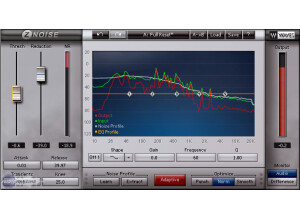
    Waves has different plugins out there for noise reduction, but I find this one to be the king of them all. It's crazy versatile with tons of features thrown in to reduce almost any noise that you may be experiencing. Dealing with noise can be a huge pain, and it can ruin what would otherwise be a 100% perfect mix. Waves really knocked it out of the ball park with this plugin. It has adjustments for threshold, reduction, NR, attack, release, transients, knee, a 5 band EQ with on/off per band, shape adjustments, gain, frequency adjustment, Q control, noise profile capturing, extract/adaptive settings, optimize buttons, and tons more features that would take quite awhile to list. To use this, simply enable it on whatever buss you want to reduce your noise from and start from there. There are quite a few features packed into this, and it may help to read the manual. I personally never read it, although I can't imagine it not being helpful for those of you who are beginners. SUITABILITY/PERFORMANCE Waves rules for audio plugins. For one, they're always rock solid and super stable. I've never had a single crash while using any Waves plugin, and the same goes for this. The plugin itself doesn't take up much RAM or processing power, which is a big plus for those who tend to have tons of plugins going on inside of their DAWs. The plugin is also cross platform compatible, so just about anybody can use this without any issues at all. There is one issue that I did experience, and that has to do with the actual coding of the plugin and today's recent OSes/DAWs. The plugin is a 32 bit plugin. However, my DAW and OS are 64 bit OSes. For Logic Pro, my go-to DAW, to utilize this, it needs to run a special bridge application. However, I'm not a huge fan of the way Logic implements that feature. I'm hoping that Waves updates these to 64 bit in the future. I've been using the Waves Mercury bundle for the past half a year or so, and it's been absolutely killer. OVERALL OPINION This is one of the best noise reduction plugins I've ever had the pleasure of using. It has removed lots of noise from different mixes I've had, and it helped revive some of my older mixes that I was just never pleased with. It's pretty much the flagship noise reduction plugin from Waves, and I can see why. I highly recommend everyone try this out as I'm sure nearly everybody will have some sort of use for this.

  • « Crackle and pop remover »

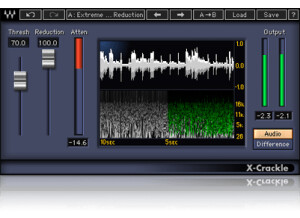
    With old analog recordings, especially those that have been transferred from vinyl, most people tend to experience the infamous crackles and pops that occur. This can be a real pain to remove manually. Thankfully, Waves has created a nice, neat plugin to help remove any noise and static pops from those old vinyl recordings. The plugin is very simple to use, thankfully. Just enable this inside your DAW on your master buss and go to town. It has adjustments for threshold, reduction, attenuation, monitor mode adjustments and more. SUITABILITY/PERFORMANCE I've been using the Mercury bundle for half a year or so now, and it's been awesome. I've never experienced a single crash or issue with any of these plugins, including this one. No matter how many plugins I tend to load, my machine still keeps chugging along. The plugin itself is cross platform compatible, so nearly anybody can use this on his or her favorite machine. Personally, I'm a Mac user, so I'm using OS X on a Mac Pro with Logic Pro. There is one issue that I've been having, however. For the OS X users out there, this plugin is a 32 bit plugin. That means that your DAW will need to utilize a special bridge application for this to work inside your 64 bit DAW. It's not a huge deal, but it can be a bit of a pain, depending on how your particular DAW handles the 32 bit conversion. OVERALL OPINION The plugin is definitely solid, and it does the job. However, I don't have many vinyl recordings laying around. In fact, I have zero. I had to actually borrow one from a friend to test out this plugin and see how well it works. It works nicely, but I simply don't have much of a use for this. That's one of the reasons why I rated it the way I did. It's solid, but I don't see myself ever using this again. I guess you could maybe try it out on something old tapes or something that may exhibit some of these symptoms, but I don't have any of those either. I'm 100% digital at the moment. If you work with vinyl a lot, I'm sure this would be great for you.

  • « Solid noise suppressor »

    Noise is something that's inevitable with recording, especially guitars. While you don't tend to experience it in a purely digital world with modelers and such (meaning they don't actively induce noise, although they can produce it), recording high gain guitars will pretty much always give you some sort of noise. To combat that, you can either use automation efficiently or just run a noise suppressor. I've done both methods with success. The Waves WMS noise suppressor is a very solid noise suppressor that gives you a lot of versatility. In fact, it's more versatile than most noise suppressors out there as it's more meant to clean up the sound than to actually be a normal noise suppressor, although you can use it for either application just fine. Listing the features of this would take awhile, but you mostly have different sliders that adjust frequencies of noise that you're looking to cancel out. To use it, just put it on whatever buss you want to reduce the noise from. I've never read the manual, but Waves tends to have great support, so I can't imagine you being left out in the dust if you're having issues. SUITABILITY/PERFORMANCE Waves plugins are some of the best out there, bar none. For one, they're cross platform. For a Mac user, that means the world. I'm always trying to support companies that support Mac, and Waves has been pretty good about that since the whole Intel switch. I've used these in Logic without any problems. Although they're 32 bit plugins, Logic will add a bridge to allow you to use them in a 64 bit environment as to not limit you to the amount of ram you can utilize. On top of that, these things are rock solid. I've never had a crash with Waves plugins at all. OVERALL OPINION This is a very solid plugin if you're looking to reduce noise from the overall track, and I find it works great for that. You can really sculpt where you want to reduce the noise and clean up the overall signal. It works awesome for some of those older analog recordings you may have laying around. You can use it as a normal gate, but I find that you're wasting a lot of features when you use it that way. A basic gate doesn't need to have as many features as this has. If you have some recordings you're looking to clean up, check this out, and I'm sure you'll be surprised.

  • « Great DeBreather program »

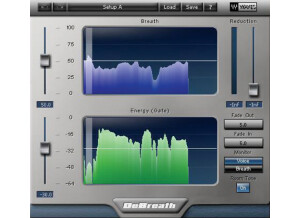
    Recording vocals always has one major hurdle one must face -- the annoying sounds during the "S" sounds. These can really hinder a mix and make it sound very unprofessional. This plugin is used to help fix that issue. It's not just for singing, however. You can also use it on spoken word/radio stuff. In fact, I find myself using it more for that than anything else. The plugin is super simple to use. It separates the breath from the voice, and you simply adjust the mix from there. To use this, you simply enable it on your vocal buss and start adjusting. I didn't experience any compatibility issues, so I can't comment on that. I never read the manual, but I don't think it's really necessary for these plugins. It's very easy and simple to use, so no issues there. SUITABILITY/PERFORMANCE Waves plugins have always been some of the most stable plugins I've experienced. They're cross platform compatible, so they'll work with both PCs and Macs. As a Mac user, that's a huge advantage for someone like me. They run in 32 bit mode, but Logic uses a wrapper-like application that runs so you don't interfere with your 64 bit interface. I've tried this on various different buses, and it seems to work on anything with ease. It even works nicely on MIDI, which I found a bit surprising. There are no performance issues at all, and that's a huge plus when working in a DAW filled with all kinds of synths and tracks running tons of plugins. These plugins came with my Mercury package, and I've had that for a few months now. OVERALL OPINION I find myself using this more on spoken word stuff more than anything. Then again, I'm an extreme metal guitarist, so we don't generally have proper singing vocals. For when I'm doing singing vocals, this can really come in handy as those breaths can totally hinder a mix. Waves has made it super simple to adjust the breath from the voice with this program.

  • moosers's review

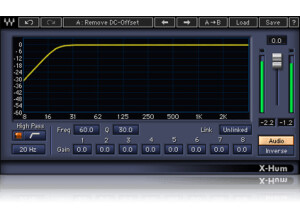
    Waves Ltd's X-Hum is an audio restoration plug-in that aims to remove hum gotten from not being properly grounded and otherwise. It works in a way where there are 8 harmonically linked notch filters that work simultaneously to remove the full hum. Ever wonder why it's hard to fully remove noise with a single band of EQ without losing something? I installed this plug-in along with the full Waves Complete bundle, so doing so wasn't any different than installing any of the other Waves plug-ins, as it shouldn't be anyway. The interface of the plug-in gives you control over the primarily frequency and Q width, as well as eight gain knobs for each of the filters. Everything is plotted on a graph for easy visualization. Other parameters include a high pass filter and overall output levelers. I haven't had a look at the manual for this plug-in as one wasn't really necessary for me. SUITABILITY/PERFORMANCE The system that I'm running the Waves Ltd. X-Hum plug-in on at home is Pro Tools LE based. I'm running version number 8 of the industry standard DAW with a Digi 002R audio interface. The computer I'm running everything on is a Mac Book Pro lap top that consists of a 2.2 Ghz Intel Core 2 Duo processor, and 4 GB of RAM. This has been more than adequate for running this plug-in, as I've never needed to run more than one or two instances at a time. OVERALL OPINION The Waves Ltd. X-Hum is only found in the Waves Audio Restoration bundle and other plug-in bundles as it isn't available as an individual plug-in. If you're looking into this plug-in, chances are that you're going to want the complete Audio Restoration bundle anyway. This is by far the way to remove hum and other noise that I've found out there. It's incredibly precise, and if you know what you're doing a little bit, more times than not it will do an awesome job. If you're looking for some tools to remove all types of unwanted noise, there's nothing better than this bundle and X-Hum!

  • moosers's review

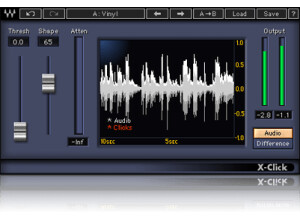
    The Waves Ltd. X-Click is a plug-in that is a part of Waves' Restoration bundle of plug-ins. It is also found in many of the larger plug-in packs, including of course Waves Complete. I installed this plug-in along with the rest in the Complete bundle, which was one process as you install all of them at once. I didn't encounter any problems doing so, as it was just like installing any standard piece of software of bundle. While this is designed primarily for fixing up older recordings, it can definitely be used during mixing or other applications where you might want to remove a click or multiple clicks. It's awesome that Waves has developed a series of restoration plug-ins for different types of noises, making it easier than ever to get rid of sound you don't want. The interface X-Click is fairly simple, with a graph showing time and waveform, while it consists of parameters for threshold and shape, and metering for attenuation and overall output. That's everything that's involved with the plug-in, so I wouldn't think that you'd need a manual for this. SUITABILITY/PERFORMANCE I'm currently running the Waves Ltd. X-Click plug-in on a Mac Book Pro that has a 2.2 Ghz Intel Core 2 Duo processor and 4 GB of RAM. I run it in Pro Tools LE 8 that I run with a Digi 002R audio interface. I've also used it a little bit on a Pro Tools HD system, but I've done the bulk of my work with this at home. I've had good experiences with the plug-in in terms of performance, as I've only needed to run or process with one at a time. OVERALL OPINION The Waves Ltd. X-Click and the other plug-ins in the Audio Restoration bundle are very powerful and are surely some of the best of their kind when it comes to noise reduction and other forms of restoration. I don't think you can buy this on it's own, so if you want it you're going to have to buy one of the bundles. Having said this, if you're looking for the most complete noise removal bundle of plug-ins, Waves has got you covered with their Audio Restoration bundle.

  • moosers's review

    The Waves Ltd. X-Noise was quite easy to install and was a process that was error and pain free. I had the plug-in working within a few minutes and haven't had any problems with it since. I didn't have any compatibility issues or other problems at all and the interface was pretty easy to figure out. The interface has parameters for release and reduction as well as attack and release in the dynamics section and a high shelf that has parameters for gain and frequency. It also has resolution options and a variety of metering and graphs. Everything is easy to follow and is laid out smartly. The typical functions are easy to find and a manual isn't needed to learn the plug. SUITABILITY/PERFORMANCE While I generally only use the Waves Ltd. X-Noise one at a time, I've never had any problems running it. I currently have it running on a Mac Book Pro that has a 2.2 Ghz Intel Core 2 Duo processor and 4 GB of RAM. I use the plug-in in Pro Tools LE 7.4 that runs with a Digi 002R audio interface and have also used it on a Pro Tools HD system. No matter which system I am using, I've never had any problems whatsoever running this and I can't imagine a situation where you would even need to run more than one of these at once anyway... OVERALL OPINION All in all, I think that the Waves Ltd. X-Noise really does a great job of eliminating noise without killing the rest of your signal. While I try to avoid too much noise from the get go, sometimes it can be avoided and this plug-in does me a big favor when it eliminates noise for me. It is great for use for traditional recording and during mixing but is also great for cleaning up older recordings or even vinyl transfers. The plug-in isn't as cheap as you would like it to be, but I've really come to expect that from Waves plug-ins. If you are looking for a great plug-in for cleaning up noise during mixing or otherwise, I don't think that you can get too much better than the Waves Ltd. X-Noise.