Log in
EN
FR

Plug-in/Multi-Effect Bundles

1598 products found

Categories
Filter
Sort by
Brand
Evaluation
  • Reviewed or not
  • Editor’s award
  • Reviewed by Audiofanzine
Availability
  • Available or not
  • Sold new or used
  • Sold new
  • Sold used
Must-have products
  • All products
  • Flagship products
  • Best rated products
  • Hot products
  • Popular products
Price
  • Freeware
  • Low-cost (< $200)
  • Mid-range ($200 - $600)
  • Premium (> $600)
€
Clear
Sort by
  • Popularity
  • User ratings
  • Price - low to high
  • Price - high to low
  • Used price, increasing
  • Used price, decreasing
  • Name (from A to Z)
  • Name (from Z to A)
  • Added on
Choose a category
Selected category: Plug-in/Multi-Effect Bundles
Sort results
  • Popularity
  • User ratings
  • Price - low to high
  • Price - high to low
  • Used price, increasing
  • Used price, decreasing
  • Name (from A to Z)
  • Name (from Z to A)
  • Added on
Filter results 1,598 results found
Brands
Evaluation
Availability
Must-have products
Price
  • Freeware
  • Low-cost (< $200)
  • Mid-range ($200 - $600)
  • Premium (> $600)
Show results

The best Plug-in/Multi-Effect Bundles reviews

The reviews Audiofanzine members found the most helpful.
  • moosers's review

    The BBE Stomp Ware Bundle is a bundle of eight different plug-ins that are all modeled after hardware pedals made by BBE. This bundle is actually put out by Nomad Factory and BBE in cahoots. The eight plug-ins included in the bundle are Sonic Stomp, Soul Vibe, Free Fuzz, Green Screamer, Tremor, Mind Bender, Opto Stomp, and the Two Timer. You'll install the bundle as a whole, and none of the plug-ins are available on an individual basis. It's definitely nice to get this many different effects in one place, but they're pretty limited in what each of them can do, as most only have two knobs in order to follow the make up of their hardware pedal counterparts. While the plug-ins are designed for guitar, they're definitely useful across the board in terms of possible applications. All of the plug-ins in the bundle are pretty easy to use, so unless you're an absolute beginner, I wouldn't think that a manual would be something you would need. SUITABILITY/PERFORMANCE I'm running the BBE Stomp Ware Bundle on my recording system at home. This set up runs with Pro Tools LE 8, which I run with a Digi 002R audio interface. The computer I'm running everything on is a Mac Book Pro that has a 2.2 Ghz Intel Core 2 Duo processor, and 4 GB of RAM. These plug-ins are all really low processing guzzling plug-ins, so they should be able to run on most systems. OVERALL OPINION While the BBE Stomp Ware Bundle is a decent one, I really only find myself using a few of them every now and again. On paper it's a great deal, but a few of the plug-ins in here I don't use at all as they aren't up to par in terms of sound quality (namely the overdrive ones). I do like the Two Timer plug-in as it's unique, but it's probably not worth getting the bundle if you're only going to use a few of them. It's cheap enough where it's not really a risk to get it and see if they're going to be useful, but your money is probably better spend elsewhere in my opinion. If you're looking for a cheap way to get a variety of useful plug-ins, check out some of the other bundles that Nomad Factory has to offer...

  • « Full-featured and inspiring »

    I bought V4 with a discount, and since I didn't have an iLok key I waited until October to get V5. I use it on a windows 7 64 system, with an i7 PC, using the software iLok. All effects are very complete with (too?) many parameters, and the many included presets are welcome to help shape the whole. Effects can be used individually or added within the rack, hence turning the rack into an effect chaining source. The effects themselves are not so CPU-hungry, but the rack soon starts to be felt especially with several effects loaded. There are not so many rack presets, and all these reasons axplain why I don't use it. My favorite effects are Decapitator, a saturation plugin I prefer to SDRR; Echoboy, which is an all-purpose delay; Crystallizer, a sort of delay with an emphasis on high frequencies; and the Devil Loc, a kind of cruncher which sounds very good on drums - but not only. Although I consider them less essential, the other effects are all well done. For the price I spent for it, I'm more than happy of it. At full price, it's not so much of a bargain but its reputation is justified. Very good effects, always good to keep at hand!

  • « A lot of bang for your buck »

    Touted by Waves as the industry’s most popular plugin bundle, Gold certainly has a lot of bang for your buck. With 35 plugins to help you with producing, mixing and mastering your tracks, this bundle is a pretty good starting point for anyone wanting to mix in the box. SUITABILITY/PERFORMANCE There are some great, stand out plug ins in here - the V compressor and EQs add a lot of warmth. I use the H-Compressor a lot for parallel compression, and the L1 is my go to limiter. You also get access to a whole host of EQ, reverb, modulation effects, stereo imaging and Waves Tune LT (a plug in similar to Melodyne, allowing you to tune vocals - an essential effect in today’s music climate). Waves do regular sales so it’s definitely worth waiting until you can get a discount (I got 50% off the retail price if I remember correctly). Waves also offer a 7 day free trial on all their plugins and bundles, so you can try before you buy, which is definitely worth doing (but don’t expect to get grips with the ins and outs of all the plugins in that time - there’s just way too much there!) On the negative side, I found it quite hard work to install. But once it’s done it’s done (in fact I wouldn’t have remembered this at all had I not just read another review on the bundle!). To be more specific regarding the installation, you have to install an application called Waves Licence Center (WLC). This requires you to set up an account and log in to receive your licence for the bundles/plugins you have bought or are demoing. It took a few attempts to download the bundle from WLC and at first I could not see the bundle in my DAW (Logic 9). I had to reinstall, restart, reinstall, restart a few times before it worked. I don't know what specifically I did the last time that was different than the other times, but it did work on the third attempt. You have to install WLC if you want to demo the bundle. It's free to demo so I would suggest demoing the bundle before you buy it and you can see if WLC causes any headaches for you. OVERALL OPINION Overall this is a good starting point to anyone getting into mixing their own tracks in the box. There is a wide choice of plug ins here and there is definitely an argument for using fewer plugins but really getting to know how they work, and I’m only really familiar with half the plug ins here (the ones I use on almost every mix I do). However, if you can get this bundle in a sale you’ll find it’s cheaper than buying a few plugins individually, and you never know when you are going to need to use that Doppler or Metaflanger. Pros Wide range of plug ins Professional sound Cons Installation can be time consuming If it’s not on sale, you might want to wait until parting with you cash

  • « The Go-to channel strip »

    Waves makes easy to use plug-ins. They are easy to install - you just download them off their website. They are easy to authorize - you can use any USB stick as a dongle, or use their software application to authorize if your computer connects to the internet. They are stable - you don't have to worry about it crashing your recording session. They can be used in almost any DAW. They don't take up a lot of CPU - you can pretty much run this channel strip on every track in your session without maxing out your CPU. They are easy to get started with - Waves plug-ins come with great presets if you don't want to mess around with all the details or you aren't very experienced at mixing. The SSL E-Series channel strip comes with tons of amazing presets from top producers. I highly recommend using these, and at the very least just looking at the settings in the presets to give you some ideas for your own mixing. SUITABILITY/PERFORMANCE I have been using this plug-in on every session that I record since I bought the SSL bundle. The eqs sound smooth, but more importantly I love the dynamics section. The compressor is intuitive and does exactly what you would want it to do. It has its own 'analog' color/sound. The Expander/Gate is my favorite part of the plug-in. I almost never used to use an expander/gate when mixing, but that was mostly because I had been using stock plug-ins in Pro Tools. The gate in the E-series plug-in does amazing things for drums, it can really clean up a mix and make your drums punch. I also think the gate is awesome for vocals. It is great at cutting out the background sound between singing. OVERALL OPINION The Waves SSL E-Series channel strip is probably The Most Important Effects Plug-in released in Native or TDM format. UAD has their own version of the E-series channel, but that requires a UAD-2 card. I say it is the most important because the SSL sound is the most famous sound of modern music from mixing boards. The eq curves and dynamics (compressor/gate) have touched a ridiculous number of tracks on almost all music made in the past 25 years. Sure there is other famous outboard gear (1176, LA-2A, Lexicon Reverbs, etc), but as far as mixing desks go, SSL is king. Bringing this sound into the digital DAW world opens up the possibility for almost anyone to add this sound to their tracks. With that being said, these plug-ins have been around a long time. Waves really needs to re-model them assuming their modeling technology has advanced in the past 10 years. I would love to see these plug-ins released 2.0 with the same controls and flexibility of the new REDD plug-ins.

  • « Awesome. Used By Armin van Buuren. »

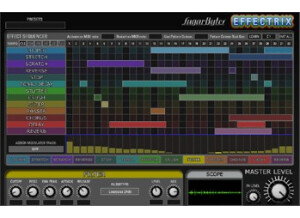
    I didn't had any problems regarding the compatibility of the program , everything worked as I expected. The configuration doesn't require much time, the manual is very clear and provides all the necessary information regarding how the program works , where to find your necessary tools and how to became quite friendly with the program. The usual functions are quite accessible because the design provided is very handy and up forward . SUITABILITY/PERFORMANCE The application performs incredibly good, the software is high quality and the gear is stable and easy to use if you're had some collision with certain effects found in many Daw's . I'm getting good performances with this program entitled Effectrix , even if I have not been using this program for very long , I can say I'm quite impressed with all the feedback that I have. OVERALL OPINION What I really enjoy are the 13 featuring effects and the 32-step sequencer with 12 sub-patterns that is very handy for dubstep or trancy sounds. I do enjoy the great reverb that is build-in that allows to get even crazier in terms of composition and creating exciting groovy patters that get way out of the usual. This program also has a looper , timestretch , tcratch , tape stop , a reverse function , an absolute great filter , a stutter effect , high quality delay , of course the chorus and phaser and at last a crusher. My opinion about the value of price is good , this product costs around 120 $ but it's used world wide , even by the Armin van Buuren itself . The quality and precision of sounds is without a doubt , as you expected , pro quality , great features and quality. Knowing what I know , I would buy this program without a doubt, because it's worth it , do not hesitate.

  • « Simple Modern Rock Bass Sound »

    The Waves CLA Bass plug-in is an effects processor to be used inside a DAW. It can be downloaded and installed directly from the Waves website. Authorization is completed with any USB stick as a dongle, or with the Waves authorization software application if your computer connects to the internet. All of the CLA signature series plug-ins are simple to use, and easy to get started with. As soon as you insert on your track you will hear a difference, hoping a good difference. There are just a few controls. Sliders increase or decrease whatever effect you are adjusting. Buttons pick between different types of effects. For instance, you can pick between different low-frequency eq options. Essentially this will allow you to boost or cut a particular range of low-frequencies. The same goes for the 'distortion'. You can pick between 3 different types, then change the amount. SUITABILITY/PERFORMANCE In use, this plug-in makes your bass sound rock and roll. It is useful for both bass DI or on the recording of a mic'ed up bass amp. I find that it is easy to get carried away with the effects like 'sub' and 'distortion'. In reality, I usually find that a little goes a long way in the mix, extreme settings can be a bit too much. I am not someone that usually uses modulation/pitch effects on bass. I usually don't use this effect in the plug-in, but it is nice to know its there on the rare occasion. This is another effect that I think if you are going to use it, you probably only need to mix in a very small amount to be appropriate. The most useful part of the plug-in is the compressor. Bass is definitely an instrument where a consistent level is key. All three compressors options are great. Getting the attack/release/ratio/threshold settings on a normal compressor set up properly for bass is difficult. I love being able to open this plug-in and slide the fader to get my bass level right. OVERALL OPINION The CLA Bass plug-in is best suited for modern rock bass. It is high specialized at achieving this sound, but also really simple to use. If you are looking a the various Signature Series options from Waves, there are other options that will be better for a large range of musical styles. This plug-in is best if you want your bass sound to be over-the-top, in-your-face, over-driven, and heavy. I don't always mix modern rock, but I like having the CLA plug-ins so that when a band comes in that needs that modern/polished rock sound, I just call up these plug-ins and it is instant gratification.

  • « Great sound, not so good interface »

    I run this in Logic 9 on a MacPro using a RME Fireface 800. So far it has never caused any hiccups in the system. It has been completely stable and not lost any presets. The manual has some good info about the nature of the plugin and how to use it. For the most part though, I skipped through it as I have had experience with these effects. It essentially is a single plugin for Gate/expander, Compression, and EQ. The setup is simple, no different than any other plugin, just instantiate on an audio track or buss and you are good to go. The interface however is a little dated looking to me. Everything is so compacted and somewhat hard to read I find myself squinting at the screen often. SUITABILITY/PERFORMANCE As said before, this plugin is solid. No issues so far. For sound quality I give it a 10 out of 10. It does a good job performing what it is supposed to do (comp, eq, etc....) and in comparison to other plugins I use (lots of Waves plugins mainly) I notice it sounds a little different. I don't think it's any better than the Waves I use but it is different. Sometimes it seems warmer, and other times it seems to tighten up drums a little easier than other plugins. I have been using this plugin on and off for about 3 months. OVERALL OPINION What I like about this plugin is its overall sound quality and the fact that it sounds different to me than the usual plugins I use. What I don't like is the darn late 80's looking interface. It needs a refresh in my opinion. Or at the least, the ability to increase the size of the plugin. That would make it a lot easier to use. This almost $200. I would say it is worth every penny but I find myself using other plugins a lot because other ones are easier to see and therefore use. I have used many different plugins to do these same tasks. I would say in terms of sound quality, this is way up there. Honestly, I would probably have not bought this plugin if I knew how much I was going to end up disliking the interface.

  • « I like it...I like it a lot. »

    Waves installs are easy. Not issues with compatibility in Cubase 64 bit. That's always nice. I'm not sure if this has a manual because I've never really read it. I just sort of learned it as I went which in retrospect was probably not the best idea because this thing can be tricky at first. Honestly though I think the learning curve doesn't matter too much due to the great presets included. You can do a lot with this out of the box just with the presets alone. Even cut a full mix if you are patient. I found the channel strip to have a medium difficulty to use. It's not super complicated but it is tricky at first. Not a gripe. Just honesty. SUITABILITY/PERFORMANCE I use it with Cubase and it works fine. Does take up a fair amount of resources but I can imagine with all the emulation going on this is to be expected. If you end up using this as often as I do then you might want to think about getting a fast rig. Mine is top of the line and I still have trouble with keeping a few of them running sometimes. In some mixes I will have 6 or 7 at once and have to start freezing. OVERALL OPINION This has become my most used all in one comp and EQ plugin. It does both wondefully. Adds a serious punch to everything works miracles for a song that is in danger of crowding. The comp can be a bit much on some slower songs when dynamics need to be left low but I must say the EQ sounds great on everything no matter what. There's some kind of magic sauce going on here...and I don't know why but I love what it is. There have been days where I have tried 10 or 20 other plugins on a track just to go back to the SSL. It's that good. If you are just getting started in the VST game then I would suggest you buy this pack first. You can do a lot with it and not have to make another purchase for some time. I highly recommend it for the price. I just wish I would've found it sooner. This is one of those vsts that makes you want to load up ALL your old projects and put the SSL on them to see what wonders it can do to a remix.

  • « Monitor and EQ »

    This is another plugin made by Waves that was modeled after a famous Eddie Kramer product. This plugin is based on the Helios mixing console that was found in London's Olympic Studio. For those that don't know, the London Olympic Studio is one of the most famous studios in the entire world when it comes to everything that is classic rock. This particular device is basically just a monitor with a somewhat primitive EQ. The main thing you'll probably be using this for will be the EQ portion as today's monitors are more accurate and precise. The EQ itself is pretty good, but it definitely leans towards the vintage side. Don't expect anything very clear and transparent. This thing is meant to add its own character to whatever you're EQing, be it good or bad. There is a good bit of saturation that occurs when you use this, so keep that in mind when you use it. The lows are a bit on the boomy side, but the highs on this unit are pretty nice. SUITABILITY/PERFORMANCE Waves plugins are some of the most famous plugins out there, and it's for good reason. They're cross platform, and considering I'm a Mac user, that's a big plus for me. They're also extremely reliable. I've never had a Waves plugin directly crash my session when inserting it into a buss. The same can't be said for certain other plugins out there. I really wish it was 100% 64 bit, but I have a feeling it'll be a few years before we see that. On the other hand, Logic employs a special converter, so it's not a huge deal. It doesn't take up much memory like some plugins do, so you're free to use this quite a bit. I've been a long time Waves user, and I've had the Mercury bundle for a few months now. Can't say I ever read the manual simply because a lot of these plugins are fairly self explanatory. OVERALL OPINION I don't use this plugin nearly as much as certain other ones. I prefer a much more transparent EQ for the most part, and when I want character, I'll usually use some sort of compressor. I find that a nice vintage compressor will be much cooler on guitars than a vintage EQ for whatever reason. You'll probably want to use this sparingly, regardless. It's a pretty powerful plugin, so keep that in mind when selecting various settings.

  • moosers's review

    Installing the Steinberg Mastering Edition plug-in bundle was quite simple and as easy as installing any other plug-in that I have used. I had no compatibility issues at all as I was running these plug-ins within Steinberg Cubase SX. I had everything installed within a matter of minutes and it didn't take too long after that to figure out what everything does within each plug-in. The bundle contains a loudness maximizer, a filter, a compressor, a spectrograph and phasescope, and a spectralizer. While I mostly used the compressor and the loudness maximizer, all of the plug-ins in this bundle are very helpful when it comes to mastering. The interface of the plug-ins is pretty easy to follow and while I've never seen a manual for this bundle, it is easy to use and you really don't need one if you don't already have it. SUITABILITY/PERFORMANCE When I was running the Steinberg Mastering Edition plug-in bundle I was running it in Cubase SX on a Hewlett Packard lap top that has a 3.0 Ghz processor and 2 GB of RAM. I never had any problems at all running these plug-ins within this configuration, as everything always ran smoothly and stably for me. Since these are indeed mastering plug-ins, I usually only run one of each at a time and nothing really beyond that, so I can't speak to how well they would run if you wanted to use multiple plug-ins at once of each. However, since they are designed for mastering I am assuming that most will be using them like I have used them, which is only for mastering and only one at a time. For this type of use I've never had a problem with the Steinberg Mastering Edition bundle. OVERALL OPINION I've been using the Steinberg Mastering Edition bundle for about five years and it is definitely an effective mastering plug-in suite. It has pretty much everything you would want for mastering and each of the plug-ins in the bundle are useful and easy to use. They also sound great and each plug-in is also pretty versatile. The price of the Steinberg Mastering Edition bundle is also very reasonable and is really perfect for the home studio owner looking to get a few mastering plug-ins on a budget. I've come to trust Steinberg's software and this plug-in bundle is another example of their fine work.

  • « A Nice, Flexible Channel Strip »

    Installation of UltraChannel is straight-forward, however, you will need to have an iLok account and install their License Manager software to register your copy. It’s not the most intuitive process but once you’ve got it registered, you’re ready to start loading it in your DAW. The user interface is extremely simple with no menu diving or pages. Every function has a labeled knob, button, or slider dedicated to it and each of these functions are clearly and concisely explained in the manual. SUITABILITY/PERFORMANCE I’ve been using UltraChannel in both Renoise and REAPER without any instability, however, it is somewhat performance heavy. On my PC with an Intel i5 2500k overclocked to 4.5ghz, each instance of UltraChannel used around 1.7% CPU. Making a similar Channel Strip FX chain with REAPER’s plug-ins only used 0.8% CPU per instance. This is far from being a dealbreaker, but it is something to keep in mind if you if you plan on using UltraChannel frequently in very large sessions or if you have an older/less powerful computer. OVERALL OPINION UltraChannel consists of 2 compressors, an EQ, a gater, a micro pitch shifter, and a Stereo Delay module. The compressors, EQ, and gate can be rearranged in any order, but the micro pitch shift and Stereo Delay are fixed and always placed after the other 4 modules and before the output. The compressor has your standard threshold, attack, ratio, and release controls but also contains a useful de-esser to help remove sibilance as well as a saturation button to add a bit more grit. The O-pressor is a pared down version of Eventide’s Omnipressor, which is designed to add more flavor to your tracks than a standard transparent compressor. The 5-band Parametric Equalizer allows a lot of flexibility with the ability to choose the kind of filter for each individual band. The Gate is probably the most straight-forward module in the plugin, with no additional features, just a threshold slider and release knob. The Micro Pitch Shift slightly changes the pitch of the track and increases the panning spread, effectively acting as a stereo expander. The stereo delay is a transparent delay but with the added function of being able to route the feedback of the delay into some of the other modules in the plugin giving the tail some character. Using this feature in conjunction with rerouting the top level modules can give you very interesting delay sounds. Ultimately, UltraChannel is a great sounding, versatile channel strip plugin with a lot of flexibility due to the module rerouting. The O-pressor is capable of altering your tracks in a very extreme way with its extremely long attack and release times. I also find myself going to the Micro Pitch Shift a lot as it can really thicken up pads or bring lead sounds a bit forward in the mix. The retail price for UltraChannel is fairly expensive, but it’s quite capable of being a go-to channel strip. Pros: +Great sounding modules +Flexible Routing +Awesome Micro Pitch Shift +Delay feedback can be routed to other modules Cons: -A little performance heavy -Expensive

  • « A worth while plug in but will take some time to understand »

    Eventide H3000 is a harmonizer plug-in that can confuse you if you are not use to working with algorithms to create modulation and filtering. It will take some time to understand how to work this program even if you look at the manual because most of understanding it is just application and spending time messing with it. There are over 100 original effects from the original H3000 (hardware) and over 100 newly added presets from some really good sound designers on Eventides team. SUITABILITY/PERFORMANCE Installing it was pretty quick because it is not a large program it just takes time to understand. It will run on just about any Mac as long as you have sufficient CPU available for it. The main reason I chose to go with this plug-in is for it’s high and low pass capabilities and even for the pitch shifters, filters, and delays. Working with all of these aspects too me some time to understand in the H3000 plug-in because everything seems to be analog and you need to program these functions yourself. OVERALL OPINION I am not sure if they have a DEMO version of this plug-in but if they do I suggest trying it out before you buy it. It is not like your standard harmonizer plug-in with a bunch of presets. It requires some more work. I use this with Pro Tools HD and it works just fine on the Mac we are using running operating system 10.5.1. This plug-in is price well but it could be a waste of money if you don’t learn how to use it properly so be prepared for a learning curve. There is a Native Version of this so it can work in multiple platforms but I have only worked with it in Pro Tools HD and also Pro Tools LE.