Log in
EN
FR

Waves Plug-in/Multi-Effect Bundles

123 products found

Categories
Series
Filter
Sort by
Waves
Evaluation
  • Reviewed or not
  • Editor’s award
  • Reviewed by Audiofanzine
Availability
  • Available or not
  • Sold new or used
  • Sold new
  • Sold used
Must-have products
  • All products
  • Flagship products
  • Best rated products
  • Hot products
  • Popular products
Price
  • Freeware
  • Low-cost (< $250)
  • Mid-range ($250 - $1,000)
  • Premium (> $1,000)
€
Clear
Sort by
  • Popularity
  • User ratings
  • Price - low to high
  • Price - high to low
  • Used price, increasing
  • Used price, decreasing
  • Name (from A to Z)
  • Name (from Z to A)
  • Added on
Choose a category
Selected category: Plug-in/Multi-Effect Bundles
Sort results
  • Popularity
  • User ratings
  • Price - low to high
  • Price - high to low
  • Used price, increasing
  • Used price, decreasing
  • Name (from A to Z)
  • Name (from Z to A)
  • Added on
Filter results 123 results found
Brands
Evaluation
Availability
Must-have products
Price
  • Freeware
  • Low-cost (< $250)
  • Mid-range ($250 - $1,000)
  • Premium (> $1,000)
Show results

The best Waves Plug-in/Multi-Effect Bundles reviews

The reviews Audiofanzine members found the most helpful.
  • moosers's review

    The Waves Ltd. SSL E-Channel is a software emulation of an Solid State Logic console channel strip. The plug-in is really a few in one as it has sections for both compression and EQ. I didn't have any trouble at all installing the plug-in and the whole process only took a few minutes. There weren't any compatibility issues between the plug-in and my software configuration and in general I would say I've had no problems with the plug-in. The interface of the software is user friendly, even if you don't have any experience with a real SSL console. There are definitely a good amount of parameters to play with, most of which are pretty universal. The EQ has a parametric section and both a high and low pass filter. I've never had a need to look a manual for the Waves Ltd. SSL E-Channel, but I can say that I don't think it is necessary to learn how to use the plug-in. SUITABILITY/PERFORMANCE I am currently running the native version of the Waves Ltd. SSL E-Channel on a Mac Book Pro that has a 2.2 Ghz Intel Core 2 Duo processor and 4 GB of RAM. I run the plug-in in Pro Tools LE 7.4 that runs with a Digi 002R audio interface and I find that within this configuration the plug-in runs great. I've only needed to run a few of them within a single session and I've been able to do this quite successfully. However, if you are planning to use this on every track of a Pro Tools session, I would definitely recommend having a Pro Tools HD system for this type of use. Beyond this, as long as you have a pretty good system to run this on I don't foresee you having too many issues. OVERALL OPINION The sound quality of the Waves Ltd. SSL E-Channel is overall pretty great. While it doesn't have as warm of a sound as you would get with the actual hardware console version, it has a clean and realistic sound quality nonetheless. It is useful for pretty much any application in terms of what to use it with as the vast array of parameters makes it versatile. Both the EQ and compression sections make this a well rounded plug-in that can adapt to most situations. If you are looking for a channel strip plug-in that won't break the bank, I would definitely recommend trying out Waves SSL E-Channel.

  • webstersays's review

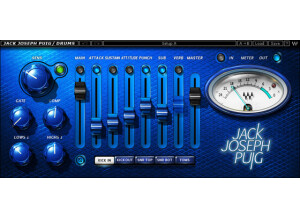
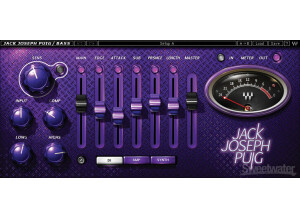
    This software installed with no problems. I didn't have any compatibility issues. The configuration is very simple - just run the installer and click next! It's very easy to get up and running. The manual is very good for this software, and worth actually reading through. Things are explained in plain English, and there are many functions that you probably wouldn't know existed if you didn't take the time to go through the manual. SUITABILITY/PERFORMANCE My computer is a Dell that has an Intel processor, 2 GB of RAM, windows XP and Cubase. The software works perfectly with this kind of a computer. Most of these plug-ins in the bundle use a lot of CPU, so buyer beware on that end. You will want to have a higher end processor if you hope to use more than a few of these at a time. However, the sound quality you get absolutely makes up for the heavy CPU toll. As for stability, I didn't notice any crashes or anything caused by the API plug-ins, so they seem to be very stable. OVERALL OPINION I have had this for about 6 months. I will tell you now that this is by far the best thing in software you can find to emulate the sounds of an API console. The EQ and compression sound so similar, it's really amazing they were able to pull it off so well. If you have used an API console, you know what they can do to your mix. If you don't have the thousands of dollars or space to get one of your own, then this is the next best thing. Waves also released new presets by Jack Joseph Puig for this collection, so there is an added bonus. I have used real API consoles and many other plug-ins that serve the same function. This is an amazing value if you wish you get the API sound in your own set up. I would definitely buy it again, no regrets here.

  • webstersays's review

    This installed without any problems for me. Waves is pretty good about having easy clear installation and setup. I didn't have any compatibility issues. The configuration is all automatic to your system. The manuals are fairly in-depth and set up in an entertaining way, I have never seen a manual with such a sense of humor. Apart from that, they are clear and easy to understand. SUITABILITY/PERFORMANCE I have a Dell computer with an Intel processor, 2GB of ram, and windows XP with Cubase. It works great in this format. Waves has VST versions of their plug-ins, so us PC users can enjoy them as well. Waves plugs are rather CPU intensive, so you should have a fast computer if you want to use these a lot. On my computer with a dual core intel, I can multiple instances of these without too much trouble. They have bugs now and then, but overall I would say this software is pretty stable. OVERALL OPINION I have been using this for over a year now. A lot of studios I had recorded in used waves for a lot of functions, and when I started making a home studio I thought this would be a good investment for a starting toolbox. It definitely was - these are really high end plugs. The compressor is really versatile and easy to set up, while sounding fantastic. The automatic release control it has is great. Another of my favorite plugs is the RBass one. I put this on almost all of the kick drums and sometimes bass guitar. It really helps to make them sound huge, the difference is almost funny. The EQ you get is very smooth and easy to get up and running quickly with its target dragging interface. The RVerb sounds great nad is very versatile, you can get anything from plates to springs to giant churches, all with editable parameters.I have used a lot of different plugins, and these are some of the best I've encountered. They also give you stereo and mono versions of each one to cut down on CPU usage, which is a nice touch. Waves is expensive, but if you pay for the best you get the best. To me, it's totally worth it. I would definitely get it again.

  • « Great Starting Place for Mixing Tools »

    Waves Gold is one the industry’s most popular mixing and mastering bundles. If you are new to mixing, I would highly recommend Waves Gold for getting your feet wet. It comes with 29 great plug-ins you can use at your disposal. That’s just enough tools on your belt for you too experience with, without overwhelming you. If you take the time to make this bundle work for you, you will know exactly what you need and what you don’t need in the future every time a new plug-in releases. UTILIZATION Personally, I use Q6 Equalizer and the C1 Compressor as my default chain for my mixing template. With the Q6, I can use up to 6 bands to EQ any sound to my liking. The C1 Compressor is also equipped with a gate/expander. This could come in handy for audio that may have a bit of noise behind the main sound or bleed from drum mics that you may want to tame. Waves’ DeEsser has become one of my best friends. Stock de-essers tend to be a bit too sensitive, but I am able to dial in and get the right amount of attenuation on those sibilant frequencies every time. As far as time-based effects, the H-Delay is my go-to delay plug-in for vocals. You can filter the eq of the delay coming, as well as modulate it. GETTING STARTED Waves Gold offers all the essentials for any audio engineer. There’s even a hand full of different guitars amps and pedals for guitar players. There’s seven different compressors to choose from. The three reverb plug-ins will come in handy as they will help create great spaces for your mixes. The only thing I would like to see included would be a linear phase EQ. If you have the money, Waves Gold is definitely a good bundle to invest in as it is frequently on sale. The Vitamin Sonic Enhancer is a steal by itself. Using this plug-in, you are able to add “nutrients” to your sound dynamically, and help make your sound more mono or stereo. There’s even a lite auto-tune plug-in included to tame those sharp and flat notes. Whether you’re a an engineer for commercial songs or for broadcast, Waves Gold has got you covered. I highly recommend starting here and branching out. PROS Great variety of tools Great for novice engineers, even better for professionals CONS No Linear Phase EQ

  • « All your vocal and guitar needs »

    I love every single plug in that Waves comes out with. I have just about all of them and use them frequently. The Vocal Native bundle is comes with a plug ins that can really get your vocals to top quality by just adding one of the plug ins to your effects rack. The DeEsser is very good at getting rid of the unwanted sounds that come with recording vocals. I use this plug in a lot and almost every time I load up Pro Tools. Pro Tools as some plug ins that came with it that can do the same thing but it requires more effort to use them. The DeEsser by Waves will do most of the work for you just by using presets and not having to do too much tweaking. It saves me so much time on vocals just by using the presets they already have loaded up. SUITABILITY/PERFORMANCE Installing this software does not take a long time, but it is not quick because you are installing all of the plug ins that come with the Vocal Native Bundle, which there are 6 of them. It runs great on my Mac running version 10.5 and even on my Macbook running Mountain Lion. OVERALL OPINION Renaissance Axx is another great plug in that is perfect to be used with my guitar; it has the perfect kind of compressors to add to guitar racks. I have used other guitar plug ins as well but none of them can do what this plug in can do. The only change I would make with it is to have a bigger selection of effect types or more effect presets. It does require you to do a little more work on your own over a guitar plug in like Guitar Rig. All of these plug ins are easy to use and they do not use a lot of your CPU. CPU is something that can get chewed up quickly especially when working with Pro Tools because it by itself will eat your CPU.

  • BeyondR's review

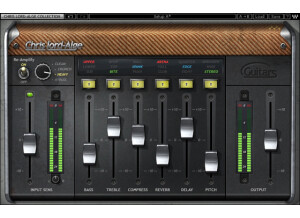
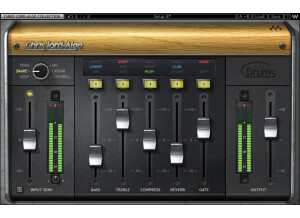
    I haven't had any issues regarding this program , the manual is very clear and provides all the necessary information and is very clear. The general configuration and setup is quite clear and simple which saves a lot of time. The typical functions are easy to follow and to understand. SUITABILITY/PERFORMANCE The software performs incredibly well, the gear is stable and I've been using it for a while and I must mention that this is a great products that incorporates many many features that are extremely helpful in building the arrangement and mastering the track. I'm getting great performances with this program and I do like it a lot, I've been using this soft for just 2 weeks. OVERALL OPINION What I like most about it is the Complete all-in-one processing chains , Mono-to-stereo and stereo components. Optimized control ranges, Optimized control ranges and the 24bit/96kHz resolution. It has plenty of nice controls , this product contains CLA Bass, CLA Drums, CLA Vocals, CLA Guitars, CLA Effects and CLA Unplugged which is pretty much everything you need for your mixes. My opinion about the value of price is great , you get all those fancy plugins for just ~ 900 $ which I think is a pretty good deal regarding all of those products. Precision and quality of sounds is very very pro , this program is well-made and I do like the design that is very very simple but still provided a great precision. I haven't really tried any big packs like this , but I will , without a doubt working with this pack gave me a big pleasure and helped my workflow. Knowing what I know I would buy this product over and over again because it's high quality pro , looks great, feels great , and it's everything a producer needs.

  • « Waves Musicians Bundle 2 »

    The Waves musician's bundle 2 is one of the most affordable bundles Waves has to offer. Waves has become known as the top plugin company with bundles costing more than $10,000. If your looking for to get into Waves for under $200 this can be done with the musician's bundle 2. It features 6 plug ins. Renaissance Axx, Renaissance EQ, Doubler, Renaissance Compressor, doubler, Renaissance Vox, and super tap. These are great to upgrade the stock plug ins of pro tools. I got this bundle because I absolutely can't stand the stock plug ins that comes with pro tools. I caught this bundle when Waves was having a special last year. I got it $125, it is normally $199. $125 for a Waves bundle with a EQ, compressor, and delay I felt was too good to pass up. My fav plug ins in this bundle is the Rvox compressor and the EQ. I feel the EQ sounds a lot better than what comes with pro tools, and the Rvox is quick and easy to use. It really can bring a vocal to the front of a mix. I use it all the time. Super tap is a very flexible delay, and the Axx compressor is great on bass. Nothing negative on this bundle. All the plugins in the bundle is useful. These aren't the best Waves plugins but are excellent starters. All the plugins in the bundle is useful. These aren't the best Waves plugins but are excellent starters. Nice presets to get you going, the UI of the Renaissance plugins have a unique UI to them. Nice affordable way to get into Waves plugins. The musician's bundle 1 switches out the EQ for a Metaflanger. Since EQ is more commonly used signal processor I feel the musician's bundle 2 is a better deal. This review was originally published on http://www.musicgearreview.com

  • « Cool it on the compression Jack! »

    I was skeptical about these artist plugin's but I'm a big fan of Jack's work so I decided to take the plunge. Setup of course is easy. Waves offers so many options for those with different setups. Stereo, mono, vst, whatever. I use cubase and I never have a problem with their stuff. Regardless of how much I like it I always find they have a consistent quality. The Puig vocal plugin isn't rocket science. You only have a handful of controls and the presets are pretty usable depending on what music you're doing. SUITABILITY/PERFORMANCE I'm guessing that this plugin was intended to work in a large band mix. That's how I use it at least. I'm not running a ton of channels in cubase. Just drums. bass, guitar. some synth, and the rare string track every so often. So my mixes probably aren't quite as dense as some. I do layer guitars a lot though. I will say this plugin does make the vocals cut through in a pleasant way. The tone shaping is great. But it seems like the plugin has this crazy strong compression that makes me want to rip my headphones out. I tried dialing it out and it's hard to get rid of it. Basically on all but the most meager of settings, my vocals end up sounding like they've been compressed to the absolute limits and back. Honestly though, I think if you have a super thick mix this would come in handy. Sometimes you really have to push vocals for them to come through in a large cluster of tracks. I can see the excessive compression being useful for that capacity and I guess I should've known better knowing JJP's catalog. He is known for epic mixes. I just wish there was a way to tone that whole thing down. For my uses I'll give it a 5 but I think for the right person it could be a 9. OVERALL OPINION I like how easy this plugin is to use and I think if it didn't sound so dynamically processed it might be my #1. The "magic" button is a mystery to me really. The manual doesn't really explain jack about it. Well, it tries but does more harm than good I think. I get the feeling this vst was supposed to be geared toward beginners. Makes sense. But honestly I still think it's a quality plug. I have the other JJP plugins and I have used some more than others. This one for me is a bit of a miss. I have found other waves plugs I like better for vocals.

  • « The BEST bundle out there »

    Waves is probably the most famous plugin manufacturer in the entire world. Their list of plugins is ridiculous, and their quality is unbeatable. Anybody who has a recording studio will tell you that Waves plugins are some of the first things they buy due to how versatile these are. It would take forever to list what plugins are included in this package. There are hundreds upon hundreds. And you can tell that by the way it costs. However, it's worth every penny. You'll need your iLok to use this, but that's not a huge deal. Some people hate it, but I can easily deal with it considering the quality software I'm getting. SUITABILITY/PERFORMANCE When it comes to things like stability and overall performance, Waves tends to be at the top of the totem pole. I've never experienced a single crash, freeze or hiccup while using any Waves plugin, let alone this one. They all seem to be super stable, which is a huge plus for something as critical as a recording environment. The plugin itself is cross platform compatible, so there is no issue when it comes to using this with either an Apple or Windows based computer. The biggest problem I experienced simply has to do with the recently technological evolution of OSes. My DAW and OS are now 64 bit. However, these plugins are still 32 bit. For Logic Pro to fully utilize this plugin, it needs to run a bridge application, unless I want to gimp down my DAW. It's a bit of a pain, but it works. I'm hoping they update these to 64 bit in the future. I've been using the Mercury bundle for the past half a year or so, and it's been working out great. OVERALL OPINION Waves plugins have saved my recordings time and time again. They're absolutely invaluable towards people like me who have smaller recording studios and can't afford to clutter up their space with tons of different outboard gear. I know this is an expensive package, but this is the second best investment I've ever made, next to my mic preamp I'm currently using. However, please don't pirate this software. You're taking away tons of R&D money from Waves whenever you do this, and it hurts those of us who try to support the developers.

  • « The SSL Sound "in the box"! »

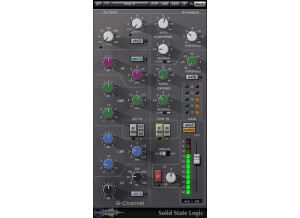
    Waves SSL 4000 Native Collection developed under license from Solid State Logic. Four modeled plugins: SSL E-Channel SSL G-Channel SSL G-Equalizer SSL G-Master Buss Compressor Mac and Pc Compatible. I-Lok required. SUITABILITY/PERFORMANCE I’ve used this in Logic Pro 8 and 9 without a problem. I have a Mac Pro 2.66 Quad Core with 8 GB of ram and a White Macbook with Intel Core 2 Duo Cpu with 4 GB of Ram. The installation is really easy and the the manual is well written. These plugins works like a charm, never had a problem in more than 2 years of use. However I’m still waiting for the release of the 64 Bit native versions. OVERALL OPINION If you are familiar with audio gear, you will sure know Solid State Logic from England. Thanks to their sonic qualities and multiple options, the SSL consoles becomes a worldwide standard in the recording studios. The SL4000, the console on which these plugins are modelled, have two features in particular that set it above the competition. A complete dynamics section on every channel, and a master-compressor in the center of the console. Add to that an outstanding clear signal path and a punchy and modern EQ and you will understand why, according to Billboard magazine, these consoles were used on almost three quarters of all U.S. Number One Singles. This was the first attempt of Waves in recreating the sound of such a legendary console, and according to them, these plugins used side by side with their real counterpart produced -35db of phase cancellation. The company modelled 3 different sections. The first two are the SSL G-Channel and E-Channel channel strips (there is also an additional plugin, The G Equalizer) They offer: - Input and output section - Low and High cut filters - 4 Four EQ that can be routed to the processor output or to the dynamics sidechain section. “Q” can be adjusted in the LMF and HMF ranges. - Compressor/Limiter with Threshold, Ratio, release, fast and slow attack and automatic gain makeup - Gate/expander with the same controls as the compressor. The dynamics can be switched pre-equalizer or post-equalizer. The other thing modelled is the Master Buss compressor, with threshold, gain make up, attack, release, ratio and a particular fade-off section. All the 4 plugins have Load, Save, A-B switching and help options. The G-Channel and The E-Channel differs for the fact that the first one tend to be used for more aggressive frequencies cutting and boosting. I’ve used these plugins with a lot of bands and with a lot of musical genres. And the results were always outstanding. The boosting never sound harsh or unnatural, and the punch that a SSL compressor can give you is amazing. I’ve also used the Master Buss Compressor, either on the Master bus, with a maximum of 2db of gain reduction, and a ratio of 2 to 1, and on a lot of group tracks. It will let your drums and mixes sound punchy and huge, still retaining the original attack, without squashing too much life from them. In these years the price is dropped significantly for these plugins, if you can afford them, my advice is to buy them in conjunction with the Vintage and API series. Top notch plugins from a great company!

  • « Awesome audio mix chain »

    Channel strips have long been something that's been emulated in the digital world. However, a lot of them don't seem to capture that awesome sound that so many channel strips have (SSL for example). This plugin attempts to mimic some of those classic channel strip sounds with tons of plugins built into it. The plugin is pretty complex in that it has quite a few things going on. It combines EQ, compression, limiting and gating all in one single plugin. I'll list a few of the features here: It has a four band parametric EQ with an on/off per module, filter type, resonance low/high shelf, low/high pass, gain, frequency adjustable per band, Q control per band, routing switch, sidechaining for pre-EQ or external, on/off filter, filter high/band/low pass and reject, frequency control, BW, RVox or RComp, threshold, ratio, attack, release, ARC manual/auto, expander/gate option, and tons more... SUITABILITY/PERFORMANCE When it comes to things like stability and overall performance, Waves tends to be at the top of the totem pole. I've never experienced a single crash, freeze or hiccup while using any Waves plugin, let alone this one. They all seem to be super stable, which is a huge plus for something as critical as a recording environment. The plugin itself is cross platform compatible, so there is no issue when it comes to using this with either an Apple or Windows based computer. The biggest problem I experienced simply has to do with the recently technological evolution of OSes. My DAW and OS are now 64 bit. However, these plugins are still 32 bit. For Logic Pro to fully utilize this plugin, it needs to run a bridge application, unless I want to gimp down my DAW. It's a bit of a pain, but it works. I'm hoping they update these to 64 bit in the future. I've been using the Mercury bundle for the past half a year or so, and it's been working out great. OVERALL OPINION I used to use this plugin all the time back when it first came out. I'd always put it on the master buss and start adjusting everything from there. It served me well throughout the years, and I highly recommend it to anybody out there. I've since moved onto another combination, but after typing up this review, I'm thinking of going back and utilizing it again.

  • « Solid vocal enhancer »

    Tony Maserati's music mostly focuses on things like vocals, and this plugin is a great plugin to show off how he approaches things. The plugin itself has knobs for sensitivity, bass, compress, treble, output, fx, delay, delay mix, decay and vrb tone. The plugin also has different button settings for contour 1, contour 2 and contour 3. I've never read the manual, so I can't comment as to how well it's written. However, the plugin itself is laid out in a fairly easy to use manner, so there shouldn't be any real need to read it. If in doubt, start moving the knobs. To use this, simply enable it on your vocal buss, and you're good to go. SUITABILITY/PERFORMANCE Waves is really one of the best companies out there when it comes to implementing solid plugins with no real fuss. These plugins are always rock solid and super stable; this plugin is really no different. I've never experienced a single crash or hiccup while using this plugin. The plugin is also cross platform compatible, so Windows and OS X users alike can use these without any problems. There is one issue that I always gripe about, however. These plugins are 32 bit for OS X. Right now, I'm using a 64 bit DAW, and for me to utilize these plugins, it needs to launch a special bridge application. I'm not a huge fan of the way my DAW utilizes these, so I'm hoping they update these in the future. I've been using the Waves Mercury bundle for the past six or so months, and it's been a very enlightening experience to say the least. OVERALL OPINION For power metal vocals, this has helped quite a bit. It's also helped out with some rock mixes that I do in my spare time. However, I'm mainly a death metal guitarist, and using this on screams and growls isn't exactly the best thing in the world. It's style dependent, but it should work for most people.