Log in
EN
FR

SeriesWaves Eddie Kramer

10 products found

Filter
Sort by
Evaluation
  • Reviewed or not
  • Editor’s award
  • Reviewed by Audiofanzine
Availability
  • Available or not
  • Sold new or used
  • Sold new
  • Sold used
Must-have products
  • All products
  • Flagship products
  • Best rated products
  • Hot products
  • Popular products
Price
  • Freeware
€
Clear
Sort by
  • Popularity
  • User ratings
  • Price - low to high
  • Price - high to low
  • Used price, increasing
  • Used price, decreasing
  • Name (from A to Z)
  • Name (from Z to A)
  • Added on
Sort results
  • Popularity
  • User ratings
  • Price - low to high
  • Price - high to low
  • Used price, increasing
  • Used price, decreasing
  • Name (from A to Z)
  • Name (from Z to A)
  • Added on
Filter results 10 results found
Evaluation
Availability
Must-have products
Price
  • Freeware
Show results

The best Waves Eddie Kramer reviews

The reviews Audiofanzine members found the most helpful.
  • « Unique compressor »

    More plugins from the famous engineer Eddie Kramer. This time, Waves successfully cloned the vintage Pye compressor that was used at London's Olympic Studios. This was used throughout the classic rock world, and it's one of the best compressors out there. Waves took that famous compressor and made it into a software audio plugin that anybody can easily use. The plugin itself is fairly easy to use. The range of the knobs is good, there are some toggle switches you can choose from, and it sounds great! The main knobs are the threshold, compression, output and decay time knobs. These will control most of the features of this plugin. However, there are some small mini toggles that allow you to adjust different settings, including some of that famous hum. SUITABILITY/PERFORMANCE Waves plugins are pretty well known for being the industry standard plugins out there, and for good reason. First of all, the plugins are cross platform. That means that both PC and Mac guys can use them. Given that I'm a Mac guy, that's a huge plus for me. The plugins themselves are very stable. I've never experienced a crash directly related to inserting a Waves plugin into any audio or MIDI bus in Logic. I've never read the manual, so I can't really comment on that. However, most of these plugins are fairly intuitive when it comes to their usage. While the names may be a touch convoluted if you don't know what they're modeling, you can get a good idea as to what they do if you just mess around. It doesn't take up much memory when in use, even with the 32 bit bridge application in Logic, and I've been using these for quite awhile now. OVERALL OPINION This isn't exactly the cleanest and most transparent compressor, but it's not meant to be. This is meant to replicate that real old school compressor that was used in many classic rock recordings of the time. It has some great usage for giving those lower gain tracks some real character, but using it with higher gain isn't exactly my thing. Try it on the drums to give it a real unique sound.

  • « Simple compressor for drums »

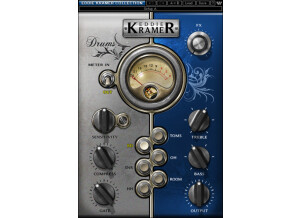
    Eddie Kramer is one of the world's most famous music engineers and producers. He's worked with everyone from Kiss to Hendrix and everyone in between. Waves has been working in conjunction with a lot of these famous producers to create plugins, so it's no wonder that this was created. The plugin takes an EQ/compressor approach to mixing with an all-in-one design. The plugin has knobs for sensitivity, gate, compress, bass, treble, output and fx. It also has buttons for bass drum, snare, hi-hats, overheads, toms and room. The plugin is very simple to use. To utilize this, just put this on whatever drum busses you may have for the overall mixing and mastering. I've never read the manual, but it's not really needed with this as it's such a simple to use plugin. SUITABILITY/PERFORMANCE Waves is the king when it comes to things like stability and performance. This plugin is great at using very little RAM and processing power. Considering there may be multiple instances of this plugin being used, that's a life saver. It's also very stable. I've never experienced a crash in relation to this program, and I've had probably seven or so instances of it on various drum channels. There is one problem, however. It's a 32 bit plugin. In today's world, most computers are moving towards 64 bit OSes and DAWs. Because of that, your DAW needs to run a special bridge application to utilize the 32 bit plugin in a 64 bit environment. Ideally, I'd like to do away with that, and I'm hoping Waves makes these all 64 bit compatible in their next update. I've been using the Waves Mercury bundle for the past six or so months now. OVERALL OPINION This is a fairly solid plugin, but I find that it's extremely limiting when it comes to producing drums the way I like to do them. It delivers a solid sound, but it's usually not the sound I'm looking for. It works nicely for rock, but when I'm doing metal, there are a bunch of different tricks I have to do, and I'm constantly dealing with mixing triggers and acoustic drums. I just find that my method is a bit better than utilizing this plugin on all my drum channels.

  • « Another vocal mastering plugin »

    For those who don't know, Eddie Kramer has done everything from Led Zeppelin to Kiss to Hendrix and beyond. He's crazy famous in the music engineering/production world, and considering that Waves has been doing some engineer collaborations lately, it's no surprise that he got his own plugins. The Kramer Vocal Channel is basically a compressor, eq and effects unit in one. There are two different toggles to select between vocal types, sensitivity control, bass control, treble control, compression control, output control, different effects controls for reverb and delay, and a few other tricks up its sleeve. To use this plugin, you simply enable it on whatever buss has your vocals and start adjusting. It's very simple to use. I haven't read the manual for this, but it's really not needed as it's crazy simple to use. Anybody should be able to start utilizing the tones out of this device within seconds. SUITABILITY/PERFORMANCE Waves is the king when it comes to things like stability and compatibility. The plugin is crazy stable. I've never experienced a single crash, stall or freeze while using these. It doesn't take up too much processing power, nor RAM. That's a good thing as there could be multiple instances of this plugin on different busses, depending on how you approach it. On top of all of that, it's also cross platform compatible, so just about anybody can use this. There is one problem, however. This plugin is a 32 bit plugin for OS X. That means that whenever I use this plugin in Logic Pro, it has to use a special application to work in the 64 bit environment. It's automatic, but it's a bit of a pain as it makes the plugin disappear when it's in the background. I've been using the Mercury bundle for about half a year now, and it's pretty awesome. OVERALL OPINION This works very nicely on clean vocals. Where as the JJP approach was more of a slider approach to mixing, this is more of a knob approach. Both work nicely, and it all depends on how you approach music. Personally, I have my own methods. That's not to say this plugin is bad; in fact, it's great. It's just that I have my own little methods for mixing and mastering vocals that works best for me. Waves gives you tons of options because they know everyone likes to do things differently.

  • « Average effects channel »

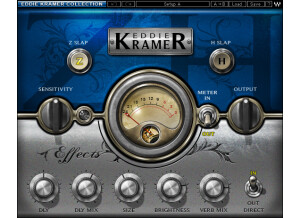
    For those who don't know, Eddie Kramer has done everything from Kiss to Hendrix and then some. He's a very famous music engineer/producer, and considering that Waves has been doing some engineer collaborations lately, it's no surprise that he got his own plugins. This plugin is basically a delay and reverb plugin all in one with two main settings. There are knobs for delay, delay mix, size, brightness, reverb mix, sensitivity and output. There are also switches to select between the two different main mixes, a switch to change the meter and a few other things. The plugin itself is very simple to use. Simply enable it on whatever buss you want to have a bit of reverb and delay via your DAW. I haven't read the manual, but considering how simple this plugin is, you really don't need to read it. You should be able to easily figure out what to do by just messing with the knobs. I've never experienced any compatibility issues with this plugin, so there are no issues there. SUITABILITY/PERFORMANCE Waves is one of the best companies when it comes to things like performance and stability. For one, this plugin is a cross platform plugin. That means both Windows and OS X users alike can utilize this plugin without any issues at all. The plugin is also rock solid. I've never experienced a single crash relating to this. Kramer Effects Channel also takes up very little processing power. That's very important as there could be multiple instances of this plugin used at a time. The one problem that it suffers from is that it's a 32 bit plugin. In a 64 bit world, that can be a bit of a problem. In Logic Pro, it starts up a special bridge application to use the 32 bit plugin inside of the 64 bit environment. Personally, I find this a bit annoying, and I'm hoping that they'll go full 64 bit during their next update. I've been using the Mercury bundle for the past six or so months, and I've been loving it. OVERALL OPINION The plugin is pretty bland for a Waves plugin. For one, while the delay and reverb sound good, I have much better options, even inside Waves. Sure, they might take up some more RAM and processing power, but considering the flexibility I'll be gaining, it's worth it. This is probably the weakest plugin inside of the entire Kramer lineup. That said, it's still a decent sounding plugin, and I'm sure some of you out there will enjoy it quite a bit.

  • « Bass compressor/utility »

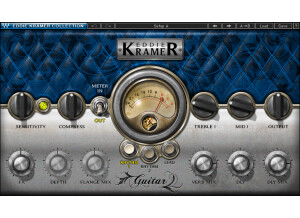
    Eddie Kramer has done everything from Led Zeppelin to Kiss to Hendrix and beyond. He's extremely famous in the music engineering/production world, and considering that Waves has been doing some engineer collaborations lately, it's really no surprise that he got his own plugins. This plugin takes an all-in-one approach to mixing bass. It basically combines a compressor and EQ to get the perfect bass sound. The plugin has knobs for sensitivity, bass, treble, compress, and output. It also allows you to select between two different bass types. This plugin is very easy to use. All you do is enable it on your bass buss, and you're good to go. It's one of Waves' easier plugins to use. I never read the manual, but it really doesn't need to be read with a plugin as simple as this one. It's fairly straight forward. SUITABILITY/PERFORMANCE Waves is pretty famous when it comes to both compatibility and stability. For one, these plugins are rock solid. I've never experienced any problems using these. There have never been any freezes, glitches or anything bizarre going on, even with a fairly heavy usage of other VSTs in the DAW. This is also cross platform compatible, so anybody on an Apple or Windows computer can easily use this without any problems. There is one problem, however. In OS X, this plugin is 32 bit only. That means that your DAW needs to enable a special bridge application if you want to use your environment in 64 bit while utilizing these 32 bit plugins. It's does it automatically, but I'd like to see the next revision be a 64 bit plugin if possible. I've been using the Mercury bundle for half a year now, and it's been a wonderful experience. OVERALL OPINION This is a very good solution to mixing bass. I generally find bass guitars to be pretty easy to mix, personally. If it's just one track, I'll add a high pass, low pass and compressor to it. That usually does the job for the most part. If it's two tracks, one will be clean and one will be dirty. I'll then mix then to taste to get a huge sounding mix without overpowering the guitars. This plugin has helped me a few times, but I generally find myself just utilizing my own little method for doing bass guitars.

  • moosers's review

    The Waves Ltd. Eddie Kramer HLS Channel is a plug-in that is part of the Eddie Kramer designed series of plugs. Eddie Kramer, for those who don't know, recorded a little known guy named Jimi Hendrix, so he might know a thing or two about sound recording. This plug-in is available for individual purchase, but I believe that there is an Eddie Kramer bundle that this is also a part of. I recently got the Waves Complete bundle, which of course includes this one. The HLS Channel is an emulation of a Helios channel strip used by Kramer and many others at the famous Olympic Studios in London that were used to record so many classic albums. The make up of the plug-in consists of an equalizer, a preamp leveler, and an input and output fader. Users should be able to pick it up quickly as it really isn't very complex. A manual would be a good idea if you feel lost after looking at it, but probably isn't going to be necessary for the majority of users. SUITABILITY/PERFORMANCE I'm currently running the Waves Ltd. Eddie Kramer HLS Channel and the full Waves Complete bundle at home as well as at the studio where I'm working. I only recently got it at home but had used it a few times at the studio, but really had only messed around with it until I got it myself. At home I'm running it in Pro Tools LE 8 on a Mac Book Pro consisting of a 2.2 Ghz Intel Core 2 Duo processor and 4 GB of RAM, while at the studio we are running it with a Pro Tools HD system. On either system I've been able to get them up on a series of tracks without performance issues. If you have a lesser system you might run into some problems, but chances are that you have or are looking into getting some Waves plug-ins that you know this and already have an adequate system. OVERALL OPINION I've definitely been loving the real feel that the Waves Ltd. Eddie Kramer HLS Channel has to offer. I'm a big fan of plug-ins like this that model hardware as it gives you a familiar interface to work with and makes it seem a bit more life like. As far as the sound of the HLS Channel goes, it's also quite realistic. I've used Helios channels before, but not the one that this is supposed to be modeling. If I can compare this EQ with the real Helios One strip that I've used, I have to say that it's not comparable as the hardware Helios just can't be beat. Having said this, for a software emulator this thing sounds pretty damn good and isn't nearly as much money or as hard to find a real Helios. I'd recommend at least trying out the HLS Channel if you're at all interested in Helios gear, this series of Kramer plug-ins, or simply are looking for a nice channel strip plug-in to work with.