Log in
EN
FR

SeriesWaves Renaissance

11 products found

Filter
Sort by
Evaluation
  • Reviewed or not
  • Editor’s award
  • Reviewed by Audiofanzine
Availability
  • Available or not
  • Sold new or used
  • Sold new
  • Sold used
Must-have products
  • All products
  • Flagship products
  • Best rated products
  • Hot products
  • Popular products
Price
  • Freeware
€
Clear
Sort by
  • Popularity
  • User ratings
  • Price - low to high
  • Price - high to low
  • Used price, increasing
  • Used price, decreasing
  • Name (from A to Z)
  • Name (from Z to A)
  • Added on
Sort results
  • Popularity
  • User ratings
  • Price - low to high
  • Price - high to low
  • Used price, increasing
  • Used price, decreasing
  • Name (from A to Z)
  • Name (from Z to A)
  • Added on
Filter results 11 results found
Evaluation
Availability
Must-have products
Price
  • Freeware
Show results

The best Waves Renaissance reviews

The reviews Audiofanzine members found the most helpful.
  • « Solid Reverb but too Pricey »

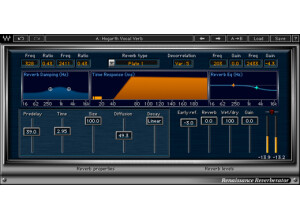
    I received this reverb plug-in as part of a bundle when I started studying production at Berklee in 2007. I would say it's been a steady, although not usually first choice, part of my setup since then. I would say it's a bit much for someone who isn't familiar with the complexities of reverb. Being one of those people myself, I prefer a more simple approach and don't recall ever doing much tweaking to any of the many controllable parameters in this plug-in. I appreciate the straight-forwardness of the visual representation of the changes you make to your verb, but I think active listening is a better way to go when it comes to reverb. I can't personally imagine needing such a degree of control over my reverb settings but all-in-all it sounds really nice and has some great presets that I trust for a lot of my work. SUITABILITY/PERFORMANCE This reverb definitely performs well. I'm a fan of using the plate presets for drums and sometimes vocals. I usually work with this in Logic or ProTools and I always have to have my iLok plugged in to use the waves stuff, which is kind of a pain and also one reason I often go with other reverbs. Like I said, I'm not such a tech junky and really don't bother with the extra features like the "reverb damping". I generally look for the type of reverb I want (i.e. plate, hall, etc...) and then tweak presets from there to get the desired wetness, pre-delay, and so on. That seems to have worked well enough for me over the last 8 or 9 years and it definitely hasn't decreased in capability or functionality in comparison to newer reverbs. I'm particularly a fan of the Waves stuff just because it doesn't ever cause any problems. I usually prefer, for example, to work with PSP plug-ins but they sometimes overload my system and a few are just too intense to load up more than one or two instances of them. OVERALL OPINION This is definitely a good-quality reverb plug-in. I'm not such a huge fan of some of the other Renaissance-Series items but this one is worth a look. That being said, I don't think I would personally purchase this for the $150 asking price. If you're someone who is into having a ridiculous amount of control on your reverb settings this is probably for you but I prefer a more simple approach. I usually go with the PSP EasyVerb. It sounds great and the layout and features are easily understandable. It's also less than half the price.

  • « Under-rated guitar compressor »

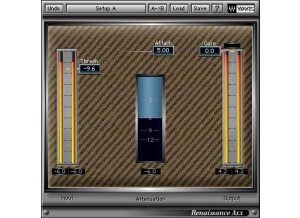
    I purchased this plug-in as part of the Waves Gold Bundle. The Renaissance Axx compressor is a software plug-in to be used inside a DAW. Waves plug-in are easy to install and authorize. Their plug-ins can be directly downloaded from their website and take about 5 minutes to get authorized. The Renaissance Axx plug-in was designed to be super easy to use. Compressors can have a lot of settings (attack, release, threshold, ratio, knee, etc). This plug-in makes is simple if you don't know much about how to use compression. There is a slider on the left to pull down until you squeeze the input signal enough, and there is a slider on the right to pull up and down to change the output volume. Waves includes 'presets', but I think they are unnecessary. Essentially this plug-in is just one big preset to begin with, as the settings for release, ratio, knee are already fixed behind the scenes. SUITABILITY/PERFORMANCE This compressor levels out the volume of a guitar track very well. This compressor doesn't add a lot of 'color' to the track like a Waves H-Comp or CLA-76 compressor does. There are plenty of situations when I want the level of my guitar track to be evened out, but I don't want the sound to change dramatically. In those situations, I call up the Renaissance Axx, and I like the results. OVERALL OPINION This plug-in is marketed for adding compression to guitar tracks, and does a great job at its specialty. Honestly, I haven't tried the plug-in with any other source material (drums, bass, keyboards, vocals) because I have a lot of other compressors. I wouldn't be surprised, though, that this compressor could do a decent job for other instruments. If this was the only compressor I owned, it would probably suffice. Some people won't like the limited about of features/controls. There are plenty of other plug-ins to buy if you want a lot of knobs to tweak. Sometimes it is just easier to load up Renaissance Axx and move on.

  • « Solid DeEsser »

    DeEssers can be life savers in mixes, especially when it's something regarding spoken words. I've used plenty of DeEssers throughout the years, and this has always been one of my main choices. For those who don't know, a DeEsser elimites that shh and ess sound that can occur. They can really make a mic go haywire, and it can totally destroy a mix. I notice this most of all in radio and spoken word lines since most of the vocals I record are death metal vocals. The plugin is laid out very nicely, and anybody can easily use this without having ever read the manual. It contains two slides for range and threshold, a frequency text box, type adjuster, mode and the ability to select between audio or side chain. SUITABILITY/PERFORMANCE Waves rules when it comes to things like performance and stability. I've never had a crash while using this plugin, and that goes for all of the Waves plugins I've used. They all seem super rock stable, and in something as mission critical as a recording environment, that's a huge plus. The plugin works on both Windows and OS X, so nearly anybody can use it without a hassle. The plugin itself doesn't take up much RAM or processing power which is another plus. There is one issue I have with it, but it's a somewhat minor complaint. The plugin itself is a 32 bit plugin inside of OS X. For my DAW, Logic Pro, to fully utilize this, it needs to run a special bridge application. Performance is still the same, but it's just a pain with the way Logic implements that bridge application because the plugin doesn't remain visible in the background. I've been using the Mercury bundle for the past six or so months, and it's been a wonderful experience. OVERALL OPINION This has been my go-to DeEsser for quite awhile. It's easy to use, you can get solid results from it and it doesn't take up too much processing power. I don't use this too often given that I'm a death metal guitarist, but for the spoken word stuff, it has really saved me quite a few times. If you get a chance, I recommend checking it out. It should be able to serve anybody who deals with vocals.

  • « Analog sound with digital accuracy »

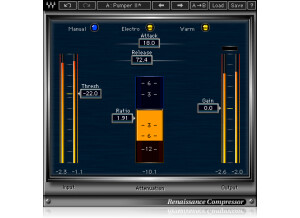
    Compression has been probably the number one effect ever since The Beatles started using it heavily. There is always a battle between trying to find a compressor that sounds organic and vintage, yet is accurate and fast enough for some of the more dense music out there. To be honest, there are all kinds of compressors out there, and a lot of them are great for specific things. This is a pretty good, overall compressor that can really aid a mix and help everything stand out a bit better. It's a simpler compressor than some of today's digital compressors in that it only has five sliders -- threshold, ratio, gain, release and attack. To use this, simply enable it on whatever buss you want compression on. I never read the manual, but you should be able to figure this out without reading anything. SUITABILITY/PERFORMANCE Waves rules for audio plugins. For one, they're always rock solid and super stable. I've never had a single crash while using any Waves plugin, and the same goes for this. The plugin itself doesn't take up much RAM or processing power, which is a big plus for those who tend to have tons of plugins going on inside of their DAWs. The plugin is also cross platform compatible, so just about anybody can use this without any issues at all. There is one issue that I did experience, and that has to do with the actual coding of the plugin and today's recent OSes/DAWs. The plugin is a 32 bit plugin. However, my DAW and OS are 64 bit OSes. For Logic Pro, my go-to DAW, to utilize this, it needs to run a special bridge application. However, I'm not a huge fan of the way Logic implements that feature. I'm hoping that Waves updates these to 64 bit in the future. I've been using the Waves Mercury bundle for the past half a year or so, and it's been absolutely killer. OVERALL OPINION I've used this successfully on mixes when I didn't feel like messing with too many options. It delivers a solid sound, and it never let me down when I used it in a mix. However, my go-to compressor for all around mixing is still the standard Logic compressor. I'm just very used to how it works, and I'm able to work quickly with it vs. other compressors out there.

  • webstersays's review

    This installed without any problems for me. Waves is pretty good about having easy clear installation and setup. I didn't have any compatibility issues. The configuration is all automatic to your system. The manuals are fairly in-depth and set up in an entertaining way, I have never seen a manual with such a sense of humor. Apart from that, they are clear and easy to understand. SUITABILITY/PERFORMANCE I have a Dell computer with an Intel processor, 2GB of ram, and windows XP with Cubase. It works great in this format. Waves has VST versions of their plug-ins, so us PC users can enjoy them as well. Waves plugs are rather CPU intensive, so you should have a fast computer if you want to use these a lot. On my computer with a dual core intel, I can multiple instances of these without too much trouble. They have bugs now and then, but overall I would say this software is pretty stable. OVERALL OPINION I have been using this for over a year now. A lot of studios I had recorded in used waves for a lot of functions, and when I started making a home studio I thought this would be a good investment for a starting toolbox. It definitely was - these are really high end plugs. The compressor is really versatile and easy to set up, while sounding fantastic. The automatic release control it has is great. Another of my favorite plugs is the RBass one. I put this on almost all of the kick drums and sometimes bass guitar. It really helps to make them sound huge, the difference is almost funny. The EQ you get is very smooth and easy to get up and running quickly with its target dragging interface. The RVerb sounds great nad is very versatile, you can get anything from plates to springs to giant churches, all with editable parameters.I have used a lot of different plugins, and these are some of the best I've encountered. They also give you stereo and mono versions of each one to cut down on CPU usage, which is a nice touch. Waves is expensive, but if you pay for the best you get the best. To me, it's totally worth it. I would definitely get it again.

  • « Legit EQ »

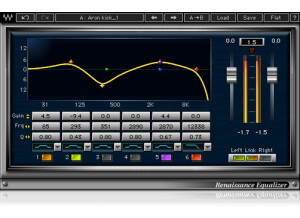
    It's a bit difficult to think of too much to say about this EQ other than it is a solid, well-made plug-in with no foreseeable downsides. I personally used this as my go-to EQ for a few years before getting a bundle of PSP plug-ins which have replaced a lot of the Waves stuff for me. I find this EQ to be very nice and clear, without producing any harshness when you boost the upper frequencies, which can happen in cheaper EQs. I use the PSP MasterQ for most of my general work now and couldn't tell you that it is any superior performance-wise, only that I like the look and feel of working with it a bit more. The Renaissance EQ isn't quite as point-and-click friendly and seemed somehow obtrusive in that way but I think that's more about my style than any weaknesses of the product itself. I like it on my Master bus for a bit of soft tweaking to the overall mix. If you know and understand basic EQing then you will have no problems opening this up and working with it right away. There are plenty of helpful presets and all parameters are pretty well labeled. The layout is fine although I prefer plug-ins that aren't so dark when I have the choice. Again, a style thing, but I don't like looking at dark, black plug-ins when I have to work with it all day. Stability was never an issue and I can't recall ever having any issues with my program crashing or otherwise having problems with most of the Renaissance series, which is sadly not something I can say about a couple of PSP plug-ins. I've never needed to look in the manual so I don't have any experience about whether it is helpful or not. Like I said, if you know your way around an EQ it shouldn't be a problem, but even if you don't this is fairly user friendly and you should be able to figure it out quickly. I also can't comment directly on the price, as I got it as part of a big bundle and not separately. For $150 though, which is the price I've seen for it now, I can't imagine it being my first choice of new gear when I get my paycheck. If you're just getting going or are more into production as a hobby, I'd spend your money on something else before coming to this product. It's definitely good but not really necessary unless you're producing professional stuff on a frequent basis. Cheers!

  • « Dynamic processor for vocals »

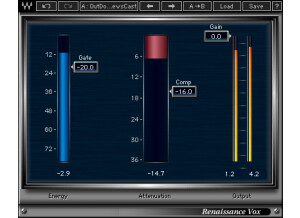
    I'll be up front about this in that I don't use this plugin too often given that I'm a death metal guitarist. When I do vocals, it's mostly guttural stuff with tons of compression and gain boosts. However, I do some 80s metal and even rock in my spare time. Doing clean vocals takes quite a bit of effort, and for them to sound "alive" takes a good amount of processing. Too many times have I had someone record a great take only for it to not sit in the mix nicely. I've used this plugin very successfully on those vocals to help add some dynamics and give them that sparkle they needed to sit nicely. The plugin is basically a compressor, gate, limiter, maximizer, etc. in one. It's very simple to use and has only a few sliders -- gate, comp and gain. By adjusting these three sliders, you can get some great vocal mixes without having to spend hours and hours processing them. SUITABILITY/PERFORMANCE Waves is the king when it comes to things like stability and performance. They're almost unbeatable in this category. I've never experienced a single crash or hiccup while using this plugin inside of my favorite DAW -- Logic Pro. The plugin is cross compatible, and that means that almost every user out there should be able to utilize this plugin on their favorite machine. It also doesn't take up too much RAM or processing power, which is a huge plus. There is one issue I have experienced, however. The plugin itself is a 32 bit plugin. I run a 64 bit DAW, and it can be a real pain because Logic Pro has to run a special bridge application to utilize this inside the 64 bit workspace. I'm hoping they'll update this plugin later down the road to work in 64 bit environments natively. I've been using the Mercury bundle for about half a year now, and I'm loving every minute of it. OVERALL OPINION Don't get me wrong, this one plugin won't magically make your vocals all of the sudden sound amazing. However, despite it being a very basic setup, it's pretty powerful. I was able to get some great results when combining this plugin with a few others to really help make a vocal mix stand out. I highly recommend it to anybody who records cleaner vocals.

  • « Awesome audio mix chain »

    Channel strips have long been something that's been emulated in the digital world. However, a lot of them don't seem to capture that awesome sound that so many channel strips have (SSL for example). This plugin attempts to mimic some of those classic channel strip sounds with tons of plugins built into it. The plugin is pretty complex in that it has quite a few things going on. It combines EQ, compression, limiting and gating all in one single plugin. I'll list a few of the features here: It has a four band parametric EQ with an on/off per module, filter type, resonance low/high shelf, low/high pass, gain, frequency adjustable per band, Q control per band, routing switch, sidechaining for pre-EQ or external, on/off filter, filter high/band/low pass and reject, frequency control, BW, RVox or RComp, threshold, ratio, attack, release, ARC manual/auto, expander/gate option, and tons more... SUITABILITY/PERFORMANCE When it comes to things like stability and overall performance, Waves tends to be at the top of the totem pole. I've never experienced a single crash, freeze or hiccup while using any Waves plugin, let alone this one. They all seem to be super stable, which is a huge plus for something as critical as a recording environment. The plugin itself is cross platform compatible, so there is no issue when it comes to using this with either an Apple or Windows based computer. The biggest problem I experienced simply has to do with the recently technological evolution of OSes. My DAW and OS are now 64 bit. However, these plugins are still 32 bit. For Logic Pro to fully utilize this plugin, it needs to run a bridge application, unless I want to gimp down my DAW. It's a bit of a pain, but it works. I'm hoping they update these to 64 bit in the future. I've been using the Mercury bundle for the past half a year or so, and it's been working out great. OVERALL OPINION I used to use this plugin all the time back when it first came out. I'd always put it on the master buss and start adjusting everything from there. It served me well throughout the years, and I highly recommend it to anybody out there. I've since moved onto another combination, but after typing up this review, I'm thinking of going back and utilizing it again.

  • « Beefs up the bass »

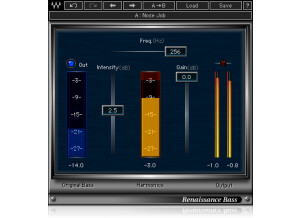
    Bass can be one of the hardest things to mix. The low frequencies itself are harder to hear than midrange frequencies, and there are a lot of sound systems out there that have trouble capturing the full scale of the bass end of music. As a result, a lot of people tend to overmix bass. It then creates a mix that is way too flubby on a set of professional monitors. This is especially noticeable with headphones. This plugin helps try to beef up your bass without having you overmix it too much. However, I still noticed that you can overmix if you're not careful. The plugin is very simple and only has three slides -- intensity, gain and frequency. By utilizing these three sliders, you can tighten up the bass a bit so it's not as ridiculously fat. On the opposite end, you can also beef it up real good if you play your frequencies right. I never had a problem using this, and there shouldn't be a need to read the manual for it as it's very simple. SUITABILITY/PERFORMANCE Waves is really one of the best companies out there when it comes to implementing solid plugins with no real fuss. These plugins are always rock solid and super stable; this plugin is really no different. I've never experienced a single crash or hiccup while using this plugin. The plugin is also cross platform compatible, so Windows and OS X users alike can use these without any problems. There is one issue that I always gripe about, however. These plugins are 32 bit for OS X. Right now, I'm using a 64 bit DAW, and for me to utilize these plugins, it needs to launch a special bridge application. I'm not a huge fan of the way my DAW utilizes these, so I'm hoping they update these in the future. I've been using the Waves Mercury bundle for the past six or so months, and it's been a very enlightening experience to say the least. OVERALL OPINION The plugin is good, but I don't tend to use it all that often. Personally, I just throw a compressor on the bass buss, and if I need it to be more aggressive, I'll add a gain plugin. Most of the time, a simple VST amp for the bass can get me there. It's not a bad plugin, but I wonder if it's meant more for electronica than bass.