Log in
EN
FR

Software modulation effects

639 products found

Categories
Filter
Sort by
Brand
Evaluation
  • Reviewed or not
  • Editor’s award
  • Reviewed by Audiofanzine
Availability
  • Available or not
  • Sold new or used
  • Sold new
  • Sold used
Must-have products
  • All products
  • Flagship products
  • Best rated products
  • Hot products
  • Popular products
Price
  • Freeware
  • Low-cost (< $35)
  • Mid-range ($35 - $75)
  • Premium (> $75)
€
Clear
Sort by
  • Popularity
  • User ratings
  • Price - low to high
  • Price - high to low
  • Used price, increasing
  • Used price, decreasing
  • Name (from A to Z)
  • Name (from Z to A)
  • Added on
Sort results
  • Popularity
  • User ratings
  • Price - low to high
  • Price - high to low
  • Used price, increasing
  • Used price, decreasing
  • Name (from A to Z)
  • Name (from Z to A)
  • Added on
Filter results 639 results found
Brands
Evaluation
Availability
Must-have products
Price
  • Freeware
  • Low-cost (< $35)
  • Mid-range ($35 - $75)
  • Premium (> $75)
Show results

The best Software modulation effects reviews

The reviews Audiofanzine members found the most helpful.
  • moosers's review

    I didn't have any problems installing the Soundtoys Phase Mistress plug-in as I didn't have any compatibility problems or any other issues. I had the plug-in up and running within a few minutes and since haven't had any problems with it at all. The interface is also quite easy to follow as it has a variety of parameters including knobs for mix, frequency, resonance, modulation, rate, shape, and input and output. There is definitely a lot you can do with it as there is also another modulation screen that you get pretty specific with. I don't believe that a manual is needed because of this straight forward interface, but can't say how well put together the manual is as I have never seen one. SUITABILITY/PERFORMANCE I am currently running the Soundtoys Phase Mistress plug-in on a Mac Book Pro that has a 2.2 Ghz Intel Core 2 Duo processor and 4 GB of RAM. I run the plug-in in Pro Tools LE 7.4 that runs with a Digi 002R audio interface or Digidesign Mbox Micro depending on where I am. Within this configuration I am able to run this plug-in without any issues at all as this is a plug-in that doesn't generally take up too much processing power. I have only had a need to run two or three of this within a single session, so can't really speak to how well it would run outside of this limit, but wouldn't think that you would have a problem as long as you have an adequate system. OVERALL OPINION I've been using the Soundtoys Phase Mistress plug-in for about six months and it is definitely one of the most in depth phaser plug-ins that I have used. The possibilities are almost endless as it gives you a ton of parameters to work with and I find that I am able to get a wide array of different tones. While I don't use this plug-in everyday, I like having it in my collection because often I do find that I would like a phaser effect, and I never know when this will come in handy. If you are looking for a great sounding phaser plug-in that is easy to use and versatile, definitely check out Soundtoys Phase Mistress.

  • « Chorus how it should sound... »

    Typical U-Audio, everyhing is how it should be. SUITABILITY/PERFORMANCE See above. OVERALL OPINION The Roland SDD-320 Dimension D is another classic effect faithfully repro- duced by our ace modeling engineers. The Dimension D is a one of a kind stu- dio gem that adheres to the principle of doing one thing, and doing it ex- tremely well. Its one and only function: some of the best sounding stereo chorus ever made. However, the Dimension D is more than a chorus, it is re- ally a unique sound enhancer for adding spatial effects to mono or stereo sources. The Dimension D does not create a dramatically new sound, but en- hances the characteristics of any voice or instrument, and gives a new “di- mension” without the apparent movement of sound produced by other chorus devices. The strength of the Dimension D is in its subtlety. This classic 1979 Roland device has been heard on countless records, from luminaries such as Peter Gabriel, Talking Heads and INXS. Entrusted by the Roland company to emulate this classic studio tool, Universal Audio went to great lengths to preserve this Bucket Brigade chorus with all its unique design elements and sonic characteristics. With only four pushbutton ‘dimension’ set- tings, the Dimension D is the ultimate in functional simplicity. The Roland Dimension D is very simple device to operate; it has only three controls: Power, Mono, and Mode. Each control is detailed below. The Dimension Mode determines the effect inten- sity. Four different modes are available. Mode 1 is the most subtle effect, and Mode 4 is maximum intensity. True to the original hardware, multiple Dimension Mode buttons can be en- gaged simultaneously for subtle sonic variations of the four main modes. To engage multiple Dimension Mode buttons, press the Shift key on the computer keyboard while clicking the Mode buttons.

  • « Lots of motion for a little price »

    I run this on a Macbook Pro i7 8 gb ram, Snow Leopard, RME Fireface 800 and Logic 9. So far I have had no problems with this plugin. The manual is quick and too the point and offers an interesting explanation of the "Phaser" as we know it. The configuration is very simple with all the parameters you need to create subtle to way out there phase effects. SUITABILITY/PERFORMANCE So far I have had no crashes, no hiccups and all my presets are still there everytime I open it up. As for performance, this little guy is quite nice. The sound is very accurate and offers a lot of depth and motion. I recommend jumping through the few presets they give you to get an idea of the range of this plugin. I have never heard phasers sound the way this plugin can, and that alone makes it a worthy purchase. I have only been using this a month but I have used it a lot on electronica tracks and a project I recorded that was sort of a 70's psychedelic band and they really dug it. It's really good for drums and guitar both. OVERALL OPINION What I like most about this plugin is the overall sound. It's very rich and deep. I generally prefer to use hardware effects when I can, but this plugin has made me happy enough to not feel the need to drop a bunch of cash on a hardware unit. It comes in handy for me the most when doing remixes of electronica tracks. I also like to use it live as a performance effect too because on top of sounding great it uses very little CPU. What I don't like? Not really anything yet. It sounds great and its a plugin which means easy automation, that's all I really expect in a somewhat simple effect. I give it a 10 out of 10 for sound quality. I imagine not being albe to hear a big difference with a hardware unit and "Liquid" next to each other. I have used a couple of phaser plugins, mainly the built in ones in Logic and Ableton, and this is the first one that really jumped out to me. Yes, for $29 you can't go wrong with this guy.

  • « Decent for a chorus plugin »

    I have had no compatibility issues running this on both a Macbook Pro and and Mac Pro both running Snow Leopard and using Logic 9. I haven't referenced the manual as I am familiar with all the parameters on the plugin. It does have a fair amount of knobs and buttons but they should be recognizable to anyone who has used a synthesizer or robust chorus effect. All of the functions are easily accessible, although the plugin itself is sort of a pain to read being that it is fairly small on the screen. This is a common complaint of mine for a lot of software. SUITABILITY/PERFORMANCE So far no crashes or hiccups. I have had good experiences in the past with d16 when it comes to stability and this plugin in no exception. In comparison to other software chorus' this plugin does stand out. The sound is a little better than most of the chorus' I have used but what really stands out is the ability to select different waveforms when dialing in your sound. This is a cool add on and can yield some very interesting sounds. The square waveform seems to me to add the most depth and warmth. I have been using this plugin for a few months now but it is not the first chorus effect I reach for. OVERALL OPINION What I like about the plugin most is the options you get when crafting your sound. I have never used a chorus plugin with so many parameters and you can really dial in some interesting effects. What I don't like is the overall quality of the Chorus. In fairness, all software chorus' I have used have always seemed a little lackluster. I am biased I admit because I invested in a "Diamond Halo Chorus" a few years ago and even though it technically is a guitar pedal, it has a stereo signal path. It also has the best chorus I have ever heard personally and it sounds great on everything I have ever used it on. Because of that, I only use software plugins for convenience or if my Halo is not on me during mixing. The value of the price is not bad, but I do recommend a quality hardware chorus over any plugin. Chorus is an effect that demands warmth and depth and even though software plugins can sound quite good, they just don't compare to the real deal. I will say that this chorus destroys both Logic and Ableton's built in one. If you need the convenience of software, then this chorus is a fair deal.

  • moosers's review

    The Nomad Factory Blue Tubes Analog Phaser APH-2S is a plug-in that's a part of the Nomad Factory Blue Tubes Effects Pack. The bundle consists of six plug-ins in total, with this one probably being my favorite of the bunch. It's also one of my favorite phaser plug-ins to use in general. I don't own the Blue Tubes Effects Pack, but have used this plug-in and the others at the studio where I work, where we have all of the Nomad Factory plug-ins. The interface of the Blue Tubes Analog Phaser APH-2S is fairly simple, but at the same time you've got a good amount of controls to work with. Included in these controls are parameters for rate, depth, resonance, width, mix, and output level, as well as four different stages to choose from, a tempo sync feature, and a built in limiter. It's easy enough to use where I don't believe that the assistance of manual would be necessary. SUITABILITY/PERFORMANCE The studio has the Nomad Factory Blue Tubes Analog Phaser APH-2S and the full Blue Tubes Effects Pack running on all of our systems. We have a bunch of studios on site here, all of which are Pro Tools HD based, with the main room running everything with a Mac Pro computer with dual 2.66 Ghz Intel Xeon processors, and 10 GB of RAM. I've never needed to run more than a single instance of this plug-in at a time, so needless to say that Pro Tools HD could handle it... OVERALL OPINION The Nomad Factory Blue Tubes Analog Phaser APH-2S is becoming one of my favorite in the box phasers to use for getting thick and realistic sounding phasing. I like how much control you've got here as well, as usually you won't find this many parameters on a phaser. The other plug-ins in the bundle are worth exploring for sure, especially the price, but this one has been the most useful to me thus far...

  • moosers's review

    The Waves Ltd. Doppler is the only plug-in that I know of that actually simulates the Doppler effect! If you don't know what the Doppler effect is, it's the reason that a siren changes pitch as it passes you by. With this plug-in you can simulate this effect using two different modes - either a manual or auto mode. Installing the plug-in for me was easy as I did so along with the rest of the Waves Complete bundle which this is of course a part of. It's available in almost all of the Waves plug-in bundles, although I don't know if you can get it as an individual plug-in. The interface of Doppler gives you absolute control over every aspect of this effect, including gain, panning, pitch, reverb, and more. As I stated earlier, it's got an auto detection mode as well as a manual one. It's also got a helpful graph to show you the effect on screen. I'd have the manual handy if you think you might get lost with this one, but I found it pretty easy to figure out how to use without one. SUITABILITY/PERFORMANCE The system that I'm running the Waves Ltd. Doppler plug-in on is Pro Tools LE 8 based. I run Pro Tools LE with a Digi 002R audio interface, and monitor with a set of Adam A7's. The computer that I'm running everything on is a Mac Book Pro lap top, consisting of a 2.2 Ghz Intel Core 2 Duo processor and 4 GB of RAM. I've never had a need to run more than one of these at a time, so in turn I've never had any performance issues with it within this system. OVERALL OPINION If you are looking to simulate the Doppler effect, look no further than Waves' Doppler plug-in. This can be useful both in music for an effect, as well as for post production and other applications involving audio. The plug-in can achieve the effect in a variety of different ways, as it's possible to get all different types of sounds using this effect. I don't know how piratical the plug-in is for me in terms of daily use, but every once and a while I can see it coming in handy. Unless you're using this all the time, it's probably not worth spending money on outside of a bundle you're already getting, but it's definitely a nice one to have if you are getting a bundle with it in it anyway...

  • moosers's review

    The BBE Stomp Ware Mind Bender is a simple chorus/vibrato plug-in that is a part of the BBE Stomp Ware bundle of plug-ins, designed in tandem by BBE and Nomad Factory. All of the plug-ins in this bundle are modeled after real hardware pedals that BBE manufactures. It’s a real cheap way to get a number of effects in one spot, but in general they aren’t very versatile and many of them I don’t find myself ever using. This one is however, one of the better plug-ins in the bundle. Installing the bundle is as easy as following the step by step instructions as you would for installing any software, and learning to use the plug-in is even easier. The interface has two buttons – one for engaging the effects and one of choosing between using the pedal as either a chorus or vibrato effect. It then has knobs for setting the speed and depth of the effect. It’s definitely easy enough to use where a manual shouldn’t be at all necessary. SUITABILITY/PERFORMANCE I’m running the full BBE Stomp Ware bundle and the individual Mind Bender plug-in on my recording rig at home. This system consists of Pro Tools LE 8 software and a Mac Book Pro computer that has a 2.2 Ghz Intel Core 2 Duo processor and 4 GB of RAM. I run Pro Tools LE with a Digi 002R audio interface. Regardless of the system being used, I really can’t imagine this plug-in giving you any performance issues. While perhaps not the best sounding or most versatile chorus/vibrato plug-in, it can OVERALL OPINION still be useful for sure. While incredibly cheap, I’m still not the biggest fan of the Stomp Ware bundle of plug-ins that this is a part of, but as I stated earlier this is definitely one of the more realistic sounding plug-ins in the bunch. I like using on guitar the best for sure, but it’s useful on other instruments too if you’re looking for a vibrato/chorus sound. Of course you’d like a bit more control, but between the two modes you can still get a good amount of varying effects. You can only buy this plug-in within the full Stomp Ware bundle, so check out the others in the bundle if you’re interested.

  • songboy's review

    There were no compatibility issues whatsoever. I have not referenced the manual as this is a very simple device. If you are familiar with a high end phaser pedal, rack or plugin, then there is nothing really new here. Yes, the general configuration and setup is very simple. There are two LFO's to mess with. Each has a "Waveform" selection. One comes with an offset feature that lets you sort of delay on of the LFO's for some interesting sounds. Other than that, you have a "Stage" selection (2-8), a "Stereophase" knob, "feedback" and a Wet/Dry mix. It are not familiar with a phaser with these options, no worries. After using it for a few minutes, you will get a good grasp of the basic functions of each parameter. All of the editable features are right on the front of the plugin so they are all very easily accessible. SUITABILITY/PERFORMANCE I use this plugin in Logic 9 and Ableton 8 on my Macbook. It works great and sounds even better. As with all D16 plugins, this thing works great. No crashes and no custom presets have ever been lost. Every time I pull a track up with this on it, its always the way I left it. I give this plugin a 10 out of 10. Enough options and parameters for a Phaser and its not hard to use as well as the presets are very helpful in getting you used to the overall function. I have been using this plugin for around 5 months. OVERALL OPINION What I like about this plugin is the realistic "warm" phaser effects you get out of it. You can get some very subtle phase for a "Rhodes" track or a little movement to spice up some drums, or you can get some out of this world, "spin your brain" sounds for some crazy rhythm guitar tracks or even some bizarre vocal effects. Its very versatile and again, like all D16 plugins, sounds very realistic. Nothing I don't like about this plugin. I paid around $50 for this plugin. I am very happy with that price. You can't even buy a low budget BOSS Phaser for that and this plugin kicks the BOSS's butt. Precision and quality is what I expect from D16, excellent. I have used a couple of different Phaser's including built in plugins in both Logic 9 and Ableton 8 as well as hardware phasers such as Moog, Pigtronix and Boss. No plugin will ever beat a Moogerfooger pedal, as well as pigtronix, they also are very high quality. BOSS pedals generally suck in my opinion with a few exceptions (delay, tuner). Yes, I would definitely buy this plugin again. Its by far the best computer based phaser I have come acrossed.

  • moosers's review

    The process of installing the Eiosis ELS Vocoder plug-in wasn't hard as it was the same basic process as installing most plug-ins out there. I didn't have any compatibility issues or other problems and found the whole installation process to be pain free. The plug-in has an interface containing a slew of parameters and sections and did take me some getting used to. The plug-in has sections for two VCOs, an LFO, a pitch extractor, speech, output mixer, and a number of faders for controlling different frequencies. I haven't had a need to look at the manual and don't think that you need it anyway perhaps unless you are a beginner or are having technical problems. SUITABILITY/PERFORMANCE Within my current configuration I haven't had any issues running Eiosis ELS Vocoder. I am running the plug-in on a Mac Book Pro that has a 2.2 Ghz Intel Core 2 Duo processor and 4 GB of RAM. I run the plug-in in Pro Tools LE 7.4 that runs with a Digi 002R audio interface or a Digidesign Micro Box 2 depending on where I am working out of. I have only had a need for running one of these within a single session, so I can't say how well it would run if you wanted to have a few of them going within a single session. This being said, I don't think that that many users will be needing to run more than one or two vocoders in a single session... OVERALL OPINION In terms of sound quality, the Eiosis ELS Vocoder is one of the better vocoding plug-ins that I have used. While it can come off as being a bit convoluted a first because of everything going on, once you sit down and take it section by section everything is pretty easy to understand. The sound quality is pretty awesome and because of all the different parameters you can get just about any type of vocoder sound that you are after. While the price might be a bit expensive, if you are looking for one of the best vocoders out there I would at least recommend trying out the Elosis ELS Vocoder plug-in.

  • moosers's review

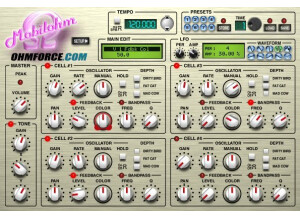
    The Ohm Force Mobilohm is a unique software phaser that can be used in a variety of settings. I didn't have any issues installing this plug-in as it only took a few minutes to download and install it. The whole process was pain free as I didn't have any compatibility problems or other issues. The interface of the software is also pretty easy to follow, even though there are a lot of parameters to play with. The plug-in has four oscillators, each of which has the same parameters to work with within each. There are also a variety of parameters outside of the oscillators and after a few minutes of playing around with the plug-in, I was able to have a good grasp on what everything does. The manual for this plug-in is helpful, but I didn't need it much as everything is pretty self explanatory. SUITABILITY/PERFORMANCE I am currently running the Ohm Force Mobilohm on a Mac Book Pro that has a 2.2 Ghz Intel Core 2 Duo processor and 4 GB of RAM. I run the plug-in in Pro Tools LE 7.4 that runs with a Digi 002 R audio interface or a Digidesign Micro Box depending on where I am working from. Within this configuration, thus far I haven't had any issues running the plug-in. I've been able to run two or three of them at a time without any problems, but since there is a lot going on it does take up a decent amount of processing power which should be taken into consideration. It really depends on what type of configuration you are running this on, but as long as you have a decent system that you are currently running plug-ins on, I don't think you'll have an issue with this one. OVERALL OPINION All in all, I've found to the Ohm Force Mobilohm plug-in to be quite helpful. It is definitely one of the most unique phaser plug-ins that I have used as it has more parameters to work with than most will. Having four different oscillators to work with is quite impressive and it makes it possible to get all sorts of phasing tones. While this probably isn't necessary for those who don't use phasing all that much, for those like me who love to use phasing this is a great plug-in to have. The price is very reasonable (especially if you can get a student discount) and is overall a top notch plug-in that I would highly recommend.

  • moosers's review

    The Prosoniq Orange Vocoder was an easy piece of software to install as it was just as easy to install as any other piece of software out there. It only took a few minutes and I didn't have any compatibility problems or other issues whatsoever. The interface of the software has a lot going on but is definitely easily manageable to figure out as long as you play around with it for a little while as all of the basic functions are easy to find and manipulate. The software contains an 8 voice synthesizer that has sections for two oscillators, a filter, and a small virtual keyboard. The software then has sections for a mixer, reverb, a graphic EQ, and an overall control section, so as you can see this software goes beyond the basic functions and features that you would expect with a vocoder. The manual for the software is easy to follow and could be helpful for beginners. SUITABILITY/PERFORMANCE I am currently running the Prosoniq Orange Vocoder on a Mac Book Pro that has a 2.2 Ghz Intel Core 2 Duo processor and 4 GB of RAM. I run the plug-in in Pro Tools LE 7.4 that runs with either a Digi 002R or a Digidesign Micro Box, depending on where I am. I've never had a problem running the plug-in on either of the systems, although it would probably be a problem to run a lot of them at a time as this will take up a decent amount of processing power. However, as long as you have a pretty good system that you've been running Pro Tools or another similar sequencer on, you should have no problems with the Prosoniq Orange Vocoder. OVERALL OPINION I've only been using the Prosoniq Orange Vocoder for a few months, but I've definitely become a big fan of the plug-in in this time. It not only sounds great, but it is also an easy plug-in to use and is quite versatile. The price is reasonable considering all of the things that this plug-in has to offer. If you are looking for a great vocoder that also has other features at a reasonable price, the Prosoniq Orange Vocoder is absolutely worth looking into.

  • moosers's review

    I didn't have any problems installing the Waves Ltd. Morphoder plug-in as it was just as easy to install as most plug-ins out there. It only took a few minutes and I didn't have any compatibility issues or any other problems. The interface of the software has a decent amount going on, but everything is clearly labeled and I was able to figure out everything rather quickly. The software has a variety of parameters including a graph that has five bands of EQ, as well as settings and parameters for a modulator, a carrier, as well as sections for noise and a synth. The output section has parameters for carrier, modulation, noise, and morph, and also has parameters for pressure, formant, smoothing, and release. I haven't seen the manual for this plug-in, so I don't know if it would be helpful or not. SUITABILITY/PERFORMANCE I've never had any problems running the Waves Ltd. Morphoder as it has always run smoothly and stably for me. I am currently running the plug-in on a Mac Book Pro that has a 2.2 Ghz Intel Core 2 Duo processor and 4 GB of RAM. I run the plug-in in Pro Tools LE 7.4 that runs with a Digi 002R audio interface. This set up has always worked fine for me, and as long as you have an adequate system to run your sequencer, I don't think that the Waves Ltd. Morphoder will give you much trouble at all. OVERALL OPINION I've been using the Waves Ltd. Morphoder for about a year and a half or two years and it is definitley a good vocoder. It is easy to use and has a lot of parameters to insure that you will have total control over your sound. It is cool to have the keyboard right on there as it makes it easy to get the pitches that you want. The price of the plug-in isn't all that cheap but isn't expensive either. It is priced right and is a plugin that I would definitley recommend for those who are interested in getting an in depth vocoder plug-in.