Log in
EN
FR

Waves Software modulation effects

7 products found

Categories
Filter
Sort by
Waves
Evaluation
  • Reviewed or not
  • Editor’s award
  • Reviewed by Audiofanzine
Availability
  • Available or not
  • Sold new or used
  • Sold new
  • Sold used
Must-have products
  • All products
  • Flagship products
  • Best rated products
  • Hot products
  • Popular products
Price
  • Freeware
  • Low-cost (< $35)
  • Mid-range ($35 - $60)
  • Premium (> $60)
€
Clear
Sort by
  • Popularity
  • User ratings
  • Price - low to high
  • Price - high to low
  • Used price, increasing
  • Used price, decreasing
  • Name (from A to Z)
  • Name (from Z to A)
  • Added on
Choose a category
Selected category: Software modulation effects
Sort results
  • Popularity
  • User ratings
  • Price - low to high
  • Price - high to low
  • Used price, increasing
  • Used price, decreasing
  • Name (from A to Z)
  • Name (from Z to A)
  • Added on
Filter results 7 results found
Brands
Evaluation
Availability
Must-have products
Price
  • Freeware
  • Low-cost (< $35)
  • Mid-range ($35 - $60)
  • Premium (> $60)
Show results

The best Waves Software modulation effects reviews

The reviews Audiofanzine members found the most helpful.
  • « A vocoder taken to the next level »

    The vocoder has gotten a lot of attention lately. In fact, most people talk about using auto tune and cranking it to snap to the grid, but the vocoder has been doing a similar effect for almost 70+ years now. It's not exactly a heavily used plugin in today's world, but it can still be very relevant for those almost robot-like voices. This plugin takes the normal vocoder and gives you two different signals to work with. It helps make this one of the more versatile vocoders out there. The plugin contains adjustments for modulation channels, internal carrier channels, noise filter high pass/low pass, noise filter frequency, synth adjustments, tuning, spread, gain, frequency, pressure, formant, smoothing and a ton of stuff that will take forever to list. I've never read the manual, and I probably should have because this is ridiculously versatile. The plugin is easy enough to enable on your DAW -- just put it on whatever buss you want to use it on. SUITABILITY/PERFORMANCE Waves is the king when it comes to things such as stability and overall performance. For one, this plugin doesn't take up too much RAM or processing power, and that's a big plus considering a DAW can have tons of different plugins and virtual synths running at any time. The plugins are all cross platform compatible, so anybody with an OS X or Windows machine can run these without any problems. I've never experienced a single issue while running this plugin when it came to things like stability and overall performance. There is one issue, however, that I did come across. These plugins are 32 bit inside of OS X. For me to utilize these in Logic Pro, it needs to run a special bridge application as my DAW is a 64 bit DAW. I'm not a huge fan as to how Logic Pro implements this, and I'm hoping that Waves updates these later on. I've been using the Mercury bundle for the past half a year or so, and it's been awesome. OVERALL OPINION I don't use a vocoder often, but it definitely has its place for those almost "Cynic" style vocals and whatnot. I find it a bit refreshing to go back to these older techniques when newer things like auto tune and whatnot are dominating the industry today. Try it out and you might mind that it's perfect for what you're looking to do while staying original in today's world.

  • « Awesome flanger »

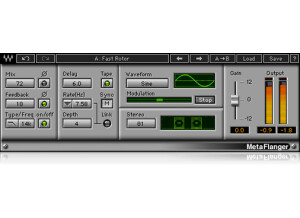
    Flanging has long been a heavily used technique in the rock world. In fact, it almost got to the point where it was overused, but it seems to be going out of style at the moment. That's good for those who want to be unique again, and this plugin should help you achieve everything from a very gentle chorus to some huge jet plane flanger sound. The plugin has adjustments for mix, mix phase wet, feedback, feedback phase, filter type (low or high pass), filter frequency, filter on/off, delay, modulation, tempo sync, link modulation rate and depth controls, sine or triangle waveform, modulation effect freezing, stereo and more. The plugin is very simple to use. Just open up your favorite DAW and put it on whatever buss you want to flange. I usually put this on some sort of aux buss, personally. I never read the manual, so I can't comment on that, but Waves' manuals are generally pretty good. SUITABILITY/PERFORMANCE First of all, this plugin is super rock solid. I've never experienced a single hiccup or crash while using this. Considering that Waves is one of the best companies in this aspect, it's really no surprise. The plugin itself is cross platform compatible, so both Windows and OS X users alike can use this without any issues. The plugin itself also doesn't take up too much RAM, and in a world where processing power/RAM mean everything, that's a huge plus. There is one issue that I have with this, however. The plugin itself is a 32 bit plugin, but my DAW is a 64 bit DAW. That means that my DAW has to launch a special bridge application to allow me to use these plugins without having to lower my RAM limit. It's a minor inconvenience, but I'd still like to see Waves update these plugins in the future. I've been using the Mercury bundle for the past half a year or so, and it's bee a great experience. OVERALL OPINION If you're looking for a very solid flanger that's very versatile, I recommend checking this out. There are some nice free plugins out there, but they're not exactly compatible with all the systems out there like this is. Really, even the standard Logic flanger is good enough for me, but I enjoy the tone that this flanger brings to the table for certain phrases and whatnot.

  • « A complex Haas effect plugin »

    The Haas effect is one of the most used (and maybe overused) effects out there. It can really thicken up a mix. Basically, you're doubling a track, delaying it a touch and then maybe adding some modulation to it. That creates the illusion that it was done twice and gives you a super thick sound. To use this, you simply enable it on your buss and start adjusting. I didn't experience any compatibility issues, so I can't comment on that. I never read the manual, but that's because I don't have the patience. This plugin is one of the harder plugins to use that Waves offers. I recommend testing out the different presets and seeing how they work to get a good grasp of how what is effecting what. After that, you should have a good idea as to how everything works. SUITABILITY/PERFORMANCE Waves plugins have always been some of the most stable plugins I've experienced. They're cross platform compatible, so they'll work with both PCs and Macs. As a Mac user, that's a huge advantage for someone like me. They run in 32 bit mode, but Logic uses a wrapper-like application that runs so you don't interfere with your 64 bit interface. I've tried this on various different buses, and it seems to work on anything with ease. It even works nicely on MIDI, which I found a bit surprising. There are no performance issues at all, and that's a huge plus when working in a DAW filled with all kinds of synths and tracks running tons of plugins. These plugins came with my Mercury package, and I've had that for a few months now. OVERALL OPINION This plugin is more complex to use. It sound great, but it can be a real pain if you're just looking for a quick Haas effect. I usually just do that kind of stuff manually as it's quicker for me to get the results I want. I usually stay away from this on distorted guitars, but it can work out nicely for clean guitars that were only one take. Check it out, you might like it.

  • « Crazy sounds in here »

    Ever want to create those whooshing sounds that you hear from flangers and whatnot but in a more easy to see manner? If so, Waves has the plugin for you. With this program, you have adjustments for the frequency change, the speed, distance and a few other things. To use this, you simply enable it on a buss and start adjusting. I didn't experience any compatibility issues, so I can't comment on that. I never read the manual, but I don't think it's really necessary for these plugins. This plugin can be a bit more daunting for the first timer, so I recommend messing with the built-in presets and seeing how they're all set up. That should give you a good idea as to how everything works. SUITABILITY/PERFORMANCE Waves plugins have always been some of the most stable plugins I've experienced. They're cross platform compatible, so they'll work with both PCs and Macs. As a Mac user, that's a huge advantage for someone like me. They run in 32 bit mode, but Logic uses a wrapper-like application that runs so you don't interfere with your 64 bit interface. I've tried this on various different buses, and it seems to work on anything with ease. It even works nicely on MIDI, which I found a bit surprising. There are no performance issues at all, and that's a huge plus when working in a DAW filled with all kinds of synths and tracks running tons of plugins. These plugins came with my Mercury package, and I've had that for a few months now. OVERALL OPINION I don't have as much use for this as I do their other plugins. It's a solid plugin, and you can create some cool flanging/speed movement sounds, but aside from that, its usage is limited. I would assume a lot of electronica guys would love this as I hear this kind of effect in almost every trance song out there. If that's the case, you'll probably love this plugin.

  • moosers's review

    The Waves Ltd. Mondo Mod software is a versatile modulation effects plug-in, compatible with all DAW's that I'm aware of. The plug-in can be purchased individually or within a number of different bundles. I installed the plug-in along with the full compliment of Waves plug-ins, which was an easy enough to do as it's just a simple as installing any piece of software. Learning to use the plug-in doesn't take an incredible amount of experience, but it did take me a few tries to get completely comfortable with the plug-in since it has a good amount of parameters to work with. It has AM, FM & Rotation modulations in here, with the AM and FM modules having depth and phase control and rotation having center and range parameters. The AM is essentially a tremolo, while FM is a vibrato and rotation is for panning purposes. The plug-in also has a tempo synch option, waveform selection, mix level, and gain. As you can probably tell, there's enough control here to give you a wide array of tones, but it's not convoluted in the least. A manual isn't something that should be necessary with this plug-in. SUITABILITY/PERFORMANCE I've currently got the Waves Ltd. Mondo Mod plug-in running on my system at home, but have also used it at the professional studio where I work. My home studio consists of Pro Tools 9, a Digi 002R audio interface, and a Mac Book Pro computer that has 4 GB of RAM and a 2.2 Ghz Intel Core 2 Duo processor. I've only used the plug-in in a limited number of instances (one or two), and this system has been more than enough to handle it... OVERALL OPINION I'm a pretty big fan of the Waves Ltd. Mondo Mod plug-in all in all, as there's a whole lot that can be done with it. Between the three main modes of FM, AM, and rotation (vibrato, tremolo and panning respectively) you can get all sorts of different modulation sounds that are great for a variety of purposes. I like using this plug-in for vocals especially as it can give you a nice and spacey vocal effect, but it's useful across the board whenever you might be looking for any sort of modulation effect. I don't know that I would have bought Mondo Mod individually had I not gotten it in a bundle, but it's definitely one worth considering either way if you're looking for something like this.