Log in
EN
FR

Pitch Shifters / Time Stretchers

269 products found

Filter
Sort by
Evaluation
  • Reviewed or not
  • Editor’s award
  • Reviewed by Audiofanzine
Availability
  • Available or not
  • Sold new or used
  • Sold new
  • Sold used
Must-have products
  • All products
  • Flagship products
  • Best rated products
  • Hot products
  • Popular products
Price
  • Freeware
  • Low-cost (< $85)
  • Mid-range ($85 - $250)
  • Premium (> $250)
€
Clear
Sort by
  • Popularity
  • User ratings
  • Price - low to high
  • Price - high to low
  • Used price, increasing
  • Used price, decreasing
  • Name (from A to Z)
  • Name (from Z to A)
  • Added on
Sort results
  • Popularity
  • User ratings
  • Price - low to high
  • Price - high to low
  • Used price, increasing
  • Used price, decreasing
  • Name (from A to Z)
  • Name (from Z to A)
  • Added on
Filter results 269 results found
Evaluation
Availability
Must-have products
Price
  • Freeware
  • Low-cost (< $85)
  • Mid-range ($85 - $250)
  • Premium (> $250)
Show results

The best Pitch Shifters / Time Stretchers reviews

The reviews Audiofanzine members found the most helpful.
  • « so now everyone can be T-pain? »

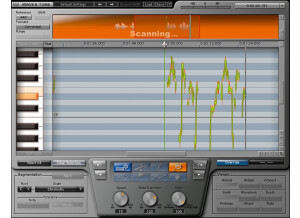
    Ah Auto-tune, the saviour to our worlds most terrible singers and the single piece of gear that has made singers all around the world...lazier. Auto-tune runs just like every other vst really, barely ever crashes, simple as anything to install and there are about a ton of helpful vids on how to get the best from it. All options are very visually right in front of the user so its pretty straight forward to use once your used to it. Of course as always theres a nice and easy to understand manual if you need it. Auto-tune is straight forward in the way that you can easily just move your originally notes up a touch or completely soar your c1 note up to a f#4 in a matter of seconds (i just hope your not expecting to sound normal...). of course for all you rappers/hip hop/pop musicians out there you can get that long sought after t-pain robot sound effect simple by drawing straight lines over your graph on the notes you want! woooohooooo!! to vocal laziness!!! SUITABILITY/PERFORMANCE The software works perfectly as intended, produces that perfect pitch vocal/instrument sound whilst adding its own timbre to vocals which in my opinion when used right can sound amazing! though when used wrong... disaster is sure to follow in the way of recycled over-autotuned garbage vocals as seen in todays pop culture. Iv'e used autotune Evo for a long time since it first came out and i am glad i have it.. lets face it, some singers have bad days... months... lives. And I've dealt with a few. OVERALL OPINION I cant really say anything bad about auto-tune itself, its a great tool when used right. The price is good i guess and there are tons of other versions out there but in my preference and opinion this is the best/easiest. if you have no idea what your doing there's an auto mode, if you want certain notes doing certain things... get on over to the graph side of things. Now i know this review seems as though i hate auto-tune... that is not correct, i absolutely love auto-tune when its used with taste and if the person using iit can actually already sing! Auto-tune evo is a must have for any budding studio engineer!

  • moosers's review

    The Antares Systems Avox Duo is a vocal doubler plug-in that is available within Antares' AVOX vocal toolkit bundle of plug-ins. There is a newer version of this plug-in within the Evo bundle, but I've used this one primarily. I didn't have any problems at all installing the bundle on my system, as it was unmemorable since it was just like installing any plug-in pack. Learning how to use the plug-in is also really easy, as the interface consists of a series of sliders to control the sound of the double vocal and the mix of the two. The parameters available are for vocal timbre, vibrato, pitch variation, timing variation, and for setting the levels and panning of both the original vocal and the double. You can also set what kind of voice color you have to make it track best. I've never seen a manual for this plug-in... SUITABILITY/PERFORMANCE I'm running the Antares Systems Avox Duo in Pro Tools LE 8 currently on a Mac Book Pro that has a 2.2 Ghz Intel Core 2 Duo processor and 4 GB of RAM. I run Pro Tools LE with a Digi 002R audio interface or a Digidesign Micro Box if I'm on the go and I monitor everything with a set of Adam A7 monitors. I've never had a need to run more than one of these at a time in Pro Tools, so for what I've used it for I've never had a problem with the performance of this plug-in. OVERALL OPINION While definitely a cool idea, I'm not sure that the execution on the Antares Systems Avox Duo is the best. It sounds decent enough, but it's definitely not a very realistic sounding vocal doubler and I wouldn't print with it for any real mixes. The tracking isn't the best on it, but it's decent enough if you're just looking to add a little bit of depth. Honestly, if you want a vocal double I don't see why you wouldn't use add a second voice to your recording. This is a quick way to get a double vocal in there, but again, I wouldn't use it in a serious mix. I'd recommend trying out the Evo Duo if you're seriously interested in the plug-in like this, as that one sounds a bit better. If you're interested in the other plug-ins in the Avox Toolkit bundle, it's at least nice to have this one, but I wouldn't get this plug-in pack for this plug-in alone.

  • moosers's review

    The Maxim Digital Audio (MDA) Detune plug-in is a piece of freeware that I have used in VST format in Cubase SX. I don't know if this is available in other plug-ins formats beyond VST. It's been a decent amount of time since I installed and used this plug-in, so I can't remember all of the details related to installation, but if I don't remember it it's probably because it was an easy process without any problems. As long as you don't have any compatibility issues, you should be all set. In terms of using the plug-in, the interface is really simple, consisting of a series of sliders to control detune, mix, output, and latency. It has a variety of presets, which can definitely be helpful starting points for both new and experienced units. I'm not sure if they even make a manual for this plug-in, but either way I don't believe you need to seek one out since it's so easy to use on it's own. SUITABILITY/PERFORMANCE When I was running this plug-in, it was in Cubase SX 2.0 and 3 on a Hewlett Packard Pavilion dv8000 lap top consisting of a 2 GB of RAM and a 3.0 Ghz processor. I can't recall ever having a problem trying to run this plug-in, but definitely didn't use it very often and in bunches. When I used it I did so with just one instance or so at a time as this isn't by an stretch the type of plug-in that users will be using very often, or at least I didn't. It isn't that it has that bad of a sound, it just isn't something that it necessary on a daily basis. Having said this, the plug-in clearly doesn't take up much processing power at all, so I can't imagine too many users having an issue here. OVERALL OPINION When I was running Cubase SX on my old PC I really tried to get as many free plug-ins as I could, which meant adding the Maxim Digital Audio Detune and the other MDA plug-ins out there for free. While this plug-in isn't the prettiest looking or sounding plug-in, it can come in handy and there really isn't a reason not to have it since it is free. This definitely isn't one of my favorite MDA free plug-ins though, as it just doesn't have all that much use to me. However, I did end up printing with it a few times when I was looking for some heavy de-tuning, so if you have a VST compatible platform I'd at least encourage you to try it out to decide for yourself.

  • Azuma's review

    There weren't any kind of compatibility issues mainly because this program works on any platform either Windows XP, Windows Seven or MAC OS. The manual provided by Antares was quite good , it covered in details the building of the harmony , the different effects and panning options to achieve a more natural harmonic sound. The general configuration and setup is quite simple , this program is very easy to install and to start use it right away. The typical functions are easily accessible because you have only a simple window to choose different type of voicing , choirs and effects. SUITABILITY/PERFORMANCE The software works correctly in this configuration , the gear is very stable and I haven't had a bad time using it. I'm getting good performances in building certain harmony effects , in creating different choir effects and many other cool features of this program. I've been using this harmony engine for about 6 months , but believe me , this is a very powerful musical tool. OVERALL OPINION What I like most about it are the choir effects , I like how smooth they blend it with the rest of the recording , I also do like some features from Autotune like humanize and naturalize the vibrato and texture of the voice. Another great feature is the harmony control where you can adjust the scale , the type of scale and the way the voices will interact. My opinion about the value for the price is great, I think this is a very powerful tools that deserves the money if you need a plugin like this. Precision and quality of the sound is quite good , however if the voices are very high they do tend to sound very robotic so keep that in mind if you're quite extreme with your harmonies. Knowing What I know , I would get this program again , mainly because of how useful and fast it is , and I also do like the fact that is doesn't require a lot of cpu power.

  • « You can upgrade later »

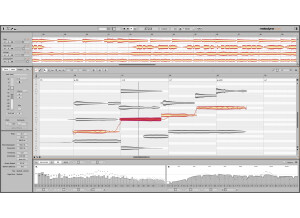
    Celemony Melodyne Assistant is probably the most affordable plug in that Celemony has come out with. It does not have all of the features of the main program but it will get you in the right direction. Plus you can still upgrade to the full Melodyne Studio or Melodyne editor later one if you choose to. This program is like a “go to” program for vocal tuning. It can get difficult to know exactly how on key your vocals are without software like this. Some people choose not to use pitch correction software like this because they feel it is not very natural. But all of the major studio’s use software like this to tune vocals. Most of the time the naked ear cannot tell the difference but to someone who is really involved with the musical process or understands how it should sound will know if your vocals are really on key or not. SUITABILITY/PERFORMANCE The quality you will get with this program is great because it will not give you that computerized sounding vocals when correcting the pitch, as long as you are within a good proximity of the actually pitch it will correct it and you will not hear any what I like to call “breaking” but really it is just hearing the vocals being corrected and comes out really computerized (which is kind of the style now anyways). OVERALL OPINION Having software that can correct your pitch problems quickly is something every single home or major studio needs if you are recording vocals frequently because hardly anyone will ever have perfect pitch while singing. Now since this is the assistant version and not the full version you will not get all of the features that you will get with Melodyne Studio but you can still get enough out of the Assistant version and with the price that it cost you won’t have to spend too much money.

  • « It provides great sounding. »

    There weren't any kind of compatibility issues in the program worked really great as well on my Windows XP, Windows Seven or a MAC OS. The book provided by the program was pretty clear and I could understand the general configuration of the program and how the settings worked. General configuration and setup is pretty usual and simple and you can go for you in just a couple of minutes. the typical functions are accessible fro a nice window in the great design have a lot of editing options to choose from. SUITABILITY/PERFORMANCE The software works great as well as standalone program it's very well made I gotta notice the stability of the program. There is a very nice effect that you can find on skrillex songs and other rap songs provided by Autotune. I also enjoyed the precise pitch information provided by the program, and how you can control the vibrato, notes, the tone in the range, and many other cool features. OVERALL OPINION What I like most about it is the great control provided by the program, how you can edit and tweak the sounds, I also enjoy the new design, and without a doubt the robotic feel of the soft. I can't complain about the quality of the plugin, or the precision, because both of them are very well handled and implemented, gotta give some some credit to Antares for that. There are plenty of audio corrections type of plugins out there, however Autotune still sits on top with Melodyne Editor, there is a slight upside down, Autotune can edit only human pitch, Melodyne can edit any kind of pitch, drums, guitars, piano, etc. If you're interested in pitch control, audio editing, vibrato amount, then without a doubt, AutoTune is just for you, give it a try.

  • « Really cool vocal manipulator »

    This is a pitch shifting software plugin that can be used on many different DAWs. I personally use it on PT 8 LE with my Digi 003 hooked up to my Macbook Pro. The setup was pretty basic, I downloaded the plug-in and installed it shortly after purchasing it. The software worked absolutely fine for me from the minute I started using it. I haven't had the need to use it on multiple tracks per session, so I can't say for sure whether or not it slows down when used a lot. The functions took me a little bit to get used to, as I hadn't really used a lot of other pitch shifters and vocal manipulators before, but eventually I figured it out. SUITABILITY/PERFORMANCE This software works really well in this configuration for me personally. I've also installed it at our studios Pro Tools HD setup and it works just as well there. The plug-in is totally stable, I've never had an issue with it. It's a quick performance and there's a lot of options here, so it can be really effective. There are three different modes of operation with it, and some of them work better for some signals then others, so there's really a ton of variety to be had here. OVERALL OPINION I like the incredible variety of tones to be found here. I originally thought that this was just to make a voice sound slower or deeper, or the opposite, but I later found that there are tons of processors and effects that can be put on vocals with this thing. Theoretically it'd work with other instruments too, if that's what you're into. I personally have stuck to vocals but I could see it working on lead guitars, violins, and some other instruments as well. I think that this is one of the cooler processors I've used. I've managed to take perfectly clean vocal sounds and make them sound like robots on tape being electrocuted. There's just so many possibilities with this that even though I think that I wouldn't need it much, it's perfect for when I do need it. I highly recommend it considering how good it is.

  • moosers's review

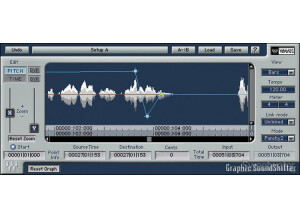
    The Waves Ltd. Sound Shifter is a pitch shifting plug-in, coming in just about every format of plug-ins available. I didn't have anything to do with the installation portion of using this plug-in as it was already installed on the computer in the recording that I used it at. The interface of the Sound Shifter is very simple to follow. It has parameters for semitones and cents to set how you would like pitch shift your sound, as well as for interval if you want to set it that way. It then has parameters for frequency for both the source and destination. It also has a slider for ratio and a number of different modes to choose from. I've never had a problem using the plug-in, so I don't think a manual is necessary unless you are a beginner or are having technical problems. SUITABILITY/PERFORMANCE In my experience using the Waves Ltd. Sound Shifter I've never had even the slightest issue when it comes to performance. The plug-in is one that won't take up much processing power at all. I've used it in a Pro Tools HD system with an Apple G5 computer, so I can't really say how well it would run in an LE system or something comparable. Having said this, I really don't think anyone will have a problem running it as long as you have a system that you're currently able to run plug-ins on well, as this is one of the least processing power taxing plug-ins that I've used. OVERALL OPINION Overall, the Waves Ltd. Sound Shifter isn't one of my favorite plug-ins. While it will certainly do as advertised, compared to some of the other pitch shifting and tuning plug-ins out there, this doesn't have much versatility. I would imagine that most users out there looking for a pitch shifting plug-in would like it to also have tuning capabilities, which this one does not. While it does have the high quality of sound that you'd expect from Waves, the versatility is severely lacking and is the main reason that I'd recommend looking elsewhere for a pitch shifting plug-in...

  • songboy's review

    I run a Macbook with Logic 9. There has been no compatibility issues. It installed properly and functions properly. The manual is very clear and sufficient. There a lot of knobs and parameters so it definitely helps to read it over. Its not too long. The configuration/setup is easy in the sense that all the controls are right in front of you. It is not necessarily easy to use. There are a lot of options on this guy, so again, browse over that manual. Yes, functions are easily accessible. SUITABILITY/PERFORMANCE Yes, the software works great. No problems so far. It has never crashed on me nor have I lost any presets on it. It performs very well. I really like to use it to get some interesting chorus like effects. It also makes some great harmonies on vocals. It also has a delay function but I only use that when using this unit. If I want a good delay, I have better plugins for that. I would give it a 9 out of 10. Its pretty fun to mess around with. It also works great on drums too. I have been using this plugin for about a month. OVERALL OPINION What I like most about this unit is the good sounding chorus effects and the huge amount of tweaking you can do. There are some great presets in this guy to get you going too. I recommend starting there if you are new to this type of device. What I don't like about it..., well, not really any thing. It does what its supposed to do and does it well. If I had to complain about one thing, its the way the mouse reacts to the knobs. Instead of going up to increase and down to decrease, some of them make you do a "arch" kind of movement. NOt really a big deal, but a little strange. I paid $50, not too bad at all. The sound quality is great. It sounds just as good before the device as it does after. Logic 9 has some pitch shifting plugins built in, but I find myself going to this guy more often. Yeah, I would buy this unit again. $50 is not a bad price for a fun plugin these days.

  • moosers's review

    Everything was pretty easy to get going for Antares Auto-Tune 5 on my system (Macbook Pro, 2.2 Ghz, 2 GB Ram). Of course you need an iLok to authorize the plug-in, but since I had previous experience with setting that up it was pretty easy. I really had no need to look at the manual. SUITABILITY/PERFORMANCE I run my Macbook Pro with Pro Tools LE 7.4 and a Digidesign 002 rack and Auto Tune works great with it. I haven't had any problems with running it except sometimes it slows down a bit when too much information is going on, but I guess that is to be expected. OVERALL OPINION I've owned Auto Tune 5 for about 10 months now but I had been using an earlier version for about a year and half before that. I love the interface of the software, both in graphical mode and in automatic it is easy to configure and to tune things up with. The sound is pretty smooth, along it really depends on the singer. If a vocal is relatively close this thing works great for just making it that much better. However, it can definitely sound computerish if you try to stretch its limitations on a poor singer. Although I have yet to use Melodyne, it seems some of their new products (Direct Note Access) may have Auto Tune beat at this point and when Melodyne releases their new software I may have to switch over to that simply because it has more features, although I'm sure Antares will have a response to it. Auto Tune is a bit pricey, but for me it is essential to have when working with clients. I will probably stick with this unless I try out Melodyne and decide to start using that.

  • « Huge sounds and clear complexity »

    A massive diatonic harmonizer, you can output up to eight voices based on a chosen key and timing interval (I also demo the Quadravox later in the demo, which offers similar presets, but with four voices). This plug-in is based on the Eventide H8000 hardware effects processor, allowing you to stack harmonies, make instruments sound thicker and more massive and, of course, create rhythmic sequences. With 70+ presets you can tweak to your heart’s content and develop unique layering by manipulating each voice independently with different panning, delay times, feedbacks, pitch, etc. For the musically minded (those into theory and who read music), each preset includes a Notation Grid that shows the pitches on a music staff and with a quantized grid for placing notes over time (color and brightness indicate pan and level for each voice); this allows for a more musical programming experience. And if you’re into MIDI, each voice can be set to a MIDI note, including voice shift amount (pitch bend) and randomization (modulation wheel). For example, this allows you to change voice key/scale intervals on the fly as you perform or record voice. Some other useful features include the MixLock (which keeps the wet/dry of the effect static as you scroll through presets or user-defined snapshots) and the Key Lock (which locks the key and scale). And since each preset can have nine Snap Shots, you can create variations on a theme and select them at a click of a mouse. The demo accompanying this overview uses nothing but guitar, but it doesn’t take much imagination to think how this plug-in can work with drums, synth and voice.

  • « Can't Imagine Living Without It »

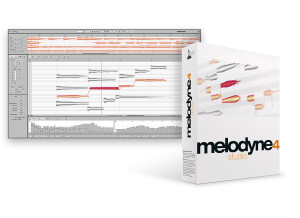
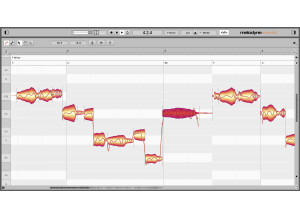
    Getting started with Celemony Melodyne is easy. The software is downloaded off their website and installed in a matter of minutes. I use the plug-in inside Pro Tools. It used to be that to use the software, it had to run over ReWire which was a little bit of a headache. Having it run as a plug-in is much better. The interface is easy to use. Basically you start out by clicking the 'Import Audio' button and playback the signal you wish to edit. This has to be done so that the plug-in can record the sound for internal processing. After playback is finished, then you can edit the signal in many different ways. The signal can be edited to correct pitch, but also the timing of the individual notes can be moved. Vibrato in the signal can also be adjusted. SUITABILITY/PERFORMANCE The software is very stable as a plug-in for a DAW. I have only tried it with Pro Tools, but I imagine it is just as solid on other platforms. How good does the pitch correction work? The pitch correction is very good but depends on several things. First, recording a signal 'dry' will help make the analysis of the signal better than if there is a lot of reverb or echo in the recorded signal. All these kinds of effects should be added post-Melodyne. For the most part, the pitch correction sounds very natural and does not have the extreme 'auto-tune' sound. Although, if you really want to, you can do this with Melodyne too. Having a good performance to begin with also helps. Finally, giving the software a long signal to analyze will result in better performance. Occasionally when I try to have the program analyze one or two note it has a hard time coming up with accurate results. OVERALL OPINION Celemony Melodyne is a necessary tool of the modern recording studio. Some people will complain that it is 'cheating' or that pitch correction takes away from the 'realism' of the performance. To some extent I agree, however if used in moderation pitch correction adds to a performance and doesn't take anything away. This kind of processing is used on almost all recordings these days, and is even more popular than extreme auto-tune effects. After using it for a long time, I can't imagine trying to work on a project with out it. There are many other products that do the same kind of thing as Melodyne, however I have not tried them. I started using Melodyne when it originally got started, and I have stuck with it ever since. I also like that they are continuing to innovate by expanding pitch correction to polyphonic recordings rather than just monophonic signals. The potential for creativity is crazy with being able to transform the pitch of individual notes in a guitar chord or piano chord. There is also more potential for innovation in the future now that Celemony is working with DAW software developers to have a plug-in format where the plug-in can directly access the signal without having to play it back the way that it does now. I can't wait to see what the future holds for Celemony Melodyne.