Log in
EN
FR

Software Distortions/Overdrives

673 products found

Filter
Sort by
Brand
Evaluation
  • Reviewed or not
  • Editor’s award
  • Reviewed by Audiofanzine
Availability
  • Available or not
  • Sold new or used
  • Sold new
  • Sold used
Must-have products
  • All products
  • Flagship products
  • Best rated products
  • Hot products
  • Popular products
Price
  • Freeware
  • Low-cost (< $45)
  • Mid-range ($45 - $100)
  • Premium (> $100)
€
Clear
Sort by
  • Popularity
  • User ratings
  • Price - low to high
  • Price - high to low
  • Used price, increasing
  • Used price, decreasing
  • Name (from A to Z)
  • Name (from Z to A)
  • Added on
Sort results
  • Popularity
  • User ratings
  • Price - low to high
  • Price - high to low
  • Used price, increasing
  • Used price, decreasing
  • Name (from A to Z)
  • Name (from Z to A)
  • Added on
Filter results 673 results found
Brands
Evaluation
Availability
Must-have products
Price
  • Freeware
  • Low-cost (< $45)
  • Mid-range ($45 - $100)
  • Premium (> $100)
Show results

The best Software Distortions/Overdrives reviews

The reviews Audiofanzine members found the most helpful.
  • moosers's review

    The Maxim Digital Audio Overdrive plug-in is a free VST plug-in that runs on both PC and Mac operating systems. The process of installing it should be quick and easy, granted that you have a DAW that can run VST plug-ins. After downloading it, just follow the standard step by step installation instructions, and you're good to go. It should automatically put the plug-in file in the proper place, but I'd check that upon installation it's in your DAW's plug-in folder anyway. Learning the plug-in should only take a glance, as it's very simple in make up. It's just got three sliders to control drive, muffle, and output. You don't need to know anything else about the plug-in, and I don't think you'd be able to reference a manual as they most likely didn't make one. SUITABILITY/PERFORMANCE I'm no longer running the Maxim Digital Audio Overdrive plug-in, but when I was it was in Cubase SX software on a Hewlett Packard Pavilion dv8000 lap top with 2 GB of RAM and a 3.0 Ghz processor. I ran everything through a MOTU 896 HD. Ever since I made the switch to a Pro Tools system, I haven't had the need for this plug-in. Although, you can run it in Pro Tools if you've got the Fxpansion VST to RTAS converter. In terms of how much processing power this plug-in takes up, it really isn't much so I wouldn't worry about it. OVERALL OPINION Maxim Digital Audio offers up a nice amount of free plug-ins, but they've definitely decided to go with quantity over quality, as I really don't think this Overdrive plug-in is usable. While I usually don't expect too much from a software overdrives to being with, this one is well below the quality that modern overdrive and distortion plug-ins are capable of. I just can't say that it has a realistic sound in any capacity. I guess if you wanted to really just give yourself a lo-fi sound, you could with the 'muffle' parameter, but as far as a traditional overdrive goes, this just doesn't do the trick. If you're downloading free plug-ins from Maxim Digital Audio, you might as well download all of them, but I wouldn't go out of my way for this one.

  • « Heads will roll »

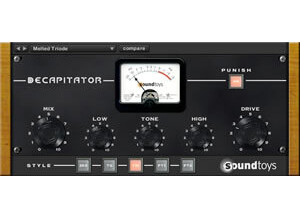
    There has never been such a suitably named plugin as the Soundtoys Decapitator, it really will take your head off with some of the sounds it can give to your tracks. Beginning with the installation, which is quite straight forward as most Soundtoys plugins are, no compatibility issues with Logic Pro 9 at all and when loaded up it is a very clear and engaging interface. The manual is always there for plugins of this nature but for this Soundtoys product i would recommend you just dive straight in and start playing around with the features. The Decapitator has an intuitive GUI and clearly labelled controls apart from the letters along the bottom but we'll get to that part later. SUITABILITY/PERFORMANCE I have been using the Decapitator for almost a year now and can confirm it works perfectly with Logic Pro 9 on a Mac computer with 4GB of RAM on OSX 10.6.8. It is very stable in my experience, no random crashes or anything like that. The performance is very good and is fairly light on CPU usage, although in any given project i can't recall using any more than 3 or 4 instances of the plugin but with no noticeable CPU spikes none the less. Some users may want to put 1 on every channel to get a subtle saturation effect for mixing into which i would recommend if you're CPU can handle it (bear in mind you would likely be using more plugins on top of the decapitators) otherwise try 1 on every sub mix or bus to get a taste of what it can do. Now, onto the letters at the bottom. Each letter stands for a different saturation type that is based on real analogue consoles and hardware, so you can dial in settings for the other controls then switch between the letters and the effect will change slightly. Much like other plugins who are 'influenced' by real analogue hardware and consoles, they sometimes don't directly disclose what brand they have modelled because it hasn't been officially licensed, although in the Decapitator manual it does describe in some detail the gear that influenced the saturation types. With the Decapitator, here are what the letters represent according to the manual; A - Ampex 350 tape drive preamp (think Johnny Cash, Elvis, Sun/Stax/Chess records) E - EMI TG console (think The Beatles, Pink Floyd) N - Neve 1057 input channel (very thick low frequency content) T - Triode (from the Thermionic Culture Vulture hardware unit) P - Pentode (also from the Thermionic Culture Vulture hardware unit) The difference between T and P is that T produces even harmonics and P produces odd harmonics. So with all these different models, it really can be a one-stop-shop for saturation and distortion. As well as all of this, the plugin also features filters for cutting the low end and high end to remove some muddiness and high end fizz that can happen when really going for it with the drive setting. The thump switch is useful for kick drums or the low end of guitars because it adds a few extra decibels to the cut off frequency of the 'low cut' control. The Steep switch transforms a 6db per octave high end filter into a much steeper filter which can be used at a cut off around 4-5khz to simulate a guitar cabinet if desired. The Punish switch (as you can imagine) adds a ridiculous amount of distortion onto what you've already got, plus another 20db's of gain according the manual! If you're having a long day at the office then this switch will definitely perk you up a bit. Make sure to press the auto output switch in conjunction with the punish switch the first few times. OVERALL OPINION The thing i like most about the Decapitator is it does extreme but in a way that can be actually be used without sounding awful like some distortion plugins. The tone and low end/high end filter controls are very handy as well. Try it on a simple drum loop to hear the effect it has on each part of the kit, changing the letters at the bottom to get an idea of the character of the different hardware models. It is an incredibly useful plugin that can be used in every mix. You can use it sparingly if you wish, but The Decapitator is a lot like Will Smith, he did good just as a rapper but when he got into acting more and pushed the boat out that's when his true talent shone and things really took off... So sit back, max and relax and turn the drive up on this bad boy to really hear what it can do! Overall, The Soundtoys Decapitator knows how powerful it is. Yes it can do subtle, but with a 'Drive' knob the size of Jupiter and a button that says 'Punish' - you know deep down that this plugin is truly in it's element when it's seriously distorting your audio. A fantastic saturation/distortion plugin with a not-so-fantastic price but still a must have when it comes to producing and mixing so start saving those pennies.

  • moosers's review

    Ohm Force Predatohm is a unique four band distortion plug-in. I didn't have any issues installing the plug-in as it was easy enough to download it from their website and follow the instructions for installation. The interface in the picture shown is actually an alternate skin for the plug-in, the original skin is a lot more user friendly and easy to understand, so I would start with that one first. Each of the four bands of distortion have parameters for level, character, intensity, distortion amount, and distortion type. There are also a slew of parameters on the left side of the plug-in including sections for tone, feedback, and 'super stereo.' I haven't needed to look at the manual for this plug-in, so I can't say anything about the make up of it. SUITABILITY/PERFORMANCE I am currently running Ohm Force Predatohm on a Mac Book Pro that has a 2.2 Ghz Intel Core 2 Duo processor and 4 GB of RAM. I run the plug-in only in Pro Tools LE 7.4 that runs with a Digi 002R audio interface, and within the configuration I can't say I've ever had any problems running Predatohm. I'm able to run a bunch of them within a single session, but don't overdo it too often so I can't say that I would be able to run an endless amount of these plug-ins. I've been running the plug-in only for only a few months but it has become one of my favorite digital distortions to use in this short time. OVERALL OPINION I would definitely recommend checking out Ohm Force Predatohm if you are in the market for a good sounding distortion plug-in. While I don't tend to be a fan of digital distortions at all, this one has some really cool features and sounds. Beyond this plug-in, Ohm Force makes some great plug-ins and I would definitely recommend checking out the bundles that they have to offer as they are very reasonably priced and make each individual a lot cheaper. Also, if you are a student Ohm Force offers up a 50% discount! All in all, Ohm Force Predatohm is a powerful plug-in that should definitely be looked into by home and professional studio owners alike.

  • « Good over-drive, but I have better »

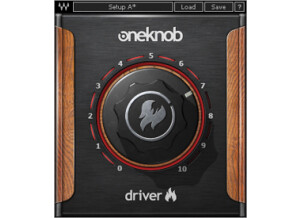
    There were no compatibility issues installing any of the other six One Knob plug-ins, One Knob Driver being no different. The general setup of the plug-in, as with the others, is as simple as it gets. One knob sits in the middle of the display. When you raise the knob an aesthetically pleasing yet quasi-ominous red light indicates the effect's level, also displayed in a number between 0 and 10 in the lower right hand corner. Because of it's simplicity I have never felt the need to read the manual, but I can imagine as with the rest of the Waves plug-ins that it would be well-written and helpful. SUITABILITY/PERFORMANCE Running in Ableton Live 8 on my MacBook Pro with a 2.7Ghz Intel Core i7 processor and 4GBs of RAM, Waves' One Knob Driver is as smooth as clockwork. Being a fairly light plug-in with regards to CPU usage, it is stable and reliable even in situations with many other effects and VSTs operating simultaneously. That said, I do not use the One Knob series too much. This is for the simple fact that they don't offer enough versatility. There is literally one, and only one way to affect the signal. Although easier for producers who may not want to go through the trouble of learning more complex interfaces for over-driving or distorting the signal, is it worth the money? The product can either be purchased as a part of the Waves One Knob package deal, or with the Mercury bundle. If you are really dying the try it, get a much better deal by buy the Mercury bundle and getting the entire library of other top-of-the-line plug-ins that comes with it. OVERALL OPINION Overall I wasn't totally satisfied with the One Knob series by Waves, but there were some viable pros to help balance the cons. The pros: their simplicity, stability, and superior sound quality. Calling the chaos with this plug-in couldn't have been easier and sounded really great, ripping into the signal and driving it forward in the mix. The cons: lack of versatility in expression, and limited realistic use in a professional production environment. Although there is a One Knob to solve everything, it isn't always the right plug-in to just throw in the mix and crank up, because at the end of the day you don't have the ability to tweak it exactly how you want it. The One Knob Driver, although expressive in its own way, lacks enough flexibility for me to really recommend it as a worthwhile product to invest it, but if you get it as a part of the Mercury bundle I would encourage you to try it out just to know how it sounds. There are certainly great situation where the exact One Knob Driver sound is what you need.

  • moosers's review

    The process of installing Ohm Force's Ohmicide: Melohman wasn't hard at all as it was the same basic process of installing any problem. Simply engage the file and follow the instructions. I didn't have any compatiiblity issues or any other problems and was able to use the plug-in in Pro Tools within about five or ten minutes from downloading and installing the plug-in. While I woudln't say that the interface is complicated, there are a ton of parameters to work with so it did take me a little while to get used to everything going on. Since it is a distortion plug-in primarily, it has all sorts of ways to distort your signal and then also has four bands of compression that each have both basic dynamic parameters and some non traditional ones. While I haven't seen the manual, if you are new to compression it would definitely check it out as I'm sure it has a lot to offer about this unique compressor. SUITABILITY/PERFORMANCE Within the current set up that I have, I'm able to run this plug-in without any problems. I am running Ohm Force Ohmicide: Melohman on a Mac Book Pro that has a 2.2 Ghz Intel Core 2 Duo processor and 4 GB of RAM. I run the plug-in in Pro Tools LE 7.4 that runs with a Digi 002 R audio interface. I can't say that I have too many complaints about the performance that I getting with this configuration and this plug-in. However, this plug-in does take up a decent amount of processing power and for me it isn't possible to go crazy with it. I can probably run four or five of these in a single session within my configuration until it starts to slow things down. OVERALL OPINION All in all, I would definitely recommend checking out Ohm Force Ohmicide: Melohman. It has an overall very cool sound and offers tons and tons of setting controls so the amount of variation you can get in terms of tone is outstanding. If you buy this plug-in in a bunlde as I did, it is a heck of a deal but it is a good deal on its own as well. While I'm usually not a fan of digital distortion, Ohm Force has done a great job here in making this work. I love having so much control over my tone and the ability to get so many awesome and versatile sound within a single plug-in. I'd definitely recommend taking a look into Ohmicide as it is overall a very cool sounding plug-in...

  • « i love it »

    So far, there have been no compatibility issues. I use a Macbook (2.2ghz, 4gb Ram, 320gb HD) with Logic Pro 8 and a Presonus firepod. Everytime I load it up it works great. Is the general configuration/setup simple? There are a few different dials on the face, but after playing around with each one, I was able to get a good grasp of what they do. I usually just start off with a preset (there are quite a few) and go from there. SUITABILITY/PERFORMANCE So far, no need for a manual. If you are familiar with audio equipment and you have decent ears, you will get the gist of this unit. Are the typical functions easily accessible? All the dials are right on the face so I would consider them easily accessible. OVERALL OPINION Yes, it works great, I have one complaint about it but I will address that below. Overall it seems to process the signal very well and I have yet to notice any latency issues. What performance are you getting? (if quantifiable) If I had to quantify it, I would give it a 10 out of 10. In a nutshell, it is a very powerful distortion unit. Like I stated earlier, I use Logic 8 which has a bunch of built in processors which includes a few distortion units. I really enjoy them but the devastator blows them out of the water. Its gritty, strong (weak if you want it to be) and down right evil sounding. I really enjoy it and use it much more often than the Logic units

  • « Good distortion »

    AIR plugins are part of the set of plugins that come together with Pro Tools. AIR stands for Advanced Instrument Research, and these are highly versatile plugins that really help expand the overall usage of Pro Tools. First of all, there are no compatibility issues with these plugins as they're made exclusively for Pro Tools. That means no unexpected crashing or weird bugs. I never read the manual on this, so I can't really comment on that. These plugins are easy enough to use that you shouldn't really need it. I find that AIR Distortion works best for those wanting to add some slight grit to vocals or those working with electronica music. For guitars, this isn't something you want to use; guitars are usually already distorted. It's a powerful distortion that can get out of hand if you're not careful, so be sure to use it lightly. SUITABILITY/PERFORMANCE I never experienced any performance issues with these plugins, and the reason is that they're made exclusively for Pro Tools. Because of that, everything is rock solid. I use a Mac Pro Dual Quad Core machine, and while Logic is my main DAW, Pro Tools is what I've been experimenting with lately, and I can see why it's considered the best DAW out there. I never had any issues when it came to RAM or slowdowns, but it could also be because my machine is fairly hefty. I've only been using Pro Tools for a few months, so my opinions may change in the future. OVERALL OPINION I don't use this one quite as much because it's not really meant for guitars. I've used it on vocals with success, but since I'm not a huge electronica guy, I don't use it for much aside from that. I've used it on bass before, but I generally prefer using some sort of VST for bass recording instead of loading the buss up with built-in plugins.

  • moosers's review

    The Nomad Factory BT Analog Valve Driver ADR2S is a saturation/overdrive plug-in that is part of the Blue Tubes Effects Pack. It's one of six in the bundle. I don't own the bundle or the plug-in individually, so I can't speak first hand on the installation or authorization processes. However, it's not too hard of a plug-in to wrap your head around. The main parameter it has is for valve driver, which is essentially the amount of saturation you'd like. It then has a slider for eight grungelizer modes and controls for both a high and low pass filter. Lastly, it gives you parameters for gate, attack, release, and output, so it does have a pretty nice collection of controls. Everything should be more or less self explanatory, as not too many of the parameters are out of the ordinary, so I don't think a manual is necessary. SUITABILITY/PERFORMANCE At the studio where I work, the Nomad Factory BT Analog Valve Driver ADR2S plug-in is running on all of our systems. We have a number of Pro Tools HD rooms on site, but the main room is where I've used it most, which is on a MacPro desktop that has dual 2.66 Ghz Intel Xeon processors to go along with 10 GB of RAM. This has been enough to run this plug-in more than comfortably as I've never had a problem with it or any of the other bundles in the Blue Tubes Effects Pack. OVERALL OPINION While not the most effective saturation plug-in that I've used, the Nomad Factory BT Analog Valve Driver ADR2S is still a nice little plug to get within the context of the Blue Tubes Effects Pack. The bundle is mostly full of more traditional effects, so this is the only one of it's kind included in the bundle. While I always think it's best to do this kind of processing with true analog gear, when that's not possible something like this can often beef up your sound a bit, although not nearly as convincingly. I'd say that this is the least used plug-in in the bundle by myself, but have used it a few times effectively. It's not worth the full bundle or buying it individually (if possible), but if you like the rest of the bundle it's a nice addition for sure.

  • moosers's review

    The Digital Fish Phones THD is a free saturation plug-in that I’ve used on Windows as a VST plug-in on my old DAW. I believe it’s also available for Macintosh systems but I’ve yet to try it on my current Mac system. You can download the plug-in straight from the Digital Fish Phones website, which also has a bunch of other free plug-ins worth checking out. This, I believe is the first made by DFP, and it shows in the interface and sound. It should only take a minute to download and install it and I wouldn’t think you’d encounter any problems as long as you have a compatible system. Using the plug-in is easy, as it gives you parameters in the form of sliders for gain, punch, clip shape, and output. It’s got the presets as well, but overall isn’t the most effective ‘analog’ saturator. I doubt a manual was ever made for this plug-in. SUITABILITY/PERFORMANCE I don’t run the Digital Fish Phones THD saturation plug-in any longer as when I did it was on my old Cubase SX based DAW. This system had Cubase SX 2.0 and later 3 running on a Hewlett Packard Pavilion dv8000 laptop with a 3.0 Ghz processor and 2 GB of RAM. I never had any problems at running this that I can remember and it takes up such a low amount of processing power that I don’t think anyone should anticipate issues with it. It’s free, so just go ahead and try it for yourself. OVERALL OPINION While it’s cool to have a free analog style saturation plug-in, I can’t say that THD is very effective. I won’t complain about it too much since it’s really old as far as plug-ins go and is of course free. However, it just lacks a certain depth you’d want with a saturator and really fails to add proper thickness to your sound. It will do something for you, but I wouldn’t expect too much from it. If you’re still reading this and are interested in THD, definitely give it a shot for yourself as you’re most likely going to have to pay for any good saturation plug-in, which there are few of to begin with!

  • moosers's review

    The Soundhack + Chebyshev is a free plug-in that is part of Soundhacks' freeware bundle of software. Chebyshev is a unique distortion plug-in that aims to add harmonic distortion using chebyshev polynomials. I'm not 100% clear on what this actually entails, but as far as I can tell it's like using a number of processors at once in series. You can download this free piece of software along with the others in their freeware bundle directly from Soundhacks' website. The plug is available in VST, RTAS, and AU formats for both Mac and PC operating systems. The interface of the plug-in isn't hard at all to follow, as it's got a series of six different chebyshev polynomials to add harmonic overdrive in different places. A manual isn't really necessary, as just playing with it for a minute or two will give you a good idea of what it's all about. SUITABILITY/PERFORMANCE Right now I've got the Soundhack + Chebyshev and their full freeware bundle running on my system at home. This system consists of Pro Tools 9 and a Mac Book Pro lap top computer that has 4 GB of RAM and a 2.2 Ghz Intel Core 2 Duo processor. I don't think it's possible for a plug-in to take up less processing power than this one. If you're in doubt at all, just try it for yourself as it's free! OVERALL OPINION While worth having around since it's free, after initially using the Soundhack + Chebyshev plug-in, I must be honest in saying that I haven't used it much. It's definitely a cool concept for a plug-in, but for me it doesn't do all that much. It can warm up your sound a little bit, but often it seems to do more harm than good. To me, if I'm after some harmonic overdrive, the only way to do this is by using real tubes. Like I said, it's free so you might as well give it a try for yourself, but I personally don't see myself using the Soundhack + Chebyshev harmonic overdrive plug-in too much in the future...

  • moosers's review

    The BBE Stomp Ware Free Fuzz is a virtual fuzz plug-in that is modeled after a real hardware guitar pedal made by BBE. The plug-in is part of the BBE Stomp Ware bundle of plug-ins, which consists of eight plug-ins total of virtual pedals like this one. Installing the bundle is easy enough, and as long as you install the right format for your system, you should be okay. Using the plug-in is even easier, as there's not very much to it at all, much like it's hardware counterpart. The plug-in just has parameters for volume and fuzz, and a switch for choosing either an amp or DI setting. For this reason, a manual really shouldn't be necessary at all. SUITABILITY/PERFORMANCE I'm currently running the BBE Stomp Ware Free Fuzz plug-in and the full Stomp Ware bundle on my recording system at home. My home studio is built around a Mac Book Pro that has 4 GB of RAM and a 2.2 Ghz Intel Core 2 Duo processor, on which I'm running Pro Tools LE 8. I've got Pro Tools running with a Digi 002R audio interface and I'm monitoring with a set of Adam A7's. This plug-in doesn't take up much processing power at all... OVERALL OPINION In general I'm not big on using software distortions as they generally come off as thin and inauthentic in my opinion, and I can't say that the BBE Stomp Ware Free Fuzz shifts this notion in the slightest. While the plug-in will certainly give you some fuzz, to me it just takes away from a clean guitar sound. It's almost like the bottom drops out when you turn up the fuzz. This bundle is cheap enough and has a few decent plug-ins in it, but I wouldn't recommend getting it for the Free Fuzz and other distortions...

  • moosers's review

    The BBE Stomp Ware Green Screamer is a software overdrive plug-in that is clearly meant to resemble the Ibanez Tube Screamer. The plug-in is found in the Stomp Ware bundle of plug-ins that are a series of stomp box plug-ins for all different types of effects. This bundle of plug-ins was actually designed in tandem by BBE and Nomad Factory. I installed the bundle all at once, which was a quick and easy process that shouldn't be a problem for users as long as they have proper compatibility happening. Using the plug-in is also quite easy, even if you haven't used a real Tube Screamer pedal before, but it will help as it does share pretty much the same configuration. The setting controls that it has are for level, tone, and gain, which is a very common configuration for overdrives and distortions even beyond the Tube Screamer. The plug-in also has a switch for either an amp or DI mode. SUITABILITY/PERFORMANCE I'm running the BBE Stomp Ware Green Screamer plug-in right now in my home rig, which is Pro Tools LE based. I have a Mac Book Pro computer that has a 2.2 Ghz Intel Core 2 Duo processor and 4 GB of RAM, while I'm running Pro Tools LE 8 with a Digi 002R audio interface. I haven't had any issues at all running the Green Screamer within this system. It's hard to say how well this will run on any given system, but I'd really be surprised if many users out there had any performance issues. OVERALL OPINION I'm usually skeptical of software overdrives and distortions, and I believe I have pretty good reason with the BBE Stomp Ware Green Screamer. It's okay for getting some quick overdrive/fuzz, but for me it's not a plug-in that I would ever print with as I just don't like the sound very much. For me it comes off as thin sounding, and while it's in the same vein as a Tube Screamer overdrive, it doesn't live up to the name. The good news is that the Stomp Ware bundle of plug-ins comes with a number of plug-ins of all different types of effects and is very reasonably priced. Even so, I'd probably only recommend it if you're looking to get a bunch of different effects all in one place on the cheap. Overdrive is really hard to emulate with software, and they haven't quite nailed it here...